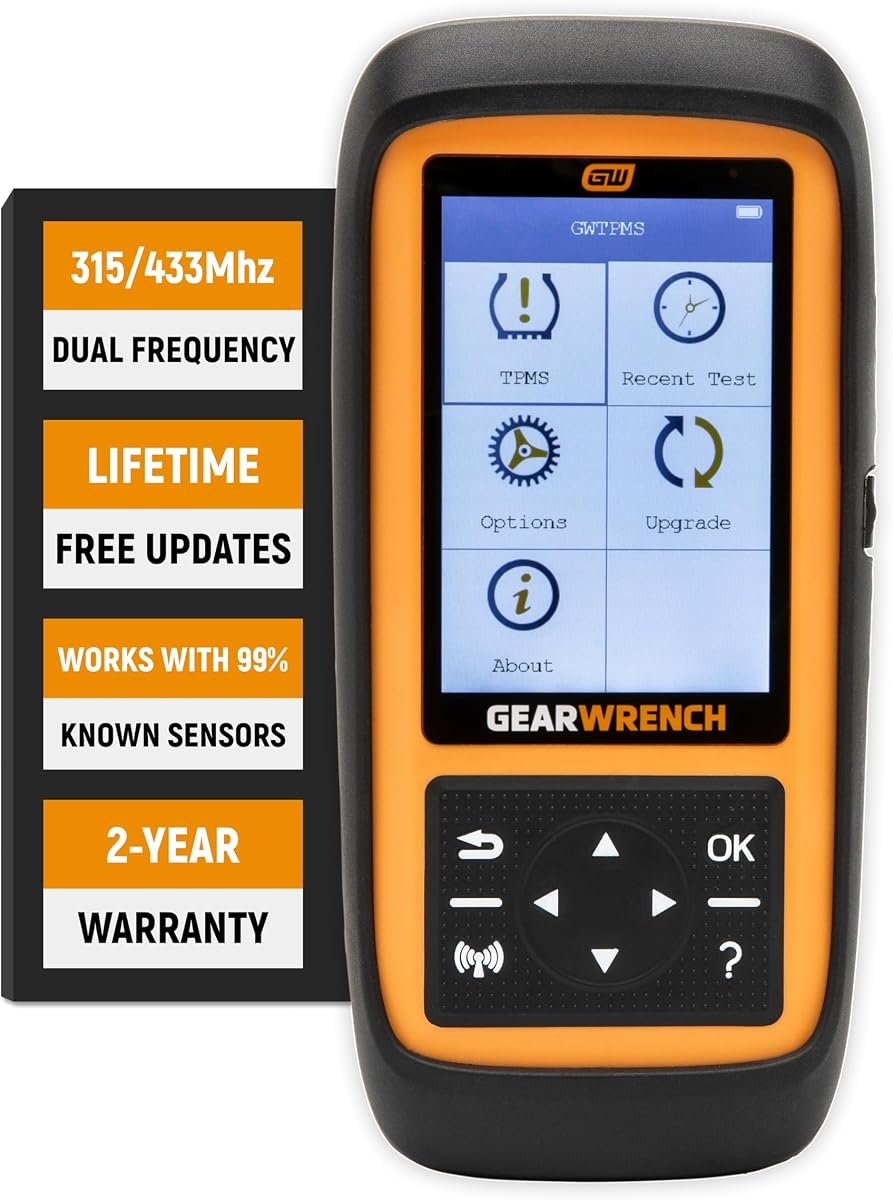
GEARWRENCH GWTPMS
4.0Editor score
Dual-frequency sensor support
Programs GEARWRENCH sensors
Multi-sensor programming support
Comprehensive TPMS data
Our Tpms Programming Scanner guide compares ten tools for sensor activation, relearning, programming, diagnostics, vehicle coverage, and workshop usability.
A TPMS programming scanner is more than a code reader: it can wake sleeping sensors, inspect live tire data, relearn sensors after replacement, clear warning lights, and sometimes create a programmable sensor from scratch. The right unit depends heavily on vehicle coverage, sensor brands, diagnostic depth, and whether you work as an occasional driver or a full-time technician.
We compared the ten featured tools using their stated capabilities, supported sensor types, relearn and programming methods, diagnostic functions, update policy, screen and hardware design, and user ratings. The list covers focused TPMS devices, compact all-purpose scanners, and advanced bidirectional diagnostic platforms, while calling out important brand and subscription limitations.
Each review explains the tool's strongest use case, practical trade-offs, and ideal buyer. Ratings reflect the supplied marketplace feedback rather than personal testing, and specifications can change with software revisions. Product prices also fluctuate, so compare current listings, seller support, warranty terms, and vehicle compatibility before purchasing.
4.0Editor score

4.7Editor score

4.7Editor score
The comparison below highlights each scanner's core role, sensor-programming scope, diagnostic breadth, and best-fit environment. Because coverage and available functions vary by vehicle, buyers should verify their VIN, model year, and sensor type before choosing a tool.


The XTOOL TP150 is a focused TPMS service tool with a 4.4 marketplace rating. It combines sensor activation, diagnostics, relearning, warning-light reset, and programming for pre-programmed sensors and the XTOOL TS100. Its physical buttons are especially approachable for technicians who wear gloves or prefer tactile navigation over a touchscreen.
We may earn a commission when you buy through this link, at no additional cost to you.
The scanner supports Automatic Relearn, OBD Relearn, Stationary Relearn, and Copy Sensors Relearn. Its four programming approaches—automatic ID generation, manual entry, copying an ID through activation, and copying through OBD—give owners a practical path for XTOOL TS100 replacement sensors. Live information includes sensor ID, pressure, temperature, battery condition, and frequency.
The main limitation is explicit: it does not program unprogrammed sensors from competing brands. It also centers on TPMS rather than engine, ABS, SRS, or transmission diagnostics. A faulty or damaged sensor may also prevent the warning light from clearing even when the relearn procedure itself is performed correctly.
This is a strong choice for tire shops and serious DIY owners who want the core TPMS workflow in a straightforward handheld unit. Check VIN compatibility, confirm whether your replacement sensors are pre-programmed or XTOOL products, and review the current manual before beginning a sensor swap.
The TP150 focuses on routine tire work: activating sensors, reading their condition, clearing codes, and relearning after rotation or replacement. It is less attractive when a technician needs broad vehicle diagnostics in the same device.
Tactile buttons make the interface usable in a busy shop, while Wi-Fi updates help keep vehicle software current. Confirm that your vehicle uses a supported 12-volt OBD2 connection and consult the coverage list before purchase.
We may earn a commission when you buy through this link, at no additional cost to you.
The XTOOL TP300 is a more versatile alternative to the TP150, earning a 4.4 marketplace rating. It combines TPMS service with Engine, ABS, SRS, and Transmission diagnostics, making it more suitable for independent technicians who do not want a separate general-purpose scanner on every call.
We may earn a commission when you buy through this link, at no additional cost to you.
Its TPMS functions include activation, relearning, reset, and programming for XTOOL TS100 or pre-programmed sensors. The same four relearn methods found on the TP150 are offered, while the broader diagnostic side includes ten OBD2 functions, Auto VIN identification, four-PID live-data graphing, and service functions such as EPB Reset, Throttle Body Relearn, ABS Bleeding, and Tire Size Reset.
Hardware is designed around a 5.45-inch HD touchscreen, a wireless VCI, a quad-core processor, dual-band Wi-Fi, and a rechargeable battery. The main trade-off is that some requested service functions depend on the vehicle, and sensor programming remains limited to XTOOL TS100 or already-programmed units rather than arbitrary unprogrammed sensors.
Choose the TP300 when TPMS is important but you also need regular engine or chassis diagnostics. It is less suitable for a buyer whose sole objective is inexpensive, brand-flexible sensor creation, so confirm both vehicle coverage and sensor requirements before ordering.
Combining TPMS with five-system diagnostics reduces the need to move between a tire tablet and an OBD2 scanner. Its service library and live-data views make it a broader shop investment than a TPMS-only unit.
The wireless VCI allows the handheld screen to remain away from the diagnostic port, which is useful under a vehicle or at the wheel. Software updates are delivered over Wi-Fi, but support and function coverage still need verification for a particular VIN.
We may earn a commission when you buy through this link, at no additional cost to you.
The Autel TS508WF stands out as a dedicated TPMS tool with one of the strongest supplied ratings at 4.7. It supports MX-sensor programming, activation, relearning, TPMS diagnostics, code clearing, and warning-light reset. Quick Mode and Advanced Mode organize common and more involved jobs into separate workflows.
We may earn a commission when you buy through this link, at no additional cost to you.
Autel MX-sensors can be programmed in four ways: Copy by OBD, Auto Create, Copy by Activation, and Copy by Manual Input. The automatic workflow can create sensors one through sixteen at once. Relearning is available through Stationary Relearn, Automatic Relearn, and OBD Relearn, while activation can expose sensor ID, pressure, temperature, battery, position, and frequency.
Its main constraint is sensor-brand compatibility: it programs only Autel MX-sensors, not other manufacturers' unprogrammed sensors. Availability also depends on make, model, year, and VIN. Another practical consideration is that the device must be registered, and the listing notes that functions differ by vehicle.
The TS508WF is our Editor's Choice because it combines strong marketplace feedback, efficient sensor creation, Wi-Fi updates, and a clear dual-mode workflow without becoming a full general diagnostic tablet. It is ideal for owners already using Autel MX-sensors or willing to standardize on them.
Quick Mode puts essential sensor checks and live information close at hand, while Advanced Mode exposes diagnosis and position relearning tools. This separation can reduce menu navigation for routine tire work.
Automatic creation of up to sixteen sensors is particularly useful for seasonal tire changes and multi-sensor replacements. The exact sensor program must still match the vehicle, so consult the vehicle-specific instructions and confirm compatibility first.
We may earn a commission when you buy through this link, at no additional cost to you.
The Autel MaxiTPMS TS508WF listing has a 4.5 marketplace rating and presents the TS508WF as a complete TPMS-focused tablet. It offers Quick and Advanced modes, MX-sensor programming, OEM and aftermarket sensor activation, three relearn methods, TPMS reset, health diagnosis, and detailed sensor information.
We may earn a commission when you buy through this link, at no additional cost to you.
The four programming methods include Copy by OBD, Copy by Activation, Copy by Input, and Auto Create for one through sixteen sensors. Compatible sensor data can be reviewed, and diagnostic reports can be printed. Coverage is described for numerous U.S., European, and Asian vehicles, with functions that vary by make, model, and year.
Like the other TS508WF listings in this roundup, it cannot program other brands' sensors. Buyers also need to recognize that activation and relearn procedures are vehicle-specific, and a physical fault such as a damaged sensor may require repair or replacement before the light will clear.
This listing is a good choice for a technician who values report handling and broad TPMS features in one dedicated unit. Confirm that the device is registered, provide the VIN during compatibility checks, and establish that Autel MX-sensors fit the sensors you intend to use.
Data review and printing are useful when documenting a diagnosis or handing a customer a record of the TPMS work. These features distinguish this dedicated scanner from very basic code readers.
Direct Wi-Fi updates avoid routine computer-based update sessions and support newer vehicle coverage. The stated lifetime policy applies to updates, while individual functions remain dependent on vehicle compatibility.
We may earn a commission when you buy through this link, at no additional cost to you.
The second XTOOL TP150 listing offers a 4.2 marketplace rating and a detailed explanation of its TPMS capabilities. It is designed for DIY users and tire shops that want activation, diagnosis, relearning, reset, and programming without carrying a full automotive diagnostic tablet.
We may earn a commission when you buy through this link, at no additional cost to you.
Programming is restricted to pre-programmed sensors and XTOOL TS100 or TS100 Pro sensors. The device provides automatic ID generation, manual ID entry, activation copying, and OBD copying. It can activate supported 315MHz and 433MHz programmed sensors, display ID, pressure, temperature, battery status, and frequency, and provide several relearn procedures.
One notable operational detail is that some software installation or configuration problems may require a Windows computer because iOS is not supported. The stated vehicle lists are extensive, but they do not override the need to check the TPMS support list for a specific vehicle and year.
This TP150 is a sensible portable unit for a family with several supported vehicles or a technician handling routine tire service. Its limitations are brand-specific programming and the possibility of computer-assisted updates, making it best suited to buyers who primarily work with programmed or XTOOL sensors.
The stated coverage spans many American, Asian, and European nameplates, including Toyota, Ford, GM, BMW, Honda, Nissan, and Subaru examples. Actual relearn support still depends on year, configuration, and the correct vehicle procedure.
The instructions stress activating sensors before attempting to read or relearn them. Following that sequence helps establish communication and produces more meaningful sensor readings.
We may earn a commission when you buy through this link, at no additional cost to you.
The Autel MaxiTPMS ITS600 (E) is a more advanced Android TPMS platform with a 4.6 marketplace rating. Its hardware includes a 5.5-inch display, a 1.5GHz quad-core processor, 2GB RAM, 64GB storage, and a 5000mAh battery, while its software adds TPMS building, toolkits, retrofit functions, and MX-sensor creation.
We may earn a commission when you buy through this link, at no additional cost to you.
Three OEM sensor relearn methods are supported: Stationary, Automatic, and OBD. Autel MX-sensors can be created one through twenty, copied by OBD, copied by activation, or copied by input. The tool also includes four hot services: oil reset, electronic parking brake service, battery registration, and steering-angle reset.
The important trade-off concerns expansion. Complete all-system diagnostics and 28-plus additional services are available through an in-app Pro Upgrade, while the four included hot services remain available for life according to the listing. The ITS600 also programs only Autel MX-sensors and cannot be treated as a substitute for a fully upgraded bidirectional diagnostic scanner without purchasing that additional package.
This is an excellent choice for a technician who treats TPMS as a core specialty and wants a dedicated platform with expandable capabilities. Pairing with the TBE200 (E) adds tire DOT, recall, tread-depth, and brake-disc wear information, creating a more complete tire-health workflow.
Compatibility with the TBE200 (E) enables a broader inspection than TPMS alone. Tire identification, recall lookup, tread measurement, and brake-disc wear can all support a more complete service report.
Buyers should decide whether four lifetime services are enough or whether full system diagnostics justify an in-app upgrade. Set expectations carefully because those broader capabilities are not part of the base package.
We may earn a commission when you buy through this link, at no additional cost to you.
The GEARWRENCH GWTPMS is the most streamlined dedicated programmer in the group, with a 4.0 marketplace rating. It is designed to clear TPMS warning lights, work with both 315MHz and 433MHz sensors, program GEARWRENCH-branded sensors, and handle up to eight sensors in a single programming operation.
We may earn a commission when you buy through this link, at no additional cost to you.
Its diagnostic data includes sensor ID, position, tire pressure, temperature, and battery status. That makes it useful for determining whether a replacement is needed, clearing codes, and completing standard activation or relearn jobs without adding the complexity of a full scan-tool platform.
The main limitation is brand-specific programming. It can create GEARWRENCH sensors but cannot be assumed to program every unprogrammed competitor sensor. The supplied information is also more concise than for the larger Autel and XTOOL tools, so buyers should review the manual and coverage details for their specific vehicle before relying on a particular procedure.
The GWTPMS is our Best Budget pick because it targets the essential TPMS tasks in a less expansive package. It is well suited to a DIY owner who already uses or intends to use GEARWRENCH sensors and wants practical warning-light clearing and sensor information.
Programming as many as eight sensors at once can streamline a complete seasonal replacement. Users must still follow the correct vehicle-specific programming sequence and sensor compatibility requirements.
Pressure, temperature, battery condition, ID, and position help identify obvious sensor problems. The smaller feature set makes this easier to learn than a general diagnostic tablet.
We may earn a commission when you buy through this link, at no additional cost to you.
The Autel MX808S-TS is the broadest workshop platform in this roundup and carries a 4.7 marketplace rating. It combines complete TPMS service with bidirectional control, OE-level all-system diagnostics, more than 3,000 active tests, 32-plus maintenance services, and cloud-based diagnostic report sharing.
We may earn a commission when you buy through this link, at no additional cost to you.
The hardware is specified with an RK3566 quad-core processor, Android 11, 4GB RAM, 64GB storage, a 5000mAh battery, and 2.4GHz and 5GHz Wi-Fi. Active tests can command components such as cylinders, the fuel pump, injectors, the ABS pump, the air-conditioning clutch, and doors, helping locate faults beyond simple code reading.
TPMS functions include sensor programming, OEM sensor relearning, warning-light reset, and related sensor services. The tool also supports Auto VIN, Auto Scan, live data, freeze-frame information, and Autel Cloud reports shared through a QR code or other messaging options. As with every broad scanner here, supported services vary by vehicle, and TPMS programming is most appropriate for the sensor families the product supports.
This is our Best Premium pick for professional mechanics and advanced enthusiasts who want TPMS within a full diagnostic ecosystem. The additional expense can be justified when bidirectional tests, all-system codes, service functions, and customer-ready reports are part of the regular workflow.
Fault-code access, live data, freeze-frame data, and active component tests make this a general diagnostic platform. That breadth makes it more versatile than the dedicated TPMS tablets in this comparison.
Report uploads can be shared with customers and may reduce reliance on internal storage. The workflow is particularly useful for professional shops that want to document findings before a vehicle leaves the bay.
We may earn a commission when you buy through this link, at no additional cost to you.
The THINKCAR VENU90 is a compact six-in-one device with a 4.6 marketplace rating. It combines TPMS programming, relearning, reset, and OBD2 diagnostic functions in a portable package intended for routine vehicle care, family road-trip preparation, and garage use.
We may earn a commission when you buy through this link, at no additional cost to you.
Its TPMS programming applies to pre-programmed sensors and THINKCAR or MUCAR sensors. The scanner supports relearn procedures for 315MHz and 433MHz sensors across compatible vehicles, while its OBD2 side provides live data, diagnostic-code reading and clearing, and vehicle information. A 2.4GHz Wi-Fi connection supports software updates.
The primary trade-off is that the product cannot be treated as a universal programmer for every unprogrammed sensor brand. Compatibility also depends on the vehicle and functions offered by the current software. Compared with larger premium scanners, the supplied feature list is concise, so buyers should seek exact confirmation for advanced workflows before purchasing.
The VENU90 is best for a portable technician, experienced DIY owner, or small shop wanting more than a TPMS-only reader without carrying a large workshop tablet. Verify sensor and vehicle support, and use the most recent software to avoid missing newly added functions.
Live data, code operations, and vehicle information give the VENU90 broader daily usefulness. It can complement other equipment without taking up as much space as a full diagnostic platform.
Pre-programmed sensors and THINKCAR or MUCAR sensors are the stated programming targets. Confirm your preferred replacement sensor before buying to avoid purchasing a tool that cannot create the required ID.
We may earn a commission when you buy through this link, at no additional cost to you.
This Autel MaxiTPMS TS508WF listing has a 4.4 marketplace rating and describes a dedicated tool that evolved from the TS508. It adds an OBD2 code reader, two operating modes, MX-sensor creation, OEM and aftermarket sensor activation, three relearn methods, TPMS diagnosis, and warning-light reset.
We may earn a commission when you buy through this link, at no additional cost to you.
Quick Mode exposes core sensor checks and data such as ID, battery status, position, frequency, pressure, and temperature. Advanced Mode provides the more complete TPMS workflow, including diagnosis and sensor-position relearning. Autel MX-sensors support Auto Create and Copy by OBD, with the broader listing also referring to activation and manual-input copying.
Autel MX-sensors are the only programmable brand, and the vehicle's VIN and configuration must support the requested function. A sensor that is physically defective may still prevent successful relearning, so diagnostic and replacement needs should be addressed rather than repeatedly attempting the same menu sequence.
This listing suits a technician or serious DIY user who wants a dedicated Autel TPMS workflow with an integrated code reader. Compare it carefully with other TS508WF listings to confirm the exact feature bundle and seller support being offered, since the marketplace entries describe overlapping but slightly different functions.
Separating quick sensor checks from advanced diagnostic work makes the interface more approachable. Users can start with the information needed for routine service and move deeper only when necessary.
Create and copy operations are valuable for replacement work, but they target Autel MX-sensors. Verify the correct part frequency and obtain the vehicle-specific procedure before removing or installing sensors.
We may earn a commission when you buy through this link, at no additional cost to you.
The right TPMS programming scanner depends on the sensors you service, the vehicles you own, and the depth of diagnostics you need. Compatibility should be investigated before screen size, extra functions, or update convenience.
Choose only a scanner that explicitly supports your vehicle and required procedure.
Match the tool to the exact sensor brands and programmable sensor families you use.
Prioritize the relearn method required by your most common vehicles.
Match diagnostic depth to your actual repair responsibilities, not just a feature count.
Verify both frequency support and the physical features that suit your work environment.
Read the update, registration, and subscription terms before making a long-term purchase.
Treat reliable support and a clear warranty as part of the tool's value.
Map the complete job from diagnosis through final relearn before choosing.
Begin by confirming the scanner and replacement sensors match the vehicle. Record the VIN, make, model, year, tire position, sensor frequency, and OE part number when available. Read the on-screen instructions completely, especially the order of activation, programming, and relearning operations.
Begin with a tire-pressure and TPMS diagnostic check before touching sensors. Confirm that all tires are correctly inflated, inspect for visible damage, and note which positions report missing or abnormal information. Activate the sensors, review their IDs and data, and resolve physical faults such as a dead battery before attempting a relearn.
Follow the exact vehicle-specific programming sequence without skipping prompts. After the ECU relearn completes, clear relevant TPMS codes, verify that the warning light has reset, and perform the specified drive cycle or confirmation procedure. To preserve the device, keep it away from moisture and excessive heat, use a protective case, and follow the manufacturer's charging and update instructions.
Activation wakes a sensor and allows the scanner to communicate with it so its ID and live data can be read. Relearning teaches the vehicle's TPMS control module the sensor's ID and, where required, its wheel position. Programming creates or copies the unique sensor ID in a compatible programmable sensor. A scanner may perform all three tasks, but the sensor brands and vehicles it supports can differ.
No. Most scanners can activate and often relearn a broad range of OEM and aftermarket sensors, but programming usually concerns branded programmable sensors. The XTOOL TP150 is limited to XTOOL TS100 and pre-programmed sensors, while the featured Autel models focus on Autel MX-sensors. Always verify both the sensor brand and frequency before purchasing.
The light may remain on if a sensor is damaged, has a depleted battery, was installed in the wrong position, or has not completed the required drive cycle. Another common cause is using a relearn procedure that the vehicle does not support. Scan the system for stored codes and verify compatibility before repeating the procedure.
A VIN is strongly recommended because vehicle configurations, model years, and factory TPMS systems can differ even within one nameplate. The product listings for several Autel models specifically recommend sending a VIN, make, model, and year before purchase. If a seller offers compatibility checking, use it and retain the written result.
For the products described as having lifetime free updates, TPMS software and specified update access are stated to remain available without subscription charges. That does not necessarily include every diagnostic function, hardware accessory, or in-app upgrade. The Autel ITS600 (E), for example, offers four lifetime services but places broader all-system diagnostics behind a paid Pro Upgrade.
Many tools can create a new sensor ID before installation, which can make installation and relearning more efficient. The process must still use the correct programming method and the correct vehicle information. Some manufacturers recommend programming before fitting the sensor, so follow the instructions provided for the exact sensor and vehicle.
A dedicated TPMS scanner is often simpler and quicker for sensor activation, programming, and relearning. A full OBD2 scanner is better when you also need engine, ABS, SRS, transmission, or other system diagnostics, live-data graphs, active tests, and maintenance services. The right choice depends on how often you perform work beyond tire service.
Updates should be installed as they become available because they can add vehicle coverage, sensor protocols, and corrected procedures. Devices with Wi-Fi updates make this more convenient, but users should still verify the displayed version and vehicle list after installation. Avoid interrupting an update and follow the manufacturer's instructions for registration and software loading.
The GEARWRENCH GWTPMS is the focused budget choice for compatible GEARWRENCH sensors, while the Autel TS508WF is the Editor's Choice for its strong rating, efficient MX-sensor workflows, and useful Quick and Advanced modes. The Autel MX808S-TS takes the premium position for professionals who need TPMS within a comprehensive bidirectional and all-system diagnostic platform.
Before buying, prioritize verified vehicle support, the sensor brand you actually use, and the required relearn method. Add broader diagnostic capability only when it will earn its place in your workflow. Seller support, registration, update methods, warranty, and included accessories are just as important as the headline function list.
Marketplace listings and software coverage can change over time, and product prices fluctuate as well. Review the current product page, verify the latest compatibility information, and compare the present offer before purchasing. That final check helps ensure the scanner's capabilities align with your sensors, vehicles, and service priorities.
