
Razer Huntsman V3 Pro TKL
4.3Editor score
Adjustable analog actuation
Rapid Trigger and Snap Tap
Onboard configuration display
Our Tkl Keyboard guide compares ten compact gaming keyboards for sound, responsiveness, connectivity, build quality, features, and better everyday typing.
A Tkl keyboard, commonly known as a tenkeyless keyboard, combines a compact footprint with a dedicated function row and arrow keys. It creates more desk and mouse space than a full-size model while retaining controls that are especially useful for gaming, writing, and everyday productivity.
The keyboards in this guide were compared using their supplied specifications, including layout, switch technology, connectivity, sound-control features, lighting, programmability, and physical design. The list covers wired, wireless, low-profile, membrane, and mechanical options across different experience levels.
Each review explains the keyboard's strongest qualities, practical trade-offs, and ideal user, helping you compare a premium rapid-trigger model with feature-rich wireless, customizable, and budget-friendly alternatives. Product listings and availability can change, so confirm current details before purchasing.
4.3Editor score

4.7Editor score

4.7Editor score
The comparison below highlights the major differences among all ten keyboards, including their layouts, connection methods, switch designs, lighting, and game-focused features.
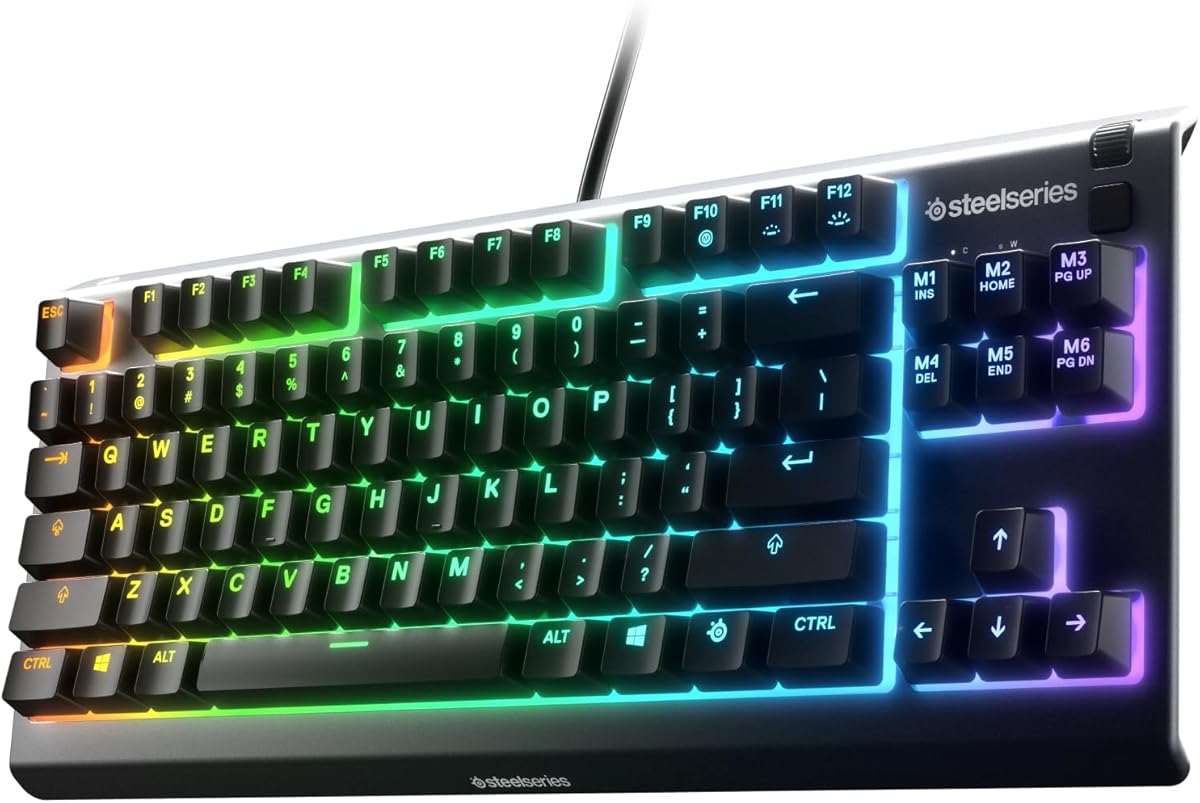



The SteelSeries Apex 3 TKL RGB Gaming Keyboard – Black is a 4.5-rated conventional gaming option that balances useful controls, strong lighting, and a compact tenkeyless footprint. It avoids the more specialized software demands of competitive rapid-trigger keyboards, making it straightforward for a broad range of players.
We may earn a commission when you buy through this link, at no additional cost to you.
Its headline attraction is PrismSync RGB illumination, which provides millions of color and effect choices alongside dedicated media controls. A clickable volume roller offers quick level changes, while the near-silent gaming switches and anti-ghosting technology focus on dependable everyday input. IP32 water and dust resistance also adds practical durability for a frequently used desk peripheral.
The main limitation is its reliance on a wired connection, which avoids battery management and potential wireless latency but does not suit buyers who want to move freely between a desktop and laptop. It also lacks the adjustable actuation and rapid-release behavior offered by the SteelSeries Apex Pro model later in this list.
This keyboard makes sense for a gamer who wants RGB, media controls, broad device compatibility, and a conventional TKL shape without a steep learning curve. It is a particularly balanced choice for mixed gaming and productivity setups where full-size controls and subdued typing sound matter.
The TKL arrangement retains the essential gaming keys while eliminating the number pad, giving the mouse more room to move. It also includes a dedicated function row and useful multimedia controls, making the keyboard practical beyond games.
PrismSync RGB supports numerous colors and reactive effects for desk personalization. IP32 protection adds useful resistance against splashes and dust, although it does not make the keyboard waterproof.
We may earn a commission when you buy through this link, at no additional cost to you.
The RK ROYAL KLUDGE R87 Pro Wired Mechanical Keyboard TKL with Knob, QMK/VIA earns a 4.6 rating by combining an approachable mechanical format with unusually deep enthusiast features. Its 88-key design preserves the essential TKL controls while making room for a programmable metal knob.
We may earn a commission when you buy through this link, at no additional cost to you.
Hot-swappable sockets accept both three-pin and five-pin switches, allowing the feel and sound to be changed without soldering. QMK and VIA support also expands the scope for remapping and custom layouts. Inside, a five-layer gasket structure targets lower noise and vibration, while more than 15 RGB effects add visual personalization without overwhelming the core design.
Its wired design is a sensible constraint for a desk-bound enthusiast keyboard because it avoids battery degradation and wireless complexity. The RGB suite is less expansive than systems advertising 16.8 million colors, and buyers who require Bluetooth or a 2.4GHz connection should look elsewhere.
Choose the R87 Pro if you want a highly customizable mechanical TKL without moving into the specialized competitive category. It is well suited to programmers, office workers, and hobbyists who appreciate hardware knobs, open firmware, and the freedom to change switches.
The CNC metal knob can rotate for volume control or press to mute, and its function can be customized. It adds a tactile control point that is particularly useful when changing settings without leaving an application.
Hot-swap sockets, QMK, and VIA support make this keyboard attractive to users who enjoy tuning their setup. The five-layer gasket design also seeks a softer, more focused result than a basic tray-mounted mechanical keyboard.
We may earn a commission when you buy through this link, at no additional cost to you.
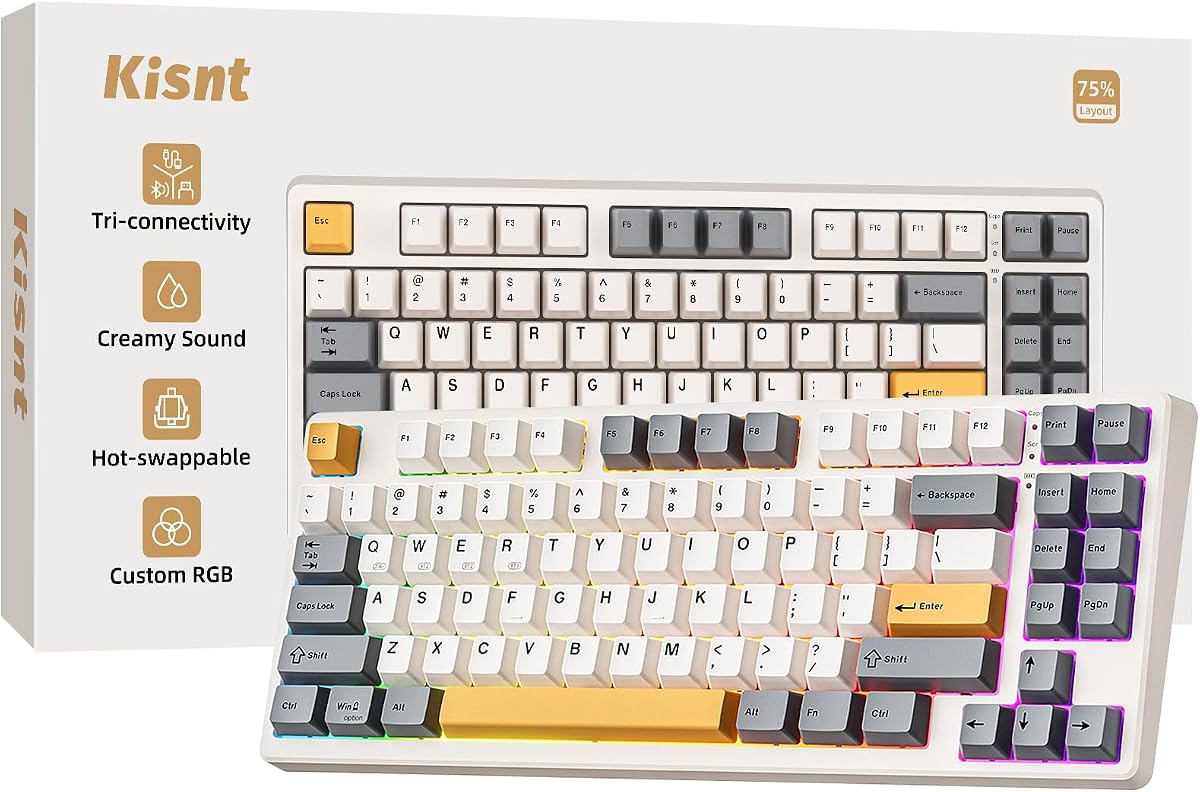
The Kisnt KN85 Wireless Mechanical Keyboard is a 4.6-rated, 85-key option built around portability, restrained desk-space use, and a softer typing profile. Its dimensions of 13.68 by 5.51 by 1.77 inches make it notably compact without removing the function row or arrow keys.
We may earn a commission when you buy through this link, at no additional cost to you.
Bluetooth 5.0, 2.4GHz wireless, and USB-C wired modes support different workflows, while the built-in 4000mAh rechargeable battery provides freedom from a permanent cable. Pre-lubed linear switches, a gasket mount, and internal absorption create a creamy, marbly sound. Hot-swap support works with three-pin and five-pin switches.
The supplied driver is Windows-only and limited to wired and 2.4GHz operation, so macOS users lose some advanced customization. First use also requires a full charge, and animated lighting can reduce battery life. The manufacturer recommends a wrist rest to reduce fatigue during extended sessions.
The KN85 is a strong fit for someone who wants wireless switching, a compact layout, and a more subdued mechanical sound. It works particularly well for students, hybrid workers, and laptop users who regularly move among several devices.
Three Bluetooth channels, 2.4GHz wireless, and wired USB-C operation let the keyboard serve several computers or mobile devices. The advertised latency figures make the wired mode suitable for games, while wireless offers greater placement freedom.
The gasket mount, pre-lubed linear switches, and internal sound-absorbing materials reduce harsh vibration and hollow echoes. The result is intended to feel cushioned and controlled, which can benefit shared workspaces and late-night typing.
We may earn a commission when you buy through this link, at no additional cost to you.
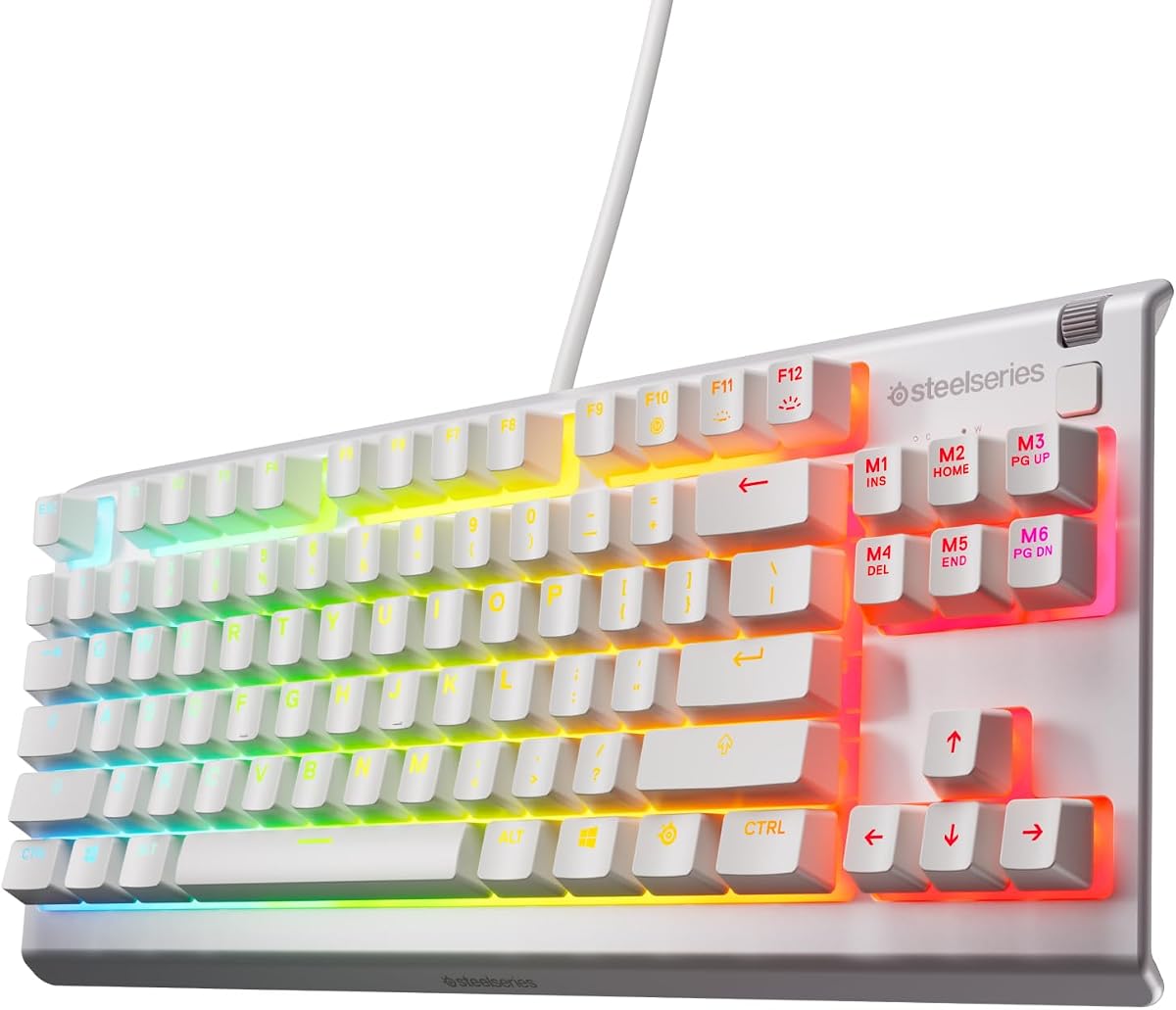
The SteelSeries Apex 3 TKL Gaming Keyboard – White is a 4.5-rated, straightforward TKL for gamers who prioritize a clean appearance, quiet operation, and a compact layout. It focuses on core gaming fundamentals rather than elaborate onboard hardware or advanced trigger settings.
We may earn a commission when you buy through this link, at no additional cost to you.
Anti-ghosting helps maintain input accuracy, while the near-silent switches are rated for 20 million keypresses. The keyboard also provides water and dust resistance for everyday resilience. Eight-zone RGB illumination adds color and reactive effects without giving each key a separate lighting zone.
Compared with the more elaborate Apex 3 TKL RGB model, this version provides fewer dedicated controls, and it does not offer the magnetic switches or quick configuration tools of the Apex Pro line. Its appeal therefore rests on simplicity and visual cleanliness.
Choose it for gamers who want a white TKL with restrained features and dependable performance. It is well suited to a shared gaming setup, a bright desk, or a user who prefers not to manage extensive keyboard software.
The low-friction gaming switches are designed for near-silent use while retaining anti-ghosting support. This makes the keyboard suitable for offices, streaming sessions, and homes where constant clicking could be disruptive.
The white finish and eight-zone RGB create a bright, uncluttered appearance. Because the lighting is organized into larger zones, it offers a coherent visual effect rather than a more granular per-key display.
We may earn a commission when you buy through this link, at no additional cost to you.
The AULA F87 Pro is a 4.7-rated 87-key TKL that combines wireless flexibility, hot-swappable mechanical switches, sound-conscious construction, and extensive lighting in an accessible package. It is among the most feature-complete options in this guide for users who want room to customize.
We may earn a commission when you buy through this link, at no additional cost to you.
Bluetooth, 2.4GHz wireless, and USB-C modes allow up to five devices to be connected, and the rechargeable 4000mAh battery supports mobile use. The hot-swap base accepts three-pin and five-pin switches, while pre-lubed stabilizers and LEOBOG space gold switches support a creamy sound. Five layers of internal filling target cavity noise and improve the solid feel.
Macro programming and music-reactive lighting require the F87 driver, so buyers who dislike software configuration may find some features less convenient. The rechargeable design also introduces a battery that needs occasional charging, unlike a permanently wired keyboard.
This is an appealing choice for a gamer or productivity user who wants tri-mode connectivity and customization without moving to a competitive analog model. Its 87-key layout preserves arrow keys and saves substantial desk space compared with a full-size board.
The ability to connect five devices makes the F87 Pro useful for switching among a gaming PC, work laptop, tablet, and phone. Shortcut controls or the side button simplify the transition between connection modes.
An integrated silicone pad, PCB single key slotting, and five layers of filling reduce movement and cavity noise. Pre-lubed stabilizers further refine the experience on larger keys such as the space bar.
We may earn a commission when you buy through this link, at no additional cost to you.
The SteelSeries Apex Pro TKL Gen 3 Gaming Keyboard – Black is a 4.7-rated flagship option created around fast movement and precise competitive control. It combines Rapid Trigger, Rapid Tap, and Protection Mode with an OLED display, making it the most feature-focused model in this guide for competitive shooters.
We may earn a commission when you buy through this link, at no additional cost to you.
Its OmniPoint 3 Hall effect switches offer 40 adjustable actuation levels from 0.1 to 4.0 millimeters and a 45-gram bottom-out force. Rapid Trigger resets as soon as a key is released, while Rapid Tap prioritizes the latest movement input. Protection Mode is intended to limit accidental activations of nearby keys when another key is held.
QuickSet automatically launches saved configurations when supported games load, while the OLED Smart Display allows settings to be viewed and changed without leaving the game. The trade-off is complexity: users must understand actuation behavior, profiles, and software configuration to benefit fully from the advanced hardware.
Choose the Apex Pro TKL Gen 3 for a serious gaming setup where movement speed, repeat actions, and game-specific profiles are priorities. It is less necessary for office work or casual gaming, but it offers a remarkably complete competitive control package.
Rapid Trigger resets a key at the slightest release, allowing opposite-direction inputs to register without fully lifting the previous key. Rapid Tap similarly favors the latest directional press for quicker strafing and dodging.
The OLED Smart Display exposes configuration choices without requiring the user to exit a game. QuickSet auto-presets reduce the need to repeatedly recreate settings when moving between supported titles.
We may earn a commission when you buy through this link, at no additional cost to you.
The Razer Ornata V3 TKL Gaming Keyboard, Low-Profile Keys, Black is a 4.6-rated option for gamers who prefer a thin profile and comfortable hand position. Unlike full-height mechanical boards, its shorter switches and slimmer keycaps reduce the distance the fingers must travel.
We may earn a commission when you buy through this link, at no additional cost to you.
Razer describes the switch design as mecha-membrane, combining mechanical-style feedback with a familiar membrane structure. UV-coated keycaps improve resistance to worn legends, while a magnetic wrist rest attaches directly to the chassis. Dedicated media controls support common playback and lighting functions, and eight-zone Chroma RGB provides dynamic effects.
It does not offer the broad switch customization of a hot-swappable mechanical keyboard, and the advanced rapid movement feature requires Razer Synapse 4. Snap Tap is also off by default, so buyers must activate it deliberately rather than receiving the behavior automatically.
The Ornata V3 TKL is ideal for gamers who value a low travel distance, wrist support, and quiet operation more than analog control. It also works well for extended office use because its slim construction and restrained feedback suit longer typing sessions.
Slim keycaps and short switches encourage a more natural hand position and can reduce finger travel. The included magnetic wrist rest adds support without requiring a separate desk accessory.
The mecha-membrane switches aim to deliver satisfying feedback without the pronounced travel of full mechanical switches. This creates a middle ground for users moving between gaming, typing, and general office work.
We may earn a commission when you buy through this link, at no additional cost to you.
The Razer BlackWidow V4 TKL Wireless Gaming Keyboard, Orange Switches is a 4.1-rated wireless TKL that combines a hot-swappable build with extensive device connectivity and dedicated controls. It appeals to users who want the familiar BlackWidow format without permanently tethering the keyboard to one computer.
We may earn a commission when you buy through this link, at no additional cost to you.
HyperSpeed 2.4GHz wireless and Bluetooth support multiple devices, while the advertised battery life reaches up to 980 hours. A socketed PCB accepts three-pin or five-pin switches, allowing the supplied orange switches to be replaced. A top-mounted stainless-steel plate, tape-enhanced PCB, lubricated stabilizers, and two foam layers refine the sound and feel.
The multi-function roller and three dedicated buttons are useful but occupy additional space along the keyboard's upper edge. Its rating is also the lowest in this list, suggesting that some buyers may find comparable value in models with stronger overall feedback or more conventional design execution.
The BlackWidow V4 TKL is a solid choice for a multi-device user who wants wireless operation, customizable switches, and ample controls. It is especially suitable for hybrid setups that alternate between gaming, media, and office work.
The advertised battery life of up to 980 hours reduces the need for frequent charging. Bluetooth device switching broadens its usefulness for users who alternate between a gaming PC, laptop, and other compatible system.
Hot-swap sockets let users change three-pin and five-pin switches without soldering. A top-mounted steel plate, lubricated stabilizers, and layered foam provide a more refined foundation than a basic membrane keyboard.
We may earn a commission when you buy through this link, at no additional cost to you.
The Logitech G515 Lightspeed TKL Wireless Gaming Keyboard is a 4.5-rated slim TKL designed to bridge gaming performance and everyday typing. Its LIGHTSPEED wireless, Bluetooth, and wired modes offer flexible connectivity, while low-profile GL Brown switches provide a more pronounced tactile response than many gaming-focused membrane alternatives.
We may earn a commission when you buy through this link, at no additional cost to you.
The factory-lubed switches are designed for smooth travel, fast actuation, and precise typing. Double-shot PBT keycaps resist oil and wear, and three dedicated hotkeys provide quick access to LIGHTSPEED, Bluetooth, and Game Mode. LIGHTSYNC RGB supports approximately 16.8 million colors and synchronization with other compatible Logitech G accessories.
Its battery life is advertised at up to 36 hours, which is less generous than the BlackWidow V4 TKL's figure and may require more regular charging. The switches are not hot-swappable, so users who want to change the feel must accept the supplied brown tactile design or replace the keyboard.
The G515 is a strong match for a gamer who also writes extensively and prefers a slimmer, more traditional feel. It is particularly suitable for users who value a tactile bump, PBT keycaps, and Logitech software customization over analog actuation.
The low-profile brown switches provide discernible feedback that can make long writing sessions more satisfying. Factory lubrication helps keep the short-travel mechanism smooth without requiring immediate user modification.
LIGHTSPEED offers a direct wireless connection for gaming, while Bluetooth supports everyday pairing. The three hotkeys reduce the need to open software for frequently used connection and Game Mode functions.
We may earn a commission when you buy through this link, at no additional cost to you.
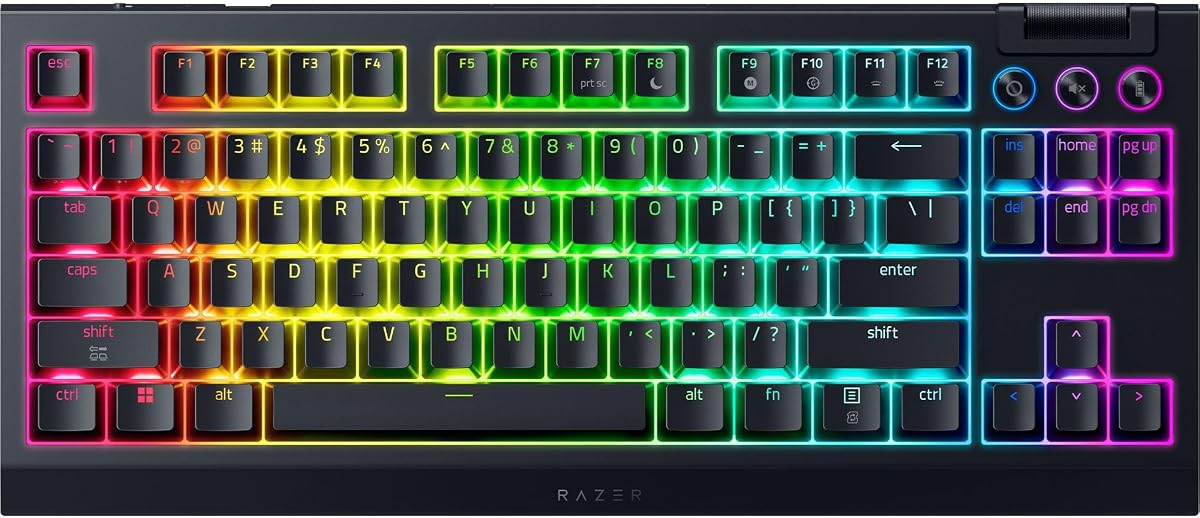
The Razer Huntsman V3 Pro TKL Esports Gaming Keyboard, Black is a 4.3-rated premium esports model built around fast repeated inputs, adjustable actuation, and rapid directional changes. It offers advanced competitive tools without requiring the user to leave a game for every adjustment.
We may earn a commission when you buy through this link, at no additional cost to you.
Gen-two analog optical switches provide an adjustable actuation range from 0.1 to 4.0 millimeters and are rated for 100 million keystrokes. Rapid Trigger resets when a key is slightly lifted, while Snap Tap prioritizes the latest input between two selected keys. An onboard LED array visually assists changes to actuation and sensitivity.
A multifunction digital dial handles volume and analog switch settings, supported by three dedicated media and macro buttons. The trade-off is learning complexity, particularly because Snap Tap depends on the latest firmware and must be configured. Its 4.3 rating is also lower than those of the other rapid-trigger models in the guide.
Buy the Huntsman V3 Pro TKL for a dedicated competitive setup that values rapid movement, onboard adjustments, and premium keycaps. The magnetic firm leatherette wrist rest adds comfort, while the analog foundation gives it clear advantages for demanding shooters.
Rapid Trigger responds to even slight key lifts, while Snap Tap prioritizes the most recent movement input. Together, they are designed to reduce the delay associated with fully releasing and pressing opposite-direction keys.
The LED array helps users locate and understand settings such as actuation height and Rapid Trigger sensitivity. A digital dial and dedicated buttons make mid-session changes more practical than navigating an entire software interface.
We may earn a commission when you buy through this link, at no additional cost to you.
Choosing a Tkl keyboard means balancing layout, switch behavior, connection method, sound, customization, and intended use. The right model for competitive shooters may differ substantially from the best option for writing or shared workspaces.
Choose a layout based on your workflow rather than the key count alone. Gaming and general productivity are well served by a TKL, while frequent spreadsheet entry may still require a separate numeric keypad.
Match the switch to your priorities: speed and movement control, sound, tactile feedback, or straightforward reliability. Check whether the switches are hot-swappable before assuming you can alter the feel later.
Choose wired for a permanent gaming station and wireless for a flexible desk. Make sure the receiver, Bluetooth version, and paired operating systems are compatible with your setup.
Read descriptions of damping, gasket construction, and switch type rather than relying only on sound-oriented labels. The best choice is one whose sound profile suits your room and personal preference.
Prioritize controls you will actually use rather than every advertised feature. Ensure that the associated software is compatible with your operating system and that your preferred layouts can be stored.
Check desk dimensions, wrist comfort, and included accessories before ordering. A keyboard that looks compact may still be deep enough to reduce mouse room if its front edge or control row is substantial.
Treat battery figures as maximum-use guidance because lighting, animation, and connection type can change results. Confirm the required charger and fully charge the keyboard before its first use when the manufacturer recommends it.
Choose lighting and keycaps according to how visible you want the board to be in a shared or professional space. Battery-conscious wireless users may also prefer static lighting over animated effects.
Begin by installing the manufacturer's software only if you need remapping, macros, lighting profiles, or advanced switch settings. Connect the keyboard using its intended wired, 2.4GHz, or Bluetooth mode, and confirm that the correct device is selected. For models with programmable knobs, rollers, or onboard screens, assign the controls you use most before starting a game or a work session.
Allow a new wireless keyboard to charge fully before its first use, following the supplied charging guidance. Avoid incompatible fast chargers, and use a static lighting effect when battery conservation is important. Keep the receiver plugged into the correct USB port when using a 2.4GHz connection, and remember that animated effects, additional devices, and different connection modes can influence battery consumption.
For cleaning, disconnect the keyboard from power and use a soft, dry or lightly dampened cloth to remove dust from the case and keycap edges. Avoid pushing liquid into the switches, around the knob, or beneath removable wrist rests, and do not use harsh cleaners. For hot-swappable models, switch out the sockets carefully and keep small parts away from children and pets. Periodic software updates and occasional switch testing can help maintain consistent performance.
Tkl is the common abbreviation for tenkeyless, meaning the keyboard omits the separate numeric keypad. Most Tkl models retain a function row and dedicated arrow keys, producing a more compact desk footprint than a full-size keyboard. They are especially popular in gaming because the missing number pad leaves more room for mouse movement.
Yes, a Tkl keyboard is well suited to gaming because it preserves commonly used controls while freeing desk space. Competitive shooters can benefit from rapid-trigger models, while other games may not require that level of input customization. Consider switch type, anti-ghosting, macro support, and whether you prefer wired or wireless operation.
Mechanical Tkl keyboards can be noisy, but sound varies with switch type and construction. Gaskets, foam, lubrication, and a top-mounted plate can reduce vibration and hollow sound. Low-profile switches and membrane-style designs are often quieter, while full-height mechanical switches generally produce more audible travel and bottom-out feedback.
It depends on how often you enter numbers. A Tkl keyboard is ideal for writing, browsing, document editing, and most general productivity tasks. If you work regularly with spreadsheets, accounting data, or numeric entry, a separate number pad can restore familiar full-size functionality without giving up the mouse space of a Tkl.
Hot-swappable sockets allow compatible three-pin or five-pin switches to be removed and replaced without soldering. This makes it easier to experiment with linear, tactile, and clicky switch styles or to change the feel of a worn keyboard. You should still confirm socket compatibility and handle the sockets carefully during installation.
A wireless Tkl can be convenient for multi-device setups and flexible desk arrangements. For latency-sensitive play, review the supplied wireless response information and use the manufacturer's recommended receiver connection. Wired models remain the simplest option when uninterrupted connectivity and no charging routine are the top priorities.
Rapid Trigger resets a key when it is lifted slightly rather than after a full release, allowing a new directional input to register more quickly. This can benefit movement-heavy competitive shooters. It usually requires configuration, and the exact behavior depends on the keyboard's switch system, software, and per-key sensitivity settings.
RGB is mainly a visual customization feature and can help distinguish important keys, match a desk theme, or synchronize with compatible games and accessories. It is optional rather than essential to performance. Wireless users may prefer static effects because animated lighting can consume more battery.
The SteelSeries Apex Pro TKL Gen 3 stands out for serious competitive play because it combines Rapid Trigger, Rapid Tap, Protection Mode, adjustable magnetic switches, and an onboard display. The AULA F87 Pro delivers the broadest value-oriented feature set, while the Razer Huntsman V3 Pro TKL offers refined analog controls, onboard adjustments, and premium esports construction.
For other priorities, the RK ROYAL KLUDGE R87 Pro is ideal for open-firmware and hot-swap enthusiasts, and the Kisnt KN85 suits users seeking a compact wireless mechanical board. The Razer Ornata V3 TKL prioritizes low-profile comfort, while the Logitech G515 LIGHTSPEED TKL is a strong option for buyers who want tactile typing and a slim wireless design.
Before ordering, verify layout, operating-system support, connection method, switch type, and required software. Review the current product listing and availability carefully, since configurations and retailer information can change, and choose the model whose core features match how you game and work.