
Ophaya Smart Digital Notebook and Smart Pen Real-Time Sync to Phone
4.3Editor score
Writes on ordinary paper
Real-time phone synchronization
OCR and searchable notes
Audio-linked note capture
Explore the best digital notebooks for note taking, comparing paper-style tablets, smart pens, displays, apps, storage, and portability.
Digital notebooks bring the familiarity of pen and paper into a searchable, portable format, but the best choice depends on whether you prioritize realistic writing, color screens, audio capture, or simple paper digitization. A useful device should make capturing ideas feel natural while making notes easy to revisit, edit, and share.
The ten products in this guide span full-size paper tablets, Android writing tablets, and smart pens that write on ordinary paper. We compared their supplied display features, writing systems, note organization, export options, battery information, and intended use cases to clarify what each model offers without relying on unsupported testing claims.
Each pick demonstrates a different approach: distraction-free reading and writing, paper-based note capture, color annotation, AI-assisted study tools, or inexpensive smart-pen functionality. Ratings reflect the supplied customer feedback, while availability and prices change frequently, so readers should confirm current listings and feature details before purchasing.
4.3Editor score

4.4Editor score

4.2Editor score
This side-by-side comparison highlights the major differences among full-screen e-ink and LCD writing tablets, paper-based smart-pen systems, and hybrid devices, including screen size, writing method, note conversion, portability, and media features.




The Amazon Kindle Scribe earns the top position because it combines a calm, distraction-free reading and writing environment with tools that make captured notes more useful after the meeting ends. Its supplied 4.4 rating reflects broad customer approval, while the 10.2-inch glare-free, 300 ppi front-lit display is designed to remain comfortable for extended reading and handwriting.
We may earn a commission when you buy through this link, at no additional cost to you.
Its Premium Pen needs no charging or initial setup, removing one common source of friction from a digital writing system. The pen responds to the sensation of writing on paper, and Active Canvas creates additional writing space beside books and documents. Users can also import documents and PDFs through Send to Kindle, then mark them up directly on the page.
Built-in AI tools add another layer of utility by converting handwriting into a readable font, summarizing notes, and changing their length or tone. These functions can be useful for condensing lecture notes or turning a rough brain dump into a cleaner outline, although their practical value depends on the legibility and structure of the original handwriting.
This is the strongest recommendation for readers who want one dedicated device for books, PDFs, handwritten notes, and organized review. It is less suited to buyers seeking a full Android app ecosystem or vivid color annotation, but for focused writing and reading without social notifications, its combination of display quality, stylus convenience, and document tools is unusually persuasive.
Kindle Scribe is built around writing and reading rather than general-purpose tablet functions. With no notifications or social media in the stated experience, it provides a more deliberate setting for lectures, planning sessions, reading, and document review.
The included AI notebook tools can clean up messy handwriting, create summaries, and adjust tone or length. These features make the device especially attractive to users who want searchable, revisable notes without manually retyping everything they wrote.
We may earn a commission when you buy through this link, at no additional cost to you.
XPPen Note Plus takes a different approach from screen-based writing tablets: it records handwriting on real A5 paper while synchronizing those strokes to a phone. Its 4.3 rating indicates a favorable reception, and the format appeals to anyone who prefers familiar stationery but wants digital copies, editing tools, and searchable storage.
We may earn a commission when you buy through this link, at no additional cost to you.
The matching ink pen uses EMR technology with 8192 pressure-sensitivity levels, allowing the system to capture stroke variation for writing, sketching, and more detailed illustration. A stable Bluetooth 5.3 connection handles synchronization, while the app adds brushes, highlighters, colors, tagging, search, and page-management options.
One of the most distinctive features is the replaceable core. Any A5-sized core up to 8 millimeters thick can be used, reducing the need to remain tied to one paper style and making it easier to continue using preferred paper when the original core fills. A pen clip and soft rubber grip support regular mobile use.
The package also includes a 1,000mAh battery that supports up to 14 hours of continuous writing and a stated 50-day standby period. It fully charges in about 2.5 hours. This makes XPPen Note Plus a compelling choice for students and professionals who insist on writing on actual paper but want their notes available on a phone.
The central advantage is the absence of a screen between the writer and the page. Notes can be captured with an ordinary-looking pen experience, then reviewed, edited, highlighted, searched, and exported through the connected app.
Offline writing stores information locally and syncs it after reconnection, which reduces the risk of losing class or meeting content when connectivity is unreliable. Sharing is available in PNG and PDF formats, with PDF export supporting further computer-based editing.
We may earn a commission when you buy through this link, at no additional cost to you.
The reMarkable Paper Pro is the most fully featured traditional writing tablet in this group, pairing an expansive 11.8-inch color display with a paper-like writing surface. Its supplied rating is 4.2, and the device is aimed at users who want to write, sketch, read documents, and organize substantial collections in one focused hardware platform.
We may earn a commission when you buy through this link, at no additional cost to you.
The included Marker Plus has a built-in eraser, and its nibs are designed to interact with the Canvas Color display to create realistic friction and precise control. An adjustable reading light extends use into low-light settings, while the low-glare display is designed to reflect ambient light rather than produce the glare common on many conventional tablets.
File management is straightforward through folders and tags. Users can write directly on PDFs and convert handwriting into typed text, making the Paper Pro useful for students, professionals, and readers who regularly mark up imported documents. Six spare Marker tips are also included in the box.
The main limitation is the size of the commitment: this is a premium device for people who want an expansive screen and refined writing hardware. However, for buyers seeking a large, calm, color-capable writing canvas rather than a general-purpose Android tablet, it offers one of the most focused experiences in the guide.
The 11.8-inch screen gives diagrams, spreadsheets, annotated PDFs, and handwritten outlines more room than smaller writing tablets. Color support is especially helpful for study materials, mind maps, technical sketches, and projects that rely on visual distinctions.
The reflective, low-glare display and adjustable reading light support use indoors and outdoors. That combination makes the Paper Pro practical for long reading sessions as well as writing tasks.
We may earn a commission when you buy through this link, at no additional cost to you.
HUION Note combines a digital pen, a regular A5 notepad, and an application, preserving the tactile feel of pen and paper while creating synchronized digital copies. Its 4.2 rating reflects a solid customer reception, and the system is aimed at users who want uncomplicated note capture without relying on a tablet screen.
We may earn a commission when you buy through this link, at no additional cost to you.
Every mark is captured as vector lines and transferred to the Huion Note app for iOS or Android. The app can organize, merge, split, and move pages, while editing tools such as highlighting make it easier to emphasize key ideas after a class or meeting.
Audio recording is one of the most valuable additions. Notes and recordings remain synchronized, allowing the writer to replay the discussion that produced a page. Completed work can be shared as images, PDF, or MP4 files, which gives classmates, teammates, and colleagues several ways to review the material.
The included pen does not require charging, and the battery is stated to last up to 18 hours of use with approximately 30 days of standby. Replacing the paper inner pages with the included panel also turns the device into a PC-connected drawing tablet. That versatility makes HUION Note compelling for students, meeting participants, and hybrid creators.
Synchronized audio captures the verbal context behind each written idea. This can be especially valuable in classes and meetings where the exact explanation is more informative than a compressed handwritten summary.
In its standard configuration, HUION Note works as a paper-based capture system. When the inner pages are replaced with the graphics panel, it can function as a PC drawing tablet for digital illustration and graphic work.
We may earn a commission when you buy through this link, at no additional cost to you.
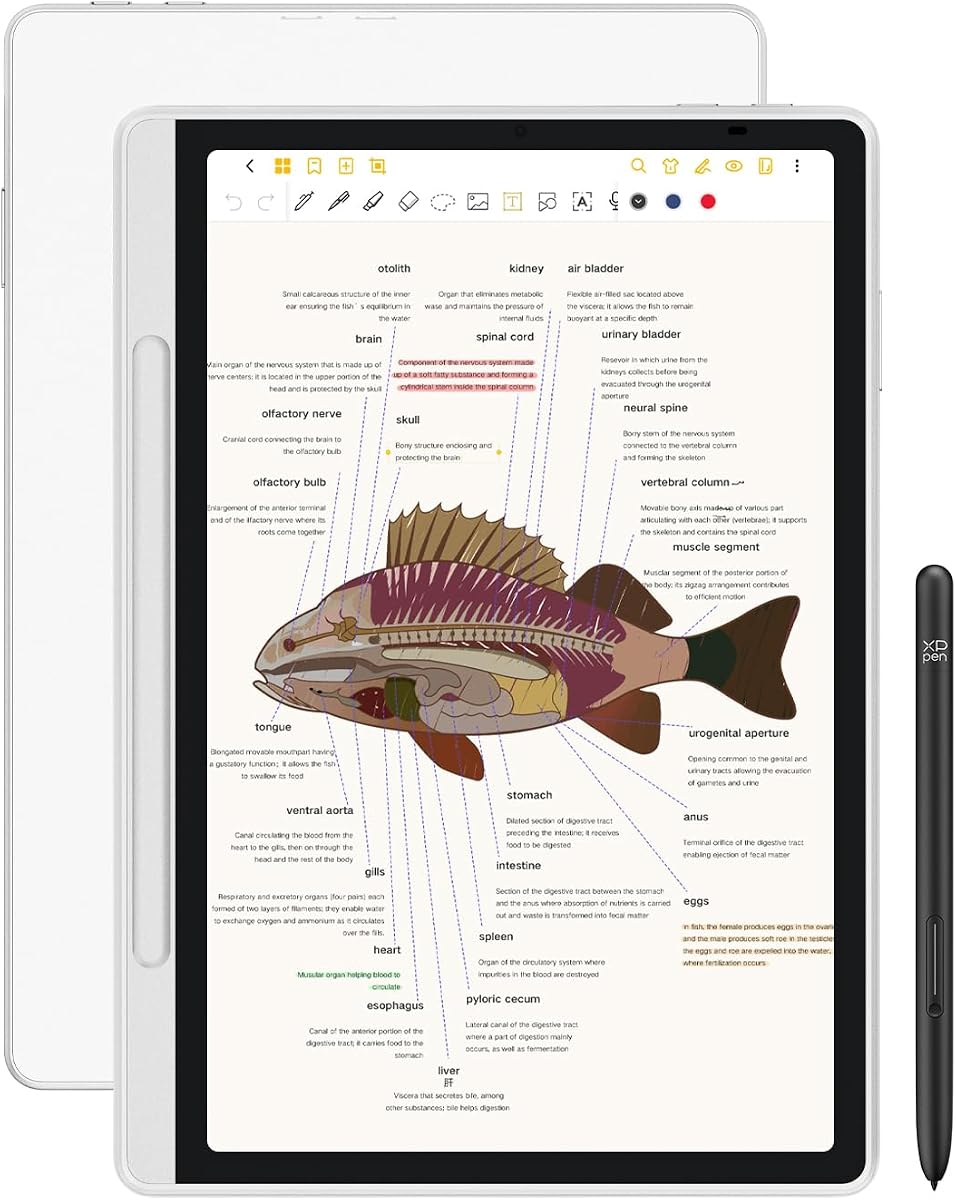
XPPen 3 in 1 Color Digital Notebook is the most conventional Android tablet in the guide, but it adds an XPPen Notes application, a pressure-sensitive pencil, and an etched display designed specifically for writing. Its 4.2 rating indicates positive customer feedback, while its software and app flexibility distinguish it from dedicated e-ink devices.
We may earn a commission when you buy through this link, at no additional cost to you.
The 10.95-inch AG nano-etched LCD uses TCL NXTpaper 3.0 technology and offers three display modes: monochrome, light color, and nature color. A 90Hz refresh rate, support for 16.7 million colors, and a stated brightness of 400 nits make it well suited to annotations and visual study material.
XPPen Notes supports handwriting conversion, audio recording, PDF import and editing, multiple brushes, automatic saving, cloud uploads, and an AI assistant. When the stated 1PAE system update is installed, additional tools can summarize uploaded PDFs, turn key points into flashcards, and generate quizzes. MyScript Notes supports handwriting and shape recognition across 66 languages.
The tablet also includes 128GB of storage, an 8,000mAh battery, a 20W charger, a 13-megapixel front camera, speakers, and microphones for remote meetings. Its 495-gram, 7-millimeter body is portable. The important caveat is that this is an LCD rather than E Ink, and the etched surface narrows viewing angles, so it best suits buyers who value Android apps and color more than an always-on reflective display.
The combination of handwriting recognition, PDF summarization, flashcard generation, and quiz tools makes this tablet appealing to students. Users can capture a lecture by hand and then transform selected ideas into more active study formats.
Access to Google Play means the tablet can serve as a conventional Android device for documents, communication, and remote meetings. The supplied guidance recommends avoiding too many simultaneous programs for the smoothest experience.
We may earn a commission when you buy through this link, at no additional cost to you.
Ophayapen 3-in-1 Smart Writing Set is a paper-centered digital notebook kit built around a smart pen, a 60-sheet notebook, and a writing board. Its 3.9 rating is the lowest among the products reviewed, yet the feature set is substantial for people seeking portable note capture without a screen-based tablet.
We may earn a commission when you buy through this link, at no additional cost to you.
The pen synchronizes handwriting and drawings to the Ophaya Pro+ app for iOS and Android in real time. OCR can turn handwriting into editable text, while search by keyword, tag, or timestamp helps users locate specific information later. The app supports adjustable pen thickness, colors, and erasing for more polished digital output.
Audio recording runs alongside writing, and tapping a note locates the corresponding recording. Offline storage ensures that work continues without a phone connection, with saved content uploading after reconnection. Export options include PDF, Word, PNG, GIF, and MP4, and multiple PDF or PNG files can be combined before sharing.
This is a practical pick for meetings, classes, and travel, where a compact writing kit may be more convenient than carrying a tablet. The main caveat is that its synchronization depends on a compatible phone and app. Buyers who need immediate search, recording, and organization without depending on mobile hardware should choose a self-contained tablet instead.
The writing process remains ordinary because the pen records strokes as the user writes on paper. Search and export happen afterward, allowing notes to remain useful even when they were initially captured without connectivity.
Support for Word, PDF, image, animation, and video formats makes it easier to match the same notes to different study, collaboration, or creative workflows.
We may earn a commission when you buy through this link, at no additional cost to you.
reMarkable Paper Pure is built for people who want a calm monochrome writing and reading device without the distractions of a general-purpose tablet. Its 4.2 rating reflects solid customer feedback, while the third-generation 10.3-inch display promises improved whiteness, contrast, and a stated ink response of 21 milliseconds.
We may earn a commission when you buy through this link, at no additional cost to you.
Dozens of note templates, straightforward navigation, folders, and tags help users move from brainstorming to organized records without a complicated interface. The Marker Plus supports writing, erasing, sketching, and markup of documents. Handwriting can also be converted into editable text for reuse in other formats.
Document workflows extend beyond the device through the reMarkable apps and plugins. Web articles, documents, and PDFs can be sent from services such as Google Drive, Dropbox, and Microsoft Word, then shared by email after annotation. A Connect subscription adds unlimited cloud storage, handwritten-note search, editing in reMarkable apps, and integrations with tools such as Slack and Miro.
This model is especially compelling for people who mainly read and write monochrome documents and dislike the constant visual activity associated with tablets. Color users should look to the Paper Pro, while those who need extensive third-party app flexibility may prefer the XPPen Android tablet.
The quick ink response helps keep handwritten lines visually connected to the pen. A clean screen and generous template selection support rapid page creation while preserving a minimal, paper-like feel.
Integrations make captured articles and PDFs easier to send, review, and share. The optional Connect service broadens storage, search, and collaboration features for users ready to subscribe.
We may earn a commission when you buy through this link, at no additional cost to you.
This reMarkable Paper Pro bundle adds a black leather Book Folio to the same 11.8-inch color writing platform. Its supplied 4.2 rating is consistent with the standard Paper Pro listing, and the bundle is aimed at buyers who value both the expansive screen and a more protective, book-like carrying setup.
We may earn a commission when you buy through this link, at no additional cost to you.
The Canvas Color display is designed to provide realistic friction and responsive control with the included Marker Plus. Six spare Marker tips are supplied, and the pen's built-in eraser makes corrections convenient. The adjustable reading light complements the low-glare display for comfortable reading during the day or night.
Document organization is handled through folders and tags, while direct PDF annotation and instant handwriting-to-text conversion make imported material easier to study or share. The black leather Book Folio gives the tablet a more traditional notebook appearance and may be particularly convenient for readers who carry documents between meetings, classes, or workspaces.
This is the pick for someone committed to the reMarkable ecosystem who wants the largest supported screen and a protective folio from the outset. It overlaps closely with the standard Paper Pro, so buyers should compare the bundle against the lower-cost configuration and decide how much value they place on the included cover.
Including a Book Folio removes the need to choose a separate cover immediately. The leather construction and book-like format also suit users who want their writing tablet to blend into a professional or study setup.
The large color display supports highlighted passages, visual outlines, and color-coded study notes. These capabilities make the bundle more versatile than a monochrome writing tablet for users who annotate varied source material.
We may earn a commission when you buy through this link, at no additional cost to you.
Ophaya Smart Digital Notebook is an approachable paper-first option for people who want their handwriting captured without learning to write on glass. Its 4.3 rating is among the strongest in the group, and the real-time synchronization concept makes the system useful for lectures, meetings, and personal note keeping.
We may earn a commission when you buy through this link, at no additional cost to you.
The smart pen digitizes ink as the user writes on A5 paper and sends the result to the free Ophaya Pro+ app for iOS and Android. Search by keyword, tag, or timestamp helps locate earlier material, while OCR converts handwriting into editable text that can be exported as a Word document.
The package includes five A5 notebook cores totaling 124 pages or 62 sheets, along with four ballpoint refills, a USB cable, and a manual. Audio can be recorded in synchronization with writing, allowing users to replay the context associated with a note. Export options include PDF, Word, PNG, GIF, and MP4.
Offline operation is another important feature. Notes save locally while disconnected and synchronize after the phone reconnects, which helps protect class and meeting content. This is a good match for students or professionals who write more naturally on paper but want search, OCR, and sharing when returning to a device.
Because the instrument writes on real paper, there is no screen glare, menu diving, or palm rejection to manage. The digital capture happens in the background rather than changing the basic act of writing.
OCR, search, tags, timestamps, and multiple export formats turn handwritten pages into flexible records. Users can move beyond simply keeping a physical notebook and use the same content in documents or shared media.
We may earn a commission when you buy through this link, at no additional cost to you.
Ophaya Smart Pen and Reusable Digital Notebook is a paper-based system designed to capture writing digitally while preserving the user's normal pen technique. Its 4.0 rating indicates a generally positive reception, and its strongest appeal lies in combining OCR, search, audio, sharing, and offline operation in a reusable format.
We may earn a commission when you buy through this link, at no additional cost to you.
The smart pen writes on paper as it captures vector-like digital content and synchronizes it to the Ophaya Pro+ app for compatible iOS and Android phones. Searchable handwriting recognition makes individual words and phrases easier to locate, while the OCR function converts notes into editable text and generates a Word file.
Shared notes can be exported as Word, PDF, PNG, MP4, or video, supporting collaboration through email, messaging, and other channels. Simultaneous audio recording stays associated with the relevant notes, helping users recover the full explanation behind abbreviated ideas or sketches.
Offline storage allows users to continue writing without a connection and upload the saved work after reconnecting, which is useful in classrooms and meetings with unreliable service. This model is not ideal for buyers who want a self-contained screen or extensive app management, but it offers a familiar and reusable way to modernize handwritten records.
The smart pen and reusable notebook system can support an ongoing note-taking routine rather than tying each new page to a costly dedicated tablet. Users can continue using familiar paper while gaining cloud-connected organization.
Audio-linked notes are especially helpful when written shorthand cannot convey the complete idea. During review, users can hear the relevant discussion and compare it with the synchronized page.
We may earn a commission when you buy through this link, at no additional cost to you.
The right digital notebook depends on writing feel, display quality, app flexibility, document needs, and how you plan to retrieve information later. Comparing these factors before buying helps prevent an attractive device from becoming a frustrating addition to your routine.
In short, paper systems prioritize familiar writing, while screen tablets prioritize flexibility and standalone functionality.
In short, choose E Ink for a calm reading surface and LCD for richer color and conventional tablet behavior.
In short, treat pressure levels as only one measure and prioritize the overall feel of pen, nib, and page.
In short, prioritize search and dependable organization over a large collection of features you may rarely open.
In short, confirm that the device, mobile app, account, and wireless requirements work together before ordering.
In short, judge battery life around your actual note-taking routine and include accessories in portability calculations.
In short, choose a product that gives you both convenient backups and practical ways to export important notes.
In short, consider the complete system and your writing habits rather than choosing solely by the initial cost.
Start by configuring the included app, creating a clear folder system, and learning the device's core navigation before a busy meeting. For tablet models, install required updates and test handwriting conversion, PDF import, export, and cloud backup with a short test page. For paper smart pens, pair the device with the phone, confirm that a note appears in the app, and review the offline workflow before relying on it in class.
Use templates that match the task, such as lined pages for prose, dot grids for sketches, and PDF annotation tools for source documents. Keep filenames or titles descriptive and date notes consistently. When recording audio, begin it as the first important point is discussed and verify that the linked recording can be played from the corresponding note. Export critical material regularly rather than treating synchronization as the only backup.
Care for the device by keeping the writing surface clean, storing accessories safely, and following the manufacturer's charging guidance. Replace worn nibs and refills as needed, avoid pressing excessively hard on glass displays, and use a folio for protection during travel. Keep spare paper cores, battery-free pen refills, or nibs available if you rely on the system for daily work.
Digital notebooks are better when searchable notes, audio context, duplication, and easy sharing matter most. Physical notebooks remain attractive for their simplicity, tactile feel, and freedom from charging or synchronization. A paper-based smart pen can provide a compromise by preserving the paper experience while still creating digital records.
E Ink is generally better for reading-heavy use, long battery life, and a calm, paper-like appearance. LCD is usually better for color, animation, conventional app use, and faster interaction. Your choice depends on whether the device is primarily a reading and writing tool or a general-purpose tablet with notebook features.
Most products in this guide include some form of handwriting recognition or conversion. Capabilities vary: some export editable text, others provide search, and several also summarize or reorganize notes. Recognition quality can depend on handwriting clarity, app access, language support, and whether the service requires a connection.
Yes, but support varies by model. Kindle Scribe, both reMarkable Paper Pro configurations, and the XPPen Android tablet support PDF import and markup, while reMarkable Paper Pure also supports document workflows through its apps and plugins. Paper smart pens digitize handwritten pages but generally do not replace a full document annotation interface.
The Ophaya, HUION, and XPPen Note Plus paper-based systems support local writing or offline storage, then synchronize when the connection returns. This is useful in classrooms and meetings. Exact behavior varies by product and app, so buyers should confirm offline capabilities before depending on them for critical records.
They can be highly suitable, especially for students who annotate readings, organize lecture notes, record classes, and revisit material in multiple formats. The XPPen Android tablet adds AI study features and flashcards, while smart-pen systems offer a lower-distraction paper workflow. Students should weigh battery life, portability, and the notes app against their study method.
Most products in this guide include the primary writing instrument: Kindle Scribe includes a Premium Pen, reMarkable models include Marker Plus, HUION Note includes a digital pen, and the Ophaya products include smart pens. The XPPen Android tablet includes an X3 Pro Pencil 2. Additional or replacement nibs may need to be purchased separately depending on use.
Use a small number of consistent folders, apply descriptive tags, and give each document a clear title with its date. Search is useful, but predictable naming still makes exports and backups easier to manage. Sync and export important notes regularly, and test the organization system with a small batch before moving an entire archive.
The Amazon Kindle Scribe stands out as the most balanced dedicated choice for reading, writing, PDF markup, and AI-assisted note transformation. The XPPen Note Plus is ideal for buyers who prefer real paper and phone synchronization, while the reMarkable Paper Pro offers the largest color writing canvas for detailed documents and creative work.
Prioritize the factor that changes your daily experience: natural paper writing, a distraction-free reflective screen, full Android flexibility, audio-linked notes, or a complete PDF workflow. Consider the supplied rating alongside the practical details, because a strong feature set cannot compensate for a writing system that does not suit your habits.
Before ordering, verify the current product listing, included accessories, app compatibility, storage terms, and current price. Promotions and availability can change, and software services may evolve, so checking the latest details ensures the chosen digital notebook continues to meet your note-taking needs.