
ARESGAME AGV 500W
4.4Editor score
500W continuous output
80 Plus Bronze efficiency
Ultra-quiet 120mm fan
Five-year warranty
Comprehensive electrical protection
Our budget power supplies for gaming PCs guide compares 10 affordable ATX units for efficiency, wattage, connectivity, protection, noise, build fit, and
A budget power supply can still provide the stable, efficient delivery a gaming PC needs, but only when its capacity and connectors match the rest of the build. The right unit should support the processor and graphics card, operate efficiently, and include dependable safeguards without adding unnecessary features that raise the cost.
We compared these 10 ATX power supplies using their stated wattage, efficiency certification, modularity, connector selection, fan design, protection features, warranty coverage, and suitability for modern gaming hardware. The list covers non-modular, semi-modular, and fully modular models for different budgets and case-cleanliness priorities.
Each review identifies the most useful reason to consider that model and the compromises involved. The MSI MAG A650BE stands out for its balance of efficiency, compactness, protection, and affordability, while other picks serve higher-wattage, future-ready, or especially budget-conscious builds. Product prices and availability can change, so confirm current details before buying.
4.4Editor score

4.7Editor score

4.6Editor score
The table below compares all 10 power supplies by capacity, efficiency, cabling, and practical gaming-PC features. It makes it easier to identify a suitable model for an entry-level build, a modern high-power graphics card, or a case where compact dimensions and modular cables matter.
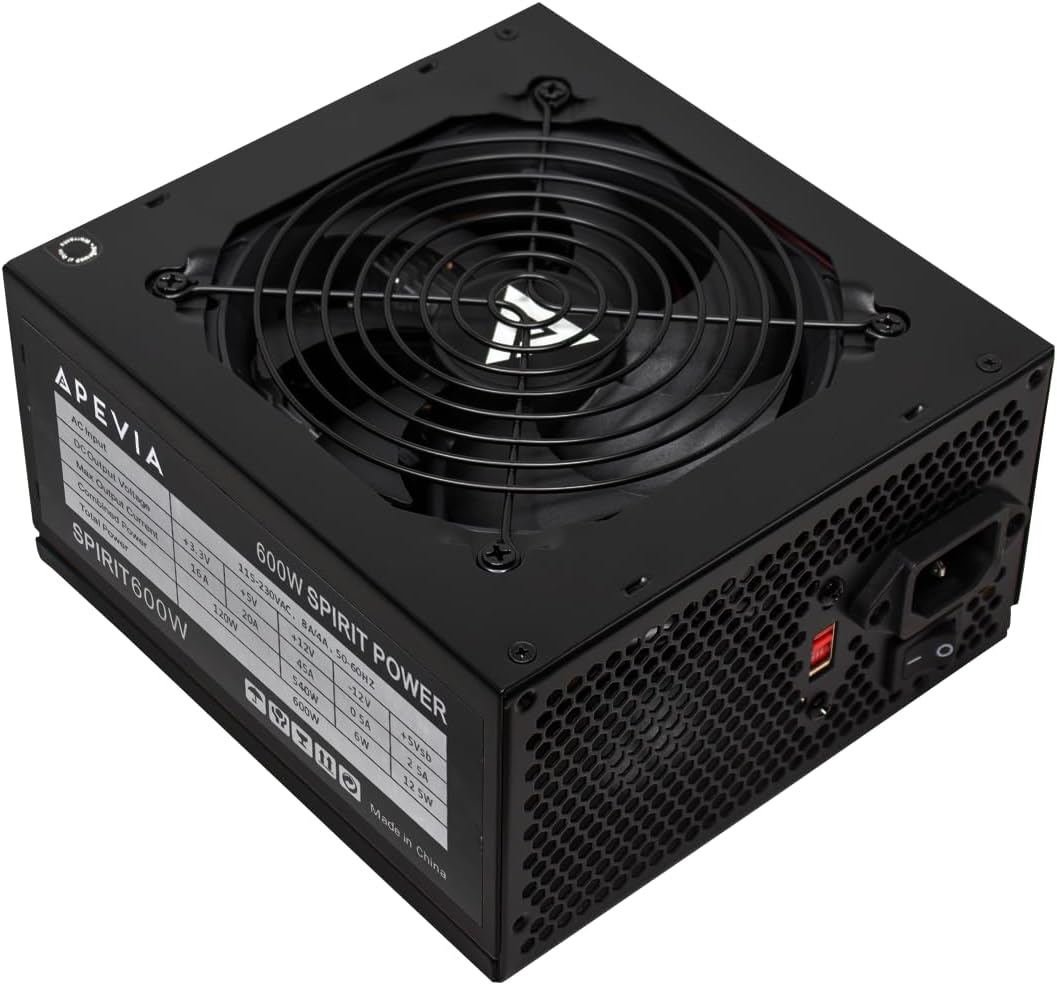



The Apevia SPIRIT600W is a straightforward 600W ATX power supply aimed at value-conscious gaming builds. Its 4.3 rating reflects a practical package with a 120mm fan, a single 12V output rated at 45A, and protection against short circuits, over-current, over-voltage, over-power, under-voltage, and over-temperature. It is not the most technically advanced option here, but it covers several core requirements at a notably restrained cost.
We may earn a commission when you buy through this link, at no additional cost to you.
Its most useful feature is the connector selection. The supplied configuration includes a 20+4-pin motherboard connector, a split 4+4-pin CPU connector, two PCI-E 6+2-pin connectors, four SATA connectors, and four Molex peripheral connectors. Those split connectors provide useful flexibility across different motherboards and graphics cards. The 600W rating also offers more headroom than a typical entry-level 500W unit when a gaming system includes a moderately powerful processor and graphics card.
The main compromises are efficiency and cable management. The supplied information does not identify an 80 Plus certification, so buyers who place a high value on reduced energy waste may prefer a certified model. All cables are fixed, which means unused leads must be routed into the case rather than detached. That is common in budget builds and is not inherently problematic, though it can make airflow and appearance less tidy.
This is a sensible option for an entry-level or mid-range gaming PC using a standard ATX motherboard and a graphics card that fits the available PCI-E connections. Buyers should check the case clearance, inspect the connector requirements of the motherboard and GPU, and leave adequate room for the 120mm fan and cable bend. For shoppers prioritizing a straightforward 600W unit with broad protection and flexible split connectors, the SPIRIT600W remains a practical choice.
The split 24-pin, 4+4-pin CPU, and 6+2-pin graphics connectors give this unit useful compatibility with older and newer components. Check each device's required cable shape before ordering, especially for a graphics card that needs more than two dedicated power plugs.
Protection against over-current, over-voltage, under-voltage, over-power, short-circuit, and over-temperature events helps safeguard a system. These safeguards are especially valuable in a budget build where replacing multiple components after an electrical fault would be inconvenient.
We may earn a commission when you buy through this link, at no additional cost to you.
The Thermaltake SMART 600W combines a continuous 600W rating with 80 Plus certification, making it one of the more balanced budget choices in this guide. It carries a 4.5 rating and lists compatibility with ATX 12V 2.3 and EPS 12V 2.92 standards. Active PFC, a 16-millisecond minimum hold-up time, and protection against over-power, over-voltage, and short-circuit events make it a solid choice for a conventional gaming system.
We may earn a commission when you buy through this link, at no additional cost to you.
Efficiency is one of the model's defining characteristics. The 80 Plus certification indicates that the unit meets efficiency targets under typical load, reducing the amount of energy converted into heat compared with an uncertified design. That can help keep internal temperatures under control and makes the power supply a more practical long-term component. Its single +12V rail is also designed to handle modern processor and graphics card loads.
The main limitation is the older, fixed cable layout. The model provides two PCI-E 6+2-pin connectors, which is sufficient for many mid-range graphics cards but may not suit a GPU requiring several dedicated power plugs. Unused fixed cables also need to be secured elsewhere inside the case. The listed standards and connector design place it more squarely in established gaming builds than systems centered on the newest GPU power standard.
Choose the SMART 600W for a gaming PC that needs dependable power without a large wattage premium. It is especially appropriate for a mid-range processor and graphics card combination that can run within a 600W budget. Verify the PSU bay dimensions and the exact connector needs of every component, and use the included information to confirm compatibility before purchase.
80 Plus certification makes this model a better fit for buyers who want lower waste and reduced heat contribution than an uncertified unit. Actual efficiency varies with load, but certification provides a useful baseline for comparison.
The dedicated +12V rail supports the bulk of a modern gaming PC's load, while the 16-millisecond hold-up time provides useful transient support. This makes the unit a sound foundation for conventional, well-matched components.
We may earn a commission when you buy through this link, at no additional cost to you.
The ARESGAME AGV Series 500W is aimed squarely at entry-level gaming PCs that need certified efficiency and basic reliability without spending heavily. It has a 4.4 rating, delivers 500 watts continuously, and carries 80 Plus Bronze certification with stated efficiency of 85 percent or higher under typical loads. A five-year warranty also adds reassurance for a component expected to remain in a system for years.
We may earn a commission when you buy through this link, at no additional cost to you.
The power supply uses a non-modular cable design and an auto-thermally controlled 120mm fan, described as ultra quiet with effective cooling. Protection includes over-voltage, under-voltage, over-power, and short-circuit protection. Those features give it a more complete foundation for a budget system than wattage alone would suggest. The black cabling also avoids the visually distracting colored leads found on some inexpensive alternatives.
Its limitation is capacity. A 500W unit can work well with an entry-level gaming processor and a power-conscious graphics card, but it leaves less room for a power-hungry CPU-GPU combination or a heavily upgraded system. Because the supplied data does not list the precise connector inventory, buyers should verify the included plugs and the graphics card's requirements before ordering.
The AGV 500W is best for a value-focused build where the total component power demand comfortably stays below its capacity. Pairing it with efficient components is the sensible way to preserve headroom. It is less appropriate for buyers planning to install a high-end graphics card later, in which case a 600W, 650W, or 750W model would offer more flexibility.
The stated 85 percent or higher efficiency under typical loads reduces wasted energy and heat. For an entry-level system running near a moderate load, that efficiency can make a meaningful difference in overall component temperatures.
A five-year warranty gives this budget model a useful level of long-term support. It does not replace careful component matching, but it complements the stated protections and makes the unit more reassuring for first-time builders.
We may earn a commission when you buy through this link, at no additional cost to you.
The MSI MAG A750GL is the premium selection in this guide because it combines 750 watts of capacity, 80 Plus Gold efficiency, full modularity, and support for current high-power graphics-card connections. Its 4.6 rating reflects a feature-rich option, while the ATX 3.1 and PCIe 5.1 readiness makes it especially relevant for builds using a native 12V-2×6 cable.
We may earn a commission when you buy through this link, at no additional cost to you.
The fully modular design is one of its most tangible benefits. Users can route only the cables required by their motherboard, processor, graphics card, drives, and accessories. That reduces clutter and can improve airflow in compact cases. The native dual-color 12V-2×6 cable also provides a direct connection option for compatible modern GPUs, avoiding the need to rely on an adapter when a suitable socket is present.
Gold certification makes this unit more efficient than the lower-certification models in the list, while the ten-year warranty is the longest specified here. Those benefits come with a higher cost than the basic 500W and 600W alternatives. A buyer with a modest system may be paying for capacity and features that the build will never use, while a high-power configuration benefits from the additional flexibility.
The A750GL is an excellent choice for a high-end gaming PC, a workstation-style system that occasionally plays games, or a build intended to support future GPU upgrades. Confirm physical clearance in the case, inspect the motherboard and graphics-card connectors, and check the power requirements of the complete system before choosing it.
Detachable cables make it easier to create a tidy interior and route only the leads that are needed. This is particularly useful in compact cases where excess fixed wiring can obstruct airflow or interfere with component clearance.
The included native dual-color 12V-2×6 connection provides a direct option for compatible graphics cards. Builders should still verify the socket and cable requirements of their specific GPU and avoid forcing a connector into an incompatible port.
We may earn a commission when you buy through this link, at no additional cost to you.
The Segotep 650W is a strong option for gamers who want substantially more power headroom than an entry-level 500W unit while retaining 80 Plus Gold efficiency. It has a 4.6 rating, a 650-watt capacity, a single 12V output, and four PCI-E 6+2-pin connectors. Those graphics connectors provide useful flexibility for power-intensive cards.
We may earn a commission when you buy through this link, at no additional cost to you.
Gold certification makes it an attractive middle ground for a mid-range or higher-end gaming PC. Global voltage adaptation is another practical feature for users who may move their system between regions or use it in different international locations. The four PCI-E connectors are particularly useful when a graphics card requires multiple dedicated power leads or when additional powered accessories are expected.
The unit uses fixed, non-modular wiring, so every supplied cable remains attached to the power supply. That can limit tidiness and may be less convenient in a compact chassis. The provided information also does not specify a warranty period or a native 12V-2×6 connection, making it more conventional than the latest ATX 3.1 models. Those points do not prevent it from serving as a solid traditional gaming supply.
Choose the Segotep 650W when you want four PCI-E connectors and efficient power delivery without moving to a fully modular premium design. It suits a gaming build with a powerful graphics card that uses conventional 6+2-pin connections. Check the case fit and make sure the complete system's estimated load and startup demands remain comfortably within the unit's rating.
Four separate PCI-E 6+2-pin connections make this model more flexible for demanding graphics hardware than units with only two. Each connector can be separated into six-pin and two-pin sections to accommodate different card sockets.
The 80 Plus Gold certification and global voltage adaptation are useful features for an efficient, portable system. Actual efficiency changes with the load, so the unit should be matched to hardware that regularly operates within a suitable range.
We may earn a commission when you buy through this link, at no additional cost to you.
The ASRock PRO 750G combines ample capacity with current platform support at a more restrained cost than many premium alternatives. Its 4.6 rating, 750W rating, 80 Plus Gold certification, and compliance with ATX 3.1 and PCIe 5.1 make it appealing for a gaming PC built around a modern graphics card.
We may earn a commission when you buy through this link, at no additional cost to you.
Its native dual-color 12V-2×6 connector can support up to 450 watts of power delivery to compatible graphics cards. A 120mm low-noise fan provides cooling without making noise the centerpiece of the design. The stated 90 percent efficiency and standard ATX form factor also help it fit a straightforward upgrade path, although the product's compatibility note rightly advises checking chassis space and power requirements.
Compared with the MSI MAG A750GL, the ASRock offers a similar modern power standard and wattage but a shorter three-year warranty. The supplied information does not clearly describe whether its cables are modular or fixed, so buyers should not assume either arrangement. That makes careful listing review important if cable appearance or case routing is a priority.
This model is well suited to a high-power gaming PC with a current-generation graphics card and enough budget to prioritize a modern connector over the longest warranty. Buyers should inspect the included lead set, confirm that the case accommodates standard ATX dimensions, and calculate the system's peak demand before purchase.
ATX 3.1 and PCIe 5.1 readiness makes the PRO 750G appropriate for systems using the latest power-delivery ecosystem. The native 12V-2×6 lead can simplify connections to a compatible graphics card and supports up to 450 watts.
The 120mm low-noise fan is intended to manage heat with minimal acoustic distraction. Combined with Gold efficiency, this can help maintain a comfortable and thermally stable internal environment during normal gaming workloads.
We may earn a commission when you buy through this link, at no additional cost to you.
The MSI MAG A650BE is the most versatile midrange model in the guide. Its 4.7 rating is the highest listed, and its combination of 650 watts, 80 Plus Bronze efficiency, a compact chassis, semi-modular wiring, active PFC, and a five-year warranty gives it exceptional balance. It is a natural fit for a modern gaming PC that needs more capacity than a 500W unit but may not justify a premium 750W model.
We may earn a commission when you buy through this link, at no additional cost to you.
Semi-modular wiring removes the need for every cable while retaining a simpler and potentially less expensive design than a fully modular unit. The low-noise 120mm fan helps manage thermals without making acoustics the main concern. Internally, DC-DC circuit design and active PFC support stable power delivery, which is valuable for the processor and graphics card loads common in gaming systems.
Protection is another strength. The model lists over-voltage, over-current, over-power, over-temperature, and short-circuit protection, covering the major electrical risks that matter during normal operation. Its principal trade-offs are Bronze rather than Gold efficiency and the absence of stated ATX 3.1 or native 12V-2×6 support. Buyers using a current GPU that requires the newest connector may need to verify an adapter or choose another unit.
The A650BE is recommended for a midrange gaming build with a conventional power connection and a preference for strong protection, compact dimensions, and manageable clutter. It also works well as a future-oriented option compared with 500W units. Confirm that the case provides sufficient clearance, inspect the graphics card's power requirements, and avoid stretching the unit beyond what the components realistically demand.
Semi-modular construction allows several of the most visible excess cables to be removed while keeping essential leads attached. It offers a practical middle ground for builders who want a tidier case without paying for a fully modular premium design.
OVP, OCP, OPP, OTP, and SCP cover over-voltage, over-current, over-power, over-temperature, and short-circuit conditions. For a gaming PC expected to run often, this broad protection suite is one of the model's most reassuring attributes.
We may earn a commission when you buy through this link, at no additional cost to you.
The MSI MAG A650BN offers a compact 650W option for gaming PCs that need adequate headroom without requiring premium modularity or the newest graphics-card connector. It shares the A650BE's high 4.7 rating and combines 80 Plus Bronze efficiency, a low-noise fan, active PFC, DC-DC circuit design, and a five-year warranty.
We may earn a commission when you buy through this link, at no additional cost to you.
Its defining difference is the fixed cable arrangement. Every attached lead remains connected to the power supply, so buyers cannot remove unused cables from the unit itself. In a roomy case, the extra wiring can be managed behind the motherboard tray or in another storage area. In a tight case, however, the semi-modular A650BE may be easier to route and generally offers a more organized result.
The electrical design otherwise supports stable gaming performance. Active PFC improves power-factor behavior, while DC-DC conversion provides a practical foundation for compatible modern components. The protection list includes over-voltage, over-current, over-power, over-temperature, and short-circuit protection, while the low-noise fan is designed to cool the unit with minimal acoustic impact.
The A650BN is best for a builder who values a familiar fixed-cable design, compactness, and a five-year warranty over maximum cable control. It can suit a midrange system using standard PCIe power connections. As with any fixed supply, check the chassis carefully and plan how unused leads will be stored before completing the build.
The 650W rating gives a midrange gaming build more room for power-hungry components than a 500W model. Its compact description also makes it worth checking against the case's PSU bay and surrounding cable space.
Active PFC, DC-DC circuitry, and protection against five major electrical fault categories form a solid foundation. These features support dependable operation, although they do not eliminate the need to match the supply correctly to the hardware.
We may earn a commission when you buy through this link, at no additional cost to you.
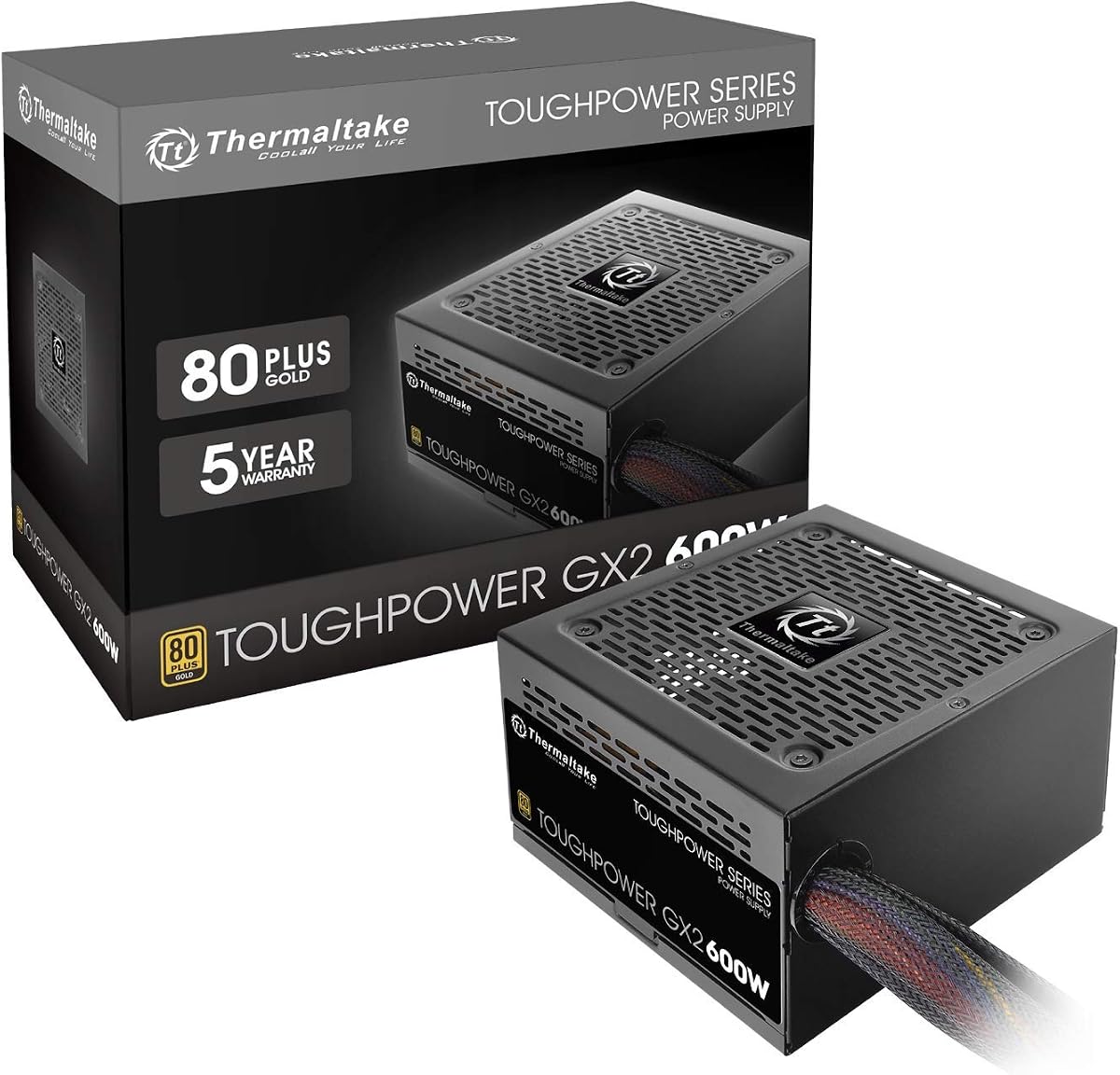
The Thermaltake Toughpower GX2 is a 600W gold-efficiency model for conventional gaming systems that value clean and stable power. Its 4.6 rating, continuous 600-watt output, low-ripple noise design, and single 12V rail make it appealing for a midrange PC built around a standard graphics-card connection.
We may earn a commission when you buy through this link, at no additional cost to you.
The 80 Plus Gold certification supports efficiency up to 90 percent, while the dynamic-bearing 120mm fan is designed for quiet cooling. High-quality capacitors and low-ripple output are particularly relevant to graphics cards, processors, and other performance-sensitive components. The listed protections cover over-power, over-voltage, under-voltage, and short-circuit conditions.
As a non-modular model, all of its cables remain attached, reducing build flexibility and increasing the amount of internal wiring. It includes two PCI-E 6+2-pin connectors, six SATA connectors, three peripheral connectors, one floppy-drive connector, and a split CPU power lead. That inventory is serviceable for a conventional build but is less expansive than options with four graphics connectors or a native 12V-2×6 lead.
This power supply suits a gaming PC whose total load fits comfortably within 600 watts and whose GPU uses one or two standard 6+2-pin connections. Buyers should avoid treating the SLI or Crossfire-ready description as a guarantee that any two modern graphics cards can run together; individual card requirements and manufacturer support still matter.
The stated low-ripple design is intended to provide clean, consistent power to performance-sensitive hardware. For gaming systems, that can support stable operation in demanding processor and graphics-card workloads.
Gold efficiency and a dynamic-bearing 120mm fan provide a useful combination of reduced energy waste and controlled cooling. The fan's behavior can vary with temperature and load, but its stated design goal is quiet operation.
We may earn a commission when you buy through this link, at no additional cost to you.
The Rosewill VSB 650W combines modern connector support with a compact chassis and semi-modular wiring. Its 4.5 rating reflects a well-rounded design for gaming PCs that want ATX 3.0 and 3.1 compatibility without carrying the size of a full 750W premium unit. It includes a native PCIe 5.1 12V-2×6 cable and a five-year warranty.
We may earn a commission when you buy through this link, at no additional cost to you.
Its compact dimensions are a major attraction for small-form-factor builders. At 140 by 150 by 86 millimeters, the supplied description states that the chassis is 35 percent smaller, which can make installation easier in constrained cases. The steel shell with large vents and the 120mm ICB silent fan are designed to support cooling while maintaining a clean internal layout.
Power protection includes OCP, OPP, OTP, OVP, SCP, and UCP, covering six categories of electrical condition. The unit also states support for up to 235 percent power excursion and 300 percent GPU power excursion. Those capabilities make it relevant to modern transient-heavy hardware, though they still do not mean every 650W graphics card or system will be appropriate.
The VSB 650W is a good fit for a modern midrange to upper-midrange gaming PC that needs a 12V-2×6 connection and compact dimensions. Its Bronze efficiency is lower than the best Gold-certified units in the list, and its 650W capacity should be checked against the CPU and GPU combination. Confirm connector compatibility, case clearance, and estimated peak load before purchasing.
The 140 by 150 by 86mm chassis is designed to improve integration in smaller cases. Measure the available PSU space rather than assuming every compact system has the same clearance around the cable bend and fan intake.
ATX 3.0 and 3.1 compatibility, native 12V-2×6, and stated GPU excursion support make this a forward-looking choice. The graphics card and processor still need to remain within the unit's capacity and connector requirements.
We may earn a commission when you buy through this link, at no additional cost to you.
Choosing a budget power supply for a gaming PC requires balancing wattage, efficiency, connector availability, physical fit, and reliability. The cheapest unit is not automatically the best choice, because a poorly matched or undersized supply can limit component selection or create avoidable installation problems.
Begin with the power requirements of the processor and graphics card, then add headroom for the motherboard, memory, storage, fans, and accessories. Gaming components can draw more power during intensive workloads than their nominal processor specifications alone suggest, so a modest reserve is sensible. A 500W unit may suit an efficient entry-level build, while a 650W unit offers more flexibility for a midrange system. A 750W model is appropriate when a power-hungry graphics card, high-end processor, additional drives, or future upgrades are likely.
Choose enough continuous capacity for the complete system rather than matching the wattage exactly. Headroom also helps accommodate transient loads and prevents the unit from operating continuously near its upper limit.
The 80 Plus certification system indicates how much AC input energy a power supply delivers as usable DC power under defined loads. Bronze models in this list provide a more efficient baseline than the uncertified Apevia, while Gold models can reduce waste and heat when the system operates within the relevant test range. Efficiency varies with load, so certification should be treated as a comparative standard rather than a promise of identical savings in every gaming scenario.
Prioritize Bronze when controlling costs, or Gold when the budget allows and the build will run at moderate or higher loads. The most efficient certification cannot compensate for insufficient wattage or incompatible connectors.
Check the exact power socket required by the graphics card and count how many dedicated leads it needs. A single 6+2-pin connector, two 6+2-pin connectors, and a native 12V-2×6 connection are not interchangeable. Modern high-end cards may use the 12V-2×6 standard, while many midrange cards continue to use conventional PCIe connections. Compatibility is especially important for dual-slot and multi-connector arrangements.
Use the supplied cable type whenever possible, and never force a connector or depend on an unverified adapter. Also confirm that the power supply has enough connector positions and cable space for a clean installation.
A non-modular power supply keeps all cables attached, which is straightforward and may suit a spacious case or a first build that prioritizes cost. Semi-modular models remove many of the unused leads while keeping essential cables fixed, offering a practical compromise. Fully modular units detach every cable and provide the cleanest routing, usually appealing to builders who value appearance or work in compact cases.
Choose modularity based on the case and build style rather than assuming it improves electrical performance. Fixed cables are not inherently unreliable, and semi-modular wiring can give most of the organizational benefit without the premium cost.
Short-circuit, over-current, over-voltage, under-voltage, over-power, over-temperature, and under-current protection form an important safety layer. A broad protection suite can help prevent a fault in one component from propagating through the system. Warranty length is also useful because power supplies are often expected to last through several graphics-card or processor upgrades. Listed protections and warranty terms should complement, not replace, careful installation and correct load matching.
Look for protection across the major electrical risks and review the manufacturer's warranty conditions. Avoid selecting a unit solely by fan size, color, or a brand name; verified specifications should come first.
Most ATX power supplies use standard dimensions, but not every case offers equal clearance for the fan side, cable bend, or neighboring components. Compact options may fit small chassis more easily, while a modular unit may need sufficient space behind the motherboard tray for the removed cables. The connector shape at the motherboard and graphics card should also be checked before the power supply is installed.
Measure the PSU bay and account for the bend radius required by the power cord and attached leads. A unit that is powerful and efficient but difficult to route can still lead to a frustrating build.
Power supplies often become more audible as their fan responds to higher temperatures and loads. Models with 120mm fans and thermally controlled or low-noise designs can provide effective cooling without constant noise. Actual sound depends on the surrounding case, load, and position, so manufacturer descriptions should be considered alongside the unit's efficiency and ventilation.
For a quiet gaming system, favor a larger fan, a design with automatic fan control, and a chassis that supplies plenty of intake airflow. Avoid placing the power supply in a sealed compartment or blocking its vents.
A power supply is one of the easiest components to retain when upgrading a gaming PC. Choosing a slightly higher capacity or a newer connection standard can extend the useful life of the build. A 650W unit with a native 12V-2×6 lead, for example, may suit a system that later receives a more demanding graphics card. Future readiness should still be balanced against efficiency, size, and cost rather than treated as an unlimited upgrade guarantee.
Consider processors, graphics cards, and accessories that may be added later, but remain realistic about likely changes. Retaining ample connector flexibility and reasonable headroom is usually more valuable than paying for a large unit a basic build will never use.
Before installation, switch off and unplug the system, discharge the motherboard, and make sure the power supply is disconnected from the wall. Mount it in the correct orientation with its fan aligned with the case's intake or ventilation path. Connect the motherboard, processor, graphics card, storage, and accessory cables using the correct sockets without forcing any plug.
Route cables away from sharp case edges, fans, and heat sources. If the unit is modular or semi-modular, connect only the leads required by the installed components and secure unused cables away from airflow paths. Confirm that connectors are fully seated and that the power switch is set correctly. The power supply will not start from wall power alone when the PC is off, so do not treat that behavior as a fault.
After the build is complete, check for loose connections and ensure that every fan can spin freely. Keep the intake vents unobstructed and maintain reasonable case airflow. If you notice unusual buzzing, repeated clicking, visible discoloration, or a burning smell, shut the system down, disconnect it safely, and investigate before using it again. During upgrades, recheck wattage and connector requirements rather than assuming the original power supply remains sufficient.
A compact or entry-level gaming PC with efficient components may work with a 500W supply, but the exact requirement depends on the processor and graphics card. A 650W unit provides a more comfortable margin for many midrange systems and future upgrades. A 750W option is more appropriate for power-hungry components or a high-end configuration. Add the requirements of the motherboard, memory, drives, fans, and accessories, and leave room for peak and transient loads.
Yes, when the graphics card and processor are matched appropriately and the entire system remains within the unit's supported load. The ARESGAME AGV 500W can suit an entry-level build with efficient parts, but it offers less flexibility than a 600W or 650W unit. Check connector requirements as well as wattage because a capable GPU may need more dedicated power plugs than the budget build initially expected.
Yes. An 80 Plus Bronze power supply converts a greater proportion of its AC input into usable DC power under the conditions defined by the certification, reducing energy loss and heat. The amount saved varies with system load, local electricity cost, and the efficiency of the alternative unit. Bronze is a sensible minimum for many budget builds, while Gold can be worthwhile for systems that run frequently at moderate or high loads.
A non-modular unit keeps every cable permanently attached, while a semi-modular unit detaches many of the less frequently used leads. A fully modular design allows every cable to be removed. Modularity affects cable organization and appearance more than electrical output. It can be especially helpful in compact cases, although fixed wiring remains a perfectly workable choice when the budget is tight and the case has enough space.
Only if the power supply and adapter are specifically designed for that arrangement and the final connection meets the graphics card manufacturer's requirements. Adapter quality and correct connector seating are important because improperly arranged high-current connections can create serious safety and reliability problems. When possible, use a native cable from a compatible modern power supply. Never force a connector, modify a plug, or bend the cable sharply at the socket.
No. A larger unit does not automatically make a gaming PC faster, and choosing one with far more capacity than required can waste money. The better match provides adequate continuous and transient capacity, compatible connectors, suitable efficiency, and a reliable protection suite. Additional capacity is valuable when the graphics card, processor, or planned upgrades demand it, but it should solve a real need rather than act as a status symbol.
The decision should be based on component power needs, graphics-card connectors, efficiency, warranty, and case fit. A 600W model is often sufficient for a midrange system using conventional graphics connections, while a 650W unit can offer more flexibility and may include additional connectors. Some 650W choices also provide native 12V-2×6 support. Check the complete build rather than choosing solely on the wattage figure.
In a standard ATX case, the power supply normally fits in the lower compartment with its fan facing the case's bottom vent or an intake area that draws cool outside air. The exhaust should not be blocked by a dust filter or cable bundle that prevents proper airflow. Some cases use a different orientation, so always follow the case manufacturer's mounting and airflow instructions.
The MSI MAG A650BE is the strongest all-around choice in this guide because it combines a 4.7 rating, 650 watts, Bronze efficiency, semi-modular wiring, active PFC, a low-noise fan, broad protection, and a five-year warranty. The ARESGAME AGV 500W is the more economical option for an appropriately matched entry-level build, while the MSI MAG A750GL offers the most premium feature set with full modularity, Gold efficiency, ATX 3.1 support, and a native 12V-2×6 connection.
Prioritize wattage headroom, correct graphics-card connectors, useful efficiency, and dependable protection before focusing on smaller details such as cable color. A non-modular unit can be perfectly suitable when the budget and case allow, while newer standards become increasingly useful for current high-end graphics hardware. Match the supply to the entire system rather than buying the largest or least expensive option indiscriminately.
Product prices, ratings, connector availability, and specifications can change over time, so verify the current listing and manufacturer details before purchasing. Confirm the case dimensions, motherboard sockets, graphics-card requirements, and estimated peak power draw. With those checks completed, one of these ten units can provide a dependable foundation for a budget gaming PC without requiring premium-level spending.