Mini Converter Audio to SDI
4.5Editor score
Auto-switching SD and HD
Redundant SDI input protection
International power supply included
Explore 10 Audio to Sdi Embedder options, comparing professional converters for signal support, audio channels, redundancy, format compatibility, and reliabilit
An audio to SDI embedder places analog or digital audio into an SDI video stream, allowing sound to travel with picture through a single cable. A capable converter should match your source format, provide the required audio connectors, support the intended video resolutions, and remain dependable in live or post-production environments.
The products in this guide were compared using their supplied specifications, stated functions, format support, connector options, redundancy features, and customer ratings. The list covers dedicated audio embedders, multi-format converters, premium 12G-SDI models, and several related units that perform the reverse conversion.
Each review explains the practical role of the converter, identifies who is most likely to benefit, and notes any important limitations. Product designs and configurations can change, and prices vary over time, so readers should confirm current specifications, connector layouts, and availability before purchasing.
The most relevant choices are concentrated in the Blackmagic Design Audio to SDI range, while the AJA products provide alternatives for professional 12G-SDI and 3G-SDI workflows. Several reverse converters are included to help readers distinguish an embedder from a de-embedder before making a purchase.
A strong recommendation depends on matching the converter to the signal path rather than selecting on model name alone. Resolution, audio type, channel count, connector format, redundancy, and whether the unit must also convert video are all important parts of that decision.
4.5Editor score

4.9Editor score

3.8Editor score
This side-by-side comparison highlights each converter's core capabilities, including audio direction, supported video formats, channel capacity, redundancy, and control options. It also makes clear that several products extract audio from SDI rather than embed audio into it.


The Blackmagic Design Mini Converter Audio to SDI 2 is a dedicated audio embedding converter with a 4.9 customer rating, the highest among the products with available scores. Its defining feature is automatic switching between redundant SDI inputs, which makes it especially attractive for live events, broadcast operations, and installations where a disrupted cable should not immediately interrupt the video path.
We may earn a commission when you buy through this link, at no additional cost to you.
Rather than trying to perform several unrelated conversions, this model focuses on taking audio into an SDI stream. That focused approach can simplify system design for users who already have compatible video equipment and only need a dependable way to associate sound with picture. Its Mini Converter form is also useful in rack-mounted, flight-case, and compact production environments where every bit of space matters.
The supplied product information is concise, so it does not establish a complete list of supported audio connectors, channel counts, or maximum video formats. Those details should be confirmed in the current product documentation and listing. Buyers needing 12G-SDI, 4K, multi-channel digital audio, or specific XLR and terminal-block arrangements should not assume those features are present simply because the unit belongs to a broader Mini Converter family.
This is the strongest general recommendation in the guide because it combines a clearly relevant function, the highest listed rating, and a meaningful redundancy feature. It is best suited to creators and broadcast technicians who primarily need dependable audio embedding and automatic SDI input protection. Buyers with more demanding modern-format requirements should compare those needs against the 12G-SDI and 4K-focused alternatives.
The redundancy is particularly valuable in live workflows, where a single damaged or disconnected cable can disrupt an otherwise functioning production chain. Automatic changeover reduces the need for immediate manual intervention, although no redundancy system can prevent every type of failure. Proper cable management, compatible source equipment, and a tested signal chain remain necessary for dependable operation.
The redundant SDI input automatically takes over when the main input is lost. This behavior is particularly useful in live events and mission-critical broadcast tasks where rapid signal recovery is more important than a minimal feature set.
The converter is built around the task of embedding audio into SDI. That specialization makes it easier to understand than a multifunction converter and potentially simpler to deploy when the existing video chain already meets all format requirements.
We may earn a commission when you buy through this link, at no additional cost to you.
The Blackmagic Design Mini Converter Audio to SDI CONVMCAUDS is a well-established dedicated embedder rated 4.5 by customers. It offers automatic switching between standard-definition and high-definition video formats, along with a redundant SDI input, international power support, and USB-based configuration and update functions.
We may earn a commission when you buy through this link, at no additional cost to you.
Its format support includes NTSC, PAL, 1080i/59.94, and 1080i/50, with the stated ability to add new formats through USB. The automatic SD-to-HD changeover removes a potential point of operator error when the source changes. A second SDI connection can also be used for automatic failover if the primary cable is damaged or otherwise interrupted.
The model's 3 Gb/s technology is compatible with standard-definition and high-definition SDI equipment, but that context matters. It is not the same as a converter designed around 12G-SDI workflows, and the supplied specifications do not establish 4K support. Modern productions using UHD signals should select one of the explicitly 4K-capable alternatives instead.
This converter is a sensible value-oriented choice for SD and HD workflows, particularly when a simple embedder, automatic format handling, and redundant inputs are the priorities. Its broad format list and international power supply also make it useful for traveling crews. Verify the exact analog and digital audio connections for your source equipment before ordering.
For users who want a clear audio-to-SDI workflow without paying for a higher-bandwidth specialist converter, this model offers a capable package of redundancy, automatic switching, and straightforward configuration. Its value is strongest in established SD/HD installations that do not need modern 4K or 12G-SDI throughput.
The converter detects a change between supported SD and HD sources and changes over automatically. In a working production environment, this reduces the need to intervene manually whenever the upstream format changes.
A redundant SDI input protects against loss of the main feed, while the included international power supply simplifies travel. Both features are meaningful advantages for crews working away from a permanent installation.
We may earn a commission when you buy through this link, at no additional cost to you.
The Blackmagic Design Teranex Mini Audio to SDI 12G is the most explicitly modern dedicated embedder in the list, with 12G-SDI input and output, four-channel professional balanced digital audio, and an S/PDIF optical input. Its stated support extends across SD, HD, 2K, and 4K, with automatic rate switching.
We may earn a commission when you buy through this link, at no additional cost to you.
The right XLR can be configured for timecode input, which adds operational flexibility for production environments that need synchronization information handled alongside the embedded program signal. A TOSLINK connection provides another digital audio route, allowing suitable sources to be integrated without relying exclusively on the professional balanced input.
Its 3.8 rating is lower than those of the leading dedicated Blackmagic Mini Converters, and the supplied information does not elaborate on why individual customers chose their scores. Buyers should therefore treat the rating as one part of the decision rather than the sole measure of quality. More demanding signal chains may justify the premium design because they need 12G-SDI and 4K capability.
This model is best for facilities, production teams, and integrators whose existing equipment uses 12G-SDI and requires dedicated audio embedding. It is less compelling for a basic SD or HD task where those advanced capabilities would go unused. Confirm all connector pinouts, supported resolutions, and audio channel arrangements against the current documentation.
For a high-bandwidth workflow, the principal advantage is not simply a newer label but the combination of 12G-SDI, automatic multi-rate handling, professional digital audio, optical audio, and timecode configuration. Those capabilities make this a credible premium recommendation when the production chain genuinely needs them.
The 12G-SDI input and output are the defining features of this model. They suit modern production chains that need a dedicated audio embedder without relying on older 3 Gb/s limits.
Four balanced AES/EBU channels, a TOSLINK input, and configurable timecode provide several ways to manage professional audio and synchronization within one dedicated converter.
We may earn a commission when you buy through this link, at no additional cost to you.
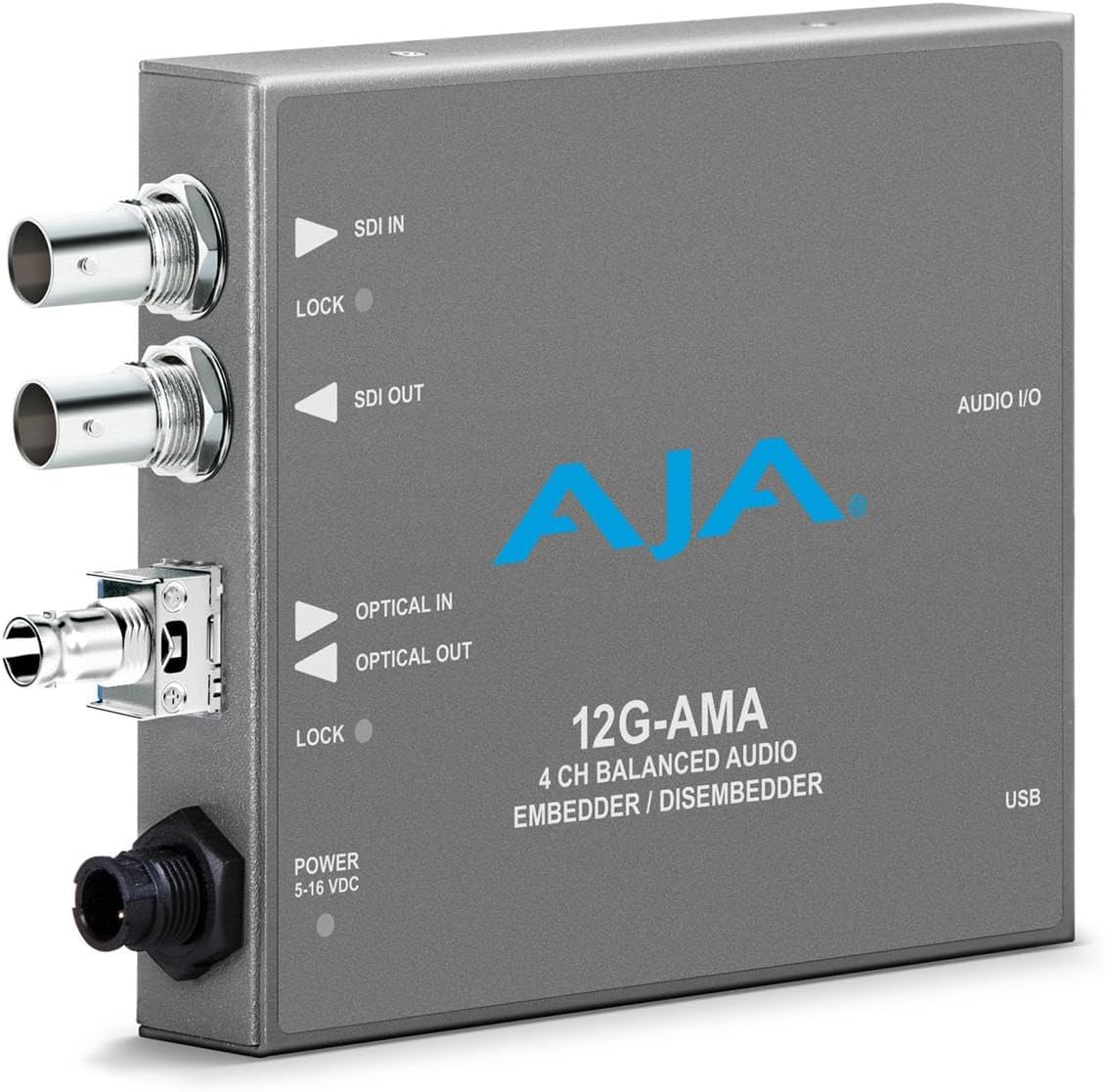
The AJA 12G-AMA is identified as a 12G-SDI balanced audio embedder and de-embedder with fiber options. That combination makes it relevant to professional workflows in which audio may need to travel into or out of an SDI signal, especially where a dedicated bidirectional device is more useful than a one-way embedder.
We may earn a commission when you buy through this link, at no additional cost to you.
The product title provides more reliable category information than the supplied description, which discusses wireless headphones and appears unrelated to the converter. Based on the available title alone, the AJA 12G-AMA should be treated as a candidate for 12G-SDI audio balancing and embedding rather than a fully documented recommendation. Buyers need current connector, channel-count, and fiber-option details before finalizing a purchase.
No customer rating is supplied, so there is no numerical evidence available for comparing satisfaction. Its value proposition instead rests on the stated SDI bandwidth, balanced audio role, and potential fiber configurations. Those features could appeal to integrators building resilient or extended-distance infrastructure, provided the exact optical interface matches the intended system.
This is not the most straightforward recommendation for someone who needs a simple, well-documented audio embedder because too much of the supplied listing is unclear. It may be an excellent option for an experienced AJA user who already knows the model and requires the specific combination of balanced audio, 12G-SDI, and fiber. Verify the full specification and accessory requirements before purchasing.
Its main strength is flexibility rather than simplicity. The dual embedder-disembedder function can serve both ends of a signal path, and the claimed fiber options may be useful in extended installations. The drawback is that the available product information does not fully substantiate those claims or provide the practical details needed for a confident one-size-fits-all recommendation.
As an embedder and de-embedder, the model can address both audio insertion and extraction requirements. That can reduce equipment count when a workflow genuinely needs both functions.
The supplied description appears unrelated to the named product, so current manufacturer documentation should be used to confirm connectors, channels, and available fiber configurations. This caution is essential when a specialized signal device must integrate precisely with existing equipment.
We may earn a commission when you buy through this link, at no additional cost to you.
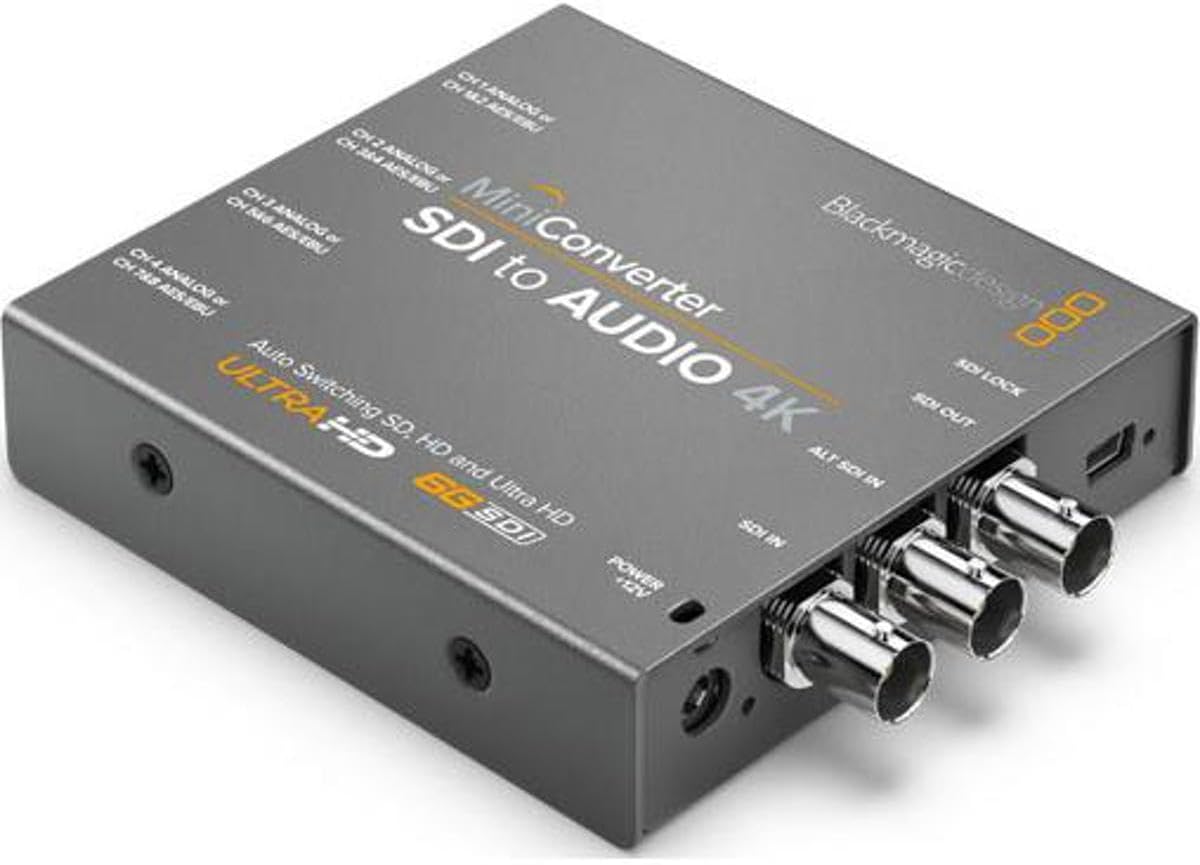
The Blackmagic Design SDI to Audio Mini Converter CONVMCSAUD is a 4.5-rated unit designed to extract audio from an SDI source. It includes a multinational power supply with adapters, making it relevant to crews that need to route embedded sound out of video equipment for monitoring, recording, or a separate audio workflow.
We may earn a commission when you buy through this link, at no additional cost to you.
Its direction of operation is the critical fact. An SDI-to-audio converter takes sound already embedded in video and makes it available as an audio signal; it does not place a new audio source into an outgoing SDI stream. Buyers searching for an audio to SDI embedder therefore need to avoid choosing it based only on the Mini Converter name and similar appearance.
The supplied data is brief and does not identify the available analog or digital output connectors, supported channel count, or video format range. Those specifications should be confirmed before use. The international power supply is a practical benefit for portable rigs, but it does not change the converter's fundamental audio direction.
This model is best for a system that already carries embedded audio and needs to separate it from the video feed. It can be useful when routing sound to an audio recorder, monitor, mixer, or synchronization system. It is not the right choice when the source is an analog mixer, microphone preamp, or digital audio interface that must be embedded into SDI.
Its 4.5 rating indicates a well-regarded converter within that use case, and the included power accessories support mobile deployment. Viewed as an audio to SDI shopping list, however, it serves as a useful reminder to verify signal direction. The actual dedicated embedders in this guide better match the requested task.
This unit is most appropriate when embedded sound must leave the SDI chain. Checking this direction before buying prevents a common and potentially costly mismatch between an analog audio source and an SDI workflow.
The included multinational adapters are useful for productions that travel. Portable power support complements the compact converter approach and reduces setup friction in temporary installations.
We may earn a commission when you buy through this link, at no additional cost to you.
The Blackmagic Design Mini Converter SDI To Analog has a 4.6 customer rating and performs two relevant conversions: SDI video becomes analog video, while embedded SDI audio can be extracted as balanced analog or AES/EBU. It is therefore most useful for connecting modern SDI sources to older analog displays, speakers, recorders, or routing systems.
We may earn a commission when you buy through this link, at no additional cost to you.
Although the product is closely related to audio embedding equipment, its primary function is conversion into the opposite direction. It takes audio from an existing SDI signal and offers it as standalone audio; it does not insert a new audio source into video. That distinction matters for anyone assembling a camera-to-switcher or mixer-to-recorder chain.
Its strongest use case is bridging generations of equipment. For example, a production team might use it to obtain analog audio monitoring from an SDI feed while a separate process handles the recording path. The supplied information does not enumerate exact connectors, video standards, or supported resolutions, so these details should be verified before integrating it into a fixed system.
The right buyer is someone with legacy analog equipment that must remain in the chain. The wrong buyer is someone looking to embed analog or AES/EBU audio into an SDI output. For the latter task, the Blackmagic Design Mini Converter Analog to SDI is more closely aligned, while dedicated audio-to-SDI models offer an even narrower solution.
Despite not directly meeting the main keyword, this converter deserves attention because compatibility problems often occur at the boundary between digital video and older analog systems. Its combination of video conversion and audio de-embedding makes it a useful bridge, provided the buyer understands that it is not itself the dedicated embedder being sought.
Analog video and audio outputs allow older displays and sound equipment to remain useful alongside an SDI production chain. This makes the converter a practical compatibility tool rather than a primary signal-generation device.
The ability to extract audio as either balanced analog or AES/EBU gives the user more choice when connecting the source to a monitor, mixer, or recorder.
We may earn a commission when you buy through this link, at no additional cost to you.
The Blackmagic Design Mini Converter SDI to Audio 4K, model CONVMCSAUD4K, is built for extracting audio from SDI while supporting SD, HD, 2K, and 3G-SDI signals. It offers four channels of balanced analog audio, eight channels of balanced digital AES/EBU, automatic video output matching, reclocking, and a redundant SDI input.
We may earn a commission when you buy through this link, at no additional cost to you.
The channel count is a significant advantage for users who need to isolate several audio channels from a production feed. Automatic detection and output matching simplify the video passthrough, while reclocking can help maintain a stable signal in compatible chains. If the primary SDI connection fails, the redundant input provides an automatic fallback.
Despite the 4K in its name, the listed format details emphasize 3G-SDI and automatic detection across SD, HD, 2K, and 3G. It should not automatically be treated as a modern 12G-SDI converter or assumed to support every UHD workflow. More importantly, its audio path runs from SDI to standalone audio, not from an external audio source into SDI.
This converter is ideal for a monitoring or audio-routing stage in an existing SDI production environment. It can be especially helpful where multiple balanced audio outputs are needed without a full audio router immediately downstream. It is not appropriate for inserting analog or digital audio into an outgoing video signal, and buyers should verify the exact 4K-related behavior and connector details in current documentation.
Its 4.4 rating and broad extraction features make it a capable addition to a professional chain, just not the correct direction for a dedicated audio embedder. The combination of redundancy, reclocking, and flexible output channel counts nevertheless makes it worth considering whenever the goal is to monitor or route embedded sound from a video feed.
Four analog and eight digital outputs support a wider range of monitoring and routing needs. This flexibility is useful when multiple channels must be available to downstream equipment.
Reclocking and automatic redundant input switching improve the converter's suitability for established production chains. Together, they support more stable passthrough and faster recovery from a lost primary feed.
We may earn a commission when you buy through this link, at no additional cost to you.
The Blackmagic Design Mini Converter Analog to SDI has a 4.2 rating and performs a wider conversion than a dedicated embedder. It accepts analog video sources and can embed balanced AES/EBU or analog audio into the resulting SDI output, making it useful for bringing older equipment into a digital production chain.
We may earn a commission when you buy through this link, at no additional cost to you.
The listed input formats include HD and SD component video, NTSC, PAL, and S-video. This broad compatibility is a major advantage when the source is a legacy camera, deck, switcher, or playback system. A dedicated audio-to-SDI converter would be simpler for a workflow that already carries compatible digital video, but this model can solve the video and audio problems together.
Its 4.2 rating indicates a reasonably positive customer reception, although it trails the highest-rated dedicated embedders in the guide. The available product information repeats some wording and contains truncated text, so exact specifications should be confirmed with the current listing or manufacturer documentation. Buyers should also verify which analog audio connectors and video inputs are physically available.
This is the right recommendation for a team with an older analog source that must carry both picture and sound into SDI equipment. It is less suitable when the source is already SDI and only a compact dedicated audio embedder is needed. In those cases, the Audio to SDI models in the top positions offer a more focused solution.
Its main advantage is versatility. The ability to convert the video and embed the sound in one unit simplifies integration and can avoid separate conversion stages. The trade-off is that a broader converter may offer less specialization than a device designed only for audio embedding, so the best choice still depends on the signals entering and leaving the unit.
Balanced AES/EBU and analog audio can be embedded while analog video is converted. This combined role is valuable when a legacy source lacks an SDI output of its own.
Support for component, NTSC, PAL, and S-video gives the converter a practical role in installations that still contain older cameras, decks, or switching equipment.
We may earn a commission when you buy through this link, at no additional cost to you.
The AJA 3G-SDI 4-Channel Analog Balanced Audio Embedder/Disembedder Mini-Converter provides a bidirectional approach to professional audio handling. It supports up to 3G-SDI, offers four-channel balanced analog audio input and output through an XLR breakout, and can be configured with MiniConfig software on PC or Mac.
We may earn a commission when you buy through this link, at no additional cost to you.
The stated video latency can be as low as 3.2 microseconds at 3G Level A, which is well suited to real-time synchronization. The listed format support includes 2048x1080p and 1920x1080i, while broader 3G-SDI capability makes it useful across many camera, monitor, and switcher combinations.
Software configuration is one of the model's most attractive professional features. MiniConfig allows users to adjust audio levels and other settings, providing more precise control than a basic fixed converter. The XLR breakout arrangement also offers familiar professional balanced connections, although the correct breakout and cabling must match the installed system.
No customer rating is supplied, so numerical comparisons with the rated Blackmagic products are impossible. The 3G-SDI class is also older than the 12G-SDI options in this guide, but it remains relevant for many HD and 3G installations. Those needing UHD workflows should choose a converter explicitly designed for 12G-SDI and verify the target video standard.
This AJA model is a compelling choice for users who want both embedding and de-embedding, four balanced analog channels, configurable audio behavior, and very low latency. It is particularly appropriate for professional live production, monitoring, and post-production environments where signal control and synchronization matter more than purchasing the smallest possible device.
MiniConfig on PC or Mac provides control over audio levels and other settings. This makes the converter more adaptable to a carefully managed production environment than a fixed-output model.
The ability to embed or de-embed four balanced analog channels supports flexible monitoring and production paths. Stated latency as low as 3.2 microseconds supports accurate synchronization in live workflows.
We may earn a commission when you buy through this link, at no additional cost to you.
The Blackmagic Design Audio to SDI 4K Mini Converter is a dedicated embedder designed to convert four channels of professional balanced analog audio or eight channels of AES/EBU digital audio into SDI. Its supplied specifications describe automatic detection across 4K, UHD, 2K, HD, and SD, along with support for formats including NTSC, PAL, 720p, 1080i, 1080p, and 2K.
We may earn a commission when you buy through this link, at no additional cost to you.
Redundant SDI input provides automatic switchover if the main feed is lost, making the unit attractive for reliability-focused installations. The stated signal processing also includes 4:2:2 and 4:4:4 video sampling, 48 kHz television-standard audio, and 24-bit audio sampling. Together, these details suggest a converter aimed at professional video and audio production rather than a simple utility device.
No customer rating is supplied, which limits one common way of judging buyer satisfaction. More importantly, the breadth of the format claims needs confirmation against the current documentation, particularly where 4K, UHD, and specific sampling formats are involved. Users should confirm actual SDI throughput, connector arrangement, and supported audio channel assignments before building a production chain around the unit.
This converter is best suited to integrators and production teams that need dedicated high-resolution audio embedding, generous channel capacity, and redundant signal handling. It may appeal more than the simpler Mini Converter Audio to SDI 2 when channel count and detailed format support are central requirements. Conversely, buyers with only one or two audio channels and a basic HD workflow may prefer the more compact dedicated models at the top of the list.
The combination of analog and digital audio options, broad format detection, and automatic redundancy is a strong technical foundation. As the tenth-ranked product, the recommendation remains positive but qualified: current technical documentation is especially important because the supplied listing makes advanced claims without providing the connector-level details a careful buyer would need.
The converter can handle professional balanced analog or AES/EBU digital audio, providing flexibility for different studio and production sources. The stated eight-channel digital capacity is particularly useful for multichannel workflows.
Automatic detection across SD, HD, 2K, UHD, and 4K classes provides broad integration potential. Current documentation should confirm exact resolutions, frame rates, and link bandwidths.
Automatic switching to the redundant SDI input helps maintain continuity if the primary connection is lost. This makes the unit more relevant to live and mission-critical operations.
We may earn a commission when you buy through this link, at no additional cost to you.
The right converter depends on your exact source, destination, and operating environment. Review signal direction, video bandwidth, audio channels, connectors, reliability features, and configuration requirements before choosing a model.
An audio to SDI embedder takes audio from a separate source and places it inside an outgoing video signal. A de-embedder performs the opposite operation by extracting existing audio from SDI. Several products in this guide can do both, while others only extract audio or convert analog video. Reading the full product title and function carefully prevents an otherwise capable converter from being installed backward in the signal chain.
Choose an embedder when your source is analog audio, AES/EBU, or another supported audio input and your destination expects SDI with embedded sound. Choose a de-embedder when sound already inside an SDI feed needs to reach a standalone mixer, recorder, or monitor.
SDI converters operate within defined bandwidth and format classes. The list includes units associated with 3 Gb/s, 3G-SDI, 12G-SDI, and 4K/UHD claims. A converter that accepts a 1080p source does not necessarily accept every 4K resolution, frame rate, or sampling format associated with newer standards.
Match the converter to the resolution and link class used by the camera, switcher, recorder, and display. If the workflow is 4K or UHD, verify the exact formats, frame rates, and SDI bandwidth rather than relying on the product name alone.
The number of channels you need can determine which model is practical. A production with a stereo mix may only require two channels, while a larger event may need several professional digital channels. Relevant options in the guide include four balanced analog channels, eight AES/EBU channels, four AES/EBU channels, and units specifically designed for professional audio integration.
Count both the source channels and the downstream requirements. Also check whether a connector carries multiple channels or whether separate XLR, terminal, or optical connections are needed. Channel support and connector layout should be considered together.
Professional audio reaches converters through several physical interfaces. Balanced analog XLR, balanced digital AES/EBU, and optical S/PDIF with a TOSLINK connector each have different source requirements. Some models use terminal blocks or a breakout cable, and those arrangements can affect installation time and cable management.
Choose based on the equipment you already own. If a new audio interface is required, include its cost and setup complexity in the decision rather than selecting a converter merely because it has the correct conversion direction.
Redundant SDI inputs allow a converter to switch automatically to a backup connection if the main input fails. This is valuable in live broadcasts, large events, and other settings where an interruption has immediate consequences. It is less critical in a controlled edit bay or an occasional recording session.
Redundancy must be supported on the correct side of the workflow. A backup input helps protect the video feed arriving at the embedder, but it does not automatically protect a failed audio source or power supply. A complete reliability plan should address signal, power, and configuration needs.
Simple Mini Converter models can be configured through a pen-based control process, while the AJA 3G-SDI unit offers MiniConfig software on PC or Mac. Software-based control can be valuable for precise audio-level adjustment, monitoring, and repeatable setup. It also introduces a dependency on a compatible computer and configuration workflow.
Choose the control method that matches the operator. Permanent installations may benefit from flexible software controls, while field crews may favor simple local settings and updates through USB. Check how settings are saved, shared, and restored before production.
Latency can affect synchronization in live production and monitoring. The AJA 3G-SDI converter has a stated video latency as low as 3.2 microseconds at 3G Level A, while the 4K Blackmagic de-embedder lists reclocking. These features help maintain a stable relationship between video and audio when the equipment chain requires it.
Do not assume every converter introduces the same delay or requires the same reclocking behavior. Test the complete source-to-destination path with the actual format and verify synchronization using reliable monitoring and measurement tools.
Blackmagic Mini Converter models use a compact form factor, and some include international power adapters. Portability is useful for mobile productions, while fixed installations may benefit from less frequent handling and more deliberate cable routing. Compact devices should still be mounted so connectors are not strained.
Maintain a record of the converter's settings, supported formats, and cable connections. Keep firmware or software current where applicable, and keep a known-good cable set available for testing. Regular signal checks are more valuable than assuming a converter will compensate for an inconsistent source.
Begin by documenting the source, destination, video format, and audio configuration. Connect the converter using the appropriate signal direction, match all video standards, and identify whether the audio source is balanced analog, AES/EBU, or optical S/PDIF. Before routing the main program feed, test the chain at an accessible resolution with shorter cables and monitor both picture and sound.
Configure the embedder for the selected video and audio settings. For software-controlled units, install the appropriate configuration utility on a compatible PC or Mac and save a known-good preset. For units with local controls, confirm the selected input and output settings before connecting downstream equipment. Then verify embedded audio by monitoring the SDI output and, where possible, by de-embedding it independently.
For a redundant installation, connect the backup SDI cable and test the changeover before the event rather than during it. Label inputs and outputs, avoid sharply bent cables, and leave enough service space around the converter. Periodically inspect connections, clean connectors with appropriate tools, update configuration software when needed, and recheck the signal path after moving or rewiring the system.
An audio to SDI embedder takes audio from an analog or digital source and places it into an SDI video stream. This allows picture and sound to travel together through one SDI connection. The converter is the opposite of an SDI audio de-embedder, which extracts sound from an existing video signal.
Yes, if the selected converter includes balanced analog audio inputs. Several of the dedicated Blackmagic Design models support professional balanced analog audio, while other models add AES/EBU or optical inputs. Check the exact connector type and channel count before connecting an analog source.
Not every 4K workflow requires 12G-SDI, because resolution, frame rate, and transport standard all affect bandwidth requirements. A product labeled 4K may support only particular formats. Compare the exact resolution, frame rate, pixel format, and SDI class of every device in the signal path.
An embedder inserts audio into an outgoing SDI video signal, while a de-embedder removes audio from an incoming SDI signal. Some products perform both functions. Buying the wrong direction can leave the unit unable to handle the source or destination signal in the intended workflow.
A redundant input provides a backup path if the primary SDI cable or connection fails. Some converters switch automatically, reducing interruption time in live events and broadcast operations. Redundancy still requires testing and does not protect against every possible system failure.
The correct number depends on the channels available at your source and the number required by the downstream recording or broadcast system. Options in this guide range from converters centered on specific audio inputs to models with four analog or as many as eight AES/EBU channels. Count the actual channels rather than assuming every connector is active.
Yes, some multifunction converters accept analog video and embed analog or AES/EBU audio into the resulting SDI output. These units are useful for bringing legacy equipment into a digital workflow. A dedicated audio-to-SDI converter may be simpler when the source video is already compatible with SDI.
Test with the same source and destination formats, audio types, cables, and settings planned for production. Monitor the embedded output independently, confirm synchronization, exercise any redundant input, and document the working configuration. A brief pre-event test can reveal format, routing, or connector issues before they affect a live audience.
The Blackmagic Design Mini Converter Audio to SDI 2 is the strongest all-around recommendation in this guide, combining a dedicated embedding function, a 4.9 customer rating, and automatic redundant input switching. The standard Mini Converter Audio to SDI offers a compelling value option for SD and HD workflows, while the Teranex Mini Audio to SDI 12G leads the premium group for modern high-bandwidth requirements.
Prioritize the signal path before the model name. Determine whether audio must be embedded or extracted, confirm the source and destination formats, count the channels, and verify the physical connectors. Features such as redundancy, reclocking, timecode, low latency, and software configuration should be matched to the operational demands of the particular production rather than treated as interchangeable extras.
Finally, check the current listing, manufacturer documentation, connector details, supported formats, and price before ordering. Product configurations can change, and live availability may vary. Those final checks are especially important for specialized equipment because a small compatibility difference can affect an entire installation.