
Brother HL-L2405W
4.0Editor score
Up to 30 pages per minute
Dual-band wireless connectivity
250-sheet standard paper tray
Compare the best monochrome laser printer options for home and office use across speed, duplex printing, connectivity, paper handling, and scanning features.
A monochrome laser printer is a practical choice for producing crisp black-and-white documents, reports, invoices, forms, and everyday office copies. The right model balances speed, print quality, paper capacity, connectivity, and running convenience without adding unnecessary color features. Compact printers suit homes, while larger models handle heavier workloads.
This guide compares ten monochrome laser printers across essential factors such as print speed, automatic duplexing, wireless and wired connections, paper handling, scanning, copying, faxing, document feeders, and touchscreen controls. The list includes print-only units and multifunction models, helping readers distinguish between basic convenience and advanced office productivity.
Each review explains the product's strongest capabilities, practical limitations, and ideal user. The first three picks form the featured shortlist, while the complete comparison covers every option. Ratings and product details reflect the supplied listings, and prices change frequently, so readers should confirm current availability, specifications, and offers before purchasing.
4.0Editor score

4.0Editor score

4.1Editor score
The comparison below highlights the major differences in speed, duplex capability, connectivity, paper handling, and document functions across all ten printers, making it easier to identify the model that matches a home, hybrid office, or small-team workflow.


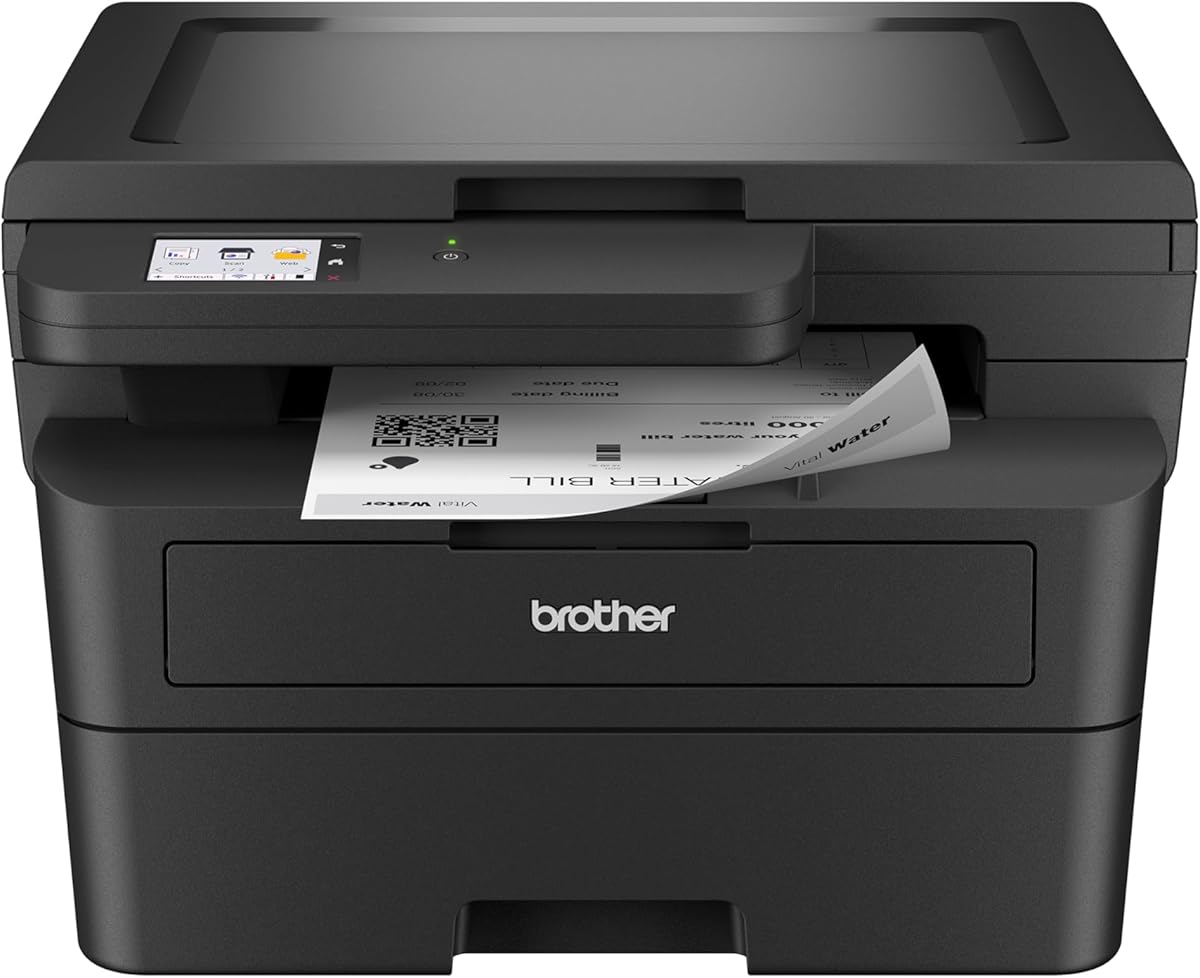

The Brother HL-L2405W is a straightforward monochrome laser printer designed primarily for homes and home offices. Its 4.0 rating reflects a generally well-received balance of compact construction, useful connectivity, and practical output speed. The printer produces crisp black-and-white documents at up to 30 pages per minute, making it suitable for assignments, invoices, reports, and routine household paperwork.
We may earn a commission when you buy through this link, at no additional cost to you.
Its strongest appeal is the combination of compact dimensions and flexible connectivity. Built-in dual-band wireless supports both 2.4GHz and 5GHz networks, while USB provides a local connection to one computer. The Brother Mobile Connect app adds remote printing, toner ordering, toner tracking, and general printer management, which is especially convenient for users who want to send documents from a phone or tablet without configuring a wired workstation.
The main limitation is the lack of automatic duplex printing. Multi-sided documents therefore require manual page flipping or separate one-sided jobs, which can be inconvenient for long reports. This is also a print-only model, so it cannot scan or copy. Nevertheless, the 250-sheet tray, manual feed slot for envelopes and specialty paper, 30-page-per-minute speed, and support for Brother Genuine TN830 and TN830XL toner make it capable for regular personal and home-office use.
This printer is a strong choice for someone who values wireless access, a modest footprint, and fast monochrome output without paying for multifunction hardware. It is less suitable for offices that routinely print double-sided documents or need a scanner. For those priorities, the HL-L2460DW offers automatic duplexing, while the DCP-L2640DW adds scanning and copying. Among straightforward home models, though, the HL-L2405W is a particularly practical pick.
Dual-band wireless and the Brother Mobile Connect app make this model well suited to distributed home printing. Users can print from compatible mobile devices, monitor toner use, manage the printer, and order supplies without working exclusively from a computer.
The 250-sheet tray should handle routine reloading less frequently than smaller designs, while the manual feed slot expands support for envelopes and specialty paper. One-sided output remains the principal constraint for lengthy two-sided jobs.
We may earn a commission when you buy through this link, at no additional cost to you.
The Brother HL-L2460DW is an efficient monochrome laser printer aimed at home offices and small teams. Its 4.0 rating reflects its well-rounded combination of speed, connectivity, and automatic duplexing. It produces documents at up to 36 pages per minute, giving it enough speed for forms, reports, internal business materials, and moderate shared-office demand.
We may earn a commission when you buy through this link, at no additional cost to you.
Automatic duplex printing is the feature that separates this model from many compact alternatives. It prints both sides automatically, saving time and reducing paper consumption compared with manual two-sided workflows. The printer also supports dual-band wireless, Ethernet, and USB, allowing it to fit different network configurations. Through the Brother Mobile Connect app, users can print from mobile devices, manage the unit, track toner, and order Brother Genuine supplies.
Its trade-offs are mostly about functionality beyond printing. There is no scanner, copier, fax, or touchscreen, so it will not replace an all-in-one office device. Like the HL-L2405W, it uses a 250-sheet paper tray and provides a manual feed slot for envelopes and specialty media. Users who need only reliable black-and-white output may find that its focused feature set is an advantage rather than a limitation.
The HL-L2460DW is an excellent recommendation for a home office or small team that frequently prints two-sided documents and wants a fast, compact machine with flexible connections. It offers a meaningful upgrade over the HL-L2405W without adding scanner complexity. Those who also need document digitization should move up to the DCP-L2640DW, but for fast duplex printing this model is especially well balanced.
The key benefit is unattended two-sided output. It makes long reports and multi-page packets easier to produce while reducing the amount of paper consumed compared with manually reversing sheets.
Dual-band wireless, Ethernet, and USB cover common home and small-office setups. This flexibility makes the printer easier to integrate into an existing mixed-device environment.
We may earn a commission when you buy through this link, at no additional cost to you.
The Brother DCP-L2640DW combines printing, scanning, and copying in a compact monochrome multifunction device. Its 4.1 rating reflects a versatile feature set aimed at small businesses, and its up-to-36-pages-per-minute print speed supports demanding document workflows. The three-in-one design helps users consolidate equipment without expanding into a large all-in-one footprint.
We may earn a commission when you buy through this link, at no additional cost to you.
A major advantage is the 50-page automatic document feeder. It allows multipage documents to be scanned or copied in batches, reducing the need to handle each page manually. The listing also lists scan speeds of up to 23.6 pages per minute for black-and-white scans and 7.9 pages per minute for color scans, while automatic duplex printing improves efficiency for two-sided output.
Connectivity is comprehensive for a compact office machine, with dual-band wireless, Ethernet, and USB. The Brother Mobile Connect app expands the control set to mobile printing, scanning, printer management, toner tracking, and supply ordering. The limitation is that this model does not include faxing, and its control interface is less elaborate than the larger touchscreen-equipped Brother and Canon multifunction models in this list.
This printer is best for a small business, home office, or remote professional who needs reliable scanning and copying alongside fast monochrome output. It is especially attractive when a 50-page feeder will be used regularly. If faxing is a requirement, the Brother MFC-L2820DW or Canon imageCLASS MF462dw II would be more appropriate, but the DCP-L2640DW remains a capable and space-conscious premium choice.
The 50-page automatic document feeder makes this model more useful than a basic print-and-copy unit. Multi-page records can be processed in batches, improving workflow for administrative paperwork and shared office documents.
Fast printing, duplexing, flexible networking, scanning, and copying are combined without expanding into a large-format office machine. That balance suits workspaces with limited room but substantial document needs.
We may earn a commission when you buy through this link, at no additional cost to you.
The HP LaserJet M207dw is a print-only monochrome laser printer positioned for small offices, including teams of roughly one to five people. Its 3.9 rating reflects a straightforward office tool built around fast two-sided output, wireless access, and broad device compatibility. It prints up to 28 black-and-white pages per minute and is intended for business documents, presentations, and brochures.
We may earn a commission when you buy through this link, at no additional cost to you.
Automatic duplexing is the central productivity feature, allowing multipage projects to print on both sides without manual intervention. Dual-band Wi-Fi includes a self-reset function designed to detect and resolve connection issues, while built-in security features help protect the printer from potential attacks. It supports wireless printing from mobile devices, PCs, and tablets, plus Ethernet, Microsoft, Mac, AirPrint, Android, and Chromebook compatibility.
The main compromises are its lower listed print speed compared with many 35- to 37-page-per-minute competitors and the absence of scanning and copying. Users who regularly digitize documents will need a separate scanner or a multifunction printer. It also lacks the larger control screens and document feeders found on premium office devices, which keeps the design focused and potentially easier to place in a smaller workspace.
The M207dw is a sensible choice for a small office that prioritizes reliable duplex printing, flexible wireless access, and broad platform support over scanner functions or maximum speed. It sits close to the Canon LBP122dw in general use, but the HP's listed security features and self-resetting wireless system make it appealing where network reliability matters.
Dual-band Wi-Fi and a self-reset feature are designed to simplify connections in changing office environments. The printer can also be linked through Ethernet when a stable wired network is preferred.
Support for AirPrint, Android, Chromebook, Mac, and Microsoft environments makes the printer suitable for mixed technology environments. Mobile, tablet, and computer users can print wirelessly.
We may earn a commission when you buy through this link, at no additional cost to you.
The Canon imageCLASS LBP122dw is a compact wireless monochrome laser printer intended for home use and personal printing. Its 3.8 rating is the lowest among the listed models, but the product addresses a clear need: straightforward duplex output in a space-saving design. It prints black-and-white documents at up to 30 pages per minute.
We may earn a commission when you buy through this link, at no additional cost to you.
Wireless operation and automatic duplex printing are the principal benefits. The Canon PRINT app supports printing away from the desk, while duplexing simplifies two-sided forms, notes, and multipage personal documents. The printer uses Canon Genuine Toner 071 and 071 high-capacity cartridges, providing a clearly identified consumable option for owners who prefer genuine components.
As a print-only device, it lacks a scanner and copier, so users with regular document-digitization needs should choose one of the multifunction alternatives. Its control and paper-capacity details are less clearly specified in the supplied listing than those of several competitors, making it important for buyers to review the current product page carefully. It also has fewer listed advanced connectivity features than the Brother models, although wireless printing remains central to its design.
The LBP122dw is best for a student, home user, or small workspace that values automatic duplexing, compact dimensions, and mobile printing in a straightforward printer. It may be less attractive for a shared office needing Ethernet, an automatic document feeder, or broader device-management functions. Among the Canon choices, its smaller scope makes it the natural option when scanning and copying are not priorities.
The printer combines a compact form with automatic two-sided output, making it useful where space is limited but multipage documents still need to be produced efficiently.
The Canon PRINT app enables wireless mobile printing for jobs initiated away from a computer. Genuine 071 and high-capacity 071 toner options simplify consumable planning.
We may earn a commission when you buy through this link, at no additional cost to you.
The Brother HL-6210DW is built for sustained office document production rather than occasional home printing. It has a 4.1 rating and an up-to-50-pages-per-minute speed, the highest listed figure in this roundup. That performance makes it a logical option for teams producing large quantities of reports, forms, internal documents, and other black-and-white paperwork.
We may earn a commission when you buy through this link, at no additional cost to you.
Paper capacity is another important strength. The standard main tray holds 520 sheets, and a 100-sheet multipurpose tray supports envelopes and other varied media. Optional trays can expand total capacity to as much as 1,660 sheets, reducing interruptions on long print runs. Automatic duplex printing further improves productivity by producing two-sided documents without manual page reversal.
Its wired and wireless networking is designed for a professional environment. Gigabit Ethernet supports fast, stable sharing on an office network, while dual-band wireless provides flexibility for mobile and distributed access. Triple Layer Security features are included to help protect the network, connected devices, and documents during printing. The trade-off is that this is a print-only device, so a separate scanner is required for copying or digitization.
This printer is recommended for departments and small offices with consistently high page volumes, shared access, and a need for security. Its capacity and speed exceed the needs of many households, but those users may value a smaller model instead. If high-volume printing is the primary requirement, the HL-6210DW is clearly the strongest productivity-focused choice in this list.
A 50-page-per-minute speed and a 520-sheet main tray reduce the interruptions associated with large office projects. Expandable capacity supports still heavier workflows.
Gigabit Ethernet, dual-band wireless, and Triple Layer Security make the printer better suited to managed business networks than a basic home-only model.
We may earn a commission when you buy through this link, at no additional cost to you.
The HP LaserJet Pro 3101sdw is the highest-rated model in this roundup, with a 4.5 rating. It is designed for small teams that need more than basic printing, combining print, scan, copy, and automatic duplex functions in a wireless all-in-one. It produces black-and-white documents at up to 35 pages per minute for reports and professional office materials.
We may earn a commission when you buy through this link, at no additional cost to you.
Its 50-page automatic document feeder streamlines multipage scanning and copying, while the 250-sheet input tray supports routine workloads. Automatic two-sided printing saves time and paper, and wireless connectivity is designed to select and maintain a dependable Wi-Fi connection. Together, these features make the printer a versatile central device for a small office or busy home professional.
A meaningful restriction is the cartridge requirement. The listing states that the printer is intended to work only with cartridges containing HP chips or circuitry and will block cartridges without them. It also notes that periodic firmware updates maintain the effectiveness of those measures. Buyers should therefore account for genuine or compatible approved cartridges and keep the device's firmware current.
The 3101sdw is a strong all-around recommendation for teams that need scanning and copying but do not require fax. Its 35-page-per-minute speed, duplexing, 50-page feeder, and 4.5 rating distinguish it from simpler print-only models. Compared with the Brother MFC-L2820DW, the tradeoff is the absence of fax and a toner-chip restriction, while it may appeal to buyers who want the roundup's strongest customer rating.
Printing, scanning, copying, and automatic duplexing provide a broad core feature set. This reduces the need for separate equipment in many small-office workflows.
The 50-page automatic document feeder is useful for records, reports, and copied packets. Combined with a 250-sheet tray, it supports a productive daily workflow.
We may earn a commission when you buy through this link, at no additional cost to you.
The Brother MFC-L2820DW is a compact monochrome all-in-one built for small offices. Its 4.3 rating reflects a comprehensive feature set that includes printing, copying, scanning, faxing, and automatic duplexing. It prints at up to 36 pages per minute and supports scan speeds of up to 23.6 pages per minute in black-and-white and 7.9 pages per minute in color.
We may earn a commission when you buy through this link, at no additional cost to you.
The 2.7-inch touchscreen is a meaningful improvement over button-only operation. It provides intuitive navigation and supports printing from and scanning to popular cloud services, including Google Drive, Dropbox, Evernote, and OneNote. A 50-page automatic document feeder assists with multipage copying, scanning, and faxing, while dual-band wireless, Ethernet, and USB provide broad connection options.
This model includes Brother Mobile Connect support for remote printing, scanning, management, toner tracking, and supply ordering. Brother Genuine TN830 and TN830XL toner options are specified, along with a Refresh EZ Print subscription trial. The trade-off is complexity: buyers who only need reliable printing may find the touchscreen and multifunction capabilities unnecessary, and fax adds a function that must be maintained even if used infrequently.
The MFC-L2820DW is most appropriate for small offices that still rely on fax or want one compact machine to cover every document function. Compared with the DCP-L2640DW, it adds a touchscreen and fax but shares a similar 36-page-per-minute speed and 50-page feeder. For users who need broad functionality without stepping up to the Canon MF462dw II's larger touchscreen, it is a particularly balanced choice.
Print, copy, scan, and fax provide a complete office toolkit. The compact footprint preserves desk or floor space while reducing the need for separate devices.
The 2.7-inch touchscreen makes cloud destinations and multifunction menus easier to navigate. Direct support for major cloud services improves document routing and remote workflows.
We may earn a commission when you buy through this link, at no additional cost to you.
The Brother HL-L2480DW combines printing, scanning, and copying in a compact monochrome device with a 4.4 rating. It is aimed at small offices and work-from-home users who need more than a basic printer but may not need fax. The flatbed scan glass adds flexibility for documents, books, and other originals that are cumbersome to feed automatically.
We may earn a commission when you buy through this link, at no additional cost to you.
Printing performance reaches up to 36 pages per minute, and automatic duplex printing helps reduce paper use and manual handling. The 2.7-inch color touchscreen provides a clearer control interface than simple button panels, with navigation for cloud-based destinations such as Google Drive, Dropbox, Evernote, and OneNote. The Brother Mobile Connect app further supports mobile printing, scanning, management, toner tracking, and supply ordering.
Its main limitation is the absence of fax. Although it is a multifunction printer, it does not provide the full four-function set of the MFC-L2820DW. The supplied details also do not identify an automatic document feeder, so buyers who routinely process multipage originals may want to confirm their preferred input method or choose the Brother DCP-L2640DW. The 250-sheet tray and manual feed slot remain useful for routine media.
The HL-L2480DW is an excellent choice for a home office or small workspace that values scanning, copying, a touchscreen, and fast duplex printing in a compact package. Its 4.4 rating is among the strongest in the roundup. It is particularly attractive where flatbed scanning is useful, while teams that need batch feeder capacity or fax should consider the DCP-L2640DW or MFC-L2820DW.
The flatbed scanner provides a convenient way to copy or digitize varied originals. It is particularly useful when automatic feed handling is not required for every task.
The 2.7-inch color touchscreen makes it easier to access scan and print destinations. Combined with cloud-service support, it simplifies common document-routing tasks.
We may earn a commission when you buy through this link, at no additional cost to you.
The Canon imageCLASS MF462dw II is a feature-rich monochrome multifunction printer with a 4.2 rating. It prints, scans, copies, and faxes at up to 37 pages per minute, giving it one of the highest listed print speeds. A quick first print time of approximately five seconds also makes it responsive for shorter jobs.
We may earn a commission when you buy through this link, at no additional cost to you.
Its standout feature is the 5-inch color touchscreen, which is larger than the 2.7-inch displays on the Brother multifunction alternatives. The Application Library provides customizable access to frequently used features, while a 50-sheet duplex automatic document feeder processes two-sided originals in one pass. This combination is particularly valuable for offices handling recurring multipage paperwork.
Paper handling is also generous. The unit includes a 250-sheet standard cassette, a 100-sheet multipurpose tray, and compatibility with an optional AH-1 cassette for an additional 550 sheets. Canon Genuine Toner 070 and 070 high-capacity options support continued output. Mobile printing is available through the Canon PRINT app, Apple AirPrint, and Mopria Print Service.
The MF462dw II is best for a busy small office that values fast output, a large touchscreen, duplex batch scanning, and a complete four-function design. It may be more elaborate than a home user needs, and its larger display and expandable paper system require more space. For organizations prioritizing easy navigation and advanced document handling, however, it is the most sophisticated Canon option in this comparison.
The one-pass duplex feeder handles two-sided originals efficiently within a 50-sheet capacity. This is a meaningful advantage for repetitive administrative workflows.
The 5-inch color display provides more room for menus and frequently used settings. The customizable Application Library helps reduce navigation time for routine tasks.
We may earn a commission when you buy through this link, at no additional cost to you.
The most useful monochrome laser printer is not simply the fastest or most feature-rich model. It is the one that matches your document volume, network setup, paper habits, and need for scanning, copying, or faxing without adding functions you will never use.
Print speed is a useful indicator of how quickly a printer can process routine pages, but the advertised maximum does not describe every stage of a real job. Models in this roundup range from up to 28 to 50 pages per minute. The HP M207dw, Brother HL-L2405W, and Canon LBP122dw are positioned around 28 to 30 pages per minute, while several Brother models reach 36 pages per minute. The HL-6210DW leads the list at up to 50 pages per minute. For occasional home documents, speed matters less than size, connectivity, and toner convenience. For shared offices producing long reports, faster output and fewer paper interruptions become more important.
Automatic duplex printing prints both sides of a sheet without requiring manual page reversal. It saves time on long documents and can reduce paper consumption, making it valuable for invoices, reports, packets, and records. The HL-L2405W is the notable print-only selection in this group without automatic duplexing, while the HL-L2460DW, DCP-L2640DW, M207dw, LBP122dw, HL-6210DW, 3101sdw, MFC-L2820DW, HL-L2480DW, and MF462dw II include it. A duplex feature only helps when the software workflow supports it cleanly, so buyers should also confirm that duplex works with their operating system and preferred applications.
A print-only laser printer is simpler and can be useful when scanning and copying are handled elsewhere. Multifunction models combine printing with scanning, copying, and sometimes faxing, reducing the number of devices needed. The DCP-L2640DW and HL-L2480DW cover print, scan, and copy. The HP 3101sdw also provides those three functions, while the MFC-L2820DW and Canon MF462dw II add fax. A flatbed scanner is useful for books and delicate originals, whereas an automatic document feeder is better for long, routine stacks. Choosing the right input method can be more important than simply deciding between single-function and multifunction hardware.
Wireless connectivity is essential for shared and mobile workflows, but a reliable wired option can still be important. Most of the Brother models support dual-band wireless at both 2.4GHz and 5GHz, while the HP M207dw includes dual-band Wi-Fi with a self-reset feature. Several Brother machines also include Ethernet and USB. The Canon MF462dw II supports wireless, Ethernet, and mobile options such as AirPrint and Mopria, while the LBP122dw emphasizes wireless use. Before purchasing, check whether your network uses both bands, whether older 2.4GHz-only equipment must connect, and whether the printer's placement allows a cable if the wireless signal is weak.
Paper handling affects how often you reload the printer and how easily it accepts envelopes, labels, or specialty media. A 250-sheet tray is common in the compact Brother and HP models, while the HL-6210DW has a 520-sheet main tray plus a 100-sheet multipurpose tray. The Canon MF462dw II combines a 250-sheet cassette with a 100-sheet multipurpose tray and an optional 550-sheet expansion. Manual feed slots on several Brother models support envelopes and specialty paper. High-volume users should examine expandable capacity, while occasional users may find a standard 250-sheet tray sufficient and easier to manage.
A physical control panel can make an all-in-one more convenient, especially when scanning or copying directly. The Brother HL-L2480DW and MFC-L2820DW have 2.7-inch color touchscreens, while the Canon MF462dw II has a larger 5-inch display with a customizable Application Library. Mobile applications are also important: Brother Mobile Connect supports printing, scanning, management, toner tracking, and supply ordering on applicable models, while Canon PRINT, Apple AirPrint, and Mopria are supported on the Canon MF462dw II. Consider whether a phone-first workflow or a shared control panel best matches the people who will use the machine.
Laser printers use toner rather than ink, but ongoing consumable cost and availability still matter. Brother models in the HL-L2405W, HL-L2460DW, DCP-L2640DW, MFC-L2820DW, and HL-L2480DW families are specified for Brother Genuine TN830 or TN830XL toner, with a Refresh EZ Print subscription trial on the applicable listings. The HL-6210DW supports ultra-high-yield replacement toner. Canon models use Genuine 071 or 070 toner options, while the HP 3101sdw is restricted to cartridges with HP chips or circuitry. Check cartridge yield, genuine-part requirements, and refill or subscription availability before making a long-term ownership decision.
A compact printer is easier to place in a home office or shared room, while a business-oriented machine may need dedicated space. The HL-6210DW is designed for professional volume and includes Triple Layer Security, while the M207dw has built-in security features for potential attacks. These protections can matter on managed office networks that handle sensitive information. The Brother models also carry stated warranty and support benefits, while HP emphasizes reliability for business use. Before buying, check the dimensions, placement, network policies, and support terms to ensure the printer can be accommodated and supported over its intended life.
Begin by unpacking the printer, removing any packing material, and installing the toner cartridge as directed in its guide. Load the main tray with the recommended paper type and adjust the guides so the sheets sit correctly. Use the manual or multipurpose tray for envelopes, labels, or specialty media, and avoid mixing incompatible media in a single job. Before the first substantial project, print a short test page and check darkness, alignment, text clarity, and whether the output matches the paper orientation.
For wireless setup, connect the printer through its app, control panel, or computer-based utility and select the desired 2.4GHz or 5GHz network where supported. Users who prefer a wired connection can use Ethernet or USB according to the model's supported interfaces. Install the appropriate print driver and mobile application, then confirm that a test page prints from a computer and a compatible phone or tablet. Saving the network configuration helps prevent setup problems if the printer is moved or restarted.
To maintain performance, use the specified genuine or approved toner, keep the exterior and paper path clean, and avoid paper clips, staples, and damaged sheets that can cause jams. For multifunction models, clean the scanner glass and document feeder as instructed and place originals carefully. Monitor toner status and paper levels, and address warning messages promptly. Before a large job, confirm the selected tray, paper type, duplex setting, and copy count to avoid unnecessary reprints.
A monochrome laser printer is usually better for high-volume black-and-white documents because it offers fast output, sharp text, and a toner-based workflow. It is less useful when color printing is a frequent requirement. Inkjets can be more appropriate for occasional color photos, while monochrome lasers focus on text-heavy reports, invoices, forms, and office records.
Automatic duplex printing is valuable if you regularly create two-sided reports, invoices, or packets. It saves the effort of manually reversing pages and reduces paper use. For occasional short documents, a one-sided model may be adequate, but frequent multipage jobs benefit significantly from the automation provided by most printers in this roundup.
Choose print-only if you only need documents and already have a separate scanner or copier. Choose multifunction if you regularly scan, copy, or fax. Models with an automatic document feeder handle long document stacks efficiently, while flatbed scanners are convenient for books, photos, and irregular originals.
The two bands offer different tradeoffs in range, interference, and speed. Dual-band support lets a printer use either 2.4GHz or 5GHz depending on your router and network conditions. A 5GHz connection can provide higher throughput in a suitable environment, while 2.4GHz often offers broader range through walls.
Most models in this guide support mobile printing through their brand applications, AirPrint, Mopria, or compatible operating-system functions. The printer and mobile device should be connected to the same network, and the relevant app or driver should be configured. Availability varies by model, so check the listing before buying.
A 250-sheet tray is a common starting point for home and small-office use because it reduces how frequently ordinary letter paper must be reloaded. High-volume offices may prefer a 520-sheet tray or expandable configuration. Capacity should be balanced against the amount of printing you perform and how much physical space you have available.
Business-oriented models often include network security tools designed to protect the printer, connected devices, and documents. The Brother HL-6210DW lists Triple Layer Security, while the HP M207dw includes built-in security features. Users in managed offices should also follow network policies and keep printer firmware updated.
Compatibility varies by model and cartridge design. Some products are designed to work only with cartridges containing manufacturer chips or circuitry, and the HP LaserJet Pro 3101sdw listing explicitly states that it blocks cartridges without HP chips. For the Brother and Canon models, check the current manufacturer guidance and toner requirements before choosing an alternative.
The featured shortlist covers three different needs. The Brother HL-L2405W is the simplest option for compact home printing, while the HL-L2460DW adds faster output and automatic duplexing for home offices and small teams. The DCP-L2640DW serves users who also need scanning and copying, with a 50-page document feeder in a compact business-oriented design.
Outside the top three, the HP M207dw and Canon LBP122dw are straightforward duplex printers for smaller users, while the Brother HL-6210DW handles high-volume office output. The HP 3101sdw, Brother MFC-L2820DW, Brother HL-L2480DW, and Canon MF462dw II provide varying combinations of scanning, copying, faxing, document feeders, and touchscreens. Prioritize the workflow you will actually use rather than selecting the model with the longest specification list.
Before ordering, verify the current listing details, toner requirements, physical dimensions, connectivity, and included accessories. Product configurations and promotional offers can change, and prices fluctuate, so compare the final cost of the exact model rather than relying on an earlier page or a generic category estimate. The right monochrome laser printer should provide reliable output, manageable consumables, and a feature set that fits the way its owner actually prints.