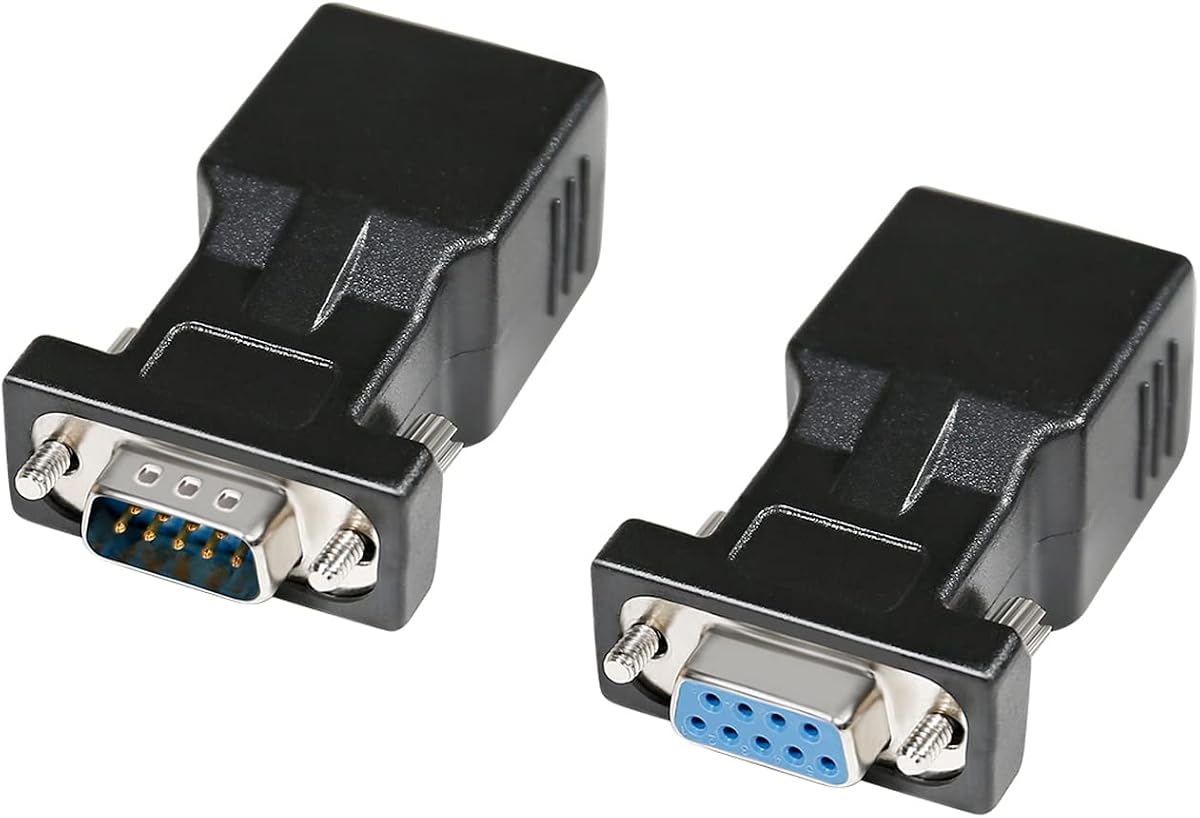
DTECH DB9 to RJ45 Serial Adapter Set
4.7Editor score
Male and female adapter pair
Supports 65-foot serial runs
Works with Cat5 and Cat6
Requires no external power
This RS232 to RJ45 Converter guide compares passive adapters, active converters, and Ethernet gateways for serial, industrial, and Modbus needs.
An RS232 to RJ45 converter bridges a traditional nine-pin serial port with modular network cable, helping equipment travel farther or fit installations where a bulky DB9 cable is inconvenient. The right model depends on whether you need simple passive wiring, signal conversion, or true Ethernet communication with configuration options.
We compared all ten products by examining connector gender, stated distance limits, supported serial standards, power requirements, data-direction features, and intended equipment. The list covers passive DB9 adapters, powered protocol converters, industrial gateways, and one device-specific USB serial cable so readers can distinguish function rather than judge by appearance.
The top selections represent three practical approaches: a versatile adapter set, a long-reaching extender, and a configurable serial-to-Ethernet gateway. Product ratings and availability can change, and current prices fluctuate, so confirm the exact connector configuration, signal standard, and equipment requirements before buying.
4.7Editor score

4.6Editor score

4.0Editor score
This comparison separates simple passive DB9-to-RJ45 adapters from powered signal converters, Ethernet gateways, and a specialized USB cable. Connector gender, supported protocol, stated reach, and whether external power or configuration software is required are the most important distinctions.



The DB9 RS232 to RJ45 Extender holds a 4.6 rating and is the most flexible passive option in this guide. It supports serial data over standard UTP Cat5 or Cat6 cable, giving users a practical way to bridge DB9 equipment across a room or between nearby installation points without relying on a proprietary serial extension cable.
We may earn a commission when you buy through this link, at no additional cost to you.
The product supports bidirectional transparent transmission and does not require external power. Its stated maximum distance reaches 100 meters, although the supplied guidance also recommends use within 1–15 meters. That discrepancy deserves attention: real results can vary with cable quality, baud rate, grounding, interference, and whether the exact product arrangement is used as intended.
The adapter is described as suitable for desktop computers, digital machine tools, PDAs, barcode equipment, and other standard DB9 serial devices. The seller also notes that it is normally used in pairs, with female-to-female, male-to-female, and male-to-male arrangements available in the broader category. Buyers should therefore verify the gender and pin mapping of both ends before ordering.
This is an attractive choice for installers who need more flexibility than a fixed adapter pair. It is less appropriate for someone expecting an RJ45 port to provide native Ethernet connectivity or for a setup where the shorter, manufacturer-recommended operating range is insufficient. Confirm signal levels, connector sex, and pairing arrangement before installation.
For a passive extender with useful range, multiple application examples, and no external power, it earns the Editor's Choice distinction. Its principal strength is flexibility, provided the buyer treats the listed long-distance capability as a maximum rather than a guaranteed operating distance.
Legacy serial devices can remain in place while the connection crosses an office, workshop, or control area through existing network cable. The passive design keeps the installation simple because it introduces no separate power supply or network configuration process.
A passive extender works only when the connector genders, signal pins, and wiring arrangement align on both sides of the cable. Confirm the device connector, required adapter type, and manufacturer-provided pin details before installation.
We may earn a commission when you buy through this link, at no additional cost to you.
The DTECH DB9 to RJ45 Serial Adapter Set has a 4.7 rating and provides a balanced selection for common serial-extension tasks. It includes one DB9 male-to-RJ45 female adapter and one DB9 female-to-RJ45 female adapter, allowing the set to address equipment with either gender of nine-pin serial connector.
We may earn a commission when you buy through this link, at no additional cost to you.
Its key advantage is simplicity. The adapters carry RS232 serial data over inexpensive Cat5 or Cat6 cable and are advertised to extend signals as far as 65 feet. Thumbscrews help secure the DB9 connections, while the passive arrangement eliminates the need for a power supply. Common examples include computers, laptops, printers, modems, routers, PDAs, POS terminals, barcode scanners, and digital machine tools.
The important limitation is that this is a serial adapter, not a network gateway. It does not turn an RS232 port into an IP-connected Ethernet interface, and it cannot communicate with a standard Ethernet device merely because both connectors physically resemble network connectors. The wiring must be compatible on both ends, and the pair should be matched to the required connector genders.
This set is a strong fit for technicians extending a serial link with common network cable, particularly when a male-to-female or female-to-female connection is needed. It may not suit installations requiring RS485 or RS422 conversion, isolation, active baud-rate handling, or remote network management.
The 4.7 rating, inclusive adapter selection, and straightforward setup make this one of the most practical budget choices. It covers more connector arrangements than a single coupler while remaining a passive, broadly compatible solution.
Including both male and female DB9 adapters reduces the likelihood of discovering an incompatible connector after installation. It is a practical set for technicians who support equipment with different serial-port designs.
Because no external power is needed, the set can be installed quickly wherever an Ethernet jack or short piece of Cat5 or Cat6 cable is available. The connection remains a direct serial extension rather than a converted Ethernet link.
We may earn a commission when you buy through this link, at no additional cost to you.
The DTECH female-to-female adapter has a 4.5 rating and offers a clear, uncomplicated way to carry RS232 signals over network-style cable. Its DB9 female and RJ45 female ends are explicitly distinguished from the 15-pin VGA format, reducing the risk of confusing this serial adapter with an older video connector.
We may earn a commission when you buy through this link, at no additional cost to you.
The stated wiring maps pins one through eight directly from DB9 to RJ45, with pin nine unused. A pair of these socket couplers can be used as an extender for RS232 signals over a stated distance of up to 65 feet. The design is bi-directional and includes thumbscrews for more secure attachment to compatible nine-pin D-sub equipment.
Because the product uses female connectors at both ends, it normally needs corresponding male-side adapters or a properly arranged adapter pair. A passive coupler does not interpret serial data, isolate the connection, or translate RS232 into Ethernet. It merely provides a physical and wiring path when the connected equipment follows the same signal arrangement.
The adapter suits technicians extending a female DB9 serial port through Cat5 or Cat6 cable, especially when avoiding a bulky dedicated DB9 extension lead. It is less useful if the source device has a male DB9 port and the buyer needs a self-contained male-to-female arrangement instead.
For a well-described single coupler with secure fastening and broad device examples, this is a solid conventional choice. Its 4.5 rating reflects a dependable, uncomplicated product without the broader connection-type options of the extender set.
The passive coupler can be installed without a power supply or configuration utility. This makes it suitable for quick links involving printers, POS systems, barcode scanners, and other standard nine-pin RS232 devices.
The product is intended for nine-pin D-sub RS232 connections, not 15-pin VGA video. Visual similarity among D-sub connectors can cause errors, so identify the port and its pin count before purchase.
We may earn a commission when you buy through this link, at no additional cost to you.
The DTECH male-to-female adapter has a 4.2 rating and is a useful counterpart to the female DB9 coupler in this roundup. It connects a nine-pin male RS232 interface to an RJ45 female jack, allowing the serial connection to continue over Cat5 or Cat6 cable.
We may earn a commission when you buy through this link, at no additional cost to you.
Its wiring follows a straight-through arrangement for pins one through eight, with pin nine unused. The product is bidirectional and can function in a paired extender arrangement with a stated reach of up to 65 feet. Thumbscrews support a firm connection to the equipment's DB9 port.
Like every passive coupler in this category, it works only when the signal wiring at both ends is compatible. It is not a powered protocol converter, does not provide Ethernet capability to the serial device, and cannot bridge RS232 to RS485 or RS422. The word Ethernet in the product title should not be interpreted as an automatic IP conversion feature.
The best use is extending a male DB9 serial port to a network cable while keeping the installation compact. It is particularly relevant to legacy printers, modems, POS systems, barcode scanners, routers, and industrial equipment identified in the supplied compatibility examples.
This adapter delivers the essentials with a lower rating than DTECH's paired set. Choose it when the required connector gender is known and a single passive male-end adapter is all the installation needs.
A male DB9 end can connect directly to a female equipment port, while the RJ45 female end accepts a standard network cable. This arrangement reduces the need for an extra gender-changing adapter at the source.
The adapter does not buffer, isolate, or reinterpret data. Its effectiveness depends on matching the wiring, baud rate, grounding, and electrical characteristics of the devices being linked.
We may earn a commission when you buy through this link, at no additional cost to you.
The ten-piece DB9 female-to-RJ45 set carries a 4.8 rating, the highest rating among the listed products. It is especially attractive to installers who need several identical passive adapters, whether for multiple workstations, service spares, or several short serial-extension links.
We may earn a commission when you buy through this link, at no additional cost to you.
Each adapter transmits RS232 signals over Cat5, Cat5E, or Cat5 network cable, with a stated reach of up to 100 feet. The product description provides unusually specific pin information, identifying carrier detect, received data, transmitted data, data terminal ready, ground, data set ready, request to send, clear to send, and ring indicator.
That pin documentation is useful, but it should be checked against both devices before deployment. Passive adapters do not determine baud rate, resolve incompatible signal standards, or create an Ethernet connection. The set is best used in a consistent environment where the equipment uses the same DB9-to-RJ45 wiring arrangement on both ends.
The adapters use alloy transmission ports and ABS housing according to the supplied information, with an emphasis on reduced transmission impedance and wear resistance. Because all ten units have female connectors, male-side counterparts or suitable mating adapters may be needed.
With a 4.8 rating, a multi-adapter quantity, and clear signal mapping, this set is an excellent choice for maintenance professionals. Its limitations are narrow connector gender and the absence of active conversion, but within passive RS232 extension it is exceptionally well documented.
Ten matching adapters help standardize a bench, service cabinet, or multi-site installation. Having spares on hand can reduce the disruption caused by a damaged or misplaced coupler.
The listed RJ45 and DB9 pin definitions help technicians plan cable routing and troubleshoot continuity. Always compare them with the documentation for both connected devices before energizing a new link.
We may earn a commission when you buy through this link, at no additional cost to you.
The USR-TCP232-302 has a 4.0 rating and is the most functionally advanced product in the guide. Unlike a passive DB9 coupler, it is an active serial device server that provides bidirectional transparent transmission between an RS232 port and Ethernet using an integrated TCP/IP protocol stack.
We may earn a commission when you buy through this link, at no additional cost to you.
The module supports DHCP for automatic address assignment, DNS, web-page configuration, and network-based firmware upgrades. Its 10/100-Mbps RJ45 network port operates in TCP Server, TCP Client, UDP Client, UDP Server, or HTTPD Client modes. These capabilities make it appropriate when serial equipment must be accessed from another computer or integrated into a network architecture.
Serial settings are flexible, supporting baud rates from 600 bps through 230.4 kbps and None, Odd, Even, Mark, and Space parity choices. Auto-MDI/MDIX simplifies physical network connections, while virtual serial port software and heartbeat or registration packet mechanisms can help maintain and verify communications.
The gateway is not the right choice for a simple extension where passive pin-to-pin wiring is sufficient. It introduces configuration, power, and network-security considerations, and connected software must be able to communicate through the selected TCP or UDP mode. The supplied description notes support for up to 16 clients in TCP Server mode, with four as the default.
For a genuine RS232-to-Ethernet bridge with multiple operating modes and remote configuration, this module earns the Best Premium distinction. It turns a legacy serial port into a network-accessible endpoint rather than merely adapting the physical connector.
This device provides protocol-aware communication between serial equipment and an IP network. That distinction allows compatible software on a remote computer to exchange data with a legacy RS232 device through the configured network path.
DHCP, DNS, webpage-based parameters, and firmware upgrades reduce some of the administrative burden of deploying a serial gateway. Planning addresses and security controls remains important before putting the module on a production network.
We may earn a commission when you buy through this link, at no additional cost to you.
The DTECH active converter has a 4.7 rating and focuses on a different problem from the passive adapters. It translates bidirectional RS232 signals into RS485 or RS422, making it useful when a computer or controller must communicate with industrial equipment that uses a longer-distance, noise-resistant serial standard.
We may earn a commission when you buy through this link, at no additional cost to you.
The product supports two-wire half-duplex RS485 and four-wire full-duplex RS422 configurations. It can serve point-to-point or multipoint RS485 networks with up to 32 protocol-compatible drops. Output can connect through a terminal block or RJ45 network port, giving installers more routing options than a simple molded coupler.
Protection features are a major selling point. The RS485 and RS422 link includes 600-watt lightning surge protection, while the RS232 side includes 15-kilovolt static protection. A supplied 110/240-volt AC to nine-volt DC power supply powers the unit, and TX, RX, and power indicators show operating status.
Automatic baud-rate detection and adjustment up to 115200 bps simplify configuration, while data collision protection and transparent transmission support dependable communication. Even so, the converter does not turn the RS232 side into an Ethernet connection. The RJ45 connector is a physical path for the converted serial signal, not an IP network interface.
This is the best choice in the guide for industrial conversion between RS232 and RS485 or RS422, especially where long runs and surge exposure are concerns. Buyers should still match the selected mode, wiring, grounding, and protocol to the attached equipment.
Surge and static protection help protect connected equipment from voltage events on communication lines. These protections are particularly relevant in workshops and industrial environments where cables may run near other electrical systems.
The active circuit translates signals rather than simply extending them. Choose two-wire RS485 for half-duplex multidrop networks or four-wire RS422 for full-duplex point-to-point communication, according to the connected devices.
We may earn a commission when you buy through this link, at no additional cost to you.
The LINOVISION dual-port gateway has a 4.1 rating and targets industrial monitoring and control rather than simple cable extension. It integrates existing RS232 and RS485 equipment with Ethernet, allowing remote systems to collect and control data across distance limitations.
We may earn a commission when you buy through this link, at no additional cost to you.
Its central function is Modbus gateway conversion between Modbus RTU and Modbus TCP. The gateway supports multi-host polling for up to 16 hosts, which can suit control rooms, agricultural systems, POS installations, PLC networks, and medical devices requiring centralized visibility.
Physical installation is a notable strength. The enclosure is designed for wall or rail mounting and carries IP30 protection, while its stated operating range extends from -40°F to 185°F. These specifications make it more suitable for equipment rooms and industrial environments than a loose molded adapter.
The standard cloud service is described as free for up to 30 managed devices through the Linovision AIoT RemoteMonit platform. Additional devices, storage, or customized functionality may require separate arrangements. As with any gateway that exposes equipment to a network, security planning and careful account configuration are important.
For a Modbus-focused installation, this is a capable industrial gateway and more specialized than a DB9 coupler. It is overkill when the requirement is merely to extend one RS232 cable, but appropriate when remote monitoring, protocol conversion, and durable mounting justify a dedicated converter.
The gateway lets Modbus RTU serial devices communicate with Modbus TCP network systems. It is particularly relevant where operators need browser-based or centralized remote monitoring rather than a point-to-point cable extension.
Wall and rail mounting, IP30 protection, and a wide operating-temperature range support more permanent installations. Position the unit where its power, cabling, environmental limits, and network connectivity are appropriate.
We may earn a commission when you buy through this link, at no additional cost to you.
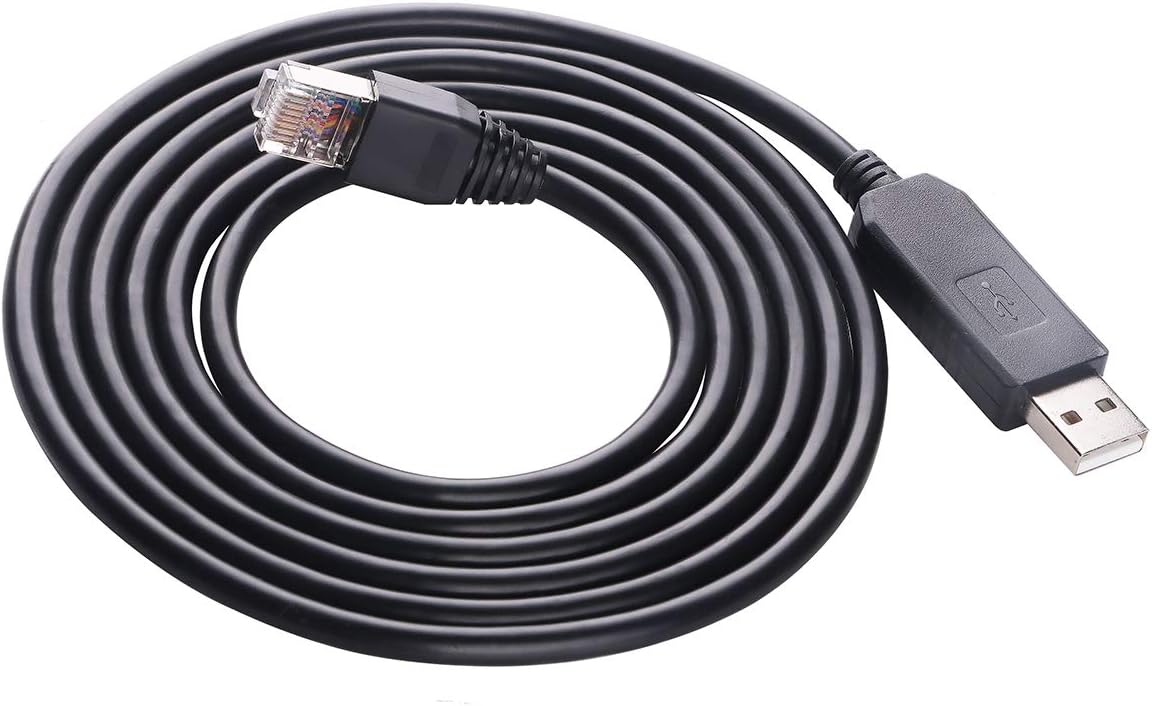
The USB to RJ45 RS232 cable has a 4.6 rating and serves a specialized role. It uses an FT231XS interface to connect a USB 2.0 computer to an RJ45-style RS232 connection, with the supplied description emphasizing compatibility with Voltronic EG4 6000EX and 6500EX equipment and other listed applications.
We may earn a commission when you buy through this link, at no additional cost to you.
Because the USB and serial electronics are integrated into one six-foot cable, it can simplify a connection that would otherwise require a USB serial adapter and a separate RJ45 coupler. The RJ45 end connects to the compatible equipment, while the USB end plugs directly into a computer.
This is not a general-purpose passive DB9-to-RJ45 adapter, and it should not be chosen simply because it contains an RJ45 connector. The listed target equipment is a central part of its value. Users should confirm the device model, connector pinout, communication settings, and whether the equipment expects this specific USB-to-serial arrangement.
An FTDI Virtual COM Port driver may need to be downloaded and installed from FTDI's official website if the computer does not recognize the cable automatically. That software step introduces a dependency absent from a basic mechanical coupler, but it is normal for a USB-to-serial cable with an FTDI chipset.
For a technician servicing one of the named inverter models, this cable offers a compact and purpose-built connection. For general RS232 extension, a passive DB9 adapter or an active Ethernet gateway is the more appropriate category.
Combining the USB interface and serial cable removes the need to assemble several separate parts. This is useful for field service where a simple, dedicated cable is easier to carry than several adapters.
The computer may require the FTDI Virtual COM Port driver. Verify that the operating system and monitoring software support the resulting virtual serial port before relying on the cable for field work.
We may earn a commission when you buy through this link, at no additional cost to you.
The two-piece DB9 adapter set has a 5.0 rating, the highest numerical rating in the roundup. It combines a DB9 male-to-RJ45 female adapter with a DB9 female-to-RJ45 female coupler, giving installers a common arrangement for extending RS232 links with Cat5, Cat5E, or Cat6 cable.
We may earn a commission when you buy through this link, at no additional cost to you.
The product emphasizes physical construction. Molded strain relief is designed to reduce stress at the cable entry, grip treads assist repeated plugging and removal, and screws provide a secure DB9 connection. The transmission ports use nickel plating and oxygen-free copper to help minimize crosstalk and suppress noise according to the supplied description.
Its stated maximum extension distance is 65 feet. As a passive product, it works only with compatible RS232 wiring and does not provide external power, signal conversion, or a native Ethernet network interface. The listing also explicitly notes that it is not a console adapter, a distinction that matters when troubleshooting certain equipment links.
Common compatibility examples include laptops, PDAs, computers, routers, barcode printers, POS devices, and other nine-pin D-sub equipment. Although one part of the description uses the phrase bidirectional conversion, the physical construction and role of the product are those of a passive serial adapter rather than an active protocol translator.
This pair is a compelling basic option for a straightforward serial extension. Its 5.0 rating, secure construction, and inclusion of both connector genders help it stand out, provided the buyer understands that it extends a compatible serial signal rather than converting it to IP Ethernet.
Molded strain relief, grip treads, and retention screws address common weak points in frequently handled serial leads. These physical details are valuable in service environments where adapters are connected and disconnected regularly.
The male and female units can form a straightforward extension over standard network cable when both device pinouts are compatible. Verify the cable mapping and do not expect a passive pair to perform protocol conversion.
We may earn a commission when you buy through this link, at no additional cost to you.
The most important distinction is whether the installation needs passive extension, active signal conversion, or a network-aware gateway. Connector gender, electrical standard, distance, power, software requirements, and the exact equipment being connected determine which product type is appropriate.
A passive adapter simply routes the same RS232 signal through RJ45-style cable. It is inexpensive, requires no power, and is suitable when both devices use compatible nine-pin serial wiring. An active converter changes signal standards, while a gateway adds TCP/IP networking, configuration, and potentially remote management. Choosing the wrong class can produce no communication, damaged equipment, or a false assumption that an Ethernet port provides IP connectivity.
DB9 ports come with male or female shells, and the adapter must physically match the equipment. Common arrangements include male-to-RJ45, female-to-RJ45, and paired male and female adapters. Check the port on each end rather than relying on product photographs, because the same D-sub outline can use different genders. Also note that a nine-pin D-sub RS232 port is not interchangeable with a 15-pin VGA connector.
RS232, RS485, and RS422 have different voltage levels, signaling methods, and network structures. A passive RS232 coupler cannot reliably connect an RS232 device to RS485 equipment. An active converter can translate signals, but it must support the correct standard, duplex mode, and network arrangement. For industrial multipoint links, RS485 is commonly relevant; for four-wire full-duplex links, RS422 may be required.
Stated reach is a maximum under favorable conditions, not a guarantee for every baud rate and environment. Higher baud rates are more sensitive to capacitance, interference, grounding differences, and poor-quality cable. Some listings mention both a maximum theoretical length and a shorter recommended range. Use shielded or high-quality UTP where appropriate, avoid running cable beside strong electrical interference, and validate the complete link with the intended equipment.
A true serial-to-Ethernet gateway provides a network address, TCP or UDP modes, and a way for remote software to exchange data with the serial port. Features such as DHCP, DNS, virtual COM ports, heartbeat packets, and web configuration improve administration, but they also add setup requirements. Confirm the operating modes, client limits, baud-rate range, and management options required by the target system.
Passive couplers need no external power, making them simple and dependable for short or moderate passive extensions. Active converters require an appropriate supply, and gateways typically need continuous power. In industrial settings, surge protection, static protection, grounded terminal blocks, and a suitable enclosure can matter more than a compact housing. Verify voltage, connector type, and grounding arrangements before energizing any powered converter.
The product title, image, and physical connector are not enough to establish compatibility. Check the equipment model's connector, signal voltage, baud rate, parity, flow-control method, and communication protocol. Some specialized cables are designed for a particular inverter or controller family. For USB-equipped products, confirm operating-system support and any required FTDI or Virtual COM Port driver.
Consider where the cable and converter will be placed, how often connectors will be handled, and whether the unit must be wall- or rail-mounted. Moulded strain relief and locking screws help in service areas, while IP ratings and wide temperature ranges matter for harsh installations. Keep passive and powered devices away from moisture, excessive heat, and strong electrical interference.
Begin by identifying the port on each device, confirming that it is a nine-pin RS232 connection, and recording the baud rate, data bits, parity, stop bits, and flow-control settings. For a passive adapter, verify that the DB9 gender, RJ45 pin mapping, and required adapter pair match. For an active gateway, connect it to the serial equipment first and use the manufacturer's instructions to select the appropriate network mode.
Install the adapter or converter with the equipment powered down, then secure the DB9 connection and route the network or serial cable away from motors, fluorescent lighting, heavy power lines, and other potential interference sources. Passive couplers can be connected without power, while powered units need their specified supply. Connect the network side, power the system, and verify that the receiving software recognizes the expected serial port or network endpoint.
Test with a short cable and a modest baud rate before increasing the distance or data rate. Monitor status LEDs where available, inspect for loose connectors, and keep the pin documentation handy. For maintenance, disconnect power to active units, avoid pulling on the data cable, clean connectors with an appropriate electronics-safe method, and replace a passive adapter if a pin, screw, or shell becomes damaged.
Not in the way a normal Ethernet connection works. A passive DB9-to-RJ45 adapter carries RS232 signals through the cable's conductors and provides no IP networking. A true serial-to-Ethernet gateway includes a network interface, protocol stack, address, and configuration software. You can physically use the same type of network cable, but the two solutions perform fundamentally different functions.
It depends on the connector gender at each end of the link. A male DB9 adapter can connect to a female equipment port, while a female DB9 adapter requires a mating male connection. Many installations use one male-side and one female-side adapter with a network cable between them. Confirm both device ports and the required wiring arrangement before buying.
The listed products state reaches ranging from about 65 feet to as much as 100 or 100 meters, but the figures are not directly interchangeable. Actual performance depends on baud rate, cable quality, shielding, grounding, interference, and the adapter design. Treat every advertised distance as a maximum and follow any shorter recommended range supplied by the manufacturer.
Only a suitable active signal converter can do that. A passive coupler merely passes the electrical arrangement of its wiring and does not translate between RS232 and RS485. The DTECH active converter listed in this guide supports RS232-to-RS485 and RS232-to-RS422 conversion, including two-wire half-duplex RS485 and four-wire full-duplex RS422 modes.
The passive DB9 couplers in this guide do not require external power. Active converters and Ethernet gateways do, because they use electronics to translate signals, isolate interfaces, manage protocols, or communicate over IP. Check the supplied power requirements and use the specified supply for any powered model.
The adapters are commonly used with Cat5 or Cat6 cable, but the wiring must follow the product's specified pin mapping. A standard Ethernet patch lead may have all eight conductors available, while some cables can include unused or differently arranged pins. Verify continuity and pin assignments rather than assuming every network cable is wired for the serial connection.
No. A standard VGA connector has 15 pins and carries analog video, while the products in this guide are intended primarily for nine-pin RS232 serial connections. Their visual resemblance can lead to confusion, so count the pins and confirm the equipment documentation before inserting any adapter.
First verify connector gender, pin mapping, ground continuity, and cable length. Then confirm that both devices use identical baud rate, data bits, parity, stop bits, and flow-control settings. For active products, check power, mode selection, network addressing, and status indicators. Shortening the cable and testing at a lower baud rate can help isolate interference or distance-related problems.
The DTECH adapter set is the most balanced option for straightforward passive extension because it includes both male and female DB9 arrangements. The DB9 extender stands out for flexible long-distance use over ordinary network cable, while the USR-TCP232-302 is the clear choice when the requirement extends beyond physical adaptation into genuine serial-to-Ethernet communication.
Prioritize the device function before the connector shape. A passive adapter is appropriate for a compatible RS232 extension, an active converter is needed for RS485 or RS422, and a protocol gateway is appropriate for Modbus or IP networking. Confirm connector gender, pinout, distance, power, and communication settings before making a final selection.
Ratings and product availability can change over time, and current prices also fluctuate. Compare the latest listing details, warranty information, device documentation, and compatibility requirements at the point of purchase to ensure that the selected converter matches the installation.