
PlayVital Hard Case for Nintendo Switch 2
4.4Editor score
Slim full-body PC protection
Convenient split grip design
Extra stand and thumb grip caps
Our Dockable Switch 2 Case guide compares ten protective cases for docking, grip, stand access, Joy-Con removal, screen protection, portability, and travel.
A dockable Switch 2 case should protect the console without interfering with the dock, kickstand, ports, buttons, or everyday handling. The right model can also make it easier to remove the Joy-Con controllers, carry game cards, and transition between handheld, tabletop, and television play.
We compared ten cases using the details supplied for each product, focusing on dock fit, protection materials, grip design, stand access, Joy-Con removal, included accessories, and compatibility with the Switch 2’s built-in kickstand. The list includes slim shells, ergonomic grips, full-cover travel cases, and bundles with screen protectors.
Each review explains the product’s strongest benefits and practical limitations so you can match the design to your habits. Ratings and product information may change, and current prices should be checked on the linked listings before making a purchase.
4.4Editor score

4.6Editor score

5.0Editor score
The comparison below covers the supplied dock compatibility, protection approach, grip or stand provisions, and major included accessories. It is designed to make the differences between slim everyday shells, ergonomic grips, and fuller travel-oriented cases easy to understand.




The SUPCASE for Nintendo Switch 2 Case 2025 is the strongest all-around choice in this guide, combining a 4.6 rating with a slim dockable design, a foldable Joy-Con mechanism, and a well-structured protective shell. It is built specifically for the 2025 Switch 2 and is not intended for earlier Switch hardware.
We may earn a commission when you buy through this link, at no additional cost to you.
Its most useful feature is the hinge arrangement, which allows the Joy-Con controllers to be assembled and removed while the console case remains in place. That makes it easier to change between handheld play, social gaming, and motion-controlled sessions. The case also fits the original dock for uninterrupted docking, while a 2.5mm raised bezel helps keep the screen away from surfaces.
Protection is provided by a Bayer eco-friendly polycarbonate shell constructed to U.S. military-grade standards, specifically MIL-STD-810G 516.6. The 139g weight is designed to preserve a natural feel, and the rubberized exterior improves grip. The material is also described as resistant to yellowing, fingerprints, and dust, all of which matter for a device that is frequently handled.
The main compromise is the lack of compatibility with the Switch 2’s built-in kickstand. Players who routinely use the console on a table without a separate stand may prefer one of the kickstand-compatible alternatives. Even so, the combination of easy Joy-Con removal, official-dock support, and substantial daily protection makes this an excellent general-purpose choice.
The rear shell has a precision fit for the original dock, so the console can move between portable and television play without a repeated case-removal ritual. The docking-focused construction is especially useful for owners who alternate between the handheld screen and a TV setup throughout the same session.
The 139g construction balances impact resistance with a familiar handheld feel. A rigid polycarbonate exterior, raised screen edge, and textured surface provide protection without relying on a large front cover or heavily protruding kickstand.
We may earn a commission when you buy through this link, at no additional cost to you.
This blue dockable Switch 2 case earns a 4.3 rating and stands out for its pop-up, one-press Joy-Con release system. Instead of removing an entire rear shell to detach the controllers, the spring-latch design is intended to speed up multiplayer transitions, motion gaming, and charging-controller changes.
We may earn a commission when you buy through this link, at no additional cost to you.
Dock compatibility is designed around the original Switch 2 dock, with aligned ports intended to avoid obstruction. A precision cutout also allows the console’s built-in kickstand to open freely, giving this model an advantage over cases that sacrifice tabletop use for a slimmer back panel. The carbon-fiber-style texture adds mechanical character while improving everyday handling.
The shell is described as a high-impact PC construction with thickened corners and resistance to scratches, dents, and drops. Its anti-yellowing material and anti-fingerprint finish are useful for long-term appearance, while the one-piece layout avoids the more complicated assembly associated with many split cases.
This is a strong choice for players who frequently detach the Joy-Cons and also use tabletop mode. The listing contains some repeated wording, but the underlying features remain clear: quick release, kickstand access, original-dock compatibility, and a grippy shell make it particularly practical for active users.
A one-press release mechanism can make a meaningful difference when moving between solo and social play. The spring-latch approach keeps the console shell attached while allowing the Joy-Cons to come free, reducing the need to handle the entire unit each time.
The textured carbon-fiber-style surface offers more visual personality than a plain shell and is intended to limit fingerprint visibility. Meanwhile, the kickstand cutout preserves one of the console’s most convenient built-in features.
We may earn a commission when you buy through this link, at no additional cost to you.
The SUPCASE protective case with an aluminum stand receives a 4.5 rating and is built for players who want more than basic shell protection. It combines a dockable hard-shell design with a foldable aluminum-alloy stand, larger grips, and a balanced 145g construction.
We may earn a commission when you buy through this link, at no additional cost to you.
The stand can be adjusted from 30 to 90 degrees, making it useful at a desk, on a tray table, or anywhere the console needs a stable hands-free position. It folds flush when the player is ready to travel, preserving the official-dock fit. This makes the case considerably more versatile than a conventional kickstand cover.
Everyday protection comes from a multi-layer shell, a 2.5mm raised screen bezel, and a 1mm buffer around the ZR and ZL buttons. Flip-out hinge covers are designed to keep the Joy-Cons connected during ordinary play while still permitting quick removal. The larger textured grips also improve security and comfort over long sessions.
A 145g case is somewhat heavier than the most compact shells, and the folding stand naturally increases the depth of the design. Those trade-offs are reasonable if adjustable tabletop viewing and a substantial grip are priorities. It is one of the strongest choices for travel, docked play, and hands-free gaming.
The hollow aluminum-alloy stand provides a wider range of angles than the Switch 2’s fixed built-in kickstand. That flexibility can improve visibility on different desks, during multiplayer sessions, or when the console is placed farther from the player.
The precision dock fit allows the protective shell to remain on during television play. A raised screen edge reduces contact with the dock interior, while the multi-layer construction adds a reassuring level of everyday impact and scratch protection.
We may earn a commission when you buy through this link, at no additional cost to you.
The Belkin Nintendo Switch 2 Grip Case is an ergonomic, dockable option that received a 4.1 rating. Rather than focusing on storage or full front-and-back coverage, it prioritizes a comfortable textured grip, straightforward Joy-Con removal, and compatibility with the console’s built-in kickstand.
We may earn a commission when you buy through this link, at no additional cost to you.
Its non-slip surface is designed to support long gaming sessions and provide more secure handling in both handheld and docked arrangements. The quick-release Joy-Con design allows the controllers to be detached without taking off the entire grip, which is useful for local multiplayer or charging different controller sets.
Belkin states that the grip uses a minimum of 75% recycled plastic, which gives the product a sustainability-oriented point of differentiation. It also comes with two-year coverage, adding reassurance for buyers who want manufacturer support beyond the basic return period.
This case offers less screen and dust coverage than the full-shell travel designs, so it is better suited to owners who prioritize comfort over maximum enclosure. Its dock support, quick-release layout, and sustainable materials nevertheless make it a polished alternative for extended handheld play.
The textured, non-slip grip is the defining feature. Rather than adding storage or a large front panel, this model concentrates on making the console steadier and more comfortable when held for extended periods.
Joy-Cons can be removed without taking off the full grip, while the case itself remains compatible with the dock and the built-in kickstand. That balance supports several play styles without forcing repeated reinstallation.
We may earn a commission when you buy through this link, at no additional cost to you.
The FASTSNAIL Switch 2 Grip Charging Case is built around travel and extended gaming, combining a grip, protective frame, front cover, game-card storage, and a 10,000mAh power bank. Its 4.2 rating reflects a feature-heavy approach that goes well beyond a simple shell.
We may earn a commission when you buy through this link, at no additional cost to you.
The dual-material design uses a flexible TPU inner frame and a rigid PC outer shell to address bumps, scratches, and accidental drops. Twelve silicone slots in the front cover provide dedicated storage for game cards, while the magnetic ring attaches the power bank to the case back during travel.
The charging function uses a cable because neither the console nor the power bank supports wireless charging. The case remains designed to fit the official dock, but the front cover and power bank must be removed first. It is not listed as compatible with third-party docks, an important distinction for owners using alternative dock hardware.
A detachable protective frame allows the Joy-Cons to be removed without taking off the middle frame, and the back has a large U-shaped opening for the built-in kickstand. This is a compelling travel setup for players who want battery capacity and organized card storage, although the number of components makes it more involved than a simple hard shell.
A 10,000mAh battery and twelve protected card slots make this more useful away from a wall outlet. The magnetic power-bank ring keeps the charging accessory attached to the case while it is not in use.
The rear structure remains dockable, but the front cover and power bank must come off first. This is a meaningful limitation for players who dock frequently and want the entire setup ready to use immediately.
We may earn a commission when you buy through this link, at no additional cost to you.
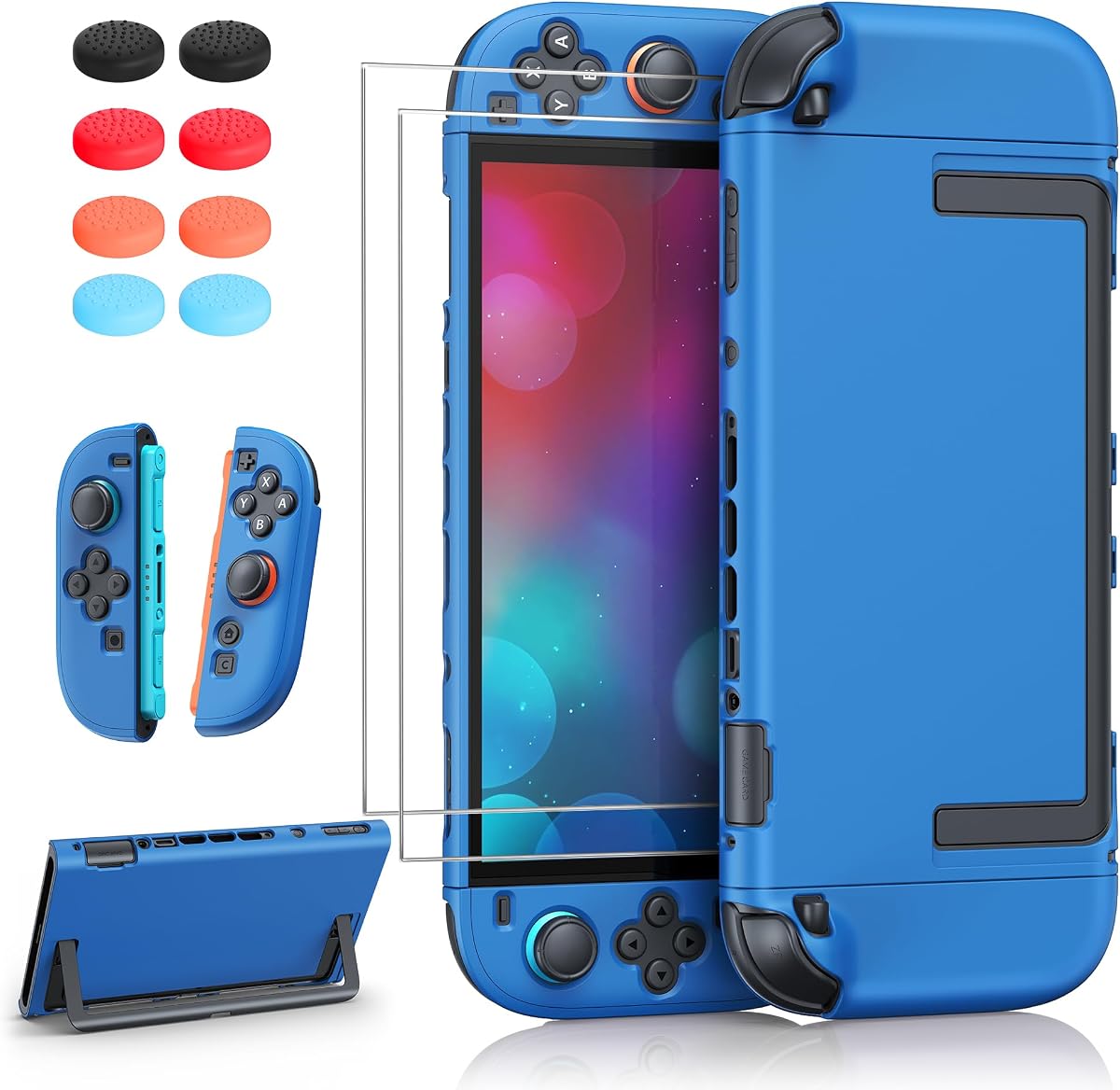
The PlayVital Hard Case in Antique Yellow provides a 4.4-rated combination of slim full-body protection and a useful accessory kit. It is a dockable PC shell that can remain installed for charging, television play, handheld gaming, and tabletop use.
We may earn a commission when you buy through this link, at no additional cost to you.
The split design separates the console cover from the Joy-Con covers, making installation and removal straightforward. Raised support beneath the Joy-Con grips adds a more secure handheld hold, while precision cutouts maintain access to ports, triggers, and vents. The hard PC material is designed to resist scratches, drops, and routine wear.
The bundle goes beyond the shell by including two Joy-Con grip covers, two thumbstick caps, a foldable stand, and a card-slot cover. That extra stand provides an alternative when the console’s built-in kickstand is covered by the case, adding flexibility for tabletop play.
It is not compatible with the Joy-Con 2 Charging Grip, which should be considered by owners using that accessory. The replacement stand also has to be carried separately when the console is docked. Even with those limitations, the straightforward construction and generous accessory set make this an appealing budget-oriented choice.
Separating the console and controller covers makes the case easier to install and remove than a large one-piece shell. The raised grip supports also improve stability without requiring an elaborate locking mechanism.
Thumbstick caps, grip covers, a card-slot cover, and a foldable stand create a useful kit for a new console. These additions are particularly valuable for players who like changing between handheld and tabletop configurations.
We may earn a commission when you buy through this link, at no additional cost to you.
The FYOUNG Upgrade protection bundle is a 4.4-rated all-in-one option for a new Switch 2. It combines a dockable hard shell, a separate hard case for the controllers, two tempered-glass screen protectors, and silicone thumb grip caps.
We may earn a commission when you buy through this link, at no additional cost to you.
The console shell uses a slim, lightweight PC construction with a matte finish. It remains compatible with the original dock while keeping buttons, ports, vents, and the kickstand accessible. The separable design is intended to fit comfortably in backpacks, travel pouches, and other carrying cases without excessive bulk.
Two tempered-glass screen protectors provide scratch resistance for the display, while the silicone thumb caps can improve the feel of the sticks and reduce surface wear. The separate controller case provides additional coverage for the Joy-Cons, something many minimalist shells do not offer.
The product description warns that minor color differences may appear because of screen settings and that the actual product color should be considered final. There is also no dedicated game-card storage. Nevertheless, the combination of console protection, controller coverage, and two screen protectors makes this a well-rounded starter bundle.
The console shell, controller case, screen protectors, and thumb caps cover several common protection needs in one package. It is particularly useful for owners who want more than a basic shell without choosing every accessory separately.
A separable matte PC design adds little bulk and preserves access to the kickstand, vents, ports, and buttons. The case can remain installed when the console is placed in the original dock.
We may earn a commission when you buy through this link, at no additional cost to you.
The ewnol Dockable Case is a 4.4-rated grip-style cover that combines an ergonomic shape, dock compatibility, two tempered-glass screen protectors, and four thumb caps. It is designed for owners who want everyday protection and a few useful extras in a single package.
We may earn a commission when you buy through this link, at no additional cost to you.
The case fits tightly in the original dock by design, according to the product information. That close fit is intended to prevent wobbling while the console is connected, and users should expect a slightly snug initial insertion. A U-shaped rear opening allows the built-in kickstand to open fully, while precise cutouts preserve access to ports, buttons, and other functions.
Protection comes from shock-absorbing TPU and scratch-resistant hard PC. The ergonomic profile supports the hands, and both Joy-Cons can be removed without taking off the entire case. That arrangement reduces the inconvenience of moving between single-player, multiplayer, and motion-oriented play.
The package includes one grip, two tempered-glass protectors, an installation-positioning frame, and four joystick caps. While the dock may feel tight at first, the secure fit is a deliberate feature rather than a defect. This makes the case a compelling option for buyers seeking strong value and useful bundled accessories.
The snug construction is intended to keep the console stable in the dock. Players should confirm the fit and their preferred handling before assuming a loose or tight connection applies to every dock and installation.
The TPU and PC structure addresses impacts and scratches, while the included protectors and caps cover common display and joystick wear points. It is a practical package for a new console.
We may earn a commission when you buy through this link, at no additional cost to you.
The PlayVital Matcha Green protective case earns a 4.6 rating through a combination of coordinated styling, a well-tailored dockable structure, and a useful accessory set. Its three-piece design covers the console back, Joy-Con areas, and selected control surfaces without turning the console into a bulky travel case.
We may earn a commission when you buy through this link, at no additional cost to you.
Precise openings preserve access to the kickstand, buttons, triggers, and ports. The shell can remain installed while charging, using TV mode, or swapping game cards. A tough PC exterior handles bumps and scratches, while color-matched silicone pads inside the grips promote smoother button presses and reduce contact wear.
Raised arc-shaped grips are positioned to support the palms and keep the Joy-Cons from shifting. The set includes a console back shell, a pair of grip covers, two thumb caps, a kickstand sticker, and two silicone button toppers. The coordinated appearance and washable components make the case visually distinct and straightforward to maintain.
It does not provide the same front-screen enclosure as the Fortress or FASTSNAIL travel cases, so it is not the strongest option for dusty environments or rough transport. Its appeal lies in combining clean color coordination, solid daily protection, and a slim structure that remains practical for docking.
Matching silicone pads, thumb caps, button toppers, and shell components create a more unified appearance than a mismatched mix of generic accessories. The Matcha Green color also gives the console a distinctive finished look.
Raised arc grips provide a secure resting position for the palms and help prevent the controllers from moving. The separate pieces also make it easier to install or remove individual components when needed.
We may earn a commission when you buy through this link, at no additional cost to you.
The Mumba Fortress Case is the premium option in this guide, combining a 5.0 rating with front-and-rear coverage, secure game-card storage, a metal stand, and a one-piece Joy-Con design. It is aimed at players who carry the Switch 2 frequently and want protection beyond a basic rear shell.
We may earn a commission when you buy through this link, at no additional cost to you.
The front cover is made from high-strength PC and shields the screen, Joy-Con buttons, Z-triggers, and thumbsticks from scratches, dust, and impacts. It can be detached before docking, allowing the rear shell to remain on. The rear structure is compatible with the dock without requiring complete removal of the case.
The front cover doubles as a card holder with six individually locking slots, which helps prevent game cards from shifting or being lost during travel. Its aluminum alloy kickstand adjusts from 0 to 120 degrees in a stepless range, providing a more flexible viewing position than a conventional plastic support.
The integrated one-piece Joy-Con structure is designed to prevent wobble and accidental detachment, while a foldable hinge permits quick release. Protection is built to MIL-STD 810G-516.6 standards using shock-absorbing TPU and hardened PC. The only major inconvenience is the need to remove the front cover for docking, but the retained rear shell and extensive travel features justify the design for frequent travelers.
Unlike a rear-only shell, the Fortress protects the display, controls, and Joy-Con surfaces with a substantial PC front cover. The detachable design provides full protection while carrying without complicating every standard docking session.
Six locking game-card slots keep a small library organized, while the aluminum stand offers a broad 0-to-120-degree adjustment range. Together, these features reduce the need for separate storage and a separate table support.
We may earn a commission when you buy through this link, at no additional cost to you.
The right case depends on how and where you use the console. Consider dock fit, kickstand access, controller removal, protection, included storage, grip comfort, and how much bulk you are willing to carry.
A case labeled dockable should allow the protected console to enter the original Switch 2 dock without removing the rear shell. Check whether the fit is intentionally snug, whether ports remain aligned, and whether any front cover, power bank, or other module must be removed first. The ewnol case notes that its tight fit is designed to prevent wobble, while the SUPCASE and PlayVital designs emphasize uninterrupted docking.
Choose a model that explicitly fits the original dock if you use it regularly. Confirm that the case remains stable during insertion and does not obstruct the dock connection.
A case that covers the back of the console can block the Switch 2’s built-in kickstand. Models such as the blue quick-release case and ewnol case include rear openings for this feature. The SUPCASE aluminum model supplies a separate adjustable stand, while the PlayVital bundle includes a foldable replacement. Decide whether you value a built-in stand, an upgraded stand, or a thinner profile without either.
For tabletop gaming, prioritize a full kickstand opening or a case that includes a stable replacement stand.
The design of the Joy-Con connection affects multiplayer, motion gaming, and controller charging. A one-press release, foldable hinge, or detachable middle frame is more convenient than removing a full rigid shell. The top-ranked SUPCASE, blue quick-release case, Belkin grip, FASTSNAIL, and ewnol model all emphasize easier controller separation.
Choose a quick-release structure if you frequently switch between solo and social play. Follow the release instructions and never pull directly on attached controllers.
A rear shell protects the console body but leaves the screen exposed. Full front covers add protection from dust, scratches, and impacts, although they require removal for docking and add bulk. The Mumba Fortress offers complete front-and-rear coverage, while FASTSNAIL includes a front cover that stores game cards. Slim PC and TPU designs offer lighter protection for everyday carry.
Match coverage to your environment. For travel and storage, a front cover is valuable; for frequent docking, a removable or rear-only design may be more convenient.
Larger grips, raised palm supports, and textured surfaces can improve stability during long sessions. The Belkin case and PlayVital split design emphasize ergonomics, while the blue model uses a carbon-fiber-style texture. These additions improve handling but can make the console less compact and may not fit every existing carrying case.
Consider hand size, grip preference, and the dimensions of your travel bag before choosing a more sculpted design.
Some cases turn the front cover into a card organizer. FASTSNAIL provides twelve silicone slots and a magnetic 10,000mAh power bank, while the Mumba Fortress has six locking slots. These are useful for travel, but they add weight and components. Basic shells and bundles such as FYOUNG do not provide dedicated card storage.
Choose built-in storage if you regularly carry physical games. Otherwise, a smaller travel pouch may keep the console and cards organized without adding permanent bulk.
Tempered-glass screen protectors help reduce scratch exposure, while silicone thumb caps can improve traction and protect the joystick surfaces. FYOUNG and ewnol include two screen protectors, and several PlayVital products include thumb caps. Check the package contents carefully because accessory names and quantities vary between cases.
Look for a complete bundle if you are setting up a new console, but confirm that the included accessories meet your preferred level of protection and control.
PC offers rigidity and scratch resistance, while TPU adds flexibility and shock absorption. Some products also advertise anti-yellowing and anti-fingerprint properties. The Fortress combines both materials and cites MIL-STD 810G-516.6, while the top-ranked SUPCASE uses Bayer polycarbonate and cites the same military-grade testing standard.
For long-term ownership, consider rigidity, shock absorption, grip texture, and resistance to discoloration alongside the product’s appearance.
Install the case on a clean, dry surface before attaching the console and Joy-Cons. For split designs, align each section with the corresponding edges and secure it gradually rather than forcing one corner. When using hinge or quick-release covers, open the mechanism as instructed instead of pulling directly on the controllers, which can damage the connection or leave the cover improperly seated.
Before docking, check that the Joy-Cons are fully attached, the case is correctly aligned, and no front cover, power bank, or other detachable module is blocking the dock. The FASTSNAIL case specifically requires removal of its front cover and power bank, and the Mumba Fortress requires detaching its front shell. The close fit of the ewnol case is intentional, so use steady, even pressure rather than twisting the console.
Clean the case with a soft, dry or lightly dampened cloth and avoid harsh chemicals that could damage the finish or silicone parts. Do not immerse the console, power bank, or electronic accessories. Remove the case periodically to inspect for trapped grit, check the Joy-Con edges, and confirm that hinge covers, grip pieces, and dock contacts remain clean and secure.
A dockable case is designed to fit the original Switch 2 dock without removing the main rear shell. Some models still require accessory components to be detached, so read the instructions carefully. The FASTSNAIL case, for example, requires removal of its front cover and power bank before docking, while the Mumba Fortress requires detaching its front cover.
Only if the case includes an opening that exposes the kickstand. The blue quick-release case, Belkin grip, FASTSNAIL, and ewnol case provide the necessary rear access. Other designs may include a replacement stand, such as the SUPCASE aluminum model and PlayVital split case, which also includes a foldable stand.
The products in this guide are designed specifically for the Nintendo Switch 2 released in 2025. They should not be assumed to fit the original Switch or Switch OLED because the newer console has a different shape, dimensions, controls, and dock arrangement. Always confirm the exact model named in the listing.
A rear shell protects the console body and Joy-Con areas while leaving the screen exposed. A full-cover case adds a front panel that protects the display, buttons, triggers, and thumbsticks. Full-cover designs offer stronger travel protection but usually require front-cover removal for docking and add more bulk.
Several models do. The SUPCASE hinge, blue one-press latch, Belkin quick-release grip, FASTSNAIL detachable frame, and ewnol design are all intended to let the Joy-Cons come off without removing the entire case. Always use the intended release mechanism and avoid pulling directly on the controllers.
Compatibility varies by product, and only some supplied descriptions explicitly address third-party docks. The FASTSNAIL case is specifically stated not to work with third-party docks. For other cases, check the current listing and manufacturer guidance rather than assuming original-dock compatibility guarantees support for every alternative dock.
That depends on the chosen case. FYOUNG and ewnol include tempered-glass screen protectors, the PlayVital split case includes an extra stand and thumb caps, and the Mumba Fortress includes a metal stand and game-card storage. Always review the package list because a dockable shell and a complete accessory bundle are not the same thing.
First confirm that the case is actually intended for the Switch 2 and that every cover is properly aligned. Some products, including ewnol, state that a tight docking feel is designed to prevent wobble. Use even pressure, keep the dock and case clean, and consult the product instructions rather than forcing a misaligned installation.
The SUPCASE Foldable Joy-Con Case is the best overall option because it combines original-dock support, easy controller removal, strong material construction, and a balanced 139g design. The PlayVital split hard case is the best budget selection, while the Mumba Fortress is the premium choice for travelers who want complete front-and-rear coverage, secure card storage, and an adjustable metal stand.
Prioritize the features you will use most. Choose a slim rear shell for frequent docking, a kickstand-compatible design for tabletop play, a full cover for travel, and a grip-focused model for long handheld sessions. Also verify Joy-Con release methods, included accessories, material, and any parts that must be removed before docking.
Ratings, product details, and prices can change over time, so confirm the current listing before buying. Comparing the linked pages will also help you check fit notes, package contents, and current owner feedback to make the most informed choice for your Switch 2.