
Beelink MINI S12 Pro Mini PC, Intel N100 Processor, 16G DDR4 RAM+500G SSD
4.5Editor score
Intel N100 quad-core processor
16GB DDR4 system memory
Dual 4K HDMI outputs
2.5GbE and WiFi 6
Our Mini PC Plex Media Server guide compares ten compact computers for 4K streaming, transcoding, storage, networking, quiet operation, and home-theater use.
A Mini PC Plex Media Server should combine efficient transcoding, quiet cooling, reliable networking, and enough expandable storage for a growing home library. The right computer can organize local collections, stream to televisions throughout the house, and operate near a display without consuming the space of a full-size desktop.
We compared the ten featured models by processor capability, memory, storage flexibility, display support, network options, connectivity, physical size, and suitability for continuous media-server duties. The list covers entry-level, mainstream, compact, and performance-oriented systems for different library sizes and streaming habits.
Each review explains where a particular Mini PC stands out, where compromises remain, and who is most likely to benefit. Product configurations and prices can change, so verify the current listing, included memory, storage, operating system, and connectivity before making a final purchasing decision.
4.5Editor score

4.2Editor score
4.5Editor score
The table below compares all ten systems by processor, memory, storage, display capability, and network features, making it easier to identify the right foundation for a dedicated Plex Media Server.


The GMKtec G10 combines a Ryzen 5 3500U processor, 16GB of DDR4 memory, and a generous 1TB SSD in a compact enclosure, making it the most balanced choice in this guide for someone building a dedicated Plex Media Server. Its 4.2 rating reflects a generally favorable user response, while the specifications suggest enough processing power for direct-play libraries, local storage, and background server tasks.
We may earn a commission when you buy through this link, at no additional cost to you.
Storage is a particularly important strength. The G10 has two M.2 2280 PCIe 3.0 slots, allowing the installed 1TB drive to be supplemented with another high-capacity SSD. Memory can also be expanded to 64GB, a useful allowance when the server also handles indexing, metadata, multiple applications, or several users. The 2.5GbE Ethernet connection gives large libraries and high-resolution media a more capable path into the network than a basic Gigabit interface.
Its Radeon Vega 8 graphics support three displays through HDMI, DisplayPort, and a full-function USB-C connection. The listed codec and display capabilities make it sensible for a media dashboard, television interface, or local 4K playback. The compromises are the age of the Ryzen 5 3500U and the use of WiFi 5 rather than a newer wireless standard. Wired operation is strongly preferable for a server whose primary job is moving media reliably.
This is the strongest general recommendation for a household that wants expandable storage, ample memory, fast Ethernet, and compact dimensions without moving to a more powerful performance platform. Choose it when your library includes multiple 4K files, you expect the media server to run continuously, and you may add services or users later. For uncomplicated direct play, it offers more than enough capability.
The included 1TB SSD gives a new media server a useful starting point, while the second M.2 slot makes it straightforward to separate the operating system and application data from the media library. Additional storage can also be attached through USB, although a direct wired network connection is preferable for active libraries.
The 2.5GbE interface is especially relevant for 4K files and multiple simultaneous viewers. It offers more bandwidth headroom than a standard Gigabit connection and pairs well with a similarly capable network switch, router, and client equipment.
We may earn a commission when you buy through this link, at no additional cost to you.
The GMKtec G3 Ultra is a compact entertainment PC built around the Intel Pentium Gold 7505, 16GB of LPDDR4 memory, and a 512GB SSD. No numerical customer rating is available in the supplied data, so the judgment here rests on its published specifications. It is especially interesting for Plex users who want modern media features without moving to a higher-tier Ryzen system.
We may earn a commission when you buy through this link, at no additional cost to you.
The listed processor provides up to 30 percent better single-core performance than the Ryzen 5 3500U, according to GMKtec, while its Intel UHD Graphics has 48 execution units. That makes the G3 Ultra well suited to a responsive local interface, 4K playback, light photo editing, and AV1 decoding. Two HDMI 2.0 ports support two 4K displays, allowing a television to show the Plex interface while another screen presents a library view or status dashboard.
Networking includes WiFi 6, Bluetooth 5.2, and 2.5GbE Ethernet. Wake-on-LAN, PXE boot, RTC wake, and automatic power-on make it practical for unattended deployment. The main limitation is memory configurability: the 16GB LPDDR4 package is preinstalled and cannot be upgraded in the same way as replaceable SO-DIMM memory. Storage is also limited to a 512GB primary drive plus a secondary SATA M.2 position, so a larger media drive will be necessary for a substantial collection.
The G3 Ultra fits buyers who want a responsive Plex front end, modern codec support, and server-oriented controls in a small footprint. It is less attractive for users anticipating heavy transcoding concurrency or a large collection already housed on internal storage. With suitable external or network-attached storage, however, it can serve as a capable home entertainment hub.
AV1 decoding can reduce unnecessary processing when the Plex client and media format support it. The Pentium Gold 7505's stated graphics improvements also make this system more appropriate as an always-visible television interface than many basic N-series alternatives.
Rather than treating its modest internal storage as the entire media library, owners can place media on a larger network drive and use this mini PC for Plex processing and playback. The 2.5GbE connection helps maintain a responsive path between the server, storage, and client devices.
We may earn a commission when you buy through this link, at no additional cost to you.
The Getorli Mini PC pairs a Ryzen 5 3501U processor with 16GB of DDR4 memory and a 512GB PCIe 3.0 NVMe SSD, earning a 4.5 rating. Its compact 5.0 by 4.4 by 1.6-inch body and support for mounting behind a compatible display make it a discreet option for a home-theater or office setup.
We may earn a commission when you buy through this link, at no additional cost to you.
The Ryzen processor has four cores and eight threads, providing a practical foundation for media playback, browsing, office applications, and personal-server use. Memory can be raised to 32GB, while the SSD can be expanded to 2TB. A 2.5-inch hard drive can also be added, giving owners more freedom than systems limited to a single internal storage position.
Two HDMI outputs and a full-function USB-C display connection support up to three displays. Connectivity includes WiFi 6, Bluetooth 5.3, Gigabit Ethernet, and several USB ports. For a Plex server, the useful combination is a TV connected through HDMI while administration or monitoring occurs on a second screen, with the third output available for additional information.
The main compromise is networking. Gigabit Ethernet is adequate for many homes, but it has less headroom for large 4K libraries and simultaneous high-bitrate streams than 2.5GbE. The smaller initial SSD also makes external or network storage more likely. Despite those limitations, the rating, compact design, upgrade flexibility, and triple-display support make this an attractive general-purpose Plex mini PC.
The tiny footprint and VESA mounting support make it possible to position the system close to the television or monitor that shows the Plex interface. This reduces visible desk clutter while preserving access to the ports and power connection.
The ability to add both a larger NVMe drive and a 2.5-inch drive creates a practical separation between the operating system, frequently accessed applications, and a larger media collection.
We may earn a commission when you buy through this link, at no additional cost to you.
The Beelink MINI S12 Pro uses an Intel Twin Lake N100 processor with four cores and four threads, making it a practical choice for direct-play media serving, television interfaces, and a lightweight dedicated Plex appliance. Its 4.3 rating indicates generally positive user feedback, and the system's 115 by 102 by 41-millimeter enclosure is easy to conceal near a television or monitor.
We may earn a commission when you buy through this link, at no additional cost to you.
The N100 can boost to 3.4GHz and is positioned for everyday tasks such as office applications, web browsing, meetings, and video playback. The integrated platform supports two 4K displays through HDMI 2.0, while four USB 3.2 Gen2 ports provide 10Gbps connections for external storage, controllers, and peripherals. A 2.5GbE RJ45 connection is especially welcome for a compact server and provides a useful upgrade over basic Gigabit Ethernet.
Wake-on-LAN, PXE boot, RTC wake, and automatic power-on make remote or unattended operation easier. A wall-mount bracket is included, allowing the system to be placed behind a compatible display. The main limitation is the N100's four-core architecture, which is less appropriate when several incompatible media formats require simultaneous software transcoding.
This model is best for homes with a moderate direct-play library, clients capable of handling the original media formats, and a preference for low power consumption. It also works well for a secondary Plex endpoint, a television control computer, or a home server that performs light background work. Users with a large transcoding-heavy collection should look toward a stronger Ryzen or Core processor.
A processor designed for routine tasks helps keep power use modest when the server remains online. That makes the MINI S12 Pro a sensible candidate for a media center expected to run throughout the day and night.
Four 10Gbps USB ports are useful for attaching an external drive, backup device, or USB network adapter. They provide ample bandwidth for many consumer storage configurations without occupying the system's single wired network port.
We may earn a commission when you buy through this link, at no additional cost to you.
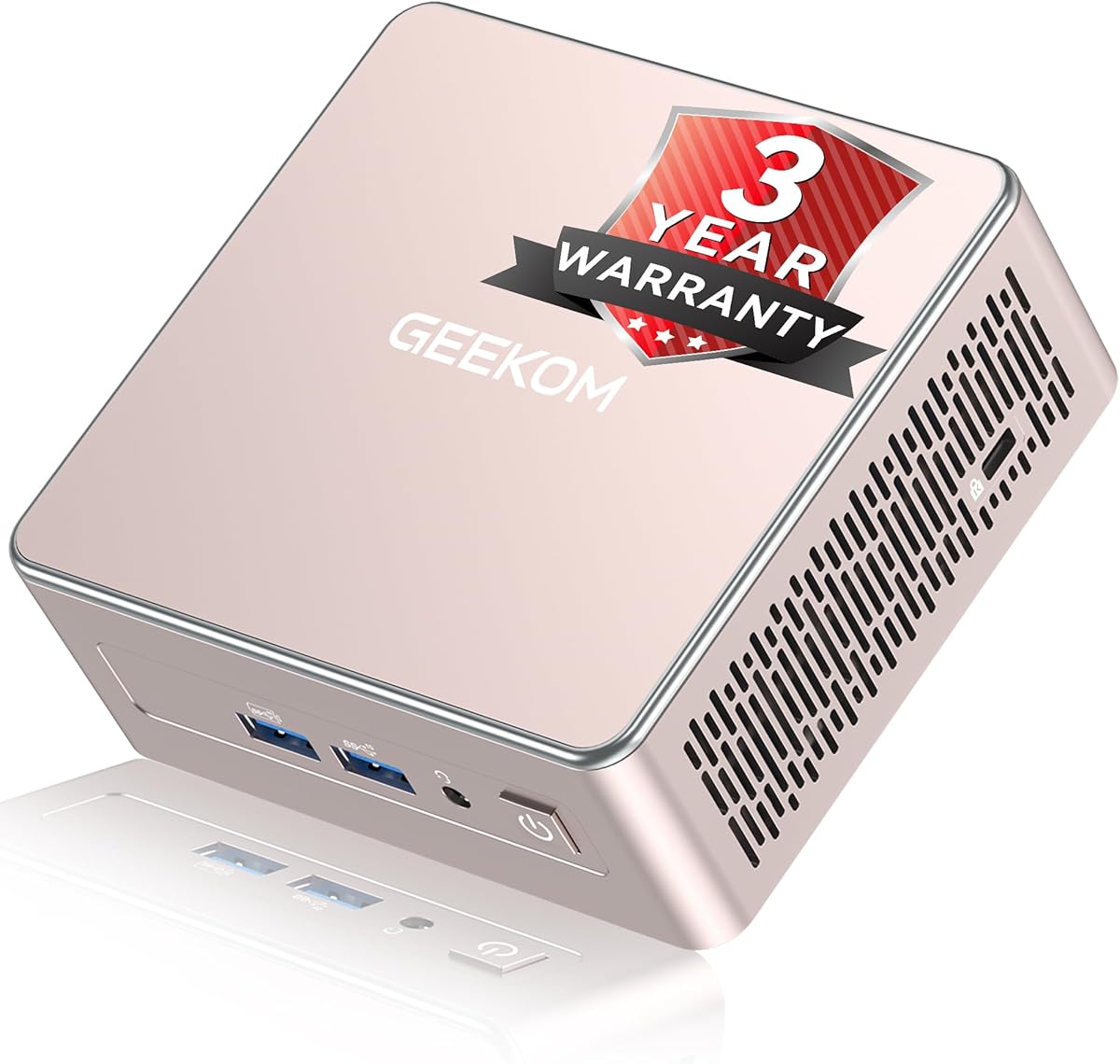
The GEEKOM A5 is the premium choice in this roundup, combining an eight-core, 16-thread Ryzen 7 7730U with 16GB of DDR4 memory and a 256GB PCIe NVMe SSD. Its 4.5 rating and expandable platform make it suitable for Plex users who want more transcoding headroom, extensive storage, and advanced multi-screen operation.
We may earn a commission when you buy through this link, at no additional cost to you.
Its greatest advantage is flexibility. Dual DDR4 slots allow memory to be expanded to 64GB, while the system supports an M.2 SSD up to 4TB, an additional M.2 2242 position, and a 2.5-inch hard drive bay for up to 10TB of total storage. This makes it possible to keep the operating system separate from a much larger media collection and to expand without replacing the entire computer.
Dual HDMI and dual USB-C connections support as many as four displays, including up to 8K output through USB-C. WiFi 6, Bluetooth 5.4, 2.5GbE Ethernet, an SD card reader, and multiple USB ports create a broad connection platform. The upgraded cooling system, metal internal frame, vibration-damping feet, and stated reliability testing indicate a focus on sustained operation.
The included 256GB SSD is small for a standalone media library, but the extensive upgrade path largely resolves that concern. A buyer who expects multiple concurrent transcodes, a large household library, or additional server services will justify this model's higher tier. It is less necessary for a small direct-play collection, where a lower-cost N100 system would meet the basic requirement.
Eight cores and 16 threads provide a substantial processing cushion compared with four-core N-series chips. That headroom is useful when several clients need conversion, the library contains varied formats, or the computer handles additional services alongside Plex.
Multiple expansion positions allow a modest operating-system drive to coexist with larger NVMe and 2.5-inch storage. For collectors, this flexibility can be more valuable than simply receiving a larger but less flexible drive from the outset.
We may earn a commission when you buy through this link, at no additional cost to you.
The GMKtec M6 Ultra is built around the Ryzen 5 7640HS, a six-core, 12-thread Zen 4 processor, and includes 32GB of dual-channel DDR5 memory plus a 1TB PCIe SSD. Its 4.2 rating and high-end specifications position it as a performance-oriented mini PC capable of handling demanding Plex libraries and demanding local media tasks.
We may earn a commission when you buy through this link, at no additional cost to you.
The processor operates at a 4.3GHz base frequency with boost capability up to 5.0GHz. Its Radeon 760M integrated graphics include hardware encoding and decoding for AV1, HEVC, and AVC, making it a strong platform for mixed-format libraries and clients that require conversion. Memory can be expanded to 128GB, offering plenty of capacity for indexing, multiple users, and additional applications.
Display support is equally strong. The system can operate three simultaneous displays, including 8K at 60Hz through USB4, 4K at 60Hz through HDMI 2.0, and another 4K display through DisplayPort. A 2.5GbE RJ45 interface supports fast local communication, while WiFi 6 and Bluetooth 5.2 provide wireless options.
This model is ideal for a demanding household, a shared media workstation, or someone who also uses the computer for more intensive tasks. Its power requirements and performance tier are excessive for a small collection played mostly in compatible formats. Even so, it delivers the strongest combination of processing, memory, storage, and media codec features among the featured machines.
Support for AV1, HEVC, and AVC acceleration is central to a flexible media server. Depending on the Plex client and source format, hardware support can reduce the need for CPU-intensive transcoding and improve responsiveness.
The installed 32GB already exceeds the needs of a simple direct-play server, while support for 128GB is useful for large collections, metadata processing, additional users, or other server applications running alongside Plex.
We may earn a commission when you buy through this link, at no additional cost to you.
The C3 Mini PC combines an Intel Core i3-5005U processor with 8GB of DDR memory and a 512GB M.2 SSD, giving it a 4.2 rating. Its defining feature is a 15-watt, low-power architecture explicitly designed for continuous operation in applications such as digital signage, thin-client use, monitoring, and home media servers.
We may earn a commission when you buy through this link, at no additional cost to you.
The older processor has only two cores, so it is not the strongest choice for intensive transcoding. Nevertheless, for direct play, a modest library, and occasional background indexing, the system can provide the essentials of a dedicated server. Installed memory can be expanded to 32GB, which is worth considering if the machine will handle more than Plex.
Storage is a major strength. The M.2 2280 position supports SATA or NVMe SSDs up to 2TB, and a separate 2.5-inch SATA SSD or hard drive position can add up to 2TB, creating a stated total capacity of up to 4TB. That makes it possible to use internal drives for a larger collection without relying entirely on external storage.
The C3 is best suited to owners with older media in compatible formats, a modest number of simultaneous viewers, and a desire for a dedicated always-on machine. Its Gigabit Ethernet is adequate for basic 4K streaming, while WiFi 5 and Bluetooth 5.0 provide wireless connectivity. The compact, quiet design suits a cabinet, shelf, or living-room media nook.
The low-power processor and cooling design are aimed at stable, prolonged use. That makes the C3 a practical option for a server that must remain available to multiple household clients throughout the day.
Two internal storage routes allow the system to hold more media locally without relying on a separate network-attached storage enclosure. This can simplify a dedicated server while keeping high-bandwidth access local.
We may earn a commission when you buy through this link, at no additional cost to you.
The 16GB Beelink MINI S12 Pro is the best budget-oriented selection in this guide, combining an Intel N100 processor, 16GB of DDR4 memory, and a 500GB M.2 SSD. Its 4.5 rating is among the strongest customer results in the group, and the installed memory is unusually generous for a compact value model.
We may earn a commission when you buy through this link, at no additional cost to you.
The 12th-generation N100 has four cores, four threads, 6MB of cache, and a boost frequency of 3.4GHz. It is well suited to web browsing, learning, routine office work, and 4K video playback. For Plex, the key benefit is efficient direct play and a responsive client interface. Transcoding-heavy workloads remain outside its strongest area, particularly when several conversions occur at once.
Two HDMI ports support 4K at 60Hz, and four USB 3.2 Gen2 ports provide fast peripheral connections. WiFi 6, Bluetooth 5.2, and 2.5GbE Ethernet create a flexible networking platform. The system can be hidden behind a screen or mounted on a wall, making it convenient to position close to the television used for local playback.
The 500GB drive is modest for a media library, so a larger SSD or external storage will be needed for substantial collections. Despite that limitation, the generous RAM, strong rating, efficient processor, 2.5GbE port, and quiet compact format create a compelling package for a first Plex server or a low-power secondary media computer.
Sixteen gigabytes provides comfortable headroom for Plex, a browser-based management interface, and several background services. It also makes the computer more versatile as a household desktop when it is not actively serving media.
The N100 is most convincing when source formats are supported by the playback device. Keeping media in compatible codecs can produce a quiet, responsive experience without placing unnecessary pressure on the processor.
We may earn a commission when you buy through this link, at no additional cost to you.
The GMKtec G3S is an entry-level Mini PC Plex Media Server candidate built around the Intel N95, 8GB of DDR4 memory, and a 256GB M.2 SSD. Its 3.7 rating is the second-lowest in the group, so buyers should weigh its simple specification against its lower cost rather than expecting a premium media experience.
We may earn a commission when you buy through this link, at no additional cost to you.
The four-core, four-thread N95 boosts to 3.4GHz and handles routine office work, web use, and home entertainment. Two HDMI 2.0 outputs support 4K at 60Hz, and the system includes AV1 decoding according to the product information. That makes it useful for direct-play libraries and a basic television interface, particularly when the playback device supports the original media formats.
Network options include Gigabit Ethernet, WiFi 5, and Bluetooth 5.0. The wired connection is sufficient for ordinary streaming, though high-resolution libraries may benefit from faster infrastructure. Wake-on-LAN, PXE boot, RTC wake, and automatic power-on are useful for an unattended server, allowing the machine to start and rejoin the network without manual interaction.
Its limited 8GB memory and 256GB SSD are the most important constraints. A larger drive is essential if the computer will hold media directly, and users with heavier multitasking or transcoding needs should consider a more powerful alternative. For a small, compatible collection, however, this compact and straightforward system can deliver the essential functions of a home media server.
The G3S prioritizes routine media tasks rather than heavy editing or gaming. Its dual-display support makes it convenient to combine a full-screen television library with a smaller management or monitoring display.
Wake-on-LAN, scheduled wake, and automatic power-on features support a media server that lives in another room, cabinet, or less convenient location. These functions can also help recover the system after a network interruption.
We may earn a commission when you buy through this link, at no additional cost to you.
The Fanless Mini PC Stick uses a Celeron J4105 processor, 8GB of LPDDR4 memory, and 128GB of eMMC storage. Its 3.4 rating is the lowest among the featured products, but the distinctive stick enclosure, passive cooling, Windows 11 Pro support, and range of ports make it worth considering for specialized media or signage roles.
We may earn a commission when you buy through this link, at no additional cost to you.
The J4105 operates between 2.0GHz and 2.7GHz and is intended for Windows 11 Pro, Linux, and Ubuntu. It can provide 4K UHD output through HDMI 2.0 using UHD 600 graphics, making it suitable for a television dashboard or digital-signage endpoint. The absence of a fan keeps operation exceptionally quiet and removes moving parts from the design.
Connectivity includes a full-function USB-C port, two USB 3.0 ports, a TF card reader, HDMI 2.0, Gigabit Ethernet, a 3.5mm audio jack, and dual-band WiFi with Bluetooth 5.0. These options allow the unit to connect to a monitor, network, input devices, and removable media. USB Power Delivery support is also listed.
The limited 128GB eMMC makes this unsuitable as the only storage for a large local media library, and the low-power processor is not a strong transcoding choice. It is better viewed as a compact client, signage computer, or lightweight server front end connected to network-attached media. Buyers should verify that its dimensions and mounting arrangement suit their display arrangement.
Passive cooling means the computer can sit beside or behind a display without adding fan noise. This is especially useful in a living room, bedroom, or shared entertainment space where background noise would be distracting.
With only 128GB of internal storage, the most practical setup keeps media on a network-attached device and uses this system for playback, signage, or a lightweight management role. Gigabit Ethernet and WiFi 5 provide the required network paths.
We may earn a commission when you buy through this link, at no additional cost to you.
A useful Plex mini PC should balance codec handling, memory, storage, network speed, cooling, and the amount of transcoding your clients actually require. Start with media compatibility, then consider how the server will be stored and used over time.
Direct play lets clients play a file in its original format, which is usually the fastest and most efficient option. A mini PC with a stronger processor or modern hardware codec support is more useful when clients cannot handle the source format or when several streams need conversion at once. Consider the Ryzen 5 7640HS in the M6 Ultra for demanding libraries, the Ryzen 7 7730U in the GEEKOM A5 for advanced headroom, and the Intel N100 in either Beelink S12 Pro for direct-play-focused use.
Processor performance affects library indexing, Plex interface responsiveness, direct play, transcoding, and any additional services running on the computer. The four-core N95, N100, and Celeron J4105 are designed around routine tasks, while the Ryzen 5 3500U, Ryzen 5 3501U, Pentium Gold 7505, Ryzen 7 7730U, and Ryzen 5 7640HS provide more processing capacity. Match the processor to the workload rather than assuming a faster model is necessary for every library.
Memory helps when Plex is managing a large library, several browser clients are active, and metadata or indexing is being processed. The two Beelink S12 Pro listings and the GEEKOM A5 include 16GB, while the GMKtec G10 and Getorli system also start with 16GB. Replaceable DDR4 memory is more flexible than soldered LPDDR4, so check whether the chosen model can be expanded. The G10 supports up to 64GB, the Getorli up to 32GB, the G3 Ultra's 16GB LPDDR4 is fixed, and the A5 supports up to 64GB.
The operating system, Plex application, metadata, and media can occupy different drives, so the number and type of storage positions matter. The G10 includes 1TB and has dual M.2 slots, the M6 Ultra includes 1TB with additional PCIe support, and the C3 offers both M.2 and 2.5-inch expansion. The GEEKOM A5 supports several storage positions for substantial growth. Smaller 256GB and 500GB configurations can work well when media resides on external or network-attached storage, but the operating system needs enough room for updates.
A media server is only as useful as its connection to storage and playback devices. Gigabit Ethernet is sufficient for many homes, while 2.5GbE provides more headroom for high-bitrate 4K files and multiple users. The G10, G3 Ultra, Beelink MINI S12 Pro, 16GB Beelink S12 Pro, GEEKOM A5, and M6 Ultra include 2.5GbE. WiFi 6 appears on several alternatives, but a wired connection is generally preferable for a stationary server and a large library.
Although a Plex server can operate without a local monitor, display support improves the setup. A television connected directly can show the Plex interface with hardware decoding, while additional outputs can show a dashboard, monitoring screen, or second library view. The G10, Getorli, and M6 Ultra support three displays, while the GEEKOM A5 supports four. The G3 Ultra and G3S provide dual 4K output, and the C3 supports two displays at up to 2560 by 1600.
A media server often remains powered on, so cooling quality and acoustic levels deserve attention. The G3 Ultra uses an upgraded fan and thermal paste, the GEEKOM A5 emphasizes its cooling system and metal frame, and the Fanless Mini PC Stick uses passive cooling. Fanless designs are exceptionally quiet but may be less suitable for sustained heavy processing. Choose cooling that matches the workload and make sure vents remain unobstructed.
A compact computer is easier to position near a television, behind a monitor, or inside a network cabinet. The Getorli model measures 5.0 by 4.4 by 1.6 inches, while both Beelink S12 Pro listings are designed for display mounting or wall placement. Confirm the port layout and available space before purchasing. USB ports, 2.5GbE, audio output, and multiple display connectors can determine how neatly the system integrates into an entertainment cabinet.
Begin by connecting the mini PC to the network, preferably with Ethernet, and then complete the operating-system setup if the system does not already include one. Install Plex, create or sign into the appropriate account, and choose the server locations for existing movies, television shows, music, or photos. Keep the operating system and Plex application on the primary drive while pointing the library folders toward separate media storage.
Organize each media folder so Plex can identify it correctly, then use the library settings to define the content type and source folders. Run a scan, allow the metadata and artwork to finish processing, and test playback on the primary client and at least one remote device. If direct play fails on a common client, consider converting the affected files to a more widely supported format rather than immediately enabling continuous transcoding.
For long-term care, leave several centimeters of clearance around the vents, keep the system away from enclosed hot spaces, and check that cables have not become loose. Maintain a current backup of the Plex database and configuration, monitor available storage, and schedule a restart after major operating-system or Plex updates. Periodically confirm that wired speeds, display output, and external storage connections are working as expected.
The best processor depends on whether the library relies on direct play or software transcoding. An Intel N95 or N100 is sufficient for many small, compatible libraries, while the Ryzen 5 7640HS in the GMKtec M6 Ultra offers stronger performance for demanding conversions. Test the formats used by your actual playback clients before deciding how much processing power is necessary.
Most basic Plex servers operate comfortably with 8GB of memory, especially when media is played directly and the computer runs few additional applications. A 16GB configuration offers better headroom for larger libraries, metadata processing, multiple users, and services such as downloads or backups. Memory expansion is useful if the installed amount cannot meet future needs.
Ethernet is preferable for a stationary server because it provides a stable connection and avoids wireless contention. A 2.5GbE port is especially helpful for high-bitrate 4K files and several simultaneous viewers. WiFi 6 can work for a small or temporary setup, but wired networking is the more predictable long-term choice.
Yes, several models in this guide are designed or advertised for continuous operation. Ensure that ventilation is unobstructed, use reliable power, and apply operating-system and Plex updates on a regular schedule. Heavy transcoding generates more heat than direct play, so choose a system with active cooling for that workload.
A dedicated graphics card is generally unnecessary for standard Plex use because the featured processors include integrated graphics capable of 4K output. Hardware decoding support can improve playback and transcoding efficiency. Actual capabilities depend on the codec, source file, client device, and Plex configuration.
Keep the operating system and application data on the primary SSD, then store media on separate internal or external drives when possible. Each folder should contain a consistent selection of supported video, music, or photo files and should be selected as a Plex library source. External drives connected through USB should also receive regular backups.
A 256GB drive can be enough for the operating system, Plex application, metadata, and a small selection of media, but it is limited for a growing collection. It works well when the majority of files are stored on a network-attached device or larger external drive. Leave additional free space for updates and temporary transcoding files.
Many of these systems can function as both a desktop and a Plex server, especially the models with 16GB of memory and multiple displays. Running a separate desktop session alongside intensive server tasks can increase memory use and processing demand. A dedicated machine is generally quieter and more reliable for an always-on household server.
The GMKtec G10 is the strongest all-around choice because it combines 16GB of expandable memory, a 1TB SSD, dual M.2 storage positions, and 2.5GbE networking. The Beelink MINI S12 Pro with 16GB is the best budget option for a compact direct-play server, while the GEEKOM A5 is the premium choice for users who want stronger processing and extensive expansion.
Prioritize media compatibility before raw specifications. If most files play directly on your devices, an efficient N100 system may be sufficient. If the library is large, several clients require conversion, or additional services will run alongside Plex, choose a stronger Ryzen platform, more memory, faster networking, and enough internal storage for future growth.
Before purchasing, verify the current configuration, operating-system inclusion, storage layout, display support, and warranty terms on the product listing. Prices and configurations can change, so compare the final offer carefully and choose the system that matches your collection size, client capabilities, and available space.