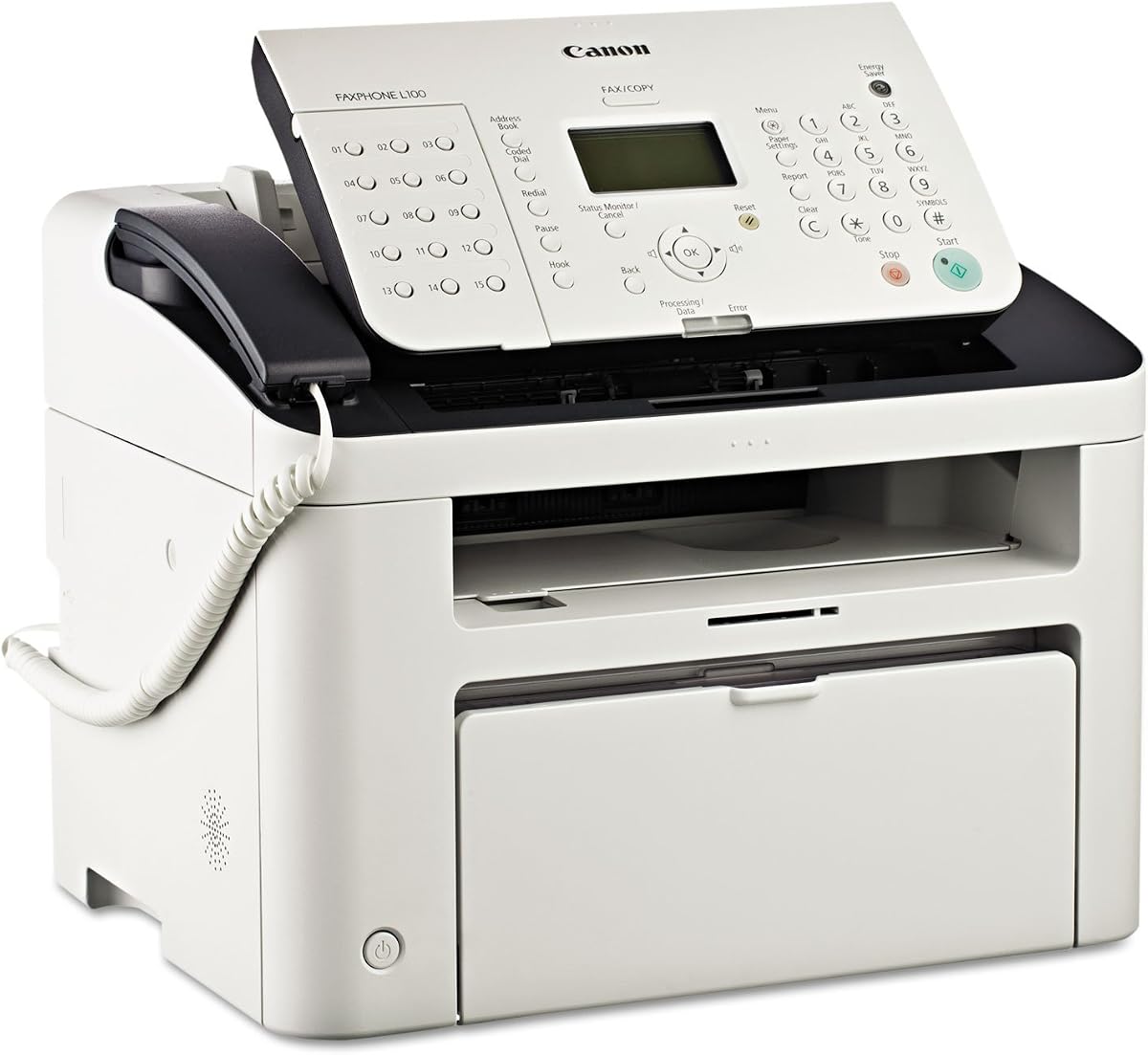
Canon FAXPHONE L100
4.1Editor score
Telephone handset included
19 pages per minute
150-sheet paper capacity
30-sheet document feeder
A fax machine with phone gives a home or small office two connected functions in one device: reliable document transmission and a familiar telephone handset. The strongest choices balance calling features with useful faxing tools, straightforward controls, sufficient paper capacity, and memory for avoiding repeated transmissions. A multifunction model may also add copying or printing.
We compared all ten products by examining their stated fax functions, telephone capabilities, transmission speed, document handling, memory, paper capacity, copying or printing features, connectivity, and intended use. The list includes dedicated fax machines, laser fax-copier hybrids, a multifunction office model, and a software-based paperless option for buyers who prefer digital workflows.
The first three recommendations stand out for different priorities: the Brother FAX-575 for an integrated phone-and-fax design, the Canon FAXPHONE L100 for productivity and document handling, and the Canon FAXPHONE L80 for laser output with a telephone handset. Product availability, configurations, and prices can change, so confirm the current listing and included features before purchasing.
4.1Editor score

4.1Editor score

3.6Editor score
As an Amazon Associate we earn from qualifying purchases.
This side-by-side comparison highlights each product's core format, core capabilities, document handling, and practical strengths. It is designed to help buyers distinguish a traditional phone-fax combination, a more productive office copier, and a paperless software alternative.


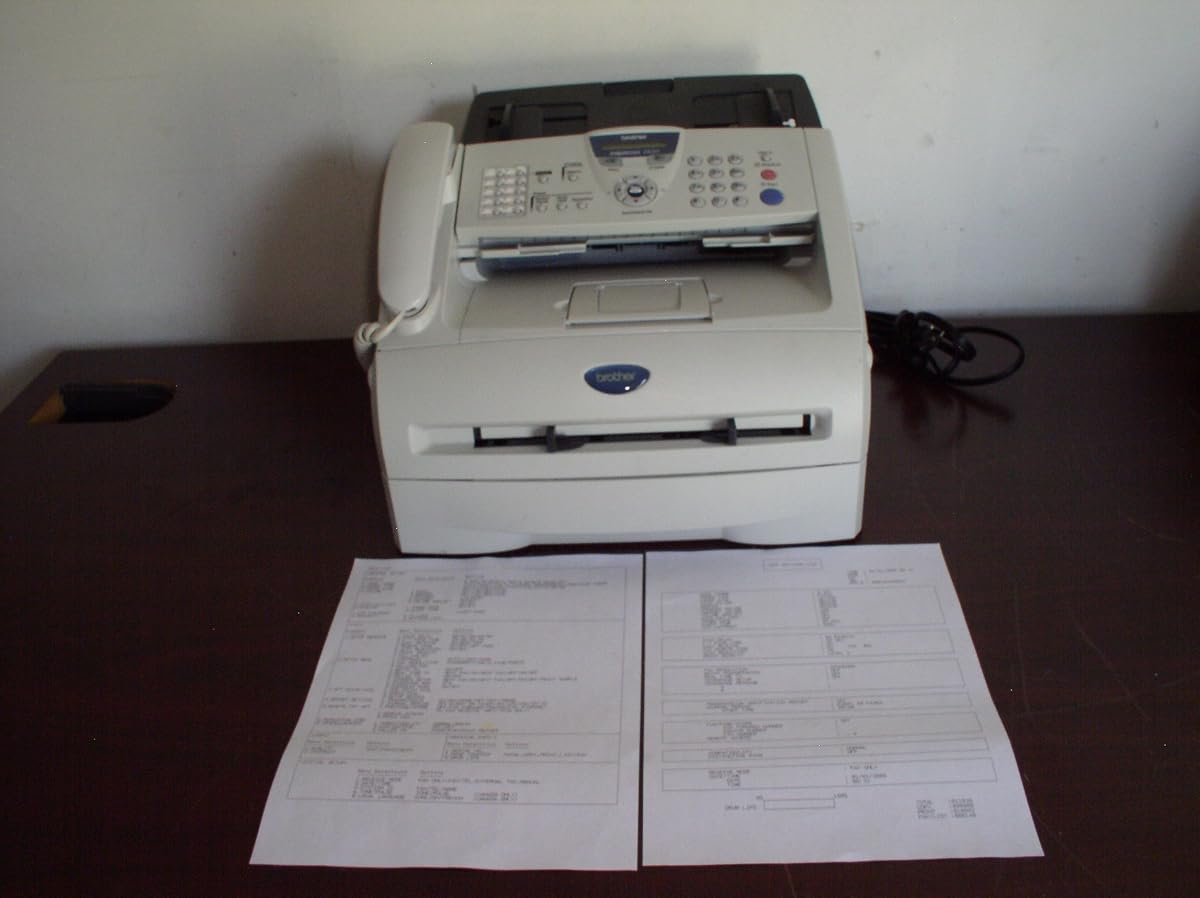

The Brother FAX-575 is a personal fax machine, telephone, and copier designed for straightforward communication. Its 4.1 rating reflects a useful balance of calling and document functions without adding the complexity of a full office multifunction device. It is particularly appropriate for a home office, reception area, or small workspace that still depends on traditional fax lines.
We may earn a commission when you buy through this link, at no additional cost to you.
The integrated format is the machine's defining advantage. Instead of maintaining separate equipment for calls and faxes, the user gets both functions in one compact unit. The fax system uses a 9,600 BPS modem and transmits approximately 15 seconds per page, while 512 KB of memory can store as many as 25 pages. A 50-sheet paper capacity further reduces the need for frequent refills during moderate workloads.
Its copying function produces black-and-white output at up to 400 x 400 dpi. That resolution is more appropriate for routine forms, notes, signatures, and simple records than for detailed photographs or graphics. Buyers seeking a printer, scanner, wider paper support, or advanced document workflow may need to look beyond this focused personal-use machine.
The Brother FAX-575 is a sensible recommendation for someone who specifically wants a phone and fax in one appliance and values ease of operation. It is less suitable for high-volume offices or users who need modern network printing and scanning. For its stated purpose, however, it provides a coherent combination of calling, reliable fax transmission, memory, and basic copying.
The integrated design reduces desk clutter and makes it easy to keep a conventional telephone available while retaining fax capability. That is especially useful for businesses that communicate with customers or service providers by voice and still exchange signed documents by fax.
With memory for up to 25 pages, the FAX-575 can retain incoming or outgoing documents. This is helpful when a transmission is interrupted or when a destination is temporarily unavailable, reducing the need to feed the same pages through the machine again.
We may earn a commission when you buy through this link, at no additional cost to you.
The renewed Brother FAX-575 offers the same stated combination of personal faxing, telephone use, and copying as the standard model. It carries a 3.8 rating and is best viewed as a value-oriented alternative for buyers who recognize the original design but want to reduce the initial acquisition cost. Renewed status means the condition and included accessories should be checked carefully.
We may earn a commission when you buy through this link, at no additional cost to you.
Its core specifications remain practical. The 9,600 BPS modem transmits a page in approximately 15 seconds, and 512 KB of memory holds up to 25 pages. Black-and-white copying reaches 400 x 400 dpi, while the paper tray accommodates 50 sheets. For a user who understands the model, these familiar specifications make the renewed option easier to evaluate.
The trade-off is uncertainty associated with a refurbished product. Its lower 3.8 rating suggests some buyers may have been less satisfied than those who chose the standard version. Cosmetic wear, supply history, warranty details, and actual machine condition may vary, so a buyer should examine the listing carefully rather than assuming it is identical to a new unit.
This option makes sense for a budget-conscious home office or a buyer who already trusts the FAX-575 platform. It is best for lower-volume users who can accept pre-owned condition in exchange for a more economical entry into a combined phone, fax, and copier. Users who prioritize reliability, appearance, or straightforward warranty support should favor the standard model.
The renewed listing retains the useful combination of calling, 25-page document memory, a 50-sheet tray, and basic copying. For a buyer who needs this specific feature set, the main change is acquisition condition rather than the stated operating specifications.
Renewed products can vary in appearance, wear, included accessories, and supplier history. Reviewing the current condition details and warranty information can prevent surprises and help determine whether a particular unit is suitable for frequent business use.
We may earn a commission when you buy through this link, at no additional cost to you.
The Canon FAXPHONE L100 is a monochrome laser fax machine with copying, a telephone handset, and impressive productivity specifications. Its 4.1 rating and ability to print up to 19 pages per minute make it a strong choice for buyers who need more throughput than a basic personal fax while still requiring an integrated phone.
We may earn a commission when you buy through this link, at no additional cost to you.
Document handling is a major strength. The machine accepts up to 30 sheets through its simplex automatic document feeder, holds as much as 512 sheets in memory, and carries a 150-sheet paper capacity. Those figures allow it to handle more substantial document runs than many entry-level thermal or inkjet alternatives, while the included handset keeps conventional calling available.
As a laser device, the L100 uses Canon Genuine Toner 128, which has a stated yield of 2,100 pages. The machine also uses less than 2 watts in Energy Saver mode. Buyers should account for toner and drum-related supplies over time, but the high page yield and fast monochrome output may be worthwhile for regular business correspondence.
The Canon FAXPHONE L100 is ideal for a small business, medical office, property office, or home enterprise that sends regular faxes and also wants calling and copying in one machine. It is less appropriate where a compact thermal unit or full-color printing is required. Overall, it offers one of the most productive feature combinations in this guide.
A speed of up to 19 pages per minute, a 30-sheet feeder, and 150-sheet paper capacity support consistent fax and copy work. These specifications are particularly useful for offices that cannot afford to reload documents during a busy transmission session.
The use of Canon Genuine Toner 128, with a listed yield of 2,100 pages, supports the machine's productive positioning. Laser output also gives it a more office-oriented role than a basic personal fax machine.
We may earn a commission when you buy through this link, at no additional cost to you.
The CimFAX A5 takes a fundamentally different approach to the fax-machine category. Rather than operating as a traditional paper device, it provides paperless faxing from Windows or Mac computers and Android or iOS phones. Its 4.0 rating makes it an attractive option for users who want to send and receive conventional faxes through a digital workflow.
We may earn a commission when you buy through this link, at no additional cost to you.
Sending is designed to be direct. Users can right-click, drag and drop, or tap to send a fax in three steps, and the service is available around the clock. Incoming documents can be automatically saved as PDF files to a local or network-shared folder, while email forwarding converts received faxes into PDF attachments for convenient access on different devices.
Its biggest advantage is elimination of routine paper handling. There is no need to feed pages into a scanner, wait for thermal output, refill a paper tray, or keep a physical handset on the desk. The trade-off is dependence on compatible electronics and a connected service, which may not suit an environment that needs a standalone line, offline transmission, or tangible printed records.
The CimFAX A5 is best for a paperless office, remote worker, or mobile professional who already sends most documents by computer or phone. It is not a traditional fax machine with phone in the handset sense, despite the mobile sending capability. Buyers should treat it as a modern digital alternative and confirm that their workflow and receiving location support the service.
The ability to send from a desktop, laptop, or mobile device removes the physical preparation normally associated with faxing. This makes the service attractive for distributed teams and users who want documents to remain digital throughout the workflow.
Incoming faxes can be saved to local or shared folders as PDFs and forwarded by email. Automated filing reduces manual sorting and makes received documents easier to store, search, and share across an office network.
We may earn a commission when you buy through this link, at no additional cost to you.
The Brother MFC7240 is a monochrome multifunction machine combining printing, copying, scanning, and faxing. With a 4.2 rating, it stands out as a versatile office solution for buyers who need more than a dedicated fax and telephone. It is especially attractive where one device can consolidate several common document tasks.
We may earn a commission when you buy through this link, at no additional cost to you.
Print and copy speeds reach up to 21 pages per minute, the highest listed figure among the dedicated and hybrid models in this guide. The adjustable 250-sheet tray holds a substantial working supply, while a manual feed slot expands input options. Its 20-page automatic document feeder reduces repetitive feeding when copying, scanning, or sending multi-page faxes.
Output quality is specified at up to 2400 x 600 dpi for printing, while monochrome scanning reaches an interpolated 19200 x 19200 dpi. Connectivity is limited to wired USB, which is stable but does not provide the convenience of built-in wireless networking. The machine also does not list an integrated telephone handset, so it should not be confused with a phone-fax combination.
The MFC7240 is a strong recommendation for a small office that regularly prints, copies, scans, and faxes monochrome documents. It offers greater workflow breadth than the Canon FAXPHONE L100 and Brother FAX-575, but less traditional telephone functionality. Choose it when document versatility matters more than having a handset.
Print, copy, scan, and fax capabilities can replace several separate appliances. For administrative offices, this consolidation reduces equipment clutter and makes a single monochrome system the center of routine document work.
The 250-sheet adjustable tray and 20-page feeder support multi-page work, while speeds up to 21 pages per minute suit environments with steady output. Wired USB keeps the connection straightforward for a fixed workstation.
We may earn a commission when you buy through this link, at no additional cost to you.
The Panasonic KX-FHD331 is a dedicated plain-paper fax machine with a focus on traditional telephone integration. It has a 2.8 rating, the lowest in this roundup, so buyers should examine the current listing and warranty details particularly carefully. Its basic feature set may still appeal to a user who values a straightforward, phone-line-oriented device.
We may earn a commission when you buy through this link, at no additional cost to you.
Caller ID compatibility and an answering machine interface are the standout communications features. The latter can allow the fax to work within a broader home or office calling setup, reducing the need for completely separate equipment. A 9.6 Kbps modem reflects a standard conventional fax speed, and the machine prints directly on plain paper.
The supplied information is less extensive than for several other products, so it would be inappropriate to assume advanced document memory, large feeders, or copying functions not stated in the listing. Its six-month warranty with an exchange program provides some protection, though prospective buyers should verify the current terms and geographic applicability.
The Panasonic is most appropriate for a straightforward user who needs a plain-paper fax and telephone-system compatibility rather than extensive office features. Its low rating and limited specifications make it a less confident recommendation than the Canon and Brother alternatives. Verify the condition, included accessories, telephone connections, and service support before buying.
Caller ID compatibility and an answering machine interface are meaningful additions for a home or small-office telephone setup. These features can help the fax integrate with an existing communication routine instead of functioning as an isolated document appliance.
Using plain paper simplifies replenishment compared with specialized rolls. This is a practical advantage for users who want to file received documents directly and may already keep standard letter-size paper in the office.
We may earn a commission when you buy through this link, at no additional cost to you.
The Brother PPF-2800 is a dedicated plain-paper fax machine with substantial document memory and flexible contact storage. Its 3.6 rating places it among the more modest customer-rated products here, but the 90-page memory, 108-station auto-dial, and 20-page feeder create a compelling case for a user who sends documents regularly.
We may earn a commission when you buy through this link, at no additional cost to you.
It prints up to 10 pages per minute and accepts as many as 20 pages automatically in the document feeder. Memory can store up to 90 pages, which is a major asset when several transmissions need to be retained, redialed, or managed without immediate printing. The 108-station auto-dial also reduces repetitive manual number entry for regular business contacts.
Another useful capability is the ability to make as many as 99 copies, allowing the machine to duplicate a document without repeatedly using a separate copier. It is a focused device rather than a complete scanner-and-printer system, and the supplied information does not list an integrated telephone handset. Its appeal therefore lies in dedicated faxing and document retention.
The PPF-2800 is best for a small office that repeatedly faxes the same forms, maintains many saved contacts, or needs substantial stored pages. It is less suitable for a buyer who wants calling, scanning, modern printing, or computer connectivity. As with any specialized office machine, confirm that its paper handling and memory functions align with the workflow.
A 90-page memory is substantial for a dedicated fax machine. It allows documents to remain available within the device, which is useful for repeated jobs, temporarily unavailable recipients, and offices that transmit standardized forms.
The 108-station auto-dial list is well suited to a business that communicates with a large set of recurring contacts. Saving those destinations can make daily faxing more efficient and reduce errors caused by manually entering numbers.
We may earn a commission when you buy through this link, at no additional cost to you.
The Brother IntelliFax 2820 is a laser fax machine and copier built for offices that need substantial document storage. Its 4.2 rating reflects a strong combination of high-capacity memory, generous paper handling, a fast modem, and automated communication features. It is one of the most capable dedicated fax machines in this guide.
We may earn a commission when you buy through this link, at no additional cost to you.
The standout specification is 8 MB of memory, capable of storing as many as 500 pages. That capacity is useful for administrators, healthcare offices, legal support teams, and other environments that handle recurring forms or need to keep transmitted material available within the machine. The 20-page document feeder and 250-sheet input capacity similarly support substantial document runs.
Communication is flexible through a 14.4 Kbps modem, 220 stations of auto-dial memory, and broadcast capability for as many as 270 locations. A USB 2.0 interface is present for future printing support with optional drivers, although the stated information does not present USB as a fully realized wireless or immediate multifunction connection.
The IntelliFax 2820 is an excellent fit for a busy office that values stored documents, automatic dialing, and laser output. It is less appropriate for someone who primarily needs a telephone handset, modern color printing, or network scanning. The impressive memory and feeder capacity distinguish it from simpler personal fax machines.
Few dedicated fax machines offer as much retained-document capacity as the 8 MB memory in the IntelliFax 2820. This makes it especially useful for offices that need an internal document queue rather than immediate-only transmission.
With 220 auto-dial stations and broadcast capability across up to 270 locations, the machine can support repeated outreach. A 20-page feeder helps send multi-page documents without manual intervention for every sheet.
We may earn a commission when you buy through this link, at no additional cost to you.
The Brother IntelliFax 4750e is a high-performance, business-class monochrome laser fax, and its 4.4 rating is the highest among the ten products reviewed. It is a strong contender for offices that need a serious dedicated fax appliance and can accept that it is not presented as a telephone-handset combination.
We may earn a commission when you buy through this link, at no additional cost to you.
The machine uses Super G3 fax technology on plain paper and monochrome laser printing. Its maximum copying speed reaches 15 pages per minute, a useful figure for offices that regularly reproduce standard business forms. The focus is clearly on professional document throughput rather than consumer convenience or multifunction scanning.
The supplied product information is concise, so it is important not to infer unlisted capacities or connectivity. The product title's business-class designation and the stated laser, plain-paper, Super G3, and speed specifications support a clear use case: dependable monochrome faxing for an organization that sends and receives many documents.
The IntelliFax 4750e is recommended for buyers seeking proven fax performance, a strong customer rating, and productive monochrome copying. It may be less appropriate for a home user wanting a telephone, color printing, or scanning. Confirm the current accessory and paper specifications before purchase, particularly if workflow planning depends on particular feeder or tray sizes.
Laser technology and Super G3 plain-paper faxing give the IntelliFax 4750e a focused business profile. It is designed for organizations that treat faxing as a routine, high-volume document channel.
A maximum copying speed of 15 pages per minute helps when a faxed document must be reproduced for several recipients. That makes the machine more useful than a transmit-only device for offices with internal distribution needs.
We may earn a commission when you buy through this link, at no additional cost to you.
The Canon FAXPHONE L80 is a laser fax and printer with an integrated telephone handset, making it one of the clearest matches for a buyer searching specifically for a fax machine with phone. Its 3.6 rating is moderate, but the combination of a 33.6 Kbps modem, quality laser output, USB, and telephone functionality gives it a distinct role.
We may earn a commission when you buy through this link, at no additional cost to you.
The modem is the most notable specification. Its 33.6 Kbps rate exceeds the conventional modem speeds listed for several other products, making it appropriate for buyers who prioritize efficient traditional fax transmission. The machine also includes a telephone handset, so the user can handle ordinary calls without separate desk equipment.
Print speed is listed at 6 pages per minute, which is lower than that of the Canon L100 and Brother MFC7240. It may therefore be less attractive for heavy copy or print runs. On the other hand, the inclusion of a one-year warranty with exchange provides a clearer stated support term than several alternatives, and USB offers a direct computer connection.
The FAXPHONE L80 is recommended for a user who wants laser faxing, computer connectivity, and calling in one device. It is less compelling for high-volume reproduction, and buyers should assess its more moderate rating and lower print speed. For its core appeal—a traditional handset paired with capable laser faxing—it remains a compelling premium-style choice.
The 33.6 Kbps modem is the L80's most distinctive technical advantage in this comparison. It is well matched to organizations that still depend on conventional fax lines and want fast transmission without adopting a paperless service.
The included handset makes the machine practical for offices that still receive calls, while the USB interface supports a direct computer connection. Buyers should verify their preferred workflow and compatible software before finalizing the choice.
We may earn a commission when you buy through this link, at no additional cost to you.
The right fax machine with phone depends on how documents and calls move through your workspace. Compare telephone integration, transmission speed, document memory, feeder capacity, paper handling, output technology, connectivity, and the possibility that you need printing or scanning as well as faxing.
A physical telephone handset is the clearest sign that a device is intended as a combined phone-fax product. The Brother FAX-575, Canon FAXPHONE L100, and Canon FAXPHONE L80 explicitly include or identify a handset, while other machines may support telephone-system functions without providing a complete calling experience. If the office receives frequent calls, check whether the device has a full keypad, handset, line interface, and useful calling indicators. Some models also provide caller ID compatibility or an answering machine interface, which can matter when the fax shares a home or office telephone system.
Choose a model with an integrated handset if calling and faxing must share one desk or if maintaining separate equipment is inconvenient. If the machine is dedicated to documents, a fax without a handset may provide a simpler and more compact workflow.
Transmission speed affects how quickly a document reaches its destination, while modem speed indicates the machine's maximum conventional fax capability. Products in this guide range from 9,600 BPS on the Brother FAX-575 and Panasonic KX-FHD331 to 33.6 Kbps on the Canon FAXPHONE L80. The Brother IntelliFax 2820 also offers a 14.4 Kbps modem, while the Brother IntelliFax 4750e uses Super G3 technology.
Prioritize transmission speed when faxes are long or sent frequently. For occasional personal use, a standard modem is generally adequate, but a faster connection can improve productivity in a busy office. Speed does not replace good line quality, so reliable reception and correct page handling remain equally important.
Fax memory determines how many pages the machine can retain when sending to a busy line, when the recipient is unavailable, or when a document needs to be transmitted again. The Canon FAXPHONE L100 has up to 512 sheets of memory, the Brother IntelliFax 2820 stores as many as 500 pages, and the Brother PPF-2800 stores up to 90 pages. The Brother FAX-575 holds up to 25 pages.
More memory is especially valuable for recurring forms, a shared office line, and repeated communication with a limited set of recipients. A smaller memory can still work for occasional documents, but it is less forgiving when a transmission is interrupted or a destination is temporarily occupied.
Paper capacity and automatic document feeder size determine how much attention a machine needs during a multi-page transmission. The Canon FAXPHONE L100 provides a 30-sheet simplex feeder and 150-sheet paper capacity. The Brother MFC7240 and IntelliFax 2820 offer 20-page feeders, with the latter also providing 250-sheet input capacity. The Brother FAX-575 has a 50-sheet paper capacity.
A larger feeder is beneficial for contracts, forms, medical records, and other multi-page material. Smaller trays are easier to manage in a compact workspace and may be sufficient for short personal faxes. Match the capacity to the typical length of your documents rather than choosing solely by the largest number.
Fax capability alone may not cover every document task. The Brother FAX-575 can copy in black and white, while the Canon FAXPHONE L100 and Brother IntelliFax 2820 also combine faxing with copying or printing roles. The Brother MFC7240 is the broadest traditional multifunction choice, adding printing, scanning, and copying to faxing. Laser models generally emphasize higher-volume office output, while the Canon L100 prints up to 19 pages per minute and the MFC7240 reaches up to 21 pages per minute.
Count how often documents need to be copied or printed before choosing. A multifunction model can save desk space, but it may be unnecessary if a separate printer and scanner already meet the office's needs. A focused fax machine can be easier to operate and less costly to maintain.
A USB connection can support a direct computer workflow, while the CimFAX A5 removes physical paper from the process entirely by sending from Windows, Mac, Android, and iOS devices. Its received documents can be saved as PDFs and forwarded by email. The Brother MFC7240 and IntelliFax 2820 also use wired USB, but neither is presented as a wireless multifunction system.
Choose a paperless service when digital mobility and automatic filing are the main priorities. Choose a USB-equipped physical machine when a tangible fax is necessary but computer access is helpful. Confirm software compatibility and the platform requirements before ordering any connected device.
Plain-paper machines accept common office paper, while laser machines use toner cartridges. The Canon FAXPHONE L100 uses Canon Genuine Toner 128 with a stated yield of 2,100 pages, and the Canon L80, Brother IntelliFax 2820, and Brother IntelliFax 4750e are also laser-based. Supply cost, cartridge availability, and service support should be checked in the buyer's region.
Laser models are generally appropriate for frequent, high-volume monochrome work because they produce consistent office documents. A dedicated plain-paper fax may be more economical for light use. Avoid judging only by the initial purchase; compare the availability and expected life of the required consumables.
A home office with occasional forms needs very different capabilities from a shared office sending batches of documents daily. Basic personal machines emphasize ease of use, while office models add memory, auto-dial, larger feeders, speed, and broadcast functions. Warranty terms also vary: the Canon FAXPHONE L100 lists a one-year limited warranty, the Canon L80 includes a one-year exchange warranty, and the Panasonic KX-FHD331 lists six months with an exchange program.
Estimate weekly volume, typical page count, and the number of people who will share the device. Then match those conditions to capacity, speed, and memory. For a renewed product, review the supplier's condition notes, included accessories, and warranty because physical appearance and support may differ from a new unit.
Begin by placing the machine on a stable surface with room for its paper tray, output path, telephone cord, and power connection. Load the appropriate plain paper or supported print media, close the guides securely, and connect the telephone line if you intend to use the handset. Enter the date, time, and correct caller identification through the control panel before sending documents, because many offices rely on that information to identify incoming faxes.
For outgoing faxes, place the document face down in the automatic feeder and align it with the guides. Select the recipient using the keypad, auto-dial list, or stored number, confirm the display, and start the transmission. Monitor the machine for prompts about paper jams, a busy line, or a failed connection. If a recipient is unavailable, use the stored-document memory to redial or print the pages when appropriate. For incoming calls, answer with the handset or let the fax answer according to its configured settings.
Care for the machine by keeping the document feed path and print area clean, using suitable paper, and following the consumable guidance in the manual. Remove any jammed sheet gently rather than pulling forcefully through the rollers. For laser models, store toner cartridges as directed and replace them when the machine reports a change. For a renewed unit, inspect it regularly for unusual output, feed problems, or worn components, and keep the purchase record and warranty information available.
A fax machine with phone includes a conventional telephone handset or a particularly complete telephone interface alongside faxing. A regular fax machine may handle documents only or may connect to a phone line without providing a usable handset. Check the product title and specifications for a telephone, keypad, caller ID features, and answering-machine compatibility.
A paperless service is better when you mostly send documents from a computer or mobile device and want incoming faxes saved as PDFs. A physical machine is better when you need an actual handset, printed pages, an automatic feeder, or a device that can function on a conventional line without dependence on a software service. The CimFAX A5 is designed specifically for the digital approach.
The right amount depends on how long documents are and how often a recipient's line is unavailable. Memory for 25 pages may be sufficient for occasional personal use, while 90 pages or more can help a busy office retain recurring forms. The Canon L100 and Brother IntelliFax 2820 offer particularly large stated capacities for higher-volume workflows.
Modem speed is the maximum rate at which the fax machine can transmit over a conventional telephone connection. Higher speeds can shorten the time required to send a page, provided both machines and the line support them. The Canon FAXPHONE L80 lists 33.6 Kbps, while several other models use standard 9.6 Kbps or 14.4 Kbps modems.
A laser fax is generally more suitable for frequent monochrome work, office forms, and higher-volume copying. A dedicated plain-paper fax can be simpler and more economical for light use. Consider toner availability, expected page volume, copying speed, and the documents that need to be produced rather than considering print technology alone.
Yes, if you choose a multifunction model such as the Brother MFC7240, which provides printing, copying, scanning, and faxing. It produces up to 21 pages per minute, includes a 20-page feeder, and uses a 250-sheet tray. Dedicated fax machines are usually simpler and may be more appropriate when scanning and printing are not frequent requirements.
Review the disclosed cosmetic and functional condition, included telephone cord and power accessories, document feeder condition, print output, and warranty coverage. The renewed Brother FAX-575 in this guide retains the core phone, fax, copier, memory, and paper specifications, but the individual unit's condition can vary.
Choose a handset model if calling is a frequent task and documents mainly need to be sent, received, copied, or printed. Choose a multifunction printer when scanning, networked document handling, and printing are central while telephone calls can be handled separately. The Canon L100 and L80 emphasize the handset, whereas the Brother MFC7240 emphasizes office document functions.
The Brother FAX-575 is the most straightforward choice for a personal or small workspace that wants calling, faxing, and basic copying in one appliance. The Canon FAXPHONE L100 stands out for its faster output, larger memory, 30-sheet feeder, and generous paper capacity. The Canon FAXPHONE L80 is the premium-style option for someone who specifically values a handset, a 33.6 Kbps modem, laser output, and USB connectivity.
For buyers who need greater document versatility, the Brother MFC7240 adds printing and scanning to faxing, while the Brother IntelliFax 2820 and 4750e serve high-volume dedicated fax workflows. The CimFAX A5 provides a completely different path for paperless users, and the Panasonic and remaining Brother models offer alternatives based on calling compatibility, memory, and conventional plain-paper operation.
Before ordering, compare the included telephone functions, expected page volume, memory, feeder size, consumable requirements, and current warranty. Product availability and prices change over time, so check the latest listing and confirm that the unit's features match your home or office workflow before making a final decision.