
BOSGAME E5
4.6Editor score
Ryzen 3 5300U processor
Dual M.2 storage slots
Dual 2.5GbE networking
Triple 4K display support
Our 2026 guide compares 10 Mini PC with SSD Slot models, covering storage expansion, memory, processors, displays, networking, and use.
A mini PC with an SSD slot offers a useful balance of compact size, fast storage, and upgrade flexibility. The best models include an M.2 drive for everyday responsiveness while preserving another slot for added capacity, allowing buyers to expand storage without replacing a larger traditional desktop.
This guide compares ten options based on processor capability, memory configuration, SSD expansion, display support, networking, cooling, and intended workload. It covers budget office systems, compact business machines, gaming-oriented models, and premium platforms for demanding productivity, without suggesting that every mini PC suits every user.
Each pick highlights a distinct balance of storage, performance, connectivity, and value, with the top three representing strong budget, overall, and premium options. Product configurations and prices can change over time, so readers should verify the current listing, included components, and upgrade limitations before purchasing.
4.6Editor score
4.5Editor score

4.4Editor score
The comparison below places all ten systems side by side, emphasizing the processor, memory, storage expansion, display capabilities, and networking features that distinguish each mini PC configuration.


The BOSGAME E5 pairs a Ryzen 3 5300U processor with 8GB of DDR4 memory and a 256GB M.2 2280 SATA SSD, earning a 4.6 rating. Its defining feature is not raw power but flexible storage: the installed SATA drive occupies one M.2 position, while an additional empty M.2 2280 NVMe PCIe 3.0 slot allows a second drive to be added without removing the original.
We may earn a commission when you buy through this link, at no additional cost to you.
The four-core, eight-thread processor can handle standard office applications, spreadsheets, web browsing, online classes, and light network-server duties. Dual SODIMM slots also make the memory upgradeable to as much as 64GB, which addresses one of the main limitations of the original 8GB configuration. Two Realtek-based 2.5GbE ports add uncommon flexibility for a compact budget system, making it relevant to users considering a firewall, virtual machine host, or home network utility.
Display support is unusually generous for this class. HDMI 2.0, DisplayPort, and a full-function front USB-C port can drive three independent 4K displays at 60Hz, while the USB-C port also provides data transfer and Power Delivery. The tradeoffs are modest memory and storage capacity out of the box, plus integrated graphics that are not aimed at professional 3D rendering or demanding 3A games.
This is the strongest budget recommendation for buyers who understand that storage and memory can be expanded later. It suits home offices, classroom use, light server projects, and multi-monitor setups. Users who require abundant memory immediately or expect heavy creative rendering should choose a higher-tier configuration, but for a flexible inexpensive starting point, the E5 offers a notably useful feature set.
The empty NVMe slot is the E5's most valuable upgrade path. Adding a second compatible M.2 drive preserves the included 256GB SSD, making it easier to separate operating-system files from large projects, media libraries, backups, or virtual-machine data.
Two 2.5GbE RJ45 ports give this small system more wired-network options than most competing budget mini PCs. The hardware is particularly interesting for users experimenting with firewall software, network services, or virtualized infrastructure.
We may earn a commission when you buy through this link, at no additional cost to you.
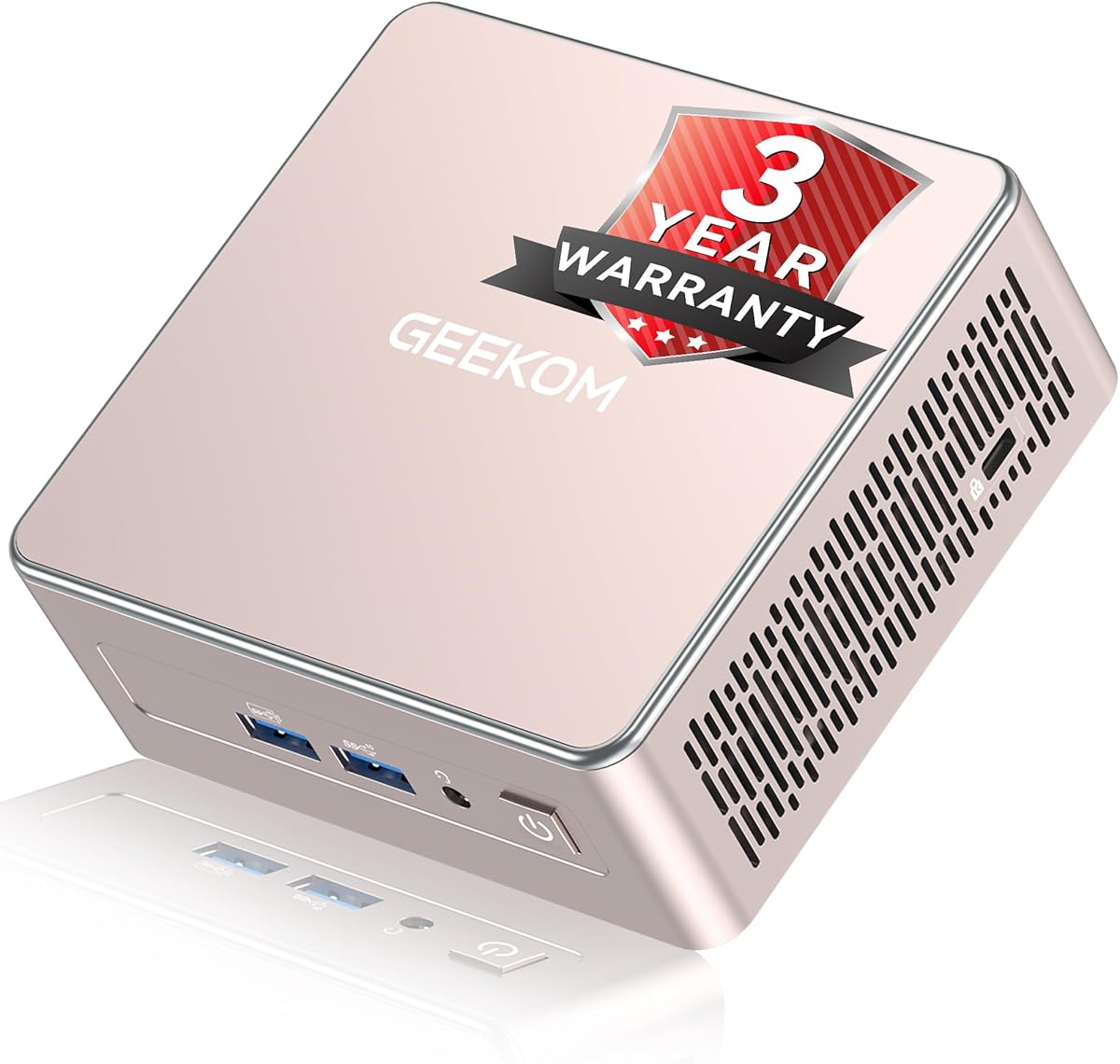
The GEEKOM Air12 is a highly compact Pentium Gold 7505 mini PC that measures 4.6 by 4.4 by 1.35 inches and carries a 4.3 rating. It arrives with 8GB of DDR4 memory and a 256GB SSD, while its two SODIMM slots allow memory expansion to 64GB. That combination makes it particularly suitable for cloud-based office, education, digital-signage, and lightweight automation tasks.
We may earn a commission when you buy through this link, at no additional cost to you.
Its stated emphasis is cloud AI productivity rather than demanding local inference. With a preinstalled operating system, the machine can be connected to a display, keyboard, mouse, and network before using web-based document, email, and content tools. Intel UHD Graphics with 48 execution units provides more graphics capability than common 16-EU N95 and N5095 mini PCs, while AV1 hardware decoding supports efficient 4K media playback.
The Air12's physical design is one of its defining strengths. It fits easily behind monitors, on counters, and in compact workspaces. Connectivity includes Wi-Fi 6, Bluetooth, Ethernet, five USB ports, a full-size SD card reader, HDMI 2.0, Mini DisplayPort 1.4, and USB-C. Three 4K displays are supported, and IceBlast 3.0 cooling with dual copper heat pipes is designed for long sessions and unattended workflows.
The Air12 is a compelling choice where space, low-power operation, cloud workflows, and business support matter more than heavy graphics or abundant starting storage. Its 8GB memory is the main constraint for intensive multitasking, but the replaceable memory design makes that limitation easier to address. Buyers should confirm current SSD details and expansion options on the retailer listing before ordering.
At less than five inches wide and just over an inch tall, the Air12 is easy to conceal behind a monitor or place in a small retail or office environment. Its enclosure size makes it much more practical than a conventional tower when desk space is limited.
The Pentium Gold 7505 and 48-EU integrated graphics create a capable platform for browser-based applications, 4K streaming, signage, and common office work. The emphasis is efficient cloud assistance, not running large local AI models.
We may earn a commission when you buy through this link, at no additional cost to you.
The GMKtec G3 Ultra combines a Pentium Gold 7505 processor, 16GB of LPDDR4 memory, and a 512GB M.2 SATA SSD in a compact enclosure. It has two M.2 2280 storage positions: a primary PCIe slot and a secondary SATA slot. This makes it one of the more immediately balanced configurations for buyers who want more memory and storage without immediately opening the case.
We may earn a commission when you buy through this link, at no additional cost to you.
Performance is oriented toward daily productivity. The processor is positioned for quicker single-core responsiveness than the Ryzen 5 3500U, while Intel UHD Graphics with 48 execution units handles 4K streaming and light photo editing. Two HDMI 2.0 ports support dual 4K displays at 60Hz, and the port selection includes three USB 3.2 Gen2 connections, one USB 2.0 port, and a 3.5mm audio jack.
Networking includes Wi-Fi 6, Bluetooth 5.2, and Ethernet, while remote-operation features such as Wake-on-LAN, PXE Boot, RTC Wake, and Auto Power On make the system practical for controlled office or server use. The main architectural limitation is its soldered LPDDR4 memory: although 16GB is useful, it cannot be expanded through the SODIMM approach available on several rivals.
The G3 Ultra is a good match for office users, small businesses, and light-server builders who prioritize storage flexibility and a generous starting configuration over future RAM upgrades. Its lack of a published rating also means buyers should look closely at current customer feedback and warranty terms. For general productivity, the included memory and storage are more balanced than many entry-level alternatives.
A PCIe primary position and SATA secondary position let users take advantage of different compatible drives. The included 512GB SATA SSD provides useful starting capacity, while the secondary M.2 position can add separate media, backup, or project storage.
Wake-on-LAN, PXE boot, scheduled wake functions, and automatic power-on support make the G3 Ultra easier to deploy in managed offices or lightly attended server roles. These features add value beyond ordinary desktop use.
We may earn a commission when you buy through this link, at no additional cost to you.
The GMKtec K15 is built around an Intel Core Ultra 5 125U processor with 12 cores, 16 threads, and boost speeds up to 4.3GHz. It carries a 4.2 rating and combines 32GB of DDR5 memory with a 1TB PCIe 4.0 SSD. Its defining SSD feature is a set of three M.2 2280 positions, each stated as capable of supporting drives up to 8TB.
We may earn a commission when you buy through this link, at no additional cost to you.
The platform includes an AI Boost NPU rated at up to 13 TOPS for INT8 operations, providing dedicated acceleration for compatible local AI tasks. Intel Arc 140T integrated graphics offer eight Xe cores, AV1 encoding and decoding, and support for modern graphics and creative APIs. These specifications position the K15 for intensive productivity, development, media work, and selected gaming rather than basic browsing.
Display and expansion options are extensive. HDMI 2.1 can support 8K at 60Hz, while DisplayPort 1.4 and USB-C support additional high-resolution displays. Oculink provides a PCIe x4 connection suitable for compatible external graphics solutions. A 2.5GbE port, Wi-Fi 6, and Bluetooth 5.2 serve networking needs, while three cooling fans and heat pipes manage the higher-performance platform.
The K15 is ideal for advanced users who genuinely need multiple fast drives, substantial memory, and local acceleration. Its storage flexibility is exceptional within the group, but the hardware is considerably more ambitious than ordinary office mini PCs. Buyers should ensure their software supports the NPU and confirm the exact operating-system, graphics, and accessory support needed for eGPU or multi-display work.
The three M.2 positions create a strong foundation for high-capacity, high-speed storage. Users can separate the operating system, applications, media caches, and project files across dedicated drives without relying on external disks for every workflow.
The 13-TOPS NPU can offload supported INT8 AI workloads from the CPU, potentially improving efficiency in compatible applications. Buyers should confirm program support because not every AI tool automatically uses the dedicated accelerator.
We may earn a commission when you buy through this link, at no additional cost to you.
The GEEKOM A5 2027 Edition combines a Ryzen 7 7730U processor, 16GB of DDR4 memory, and a 256GB PCIe NVMe SSD, earning a 4.5 rating. It stands out because it does not limit owners to one storage upgrade path. An M.2 SSD slot accepts drives up to 4TB, an additional M.2 2242 position is available, and a 2.5-inch bay can support large hard drives for combined storage of up to 10TB.
We may earn a commission when you buy through this link, at no additional cost to you.
The eight-core, sixteen-thread Ryzen 7 processor is well suited to office suites, many browser tabs, spreadsheets, remote learning, and sustained productivity. Dual-slot DDR4 memory can be expanded to 64GB, avoiding the limitations of soldered configurations. This combination of processor power and broad storage flexibility makes the A5 a particularly versatile general-purpose mini PC.
Four displays are supported through dual HDMI and dual USB-C connections, including up to 8K output via USB-C. Wi-Fi 6, Bluetooth 5.4, 2.5GbE Ethernet, an SD card reader, and multiple USB ports create a strong peripheral ecosystem. The 0.6-liter enclosure, metal internal frame, vibration-damping feet, and revised IceBlast 3.0 cooling further support use in tight workspaces and unattended operation.
The A5 earns the Editor's Choice designation because it balances a capable processor, replaceable memory, and unusually flexible storage without targeting only one specialized role. It is a strong recommendation for home offices, developers, small businesses, media users, and multi-monitor workers. The main practical improvement buyers should make is adding a larger NVMe drive if the included 256GB capacity is insufficient.
The combination of a full-size NVMe position, a smaller M.2 position, and a 2.5-inch drive bay allows fast system storage and high-capacity archives to coexist. This is more adaptable than systems offering only a single upgradeable M.2 location.
The 0.6-liter chassis can sit behind a monitor while Wake-on-LAN, Scheduled Power On, and Group Policy support business deployment. A 16GB memory base and eight-core processor also provide comfortable headroom for common multitaskers.
We may earn a commission when you buy through this link, at no additional cost to you.
The GMKtec M6 Ultra uses a Ryzen 5 7640HS processor with six Zen 4 cores, 12 threads, and boost speeds up to 5GHz. It has a 4.2 rating and comes with 32GB of dual-channel DDR5 memory plus a 1TB M.2 2280 PCIe 3.0 SSD. Memory can expand to 128GB, while the storage arrangement supports a further PCIe 4.0 drive according to the listed specifications.
We may earn a commission when you buy through this link, at no additional cost to you.
Its Radeon 760M integrated GPU is the key attraction for a compact gaming system. With eight compute units and speeds up to 2,600MHz, it can handle moderate gaming when settings and resolution are managed appropriately. Hardware encoding and decoding for AV1, HEVC, and AVC also make it relevant to content workflows. This is a capable mini PC for light gaming, not a substitute for a dedicated high-end gaming desktop.
The M6 Ultra supports three displays, including 8K at 60Hz through USB4, along with 4K at 60Hz through HDMI 2.0 and DisplayPort. A 2.5GbE RJ45 port, Wi-Fi 6, Bluetooth 5.2, three USB 3.2 Gen2 ports, and USB 2.0 provide varied connectivity. Dual 2.5GbE networking is also useful for firewall, routing, and file-server experiments.
This model is well suited to users who want a small computer for gaming, development, and serious daily productivity without moving to a full tower. Its 32GB memory and modern processor leave more headroom than entry-level alternatives. Buyers should calibrate expectations for integrated-graphics gaming and verify the exact slot compatibility and included drive details before planning an upgrade.
The Radeon 760M can run popular lighter titles and moderate settings in suitable games, while 32GB of memory supports modern games alongside other applications. Resolution, quality presets, and the particular title will determine the experience.
The 2.5GbE Ethernet is useful for large transfers and network-focused projects, while Wi-Fi 6 provides flexible wireless access. The model also includes Wake-on-LAN and other management features described in the product information.
We may earn a commission when you buy through this link, at no additional cost to you.
The GMKtec G10 combines a Ryzen 5 3500U quad-core processor with 16GB of DDR4 memory and a 1TB SSD, earning a 4.2 rating. Its dual M.2 2280 PCIe 3.0 positions are especially relevant for the SSD-slot search, with listed support for two 8TB drives and a combined capacity of 16TB. Memory can also be expanded to 64GB.
We may earn a commission when you buy through this link, at no additional cost to you.
The 15-watt processor is built for ordinary office productivity, browsing, media playback, and light creative work. Radeon Vega 8 graphics operating at up to 1.2GHz support triple-display arrangements, video playback, and casual gaming, but the platform is not designed to compete with newer processors and stronger integrated graphics in intensive games.
Connectivity includes 2.5GbE Ethernet, Wi-Fi 5, Bluetooth 5.0, two USB 3.2 ports, one USB 2.0 port, HDMI 2.1, DisplayPort 1.4, full-function USB-C, and a 3.5mm audio connection. The system can manage three displays simultaneously, making it appropriate for stock monitoring, document comparison, media dashboards, and office productivity.
The G10 is most compelling for buyers who want substantial storage immediately and the option to add another high-capacity SSD later. Its 1TB starting drive reduces the need for an immediate storage upgrade, although the older processor limits future performance headroom. It remains a practical choice for storage-conscious users whose main needs are office work, media, and multiple displays.
A 1TB SSD provides room for operating-system files, applications, media, and active project data without an immediate second-drive purchase. The additional M.2 position preserves an easy path to much greater capacity.
HDMI, DisplayPort, and full-function USB-C provide multiple output options. This is useful for traders, analysts, and office workers who want reference material or communication windows visible simultaneously.
We may earn a commission when you buy through this link, at no additional cost to you.
The Bmax B1 Plus is an entry-level mini PC built around the Intel Celeron J3355 processor, 6GB of LPDDR3 memory, and 128GB of onboard eMMC storage. It has a 4.2 rating and comes with Windows 11 Home preinstalled. Two M.2 positions—one SATA and one NVMe—provide a practical route to a larger and faster SSD without replacing the original onboard storage.
We may earn a commission when you buy through this link, at no additional cost to you.
This design makes the B1 Plus suitable for basic web browsing, document editing, digital reception, and lightweight office tasks. It also supports Linux and Ubuntu. Intel HD Graphics 500 handles everyday visual work, while dual HDMI outputs support two 4K displays at 60Hz. A full-size SD card reader would further assist media management, although the listed features emphasize core connectivity and display use.
Its dimensions of 4.2 by 4.1 by 1.4 inches and weight of 0.49 pounds make it easy to mount behind a monitor using the included VESA bracket. Dual-band Wi-Fi 5, Bluetooth 5.0, Gigabit Ethernet, and a smart silent fan support a tidy, quiet setup. The One-Click Restore function activated with the F9 key is a convenient recovery feature for nontechnical users.
The B1 Plus is most appropriate for buyers with modest needs who specifically value two M.2 SSD positions in a tiny enclosure. The 6GB soldered memory cannot be expanded, and the Celeron J3355 is not suitable for demanding work, so installing a larger SSD does not transform it into a high-performance machine. For general browsing and basic office use, however, it offers practical expansion at the entry level.
Separate SATA and NVMe M.2 positions allow buyers to combine a fast drive for active applications with a more affordable secondary drive for files. The included eMMC storage can remain in place, making the upgrade process less disruptive.
VESA mounting removes the mini PC from the visible desktop, while the F9 One-Click Restore function provides a quick recovery route. These details are useful for home offices, reception areas, and shared computers.
We may earn a commission when you buy through this link, at no additional cost to you.
This BOSGAME E5 configuration improves on the entry version with 16GB of DDR4 memory and a 512GB M.2 2280 NVMe PCIe 3.0 SSD. It retains the 4.6 rating and Ryzen 3 5300U processor. For buyers planning regular office work, research, classes, and multiple open applications, this is a more balanced configuration than the 8GB version.
We may earn a commission when you buy through this link, at no additional cost to you.
The four-core, eight-thread processor operates up to 3.8GHz and is aimed at standard business software, spreadsheets, online learning, and network applications. Its expandable dual SODIMM design supports up to 64GB of memory, while the additional empty M.2 2280 NVMe PCIe 3.0 slot allows a second fast drive to be added without displacing the included SSD.
Two 2.5GbE RJ45 ports make the platform especially attractive for home-server, firewall, virtual-machine, and network experiments. Display connectivity covers three independent 4K monitors through HDMI 2.0, DisplayPort, and full-function USB-C. That USB-C port also handles data and Power Delivery, while an optimized fan and copper heat pipes support quiet operation.
This E5 variant is the recommendation for office-focused buyers who want more memory and a larger NVMe drive without moving to a premium platform. The processor is not intended for demanding professional 3D rendering or intensive 3A games, so buyers should choose it for productivity rather than enthusiast graphics. Within those limits, the configuration is practical, expandable, and well connected.
The 16GB memory configuration supports smoother multitasking than 8GB systems, while the 512GB NVMe drive offers quicker application loading and more room for active files. It reduces the need for an immediate memory upgrade.
An included NVMe drive and empty NVMe slot allow operating-system data and high-capacity storage to be separated. Combined with two 2.5GbE ports, the platform is particularly attractive to users experimenting with lightweight NAS or virtualization setups.
We may earn a commission when you buy through this link, at no additional cost to you.
The GEEKOM IT15 is the premium selection in this guide, pairing an Intel Core Ultra 9 285H processor with 32GB of DDR5 memory and a 1TB Gen 4 NVMe SSD. It earns a 4.4 rating and targets professional workloads including AI-assisted creation, code compilation, video editing, 4K and 8K media, and local reasoning.
We may earn a commission when you buy through this link, at no additional cost to you.
The platform's stated 99 TOPS AI performance is divided among a 13-TOPS NPU, a 77-TOPS Arc GPU, and a 9-TOPS CPU contribution. Intel Arc 140T graphics also provide hardware encoding and decoding, making the system relevant to content creators. Memory can be upgraded to 128GB, while the Gen 4 SSD offers substantially faster transfer performance than the previous generation.
Display flexibility is a major strength. Dual HDMI connections can drive two 4K displays at 120Hz, while two USB4 Type-C ports support up to two additional displays and permit external GPU, high-speed drive, and accessory connections. Wi-Fi 7, Bluetooth 5.4, and 2.5Gbps Ethernet provide modern networking across home, office, and creative environments.
A PC and ABS metal frame, advanced cooling, and a stated noise level below 35dB support sustained operation. The IT15 is best for users with demanding professional software or local AI workloads who can justify the premium platform. It is overkill for ordinary browsing and document work, but for intensive creative or technical use, the processor, memory, networking, and display support form a compelling package.
Combining dedicated NPU, integrated GPU, and CPU AI resources provides more flexibility than systems with a single accelerator. Performance still depends on the model, precision, software support, and thermal behavior, so buyers should validate their intended applications.
Two high-speed HDMI outputs and two USB4 connections make it possible to build a multi-panel editing, development, or monitoring setup. USB4 also provides a route to faster external storage and compatible external graphics hardware.
We may earn a commission when you buy through this link, at no additional cost to you.
The right mini PC depends on more than the presence of an M.2 connector. Processor capability, memory type, drive interfaces, cooling, networking, display support, and intended workload should all be considered before purchasing.
An SSD slot may support M.2 SATA, M.2 PCIe, or both, and a physical M.2 connector alone does not guarantee compatibility with every modern NVMe drive. The BOSGAME E5 models use M.2 2280 positions, while the G3 Ultra separates PCIe and SATA functions. Check the exact slot length, protocol, lane arrangement, and supported drive capacity listed for the model you are considering.
Some systems include one occupied slot and one empty slot, while others provide three positions. Do not assume that every listed position accepts the largest advertised drive unless the manufacturer specifically confirms it.
A Celeron J3355 or Pentium Gold 7505 can handle basic office tasks, while Ryzen 5, Ryzen 7, Core Ultra 5, and Core Ultra 9 models provide progressively more headroom for multitasking, development, media work, and local AI. Processor choice also affects cooling requirements, power consumption, and integrated graphics performance.
Choose based on software demands rather than clock speed alone. A higher-tier chip is unnecessary for basic browsing, while a weaker processor can become frustrating when compiling projects, editing media, or running many applications simultaneously.
Memory determines how many applications and browser tabs can remain active without heavy disk swapping. The Bmax B1 Plus has 6GB of soldered LPDDR3, the G3 Ultra has 16GB of soldered LPDDR4, and several alternatives offer dual SODIMM slots. Upgradeable memory is valuable for longevity, but a larger installed capacity matters on day one.
For typical productivity, 16GB is a sensible target. More memory benefits software development, large spreadsheets, creative applications, virtual machines, and local AI models, although storage speed, cooling, and processor capability also influence the overall experience.
The included SSD determines how much installation is required before expansion. A 256GB drive may fill quickly with applications, media, and project files, whereas 512GB or 1TB configurations offer more immediate room. Consider operating-system separation, fast scratch space, large media libraries, backups, and whether a second drive will be needed soon.
Look beyond total capacity. The GMKtec G10 and K15 support multiple M.2 drives, the GEEKOM A5 also includes a 2.5-inch bay, and the Bmax B1 Plus supports both SATA and NVMe M.2 drives. These differences determine whether a future capacity increase is inexpensive and convenient.
Display support matters for finance, media, engineering, and general office workflows. The Bmax B1 Plus supports two 4K monitors, the Air12 and BOSGAME E5 support three, and the A5, K15, and IT15 extend to four. Buyers should also check whether USB-C supports display output, Power Delivery, and data transfer simultaneously.
Count the peripherals you already own. Ensure the system has enough USB-A and USB-C ports, an SD card reader if needed, a 3.5mm audio jack, and the correct video connectors for every monitor.
Gigabit Ethernet covers many household tasks, but 2.5GbE provides more headroom for large transfers, NAS use, and network appliances. The BOSGAME E5 models include two 2.5GbE ports, while the M6 Ultra also offers dual 2.5GbE networking. Wi-Fi 6 is common, and the premium IT15 adds Wi-Fi 7.
For server-style use, check Wake-on-LAN, PXE boot, automatic power-on, and scheduled wake functions. These remote controls can simplify unattended operation, but software compatibility and the target platform still require separate evaluation.
Compact systems generate less heat than many towers, but higher-power processors and SSDs still require active cooling. Reviews of thermals, fan noise, warranty coverage, and support availability are useful when choosing between similarly specified models. The Air12 targets long sessions with dual heat pipes, while the K15 uses three cooling fans for its higher-performance platform.
Physical dimensions should include clearance for cables and mounting options. A VESA-compatible model can sit behind a monitor, while a business buyer may prioritize scheduled power controls, group policy support, and a longer warranty over the smallest possible enclosure.
Begin by identifying the included storage, available M.2 positions, memory configuration, and operating system before installing anything. Confirm the drive protocol, physical dimensions, and maximum capacity supported by the manufacturer. If adding a second SSD, power down the system, disconnect it, use appropriate anti-static precautions, and follow the manual's access procedure.
After installation, move data and applications that you want to keep on the primary drive, then confirm that the new drive appears with the correct format in the operating system. Update the system, chipset and storage drivers where applicable, and verify that the boot drive is selected correctly. For a network appliance, use the supplied or official operating-system image and change default administrative credentials before exposing the device to a network.
Maintain airflow by leaving the vents unobstructed and cleaning accumulated dust periodically. Use the intended power adapter, avoid placing the unit inside a closed container without ventilation, and give sustained workloads room for the cooling system to operate. Back up important data regularly, monitor storage health, and update the operating system and applications as part of routine preventive maintenance.
M.2 describes the physical drive shape, while SATA and NVMe describe different storage interfaces. An M.2 SATA drive uses the SATA protocol and is generally slower, while an M.2 NVMe drive uses PCIe lanes and offers substantially higher transfer speeds. A drive must be supported by the specific slot, so check the product documentation rather than relying on connector shape alone.
That depends on the number of M.2 positions. A mini PC with two slots may include one drive and leave the other empty, whereas some models have only one populated position. Systems such as the GMKtec K15 offer three M.2 positions, and the GEEKOM A5 combines M.2 expansion with a 2.5-inch drive bay. Confirm free slots and interface compatibility before purchasing.
A faster SSD can improve boot time, application loading, and file transfers, but added capacity alone does not increase processor or graphics performance. If the operating system already has plenty of free space, a second drive may provide organization or storage benefits rather than a dramatic speed increase. Faster processors, memory, and storage should be evaluated separately.
It can be sufficient for basic browsing, video calls, and light document work, but many users benefit from 16GB for heavier multitasking. The available SODIMM slots matter because upgradeable memory can be increased later. Models with 6GB or 8GB soldered memory offer less flexibility, so buyers should consider both their present and future software requirements.
For office work, browsing, education, media playback, and light development, a capable mini PC can replace a large desktop while using less space and power. Demanding games, professional 3D rendering, intensive video editing, and specialized engineering software may require stronger graphics or more memory. Matching the hardware to the software remains essential.
A compatible M.2 NVMe PCIe drive generally provides the best combination of speed and everyday responsiveness. The exact protocol and physical size must match the available slot, and some systems also offer an M.2 SATA position for less demanding secondary storage. Check maximum capacity and any manufacturer restrictions before buying a drive.
Several models include features useful for these roles, including 2.5GbE Ethernet, Wake-on-LAN, PXE boot, and automatic power-on. The BOSGAME E5 is particularly notable for two 2.5GbE ports and dual NVMe storage. Users must still confirm operating-system support, software compatibility, cooling requirements, and data-backup plans for the intended service.
Cooling becomes increasingly important with higher-power processors because sustained workloads generate more heat. Warranty coverage is particularly valuable when a compact system is intended for continuous operation or business deployment. Buyers should review noise levels, support availability, return terms, and the duration and type of coverage included with the exact configuration.
The BOSGAME E5 8GB configuration is the most budget-focused option with a useful second M.2 position, dual 2.5GbE ports, and triple-display support. The GEEKOM A5 2027 Edition is the strongest all-round recommendation because it combines a Ryzen 7 processor, upgradeable memory, an NVMe slot, another M.2 position, a 2.5-inch bay, and four-display capability. For demanding professional work, the GEEKOM IT15 provides the most advanced platform.
Prioritize the upgrade path that matches your real needs. Ensure the second drive interface is compatible, verify that memory is replaceable if future growth matters, and choose enough included storage to avoid an immediate upgrade. Processor class, cooling, display connectors, and networking should reflect the intended workload more than any single specification.
Finally, check the current product listing before ordering. Configurations, included components, warranty details, and prices can change, so the purchaser's page remains the definitive source. With the correct SSD slot and upgrade support, a compact mini PC can deliver a capable, convenient, and energy-efficient alternative to a traditional desktop.