
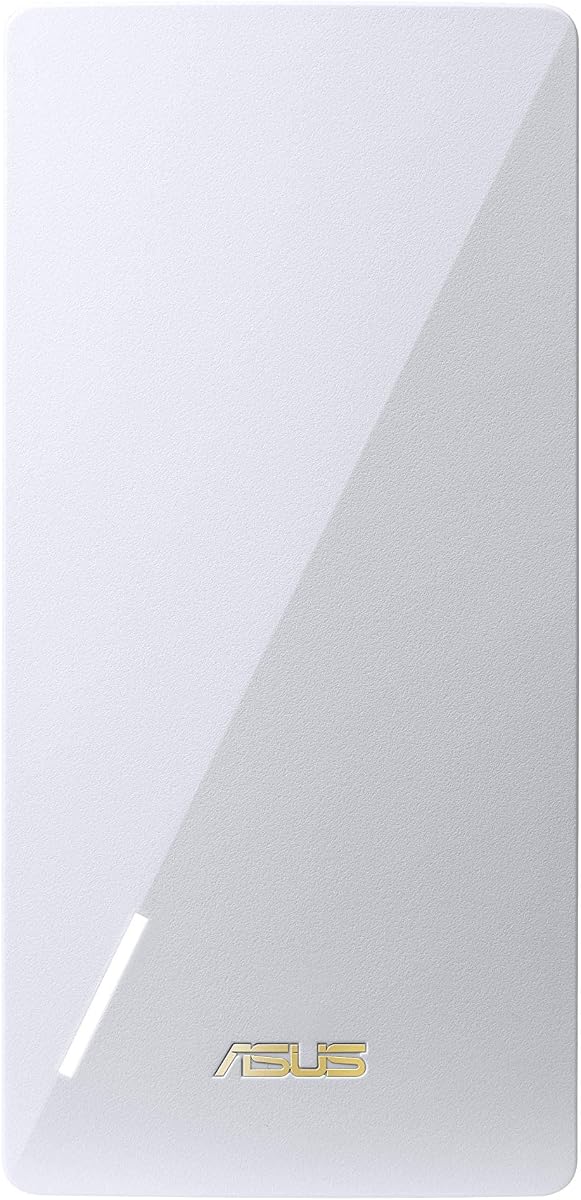
ASUS RP-AX56 AX1800
4.1Editor score
Up to 2200 square feet
Dual-band WiFi 6 networking
Flexible AiMesh integration
Our ASUS WiFi Extender guide compares 10 models across WiFi speed, coverage, AiMesh support, networking modes, features, and value for home users in 2026.
An ASUS WiFi Extender can remove weak-signal areas, extend a network into another room, or become part of a convenient AiMesh system. The most useful model depends on your router, home layout, wireless standard, and the amount of coverage you actually need.
This guide compares ten ASUS extenders and mesh products using their stated specifications, compatibility, available ratings, coverage claims, and operating modes. It includes WiFi 7, WiFi 6, WiFi 6E, and WiFi 5 options for homes and offices of different sizes.
The selections range from compact dual-band units to a tri-band whole-home mesh system. Each review explains the strongest benefits, practical trade-offs, and ideal use case, while current pricing and availability can change at any time.
4.1Editor score

3.8Editor score

4.4Editor score
The comparison below highlights each product's wireless generation, stated coverage, mesh capability, and intended role, making it easier to identify the ASUS WiFi Extender that fits your network and home.




The ASUS RP-BE58 BE3600 is a dual-band WiFi 7 range extender that combines the newest 802.11be standard with broad compatibility and AiMesh support. Its stated speed of up to 3600 Mbps makes it a strong choice for users who want modern wireless capacity without replacing their entire router. The 3.8 rating is respectable, although it does not lead this list.
We may earn a commission when you buy through this link, at no additional cost to you.
Its standout feature is 4096-QAM, which ASUS says can increase transmission speed on a single frequency band by 1.2 times compared with the previous modulation approach. Multi-link Operation is another meaningful WiFi 7 feature, allowing the extender to link to multiple bands at the same time for more stable connections and efficient data transfer. These capabilities are particularly relevant to newer laptops, phones, and other WiFi 7 clients.
The RP-BE58 is also designed for practicality beyond raw speed. It works with virtually all WiFi routers, modems, and cable routers, making it less dependent on an all-ASUS setup. AiMesh allows compatible devices to move through a unified, seamless network, while setup can be completed through the ASUS Router or ASUS Extender mobile app.
This is the most forward-looking extender in the group and the best overall option for a household planning to keep its network for several years. Its main limitation is that WiFi 7 benefits require compatible client devices and a strong upstream connection. Even with an older router, however, it remains a versatile way to expand coverage and add a newer wireless generation to the home.
The RP-BE58 supports 802.11be, 4096-QAM, and Multi-link Operation. These features can improve throughput, responsiveness, and connection stability when the extender and connected devices support the standard.
Broad compatibility with standard routers makes this model accessible to many households. AiMesh support adds a more unified alternative when the rest of the network is compatible with ASUS mesh networking.
We may earn a commission when you buy through this link, at no additional cost to you.
The ASUS RP-AX58 AX3000 pairs dual-band WiFi 6 performance with the household-management tools for which ASUS routers are known. It is rated 4.1 and offers a stated maximum of 3000 Mbps, placing it below the RP-BE58 on paper but above most WiFi 5 options in this comparison. It is a sensible middle ground for users who want current efficiency without adopting WiFi 7.
We may earn a commission when you buy through this link, at no additional cost to you.
The extender provides 2.4GHz and 5GHz connectivity, allowing compatible devices to use the band best suited to their range and bandwidth needs. More importantly for a home network, it includes lifetime-free ASUS AiProtection Pro, powered by Trend Micro, and WPA3 support. Instant Guard provides one-click secure internet access through a compatible RT-AX68U, while customizable parental controls allow different age groups to receive appropriate internet access.
AiMesh support is the RP-AX58's most important feature for anyone considering more than a single dead zone. Compatible ASUS equipment can form a flexible whole-home mesh network, reducing the need to manage separate network names as coverage expands. It also works with any standard WiFi router, so it can serve as a straightforward range extender rather than requiring a complete ecosystem change.
The RP-AX58 is best for households seeking a balanced combination of speed, security, and family controls. It may not offer the newest standard, but WiFi 6 remains broadly useful, and the 4.1 rating reflects a well-rounded package. Choose it when practical management features matter as much as raw speed.
AiProtection Pro, WPA3, Instant Guard, and parental controls give this extender a more complete management package than a basic signal booster. These features are especially useful for families sharing connected devices.
AX3000 class performance provides ample capacity for many connected devices while retaining both 2.4GHz and 5GHz bands. It is a practical option for extending an existing router into a previously weak area.
We may earn a commission when you buy through this link, at no additional cost to you.
The renewed ASUS RP-BE58 combines the same core WiFi 7 platform as the new RP-BE58 with a stated coverage area of up to 2,200 square feet. Its 2.7 rating is the lowest numerical score among the products with ratings, so the model should be considered with greater care than a standard listing. Renewed status is the decisive distinction rather than the underlying technology.
We may earn a commission when you buy through this link, at no additional cost to you.
The dual-band extender is positioned for demanding connected experiences, including 8K streaming, HDR gaming, content creation, cloud computing, and AI-related network use. Those descriptions reflect the capabilities of WiFi 7 rather than a guarantee that every service will achieve its maximum performance on every network. Actual results depend on the router, internet connection, client devices, obstacles, and placement.
Renewed products pass through a different purchasing and condition process than new inventory. The relevant product listing is explicitly identified as renewed, which is useful information for shoppers who are comfortable with refurbished equipment. Buyers should review the condition details, return eligibility, and included accessories before ordering.
This renewed RP-BE58 is most appropriate for a technically informed buyer who specifically wants WiFi 7 and accepts the lower rating. The hardware's stated speed and coverage remain attractive, but the 2.7 rating provides a clear reason to favor the standard RP-BE58 listing unless the renewed option offers a compelling purchasing advantage.
The renewed unit retains the appeal of dual-band WiFi 7, 3600 Mbps combined performance, and AiMesh support. It is a specialized choice for buyers who prioritize specifications over condition preference.
A 2.7 rating is substantially below the scores of most alternatives, and customer feedback can reflect more than technical specifications. Reviewing the current listing and guarantee terms is especially important for renewed hardware.
We may earn a commission when you buy through this link, at no additional cost to you.
The renewed ASUS RP-AX58 is a compact, dual-band WiFi 6 extender designed to expand either a standard router or an AiMesh network. Its 1.0 rating is the lowest in this guide and represents a significant warning for anyone considering it. Although the product description highlights AX3000 performance and straightforward compatibility, customer satisfaction is a meaningful part of any buying decision.
We may earn a commission when you buy through this link, at no additional cost to you.
The extender operates on both 2.4GHz and 5GHz bands, allowing devices to balance range and speed according to their capabilities. It works with most existing routers, which makes the basic extender function broadly understandable. For compatible ASUS systems, AiMesh can create a unified and seamless network environment rather than leaving the extender as a separate network island.
Its compact white design is another practical feature. A smaller enclosure is easier to position discreetly near a power outlet, and neutral styling can blend into a home office or living area. Design does not determine radio performance, but it affects whether the unit is convenient to place exactly where a stronger backhaul connection is needed.
The RP-AX58 Renewed may suit a bargain-focused shopper who has reviewed the current condition report and understands the very low rating. For most people, however, the standard RP-AX58 is the safer recommendation. The renewed model's compatibility remains useful, but its 1.0 score places it well behind the alternatives.
The small white enclosure is easy to integrate into a living room, office, or hallway. Effective placement still matters more than size, so install the unit where it can receive a strong signal from the main router.
The 1.0 rating sharply separates this option from the other RP-AX58 listing. Buyers should treat that feedback as a meaningful caution rather than overlooking it because the basic specifications sound familiar.
We may earn a commission when you buy through this link, at no additional cost to you.
The ASUS RP-AC1900 is a dual-band WiFi 5 extender whose greatest strengths are flexibility and stated coverage. It can provide up to 3000 square feet of coverage, operate as an AiMesh node, function as an access point, act as a media bridge, or work as a conventional Wi-Fi extender. Its 4.1 rating makes it one of the strongest performers in this roundup despite its older wireless generation.
We may earn a commission when you buy through this link, at no additional cost to you.
The combined 1900 Mbps speed class uses both 2.4GHz and 5GHz bands, providing more capacity than a single-band repeater while remaining broadly compatible with existing routers. Three external antennas offer additional adjustment when a room or building has challenging signal paths. The stated coverage figure makes the unit relevant to larger homes, although actual results depend heavily on the router's output and building construction.
Operating mode flexibility is especially useful. A homeowner who only needs a dead-zone fix can use extender mode, while a user with wired equipment may prefer access point or media bridge mode. In an AiMesh network, the RP-AC1900 can join compatible ASUS routers and access network-wide features such as AiProtection, parental controls, and adaptive QoS.
The trade-off is generational. WiFi 5 cannot provide the efficiency and multi-link capabilities of WiFi 6 or WiFi 7. Even so, the RP-AC1900 is an excellent choice for expanding an older network, using wired modes, or covering a large area without a complete router replacement.
Extender, access point, media bridge, and AiMesh node modes allow the RP-AC1900 to adapt to different network layouts. This versatility is the model's defining advantage over simpler single-purpose boosters.
The stated coverage of up to 3000 square feet is the largest among the individual extenders listed. Placement, walls, interference, and upstream signal quality can still affect the real-world result.
We may earn a commission when you buy through this link, at no additional cost to you.
The ASUS RP-AX56 is a dual-band WiFi 6 extender rated 4.1 and designed to cover up to 2200 square feet. It combines 80MHz bandwidth, 1024-QAM, and flexible AiMesh integration in a package suited to medium and large homes. Although it does not top the raw speed class of the AX3000 models, its balanced feature set makes it a particularly polished extender.
We may earn a commission when you buy through this link, at no additional cost to you.
Its stated total networking speed is about 1800 Mbps, divided between 574 Mbps on 2.4GHz and 1201 Mbps on 5GHz. WiFi 6 features such as 1024-QAM improve spectral efficiency compared with earlier standards, which can be valuable in a busy home environment. The extender supports one unified WiFi name when used with AiMesh, or separate names for each band when users want more granular control.
AiMesh support allows the RP-AX56 to join compatible ASUS routers and extend a seamless whole-home system. This is more than a cosmetic benefit: roaming between appropriately positioned nodes and a central network can be easier to manage than separate extender networks. Setup through the ASUS Router or ASUS Extender app also reduces configuration friction.
The RP-AX56 is best for users who want a refined WiFi 6 mesh experience rather than the newest standard or the highest combined rate. Its 4.1 rating supports that recommendation. Choose it when coverage, configuration flexibility, and mesh convenience are the priorities, and your client devices do not require WiFi 7.
The combination of 80MHz channels and 1024-QAM helps the RP-AX56 use available spectrum more efficiently. It is well suited to mixed-device homes where newer efficiency can be valuable even without WiFi 7 support.
AiMesh users can keep a single SSID across the home or assign distinct names to the 2.4GHz and 5GHz bands. This choice makes the model adaptable to both simple and more specialized network preferences.
We may earn a commission when you buy through this link, at no additional cost to you.
The renewed ASUS RP-AX56 offers the core functionality of the standard RP-AX56 with a 3.8 rating. The platform supports dual-band WiFi 6, up to 1800 Mbps of combined networking speed, 80MHz bandwidth, 1024-QAM, and coverage of up to 2200 square feet. It also supports AiMesh, making it a practical way to build on an existing compatible ASUS network.
We may earn a commission when you buy through this link, at no additional cost to you.
Amazon describes renewed products as pre-owned or refurbished units that have been professionally inspected and tested to work and look like new. Suppliers qualified by Amazon perform that inspection after a customer returns or trades in a product. Renewed items are also eligible for replacement or refund under the Amazon Renewed Guarantee, subject to its published terms.
This process provides more transparency than an unexplained used listing, but the condition remains renewed rather than factory new. Cosmetic marks, packaging differences, or accessory variations may be associated with that status. Buyers should therefore review the listing's condition details carefully even though the electronics have passed the stated inspection process.
The renewed RP-AX56 is a strong alternative when the standard listing is unavailable or the purchasing terms work better for a refurbished product. It makes more sense than the renewed RP-BE58 in this guide because its 3.8 rating is much closer to the standard model's 4.1. For the least uncertainty, however, the standard RP-AX56 remains the stronger primary recommendation.
Amazon Renewed products are described as professionally inspected and tested before resale. This process gives buyers more assurance than an ordinary used device, although the product is not represented as new.
The renewed unit retains the RP-AX56's 1800 Mbps class, 80MHz bandwidth, 1024-QAM, and AiMesh capabilities. Buyers are choosing a condition tier rather than a different technical design.
We may earn a commission when you buy through this link, at no additional cost to you.
The ASUS ZenWiFi ET9 3PK is a complete tri-band WiFi 6E mesh system rather than a single-purpose range extender. It includes three units, supports up to 7800 Mbps, and has a stated coverage area of up to 7800 square feet. Its 3.9 rating makes it a solid whole-home option for buyers who can use several coordinated nodes.
We may earn a commission when you buy through this link, at no additional cost to you.
The new 6GHz band is the system's defining technical feature. Working alongside the other two bands gives the system more radio resources than a conventional dual-band setup and can help reduce congestion in suitable environments. Compatible clients can use the additional spectrum, while the mesh system manages the network as a coordinated whole.
AiMesh, lifetime-free internet security, parental controls, Instant Guard, and EasySetup round out the package. These features make the ET9 useful for households that want centralized control rather than simply repeating a signal. Because it is a three-pack, it can be placed in separate areas to create coverage throughout a large home.
This renewed ZenWiFi configuration is best for a large property or a network with several difficult-to-reach spaces. The substantial coverage and 6GHz support exceed what a single extender can offer, but buyers who only need to improve one dead zone may find the three-node approach unnecessary. It is a complete mesh solution, not just a compact signal booster.
The 6GHz band adds capacity and a new route for compatible WiFi 6E devices. It is especially valuable in a multi-node system where distributing traffic across three bands can improve overall flexibility.
Three coordinated units provide a scalable way to cover large homes. Strategic placement and a strong wired or wireless backhaul remain essential for consistent performance throughout every node.
We may earn a commission when you buy through this link, at no additional cost to you.
The ASUS RP-AX58 in this listing offers AX3000 dual-band performance in a compact range-extender format. Its 4.4 rating is the highest numerical score among the ten products, making it a notable budget selection despite the limited descriptive information supplied with the listing. The model code and AX3000 designation clearly identify the general hardware class.
We may earn a commission when you buy through this link, at no additional cost to you.
AX3000 indicates a dual-band WiFi 6 platform capable of a combined theoretical rate of 3000 Mbps. In practical use, that capacity allows the extender to divide 2.4GHz and 5GHz traffic among compatible devices, with shorter-range devices using the lower band and higher-throughput clients using the 5GHz band. This is a useful balance for a mixed household.
The listing identifies the product as an ASUS WLAN repeater and links it to the RP-AX58 model family. Another more detailed RP-AX58 listing in this guide confirms AiMesh support, WPA3 security, AiProtection Pro, Instant Guard, and parental controls for the standard product. Those features should not be assumed for every used or region-specific unit without checking the exact listing and device interface.
This ASUS WiFi Extender is best for a straightforward dead-zone solution on a budget. The 4.4 rating is encouraging, and AX3000 performance offers more headroom than older WiFi 5 models. Because the provided product data is sparse, buyers should verify the included accessories, regional hardware, operating modes, and security features before purchase.
The 4.4 customer rating leads the guide. That makes this listing worth considering when the goal is simple, modern coverage rather than a premium multi-node mesh system.
The available description is limited to the model name and an identification number. Checking the current seller information, condition, accessories, and regional specifications can prevent surprises.
We may earn a commission when you buy through this link, at no additional cost to you.
The renewed ASUS RP-AC56 is a compact AC1200 dual-band range extender with support for range extender, access point, and media bridge modes. It is intended for everyday streaming, gaming, browsing, and general connectivity. The listing does not include a numerical rating, so it is difficult to compare customer feedback directly with the other options.
We may earn a commission when you buy through this link, at no additional cost to you.
Its three operating modes make the unit more versatile than a basic repeater. Range extender mode is intended for expanding an existing signal, access point mode can integrate with a wired network, and media bridge mode can connect compatible wired devices through the wireless link. This flexibility can reduce the need for separate equipment in certain home or office layouts.
The renewed condition is the main issue. The physical design is compact and finished in white, allowing it to sit discreetly near a wall or entertainment area. However, the older AC1200 class is well below the speed classes of the RP-AX58, RP-AX56, and RP-BE58, making this most relevant to an older router or a modest coverage need.
The RP-AC56 Renewed is a secondary recommendation for buyers who value multiple modes, a small enclosure, and the possibility of expanding an older network. Its missing rating and renewed status warrant more careful consideration, while a newer WiFi 6 extender is generally the stronger choice when compatible hardware and a modern router are available.
Range extender, access point, and media bridge modes provide useful options for different network requirements. The correct mode depends on how the unit will connect to the existing router and wired devices.
AC1200 performance is suitable for extending an older WiFi setup, but newer dual-band WiFi 6 models offer greater capacity. This option is most compelling when versatility and compactness matter most.
We may earn a commission when you buy through this link, at no additional cost to you.
A useful ASUS WiFi Extender should solve a specific coverage problem, connect reliably to your existing router, and support the devices and wireless standard already in your home. Capacity, placement, mesh compatibility, and operating mode matter more than headline speed alone.
WiFi 7 models such as the RP-BE58 provide the newest capabilities, including 4096-QAM and Multi-link Operation, but those benefits require compatible client devices. WiFi 6 extenders remain broadly useful and can provide better efficiency and capacity than WiFi 5 equipment. A WiFi 5 model may still be appropriate when the goal is simply to extend an older router or reach an area where basic connectivity matters more than maximum throughput.
Coverage claims provide a starting point, but the size and construction of your home determine actual results. Dense walls, floors, metal, appliances, and competing wireless systems can sharply reduce range. The RP-AC1900 carries the largest stated coverage claim among the individual extenders, while the RP-AX56 and RP-BE58 state coverage of up to 2200 square feet. The ZenWiFi ET9 three-pack is intended for substantially larger, multi-node coverage.
An extender repeats or receives a wireless signal, so the connection between the router and extender strongly influences performance. Place the unit where it receives a strong signal, ideally near the boundary of the router's usable area. When a suitable Ethernet connection exists, a model with access point or media bridge mode may offer a more reliable path than a purely wireless extender setup.
AiMesh is valuable when a household wants one coordinated network rather than several separate Wi-Fi names. The RP-BE58, RP-AX58, RP-AX56, and RP-AC1900 all support AiMesh in their supplied descriptions. Mesh integration is most useful when multiple nodes are strategically placed, the hardware is compatible, and the user values centralized management and relatively seamless roaming.
A range extender is still part of the network path, so its security and management features deserve attention. The detailed RP-AX58 listing highlights WPA3, AiProtection Pro, Instant Guard, and parental controls. The ZenWiFi ET9 includes lifetime-free internet security and parental controls as well. When children, guests, smart-home equipment, or sensitive data share the network, these tools can add value beyond simple signal repetition.
Combined speed ratings describe the theoretical capability across all bands, not the speed every client will receive. Actual performance depends on internet speed, backhaul quality, interference, device capabilities, and distance. The BE3600, AX3000, AX1800, AC1900, and AC1200 labels are useful for comparing product classes, but a slower modern model may still outperform a faster one placed poorly.
Renewed inventory can provide a way to obtain a capable model with a different condition and guarantee structure. The available listings include renewed versions of the RP-BE58, RP-AX58, RP-AX56, ZenWiFi ET9, and RP-AC56. Their ratings vary widely, and some do not have a numerical score. Review condition descriptions, inspection information, return terms, accessories, and warranty coverage before deciding.
Some ASUS units can operate as a conventional repeater, access point, media bridge, or AiMesh node. Conventional extender mode is convenient for extending an existing wireless network. Access point mode suits a wired installation, while media bridge mode can help compatible wired devices connect through a wireless link. A whole-home mesh system is a better fit when several areas need coordinated coverage.
Begin by identifying where the main router performs well and where signal becomes unreliable. Install the extender roughly halfway between the router and the weak area, but move it closer to the router if setup reports a poor connection. Use the ASUS Router app or ASUS Extender app where supported, and choose AiMesh mode when building a coordinated ASUS mesh network. Otherwise, select the appropriate standard range-extender setup and connect using your home network credentials.
After connecting, test the extended area with the devices you use most. Placement matters more than simply maximizing the number of bars: an extender near a metal appliance, thick wall, floor edge, or household metal object may perform poorly. If a wired route is possible, access point or media bridge mode can provide a more consistent link. Keep the firmware current through the applicable ASUS management interface and review security settings after setup.
For long-term care, avoid enclosing the extender in a cabinet, behind a television, or beside equipment that generates heat. Let the vents remain unobstructed, and do not repeatedly unplug the device merely to reset network issues when the app offers diagnostics. Periodically review connected devices, parental controls, guest access, and AiMesh membership. If speed drops or stability declines, reposition the extender, check the backhaul, and update its firmware before changing networks.
It can, particularly when the extender receives a weak signal and then rebroadcasts the traffic. Wi-Fi range extenders divide the available radio time between communicating with the router and serving clients, and devices farther from the extender may also receive a weaker signal. A strong backhaul, careful placement, and a wired access point or media bridge mode can improve results substantially.
Yes. The RP-BE58, RP-AX58, RP-AX56, and RP-AC1900 are described as compatible with standard WiFi routers, and the supplied listings emphasize broad router compatibility. AiMesh features require compatible ASUS equipment, while standard range-extending functions can still be useful with another router. Confirm the current listing details if you depend on a particular connection or management feature.
Choose WiFi 7 when your router and primary devices already support it or when you expect to upgrade soon. WiFi 6 is often the more balanced choice for a current mixed-device household because compatible products are already established. A WiFi 5 extender can still solve a basic coverage problem, but newer standards offer more capacity and efficiency when the rest of the network supports them.
Place it where it still receives a strong signal from the main router, usually near the edge of the area the router serves well. Avoid locations surrounded by metal, thick walls, electronics, or obstructions. The goal is not to place it as close as possible to the weak device, but to create a reliable link back to the router while extending useful coverage farther into the home.
AiMesh is not required for every coverage expansion, but it can make a multi-area network easier to manage. Compatible nodes can provide a unified network and a more coordinated experience. If you only need to improve one dead zone, a standard extender may be sufficient. For several distant areas, coordinated mesh placement and reliable backhaul usually matter more than adding many independent repeaters.
It can be, especially when the hardware model meets your needs and the listing provides a clear inspection or guarantee process. Ratings vary widely among the renewed products here, so customer feedback should influence the decision. Review the condition, included accessories, return policy, warranty, and seller details before choosing a renewed unit over standard inventory.
It depends on the model and operating mode. The RP-AX56, RP-AC1900, and RP-AC56 are specifically described with access point and media bridge functionality, while the supplied details do not confirm wired operation for every extender. If a wired backhaul is important, verify the current product page and the ports included with the exact unit before purchase.
The correct number depends on the building's layout and the location of the router. One extender may solve a single dead zone, while a larger home may benefit from two or more well-placed nodes. The ZenWiFi ET9 three-pack is designed around a multi-node approach with coverage stated at up to 7800 square feet. Avoid placing nodes too close together, because each must maintain a dependable connection to the rest of the mesh.
The ASUS RP-BE58 stands out as the leading overall choice because it combines WiFi 7, 3600 Mbps class performance, multi-link operation, broad router compatibility, and AiMesh support. The RP-AX56 is the premium mesh-focused alternative, while the RP-AX58 listing with a 4.4 rating is a strong budget-oriented choice for a straightforward WiFi 6 coverage extension.
Prioritize compatibility before speed. Match the extender to your router, select a wireless standard that benefits your actual devices, and make sure the product supports the operating mode your installation needs. For larger homes, use multiple strategically placed nodes and ensure each has a strong backhaul. For a single problematic room, one properly placed extender may be all the network needs.
Finally, review the current listing, availability, condition, accessories, and pricing before ordering. Ratings and product details can change, and renewed options can vary considerably from one seller to another. The best ASUS WiFi Extender is the one that reliably reaches the needed area while working cleanly with the router and devices you already own.