
Dell SE2426HG
4.7Editor score
240Hz refresh with 0.5ms
FreeSync Premium and HDMI VRR
Compact 23.8-inch IPS display
A 240Hz monitor can give competitive Valorant players a clearer view of rapid movement, gunfire, and ability animations than a conventional 60Hz or 144Hz display. The most important qualities include low response time, adaptive synchronization, consistent frame delivery, accurate colors, and a screen large enough to keep enemies and minimap details visible without excessive desk space.
The ten monitors in this guide were compared using their published specifications, including panel type, refresh rate, response time, adaptive-sync support, resolution, brightness, color coverage, connectivity, ergonomic adjustments, and gaming-oriented features. The list covers 24-inch, 24.5-inch, 25-inch, and 27-inch models, including flat and curved screens, so players can compare practical trade-offs rather than judging only by refresh rate.
Each review identifies the feature that makes a particular display most useful in competitive Valorant and notes any limitations revealed by its specifications. The Dell SE2426HG stands out as a budget-focused option, the MSI MAG 274CF X24 combines a high rating with fast response, and the ASUS TUF VG279QM5A offers a larger Fast IPS panel and G-SYNC compatibility. Product prices and availability can change, so check current listings before buying.
4.7Editor score

4.8Editor score
4.5Editor score
As an Amazon Associate we earn from qualifying purchases.
This side-by-side comparison highlights the resolution, panel, refresh rate, response time, synchronization, and major usability features of all ten monitors, making it easier to identify the most suitable display for competitive Valorant.



The Dell SE2426HG is a practical 240Hz monitor for competitive Valorant players who want a fast display without paying for a large, highly specified gaming panel. It combines a 23.8-inch IPS screen with a 240Hz refresh rate, a rated 0.5ms response time, and a 4.7 customer rating. Those fundamentals address the parts of the experience that matter most in a tactical shooter: fluid movement, quickly updating visuals, and a compact footprint that leaves room for keyboard and mouse movement.
We may earn a commission when you buy through this link, at no additional cost to you.
Its most valuable gaming feature is AMD FreeSync Premium, with HDMI VRR also listed as a way to reduce tearing and maintain responsive PC and console play. The 99% sRGB coverage should provide vivid and accurate colors without the oversaturated look associated with some gaming displays. TÜV Rheinland 3-star certification adds an eye-comfort consideration, while the included 2X HDMI and DisplayPort 1.4 connections make it straightforward to connect a gaming PC and a second device.
The obvious trade-off is the 1920×1080 resolution. At 23.8 inches, it can deliver a reasonably compact and familiar competitive layout, but it does not provide the additional spatial detail of a QHD monitor. The stand also offers tilt only, so players who need to raise, lower, rotate, or swivel the display may need a separate monitor arm. These limitations do not undermine the core proposition: this is a straightforward, fast IPS option built around the essentials of competitive gaming.
The SE2426HG is best recommended for budget-conscious Valorant players, students, and anyone wanting a small 240Hz display for a competitive PC setup. It may be especially useful in a dual-monitor arrangement because its smaller footprint is easier to position than a 27-inch model. Choose it when refresh rate, low latency, accurate color, and a simple IPS panel matter more than high resolution or extensive ergonomic adjustment.
The combination of 240Hz and a 0.5ms rated response time is well suited to Valorant, where small enemy outlines and movement animations can be difficult to read on slower displays. The IPS panel is also a sensible competitive choice because its wide viewing angles help maintain consistent color and visibility when leaning toward one side of the screen.
At 23.8 inches, the Dell can leave more open desk space than a 27-inch model. That additional room is valuable for low-sensitivity mouse movement, while the tilt adjustment permits basic positioning. Players seeking height adjustment or full swivel movement should consider an alternative with a more flexible stand.
We may earn a commission when you buy through this link, at no additional cost to you.
The AOC Q27G41ZE is the only QHD option in this group, giving it a clear advantage when visual detail matters. Its 27-inch panel combines 2560×1440 resolution with a native 240Hz refresh rate, an overclocked mode up to 260Hz, and a 0.3ms MPRT response rating. With a 4.6 customer rating and broad adaptive-sync support, it is well positioned for competitive Valorant players who want more detail than a standard FHD display without moving to a 1440p monitor with a lower native refresh rate.
We may earn a commission when you buy through this link, at no additional cost to you.
The product title identifies NVIDIA G-SYNC support, while the feature details also describe Adaptive-Sync support for AMD and NVIDIA GPUs. That broad compatibility is useful for players who may change graphics cards or who want a display that can accommodate different systems. Shadow Control, Game Mode presets, and a graphical OSD help players tune visibility, while 300-nit brightness and a 1000:1 contrast ratio provide a reasonably strong foundation for reading dark maps and bright character outlines.
Its main qualification is that the headline 260Hz figure is an overclocked setting rather than the native refresh rate. During ordinary play, the monitor operates at 240Hz, which remains ideal for competitive Valorant, but buyers should understand that the extra 20Hz is optional. The QHD resolution also requires more desktop area and can make small interface elements appear smaller unless Windows scaling is adjusted appropriately.
This AOC is a strong recommendation for competitive players who want the sharper visuals of QHD while retaining a very fast native refresh rate. It is well suited to mixed gaming and productivity setups because the high resolution provides room for multiple windows or detailed creative work. Players who insist on a standard FHD layout or prefer a smaller physical screen may find one of the 24-inch alternatives more suitable.
The 2560×1440 panel provides more room for Valorant interface elements and makes distant agents, weapon outlines, and environmental textures easier to distinguish. Crucially, it retains a 240Hz native refresh rate, so the resolution increase does not force a choice between sharper detail and competitive frame presentation.
DisplayPort 1.4, dual HDMI 2.0 connections, and audio output give players several ways to integrate the monitor. G-SYNC, Adaptive-Sync, and a reported 0.3ms MPRT response target smooth, tear-free movement, while the 1000:1 contrast ratio adds definition to darker areas.
We may earn a commission when you buy through this link, at no additional cost to you.
The SANSUI 24.5-inch model is built explicitly for FPS gaming and distinguishes itself with a maximum refresh rate of 300Hz. It also supports a native or standard 240Hz mode, so players do not have to use the higher setting. The 24.5-inch Fast IPS panel, 1ms MPRT response, FreeSync Premium, and 4.5 customer rating make it a credible option for Valorant players who value aggressive refresh capability and competitive-oriented features.
We may earn a commission when you buy through this link, at no additional cost to you.
Its gaming assistance is unusually practical for tactical shooters. Crosshair, RTS, FPS, and racing presets can be selected through the display controls, while Dynamic Luminous Control, noise reduction, and a black-level adjustment offer ways to improve the visibility of dim areas. The panel covers 120% sRGB, reaches 300 nits, and supports HDR. Anti-flicker and low-blue-light features also make sense for long play sessions.
Connectivity is generous for a compact FHD monitor. Two DisplayPort 1.4 ports can support up to 300Hz, while two HDMI 2.0 ports support up to 240Hz. A DisplayPort cable is included, and there is an audio jack, although the monitor has no built-in speakers. VESA 75x75mm mounting and a -5° to +15° tilt range provide basic flexibility, but there is no listed height, swivel, or pivot adjustment.
The key trade-off is that its 1ms MPRT specification is not as low as the 0.3ms ratings offered by several IPS rivals. Response-time labels also differ between manufacturers, so the numbers should not be compared as perfectly equivalent laboratory measurements. Nevertheless, the SANSUI provides a rare combination of 240Hz operation, a 300Hz option, useful FPS assists, and a compact 24.5-inch format. It is an appealing choice for players who want extra headroom above standard 240Hz.
Crosshair and FPS presets are particularly relevant in Valorant because they can help players distinguish agents, recoil indicators, and ability effects. Dynamic luminance and black-level controls add further visibility options, although the most useful setting will depend on personal preference and the brightness of the surrounding room.
DisplayPort 1.4 provides access to the monitor's advertised 300Hz mode, while HDMI 2.0 supports up to 240Hz. The extra headroom may be useful with compatible graphics hardware, though achieving the maximum rate can require more demanding frame delivery than a typical competitive gaming PC.
We may earn a commission when you buy through this link, at no additional cost to you.
The Amzfast 24-inch curved monitor is defined by a 240Hz refresh rate, FHD resolution, and an unusually thin base designed to fit under a keyboard. It offers a 1ms MPRT response rating, Adaptive Sync, 124% sRGB coverage, and a five-way joystick for quick on-screen adjustment. Those qualities make it a potentially strong fit for a compact competitive desk, although the supplied listing does not include a customer rating.
We may earn a commission when you buy through this link, at no additional cost to you.
Its most distinctive physical feature is the 0.12-inch base, which can create usable storage space beneath the keyboard. The curved 24-inch panel adds immersion, while a 3000:1 contrast ratio and 300-nit brightness support clear contrast. Standard, FPS, and RTS game modes provide convenient starting points, and the joystick can expose crosshairs, refresh-rate information, and presets without navigating a dense menu.
Both HDMI 2.0 and DisplayPort 1.4 are listed as supporting 240Hz, and a complimentary DisplayPort 1.4 cable is included. A 3.5mm audio jack handles external sound. VESA 75x75mm support and a -5° to +15° tilt range expand setup options, while low blue light, flicker-free operation, and anti-glare treatment address prolonged-session comfort.
The principal uncertainty is the lack of a published customer rating, making the Amzfast harder to evaluate through user feedback than the other picks. The curve may also be unnecessary for a game built around a flat, map-based view, and it can slightly distort geometry near the edges for some viewers. Still, the combination of 240Hz, a compact footprint, accessible controls, and broad color coverage makes this a compelling option for players who prioritize desk organization.
The ultra-slim base is more than a cosmetic detail in a competitive setup. It can reduce the depth required by the display, giving mouse users more room to reposition and sweep. That is particularly helpful on a compact desk where a conventional monitor base would occupy valuable space.
A five-way joystick provides faster access to frequently adjusted controls than a basic directional button set. Players can quickly select FPS mode, change the refresh-rate readout, or place a crosshair, reducing the time spent navigating menus between games.
We may earn a commission when you buy through this link, at no additional cost to you.
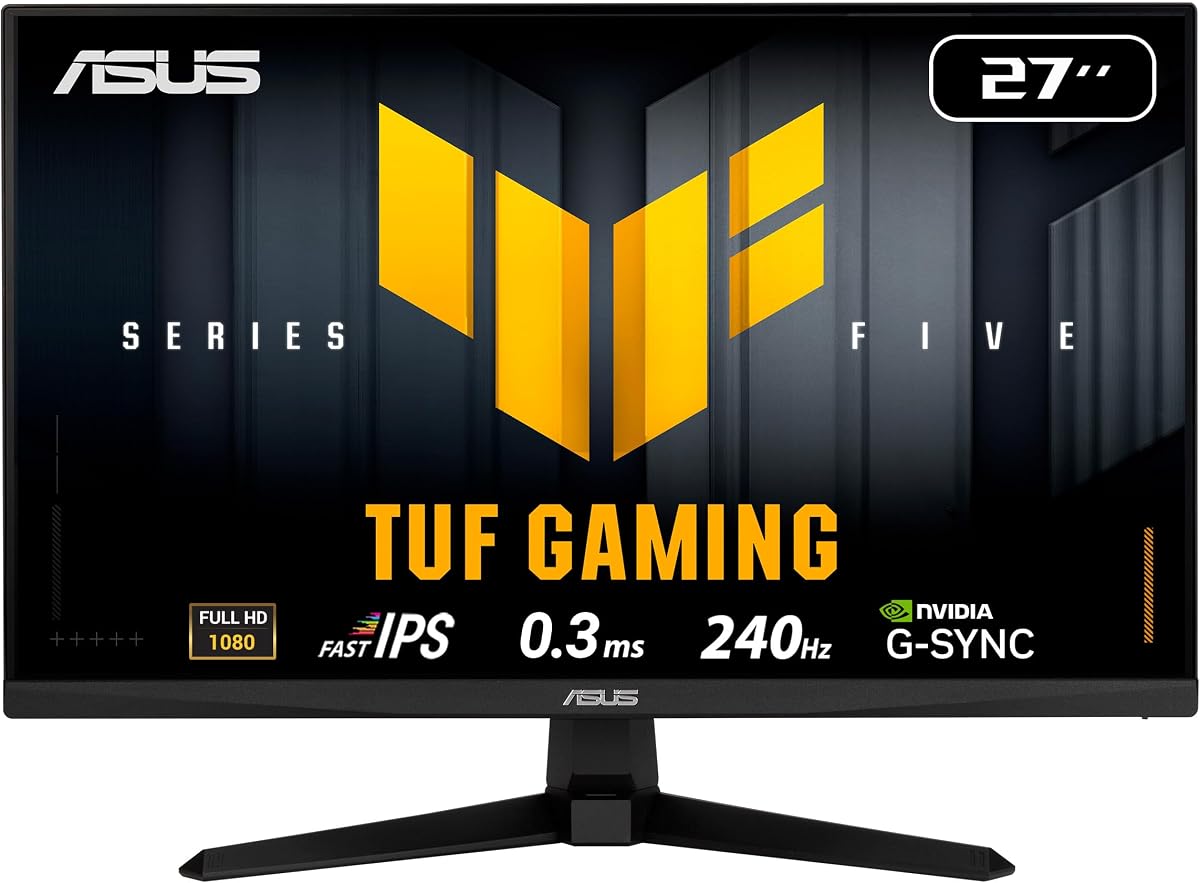
The ASUS TUF VG279QM5A combines a 27-inch Fast IPS panel, a native 240Hz refresh rate, and an exceptional 0.3ms minimum response-time rating. It supports both FreeSync Premium and G-SYNC compatibility, while Extreme Low Motion Blur Sync can work alongside variable refresh rates to reduce ghosting and tearing. For a competitive Valorant player who values fast pixel response and broad graphics-card compatibility, it is one of the most technically convincing options in the guide.
We may earn a commission when you buy through this link, at no additional cost to you.
ASUS has also added useful practical features. DisplayWidget Center provides mouse access to the on-screen display, making changes to game-specific settings simpler. TUF Gaming A.I technology is included for gaming enhancements, although its precise value depends on how it interacts with a particular title and the player's own preferences. The display covers 99% sRGB, which is appropriate for accurate game colors and general content creation.
The package includes a DisplayPort cable, L-shaped screwdriver, power cord, quick-start guide, and warranty card. A three-year manufacturer warranty provides stronger stated coverage than most entries in this roundup. The one significant compromise is the 1920×1080 resolution, even though the screen measures 27 inches. This means interface elements and distant details may appear somewhat larger than they would on the QHD AOC, a tradeoff that many competitive players prefer for easier readability.
This monitor is best for players who want a large 27-inch format, extremely low rated response time, and compatibility with either AMD or NVIDIA graphics hardware. It is also sensible for gaming and content creation because of its color coverage and straightforward control software. Choose it over the FHD alternatives when Fast IPS, ELMB Sync, and a three-year warranty justify the larger footprint and premium positioning.
A 0.3ms minimum response is especially notable in a fast-paced shooter, where agents, projectiles, and opponents can cross the screen in fractions of a second. The Fast IPS panel and ELMB Sync support aim to keep transitions defined while variable refresh rate handles frame pacing and tearing.
Compatibility with both FreeSync Premium and G-SYNC reduces the chance that a future GPU upgrade will leave valuable monitor features behind. The included DisplayPort cable and mouse-controlled DisplayWidget Center make the initial setup relatively convenient.
We may earn a commission when you buy through this link, at no additional cost to you.
The MSI MAG 274CF X24 is the strongest all-around recommendation in this guide. It combines a 27-inch FHD display, a 240Hz refresh rate, a 0.5ms GtG minimum response, AMD FreeSync Premium, and HDR readiness. Its 4.8 customer rating is the highest among the products with published scores, giving it a particularly strong reputation for delivering competitive specifications without an unnecessarily elaborate feature set.
We may earn a commission when you buy through this link, at no additional cost to you.
The Rapid VA panel is designed for fast color and brightness transitions, and the listed 0.5ms GtG response provides a credible foundation for Valorant. AI Vision is intended to reveal details in dark areas and enhance overall brightness and saturation. That feature may help in darker maps, although players should adjust it carefully so bright areas do not obscure important opponents or interface information.
Connectivity includes HDMI, VGA, and VESA support, with tilt adjustment for basic positioning. HDMI is the connection most relevant to a modern gaming PC or console. The inclusion of VGA is less useful for competitive Valorant but does provide backward compatibility with older systems. As an FHD display, it prioritizes a familiar competitive layout and larger interface readability rather than maximum desktop resolution.
The MSI is a strong choice for competitive players who want a large screen, a high-refresh VA panel, and broad popularity without moving to a premium ASUS or QHD AOC model. It is especially attractive for AMD graphics-card owners due to FreeSync Premium support. Players who prioritize perfect black levels, maximum resolution, or extensive stand adjustment should examine alternatives, but for a well-rounded 240Hz competitive monitor, the MAG 274CF X24 is difficult to overlook.
Valorant includes maps where corners, corridors, and smoke effects can conceal important details. AI Vision is designed to brighten those areas and increase color saturation, potentially making agents easier to distinguish. The setting should still be balanced against the monitor's normal brightness to preserve enemy outlines.
A 4.8 customer rating suggests broad satisfaction, although ratings should not be treated as a substitute for checking current return policies or warranty terms. The core combination of 240Hz, 0.5ms GtG, and a 27-inch FHD panel remains well aligned with the needs of competitive Valorant.
We may earn a commission when you buy through this link, at no additional cost to you.
The AOC 27G51Z gives competitive Valorant players a 27-inch IPS option with a native 240Hz refresh rate and an optional overclock to 260Hz. It carries a 4.6 customer rating, includes Adaptive-Sync support, and specifies a 0.5ms MPRT response time. The result is a flexible FHD display that can operate at a standard high-refresh target or push higher when the graphics hardware and user preference support it.
We may earn a commission when you buy through this link, at no additional cost to you.
Unlike options that list overclocking without clarifying its native baseline, this AOC explicitly states that 240Hz is native and that 260Hz is an overclocked setting available over both HDMI and DisplayPort. The 27-inch IPS panel provides wide 178-degree viewing angles, while the 16:9 format and 1920×1080 resolution make it easier to read the Valorant HUD without Windows scaling. The three-sided frameless design also gives the monitor a clean appearance and supports multi-monitor arrangements.
Flicker-free technology and a 22W typical Eco Mode focus on comfort and efficiency during long sessions. AOC's graphical OSD and G-Menu software provide control over the display. A -3° to +21° tilt range and 100x100mm VESA support offer some placement flexibility, but no height adjustment is listed in the supplied specifications.
This monitor is a good match for players who want a 27-inch FHD display and appreciate the option of a higher refresh rate without moving to QHD. The native 240Hz mode remains the sensible default, while 260Hz can be tried for extra headroom. It is less suitable for buyers who need extensive ergonomic adjustment or insist on a sub-0.5ms rated response, but it balances speed, size, and feature set effectively.
The 260Hz overclock can benefit systems capable of delivering enough frames to take advantage of the extra headroom. Players using a lower-capability GPU can remain at the native 240Hz setting, making the monitor flexible without requiring a performance upgrade immediately.
The 16:9 FHD format is familiar to most Valorant players and avoids the interface scaling required on some higher-resolution displays. Wide IPS viewing angles also help when the monitor is positioned slightly off-center or when a second screen is placed alongside it.
We may earn a commission when you buy through this link, at no additional cost to you.
The SANSUI 24-inch curved monitor combines a 240Hz refresh rate with a 1500R curved FHD panel, making it a practical option for players who want a compact and visually immersive competitive display. Its 1ms MPRT response, FreeSync support, game presets, crosshair, and black-level adjustment are useful for shooters. The 4.4 customer rating indicates a generally positive reception, although it is among the lower published scores in this comparison.
We may earn a commission when you buy through this link, at no additional cost to you.
Color specifications are a notable strength. The monitor covers 124% sRGB and 93% DCI-P3, reaches 300 nits, and has a stated 3000:1 contrast ratio. These figures can make the Valorant interface and agent abilities look vivid, while HDR support adds a more cinematic option in compatible games. Anti-flicker and anti-glare treatments are also included for regular use.
The port selection is balanced for a modern competitive PC. One HDMI 2.0 and one DisplayPort 1.4 connection each support up to 240Hz, and an audio jack is provided without built-in speakers. VESA 75x75mm compatibility and -5° to +15° tilt adjustment allow basic positioning. As with the other SANSUI model, the supplied information lists lifetime technical support and warranty arrangements that should be confirmed on the current product listing.
This display is best for players who prefer a smaller curved screen and value strong color specifications over having the absolute lowest response-time figure. The 24-inch size is easier to accommodate than a 27-inch display, while the curve creates a more enveloping view. Competitive purists may prefer a flat IPS screen and sub-0.5ms rating, but the SANSUI remains a compelling 240Hz option for value-conscious setups.
The 1500R curve wraps the image around the viewer's field of vision without requiring a very large panel. At 24 inches, it offers a more immersive presentation than a flat screen while remaining practical for smaller desks and mixed gaming and entertainment setups.
The black-level adjustment, or shadow booster, can help reveal details in dim areas. Because excessive shadow brightening may also expose more environmental detail, players should compare it with a standard setting and choose the level that keeps enemy silhouettes easy to distinguish.
We may earn a commission when you buy through this link, at no additional cost to you.
The ASUS TUF VG249QML5A combines a 23.8-inch Fast IPS panel with a 240Hz refresh rate, a 0.3ms minimum response time, and compatibility with both FreeSync Premium and G-SYNC. Its most practically useful distinction from many lower-cost 24-inch alternatives is a height-adjustable stand, making it easier to align the screen with competitive eye level and reduce neck strain over extended sessions.
We may earn a commission when you buy through this link, at no additional cost to you.
ASUS Extreme Low Motion Blur Sync can operate with variable refresh rate to target ghosting and tearing during fast movement. DisplayWidget Center provides mouse-based access to the on-screen display, while 99% sRGB color coverage supports accurate game colors and general creative work. A 4.4 customer rating suggests a solid but not universally exceptional reception.
The 1920×1080 resolution is appropriate for a 23.8-inch competitive display and provides a familiar Valorant interface. The relatively small panel can be easier to position beside a laptop or secondary monitor, and its height adjustment gives it more flexibility than the Dell and several other 24-inch options. The three-year warranty and included software features reinforce the premium nature of the TUF line.
This monitor is best recommended for competitive players who want a compact 240Hz screen but do not want to give up stand adjustment. It is a particularly good fit for desks shared between gaming and regular computer use, where raising or lowering the display matters. Players seeking QHD detail or a 27-inch field of view should instead consider the AOC Q27G41ZE, while those prioritizing value can examine the Dell SE2426HG.
A height-adjustable stand allows the display to be positioned with the top of the screen near or below eye level. That can reduce the need to hunch forward during long Valorant sessions and makes it easier to reposition the monitor when the desk arrangement changes.
Fast IPS, a 0.3ms minimum response, ELMB Sync, and support for both major adaptive-sync standards form a strong competitive foundation. These features target the rapid visual changes and frame-pacing inconsistencies that can make precise aiming harder in a tactical shooter.
We may earn a commission when you buy through this link, at no additional cost to you.
The ASUS TUF VG259QM5A occupies a useful middle ground between a conventional 24-inch monitor and a larger 27-inch model. Its 24.5-inch Fast IPS panel runs at 240Hz, has a 0.3ms GtG minimum response rating, and supports both FreeSync Premium and G-SYNC. A 4.6 customer rating places it among the stronger-rated products in the guide, while its compact format is suitable for competitive desks that cannot comfortably accommodate a 27-inch screen.
We may earn a commission when you buy through this link, at no additional cost to you.
The technical feature set is closely aligned with fast FPS play. ASUS Extreme Low Motion Blur Sync works with variable refresh rate to reduce tearing and ghosting, while DisplayWidget Center gives mouse-based control over the OSD. The display covers 99% sRGB for accurate and vivid colors, and a three-year manufacturer warranty offers useful stated protection for a gaming display expected to remain on a desk for years.
As a 1920×1080 model, the TUF keeps Valorant's interface familiar and relatively easy to read. The 24.5-inch size offers a little more screen area than a 23.8-inch display without approaching the desk depth of a 27-inch monitor. The supplied product information does not detail the full range of stand adjustments, so buyers should verify physical dimensions, height movement, and connectivity on the current listing before purchasing.
This ASUS is a compelling all-round recommendation for players who want a compact, fast 240Hz monitor with premium motion features. It may be especially appealing to users switching from a 144Hz display and wanting clearer movement, broader sync compatibility, and a responsive IPS panel. Those who value maximum desktop resolution can choose the QHD AOC, while buyers seeking more ergonomic control should examine the VG249QML5A or consider a monitor arm.
The 24.5-inch panel provides a useful middle-sized target without the physical footprint of a 27-inch display. At the same time, the 240Hz rate, 0.3ms GtG response, and Fast IPS technology preserve the low-latency characteristics competitive players expect.
ELMB Sync and compatibility with G-SYNC and FreeSync Premium provide several routes to smooth frame presentation. The effect depends on the graphics card, game settings, and frame rate, so it is worth testing multiple combinations rather than assuming every adaptive-sync mode will be ideal.
We may earn a commission when you buy through this link, at no additional cost to you.
Choosing a competitive Valorant monitor means balancing latency, motion clarity, visible detail, synchronization, desk space, and comfort. A 240Hz label is an excellent starting point, but panel technology, response claims, GPU compatibility, and the intended screen size determine how well the display supports fast competitive play.
Response time describes how quickly a panel can change from one color or brightness state to another. In Valorant, even brief trails behind agents, weapon effects, or strafing opponents can make targets harder to isolate. Specifications in this guide range from a 0.3ms minimum response to 1ms MPRT, with the Dell, AOC QHD, and ASUS Fast IPS models presenting especially low published figures. These ratings are not perfectly standardized across brands, so they should be treated as comparative clues rather than direct laboratory guarantees.
Choose the lowest credible response-time rating, but also consider whether the display supports motion blur reduction and variable refresh rate. Fast response reduces visible smearing, while ELMB-style features can make movement appear clearer when frame delivery is appropriate. A fast panel cannot compensate for an inconsistent frame rate, so it works best alongside capable hardware and sensible in-game settings.
A native 240Hz refresh rate provides a stable target for competitive Valorant. Some listed monitors also advertise overclocked modes, such as the AOC Q27G41ZE at 260Hz, the AOC 27G51Z at 260Hz, and the SANSUI 24.5-inch model at up to 300Hz. These higher figures can provide useful headroom, but they should not be confused with the native operating rate. The advertised maximum may also require a particular port, graphics card, and firmware or OSD configuration.
Prioritize a monitor that maintains its target rate consistently and supports the connection you plan to use. For modern gaming PCs, DisplayPort is generally the most common choice for high refresh rates, while HDMI can be useful for consoles and secondary systems. Check the supported resolution and refresh combinations in the current listing before making a final decision.
Adaptive synchronization helps align the monitor's refresh timing with the frames delivered by the graphics card. This can reduce tearing and make movement appear smoother when the game is operating near the display's target rate. The Dell and SANSUI 24.5-inch models list FreeSync Premium, the MSI lists AMD FreeSync Premium, and the ASUS models support both FreeSync Premium and G-SYNC. The AOC products also describe adaptive-sync or G-SYNC support, depending on the model.
Match the monitor to the graphics card you own now and the hardware you may buy later. A display that supports both major standards offers extra flexibility, but features can differ between an official G-SYNC implementation and general adaptive-sync compatibility. Check current compatibility notes, update the graphics driver, and use the included or recommended cable for the intended high-refresh connection.
Most options in this guide use 1920×1080, a resolution valued by competitive players because interface elements remain large and immediately readable. The AOC Q27G41ZE is the exception, offering 2560×1440 on a 27-inch panel for more visual detail and desktop space. Physical size also matters independently of resolution: 27-inch screens immerse the player more deeply, while 23.8-inch and 24.5-inch models are easier to fit into compact setups.
Choose FHD if fast HUD readability, familiar scaling, and efficient use of desk space are your priorities. Consider QHD if you also play demanding games, work with detailed interfaces, or want more room for windows beside Valorant. Avoid choosing a large screen solely from its diagonal measurement, because a 27-inch model requires more desk depth and can make it harder to view the entire play area without turning your head.
IPS is favored by many competitive players because it combines fast response options with wide viewing angles and accurate color. The Dell, both AOC models, the Amzfast, both SANSUI models, and all three ASUS options use IPS or Fast IPS technology. The MSI MAG 274CF X24 uses a Rapid VA panel, offering a different balance that emphasizes fast transitions and contrast rather than the viewing-angle profile usually associated with IPS.
Look beyond headline gamut percentages when choosing a panel. 99% sRGB is a solid target for competitive gaming, while the Amzfast and curved SANSUI list wider sRGB coverage and 93% DCI-P3 on the latter. Brightness, contrast, HDR support, and anti-glare treatment also influence visibility. In a dim room, excessive brightness can be uncomfortable; in a bright room, insufficient brightness can make enemies and interface details harder to see.
A high-refresh monitor is only useful if the PC can deliver frames to it through a suitable connection. DisplayPort 1.4 appears throughout the group, while HDMI 2.0 is common and supports 240Hz on several models. The MSI also includes VGA, and the Dell provides two HDMI inputs plus DisplayPort. Check the number of inputs, audio-out or headphone-jack support, and whether the required cable is included.
The ASUS VG279QM5A includes a DisplayPort cable, power cord, L-shaped screwdriver, quick-start guide, and warranty card. The SANSUI 24.5-inch display includes a DisplayPort cable, while the AOC 27G51Z includes HDMI and power cables. For a clean setup, verify cable length and monitor placement before choosing, since a recessed desk or a wall-mounted arrangement can affect which cables are needed.
Competitive sessions can be long, so a monitor should sit at a comfortable height and viewing angle. The ASUS VG249QML5A is the standout here because its supplied specifications list a height-adjustable stand. Other models mention tilt, while several support VESA mounting, making them compatible with monitor arms. The Dell offers tilt only, and the AOC Q27G41ZE and 27G51Z list a -3° to +21° tilt range.
Measure your desk depth and the available area under or behind the monitor before choosing. A curved model can feel immersive, but the curve is not essential for Valorant's map-based perspective and may introduce edge distortion. A compact flat display may be more comfortable for players who keep their head centered and want a consistent viewing plane. If a full ergonomic stand is important, verify swivel, pivot, height, and VESA details in the current product documentation.
Gaming modes, crosshairs, shadow controls, and joystick-based OSDs can make setup easier, but they are secondary to core panel performance. The SANSUI 24.5-inch model includes FPS, RTS, and racing presets, while the Amzfast offers a five-way joystick for direct control. Low-blue-light and flicker-free features are valuable for long sessions, and several products carry eye-comfort certifications or comfort-oriented software.
Warranty length can also influence long-term confidence. ASUS lists a three-year manufacturer warranty for its TUF models, Dell provides TÜV Rheinland 3-star certification, and SANSUI describes warranty and lifetime technical-support arrangements. Review the current terms, return policy, and regional coverage before purchase. These services do not affect raw performance, but they add practical value to a monitor intended for regular competitive use.
Begin by connecting the gaming PC with the appropriate high-refresh cable, most commonly DisplayPort 1.4 for a 240Hz desktop configuration. In Windows, open the advanced display settings and confirm that the desired refresh rate appears for the active resolution. If the monitor exposes separate overclocked modes, set the native 240Hz option as a stable baseline before testing the higher rate with the graphics card and connection you intend to use.
In Valorant, set the display mode to Fullscreen and align the in-game resolution, aspect ratio, and monitor resolution. The game's frame-rate limit is a personal choice, but for the clearest motion and lowest delay at 240Hz, a suitably high and consistent frame rate is important. Enable the appropriate adaptive-sync option in the graphics control panel, then adjust an FPS or game preset, crosshair visibility, brightness, and shadow controls to suit the map and room.
For long-term care, clean the screen with a soft microfiber cloth and avoid liquid cleaners applied directly to the panel. Let the display warm up before making fine color or brightness adjustments, keep vents unobstructed, and avoid placing excessive pressure against the screen. Periodically check that the graphics driver, monitor firmware or OSD, and adaptive-sync settings remain current, particularly after a hardware or software update.
A 240Hz monitor can make movement and small visual details appear smoother than a lower-refresh display, especially when the game is running near that refresh rate. The benefit also depends on response time, frame delivery, and adaptive sync. A responsive 240Hz panel is a strong match for competitive Valorant, but a poorly performing PC can prevent the game from taking full advantage of it.
No. Most competitive players prefer 1920×1080 because its interface elements are large and easy to read without scaling. The AOC Q27G41ZE offers 2560×1440 at 240Hz if you want more detail, wider multitasking space, or a display for mixed gaming and productivity use. The right choice depends on your preference for HUD readability versus image detail and desktop space.
A lower response-time rating generally indicates that the panel can change states more quickly, which is desirable for fast-moving shooters. However, manufacturers do not use identical test methods for every response specification, so the figures are not perfectly interchangeable. Response time should be considered alongside refresh rate, variable refresh, panel quality, and the actual frame rate produced by the game.
Adaptive sync can reduce tearing and make frame presentation smoother when frame rates and refresh timing are reasonably well matched. Use the mode supported by your graphics card and monitor, beginning with the native 240Hz setting. If results are unstable, update the graphics driver, test the correct cable, and adjust the in-game frame-rate cap rather than assuming the feature is required for every system.
A curved 24-inch model can provide an immersive view while remaining smaller than many 27-inch displays. The Amzfast and SANSUI models also offer 240Hz refresh rates, game modes, crosshair tools, and adjustable contrast-related features. However, the curve is not essential to competitive accuracy, and players who prefer straight lines and a flat viewing plane may find a flat IPS option more comfortable.
A 27-inch monitor is not inherently too large; it depends on desk depth, viewing distance, and personal preference. The MSI MAG 274CF X24, ASUS TUF VG279QM5A, and AOC models use larger FHD or QHD panels that can feel more immersive. Players who need more mouse space or prefer larger HUD elements may be better served by a 23.8-inch or 24.5-inch model.
A 240Hz monitor can offer twice the refresh opportunities of a 144Hz model and may make rapid movement appear smoother when the system can maintain a high frame rate. It will not double the game's speed or guarantee better performance, however. Players already satisfied with a fast, low-latency 144Hz screen may prioritize response, resolution, color, or stand adjustment instead.
Confirm the native refresh rate, maximum supported resolution, response-time rating, adaptive-sync standards, and the port required to reach the advertised rate. Also consider screen size, resolution, stand adjustment, desk space, brightness, and warranty coverage. Current listings can change, so verify the final specifications and compatibility details on the product page before ordering.
The Dell SE2426HG is the best budget choice for players who want the essential 240Hz competitive formula in a compact 23.8-inch IPS format. The MSI MAG 274CF X24 is the strongest all-around option, combining a 27-inch size, 240Hz refresh, 0.5ms GtG response, FreeSync Premium, and the highest published customer rating in the group. The ASUS TUF VG279QM5A stands out as the premium pick with Fast IPS technology, a 0.3ms minimum response, broad adaptive-sync support, and a three-year warranty.
For players willing to move beyond FHD, the AOC Q27G41ZE adds 2560×1440 detail while retaining a native 240Hz rate. The AOC 27G51Z and SANSUI 24.5-inch model offer optional higher refresh modes, while the ASUS VG249QML5A is worth considering for its height-adjustable stand. In every case, prioritize a stable native rate, low response, compatible adaptive sync, and a physical size that suits your desk and viewing habits.
Features such as crosshairs, FPS presets, shadow enhancement, HDR, and AI image processing can improve convenience, but they should support rather than replace a strong core specification. Check the current product page for the supported resolution and refresh combinations, warranty terms, dimensions, and graphics-card compatibility. Prices, promotions, and availability can change, so compare current listings before making a final purchase.