
Art Projector for Tracing and Drawing
4.0Editor score
App-free browser control
Online and offline operation
Adjustable projection stand
Real-time tracing support
A projector for murals must do more than display a large image. It needs to produce a clear guide, maintain accurate proportions, fit a working wall or canvas, and remain practical under the lighting conditions found in a studio. Dedicated art projectors offer helpful drawing tools, while brighter smart and cinema models can handle larger displays and more varied spaces.
The products in this guide were compared using the supplied specifications and customer ratings. We evaluated their purpose as drawing or art projectors, brightness, native resolution, image correction, placement options, transfer methods, connectivity, and the maximum image size stated by each manufacturer. The list includes dedicated tracing devices, portable models, smart projectors, and high-end home-cinema options.
Each review explains what a model contributes to mural planning, whether as a dedicated art projector or as a more general display. The three top picks highlight budget, overall, and premium approaches, while the remaining entries show worthwhile alternatives. Product configurations, features, and availability can change, so verify current specifications and compatibility before purchasing.
4.0Editor score

4.0Editor score

4.4Editor score
As an Amazon Associate we earn from qualifying purchases.
This side-by-side comparison highlights each projector's intended use, brightness, image capability, placement flexibility, and creative features, helping mural artists identify the option that best matches their wall size, reference images, and working environment.



The Caydo P2 is a dedicated art projector with a 3.8 customer rating and a feature set aimed directly at artists working with references. Its 250 ANSI lumens, native 1080p resolution, and stated 40-to-100-inch projection range make it more specialized for tracing and mural composition than many entertainment-focused alternatives. The built-in drawing application is its defining advantage because image adjustment tools remain available without a live internet connection.
We may earn a commission when you buy through this link, at no additional cost to you.
Creative controls include zoom from 0 to 200 percent, 360-degree rotation, a 3×3 grid, three background colors, and four artistic modes named Gridify, Sketchify, Comicize, and Monochromize. These functions help an artist alter scale and composition without repeatedly moving the equipment. Images can be transferred by scanning an app QR code or using a USB drive, while the rotating base and standard 1/4-inch-20 thread allow the projector to face walls, ceilings, tabletops, or tilted canvases.
The main limitation is the P2's lower brightness relative to the Caydo P3 and several brighter cinema projectors. Its supported projection distance of 2.3 to 5.8 feet also means it is better suited to medium-sized working areas than extremely expansive walls. Automatic focus and keystone correction are supported, but the specifications also acknowledge manual controls, so exact alignment may still require small adjustments. These are meaningful constraints for very large or brightly lit mural environments.
Despite those limitations, the P2 is a compelling choice for an artist who values drawing functions over entertainment features. It works especially well in a studio, basement, home workshop, or other setting where reliable offline operation matters. For broad reference work without requiring a premium display, it is a practical starting point, although the Caydo P3 is the stronger choice when extra brightness is important.
The built-in grid, rotation, zoom, and artistic modes make it possible to prepare a reference before outlining the first marks. These controls are particularly useful when a mural image must be scaled, cropped, or aligned to an uneven surface.
A rotating base and tripod-compatible mounting point give the P2 more placement freedom than a fixed-design entertainment projector. It can be angled toward a wall, easel, tabletop, or ceiling without relying on a separate stand for every orientation.
We may earn a commission when you buy through this link, at no additional cost to you.
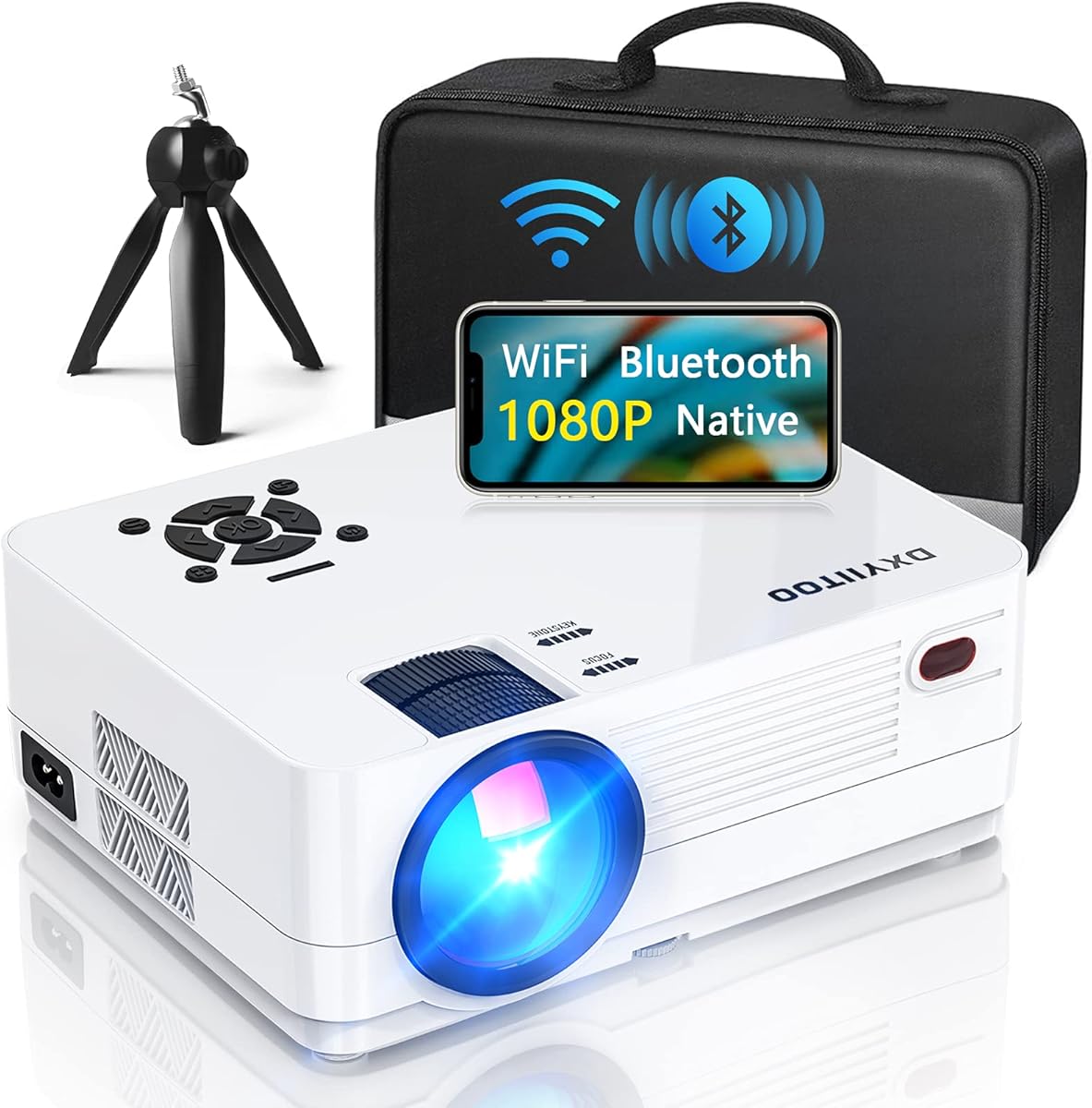
The Dxyiitoo 1080p projector is not designed around a dedicated drawing assistant, but it offers a useful general-purpose way to display mural references. It has a 4.3 rating, native 1920-by-1080 resolution, a claimed 20,000 lumens, a 10000:1 contrast ratio, and a maximum stated display of 300 inches. That makes it relevant to artists who want a large image and broad media compatibility rather than tracing-specific controls.
We may earn a commission when you buy through this link, at no additional cost to you.
Wireless options include AirPlay and screen mirroring from compatible phones, with support for iOS and Android. The projector also accepts data-cable or Lightning connections, while HDMI, USB, AV, and a 3.5mm audio jack provide wired paths for computers, media devices, phones, tablets, and other sources. A built-in dual-speaker system and Bluetooth 5.2 are useful when the projector is also used for presentations, entertainment, or a large reference display.
Its main drawback for mural work is the lack of a built-in art application with grids, artistic transformations, and offline drawing controls. Artists would need to prepare and scale images through a computer or phone. The 20,000-lumen description also uses a different measurement convention from the ANSI and ISO figures used by other products in this guide, making direct brightness comparisons less straightforward.
This model makes sense for a household that wants one projector for murals, movies, gaming, and media playback. It is less specialized than the Caydo models but potentially more versatile for mixed creative and entertainment use. Place it perpendicular to the mural surface and use external image-editing tools for precise scaling.
The extensive source compatibility lets a single unit present references from a computer, phone, tablet, console, or media drive. That flexibility can be useful in a shared creative space where the equipment is not reserved exclusively for tracing.
A stated maximum of 300 inches offers considerable room for a big reference image, design review, or visual presentation. The exact size still depends on placement, available distance, and the surface being illuminated.
We may earn a commission when you buy through this link, at no additional cost to you.
The Caydo P3 stands out as the most complete dedicated art projector in the group, earning a 4.0 rating and offering 400 ANSI lumens with native 1080p output. Its brightness specification is especially notable because the product is explicitly intended to produce a visible image in daylit conditions. The built-in 360-degree swivel base, wall, ceiling, easel, and chalkboard support, and tripod compatibility make it well suited to choosing the right angle for a mural surface.
We may earn a commission when you buy through this link, at no additional cost to you.
Its art application includes 0-to-200-percent zoom, 360-degree rotation, a 3×3 grid, three background colors, and the same Gridify, Sketchify, Comicize, and Monochromize modes offered by the P2. References can be loaded by QR code or USB drive, and the drawing tools continue working offline. Flexible mirroring is also available for phones, tablets, and laptops, although protected content from major streaming services cannot be mirrored.
Automatic focus is specified to adjust clarity in under three seconds, while automatic keystone correction supports a properly proportioned image. The 3.6-to-8.7-foot projection range gives more flexibility than the P2 for a broader wall, and 4K video playback support can handle reference material stored in higher-resolution formats. Manual focus and keystone adjustments are also available when an uneven surface or unusual angle demands additional tuning.
The P3 is the most logical choice for artists who want a purpose-built workflow and stronger illumination without moving to a cinema projector. It suits wall composition, enlarged reference work, classroom exercises, and detailed mural planning. It is less appropriate for built-in surround sound or casual streaming, but for its intended task it combines brightness, creative software, and flexible mounting in a focused package.
The stated 400 ANSI lumens provide a meaningful brightness improvement over the P2. That additional output can make outlines easier to see when a workshop or wall receives more ambient light, although the result still depends on the surface and room.
QR-code or USB transfers, followed by offline access to the drawing tools, reduce dependence on reliable internet service. An artist can move from importing a reference to adjusting its scale, rotation, grid, and artistic mode without completing a mirroring session.
We may earn a commission when you buy through this link, at no additional cost to you.
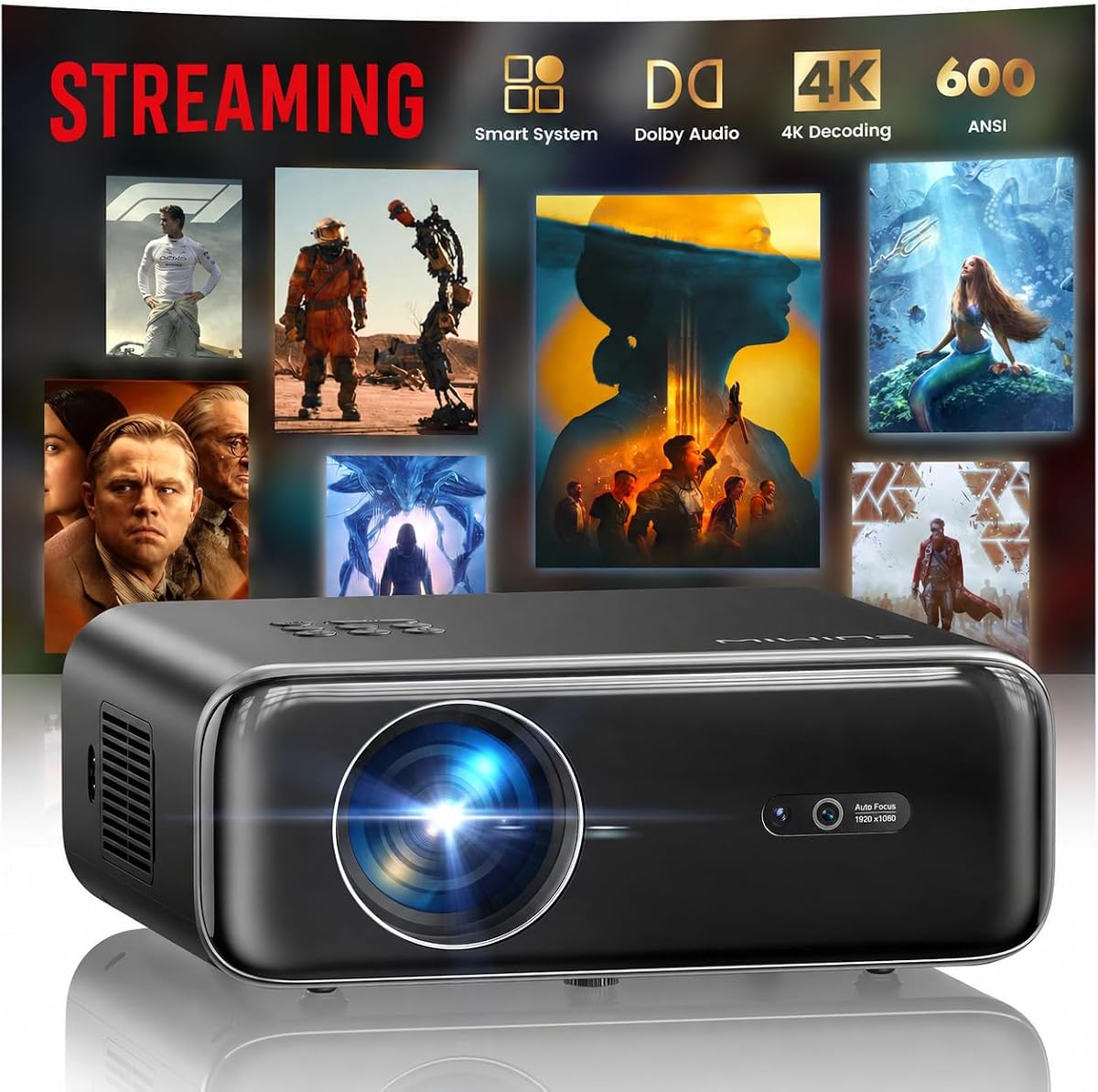
The WIMIUS P62 Pro is a smart entertainment projector with a 4.5 rating and a robust 600 ANSI-lumen output. It does not provide the dedicated art application found on the Caydo devices, but it combines brightness, smart applications, flexible connections, and automated setup. For mural artists, those general-purpose qualities can support reference display, client presentations, image review, and shared design sessions.
We may earn a commission when you buy through this link, at no additional cost to you.
The projector runs a smart operating system with built-in access to YouTube, Prime Video, an app store, and a browser. Connectivity includes two HDMI ports, two USB ports, a 3.5mm audio output, Wi-Fi 6, AirPlay, and Miracast. Dual 10-watt speakers with Dolby audio can provide sound for demonstrations, while HDMI ARC offers another route to a soundbar or receiver.
Its native 1080p image supports 4K input and HDR10, although the product information clearly notes that videos labeled 4K are displayed at the native 1080p resolution. Automatic focus, automatic keystone, smart obstacle avoidance, screen alignment, and 50-to-100-percent zoom help simplify placement. Ceiling, table, tripod, and wall mounting are supported, along with several screw locations for a more permanent setup.
The P62 Pro is best for users who need more than an art projector and value a single device for creative presentations, streaming, and entertainment. It requires external preparation and scaling for precise mural outlines, so it is less convenient than a dedicated art model. In return, it offers one of the strongest smart-projector feature sets in this comparison.
Built-in applications and browser access make it possible to present concepts directly from the projector. This is useful when an artist needs to show a client a reference, sketch, or finished design before physical wall work begins.
Automatic focus, keystone correction, screen alignment, obstacle avoidance, and zoom reduce the setup burden in rooms that are not purpose-built for projection. Those features are particularly helpful when the mural surface is away from the center of the room.
We may earn a commission when you buy through this link, at no additional cost to you.
The Aurzen Roku D1R has the highest customer rating in this group at 4.6. It is a 1080p smart projector designed primarily for streaming, with a stated image range of 60 to 150 inches, automatic focus, automatic keystone correction, dual 5-watt speakers, and a simple Roku home screen. These characteristics make it a convenient option for presenting artwork in a studio, studio classroom, or client-facing space.
We may earn a commission when you buy through this link, at no additional cost to you.
Its smart platform provides access to services such as Netflix, Prime Video, Hulu, YouTube, and the Roku Channel, along with free channels and live programming. A dedicated remote and the Roku mobile app offer several ways to navigate, type, or issue voice commands. AirPlay mirroring, built-in Apple TV support, Android compatibility, and smart-home integration with Apple HomeKit, Siri, Alexa, and Google Assistant broaden its roles.
There is no built-in drawing assistant, so exact reference scaling and tracing are not handled by dedicated creative software. A Roku account and internet connection are required for activation, which also makes it less suitable for completely offline work. The stated 60-to-150-inch range is also narrower than the maximum sizes claimed by several general-purpose models.
For an artist who wants a polished, approachable projector for both creative presentations and streaming, the D1R is a strong secondary choice. It excels at reducing setup friction and controlling popular streaming services, but a purpose-built art projector remains more efficient when the main task is repeatedly transferring and adjusting a mural reference.
Automatic focus and keystone correction help the image become usable soon after setup. For a client review, classroom demonstration, or studio recap, the straightforward interface can be easier to manage than a general projector menu.
The Roku interface brings popular streaming services and voice-control options into one environment. Artists can use the same device for tutorials, visual references, and finished-project presentations when internet access is available.
We may earn a commission when you buy through this link, at no additional cost to you.
The Caydo M1C is designed for artists who need a compact tracing tool rather than a large entertainment unit. It has a 4.2 rating, a palm-size body, a built-in art application, and a rechargeable 8000mAh battery that supports up to 2.5 hours of cordless playback. It can project onto walls, easels, smaller craft surfaces, or even cookies, making it adaptable to location-based creative work.
We may earn a commission when you buy through this link, at no additional cost to you.
The art software provides zoom, rotation, a 3×3 grid, three background colors, and four artistic modes. Images can be transferred by scanning a QR code or using a USB drive, and the creative tools function without a dependable internet connection. EShare, AirPlay, and Miracast offer additional mirroring choices, although protected content from services such as Hulu and Netflix cannot be wirelessly mirrored or cast.
Its 110 ANSI lumens and adjustable 10-to-100-inch image size make it appropriate for smaller work areas and careful, close-range projects. The lower brightness means it is less effective on a large wall in a bright room, and the stated 2.5-hour battery limit is modest for extended mural sessions. A tripod is included, which helps establish a stable angle on an easel or compact canvas.
The M1C is a compelling option for mobile artists, students, and instructors who work across multiple locations. It balances dedicated art functions with better portability than the larger Caydo projectors. For very large wall projections, though, it is better treated as a planning or detail tool than the main projector for an entire mural.
The built-in battery removes the need for a power outlet during shorter sessions. That portability is useful for outdoor sketches, pop-up installations, demonstrations, and small canvases away from a permanent studio.
Grids, rotation, zoom, background colors, and artistic modes make the M1C more useful for tracing than an ordinary portable projector. Its size range and lower brightness favor precise, smaller-scale work over a massive wall in a bright setting.
We may earn a commission when you buy through this link, at no additional cost to you.
The HAPPRUN 2000 ANSI is a high-brightness general projector with a 4.4 rating, native 1080p output, and 4K decoding support. Its stated 2000 ANSI lumens and 20000:1 contrast ratio make it suitable for large reference displays, presentations, and bright rooms. Unlike the dedicated Caydo devices, however, it does not include a built-in art application with tracing grids and artistic transformations.
We may earn a commission when you buy through this link, at no additional cost to you.
Automatic focus, 6D auto-keystone technology, AI obstacle avoidance, and auto screen alignment can establish a clear rectangular image within about five seconds of startup. Wi-Fi 6 supports wireless mirroring from iOS and Android devices, while two HDMI ports, two USB ports, AV, and a 3.5mm headphone jack cover wired sources. A built-in 8-watt speaker and bidirectional Bluetooth 5.2 add flexibility for demonstrations.
The maximum stated image is 300 inches, with a 50-percent zoom function, giving the unit considerable range for a home studio, workshop, or presentation area. There is an important placement limitation: the automatic focus can fail when the angle exceeds 15 degrees, so the unit should be placed on a level surface and pointed nearly perpendicular to the wall. Protected streaming applications also require an external Chromecast, dongle, or TV stick.
This projector is best when brightness and quick automatic setup matter more than dedicated tracing software. An artist can display a scaled reference prepared on a computer, while the automatic corrections simplify alignment. For repeated art transfers and grid-based composition, a dedicated art projector remains more efficient, but HAPPRUN offers a bright and flexible display solution.
The stated 2000 ANSI lumens create a clear advantage when a mural reference must be shown on a broad wall or viewed from farther away. Ambient light will still affect visibility, but the unit is designed for a wider range of environments than lower-output art projectors.
Automatic focus, obstacle avoidance, screen alignment, and keystone adjustment reduce manual setup. The 15-degree autofocus limitation should still guide placement, and manual alignment may be needed around textured or uneven walls.
We may earn a commission when you buy through this link, at no additional cost to you.
The Art Projector for Tracing and Drawing is a straightforward creative tool with a 4.0 rating. Its strongest advantages are accessibility and flexibility: dual-band WiFi supports real-time tracing, while a browser-based control page works with iOS and Android devices without requiring an app download. An artist can scan a QR code to adjust image rotation, scale, and other projection settings directly from a phone.
We may earn a commission when you buy through this link, at no additional cost to you.
Unlike cloud-dependent systems, the projector is designed for both online and offline use. That makes it suitable for studios, workshops, classrooms, and remote locations where a dependable connection may not be available. The included adjustable stand changes height and tilt, allowing the image to be aimed at a vertical wall, a horizontal canvas, or a small craft surface.
The product does not provide a numerical brightness figure in the supplied information, nor does it describe a dedicated grid or artistic transformation suite. Focus is adjusted manually with a physical button, which can be useful for a stable setup but less convenient than the automatic systems offered by several alternatives. The absence of grid, sketch, comic, and monochrome modes also makes it less specialized than the Caydo art projectors.
This is the top budget choice for artists who need a simple, portable tracing projector without a complicated application or expensive specialized hardware. It can accelerate work with architectural plans, canvas outlines, teaching examples, and small decorative projects. It is not the strongest option for a very large mural in a bright room, but it provides the core workflow in a compact, approachable form.
Browser-based control removes a common setup hurdle. The phone or tablet connects to the web-based adjustment page, where an artist can change image rotation and scaling without installing a dedicated creative application.
The adjustable stand changes both height and angle, so the same device can support a vertical wall composition, a horizontal canvas, or a smaller hands-on project. This flexibility makes it useful for both murals and teaching or craft demonstrations.
We may earn a commission when you buy through this link, at no additional cost to you.
The Epson EpiqVision Flex CO-W01 is the premium pick in this guide because its three-chip 3LCD technology emphasizes color accuracy and color brightness. It has a 4.4 customer rating, 3000 lumens of color and white brightness, and support for images up to 300 inches. That combination makes it a strong reference-display option for artists who need consistent color and a light, portable body.
We may earn a commission when you buy through this link, at no additional cost to you.
Advanced 3-chip 3LCD technology displays the full RGB color signal for every frame. The supplied specifications specifically note accurate color brightness without the distracting rainbow effects associated with some projection technologies. For mural work, this can be valuable when studying skin tones, color relationships, fabric references, and the balance of a complete composition.
The projector is designed to fit in a backpack and move easily between a home, gallery, classroom, or studio. It supports up to a 300-inch widescreen image, but it has a built-in HDMI port for connected streaming solutions rather than a full suite of smart applications. The user must supply an Apple TV, Roku, Amazon Fire TV, Android TV, computer, or another compatible source for many viewing tasks.
The Epson is the top premium choice for color-critical reference work, particularly when the projector will also support presentations or entertainment. It lacks a dedicated art application, so exact tracing requires separate image preparation. In return, it offers strong color consistency, useful brightness, portability, and a straightforward HDMI-centered design that suits professional creative environments.
Displaying the full RGB signal through a three-chip system makes this projector appealing for color-sensitive references. It is particularly relevant when the mural includes carefully planned gradients, skin tones, or coordinated color relationships.
A lightweight, compact body allows the Epson to move between working locations without the footprint of a fixed installation. It is well suited to galleries, studios, workshops, and on-site design reviews.
We may earn a commission when you buy through this link, at no additional cost to you.
The AWOL Aetherion Pro is a premium 4K ultra short-throw laser projector with a 4.5 rating. Its 2600 ISO lumens, 200-inch maximum image, PixelLock clarity system, and 6000:1 native contrast make it the most advanced display in this comparison. It is designed around home cinema and gaming rather than tracing, but its image quality can be valuable for a finished mural presentation or a detailed design review.
We may earn a commission when you buy through this link, at no additional cost to you.
The ultra short-throw architecture allows a large image from a relatively short distance, which is useful where traditional projector placement would be inconvenient. Noirscene System II, a six-level IRIS, and an EBL algorithm support deeper blacks and preserved shadow detail. HDR formats include Dolby Vision, HDR10+, HDR10, HLG, and Dynamic Tone Mapping, allowing high dynamic-range reference material to retain more highlight and shadow information.
For creative color evaluation, the projector includes a professional color-management system, ISF certification, and a stated 110% Rec.2020 gamut. Anti-RBE technology is designed to reduce rainbow-effect distractions. Its gaming capabilities include 1ms latency, VRR, ALLM, and Dolby Vision Gaming, although these features are aimed at entertainment rather than mural creation.
This model makes sense for a high-end home gallery, design studio, or presentation room where image fidelity matters more than tracing software. It is excessive for basic wall outlines, and the lack of a dedicated art application means the artist must handle image scaling separately. For premium image quality and minimal throw distance, however, it delivers capabilities the more specialized projectors do not target.
A large 200-inch image can be produced from a short projection distance, making the Aetherion Pro suitable for spaces where a deep projector arrangement is inconvenient. It is especially relevant to a dedicated gallery or finished-room display.
Professional color management, ISF certification, broad Rec.2020 coverage, and high native contrast make the projector useful for evaluating detailed visual material. Dolby Vision and multiple HDR formats add important range when the source and content support them.
We may earn a commission when you buy through this link, at no additional cost to you.
The right mural projector depends on image size, wall surface, ambient light, mobility, and how often you will trace references. Use the following factors to narrow the field before comparing placement and connection details.
If the projector will be used repeatedly to enlarge and transfer designs, a dedicated art assistant is more valuable than a large collection of streaming applications. Look for zoom, rotation, a grid, background controls, and artistic modes such as sketch, comic, monochrome, or grid treatments. The Caydo P2, P3, and M1C include these features, with the additional benefit that their drawing tools continue to function offline. A general projector can still display a reference, but the artist must perform scaling and alignment in separate software.
In short, choose a dedicated art projector for an efficient tracing workflow and consider a general model for broader entertainment value.
A mural reference must remain legible against the surface being painted. ANSI lumens and ISO lumens are more standardized points of comparison than generic brightness claims, so compare products using the same measurement where possible. The P3 states 400 ANSI lumens, the P2 states 250, and the M1C states 110. Bright cinema models reach much higher outputs, but the P62 Pro and Epson use different stated terms. A dimmer projector may work well in a darkened room while a brighter model is more practical in an active studio.
In short, match measured brightness to room lighting and paint color rather than relying on the largest advertised number.
The projector must be able to fill the intended wall or canvas from a workable distance. The P2 supports 40-to-100-inch images between 2.3 and 5.8 feet, while the P3 supports a 3.6-to-8.7-foot setup distance. General entertainment models advertise maximum sizes of 150 to 300 inches, although the real result depends on placement and image scaling. Ultra short-throw models can create a large image from much closer to the surface.
In short, measure the available room and desired image width before choosing a model based only on its maximum stated size.
Accurate murals depend on a sharp, rectangular guide. Automatic focus and keystone correction simplify setup, especially when the projector cannot sit directly opposite the wall. The P3 claims focus adjustment in under three seconds, the P62 Pro adds obstacle avoidance and screen alignment, and the HAPPRUN offers rapid 6D correction. Manual focus remains useful for textured surfaces. Any automatic system can struggle with angles beyond its specified range, so a tripod and adjustable base are valuable additions.
In short, favor automatic correction for speed but retain an adjustable mount so final alignment remains possible.
Native 1080p is common among the art and smart projectors in this guide, while the HAPPRUN adds 4K decoding and the AWOL offers native 4K. Higher resolution can help with fine lines and small reference details, but it does not replace correct scaling or a sharp lens. Check how images reach the projector. QR-code and USB transfers are convenient for offline art workflows, while HDMI, USB, and wireless mirroring support computers, phones, tablets, and streaming devices.
In short, use native resolution as a clarity baseline and verify that your preferred transfer method supports both art references and other media.
A mural studio may involve different walls, canvases, workshops, and client locations, so mobility can be as important as image quality. The M1C is palm-sized and offers up to 2.5 hours of cordless use. The P2 and P3 have rotating bases and 1/4-inch-20 tripod compatibility. The P62 Pro supports ceiling, table, tripod, and wall mounting with multiple screw points, while the Epson is designed to fit in a backpack. Consider ventilation, cable management, and surface access as well as device size.
In short, select the installation style that matches the work area, and do not trade away stable placement merely for a smaller body.
Smart projectors can display references and tutorials directly, which is helpful for collaboration and teaching. The WIMIUS P62 Pro includes popular streaming applications, the Aurzen uses Roku, and the Epson relies on a connected streaming device through HDMI. Bluetooth audio is useful for entertainment but does not improve a traced image. The art-focused Caydo models emphasize offline tools instead. Decide whether the device must operate without internet access or whether a stable connection is central to the intended workflow.
In short, prioritize offline image transfer for dependable creative work and smart applications only when streaming adds regular value.
The wall or canvas affects how useful a projection will be. Matte paint tends to diffuse light evenly, while glossy areas may reflect hotspots. Texture can reduce focus and make fine outlines harder to follow. Bright ambient light lowers contrast, and dark paint requires more output. Check ventilation requirements, particularly for projectors with cooling fans, and keep the lens clean. The Aurzen specifically recommends inspecting and cleaning its lens every three months and operating it in a low-dust environment.
In short, test the projector on the intended surface when possible and treat cleanliness, ventilation, and room lighting as part of image quality.
Begin by preparing the wall or canvas, then choose a projection method that matches the project. For a dedicated art projector, load the reference through its app or USB drive, apply the appropriate grid, zoom, and rotation settings, and preview the full composition before marking the surface. For a general projector, open the prepared image on a computer or mobile device and connect it through the recommended wired or wireless method.
Place the projector on a stable, level surface and point it toward the working area. Use a tripod or built-in swivel base to establish the required height and angle, then apply focus and keystone correction. Measure the projected boundaries with a straightedge and verify the scale against the original design. A small correction at the beginning prevents a distorted or oversized image from affecting the entire mural grid.
Keep the lens clean, use the projector in a low-dust area, and follow the clearance guidance in the manual. Allow the cooling system to operate normally, avoid blocking ventilation, and power down according to the manufacturer's instructions. If the image develops spots, dimness, or alignment issues, inspect the lens and settings before assuming the source image is at fault.
A dedicated art or drawing projector is usually best because it offers direct image transfer, zoom, rotation, grids, and offline creative controls. The Caydo P3 is the strongest all-around option in this guide, while the P2 offers a similar workflow with lower stated brightness. A bright general-purpose projector can also work if you prepare and scale the reference in separate software.
Yes, provided the image can be displayed sharply, scaled accurately, and adjusted to the wall's angle. A computer or phone with suitable editing software can prepare the image, while HDMI or screen mirroring sends it to the projector. Dedicated art projectors save time by putting several of those adjustments directly into the device.
Automatic keystone correction is highly useful when the projector cannot be placed directly perpendicular to the surface. It can quickly square the image, although uneven walls and extreme angles may still require manual adjustment. A tripod, stable surface, and careful measurement remain important even with automated features.
No, although brightness helps when a room has ambient light or the wall color is dark. Line clarity, focus, correct scale, and surface quality can be just as important. A dedicated art projector in a controlled room may produce a more workable guide than a much brighter entertainment projector placed poorly.
The projected image should closely match the area of the mural, with enough space to show the complete composition and relevant measurements. Some artists prefer to project section by section to preserve line clarity. Compare the projector's supported image range and placement distance with the dimensions of the available wall.
The Caydo P2, P3, and M1C state that their drawing tools remain available offline after images are transferred by QR code or USB drive. The budget tracing projector also supports online and offline use. Smart entertainment models generally require an internet connection for activation or streaming, so their suitability depends on the intended workflow.
QR-code transfer and a USB drive are the most convenient options for the dedicated art projectors because they minimize network dependence. HDMI, AirPlay, Miracast, and EShare can be useful for video, mobile content, or computers. Confirm that the chosen method supports still-image sizing and the file format you intend to project.
Level the projector, use a tripod or stable mount, apply focus and keystone correction, and compare the projected dimensions with the original design. Mark the grid and major boundaries with a straightedge before drawing detailed lines. Keep the lens clean and work in consistent lighting, since dust, movement, and changing ambient light can all affect visibility.
The Caydo P3 is the strongest overall choice for mural planning because it combines 400 stated ANSI lumens, native 1080p output, a dedicated art application, offline transfers, and flexible mounting. The budget tracing projector is a practical option for simple work, while the Epson EpiqVision Flex represents the premium choice for accurate color and portable professional display.
Prioritize the features that match your actual process. Artists who repeatedly scale references should choose a model with grids, rotation, zoom, and offline transfer. If you need a brighter general display for presentations and entertainment, consider the WIMIUS P62 Pro, HAPPRUN, or Aurzen. Whichever route you choose, measure the space, verify the image range, confirm the transfer method, and allow time to align the projection before painting.
Product specifications and configurations can change, and compatibility may depend on the app, operating system, source device, and room. Review the current listing, included accessories, warranty information, and technical requirements before making a final selection.