
Epson Workforce ES-50
4.3Editor score
Portable USB-powered design
Single-sheet automatic feeding
Searchable PDF and OCR output
Compare 10 leading Business Card Scanners for contact capture, OCR, portability, ID handling, software, and workflow integration in this practical expert guide.
Business card scanners turn stacks of paper contacts into organized digital records, helping teams avoid manual entry, lost cards, and duplicate contact lists. The most useful models combine accurate recognition with dependable image quality, practical card handling, and software that fits the way your office works.
This guide compares ten scanners for business cards, identification documents, receipts, and standard papers. We considered the supplied ratings, contact-recognition features, OCR tools, operating-system support, portability, duplex capability, card output, included software, and integrations to help distinguish dedicated business card devices from general-purpose scanners.
Each review shows how the scanner fits particular workflows, from quick contact capture at events to high-volume office processing and identity verification. Product features and availability can change, so readers should confirm current specifications, included accessories, and computer compatibility before making a final purchasing decision.
4.3Editor score

4.9Editor score

4.5Editor score
The table below compares all ten products by their most important documented characteristics, including card handling, recognition software, output formats, and intended workflow. It shows that dedicated contact-capture devices, portable document scanners, and identity-focused systems each serve distinct needs.


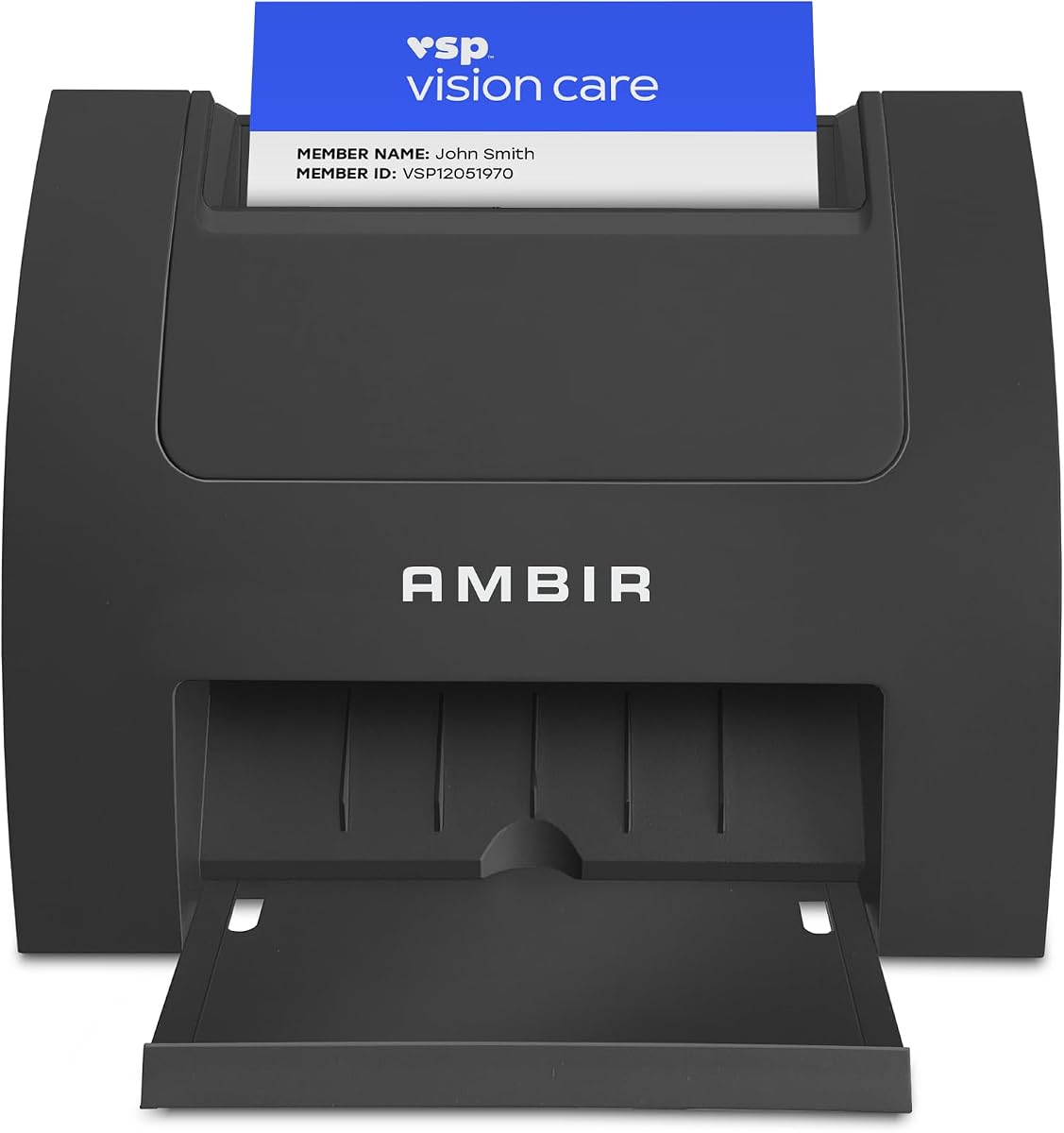


The Ambir ImageScan Pro 687-AS is the strongest all-around choice in this group for offices that need to digitize identification, insurance, driver's license, vaccine, and business cards. Its supplied rating of 4.9 is the highest among the ten products, while its defining capability is duplex scanning: both sides of a card can be captured during a single pass. That makes the device particularly useful when a card's reverse contains information that would otherwise be lost or entered manually.
We may earn a commission when you buy through this link, at no additional cost to you.
Its handling is designed around real-world card stock rather than ordinary paper alone. The documentation states that the scanner can process cards with raised characters in approximately three seconds, which is a meaningful benefit for embossed business cards, laminated cards, and certain plastic identity documents. A TWAIN driver broadens compatibility with applications that communicate with TWAIN imaging devices, while Citrix Ready certification provides additional assurance for organizations operating within Citrix environments.
The included AmbirScan capture software expands the scanner beyond basic image acquisition. It can save documents locally as PDF, TIF, or JPG and can direct files to Box, Dropbox, Evernote, or Google Drive. Built-in webhook integration can also send metadata such as the filename, page count, file size, and storage location to other applications, enabling custom workflows involving tools such as QuickBooks, DocuSign, and Slack. The webhook feature requires a Zapier Professional subscription, an important qualification for buyers comparing the total feature set.
This is the most complete option for a user who values fast duplex handling, broad software support, and direct contact-document workflows. It may be more specialized than a general-purpose document scanner, and the automation subscription may be unnecessary for a home office, but those limitations do little to diminish its appeal for reception desks, administrative teams, event organizers, and businesses handling large quantities of cards or identity documents. For those users, the ImageScan Pro 687-AS offers the most convincing combination of speed, flexibility, and integration in this roundup.
Capturing the front and back of a card in one pass reduces the number of handling steps and makes it easier to retain complete visual records. This is especially useful for identification, insurance, and driver's license workflows where information can appear on either side.
Local PDF, TIF, and JPG output provides a dependable baseline, while cloud destinations and webhook metadata expand the scanner's usefulness for distributed teams. Verify the applications and permissions in your existing workflow before installation.
We may earn a commission when you buy through this link, at no additional cost to you.
The PenPower WorldCard Pro is built around one primary objective: turning business cards into structured contact information. Its 3.3 rating is the lowest supplied among these products, but the documented software remains well suited to users who regularly receive international cards. The application can recognize business cards presented in 24 languages, making it a practical choice for conferences, trade shows, import-export businesses, and globally distributed professional networks.
We may earn a commission when you buy through this link, at no additional cost to you.
The scanner's core function is not merely to create a picture of each card. It scans, recognizes, and saves contact information in a digital format, allowing names, addresses, telephone numbers, and related details to become manageable records. The package supports importing and exporting through Address Book and can work with an iPhone or iPod, Microsoft Entourage, vCard, and CSV. It can also handle text, HTML, and image files, giving users several routes for moving and storing information.
Organization tools are another strength. Users can edit recognized details, assign multiple categories, add supplementary information and photographs, and locate records with both Text Search and Advanced Search. Clickable address and website fields can lead to a map or a contact's website, which turns the stored record into something more actionable than a static scan. This combination of recognition, editing, and categorization makes the system attractive to users who want control over how contact data is organized.
The principal trade-off is the 3.3 rating, which gives cautious buyers less confidence in the overall experience than the higher-rated alternatives. It also does not offer the same Zapier-based workflow automation or broad cloud-destination focus as some of the Ambir products. Even so, its multilingual recognition and traditional contact-management features are compelling for international event work. The PenPower WorldCard Pro is best for users who prioritize business card parsing and contact organization over general-purpose document imaging.
Support for 24 languages is the defining advantage for international users. It can reduce manual transcription when cards use languages beyond English and may make a larger event collection easier to organize.
Multiple categories, editable fields, photographs, keyword search, and advanced search provide useful tools after capture. Consider how your team will migrate and share these records before selecting a particular export method.
We may earn a commission when you buy through this link, at no additional cost to you.
The Ambir ImageScan Pro 667 is the most clearly focused on direct business card contact capture among the featured devices. It works with Microsoft Outlook, imports recognized details into an Outlook address book, and can detect duplicate Outlook contacts to help maintain a cleaner list. Its supplied rating of 3.6 places it behind several alternatives, but its contact-centric software and local AI processing make it a serious option for Windows-based offices.
We may earn a commission when you buy through this link, at no additional cost to you.
Optional AI processing is intended to improve the extraction of names, titles, phone numbers, and email addresses. When enabled, the documented language support covers English, French, Italian, German, and Spanish. Because the AI processing occurs locally on the computer, organizations can gain assisted recognition without sending the card content to a remote processing service. This local approach may appeal to teams handling commercially sensitive contact information, provided they operate on a supported Windows environment.
The software also supports scanning to a shared contact folder, which is useful for executive assistants and distributed offices that need a common destination. CSV export gives teams a portable way to store, back up, and upload information to third-party contact systems such as Salesforce or Google Contacts. Webhook integration adds an automated route for creating CRM leads, sending welcome messages, scheduling follow-up tasks, notifying Slack channels, or adding people to marketing campaigns. That Zapier function requires a Zapier Professional subscription.
A significant limitation is platform support: the included single-PC software license supports Windows 10 and 11 in both 32-bit and 64-bit versions, rather than the broader Windows and Mac combination stated in the listing title. Buyers should verify that detail carefully. Despite the 3.6 rating, the product is well matched to an executive assistant or office using Outlook who values duplicate detection, local AI extraction, shared-folder capture, and CRM-oriented automation. Mac users should consider an option with clearly documented cross-platform support.
Local processing can improve extraction while keeping business card content on the computer. Confirm that the card layouts and languages used by your contacts are well represented before relying on the feature for a large event.
Direct Outlook import, duplicate detection, and shared-folder scanning suit administrative teams that maintain centralized contact lists. These features are more valuable than isolated image capture when many people contribute cards across an office.
We may earn a commission when you buy through this link, at no additional cost to you.
The Epson Workforce ES-50 combines a 4.3 rating with a compact, portable form factor, making it a practical budget-oriented choice for people who need to scan business cards, receipts, identity cards, and ordinary documents away from a fixed desk. It is described as the fastest and lightest mobile single-sheet-fed compact document scanner in its class, although the listing's footnotes and qualifications should be reviewed for the underlying comparison context.
We may earn a commission when you buy through this link, at no additional cost to you.
The scanner can process a single page in as little as 5.5 seconds and supports documents up to 8.5 by 72 inches. Automatic feeding mode combines multiple inserted sheets into one file, which saves repeated setup steps when working through a modest stack. USB 2.0 provides power and data through the computer, eliminating the need for batteries or an external supply. That combination makes the ES-50 easy to carry in a travel bag or use between appointments.
Epson ScanSmart provides the central workflow for scanning, reviewing, and saving files. Nuance OCR can produce searchable PDFs and editable Word and Excel documents, which is valuable when a user wants usable text rather than a simple image. The included TWAIN driver supports a broad range of imaging software, and cloud scanning allows files to be directed to online storage accounts. These features extend the device well beyond a basic image-only scanner.
The principal limitation is its single-sheet feed and lack of documented automated business card contact recognition. Users who need contact extraction directly into Outlook or a CRM may need a dedicated alternative, while those who primarily want readable card images and searchable documents will find the ES-50 more adaptable. It is best for budget-conscious mobile users, small offices, and travelers who need a lightweight scanner for mixed paper rather than a high-volume contact-capture station.
USB power keeps the device simple to carry and eliminates the need to find an outlet during mobile work. The trade-off is that a functioning computer and cable are required whenever the scanner is used.
Searchable PDFs and editable Word and Excel files make captured information easier to retrieve and reuse. OCR quality should be considered for very small print, unusual layouts, and worn cards.
We may earn a commission when you buy through this link, at no additional cost to you.
The Ambir PS670ST-AS is designed for quick, high-quality imaging of identification and business cards. Its 3.6 rating is moderate, but the documented ability to scan a card in under two seconds makes it compelling for reception counters, registration desks, and any workflow where short lines of cards need to be processed rapidly. Output can be created in color or grayscale, and the scanner produces true 600 dpi images.
We may earn a commission when you buy through this link, at no additional cost to you.
Its vertical feed path is a meaningful physical-design decision. Cards enter from the top in a compact structure that occupies less desk space than many flatbed alternatives. The supplied information specifically identifies that design as making feeding easier in a busy office. Because the device is USB powered and designed for automated imaging, it can support a continuous workflow in which users keep feeding cards without stopping for a reset or capture prompt.
Bundled AmbirScan software provides auto-scan behavior, file formatting, and cloud-saving options. The scanner can also participate in webhook workflows that transmit document metadata to connected applications, supporting uses such as filing scans into business systems. A Zapier Professional subscription is required for that automation feature, so buyers should determine whether the additional connection is essential to their process or merely optional.
The main limitation is single-sided scanning. If a workflow routinely needs the reverse of a card, this model cannot match the duplex convenience of the ImageScan Pro 687-AS. The listing title mentions Windows and Mac, while the detailed feature list says the scanner is fully supported for Windows 10 and 11 in 32-bit and 64-bit versions; this discrepancy merits verification. Subject to that check, the PS670ST-AS is an excellent fast-imaging option for front-only card capture.
The under-two-second capture target and continuous automated imaging help minimize pauses at busy desks. This advantage is most apparent when a user is comfortable feeding cards consistently and does not require duplex capture.
A vertical feed path reduces the footprint and can make card handling more intuitive in a crowded workspace. Evaluate the machine's position relative to other equipment to ensure cards feed cleanly and remain accessible.
We may earn a commission when you buy through this link, at no additional cost to you.
The Ambir PS667 stands apart as an identity-focused scanning system with a perfect 5.0 supplied rating. Although it appears in a business card scanner roundup because it belongs to the broader market for compact card-capture hardware, its strongest documented use is reading 2D barcodes from valid U.S. and state-issued identification. It can extract a customer's name, address, date of birth, and other key data to reduce manual entry.
We may earn a commission when you buy through this link, at no additional cost to you.
The hardware and software are offered as a complete solution without subscription fees or ongoing costs, a distinction emphasized in the product listing. Records are stored locally, and no cloud storage or internet connection is required. That design can support privacy-conscious workflows in businesses that verify customer age, confirm expiration status, maintain customer visit records, or identify people on ban lists. Password-protected access and backup and restore functionality add administrative protections.
The built-in age verification system lets administrators establish age restrictions and flag minors. Expired-ID detection helps identify credentials that are no longer valid, while advanced anti-passback security can detect repeated scans of the same ID within a chosen interval. These features go well beyond basic imaging and make the scanner relevant to retailers, hospitality venues, security checkpoints, and other settings where accurate identity checks are routine.
This is not the most natural selection for someone who primarily wants to turn business cards into Outlook contacts or CRM records. Its strengths center on government identification, barcode data, and customer-management controls. Even so, for organizations seeking a self-contained identity-verification package, the PS667's 5.0 rating, local processing, age controls, and no-subscription structure make it a compelling option with a clearly defined purpose.
Reading valid 2D barcodes from recognized U.S. and state identification can speed customer intake and reduce typing errors. Businesses outside the covered document types should verify applicability before deployment.
Local storage and offline operation give administrators more control over sensitive customer information. Routine backups, password policies, and access controls remain necessary even when data never leaves the computer.
We may earn a commission when you buy through this link, at no additional cost to you.
The ScanSnap iX1300 is a versatile compact scanner with a 4.2 rating, designed for users who want to handle business cards alongside photographs, plastic cards, receipts, and ordinary documents. Its space-saving form factor is designed to remain unobtrusive, and its connectivity gives it more placement flexibility than a permanently tethered desktop unit. It can connect through USB or Wi-Fi and send scans to computers, mobile devices, cloud services, and Chromebook workflows.
We may earn a commission when you buy through this link, at no additional cost to you.
Its most notable feature is the ability to operate without a computer. This is useful for users who want to scan at a shared counter, in a home office, or in a distributed workplace and then deliver the resulting file to a connected device later. The QUICK MENU supports a scan-and-drag workflow, while a single touch can begin a fast duplex workflow rated at up to 30 pages per minute with automatic deskew, color optimization, and blank-page removal.
The scanner's general-purpose media support is an advantage. It can handle most document types, including thick items and plastic cards, making it suitable for organizations that do not want a separate device for every paper format. ScanSnap Home provides a centralized place to organize, edit, and use scanned documents, receipts, business cards, photographs, and other files. The combination of a touch-oriented interface and automated image adjustments lowers the amount of manual correction required for routine work.
What the iX1300 does not advertise is the same direct contact-recognition workflow found in dedicated business card software. It is a strong imaging solution for producing high-quality card files and organizing them, but users who need names, titles, and email addresses parsed into Outlook may need additional OCR or contact-management software. The 4.2 rating and flexible connectivity make it an attractive choice for mixed-document users, particularly those who value wireless and computer-free operation.
Wi-Fi operation and the ability to scan without a connected computer add flexibility to shared and mobile workspaces. Confirm that your intended destination devices and cloud services are supported before installation.
Deskew, color optimization, and blank-page removal help produce consistent results from mixed stacks. These automated corrections are especially useful when one scanner must process cards, receipts, photographs, and ordinary pages.
We may earn a commission when you buy through this link, at no additional cost to you.
The DocketPORT 667 is a compact simplex card scanner with a 3.8 rating and a clear emphasis on straightforward document archiving. Its footprint is described as roughly the size of a stapler, making it considerably easier to accommodate than a flatbed scanner. The lightweight construction also makes it a practical travel companion for users who need to digitize cards away from a permanent workstation.
We may earn a commission when you buy through this link, at no additional cost to you.
Power comes directly from a computer's USB port, eliminating the need to carry an external power adapter or search for an outlet. Its DocketScan image acquisition software can scan directly to industry-standard PDF format, which creates a convenient endpoint for card records. The included TWAIN driver supports compatibility with thousands of software applications and hardware systems, making it easier to incorporate the scanner into a broader document-management environment.
The DocketPORT 667 is best interpreted as a simple capture device rather than a full contact-management system. There is no documented automatic business card parsing, Outlook contact import, or CRM integration. Its value lies in producing compact PDF images that can then be managed by the user's existing software. For a temporary office, mobile sales kit, or lightweight archiving setup, that simplicity can be a benefit rather than a drawback.
Simplex operation is the primary limitation. Users who need both sides of a card or expect a high-volume automatic document feeder will need a more capable device. The 3.8 rating also places it behind the stronger-rated models, but its very small size, direct-to-PDF workflow, and broad TWAIN support give it a distinctive place in the lineup. Choose it when portability and simple PDF capture matter more than automatic contact extraction.
A stapler-sized design is valuable in small offices, temporary workstations, and travel setups. It also leaves room for other equipment on a reception or sales counter.
Direct PDF output creates a straightforward archive without requiring a complex capture application. Teams that want parsed contact fields will need separate recognition or management software.
We may earn a commission when you buy through this link, at no additional cost to you.
The Brother DS-640 is a compact mobile document scanner with a 4.3 rating that suits users who need flexible scanning across Windows, Mac, and Linux systems. It is less than one foot long and weighs about 1.5 pounds, allowing it to fit in a bag, purse, or even a pocket according to the listing. Its small size does not prevent it from handling business cards, receipts, identity documents, and ordinary papers.
We may earn a commission when you buy through this link, at no additional cost to you.
The scanner operates at speeds up to 16 pages per minute, with the same scanning speed for color and black-and-white documents. A supplied micro USB 3.0 cable provides both power and connectivity, so it can operate where no outlet is available. This makes the DS-640 a natural choice for sales representatives, consultants, field staff, and anyone who wants to capture documents immediately after a meeting.
Brother's iPrint&Scan desktop application provides a range of destinations, including the PC, network locations, cloud services, email, and OCR. Driver support includes TWAIN and WIA for PC, ICA for Mac, and SANE for Linux, giving the product broader platform coverage than several competing entries. The software suite adds document management, automatic color detection and adjustment, image rotation on PC, bleed-through prevention, background removal, text enhancement, and color-drop adjustments.
Like the ES-50, the DS-640 is a compact single-sheet-fed general-purpose scanner rather than a dedicated contact-recognition device. It can create useful card images and searchable content, but users seeking automatic name, title, and email extraction will need separate contact software. Its 4.3 rating, broad operating-system support, and range of scan destinations make it a strong travel-oriented option for mixed document capture.
Windows, Mac, and Linux support is unusual in this category and makes the DS-640 easier to deploy across mixed environments. The available drivers and iPrint&Scan features can vary by platform, so check the specific destination you need.
Up to 16 pages per minute offers a useful balance of speed and compactness for a mobile scanner. A modest stack can be processed without the footprint of a desktop automatic document feeder.
We may earn a commission when you buy through this link, at no additional cost to you.
The Epson Workforce ES-400 II is the premium office-oriented selection in this roundup, with a 4.5 rating and a large 50-sheet automatic document feeder. It is built for users who scan more than isolated business cards: mixed stacks of paper, receipts, forms, and cards can be handled through a desktop workflow designed to improve productivity. Its duplex capability captures both sides of each sheet and reduces manual flipping.
We may earn a commission when you buy through this link, at no additional cost to you.
Epson ScanSmart allows users to preview scans, email files, upload to the cloud, and use automatic file naming. Direct sharing to Dropbox, Evernote, Google Drive, and OneDrive makes it easier to move results into established storage systems. The included TWAIN driver supports integration with many document-management applications, while Nuance OCR can create searchable PDFs and convert scans into editable Word or Excel files.
Image processing features include automatic cropping, blank-page removal, and Epson Image Processing Technology. An ultrasonic double-feed detection system and dynamic skew correction help prevent missed pages when multiple sheets are loaded. These features are particularly valuable for administrative teams handling recurring batches, because they reduce the need to reopen a stack and manually correct skipped or crooked pages.
The ES-400 II is not a dedicated business card contact parser, and its large desktop design is unnecessary for someone scanning only a handful of cards occasionally. Nevertheless, the 50-sheet feeder, duplex operation, OCR, sharing options, and document-management integration make it a premium choice for a high-volume office. It is best suited to teams that value a dependable general-purpose scanning platform and want the convenience of feeding business cards alongside other records.
A 50-sheet feeder allows recurring batches to be scanned with fewer manual interruptions. It is especially useful for administrative teams that regularly combine cards with forms, receipts, and standard documents.
Duplex capture, double-feed detection, and dynamic skew correction help maintain complete, orderly files. Automatic cropping and blank-page removal further reduce the manual effort required to prepare a mixed stack.
We may earn a commission when you buy through this link, at no additional cost to you.
The right business card scanner depends on what must happen after a card is captured. Consider recognition quality, card handling, output destinations, computer support, and the volume and sensitivity of the documents involved before selecting a model.
A scanner that produces a clear card image solves only part of the problem. If your goal is a searchable contact database, prioritize OCR and structured field extraction for names, titles, companies, telephone numbers, email addresses, and addresses. The PenPower WorldCard Pro explicitly supports business card recognition across 24 languages, while the Ambir ImageScan Pro 667 offers optional local AI extraction for five documented languages and direct Outlook import.
General-purpose scanners such as the Epson ES-400 II and Brother DS-640 can use OCR to create searchable documents, but their core functionality is not dedicated contact parsing. Choose those models when visual archiving and searchable files matter more than automatic database creation, or plan to add separate contact-management software.
Duplex capture is essential when the reverse of a card may contain an address, additional title, terms, or identification information. The Ambir ImageScan Pro 687-AS captures both sides in one pass, and the Epson ES-400 II and ScanSnap iX1300 also support double-sided documents. A simplex model may be sufficient when the relevant content is known to appear only on the front.
Single-sided devices can be smaller, simpler, and appropriate for one-sided business cards, but they require a second capture for every card whose reverse must be retained. Match this choice to your actual card collection rather than assuming that every business card needs duplex processing.
Business cards are only part of the documents many offices receive. A useful scanner may also need to handle receipts, identity cards, plastic cards, raised print, embossed characters, thick items, and standard paper. The Ambir 687-AS is specifically documented to handle cards with raised characters, the ScanSnap iX1300 supports plastic cards and thick items, and the Epson ES-50 handles receipts and identification cards.
Check the maximum paper dimensions and media types before buying. A device advertised primarily for identity documents, such as the Ambir PS667, is excellent for its barcode and age-verification functions but may not suit broad contact-digitization needs. General-purpose scanners provide more media flexibility, whereas dedicated card machines often provide better card-specific handling.
For occasional capture, a compact single-sheet scanner is usually enough. For conference follow-up or a busy reception desk, faster card handling and continuous imaging can prevent queues. The Ambir 687-AS is documented at approximately three seconds per card, the PS670ST-AS at under two seconds for single-sided cards, and the ScanSnap iX1300 at up to 30 duplex pages per minute.
Higher-volume offices should also consider feeder capacity. The Epson ES-400 II accepts up to 50 sheets per automatic document feeder, reducing interruptions for mixed stacks. The Epson ES-50 and Brother DS-640 use automatic single-sheet feeding and are better suited to lighter, mobile workloads. Balance speed against the amount of desk space and hardware the workflow justifies.
The usefulness of a scanner often depends on where the captured information goes. Look for Windows and Mac compatibility, TWAIN support, searchable PDF output, editable Office files, cloud destinations, vCard and CSV export, and direct contact-folder or Outlook integration. The PenPower WorldCard Pro supports vCard and CSV, the Ambir 667 can import into Outlook and scan to shared folders, and the Epson ES-400 II supports email and several cloud services.
Automation can extend these workflows further. The Ambir 687-AS, Ambir 667, and PS670ST-AS support webhook connections that can trigger tasks in other applications, with Zapier Professional required. Evaluate the tools your organization already uses, then confirm the required connection, file format, and permissions before purchasing. A feature that does not fit the current system offers little practical value.
Business cards often contain personal and professional information, so storage practices deserve attention. The Ambir PS667 keeps scanned information locally and does not require cloud storage or internet connectivity. By contrast, several products provide direct cloud destinations, which is convenient but changes where documents are stored and who can access them.
Decide whether local-only processing, cloud flexibility, or both matter most. Review organizational policies, access permissions, backup procedures, and retention requirements. For identity documents and age-verification workflows, the PS667's local model, password protection, backup and restore features, and customer-management tools provide a more specialized security framework.
Consider where the device will be used and how it will be powered. The Epson ES-50, Brother DS-640, and DocketPORT 667 are compact USB-powered options that can move between offices, travel bags, or temporary workstations. The ScanSnap iX1300 adds Wi-Fi and can operate without a computer, offering even greater placement flexibility. The Ambir PS670ST-AS also uses a compact vertical feed path that reduces desk space.
Fixed high-volume work may be better served by the larger Epson ES-400 II and its 50-sheet feeder. Quick setup also matters: look for USB power, included software, recognized drivers, and operating systems already used in your workplace. Confirm whether a software license is tied to one computer, as the Ambir 667's single-PC license is.
Contact recognition and human readability both depend on a clean source image. The Ambir PS670ST-AS produces true 600 dpi color or grayscale output, while several other models provide automatic deskew, color optimization, crop, blank-page removal, background removal, and text enhancement. These features help compensate for angled placement, mixed document sizes, and imperfect source conditions.
Consider how files will be stored and whether OCR quality will affect searching or contact extraction. PDF is a broadly useful archive format, while TIF and JPG can be appropriate for image-focused systems. For high-volume feeds, double-feed detection and dynamic skew correction reduce missing pages and crooked scans. Choose based on the document condition and the destination system.
Begin by installing the manufacturer's software and connecting the scanner with the supplied or recommended cable. Confirm that the computer's operating system, driver, and application destinations are supported, then perform a short test scan before processing an important collection. For contact-recognition models, test several real cards and check the extracted names, job titles, email addresses, and telephone numbers against the originals.
Clean the feed path and imaging surface according to the product instructions, and inspect cards for loose laminates, adhesive, bent corners, and debris that could cause a jam. Feed each card squarely unless continuous automated capture is specifically supported. For a paper-based stack, arrange the sheets neatly, load no more than the stated feeder capacity, and review double-feed warnings immediately rather than allowing the workflow to continue unchecked.
After scanning, review each file for cropping, orientation, glare, and OCR errors. Organize images and contact records in a consistent naming system, and export backups before removing cards from a local folder. Clean the scanner only with approved materials, keep the device dry and dust-free, and schedule periodic checks of software updates, contact-management integrations, backup routines, and any local customer or age-verification databases.
It depends on the model. The PenPower WorldCard Pro and Ambir ImageScan Pro 667 include dedicated contact-recognition features, with the latter offering optional AI extraction, Outlook import, and duplicate detection. General-purpose scanners such as the Epson ES-400 II, Epson ES-50, Brother DS-640, and ScanSnap iX1300 primarily create document images and searchable files, so they may require additional contact-management software.
The Ambir ImageScan Pro 687-AS is the most card-specific duplex option in the lineup and is designed to capture both sides in one pass. The Epson Workforce ES-400 II and ScanSnap iX1300 also support double-sided document scanning. Select one of these if information on the reverse of cards must be captured automatically.
The Ambir ImageScan Pro 667 is specifically documented to import scanned business card details into Microsoft Outlook and detect duplicate Outlook contacts. It also supports a shared contact folder for distributed offices. Its included software is listed as supporting Windows 10 and 11, so compatibility should be confirmed before use on a Mac or an older Windows system.
General OCR converts visible text into searchable or editable document content, while business card recognition attempts to identify individual fields and organize them as contact records. OCR is useful for archives, searching, and data extraction, whereas structured recognition can populate a contact list or CRM with less manual work.
The Epson Workforce ES-50, Brother DS-640, and DocketPORT 667 are designed with compact, USB-powered operation in mind. The ScanSnap iX1300 adds wireless connectivity and can scan without a computer. For reliable travel use, keep the necessary cable, software, and storage media available and test the complete workflow before leaving the office.
The Ambir PS667 is the dedicated identity-focused option. It reads 2D barcodes from valid U.S. and state-issued identification, supports configurable age restrictions, detects expired IDs, and includes ban-list and anti-passback features. Its supplied features are intended for customer verification rather than conventional business card contact extraction.
Several models can direct files to cloud services. The Ambir ImageScan Pro 687-AS supports Box, Dropbox, Evernote, and Google Drive, while the Epson ES-400 II and ScanSnap iX1300 also provide cloud workflows. The Ambir PS667 differs by storing data locally and operating without required cloud storage or internet connectivity.
Confirm the supported computer operating systems, whether the software license covers one computer or multiple users, and which contact, CRM, or document-management systems you use. Also check card thickness, duplex requirements, feeder capacity, OCR languages, included cables, and any subscription required for automation or cloud access.
The Ambir ImageScan Pro 687-AS is the strongest overall selection because it combines fast duplex card handling, broad imaging compatibility, strong supplied ratings, multiple file formats, and useful workflow connections. The Epson Workforce ES-50 is the budget-focused choice for portable document capture, while the Epson Workforce ES-400 II is the premium pick for offices that need a large feeder, duplex processing, and strong document-management features.
Prioritize the outcome you need after capture. Choose dedicated recognition software when contacts must enter Outlook or a structured database, and choose a general-purpose scanner when cards are only one part of a mixed document stream. Privacy, operating-system support, feeder capacity, media handling, and required subscriptions can be more consequential than raw scanning speed for many organizations.
Before ordering, verify the current listing details, included software, compatibility, accessories, and subscription requirements against your intended workflow. Product configurations and features can change, and checking the latest manufacturer and retailer information will help ensure that the selected scanner remains suitable for your cards, software environment, and day-to-day operation.


