
HP 17.3-inch FHD Anti-Glare Laptop
5.0Editor score
300-nit anti-glare display
17.3-inch Full HD panel
Ryzen 5 7430U processor
16GB RAM and 1TB storage
A laptop used outdoors must remain readable in direct sun, glare, dust, rain, and changing ambient light. Screen brightness alone does not guarantee outdoor usability, so the strongest choices pair high-nit or sunlight-readable panels with anti-glare treatments, capable processors, dependable batteries, and durable enclosures suited to mobile work.
We compared all 10 products by display brightness, sunlight-specific features, screen size and resolution, processing power, memory, storage, connectivity, ruggedness, portability, and intended use. The list includes specialized rugged computers, renewed professional models, and conventional laptops that may work well in bright indoor settings or with careful screen positioning.
Each review explains the hardware, practical advantages, limitations, and best-fit buyer. The top picks highlight the strongest balance of outdoor visibility, performance, durability, and value, while the comparison table makes the major differences easier to scan. Product availability and pricing can change, so confirm current details before purchasing.
5.0Editor score
5.0Editor score

As an Amazon Associate we earn from qualifying purchases.
The comparison below covers display brightness, outdoor-focused features, core performance specifications, and rugged construction. The three dedicated 1,000-nit-class models stand apart for harsh sunlight, while anti-glare and 300-nit screens offer more modest visibility for indoor and partially shaded use.


The MUNBYN IRX17 combines a 1,000-nit sunlight-readable 15.6-inch Full HD display with serious industrial hardware, giving it one of the strongest overall profiles in this guide. Its 4.1 rating reflects a capable machine rather than a flawless one, but the combination of outdoor visibility, Core i7 processing, 32GB DDR5 memory, Wi-Fi 6, and rugged construction is particularly convincing for field professionals.
We may earn a commission when you buy through this link, at no additional cost to you.
The display is the centerpiece. A 1,000-nit panel is designed to preserve legibility in direct sunlight and other bright environments, while the 1920 by 1080 resolution provides enough detail for maps, schematics, forms, and industrial software. Internally, the Intel Core i7-1255U is presented as suitable for AutoCAD, SolidWorks, Creo, ANSYS, and MATLAB, while 32GB of DDR5 memory supports demanding multitasking. The replaceable 512GB SSD can be expanded up to 4TB, reducing the need to replace the entire computer as storage needs grow.
Its physical design is equally important for the environments implied by the display. IP65 protection and MIL-STD-810H certification address dust, water, heavy rain, and demanding field conditions. Wi-Fi 6 supports faster wireless transfer and lower latency, and the physical camera switch gives users a straightforward way to block the camera when confidentiality matters. Dual batteries are another practical advantage for extended work away from an outlet.
The trade-offs are weight, bulk, and the higher commitment associated with a specialized industrial computer. Buyers who need true sunlight readability, serviceable storage, strong processing power, and rugged protection will find those benefits more consequential than conventional aesthetics. This is the most complete recommendation for users whose work regularly takes place outdoors or into harsh industrial environments.
The 1,000-nit sunlight-readable FHD panel is the feature that distinguishes the IRX17 from ordinary high-resolution laptops. It is a much stronger choice when the screen must remain readable outdoors rather than merely look vivid indoors.
The Core i7 processor, 32GB DDR5 memory, and replaceable SSD create a capable platform for engineering, design, and data-heavy work. A user-replaceable drive also makes storage expansion and service planning more flexible.
We may earn a commission when you buy through this link, at no additional cost to you.
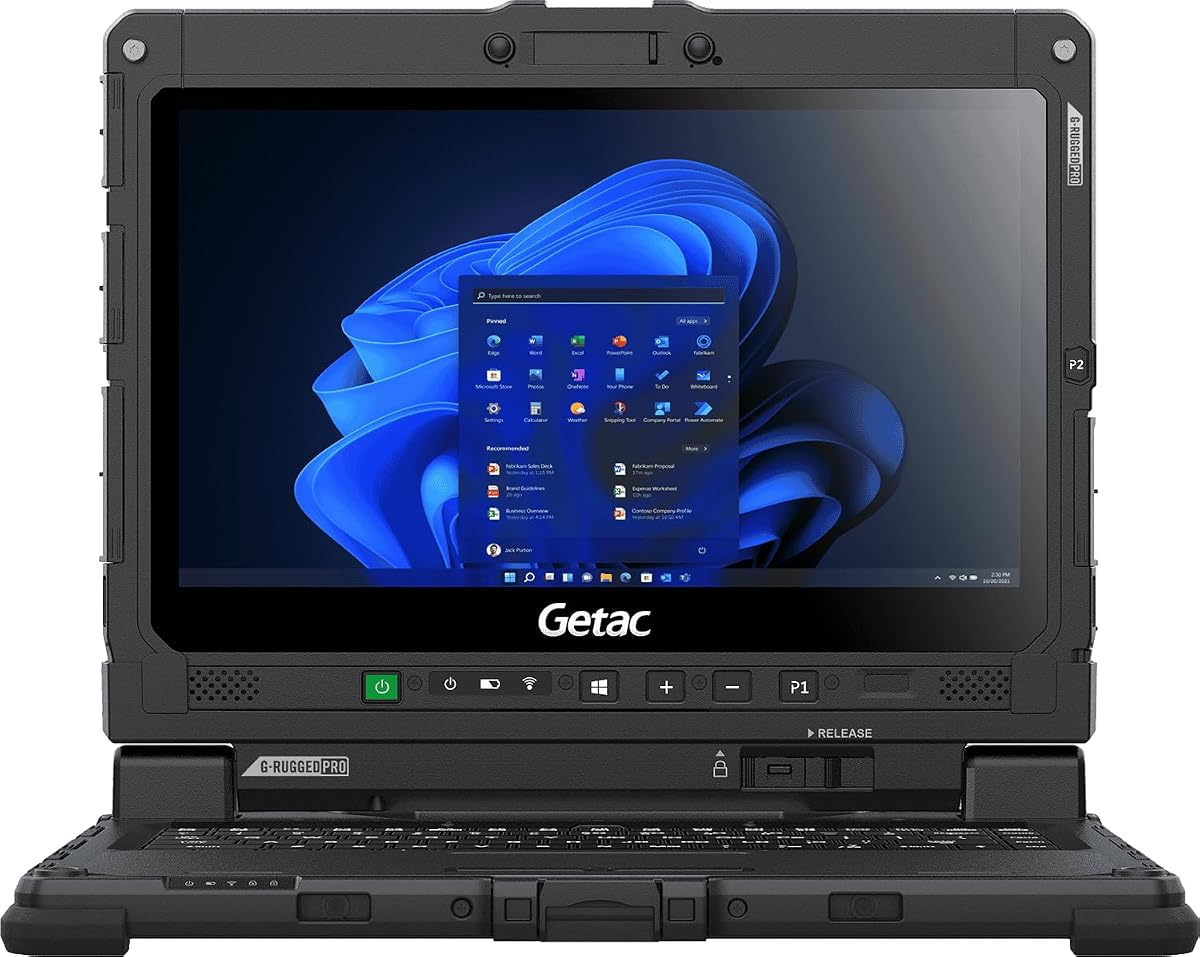
The Getac Renew K120 stands out with a 1,200-nit sunlight-readable 12.5-inch touchscreen, the highest brightness specification in this roundup, and a perfect 5.0 customer rating. It is a compelling choice for field technicians, surveyors, construction workers, and other users who need a compact, unusually legible display without moving to a larger 15.6-inch industrial computer.
We may earn a commission when you buy through this link, at no additional cost to you.
Getac describes the K120 as engineered to military-grade durability standards, with operation from minus 29 to 63 degrees Celsius, resistance to drops, shocks, vibration, and 95% humidity, and a protective film over the capacitive touchscreen. The touch interface remains responsive with gloves, an important consideration when the machine is being operated on construction sites, in warehouses, or during maintenance calls. Intel Iris Xe graphics support schematics, maps, and video playback.
The internal specification is more modest than the display. An eighth-generation Intel Core i5-8250U with four cores and eight threads handles field applications, analysis, and multitasking, while 16GB DDR5 RAM and a 256GB PCIe NVMe SSD provide responsive everyday operation. The limited storage capacity means owners who work with large maps, media, or project files may need external storage or a data-management plan.
This Amazon Renewed listing includes a professionally inspected and restored K120 with minimal signs of wear, a keyboard, power adapter, preinstalled Windows 11 Pro, and a 90-day warranty. It is an excellent fit for buyers who value the 1,200-nit display and rugged design more than cutting-edge processing. The small screen, glove-ready touch, and strong outdoor specifications make it especially practical for mobile field work.
At 1,200 nits, the K120 has the highest stated brightness here. That gives it an advantage when reading forms, maps, or equipment interfaces in direct sunlight, particularly when combined with its compact touchscreen.
Wide operating-temperature support and resistance to drops, vibration, shock, and humidity suit demanding mobile environments. The renewed condition should be considered when assessing cosmetic wear, though the listing describes the system as professionally restored and tested.
We may earn a commission when you buy through this link, at no additional cost to you.
The Getac S510 is a premium rugged laptop that pairs a 1,000-nit sunlight-readable 15.6-inch Full HD touchscreen with a modern Intel Core Ultra 5 125U platform. It is especially attractive to organizations that need a large outdoor-capable display, professional connectivity, and substantial memory without moving to the heaviest industrial design available.
We may earn a commission when you buy through this link, at no additional cost to you.
Its internal specifications are well balanced. The processor has four cores, a maximum clock of 4.3GHz, and a 12MB smart cache, while 32GB of DDR5 RAM supports intensive multitasking. A 1TB PCIe NVMe SSD provides generous, fast storage. The port selection includes two USB 3.2 ports, Thunderbolt 4, HDMI, LAN, audio connections, and a docking connector, allowing the laptop to function as the center of a workstation setup.
Ruggedness is supported by MIL-STD-810H certification, IP53 protection, vibration testing, and resistance to drops up to three feet. The screen includes protection film, and a 5MP Windows Hello camera supports secure login. At approximately 5.18 pounds and 1.5 inches thick, however, it is a substantial computer. Buyers should expect a less pocketable experience than with the 12.5-inch K120 or slim conventional laptops.
No customer rating is listed for this configuration, so the evaluation must focus on the supplied specifications rather than user sentiment. Still, the S510 is the most balanced premium choice here: its display, performance, memory, storage, ports, and durability all target professional use. It is a strong recommendation for buyers who need a larger workday screen and can manage the size and weight of a rugged platform.
The 15.6-inch FHD touchscreen provides useful workspace without reaching the size of a conventional 17-inch notebook. Its 1,000-nit brightness makes it substantially better suited to direct sun than standard 300-nit panels.
Thunderbolt 4, docking connectivity, wired LAN, HDMI, and USB ports create a versatile workstation platform. The 32GB of memory and 1TB SSD also leave considerable room for demanding applications and local project files.
We may earn a commission when you buy through this link, at no additional cost to you.
The MUNBYN IRX16 delivers the same key outdoor advantage as the IRX17: a 1,000-nit, 15.6-inch Full HD sunlight-readable display. Its 4.0 rating and slightly less powerful memory configuration place it below the IRX17 in this ranking, but it remains a strong option for buyers who need rugged construction and outdoor visibility without stepping up to Core i7 performance.
We may earn a commission when you buy through this link, at no additional cost to you.
The Intel Core i5-1235U is identified as suitable for AutoCAD, SolidWorks, Siemens NX, ZBrush, and ArcGIS. Its 16GB DDR5 memory operates at speeds stated up to 4800MHz, and the 512GB SSD can be replaced with a larger drive up to 4TB. The user-replaceable storage is a major advantage for field teams that accumulate large maps, media, diagnostic files, or project data.
Outdoor durability comes from IP65 protection and MIL-STD-810H certification, intended to handle dust, rain, and water jets without affecting performance. Wi-Fi 6 supports high-speed transfers and lower latency, while the physical camera slider provides a simple privacy control. A useful configuration note is that the SIM card sits beneath the SSD, so users requiring cellular service must know where to install it.
The primary compromise is memory: 16GB is adequate for many tasks, but heavier multitasking may leave less room for large engineering, simulation, or virtual-machine workloads than the IRX17's 32GB. The bulky enclosure is another consideration. For buyers who value the combination of sunlight readability, storage serviceability, and IP65 protection, the IRX16 remains a well-targeted industrial choice.
The replaceable 512GB SSD can grow to 4TB, making the IRX16 easier to maintain over time. That is valuable when project files, maps, recordings, or diagnostic data steadily accumulate.
The 1,000-nit screen handles bright surroundings better than ordinary consumer panels, while IP65 protection addresses dust and water exposure. Together, these features fit field work where screen reflections and environmental hazards are everyday concerns.
We may earn a commission when you buy through this link, at no additional cost to you.
The HP OmniBook 3 14 is a lightweight, modern Windows laptop built around a 2K OLED display and the Snapdragon X X1-26-100 processor. Its 4.1 rating and strong everyday feature set make it appealing for travel and mobile productivity, but its display is rated at up to 300 nits and is not marketed as sunlight readable.
We may earn a commission when you buy through this link, at no additional cost to you.
The 1920 by 1200 OLED panel offers crisp detail, rich color, and a compact 14-inch footprint. That makes the OmniBook useful in bright indoor spaces, shaded outdoor locations, and wherever visual quality matters more than extreme sunlight performance. Qualcomm Wi-Fi 6E, a 256GB PCIe Gen4 NVMe drive, and 16GB LPDDR5x memory form a capable everyday platform for browsing, office work, media, and communication.
Battery life is a major strength. HP advertises up to 41 hours and 45 minutes, and its Fast Charge system is claimed to restore the battery from zero to 50% in about 45 minutes. The FHD IR camera includes HDR auto-switch for backlit calls, while Otter.ai can record, transcribe, and summarize meetings. These features are particularly relevant to mobile professionals who alternate between calls, notes, and presentations.
Direct sun is where the laptop falls short of the dedicated rugged models. A 300-nit OLED panel can be difficult to read under harsh glare, and the absence of a stated anti-glare coating makes screen positioning more important. Buyers seeking a conventional premium-feeling mobile computer for bright rooms and occasional outdoor work may be satisfied, but field users should favor a 1,000-nit sunlight-readable display.
The compact 2K OLED display provides sharp resolution and rich color in a relatively portable enclosure. It is well suited to offices, travel, and shaded outdoor work where a conventional 300-nit panel remains comfortable to view.
The advertised battery runtime and fast-charge capability are useful for travel-heavy users. Windows on Snapdragon also supports modern mobile workflows, although application and accessory compatibility should be checked before relying on specialized software.
We may earn a commission when you buy through this link, at no additional cost to you.
The HP OmniBook 3 16 is a large-screen everyday laptop with a 2K IPS touchscreen, AMD Ryzen 3 processor, and a 4.5 customer rating. Its 1920 by 1200 display, wide viewing angles, and touch input make it useful for work in bright rooms or shaded locations, although the supplied information does not identify it as sunlight readable.
We may earn a commission when you buy through this link, at no additional cost to you.
The 16-inch format provides ample room for documents, web work, communication, and media. AMD Radeon 610M graphics support casual entertainment and everyday multitasking, while the Ryzen 3 processor is positioned for responsive general computing. The 8GB of LPDDR5 memory is the main specification limitation, especially for heavy browser workloads, large project files, or multiple demanding applications.
HP advertises up to 14 hours and 15 minutes of battery life, with approximately 45 minutes needed to charge from zero to 50%. Its camera includes HDR auto-switch for more balanced video calls in mixed lighting. Advanced Personal Mode can isolate a user's voice and filter surrounding conversation, a useful feature for calls made in shared spaces.
For someone seeking a roomy touchscreen at a modest specification level, the OmniBook 3 16 is appealing. It is not designed for direct-sun field work, though, and buyers should not infer ruggedness from the large chassis. The best users are students, home-office workers, and casual professionals who want a large display, touch controls, and long advertised battery life.
The 16-inch 2K panel offers a spacious canvas for documents, media, and touch navigation. IPS viewing angles are useful when positioning the laptop in a bright room, although direct-sun visibility remains unverified.
HDR camera switching and AI-based voice isolation make the system practical for regular video meetings. These features improve the experience in offices and shared environments but do not substitute for a sunlight-readable panel outdoors.
We may earn a commission when you buy through this link, at no additional cost to you.
The Dell DC15250 is a conventional 15.6-inch laptop built for everyday productivity, school, office work, and communication. Its Intel Core i5-1334U processor and 4.3 customer rating make it a dependable general-purpose choice, but the supplied specifications do not identify the display as high-brightness, anti-glare, or sunlight readable.
We may earn a commission when you buy through this link, at no additional cost to you.
Dell emphasizes efficient batteries and Express Charge support for extended productivity. ComfortView software is included to reduce harmful blue-light emissions during long screen sessions. The keyboard combines roomy keys with a separate numeric keypad, while lifted hinges provide a more ergonomic typing angle. These are practical details that can make a conventional laptop more comfortable for extended office use.
The 15.6-inch Full HD panel falls into the category of displays best kept in controlled lighting. In a shaded outdoor location it may work acceptably, but the screen can be difficult to inspect in direct sunlight without a high-nit panel or effective anti-glare treatment. The laptop also does not claim military-grade certification, IP protection, or other rugged construction features.
This makes the Dell appropriate for buyers who occasionally take a laptop into bright surroundings but mainly work indoors. It is also compelling for students and office users who value the numeric keypad, familiar Windows interface, and onsite service. For consistent use in direct sun or harsh environments, one of the sunlight-readable rugged models is a more responsible match.
The Core i5 processor and 15.6-inch Full HD screen cover common productivity needs without the bulk of a rugged system. A numeric keypad and ergonomic hinge position distinguish it from ultrabooks designed only for portability.
ComfortView supports viewing comfort but does not increase sunlight visibility. The screen should be shaded or angled away from direct light, and buyers with a genuine outdoor requirement should prioritize a specified 1,000-nit panel.
We may earn a commission when you buy through this link, at no additional cost to you.
The HP 17.3-inch Anti-Glare laptop is the best budget-oriented option in this guide for buyers who want a more usable screen in bright conditions without paying for a specialized 1,000-nit rugged system. It combines a Full HD IPS panel with an anti-glare coating, and its 5.0 rating reflects a well-received everyday configuration.
We may earn a commission when you buy through this link, at no additional cost to you.
The display delivers 1920 by 1080 resolution, wide viewing angles, 300 nits of brightness, and 45% NTSC color coverage. The anti-glare treatment is more important here than the relatively ordinary brightness figure because it reduces distracting reflections. It can improve comfort near windows, under office lighting, and in partial shade, although direct sun still presents a much greater challenge than it does to the dedicated sunlight-readable models.
The AMD Ryzen 5 7430U offers six cores, 12 threads, 16MB of L3 cache, and boost speeds up to 4.3GHz. With 16GB of RAM and 1TB of storage, the laptop has more capacity than many of the other general-purpose choices here. AMD FreeSync support is listed for smoother visual performance, and the system is positioned for multitasking, 1080p communication, streaming, and photo or video editing.
The 17.3-inch footprint creates a large, comfortable workspace but limits easy portability. The included webcam shutter, dual-array microphones, dual speakers, Wi-Fi 6, Bluetooth 5.4, and dedicated Copilot key round out the package. This is the best budget pick for shaded outdoor work, bright indoor environments, and users who value memory and storage over extreme sunlight performance.
The coating reduces mirror-like reflections and can make a 300-nit display easier to use near windows or under strong indoor lighting. It is a meaningful advantage, but it does not transform the panel into a direct-sun display.
The combination of 16GB RAM and a 1TB drive gives this laptop more practical headroom than several competing general-purpose models. The six-core Ryzen 5 processor also supports comfortable multitasking and everyday content work.
We may earn a commission when you buy through this link, at no additional cost to you.
The Panasonic Toughbook FZ-55 MK1 combines a 1,000-nit 14-inch Full HD touchscreen with serious field durability and integrated cellular connectivity. Its 4.7 rating makes it one of the strongest-reviewed products in the guide, and the renewed format offers an established rugged platform for buyers who need to work where reliable wireless service is uncertain.
We may earn a commission when you buy through this link, at no additional cost to you.
MIL-STD-810H certification and IP53 sealing address the impacts expected in mobile environments. A 4G LTE multi-carrier option helps maintain connectivity away from Wi-Fi, while the docking connector, 1Gbps Ethernet, HDMI, USB-A, USB-C, microSDXC, and Nano SIM expand the available connection methods. The 1080p webcam has a physical privacy cover, and an infrared camera supports Windows Hello authentication.
Performance comes from an Intel Core i7-8665U vPro processor with speeds up to 4.8GHz, 8MB of cache, 16GB of RAM, and a 512GB M.2 SSD. These are solid specifications for field applications, data analysis, and multitasking, though the processor belongs to an older mobile generation. The 1,000-nit touchscreen remains the critical advantage for users working in direct sunlight.
As a renewed product, condition and warranty terms deserve attention. The listed package includes a stylus, AC adapter, and preinstalled Windows 11 Pro. This is an excellent recommendation for field personnel who need a compact touchscreen, cellular connectivity, and rugged construction more than the latest processor architecture.
The 1,000-nit touchscreen gives the FZ-55 the outdoor visibility required by field users. Its 14-inch size also offers more usable workspace than a small handheld device without reaching the footprint of the 17.3-inch HP.
Integrated 4G LTE can be a decisive advantage in warehouses, remote work areas, and outdoor sites without dependable Wi-Fi. USB, Ethernet, HDMI, and the docking connector provide useful wired alternatives.
We may earn a commission when you buy through this link, at no additional cost to you.
The Dell DC16251 is a large 16-inch laptop designed for productivity, entertainment, and video communication. Its 4.4 rating and modern Core 7-150U processor make it a capable office computer, while the FHD+ 16:10 display offers a broader vertical workspace than many conventional widescreen panels.
We may earn a commission when you buy through this link, at no additional cost to you.
The screen prioritizes immersive viewing rather than rugged outdoor use, and the supplied specifications do not state a brightness figure, anti-glare treatment, or sunlight-readable capability. It should therefore be considered a general-purpose display that may perform acceptably in shade or bright indoor conditions but should not be expected to match the dedicated 1,000-nit and 1,200-nit models under direct sun.
Its Intel Core 7-150U processor supports switching between office work and entertainment, while 16GB of RAM provides a reasonable foundation for browsing, communication, document processing, and multitasking. Dell ComfortView Plus reduces harmful blue-light emissions without sacrificing true-to-life color. The camera uses wide dynamic range and temporal noise reduction to improve image quality under changing lighting conditions.
Adaptive thermal technology detects when the computer is on a stable surface and adjusts power and cooling accordingly. One-year onsite service adds convenience for buyers who want support beyond remote troubleshooting. Overall, the DC16251 is a strong large-screen office laptop, but outdoor specialists should choose a model with a clearly documented high-nit display.
The 16:10 FHD+ panel is useful for documents, browser pages, and media. Its larger format can reduce the need for constant scrolling compared with a traditional 16:9 screen of similar width.
ComfortView Plus and the wide-dynamic-range camera focus on extended viewing and call quality. These features improve daily usability but should not be confused with sunlight-specific visibility.
We may earn a commission when you buy through this link, at no additional cost to you.
The most important decision is how much genuine outdoor use the laptop must support. Panel brightness, anti-glare treatment, ruggedness, battery life, connectivity, and performance should be matched to the work rather than judged in isolation.
For consistent direct-sun work, favor 1,000 nits or higher. For occasional outdoor use in shade, a 300-nit anti-glare panel may be sufficient.
Choose anti-glare for glare-prone spaces, but prioritize sunlight-readable brightness when direct sun is unavoidable.
Match IP and military-standard certifications to the actual hazards your computer will encounter.
Choose a compact panel for mobility, a 15- or 16-inch panel for field work, and touch only when the task benefits from it.
Choose performance based on actual software demands, using 32GB as a useful target for demanding mobile workflows.
Check storage growth, cellular support, ports, and included accessories before finalizing a field purchase.
Evaluate battery life in real workloads and favor replaceable or dual batteries for extended field use.
Compare warranty length, included accessories, battery condition, and available support before choosing a renewed model.
Begin with a practical brightness test in the location where the laptop will be used. Open the display at the angle and orientation expected during work, then check whether text, small maps, and interface elements remain readable without squinting or repeatedly changing settings. For a 1,000-nit or 1,200-nit model, direct sun should be much less disruptive. With a 300-nit panel, create shade with a visor, umbrella, windshield sunshade, or positioning that prevents reflections.
Reduce the strain that accompanies outdoor use by adjusting screen brightness for the ambient light rather than leaving it at maximum in every environment. A very bright panel may still need a lower setting under a shaded roof. Clean the screen with a soft microfiber cloth, avoid abrasive pads, and protect touchscreens from grit. A removable screen protector can reduce scratch risk, but it should not be so thick or poorly fitted that it interferes with touch response or causes additional glare.
Treat ruggedization as more than a screen feature. Keep ports covered when the computer is not in use, follow the manufacturer's guidance for battery replacement, and allow adequate ventilation around vents. If the device includes dust or water protection, preserve the seals and inspect them after severe exposure. For frequently transported machines, use a padded case that supports the base and leaves ports unobstructed, and periodically verify storage, battery condition, and charging performance.
A conventional 250-nit or 300-nit laptop panel can become difficult to read in direct sun, especially with reflections. Displays specified at 1,000 or 1,200 nits provide a much stronger basis for outdoor visibility. Brightness alone does not eliminate glare, so screen angle, anti-glare treatment, and temporary shade also matter.
It can work well for short tasks in partial shade or near a window, especially when reflections are reduced by the coating. It is less dependable for prolonged work under direct sun. Buyers with frequent outdoor use should prioritize a sunlight-readable display, while occasional users may find a 300-nit anti-glare panel sufficient.
A rugged model is advisable when the computer will face rain, dust, vibration, drops, or extreme temperatures. Its display may also offer stronger outdoor visibility. If the laptop remains indoors or in a protected, climate-controlled vehicle, a conventional anti-glare model may be more portable and economical.
It is not required, but it can be convenient for maps, forms, field apps, and operation while wearing gloves. The Getac K120 and Toughbook FZ-55 are especially relevant because both combine touchscreens with high-nit rugged displays. Buyers should consider stylus support, glove response, and screen protection alongside brightness.
The Getac Renew K120 has the highest stated brightness at 1,200 nits. The MUNBYN IRX17, MUNBYN IRX16, Getac S510, and Panasonic Toughbook FZ-55 each specify 1,000-nit sunlight-readable displays. These five models are the strongest choices for genuinely bright outdoor environments.
A renewed rugged laptop can offer strong displays and specialized construction at a lower purchase commitment. The Getac Renew K120 is described as professionally inspected, tested, restored, and backed by a 90-day warranty. As with any renewed device, buyers should review battery condition, cosmetic wear, included accessories, and warranty terms carefully.
Sixteen gigabytes is generally sufficient for office applications, communication, and moderate multitasking. Thirty-two gigabytes provides more headroom for engineering software, large maps, data analysis, many browser tabs, or virtual machines. The MUNBYN IRX17 and Getac S510 provide 32GB, while several other models include 16GB.
Yes, if exposure is occasional and you can keep the screen shaded and angled away from reflections. An anti-glare model such as the HP 17.3-inch laptop is better suited than a glossy screen. For regular or prolonged direct-sun work, however, a specified sunlight-readable display is the safer investment.
The MUNBYN IRX17 is the strongest overall choice because it combines a 1,000-nit display, Core i7 performance, 32GB of memory, expandable storage, dual batteries, Wi-Fi 6, and serious IP65 and MIL-STD-810H protection. The Getac Renew K120 is an excellent compact alternative with the highest stated brightness, glove-ready touch, strong field durability, and a 5.0 customer rating.
For buyers with a large field budget, the Getac S510 combines a 1,000-nit 15.6-inch touchscreen, 32GB of memory, 1TB storage, modern connectivity, and rugged certification. At the other end of the value spectrum, the HP 17.3-inch anti-glare laptop provides a large screen, 16GB of memory, and 1TB of storage, although it is intended for bright rooms and partial shade rather than direct sun.
Prioritize the actual use environment when making a final decision. If sunlight and rough conditions are unavoidable, choose a model that explicitly specifies 1,000 nits or more and appropriate protection ratings. If the computer is used mostly indoors, a conventional anti-glare display may be sufficient. Confirm the current display, battery, accessory, warranty, and configuration details before ordering, since product offerings and prices can change.