
Thrustmaster T.16000M FCS
4.4Editor score
Hall-effect sensor technology
Twist-rudder and four independent axes
Sixteen action buttons
Ambidextrous removable components
Our Joysticks for Windows 11 guide compares 10 leading flight sticks, HOTAS controls, and gamepad-style options for compatibility, features, precision, and
A joystick can transform a Windows 11 flight simulator, combat game, or driving experience by adding physical movement, tactile feedback, and controls that are easier to operate than a keyboard and mouse. The best device depends on the type of realism you want, the controls your games support, and the space available at your desk.
This guide compares ten joysticks and related controllers using the supplied compatibility information, control layouts, adjustment features, construction details, and customer ratings. It covers dedicated flight sticks, HOTAS systems, a farming-simulator controller, and conventional gamepad-style options that some Windows 11 players may prefer.
Each review shows how the product fits into a Windows 11 setup, what it does especially well, and where its limitations matter. Ratings and availability can change, and current listing details may vary, so confirm game support and operating-system requirements before making a final purchase.
4.4Editor score

4.0Editor score

4.4Editor score
The comparison below places all ten products side by side, emphasizing their control formats, stated platform support, major features, and best-fit use cases rather than treating gamepad-style controllers as direct substitutes for dedicated flight hardware.
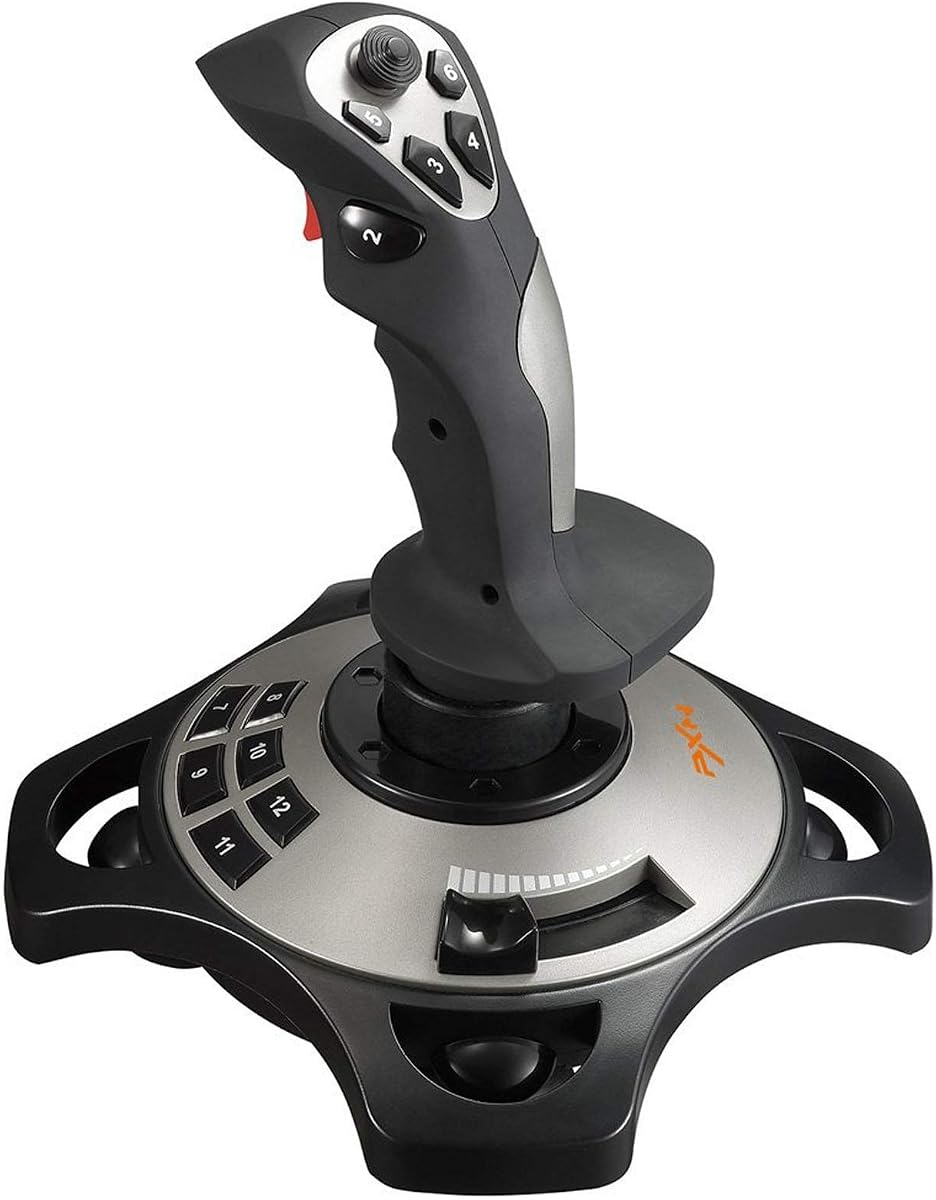



The PXN 2113PRO is a Windows-oriented flight stick with a 3.6 customer rating, and its appeal comes from the number of inputs offered relative to its simple desktop form. It explicitly supports Windows 7, 8, 10, and 11, while excluding Mac, Apple devices, PS3, PS4, PS5, Xbox One, and Switch. That clear platform boundary makes it easier to assess for a Windows 11-only setup.
We may earn a commission when you buy through this link, at no additional cost to you.
Its main controls include four axes, a rapid-fire trigger, an eight-way hat switch, and 12 programmable buttons. Software supports custom adjustments and keyboard mapping, while a physical switch activates vibration. Four suction cups help keep the stick fixed on a smooth table, and the handle is described as solid, smooth, and comfortable for one-handed operation.
The product is designed for flight simulators and compatible tank, warplane, and combat games listed in the supplied information. Force feedback is not supported, and the vibration effect is separate rather than a substitute for true force feedback. The bottom-mounted vibration switch may also be easy to overlook, and the stated effectiveness of the vibration depends on its setting in the driver.
This is a practical choice for Windows 11 players who want many programmable inputs without moving to a full HOTAS arrangement. It is less suitable for someone who prioritizes the highest customer rating, advanced spring resistance, or tactile force feedback. Within those expectations, its explicit Windows 11 compatibility and broad button layout make it a functional flight-simulator option.
The explicit Windows 7-through-11 support removes uncertainty about the intended operating system. The manufacturer also indicates that the controller can work directly, with an optional downloadable driver for testing, calibration, and further configuration.
Twelve programmable buttons, an eight-way hat, and configurable keyboard mapping give players more commands than a minimal stick. This is helpful for functions that are awkward to bind to a single keyboard key or mouse button.
We may earn a commission when you buy through this link, at no additional cost to you.
The Thrustmaster T-Flight Hotas One combines a flight stick and throttle in one package and carries a 4.4 customer rating. It is designed for both Windows PC and Xbox Series X|S, making it one of the more flexible choices in this guide when players move between supported flight simulation software and console titles.
We may earn a commission when you buy through this link, at no additional cost to you.
Adjustable resistance lets the user tune the stick feel, while a responsive trigger, hat switch, and programmable buttons cover common flight commands. The detachable throttle can sit with the stick on a desk or be positioned separately on the user's lap. It also works with Thrustmaster TFRP rudder pedals, which are sold separately, through the S.M.A.R.T. sliding rail system.
The package does not include those optional rudder pedals, and the supplied information does not describe a dedicated force-feedback rating or a highly specialized programming interface. Players should also check the requirements of the specific Xbox title, because the stated support is not identical to unrestricted console compatibility.
The Hotas One is best for Windows 11 flight simulation enthusiasts who want a throttle without maintaining separate pieces of hardware. It works for beginners learning throttle technique and for more experienced players handling commercial aircraft, combat jets, or helicopters. Its 4.4 rating, detachable design, and adjustable resistance also make it a strong general recommendation.
The detachable throttle gives users two practical layouts: a combined desktop arrangement or a separated lap-and-desk setup. That flexibility is particularly helpful for long sessions and for players who want to use the throttle independently.
Adjustable stick resistance provides a more personalized feel than a fixed stick. Players can begin with a setting that feels manageable and then increase resistance as they become more comfortable with coordinated control inputs.
We may earn a commission when you buy through this link, at no additional cost to you.
The V-one Wired USB Gaming Controller is a conventional gamepad rather than a flight-specific joystick, but it supports Windows XP, 7, 8, 10, and 11 and carries a 4.2 customer rating. Its main appeal is compatibility across PC, Steam, Android, and PS3 for games that recognize its supported input modes.
We may earn a commission when you buy through this link, at no additional cost to you.
The controller supports Xinput, Dinput, Android, and PS3 modes, along with vibration feedback, a switch function, and turbo. It uses a wired USB connection and normally works without driver installation, although Windows XP is an exception. Android devices require full OTG support and a Type-C or Micro-USB adapter or cable when one is not built in.
It is important to distinguish this controller from a flight joystick. It lacks the dedicated axes, twist rudder, throttle, and force-feedback design associated with products built for flight simulation. The listing also explicitly excludes Xbox 360, Xbox One, Mac OS, and PS4, so its wide platform list does not translate into universal console support.
Windows 11 players who want one controller for supported PC games, Android titles, and PS3 can find value in the multi-mode approach. It is less appropriate for flight simulation realism, serious combat controls, or a mixed Xbox console setup. For ordinary gamepad play, however, the 4.2 rating and plug-and-play design make it a flexible option.
Xinput and Dinput compatibility broadens the games that may recognize the controller. Android and PS3 modes add further flexibility, provided the target device and title support the appropriate protocol.
The wired design avoids wireless pairing and reduces the chance of connection interruptions during a session. It also makes the controller straightforward to test on a supported Windows 11 PC.
We may earn a commission when you buy through this link, at no additional cost to you.
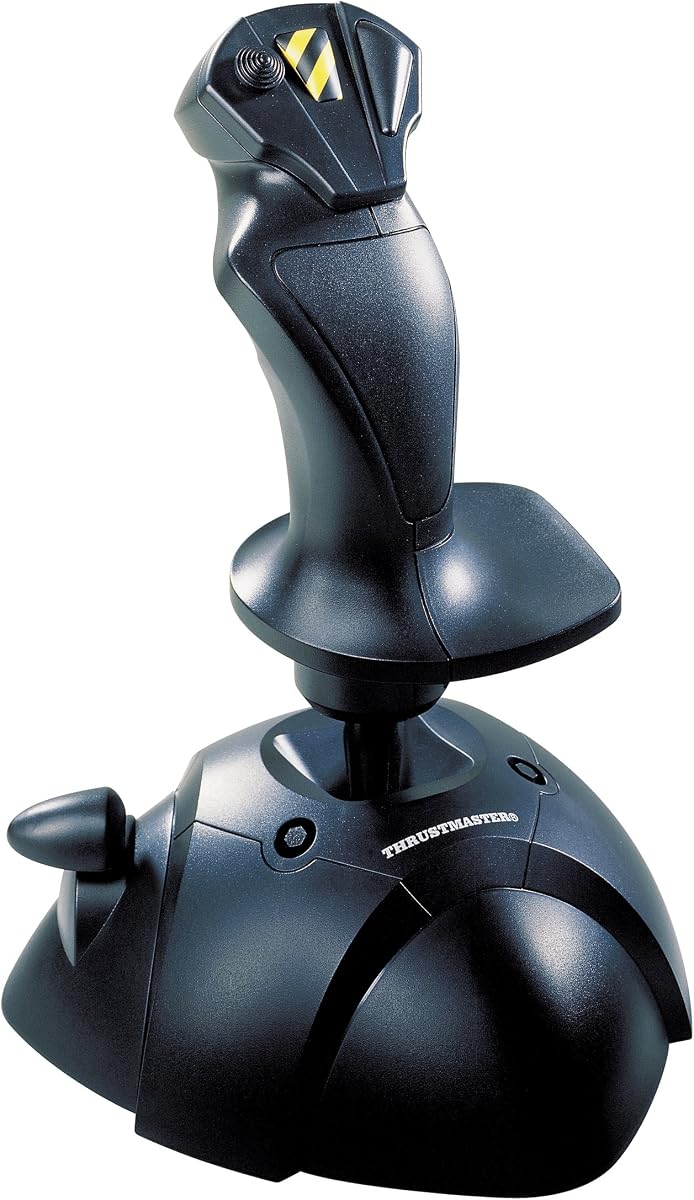
The Thrustmaster USB Joystick provides a relatively simple three-axis setup with four buttons and a trigger, earning a 3.9 customer rating. Its most distinctive feature is the dedicated point-of-view button, which gives camera control a physical home without requiring a keyboard shortcut.
We may earn a commission when you buy through this link, at no additional cost to you.
The handle uses an ergonomic design with an enlarged rest intended to improve comfort during extended sessions. It connects by USB and is identified as a Windows joystick, making it a natural fit for a Windows 11 desktop when the game recognizes standard joystick input.
Compared with modern flight sticks, its control surface is limited. There are only three axes, four action buttons, and one trigger, with no included throttle, programmable HOTAS layout, or hall-effect sensor specification. Those limitations can matter in aircraft that need independent axis control, camera views, weapon commands, and speed management.
The stick is best for a player who wants straightforward physical movement for a compatible flight or action game and prefers a simple layout over extensive inputs. It can also serve as an approachable first joystick. Experienced simulators should favor a product with more axes, buttons, rudder control, and throttle support.
The point-of-view button is particularly useful in flight and action games where changing viewpoint quickly matters. Its dedicated position reduces dependence on keyboard combinations during active play.
An enlarged hand rest supports a steadier grip and can make a minimalist controller more comfortable during long sessions. The design appears particularly relevant to flight simulation, where a relaxed hand position can improve control.
We may earn a commission when you buy through this link, at no additional cost to you.
The Microsoft Sidewinder Precision 2 combines a conventional joystick with a rotating handle, extensive programming, and a throttle function, earning a 4.0 customer rating. Its eight buttons and eight-direction hat provide 16 programmable functions, giving it more command capacity than several newer minimalist sticks.
We may earn a commission when you buy through this link, at no additional cost to you.
The rotating handle supplies twist-style rudder control, a valuable feature for coordinating turns in a flight simulator. The 146-degree action throttle adds another control axis, while software-supported game-specific profiles allow commands to be saved and downloaded for different titles. A USB connection adds straightforward setup.
As an older design, it may feel dated beside newer hall-effect sticks and modern HOTAS systems. The supplied information does not mention a force-feedback system, removable components, or a modern sensor specification. It is also listed specifically for Windows, so a player with a heavily customized or unusual Windows 11 environment should confirm current recognition before relying on it.
The Sidewinder Precision 2 suits Windows 11 users who prioritize programmable commands, twist rudder, and integrated throttle over the newest features. It is especially relevant for older simulation libraries that reward configurable control surfaces. Newer players may favor a contemporary design, while those seeking extensive customization can appreciate its profile-oriented approach.
Game-specific profiles let users save and download programmed commands for different titles. This is useful for pilots who switch between aircraft with different systems and need each game to present a consistent control layout.
The rotating handle and throttle function bring two important flight inputs into one device. That combination can simplify a compact setup when separate rudder pedals are not essential.
We may earn a commission when you buy through this link, at no additional cost to you.
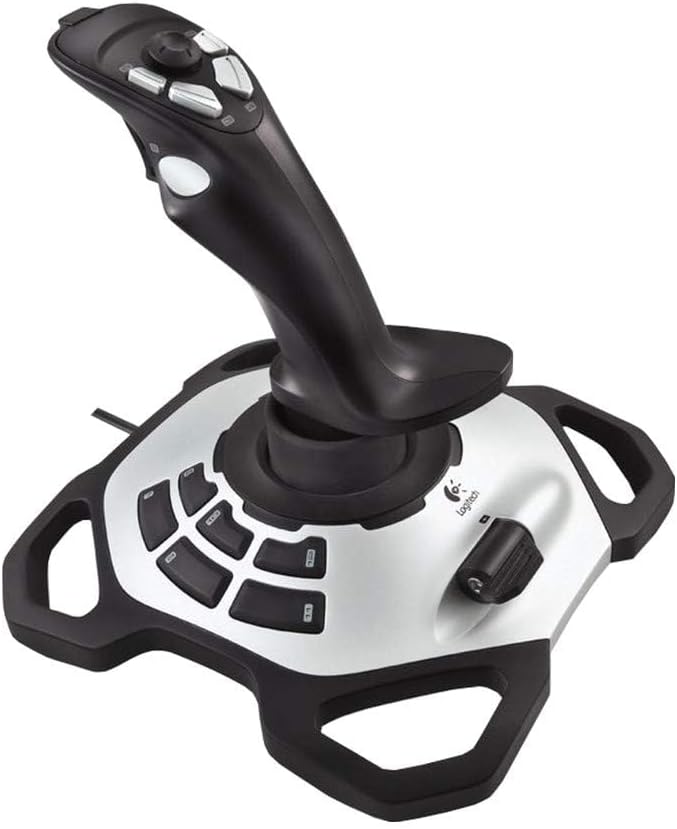
The Logitech Extreme 3D Pro Precision Fightstick has a 4.2 customer rating and uses a familiar combat-flight grip with a handle-operated trigger. Its shape reflects the classic precision joystick design, placing flight and firing commands directly under the user's hand rather than on a separate gamepad surface.
We may earn a commission when you buy through this link, at no additional cost to you.
The stick's appeal lies in its established form factor. Holding the handle, squeezing the trigger, and moving the control axis can feel intuitive to players accustomed to flight and combat simulators. Its relatively compact construction also leaves desk space available for a keyboard, mouse, and display.
The supplied information is limited to the product name, so the guide avoids assigning unsupported sensor, software, or force-feedback specifications. Compared with newer sticks, there is no supplied evidence of removable grip components, extensive programmable controls, or advanced hall-effect sensing. A separate throttle may be necessary for a complete flight setup.
The Extreme 3D Pro is a sound choice for Windows 11 players who value a proven fightstick shape and a strong customer rating. It is well suited to compatible combat flight games and simulators that support a conventional joystick. Players needing modern programmability, integrated throttle, or detailed configuration should examine a more specialized model.
The handle places primary movement and trigger inputs in a combat-flight arrangement. That makes the stick more approachable for action-oriented simulators than an abstract HOTAS layout.
A single stick can provide the central movement control without taking over a full gamepad's footprint. The remaining desk area can then accommodate separate throttle or rudder hardware when needed.
We may earn a commission when you buy through this link, at no additional cost to you.
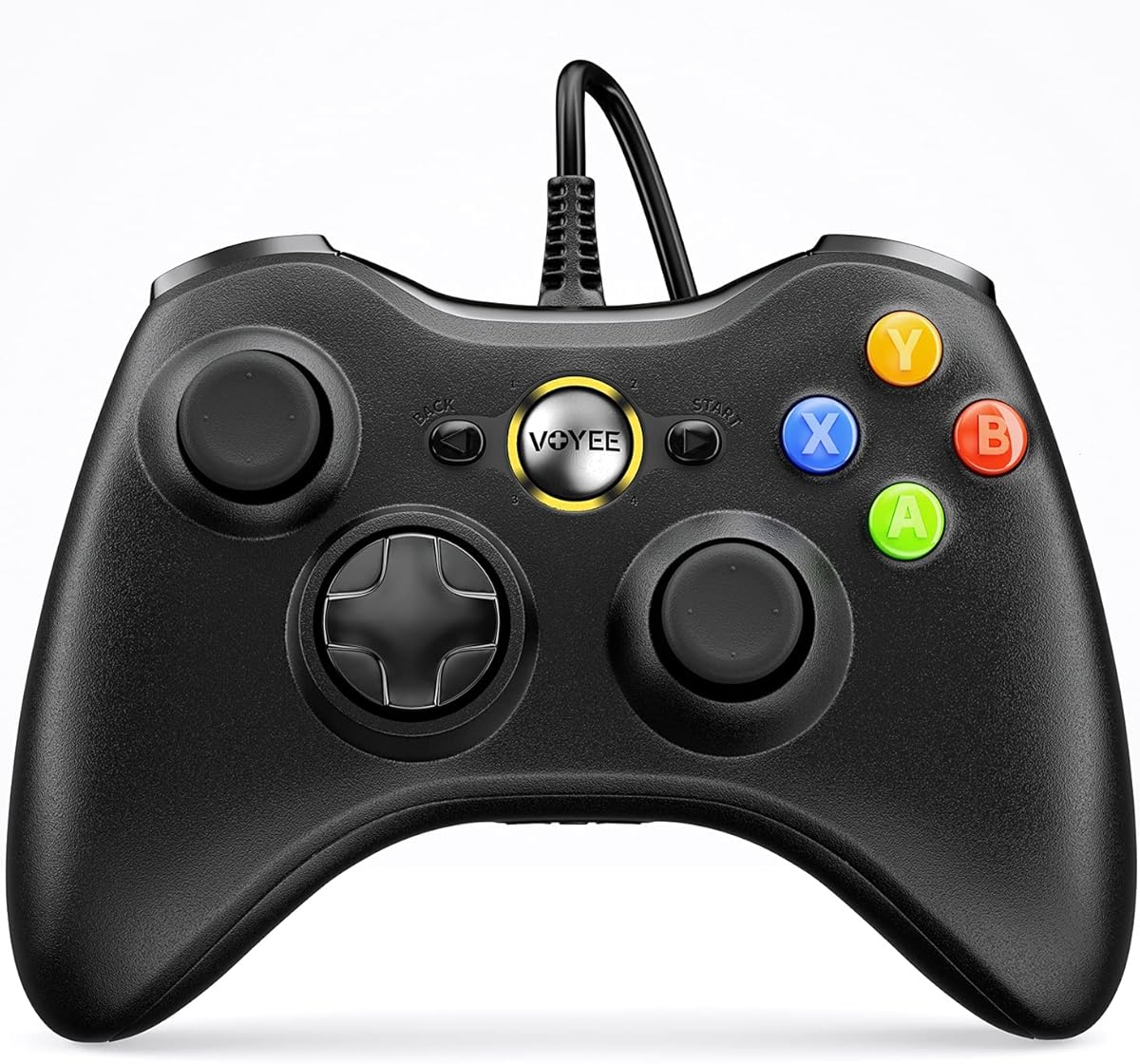
The VOYEE PC Controller is a wired Xbox 360-style gamepad with explicit Windows 11 compatibility and a 4.3 customer rating. It offers a familiar two-stick layout, face buttons, shoulder controls, and updated left and right triggers for players who want recognizable console-style controls on a PC.
We may earn a commission when you buy through this link, at no additional cost to you.
The grips are contoured to fit the hands, and a 7.2-foot cable provides ample room to position the controller. Rumble support can deliver automatic vibration feedback when a compatible game requests it, while the more sensitive sticks and buttons are intended to produce quick response.
This is not a precision flight joystick. It has no throttle, twist rudder, dedicated aircraft axes, or HOTAS configuration, and the product information specifically states that it is not for FPS games. Its principal value is in compatible PC titles that expect an Xbox-style gamepad rather than a specialized simulator controller.
VOYEE is best for Windows 11 users who want a traditional gamepad, straightforward plug-and-play operation, and vibration feedback. It can also serve players who alternate between a PC and an Xbox 360-style control scheme. Dedicated flight and racing simulation should instead be handled with a purpose-built joystick, throttle, and pedal set.
The Xbox-style layout reduces the learning curve for anyone familiar with console controllers. It is a practical bridge for PC games that do not need simulator-specific controls.
Automatic vibration feedback adds physical feedback to supported games, while sensitive triggers and sticks support quick directional commands. The wired link also avoids wireless pairing delays.
We may earn a commission when you buy through this link, at no additional cost to you.
The Thrustmaster SimTask FarmStick is a specialized joystick built for Farming Simulator 25 on PC and Xbox Series X|S, and it carries a 4.3 customer rating. Rather than trying to cover every simulation category, it concentrates on the controls needed to operate tractors, loaders, construction equipment, and other heavy machinery.
We may earn a commission when you buy through this link, at no additional cost to you.
Its standout feature is a set of up to 33 programmable inputs spread across buttons, a thumbwheel, mini-stick, triggers, and rocker switches. Hall-effect magnetic sensors are used for accurate, stable movement without the drift and wear associated with some conventional sensing methods. The ambidextrous design can be used alongside a racing wheel or with a second joystick.
A racing wheel is required in conjunction with the FarmStick, which makes it a cockpit component rather than a complete standalone setup. On Xbox, the stated compatibility is specifically tied to Farming Simulator 25. It also does not replace a flight joystick or supply the throttle, rudder, and aircraft-axis layout needed by conventional flight simulation software.
This product is an excellent fit for Farming Simulator 25 players who want authentic machinery controls and a substantial programmable interface. Windows 11 users can use the PC version as specified, but should verify that their farming titles and hardware combination match the listed requirements. For general flight simulation, a purpose-built flight controller is the better choice.
The thumbwheel, mini-stick, triggers, and rocker switches closely reflect the functions used in farming and construction simulation. This focus can provide more meaningful control than assigning many generic gamepad buttons.
Hall-effect magnetic sensors are designed to resist drift and wear while maintaining accurate control. That makes the system well matched to machinery movement that depends on gradual, precise inputs.
We may earn a commission when you buy through this link, at no additional cost to you.
The Logitech G X56 H.O.T.A.S is a comprehensive flight control system with a 4.0 customer rating and explicit Windows 11 support. It combines a joystick, twin throttles, a mini analog stick, numerous buttons, and a sophisticated resistance system in a single cockpit-style package.
We may earn a commission when you buy through this link, at no additional cost to you.
Its central flight controls use 16-bit aileron and elevator axes with hall-effect sensors. The stick can be tuned through a four-spring system, while the twin throttles include a friction adjuster and throttle lock. A new mini analog stick can independently control pitch, roll, yaw, forward, backward, up, down, left, right, or a separately controlled gimballed weapon system.
The X56 is powerful but demanding. It lists up to 189 programmable controls, which offers exceptional flexibility but can create a steep learning curve. It requires two USB 2.0 ports and has a two-meter cable, so desk space and cable routing deserve consideration. RGB backlighting also requires software configuration if the user wants to coordinate it with the rest of a gaming setup.
For serious Windows 11 flight simulation, the X56 offers one of the most complete control ecosystems in this guide. It is best for players who want integrated throttles, precise axis control, extensive customization, and realistic resistance options. The setup is less appropriate for a casual user who needs only a few commands or has limited desk space.
Combining the main stick, throttles, mini-stick, and commands in one unit reduces the need to move between separate devices. Once the layout is learned, that consolidation can make complex aircraft procedures more fluid.
The four-spring system lets the user tune the stick's physical feel rather than accepting a single fixed response. This is valuable for pilots who want a different balance from a light arcade-style stick or a firmer flight-sim setup.
We may earn a commission when you buy through this link, at no additional cost to you.
The Thrustmaster T.16000M FCS has a 4.4 customer rating and is built around precision, dependable sensing, and a highly adaptable physical design. It offers 16 action buttons with raised braille-style identification, an eight-way point-of-view hat, and four independent axes, including twist rudder.
We may earn a commission when you buy through this link, at no additional cost to you.
H.E.A.R.T technology provides the sensing foundation, while the joystick's three removable components allow the handle, grip, and hat assembly to be arranged for either left- or right-handed use. T.A.R.G.E.T software supports game-specific mapping profiles, allowing different simulations to have their own control assignments.
The supplied compatibility statement names Windows 10, 8, and 7 in both 32-bit and 64-bit versions rather than explicitly naming Windows 11. Although the device is included in this Windows 11 guide, a buyer with a demanding configuration should confirm current recognition with the intended title. The stick also does not include a throttle, and its many buttons create more setup work than a minimalist controller.
The T.16000M FCS is a strong recommendation for Windows 11 flight simulation players seeking a modern, precise stick without the full footprint of a HOTAS system. It suits left-handed and right-handed users equally well, offers enough inputs for a wide range of aircraft, and provides solid customization through T.A.R.G.E.T profiles.
Hall-effect sensing is one of the stick's strongest technical features. It supports consistent control without relying on the wear-prone contact mechanisms found in older entry-level joysticks.
Three removable components let players tailor the stick to either hand. The braille-style button identification also helps users find important commands by touch without looking down at the panel.
We may earn a commission when you buy through this link, at no additional cost to you.
A useful Windows 11 joystick is defined less by its appearance than by game compatibility, control layout, sensor quality, adjustability, and how comfortably it fits your setup. The right choice depends on whether you want realistic flight simulation, broad gamepad use, or a specialized machinery controller.
Start with the title you intend to play, not merely the platform printed on the box. Some Windows 11 joysticks are explicitly identified as compatible with Windows 7 through 11, while the T.16000M FCS listing names Windows 10, 8, and 7. Flight simulators also differ in how they recognize generic USB devices, so checking the software's supported controller list can prevent a frustrating setup.
Choose the controller that explicitly supports both your operating system and the control mode expected by the game. Xbox-style gamepads may work through Xinput, but a flight title can still reject a conventional controller because it expects axis, rudder, or throttle inputs.
Dedicated flight sticks prioritize stick movement, trigger access, camera controls, and sometimes twist rudder. HOTAS systems place the throttle and additional commands around the stick for a compact, hands-on cockpit. Conventional gamepads are more appropriate for action, racing, and general PC titles that expect console-style input.
Match the format to the simulation. Choose a flight stick for aircraft, a HOTAS for a fuller flight cockpit, a gamepad for ordinary PC games, and the FarmStick when the main objective is operating farming and construction machinery.
A three-axis stick can cover basic movement, but more complex aircraft may require independent pitch, roll, yaw, throttle, and camera controls. The PXN 2113PRO provides four axes and 12 programmable buttons, while the T.16000M FCS provides four independent axes, 16 action buttons, and an eight-way hat. More inputs offer flexibility, but they also demand careful programming.
Do not choose solely by the largest button count. Look for controls that match how you play, and avoid assigning so many functions that you cannot remember which button performs which action. A well-mapped smaller layout can feel better than an overwhelming control panel.
Sensor technology affects the consistency of movement over time. The T.16000M FCS and FarmStick use hall-effect magnetic sensors, while the Logitech X56 also uses hall-effect sensors for its main flight axes. The X56 goes further with a four-spring resistance system that lets the user tune the physical response of the stick.
Feedback is not identical across products. The PXN includes vibration, but its information explicitly says force feedback is not supported. Users who prioritize physical realism should examine resistance, centering, and force systems closely rather than assuming that every haptic feature is equivalent.
A large HOTAS system occupies more desk area and may require more than one USB port. The Logitech X56 lists two USB 2.0 requirements and a two-meter cable. The FarmStick is designed to accompany a racing wheel, while a traditional flight stick may be used with a separate throttle and optional rudder pedals.
Map your entire control setup before buying. Include display distance, mouse space, cable routing, and the ability to rest both forearms comfortably. A controller with excellent features can still be inconvenient if it crowds your keyboard or forces a cramped hand position.
A game with hundreds of functions benefits from a clear programming interface. The PXN supports custom adjustments and keyboard mapping, the Sidewinder Precision 2 stores game-specific controller profiles, and the T.16000M FCS uses T.A.R.G.E.T software to load and create mappings. These capabilities make repeated setup across different games more convenient.
Check whether the software supports the titles you plan to play and whether profiles can be backed up. Good profile support lets you preserve a carefully tuned control scheme instead of rebuilding it whenever a game updates or a new aircraft becomes available.
The Logitech X56 offers up to 189 programmable controls, while the Hotas One, T.16000M FCS, and Sidewinder Precision 2 provide substantial layouts of their own. Such control can be excellent for an engaged simulator pilot, but beginners may spend more time learning buttons than flying.
A simpler device can be easier to master. The Thrustmaster USB Joystick's three axes and four buttons may lack the sophistication of a modern HOTAS, but its reduced layout can provide a more manageable starting point for a compatible game.
Exclusion notices are particularly important in this category. The PXN is limited to PC and Windows 7 through 11 and does not support Mac, Apple devices, PS3, PS4, PS5, Xbox One, or Switch. The V-one gamepad excludes Xbox 360, Xbox One, Mac OS, and PS4, while the FarmStick's Xbox compatibility is tied to Farming Simulator 25.
Read the full listing rather than relying on a broad compatibility headline. Also check whether pedals, a racing wheel, an OTG adapter, or a driver download is required. Those details determine whether the advertised system will function as a complete setup.
Begin by installing the game and connecting the controller while the Windows 11 computer is already powered on. A gamepad should normally appear as a standard input device, while flight sticks may benefit from a fresh restart after connection. Open the game's controller settings, select the joystick or generic USB input option, and assign one command at a time to confirm that movement, buttons, hat switches, and triggers are responding correctly.
For sticks with configuration software, install the manufacturer program only after checking that it is appropriate for Windows 11 and the exact model. Calibrate the neutral position before starting a serious flight. Set the stick's spring resistance or centering behavior to a comfortable level, configure the throttle range, and create separate profiles for different games so a change to one title does not disturb another.
Care for the device by keeping it on a clean, stable surface and avoiding the temptation to yank the cable from the controller. Use gentle cleaning on the grip and controls, protect the unit from moisture and direct heat, and avoid placing heavy objects on the throttle or buttons. If movement drifts, recenter or recalibrate the stick and inspect for interference before assuming the hardware has failed.
Not every listing explicitly names Windows 11. The PXN 2113PRO, V-one gamepad, VOYEE controller, and Logitech X56 state Windows 11 support, while the T.16000M FCS listing names Windows 10, 8, and 7. Because Windows upgrades can affect driver recognition, confirm current support in the product listing and your specific game before purchasing.
A throttle is strongly recommended for a realistic flight setup because it provides a physical axis for engine power. The Thrustmaster T-Flight Hotas One includes a detachable throttle, and the Logitech X56 integrates twin throttles. A conventional stick such as the PXN 2113PRO, T.16000M FCS, or Extreme 3D Pro can be paired with separate compatible flight controls.
A HOTAS is better when you want the stick and throttle within easy reach and prefer many commands on one panel. It can feel crowded at first, but it reduces desktop clutter and supports detailed aircraft procedures. A standalone joystick is often simpler to learn and leaves the desk less occupied, so it can be a better choice for beginners or players using a separate throttle and rudder pedals.
Yes, for games that accept Xbox-style gamepad input. The V-one controller supports Xinput, Dinput, Android, and PS3 modes, while the VOYEE controller is designed around an Xbox 360 layout and explicitly supports Windows 11. Neither is equivalent to a flight joystick, however, and the VOYEE listing states that it is not intended for FPS games.
They are optional for many casual or arcade-style flight games but valuable for realistic simulation and coordinated turns. The Thrustmaster T.16000M FCS includes twist-rudder control, while the Sidewinder Precision 2 uses a rotating handle for rudder input. The T-Flight Hotas One can also work with TFRP pedals, which are sold separately.
Vibration is a simple on-and-off physical effect that a controller can activate, sometimes automatically during an event. Force feedback is a more advanced system that varies resistance according to game events or commands. The PXN 2113PRO includes vibration, but its supplied information explicitly states that force feedback is not supported.
Use software only when it is supplied or officially supported for the exact model. The PXN can be used without a driver according to its listing, while downloadable driver instructions are provided for configuration, testing, and calibration. The T.16000M FCS uses T.A.R.G.E.T for mapping, and the X56 uses software for features such as RGB lighting and control configuration.
It is specialized for Farming Simulator 25 and heavy machinery rather than conventional flight simulation. Its 3-axis movement, mini-stick, triggers, rocker switches, and programmable inputs suit tractors, loaders, and construction equipment. Windows 11 flight-sim players should choose a product designed with aircraft axes, rudder control, and throttle functions instead.
The Logitech G X56 H.O.T.A.S is the most complete Windows 11 flight-control option in this group, combining adjustable spring resistance, twin throttles, hall-effect flight axes, and extensive programmability. The Thrustmaster T.16000M FCS is an adaptable, precise standalone stick, while the T-Flight Hotas One provides an approachable combined stick-and-throttle setup with a strong 4.4 customer rating.
Prioritize explicit operating-system and game support, then choose the control format that matches your experience. A minimalist stick may be easier to learn, a HOTAS may reduce desktop clutter, and a conventional gamepad will not replace realistic flight controls. Specialized players should prioritize the machinery-focused FarmStick only when Farming Simulator 25 is the main target.
Before ordering, check the current listing, compatibility notes, included components, and software requirements once more. Product details and availability can change, and current pricing may also vary. Confirm that the controller is recognized by your preferred game and that your desk can accommodate its full setup.
