
TP-Link Archer BE230
4.2Editor score
Wi-Fi 7 dual-band networking
2.5G WAN/LAN connectivity
Coverage for up to 60 devices
The best low latency WiFi routers compared for gaming, speed, range, wired connectivity, features, and device support to help you choose the right model.
Low latency WiFi routers are built to keep online games, video calls, streaming, and everyday browsing responsive even when a busy household is using several devices at once. The best models combine fast wireless standards, capable processors, smart traffic management, strong coverage, and multi-gigabit Ethernet options.
We compared ten routers from GL.iNet, TP-Link, NETGEAR, and ASUS based on their published specifications, wireless capabilities, port configurations, coverage claims, management features, and suitability for latency-sensitive use. The list includes Wi-Fi 6, Wi-Fi 6E, and Wi-Fi 7 models across different home sizes and needs.
Each review explains the technology behind the product, its most useful strengths, and the compromises that shoppers should understand. The top selections represent the strongest all-around, budget, and premium choices, although the right router depends on your internet plan, devices, home layout, and use of Ethernet connections. Prices change often.
4.2Editor score

4.6Editor score
4.3Editor score
The table below compares the ten routers by wireless generation, headline speed, coverage, and wired connectivity, making it easier to identify the model that matches your devices and space.

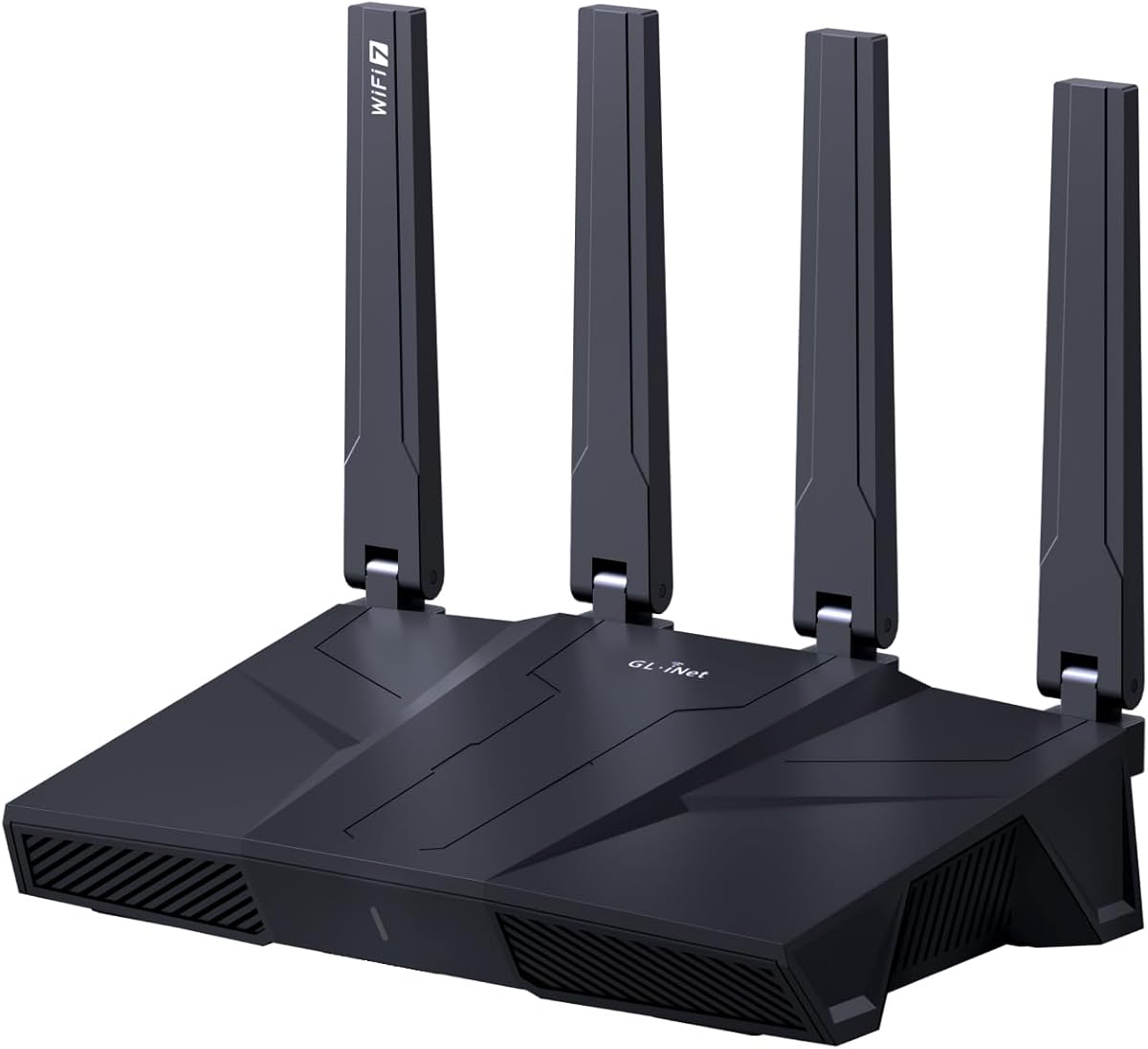



The GL.iNet Flint 2 combines Wi-Fi 6 performance with a strong emphasis on gaming, VPN use, and flexible wired connectivity. It carries a 4.6 rating, the highest among the ten products in this guide, and its headline specifications are unusually well balanced. The router supports wireless speeds up to 6 Gbps while also offering two 2.5G Ethernet ports, making it suitable for users who care about latency but do not need the very latest wireless generation.
We may earn a commission when you buy through this link, at no additional cost to you.
Its eight-stream Wi-Fi 6 platform, 1GB of DDR4 memory, and 8GB of eMMC storage help it handle a demanding network with more than 100 connected devices. For gamers and remote workers, the included WireGuard and OpenVPN support is especially notable, with published speeds reaching up to 900 Mbps and 880 Mbps, respectively. Actual VPN performance varies with the internet service, server location, provider, and local network conditions, but the hardware provides substantially more headroom than a basic router.
The main compromise is that Wi-Fi 6 lacks the 6 GHz band and Multi-Link Operation found in newer Wi-Fi 7 alternatives. GL.iNet also specifically recommends updating the firmware during initial setup because the update can materially improve performance and the setup experience. That recommendation is sensible, although buyers who prefer a highly automated consumer setup process may find the router's admin-panel approach more involved than a standard mobile-app workflow.
Overall, the Flint 2 is the most balanced recommendation in the guide. It is particularly attractive for gamers who use a VPN, need multi-gigabit Ethernet, or want a high-memory router with extensive local features. It also makes sense for technical users comfortable with firmware and web administration. For a straightforward home that only needs dependable Wi-Fi 6, it may feel powerful, but that processing capacity is exactly what gives it an advantage in busy, latency-sensitive networks.
Eight-stream Wi-Fi 6, 1GB of memory, and 8GB of storage give the Flint 2 more headroom than many competing routers. That capacity is useful when many devices are online, VPN services are active, or a household is simultaneously gaming, streaming, and conducting video calls.
Two 2.5G ports add useful flexibility for a gaming PC, console, NAS, or other high-bandwidth device. Fast WireGuard and OpenVPN support also makes this a strong option for people who route regular traffic through a VPN rather than installing software separately on every device.
We may earn a commission when you buy through this link, at no additional cost to you.
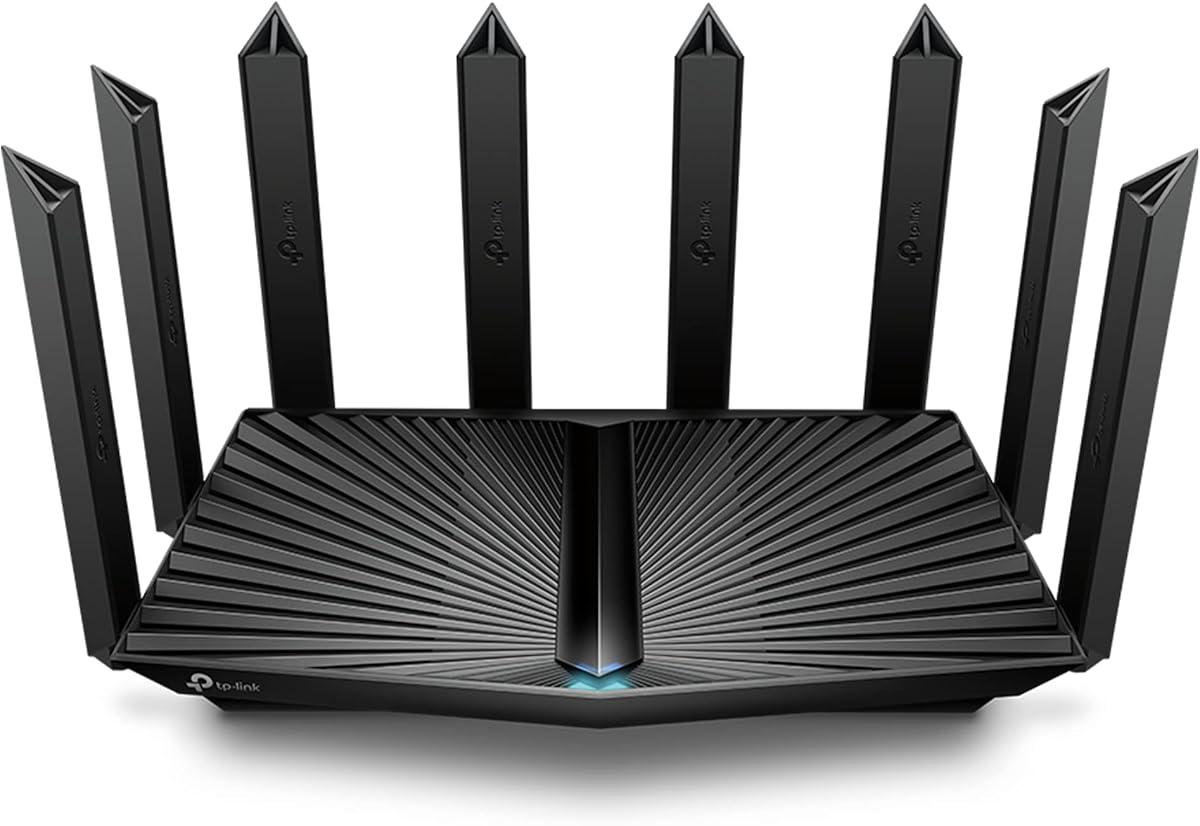
The TP-Link Archer AXE75 is a tri-band Wi-Fi 6E router built around the idea that modern homes need more than two wireless bands. Its 6 GHz band provides additional capacity and near-zero latency as presented in the product information, while the two 5 GHz bands and 2.4 GHz band help divide traffic among compatible devices. It has a 4.3 rating and an aggregate wireless ceiling of 5400 Mbps.
We may earn a commission when you buy through this link, at no additional cost to you.
The architecture is especially useful in congested environments because compatible devices can receive more dedicated bandwidth. OFDMA and true tri-band operation increase simultaneous transmission capacity, while a 1 GHz dual-core processor and 512MB of memory provide the processing headroom required by that design. Its housing is intended to dissipate heat effectively, which is important for maintaining consistent behavior during extended periods of heavy use.
TP-Link includes VPN server and client functionality through OpenVPN, PPTP, and L2TP, along with HomeShield network security, basic parental controls, quality of service, and usage reports. The router is EasyMesh-compatible, allowing additional compatible routers, extenders, or wireless powerline adapters to expand coverage. Its wired connectivity is more conventional than that of the GL.iNet models, though, so buyers with multi-gigabit service should verify the available port speeds before purchasing.
The AXE75 is a compelling option for households seeking a modern tri-band network without moving to the most advanced hardware tier. It is particularly suitable for compatible phones, laptops, and other Wi-Fi 6E clients that can use the 6 GHz band. Users with older Wi-Fi 5 or Wi-Fi 6 equipment will still benefit from the router, but they will not access the full potential of its most distinctive feature.
The 6 GHz band can give compatible Wi-Fi 6E clients access to wider channels and additional network capacity. That separation can reduce contention and help keep short, latency-sensitive exchanges responsive when nearby 2.4 GHz and 5 GHz networks are crowded.
EasyMesh compatibility gives the AXE75 a clear path to broader coverage. Rather than relying on one router to reach every corner of a large property, owners can add compatible equipment and maintain a unified wireless experience.
We may earn a commission when you buy through this link, at no additional cost to you.
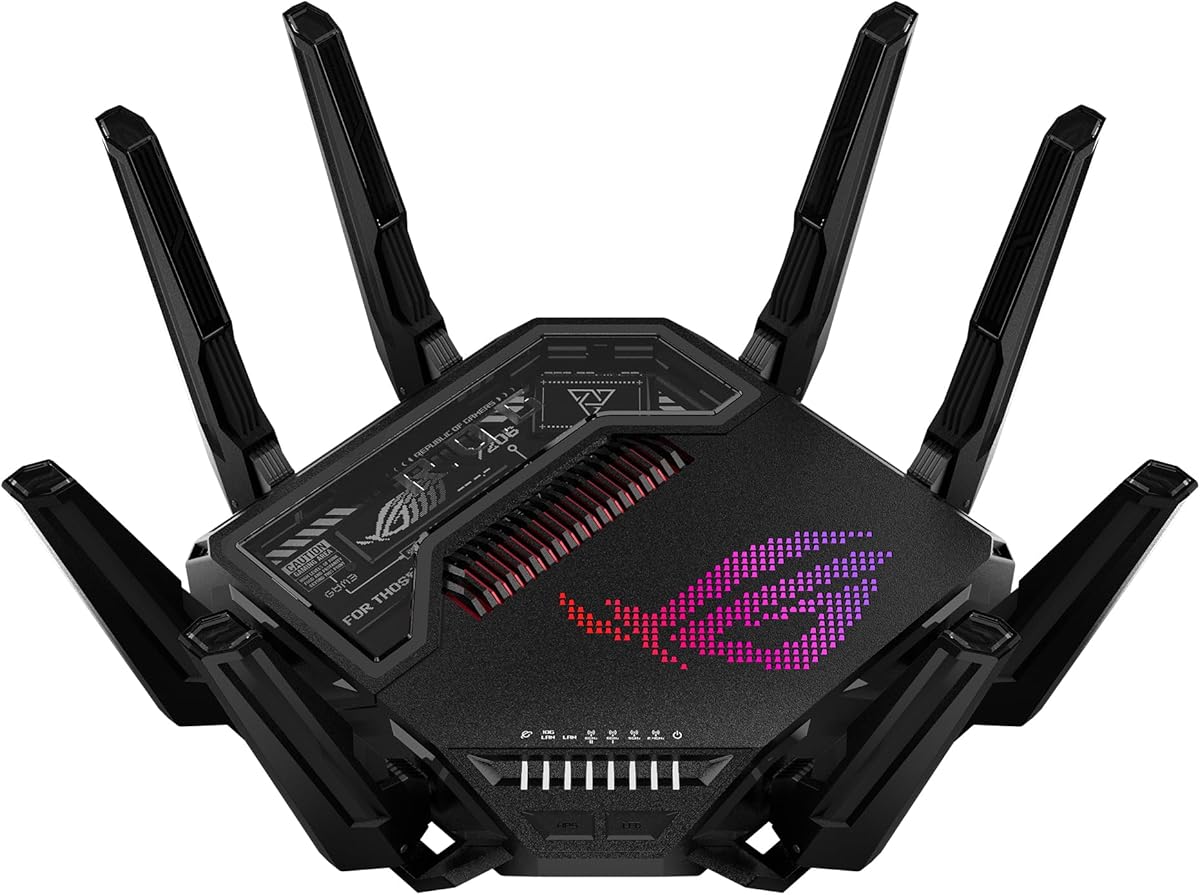
The ASUS ROG Rapture GT-BE98 Pro is the most ambitious router in this roundup, combining quad-band Wi-Fi 7, up to 30 Gbps of wireless throughput, and an unusually rich collection of high-speed Ethernet ports. Its 4.3 rating reflects a feature set designed for demanding homes, advanced gaming setups, and users who want considerable room for future network growth.
We may earn a commission when you buy through this link, at no additional cost to you.
The router uses 320 MHz channels in the 6 GHz band alongside 4096-QAM, allowing it to move more data and support more simultaneous traffic. Multi-Link Operation can link compatible devices across multiple bands at the same time, improving reliability and efficiency. External dual-feeding antennas are included to strengthen signal coverage, while dual 10G ports and four 2.5G ports provide far more wired flexibility than most routers in the guide.
For gaming, the defining feature is Triple-Level Game Acceleration, which prioritizes PC gaming traffic from the device through the game server. That focus extends beyond generic traffic shaping and makes the product more purposeful for competitive players. The trade-off is that this hardware level is excessive for many apartments and ordinary broadband connections, and maximum wireless speed is shared across clients rather than delivered to a single device.
The GT-BE98 Pro is the premium recommendation for enthusiasts with multiple high-end devices, fast wired networks, or a need for robust gaming prioritization. It is less compelling for a modest home with one or two wireless clients, but for a large, technology-heavy environment, its combination of wireless capacity, 10G connectivity, and gaming-specific optimization is difficult to overlook.
Triple-Level Game Acceleration targets the complete route from a gaming PC to the game server. This can give latency-sensitive sessions greater priority than unrelated streaming, downloads, and household traffic when the network is under pressure.
Dual 10G and quad 2.5G ports create a powerful wired backbone for gaming rigs, network storage, workstations, and media servers. This makes the router useful even when some demanding devices perform better with Ethernet than with Wi-Fi.
We may earn a commission when you buy through this link, at no additional cost to you.
The NETGEAR Nighthawk RAXE500 is a tri-band Wi-Fi 7 router designed to serve larger, busier homes without moving into the most specialized enthusiast category. It provides up to 9.3 Gbps across the 2.4 GHz, 5 GHz, and 6 GHz bands, with a dedicated 6 GHz path available for compatible high-speed devices. Its 4.3 rating and broad coverage claim make it a credible all-rounder for mixed households.
We may earn a commission when you buy through this link, at no additional cost to you.
A key strength is its wired connectivity. The router includes a 2.5G WAN port for multi-gig internet plans, two 2.5G LAN ports, and two 1G Ethernet LAN ports. That mix is practical for a gaming desktop, NAS, smart television, and other wired devices. The Nighthawk app handles guided setup, Wi-Fi management, speed tests, device pausing, and guest network access from a phone or tablet.
NETGEAR advertises coverage of up to 2,500 square feet for as many as 100 devices, though walls, floors, interference, and the clients themselves can affect real-world results. The router also supports automatic firmware updates and Advanced Router Protection. NETGEAR Armor adds further security features, including protection for devices away from home, but a separate subscription is required after the free trial.
This model is an excellent fit for users who want Wi-Fi 7, a 6 GHz band, and multi-gigabit Ethernet in a conventional Nighthawk-style package. It is less specialized for gaming than the ASUS ROG models and less open to enthusiast customization than the GL.iNet routers, but its balance of features, app-based management, and device capacity is highly useful for a mainstream connected home.
The 2.5G WAN port can take advantage of faster internet service when the plan and modem or gateway support it. Two 2.5G LAN ports also make it possible to connect a gaming PC or network storage device without falling back to a single-gigabit connection.
The Nighthawk app covers the tasks most households need: setup, speed tests, guest access, device controls, and firmware management. It is a more conventional experience than a deep technical admin interface, which can be an advantage for shared family networks.
We may earn a commission when you buy through this link, at no additional cost to you.
The NETGEAR Nighthawk RS90 takes a more restrained approach to Wi-Fi 7 than the RAXE500. Instead of three bands, it uses 2.4 GHz and 5 GHz radios for an aggregate maximum of 3.6 Gbps. The design targets homes that want current-generation wireless efficiency, straightforward management, and solid capacity without needing a tri-band system or a large collection of high-speed ports.
We may earn a commission when you buy through this link, at no additional cost to you.
Its wireless platform includes 4K-QAM, MU-MIMO, OFDMA, and Multi-RU capabilities, helping it serve multiple clients efficiently and maintain responsive performance in a crowded environment. The stated coverage is up to 2,000 square feet for as many as 50 devices. As with every router, walls, floors, nearby interference, and the capabilities of client devices determine the actual experience.
Wired connectivity is simpler than on the RAXE500. It includes a 2.5G WAN port for multi-gig internet service and four 1G Ethernet LAN ports for computers, consoles, televisions, and storage devices. That makes it a practical choice when internet service exceeds one gigabit but most local devices do not require multi-gigabit links. Setup and management run through the Nighthawk app.
The RS90 is a sensible choice for medium-sized homes that want Wi-Fi 7 but not a tri-band radio arrangement. It lacks the 6 GHz band that distinguishes higher-end models, yet that omission can also reduce complexity and make the router more practical for conventional client hardware. It is especially attractive when a fast WAN connection matters more than several multi-gigabit LAN ports.
MU-MIMO and OFDMA allow the RS90 to handle several simultaneous exchanges more efficiently. 4K-QAM and Multi-RU support improve data efficiency for compatible clients, helping preserve responsiveness when the network is not completely idle.
The 2.5G WAN port protects performance on faster internet plans, while four 1G LAN ports cover the majority of household devices. Users who need multi-gigabit connections to a NAS or workstation can still use the 2.5G port in an appropriate configuration.
We may earn a commission when you buy through this link, at no additional cost to you.
The TP-Link Archer BE230 is the budget recommendation because it introduces meaningful Wi-Fi 7 features without carrying the complexity and hardware demands of a premium enthusiast router. It offers up to 3570 Mbps across 2.4 GHz and 5 GHz, supports Multi-Link Operation and Multi-RUs, and uses 4K-QAM to increase data efficiency. Its 4.2 rating reflects a capable, modern alternative for practical households.
We may earn a commission when you buy through this link, at no additional cost to you.
The stated 2 GHz quad-core processor is designed to handle the router's throughput while maintaining low latency under load. The Archer BE230 can cover up to 2,000 square feet and support up to 60 devices, according to the published information, while four internal antennas and beamforming focus coverage toward connected clients. Actual performance varies with distance, walls, interference, and device capabilities.
Its port selection is better than many similarly positioned routers. There is one 2.5G WAN/LAN port, one dedicated 2.5G LAN port, and three additional 1G LAN ports. This provides multi-gigabit paths where they are most useful while retaining several conventional connections. The router also supports EasyMesh, TP-Link HomeShield, Tether app management, and voice-assistant control.
The Archer BE230 is ideal for gamers, remote workers, and families wanting Wi-Fi 7 without buying a flagship device. It is less appropriate for buyers seeking a 6 GHz band, extensive multi-gigabit port counts, or high-end VPN throughput. Even with those limitations, its processor, 2.5G connectivity, and efficient wireless features make it a compelling value-oriented low-latency router.
The 2 GHz quad-core processor provides the computing capacity needed to coordinate modern wireless features and multiple simultaneous data streams. It is a meaningful upgrade over basic routers, particularly when gaming, downloading, and video calls overlap.
Two 2.5G connections and three 1G ports cover common high-speed use cases without turning the router into a complex switch. EasyMesh support also makes it easier to extend the network into dead zones when one unit cannot cover the entire home.
We may earn a commission when you buy through this link, at no additional cost to you.
The GL.iNet Flint 3e is a dual-band Wi-Fi 7 router with a strong focus on VPN performance, local network control, and gaming. It supports wireless speeds up to 6.5 Gbps, includes 1GB of DDR4 memory, and provides coverage claims of up to 2,500 square feet. Its 4.2 rating reflects a capable package for users who want more control than a standard consumer router provides.
We may earn a commission when you buy through this link, at no additional cost to you.
The standout specification is its VPN capability. WireGuard and OpenVPN are both listed at speeds up to 1100 Mbps, giving the router enough headroom for remote work, travel, privacy, and gaming through a VPN server. Performance still depends on the user's internet plan, VPN provider, server location, and network conditions. The router also supports AdGuard Home and Bark-compatible parental controls.
Multi-Link Operation, enhanced OFDMA, 4K-QAM, preamble puncturing, and Multi-RUs help improve efficiency and reliability in dense wireless environments. GL.iNet says the higher storage capacity can accommodate more than 100 devices and support users who wish to install additional plugins. As with the Flint 2, the manufacturer recommends updating the firmware during initial setup to improve performance and user experience.
The Flint 3e is a strong recommendation for technical users who depend on router-level VPN performance but do not need multiple high-speed Ethernet ports. Its dual-band design means it cannot use the 6 GHz band, so a tri-band Wi-Fi 7 model may be better for maximizing compatibility with the newest wireless clients. Within that limit, it remains an attractive, flexible option for gaming and privacy-conscious households.
Publishing VPN throughput figures is uncommon among mainstream routers, and the Flint 3e's support for up to 1100 Mbps over both WireGuard and OpenVPN is a major advantage. It can centralize VPN use across many household devices while preserving strong throughput for demanding applications.
AdGuard Home support, plugin-friendly storage, and browser-based administration appeal to users who want more control over DNS and network behavior. Bark integration also provides a useful option for families seeking website filtering, safe search, and screen-time limits.
We may earn a commission when you buy through this link, at no additional cost to you.
The TP-Link Archer AX80 remains a strong high-capacity Wi-Fi 6 router for homes that value mature dual-band performance, broad antenna coverage, and flexible wired connections. It offers up to 4804 Mbps on the 5 GHz band and 1148 Mbps on 2.4 GHz, giving it an aggregate rate of 5952 Mbps. Its 4.4 rating is the second highest in the group, indicating strong customer satisfaction.
We may earn a commission when you buy through this link, at no additional cost to you.
Eight external high-gain antennas work with beamforming to direct wireless signals toward connected clients. MU-MIMO supports simultaneous data streams, while OFDMA divides a stream efficiently among multiple devices. Together, these features help the router serve a busy household without forcing every client to wait for a complete one-at-a-time exchange.
The 2.5G multi-gigabit port prevents a fast internet service from being limited by a conventional gigabit connection. TP-Link also supports OneMesh expansion, allowing a compatible range extender to join the Archer AX80 as part of one unified Wi-Fi network. A router-level VPN client lets devices access remote VPN servers without requiring separate VPN software on every device.
The AX80 is a sensible option for users who do not need Wi-Fi 7 or a 6 GHz band but want abundant capacity and mature features. Its large external antennas require desk space and careful placement, and newer clients will find faster wireless options. Even so, the combination of coverage, multi-gigabit Ethernet, OneMesh, and proven Wi-Fi 6 performance makes this a compelling router for medium and large homes.
The Archer AX80's combination of 4.8 Gbps-class 5 GHz performance and eight antennas provides a robust foundation for demanding households. It remains relevant where buying a Wi-Fi 7 router would add cost without delivering visible benefits to older clients.
OneMesh creates a single network across the router and an added extender, which simplifies roaming between coverage areas. The 2.5G port adds another layer of future readiness by supporting faster internet service and high-bandwidth local connections.
We may earn a commission when you buy through this link, at no additional cost to you.
The ASUS ROG Rapture GT-AXE11000 is a large tri-band Wi-Fi 6E gaming router built around very high theoretical throughput and game traffic optimization. It offers up to 11,000 Mbps across its three bands and includes eight external antennas, making it one of the most substantial designs in the guide. Its 4.1 rating is the lowest in the group, but the specifications still make it relevant for high-end gaming households.
We may earn a commission when you buy through this link, at no additional cost to you.
The 6 GHz band provides wider channels and more capacity, which can improve performance and reduce contention for compatible devices. Its quad-core processor, cooling system, and optimized antenna design support sustained throughput and stable wireless operation. A 2.5G LAN/WAN port is given priority for traffic, providing a useful wired path for compatible broadband service and demanding local devices.
Triple-Level Game Acceleration is the router's defining gaming feature. It works across the route from the gaming device to the game server, seeking to prioritize interactive traffic when other devices are consuming bandwidth. The trade-off is the physical size and visual prominence of eight external antennas, along with a more specialized setup than a compact basic router.
The GT-AXE11000 is best suited to gamers with compatible Wi-Fi 6E hardware, large homes, and an interest in high-end wireless capacity. It offers less multi-gigabit Ethernet than the newer GT-BE98 Pro, so buyers planning extensive wired networks should compare both models. For a high-powered gaming setup, however, it remains a compelling specialist option.
Triple-Level Game Acceleration recognizes the importance of latency at several points in the connection path. This makes it more relevant to competitive gaming than a generic speed increase, particularly when large downloads or streaming run at the same time.
The combination of 2.4 GHz, 5 GHz, and 6 GHz radios distributes clients according to their capabilities and network conditions. The 6 GHz band gives compatible Wi-Fi 6E devices additional room for low-latency communication in a crowded home.
We may earn a commission when you buy through this link, at no additional cost to you.
The NETGEAR Nighthawk RAXE500 is particularly attractive for buyers who want substantial coverage from a standalone tri-band router. Its published specifications cover up to 2,500 square feet and as many as 100 devices, while 9.3 Gbps of aggregate Wi-Fi 7 throughput gives modern clients considerable headroom. The router also supports an easy upgrade path through NETGEAR's wider Orbi ecosystem.
We may earn a commission when you buy through this link, at no additional cost to you.
A dedicated high-speed band helps prevent demanding devices from competing with everything else on the 2.4 GHz or 5 GHz radios. Real-world performance still depends on the devices, internet plan, distance, and environmental interference. The multi-gigabit WAN port supports faster service, while the 2.5G and 1G LAN ports allow a flexible mix of wired gaming systems, network storage, and smart televisions.
The Nighthawk app simplifies initial setup and gives users remote access to speed tests, guest networks, and individual device controls. Security features are enabled out of the box, with Advanced Router Protection and automatic firmware updates supporting network security. NETGEAR Armor provides additional protection for devices at home or away during a free trial, followed by a separate subscription if continued.
This is a strong choice for a large single-level home, busy connected family, or anyone seeking a transition to tri-band Wi-Fi 7 with multi-gigabit wired access. Multi-story homes and properties with unusual construction may still benefit from an Orbi mesh system. Even then, the RAXE500 can serve as a high-performance central component in a carefully planned networking setup.
Supporting up to 100 devices makes the RAXE500 relevant to homes where phones, televisions, speakers, cameras, appliances, and computers are all active. Tri-band operation and the 6 GHz radio help separate traffic more efficiently than a conventional dual-band design.
The 2.5G WAN port is important for fast fiber or cable plans, and the two 2.5G LAN ports provide high-speed links for local devices. Two 1G ports provide sufficient capacity for numerous conventional connections without sacrificing the faster options.
We may earn a commission when you buy through this link, at no additional cost to you.
A low-latency router should fit the wireless clients, internet speed, home size, and traffic patterns that matter in your household. The most important decision is matching the hardware to real needs rather than choosing solely by the largest advertised speed.
Prioritize a standard that matches the devices you actively use, especially gaming PCs, consoles, televisions, phones, and laptops. Wi-Fi 7 makes the most sense when several compatible clients share a busy home or when you want longer-term support for future equipment.
Choose a 2.5G WAN port for faster broadband. Add multi-gig LAN ports only when local devices can genuinely use the extra bandwidth; otherwise, reliable gigabit LAN connections may be sufficient.
Match the router to the size and construction of your home. If you have several floors, thick walls, or extensive dead zones, plan for mesh expansion rather than relying on a maximum coverage claim.
Choose a router with explicit gaming prioritization if gameplay consistency matters. Keep the device close, use Ethernet where possible, and ensure the internet plan supports a low ping to the relevant game server.
Check protocol support and realistic throughput before choosing a VPN router. Users prioritizing privacy should also examine DNS filtering, parental controls, firmware updates, and the availability of local management features.
Give priority to processor, RAM, and storage when using VPNs, home security tools, or numerous connected devices. Simpler households can prioritize wireless efficiency and coverage instead.
Enable automatic updates, create a separate guest network, and review the long-term cost of optional security subscriptions. Choose the management interface that matches your comfort with network configuration.
Count regular and occasional clients, then add room for growth. Ensure the router's expansion ecosystem fits your home before purchase, and avoid paying for advanced features that your current devices cannot use.
Begin by positioning the router in a central, elevated location away from metal appliances, enclosed cabinets, thick obstructions, and obvious sources of interference. Connect the modem or gateway to the appropriate WAN port, complete the guided setup, and update the firmware before making extensive configuration changes. If the router includes an Ethernet connection for its initial web interface, the supplied guidance can be used to reach the administration panel.
After the network is online, change the default administrator credentials, create separate guest and trusted networks, and assign appropriate parental controls or device priorities. Gaming systems, computers, and smart TVs that benefit most from stable throughput should use Ethernet where practical. Keep 5 GHz or 6 GHz enabled for high-speed clients, while leaving 2.4 GHz available for compatible IoT devices and longer-range use.
Treat firmware updates as routine maintenance rather than an optional task. Read release notes, keep the router connected to reliable power during an update, and avoid interrupting the process. Monitor performance after adding new devices, moving the router, or changing settings. Over time, clean away dust, replace an aging unit that cannot support current devices, and revisit security subscriptions and parental-control rules as the household changes.
No. A more advanced router can offer better processing, more efficient wireless behavior, additional bands, and better traffic prioritization, but it cannot make a slow internet connection or distant game server respond instantly. Latency also depends on the route between the game server and your ISP. Choose advanced hardware when your connection, device mix, and network activity justify it, and use Ethernet for a gaming PC whenever possible.
Wi-Fi 7 can be worthwhile in a busy household with several compatible clients because it improves efficiency and can use multiple links. However, an individual game still depends heavily on the internet path, server distance, router placement, and endpoint performance. A well-placed Wi-Fi 6 router may feel just as responsive for some users, while Wi-Fi 7 offers greater long-term headroom for newer equipment.
You need one if your internet plan exceeds one gigabit or if you regularly transfer large files between devices inside your network. It is also useful for a gaming desktop, NAS, or media server. If your service is at or below gigabit speeds and local devices are modest, standard gigabit LAN ports are usually sufficient. A multi-gig WAN port matters most when your broadband plan supports it.
It can, but walls, floors, and router placement often make a second access point or mesh system necessary. A higher-coverage standalone router is best for a large single floor or straightforward layout. Multi-level homes generally benefit from multiple coordinated units, and some users can use Ethernet to link access points for the most reliable and lowest-latency coverage.
A router-level VPN can improve privacy and sometimes provide a better path to some game servers, but it can also add delay. The result depends on the VPN server location, protocol, ISP routing, and local processing load. Choose a router with capable WireGuard or OpenVPN hardware, and compare ping and packet consistency before and after enabling the VPN.
Yes, modern routers are designed to direct compatible devices among bands automatically. The 2.4 GHz band provides range, while 5 GHz and 6 GHz offer greater bandwidth and usually lower congestion. Older clients may only support some bands, and manually disabling a band is rarely necessary unless troubleshooting a specific compatibility or interference problem.
Usually not. Advertised wireless figures describe theoretical laboratory conditions, while internet speed is also limited by the service plan, ISP equipment, wired connections, Wi-Fi distance, and client hardware. A router can also process traffic faster than your service plan allows, which is useful for internal transfers but does not increase the speed delivered by your provider.
Start with the shortest possible path: use Ethernet for the gaming device, keep the router updated, and place it away from obstructions and interference. Next, prioritize the gaming device, pause unnecessary uploads and downloads, and check whether the game server is far away. Replacing equipment helps only when the existing router, client, or connection is the actual bottleneck.
The GL.iNet Flint 2 is the strongest all-around choice in this guide because it combines fast Wi-Fi 6, two 2.5G ports, high-performance VPN support, and generous memory and storage. The TP-Link Archer BE230 stands out as the budget selection for buyers who want modern Wi-Fi 7 efficiency and multi-gigabit connectivity, while the ASUS ROG Rapture GT-BE98 Pro leads the premium group with quad-band performance and extensive high-speed ports.
Prioritize compatibility before peak specifications. Match the wireless generation to your phones, computers, consoles, and televisions; ensure the WAN port can handle your internet service; and account for walls, floors, client count, and the importance of Ethernet. Gaming routers can help manage contention, but no router can remove ISP routing delays or the distance to a game server.
Finally, compare current prices and optional subscription costs before purchasing, since they can change and some security features require a paid service after a trial period. Updating the firmware immediately, using a strong administrator password, and planning for mesh expansion will help preserve a smooth, low-latency experience as the connected home grows.