
Tapo Smart Switch S515
4.4Editor score
Matter-certified cross-platform support
Single-pole, 3-way, or 4-way
App, voice, and scheduling controls
Our 3 Way Smart Switches guide compares ten options for app control, voice assistants, Matter support, dimming, installation needs, and key smart-home features.
A 3 way smart switch adds remote control, scheduling, and voice activation to a light that can already be operated from two locations. The best models are easy to integrate with an existing smart-home ecosystem, offer dependable app controls, and make retrofit installation as straightforward as the wiring permits.
We compared all ten products by examining their supported wiring configurations, dimming capabilities, network requirements, smart-home compatibility, automation features, safety certifications, and practical details that affect installation. The list covers standard on/off switches, dimmers, Matter options, multi-packs, and kits for common staircase or hallway layouts.
Each selection reveals where it stands out and where it falls short, helping you choose according to your existing wiring, preferred ecosystem, and need for basic switching or dimming. Product ratings and availability can change over time, and current prices should be checked on the linked listings before purchase.
4.4Editor score

4.6Editor score

4.4Editor score
The following side-by-side comparison highlights each switch's control method, installation requirements, dimming support, and smart-home compatibility. It is designed to make the differences between basic on/off models, full dimmers, and Matter-enabled options easier to understand before installation.




The Kasa HS210 KIT is a well-rounded smart switch for controlling one light from up to two locations. Its 4.6 rating is the highest among the listed products, while its app-guided setup and support for both Kasa and Tapo make it approachable for connected-home users. It is a standard on/off switch rather than a dimmer.
We may earn a commission when you buy through this link, at no additional cost to you.
Its strongest feature is the combination of familiar physical switching with app, voice, timer, countdown, and away-mode controls. You can turn the light on or off remotely, coordinate it with Alexa or Google Assistant, and schedule automatic operation through the Kasa or Tapo app. The UL certification and recommendation to keep firmware current add confidence for a permanent electrical installation.
The main compromises are practical rather than feature-related. A neutral wire and 2.4 GHz Wi-Fi are required, and anyone unfamiliar with electrical wiring should consult an electrician. It also offers no brightness adjustment, so it is best for standard lighting circuits where on/off control is the goal.
This is a strong general recommendation for a staircase, hallway, garage entrance, or large room with multiple access points. Choose the HS210 when you want straightforward two-location control, dependable automation, and broad voice-platform support without the added complexity of dimming or a specialized Matter setup.
Timers, countdowns, and away mode turn the switch into more than a remote light controller. You can automate common departures and arrivals, or create randomized lighting activity to suggest that someone remains home while you are away.
The Kasa or Tapo app walks users through installation and pairing, which is helpful for first-time smart-switch installers. Firmware updates through the same app can also keep the device aligned with current features and performance improvements.
We may earn a commission when you buy through this link, at no additional cost to you.
The Tapo S515 stands out because it supports single-pole, 3-way, and 4-way arrangements while carrying Matter certification. Its 4.4 rating reflects a broadly capable option for users who want flexible wiring configurations without committing to one smart-home platform. It provides on/off control and energy monitoring rather than dimming.
We may earn a commission when you buy through this link, at no additional cost to you.
Matter support expands compatibility with Amazon Alexa, Apple HomeKit, Google Home, Samsung SmartThings, and other participating platforms. The app adds scheduling, away-mode behavior, device grouping, remote control, and energy tracking. Voice commands are available through Alexa, Siri, Google Assistant, and Samsung Bixby.
The requirement for neutral wiring and 2.4 GHz Wi-Fi narrows its appeal for older homes or networks that only provide 5 GHz. It also needs a separate dimming solution if you want to adjust brightness through the switch. These are meaningful limitations, but they are clearly stated and do not diminish its smart-home flexibility.
The S515 is ideal for someone with a multi-location circuit, particularly a four-way hallway or stairway, who values Matter compatibility and detailed automation. It is also a sensible budget-conscious choice when avoiding a permanent ecosystem lock-in matters more than integrated dimming.
Few switches in this list extend beyond the standard 3-way format. The S515's four-way support makes it relevant for larger paths where a light must be controlled from several positions rather than only one or two.
Matter certification allows the switch to work across many major ecosystems, reducing the need to rebuild automations when another smart-home platform becomes more convenient. Local control can also improve responsiveness when the network is unavailable.
We may earn a commission when you buy through this link, at no additional cost to you.
The Leviton Decora Smart D315S-1RW is a Wi-Fi switch aimed at users who want a familiar Decora-style device integrated into a broad smart-home system. It carries a 4.4 rating and supports Google Assistant, Amazon Alexa, Apple Siri, Apple Home, SmartThings, Home Assistant, and Matter.
We may earn a commission when you buy through this link, at no additional cost to you.
The My Leviton app provides remote control, status checking, and scheduling, including the ability to arrange exterior lights around sunset. This makes the switch particularly relevant for entryways, garages, and outdoor-facing circuits where changing daylight conditions matter.
The supplied product information is less extensive than for several Tapo and Kasa options, so buyers should confirm the exact wiring configuration, dimming capability, and installation requirements in the listing documentation. It is presented as a smart switch rather than a dimmer, and no dimming range is specified.
This model is a strong fit for a household that already relies on Leviton products or wants support across Alexa, Apple, Google, SmartThings, and Home Assistant. It is particularly appealing when sunset-responsive exterior lighting and broad ecosystem recognition matter most.
Scheduling exterior lights around sunset removes the need to remember switching them on manually. The automation also provides a simple way to improve arrival comfort and create a consistent nighttime appearance.
Compatibility with major assistants and smart-home platforms means the switch can fit into existing routines without requiring a narrowly defined controller. Matter readiness provides additional flexibility as connected-home standards evolve.
We may earn a commission when you buy through this link, at no additional cost to you.
The Kasa KS230 KIT v2 is the clear dimming specialist in this group. It retains two-location 3-way control while allowing brightness adjustment from 1 to 100 percent, either physically or through the Kasa app. Its 4.4 rating makes it a strong choice for living rooms, stairways, and hallways where adjustable light is valuable.
We may earn a commission when you buy through this link, at no additional cost to you.
Schedules can set both on/off times and desired brightness, making it possible to create gentle night lighting or a gradual morning environment. Alexa and Google Assistant support add hands-free operation, while app control provides remote adjustment and monitoring from different locations.
Dimming compatibility is the central tradeoff. The switch supports incandescent bulbs up to 300 watts and dimmable LED bulbs up to 150 watts, so the connected lighting must be appropriate. It also requires neutral wiring, 2.4 GHz Wi-Fi, and confidence with basic electrical work or professional assistance.
Choose the KS230 when the ability to dim from either physical switch location is worth the extra compatibility considerations. It offers one of the most complete control packages for users who want scheduling, voice operation, and nuanced brightness in a single 3-way circuit.
A one-percent minimum gives users a much wider lighting range than a simple low-medium-high dimmer. That makes it possible to use very low light for pathways and brighter settings for ordinary activities.
Unlike basic switches, scheduled events can be paired with a chosen dim level. Users can automate a soft nighttime scene or a brighter morning setting rather than relying on simple on and off states.
We may earn a commission when you buy through this link, at no additional cost to you.
The TREATLIFE 4 Pack is designed for households replacing or automating several switches at once. Every unit supports single-pole and 3-way applications, allowing control from one or two locations. Its 4.4 rating and four-switch format make it useful for coordinated renovations across multiple rooms.
We may earn a commission when you buy through this link, at no additional cost to you.
No hub is required, and voice control works with Alexa and Google Assistant. The TREATLIFE app provides remote control, schedules, countdowns, occupancy simulation, status monitoring, device sharing, and group management. Each switch also comes with a complimentary one-gang screwless snap-on wall plate.
The package requires neutral wires and a 2.4 GHz Wi-Fi network. It does not support dimming or HomeKit, so it is better suited to straightforward on/off circuits than to lighting that needs adjustable brightness. Its maximum output is listed as 1250 watts and 10 amps.
This multi-pack is a practical choice for renovators with several hallways, staircases, or exterior entrances. It is less attractive for a single-location upgrade, but for several standard on/off circuits, the bundled wall plates and grouped app control can simplify the process.
A four-pack is especially convenient when more than one circuit needs modernization. Installing matching switches throughout the home can also make shared routines and grouped app controls more consistent.
Including a screwless one-gang wall plate with each switch reduces the need for a separate fitting purchase. The result is a neater finished installation after the electrical work is complete.
We may earn a commission when you buy through this link, at no additional cost to you.
The GHome 4 Pack is a broad smart-switch option for controlling several conventional lighting circuits. It supports 3-way and single-pole configurations, carries a 4.3 rating, and includes four white switches. The package can be particularly useful in a multi-room modernization.
We may earn a commission when you buy through this link, at no additional cost to you.
Its app provides remote control, room status views, grouped switching, time schedules, and sunrise or sunset timing. That last feature is useful for exterior lights that should respond to daylight conditions without requiring constant manual adjustment. Alexa and Google Assistant support are also included.
Important limitations include the need for a neutral wire, a 2.4 GHz Wi-Fi connection, and a standard on/off design. It is explicitly not compatible with smart bulbs, which could frustrate users who already use connected lighting elsewhere. No hub is required.
Choose the GHome pack for a broad basic installation where multiple rooms need remote and voice control. It offers fewer advanced capabilities than the Matter models, but its grouped controls and daylight-based routines remain practical for a larger home.
Sunrise and sunset timing is particularly useful for porches, driveways, and entry lights. Users can set a relevant offset, such as turning a porch light on shortly after sunset, without rebuilding the routine every day.
The app can display lighting status across rooms and manage several switches together. This provides a convenient overview when checking the home remotely or preparing a whole-floor lighting scene.
We may earn a commission when you buy through this link, at no additional cost to you.
The Tapo S515D KIT combines two-location dimming with Matter certification, giving it the broadest feature set in this roundup. Its 4.4 rating reflects a capable premium option for users who want brightness adjustment, energy monitoring, and cross-platform control from one switch kit.
We may earn a commission when you buy through this link, at no additional cost to you.
The dimmer controls the fixture from two locations and supports the full 0 to 100 percent range. Fade on and off can provide gentler transitions, while schedules can activate lights at a specified brightness. Energy monitoring adds visibility into consumption, and the app groups the switch with bulbs, plugs, and other devices.
Matter support extends compatibility across major platforms, including Alexa, Apple HomeKit, Google Home, and Samsung SmartThings. Setup still requires neutral wiring, 2.4 GHz Wi-Fi, and the Tapo app. Users unfamiliar with electrical wiring should consult an electrician.
This is the best choice for a modern connected home that wants full dimming without giving up Matter flexibility. It is particularly appropriate for a staircase, living room, or hallway where gradual lighting transitions and precisely scheduled brightness can improve everyday use.
The 0-100 percent range supports both subtle night lighting and fully bright task lighting. Smooth fade transitions also reduce the abrupt visual change associated with conventional on/off switches.
Built-in energy monitoring gives users a clearer view of how connected lights consume power. That information can help identify wasteful schedules or decide where dimming and automation are likely to make the greatest difference.
We may earn a commission when you buy through this link, at no additional cost to you.
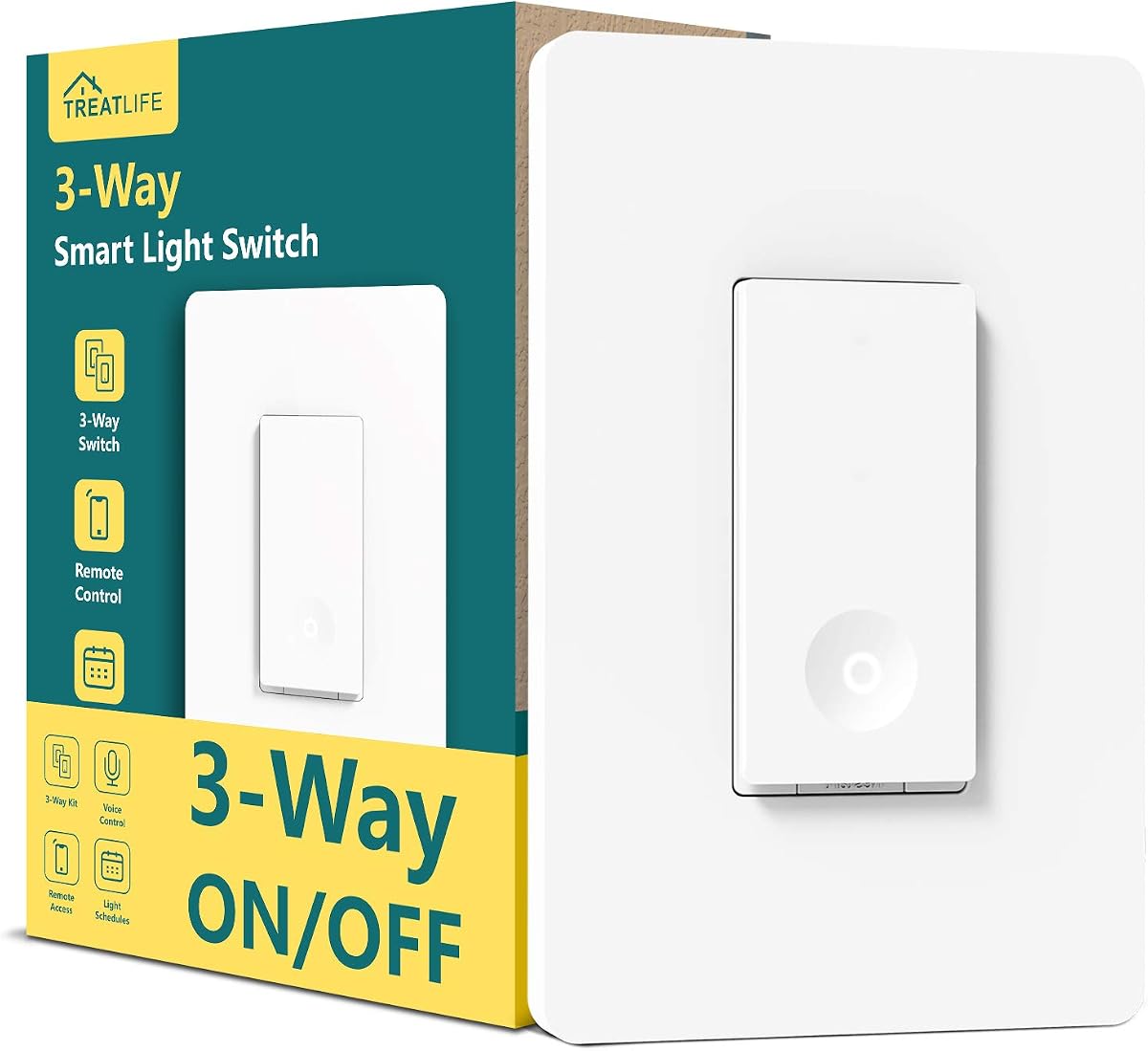
The TREATLIFE 3 Way 1 Pack is a focused option for automating one lighting circuit from one or two locations. Its 4.5 rating is the second-highest listed, and the product information clearly identifies its wiring, dimensions, power limit, and network requirements. It is a standard on/off model.
We may earn a commission when you buy through this link, at no additional cost to you.
The Smart Life and Treatlife apps provide remote switching, schedules, countdowns, occupancy simulation, status viewing, sharing, and grouping. Custom applets can respond to phone location and real-time weather. Alexa and Google Assistant support make hands-free operation available for everyday use.
A neutral wire is required, and homes constructed before 1978 may lack one. The switch supports up to 1250 watts and a 10-amp output, uses a 2.4 GHz connection, and includes both standard and screwless wall plates. It does not dim the connected light.
This is a well-rounded pick for one staircase, hallway, garage, or multipurpose room. Its detailed specifications make it easier to assess before installation, while the rating suggests strong user satisfaction without the broader feature overhead of a Matter dimmer.
The ability to use phone location and real-time weather information adds useful context to automations. These applets can make lighting behavior feel more responsive without requiring manual intervention every day.
The listed faceplate and switch-box dimensions help buyers check whether the device will fit an existing wall box. Clear five-wire guidance also assists installers in identifying line, load, neutral, traveler, and ground connections.
We may earn a commission when you buy through this link, at no additional cost to you.
The MOES Matter WiFi Smart Switch 3 Pack has the highest listed rating at 5.0 and provides a compelling Matter-over-Wi-Fi approach. It connects directly to a 2.4 GHz network without a hub, Thread border router, or extra bridge, and can handle single-pole and two-location 3-way installations.
We may earn a commission when you buy through this link, at no additional cost to you.
Its two-wire smart pairing replaces traditional traveler wiring for a simpler retrofit approach, though users should still verify that a neutral wire is present. The companion app provides schedules, countdowns, circulation, random, sunrise, and sunset timers, along with remote status checks and shared household access.
The switch is designed only for standard on/off lighting loads. It is not a dimmer and is not intended to control fan motors, making it important to check the connected fixture before purchase. Its 3.0 rating remains high, but the smaller body of customer feedback may merit more caution than the number alone implies.
Choose the MOES pack for installers seeking Matter flexibility without another hub and for users who want a three-pack covering several basic circuits. It is best suited to standard lighting, not dimmable fixtures or ceiling fans.
Operating over standard Wi-Fi keeps the setup relatively direct. Users can gain Matter-based flexibility without adding a dedicated controller, border router, or bridge to the network.
Beyond simple schedules, the app supports countdown, circulation, random, sunrise, and sunset timers. These options make it possible to create both precise routines and less predictable occupancy patterns.
We may earn a commission when you buy through this link, at no additional cost to you.
The TREATLIFE 3-Way Smart Light Switch provides a conventional one-pack upgrade for basic connected lighting. It carries a 4.4 rating, supports single-pole and 3-way control, and is compatible with Alexa, Google Home, and SmartThings. It is intended for standard on/off fixtures rather than dimmable bulbs.
We may earn a commission when you buy through this link, at no additional cost to you.
The Smart Life app adds remote control, schedules, countdowns, occupancy simulation, real-time status checks, shared access, and device grouping. Voice control offers a convenient alternative to physical switches, while no-hub operation keeps the network setup relatively uncomplicated.
The switch requires a neutral wire and a 2.4 GHz Wi-Fi network. It supports up to 1250 watts, carries FCC certification, uses flame-retardant materials, and includes overheat protection. It cannot dim the connected bulb, so users seeking brightness control will need a different model.
This is a sensible last-place but still capable choice for a standard light where remote access and routines are the main priorities. It works particularly well for users already invested in the Smart Life ecosystem and Alexa, Google Home, or SmartThings.
Connecting directly to a supported Wi-Fi network avoids the cost and complexity of another hub. That makes the switch approachable for households beginning their smart-lighting setup with one circuit.
FCC certification, flame-retardant materials, and built-in overheat protection address important reliability concerns for an in-wall electrical device. Buyers should still follow the supplied installation instructions carefully.
We may earn a commission when you buy through this link, at no additional cost to you.
Choosing a 3 way smart switch starts with the existing electrical setup rather than the app. Confirm wiring, network access, control location, dimming needs, and ecosystem requirements before comparing individual models.
Almost every model in this guide requires a neutral wire, which provides a continuous electrical path for the smart electronics. Older homes, particularly those built before 1978 according to the TREATLIFE guidance, may not have a neutral conductor at each switch box. Confirm the wiring in every location involved in the circuit rather than assuming the main switch box is representative.
Choose only a model whose stated wiring requirements match your box. If a neutral wire is absent or the existing conductors are unclear, have an electrician evaluate the installation before ordering.
A conventional 3-way circuit uses two switching locations to control one fixture, often at the top and bottom of a staircase or at opposite ends of a hallway. Some kits replace both existing switches, while others pair with a companion device. The product descriptions generally explain whether the model works as a 3-way or single-pole switch and whether multiple units are needed for two-location control.
Read the included diagram and installation instructions closely. Traveler-wire arrangements vary, so do not assume every 3-way switch can connect to every other smart switch without compatible companion hardware.
Most of the options are standard on/off switches, while the Kasa KS230 and Tapo S515D provide full dimming. Dimming can improve comfort in living rooms and bedrooms and allows schedules to activate a specific brightness rather than only an on state. It also requires compatible dimmable bulbs and careful attention to wattage limits.
The Kasa model supports incandescent bulbs up to 300 watts and dimmable LEDs up to 150 watts. Verify the lighting load and behavior before installing either dimmer.
Most products work with Alexa and Google Assistant, but broader compatibility can be more useful. Matter-certified options from Tapo and MOES are designed to work across major ecosystems, while Leviton also supports Apple Home, SmartThings, Home Assistant, and Matter. Some Treatlife configurations support SmartThings but explicitly do not support HomeKit.
Choose based on the controllers and voice assistants already in use. If you may change platforms later, a Matter device offers greater flexibility and reduces the chance of rebuilding every routine.
Most switches in this roundup require a 2.4 GHz Wi-Fi network and explicitly do not support 5 GHz. Many modern routers combine both bands under one network name, which can prevent the switch from discovering the router even when a 2.4 GHz connection is available.
Use the app's setup guidance and make sure the phone can connect to the required band. A separate 2.4 GHz network may be necessary in some homes, depending on router settings.
Remote on/off operation is only the starting point. Most models include schedules and countdowns, while several add away mode, randomized occupancy behavior, sunrise and sunset timing, device grouping, or context-aware applets. Matter-capable Tapo models also provide energy monitoring, and the S515D supports scheduled dimming levels.
Prioritize the routines you will genuinely use. A simple schedule may be enough for one hallway, whereas energy insights and brightness scenes justify a more advanced dimmer for a main living space.
A 3-way circuit often requires coordinated hardware at two locations. Before purchasing a kit or individual switch, identify whether the second location needs a smart switch, a companion remote, or a conventional mechanical switch. Multi-packs can be more convenient when upgrading several rooms, but buying too many units does not guarantee compatibility with every existing circuit.
Consider wall-plate fit, box dimensions, screw access, and whether included accessories are sufficient. The listed TREATLIFE dimensions provide a useful example of why checking the actual box can prevent installation surprises.
Look for recognized safety certifications and built-in protections where available. UL certification is listed for the Kasa HS210, ETL certification for the Kasa dimmer, and FCC certification for several Treatlife models. Tapo describes UL-certified flame-retardant materials, while the GHome and Treatlife products include or cite overheat protection.
Electrical work carries risk even with a certified product. Use the app-guided instructions, follow the manufacturer diagram, shut off the appropriate circuit, and consult an electrician if you are unfamiliar with electrical wiring.
Begin by confirming that the circuit is de-energized and that the existing box contains the required neutral, line, load, ground, and traveler conductors. Compare them with the manufacturer's diagram rather than relying on wire color alone, then install the switch and secure it to the wall box in the orientation specified by the instructions.
Restore power after the physical installation is complete, connect the phone to the required 2.4 GHz Wi-Fi network, and use the Kasa, Tapo, My Leviton, Smart Life, TREATLIFE, GHome, or MOES companion app to add the device. Create names that describe the location, assign the switch to a room, and test every physical switch position before adding voice assistants, groups, schedules, or dimming routines.
For care, update firmware through the manufacturer app when notifications appear and avoid loading the circuit beyond the listed wattage or current limits. Periodically check that the switch remains firmly seated, the wall plate is secure, and any dimmer still operates smoothly. If the device behaves inconsistently, check the network, compatible bulb type, wiring, and firmware before resetting it.
Most models in this guide do require a neutral wire, including the Kasa, Tapo, TREATLIFE, GHome, and MOES selections. A neutral provides power to the smart electronics even when the light is off. Older homes may lack one at the switch box, so inspect each location or have an electrician confirm compatibility before purchase.
Only if the selected model is specifically a dimmer. The Tapo S515D and Kasa KS230 support brightness adjustment, whereas the other listed products are standard on/off switches. A dimmer also needs compatible bulbs, and the connected load must remain within the manufacturer's wattage and current limits.
Most of the listed products connect directly to a 2.4 GHz Wi-Fi network and do not require a hub. Matter-enabled models such as the Tapo S515, Tapo S515D, and MOES switch can also operate across compatible ecosystems without adding a hub or bridge. A platform may impose additional requirements for particular automations, so verify compatibility before installation.
Yes. Every product in the guide provides app-based remote control, along with features such as schedules, timers, status checks, and grouping. The exact app varies by brand, so download the official application named in the product instructions and confirm that the switch appears as a separate controllable device for each room.
Alexa and Google Assistant are supported by most of the switches. Tapo models also list Siri and Samsung Bixby, while the Leviton D315S-1RW supports Google Assistant, Amazon Alexa, and Apple Siri. Some models provide broader Matter compatibility, but HomeKit support is not universal and is specifically excluded by the TREATLIFE 4 Pack description.
Most of the switches listed require 2.4 GHz Wi-Fi and do not support a 5 GHz-only connection. If your router combines both bands under one name, follow the app's setup instructions to separate or temporarily access the 2.4 GHz band. Confirm the network requirements for the exact model before beginning installation.
A standard 3-way circuit is normally controlled from two switch locations. Depending on the model and wiring design, you may need two smart switches, one smart switch paired with a companion device, or a multi-way arrangement. The Tapo S515 also supports four-way configurations, while other models are primarily designed for one- or two-location control.
Installation can be approachable if you understand electrical wiring, the circuit has the required neutral, and you follow the model-specific instructions. Switches such as the Kasa and Tapo provide app-guided installation aids, but they also recommend consulting an electrician when unfamiliar with electrical work. Turn off the breaker and verify the circuit is de-energized before touching wiring.
The Tapo S515 is a compelling budget-oriented choice with Matter certification and unusually flexible four-way support. The Kasa HS210 stands out as an all-around option with guided setup and a strong rating, while the Tapo S515D is the premium selection for buyers who want full dimming, energy monitoring, Matter support, and smooth lighting transitions.
Prioritize compatibility over feature count. Confirm neutral wiring, 2.4 GHz Wi-Fi, the exact number of control locations, required companion hardware, dimming needs, and your preferred voice assistant before ordering. For broad long-term flexibility, Matter-certified models are attractive, while basic on/off switches remain practical for uncomplicated lighting circuits.
Ratings, product availability, and prices can change, so review the current listing and technical specifications before making a final decision. The linked product pages provide the latest package details, documentation, availability, and current price for each option considered in this guide.