
Amzfast 49C7U
Dual QHD 32:9 display
120Hz adaptive-sync gaming
PIP and PBP multitasking
Height and swivel adjustments
HDMI and DisplayPort connectivity
A 49-inch monitor offers the screen space of two conventional displays without requiring two separate panels. The 32:9 format is especially useful for gaming, creative work, financial dashboards, and multitasking, but differences in resolution, refresh rate, color performance, and connectivity can make one model far better suited to a particular desk.
This guide compares ten 49-inch monitors using the specifications and feature information supplied for each product. It covers Dual QHD and 3840 x 1080 models, QD-OLED and conventional gaming panels, high-refresh-rate options, USB-C connectivity, HDR support, built-in speakers, and the practical advantages of curved ultrawide displays.
Each review highlights the strongest use case, meaningful trade-offs, and the type of buyer most likely to benefit. The picks range from budget-oriented gaming options to premium OLED screens and productivity-focused business monitors, with the top three receiving Best Budget, Editor's Choice, and Best Premium recognition. Prices and availability can change.

4.3Editor score
4.4Editor score
As an Amazon Associate we earn from qualifying purchases.
The table below places all ten monitors side by side, emphasizing the differences that matter most: native resolution, refresh rate, gaming synchronization, and major productivity features. It is designed to help readers identify the right balance of speed, image quality, connectivity, and functionality.
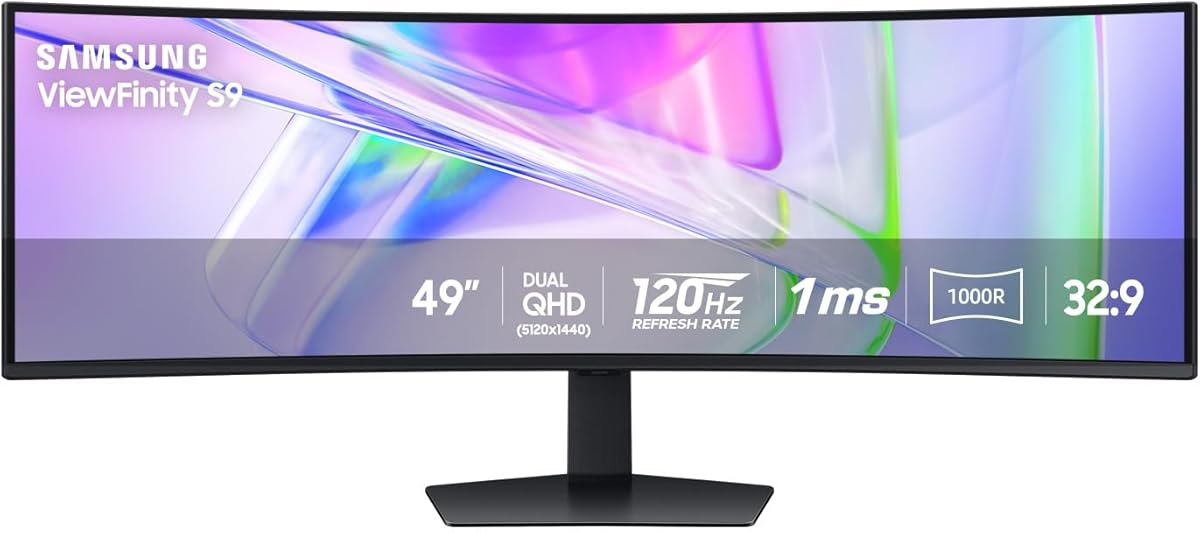


The Samsung 49-inch Business Curved Ultrawide combines a spacious 32:9 panel with the practical features expected from a modern work display. Its 4.5 rating reflects a particularly balanced specification sheet: Dual QHD resolution, a 120Hz refresh rate, USB-C power delivery, multiple video inputs, built-in speakers, and a height-adjustable stand. It is not positioned as a dedicated esports monitor, but it is unusually complete for productivity-focused use.
We may earn a commission when you buy through this link, at no additional cost to you.
The 1000R curved display closely follows the shape of the viewing area, making the extreme width feel more natural than a flat panel of the same dimensions. That width can hold dense spreadsheets, multiple application windows, an editing timeline, or a game beside supporting material. The USB-C connection supports 90W charging and allows the display to function as a docking hub, reducing the number of separate cables attached to a laptop. DisplayPort, two HDMI inputs, and USB connectivity broaden compatibility with desktops and media devices.
The trade-off is that this model is not aimed at the most demanding competitive gamers. Although 120Hz is smooth for general use, it is lower than the 144Hz, 165Hz, and 240Hz rates available elsewhere in this guide. DisplayHDR 400 is also less ambitious than the HDR 600 and DisplayHDR 1000 specifications offered by some alternatives, and a conventional LCD panel will not reproduce the deep blacks and near-instant response of QD-OLED. The included speakers reduce desk clutter, although they are a convenience rather than a substitute for a dedicated audio system.
It is the strongest general recommendation for users who want one screen to handle office work, creative projects, entertainment, and occasional gaming. The 32:9 format effectively replaces a conventional dual-monitor arrangement, and the charging hub makes the setup especially tidy for laptop users. Buyers primarily chasing competitive gaming may prefer a faster model, but for versatility, connectivity, and everyday usability, this Samsung is the most complete choice.
The 32:9 canvas gives applications substantially more horizontal room than a 16:9 monitor. Users can keep communication, research, and primary work visible together, while the 120Hz rate keeps scrolling and cursor movement visually smooth.
USB-C power delivery turns the monitor into a practical hub for compatible laptops. DisplayPort, HDMI, and USB inputs also make it easier to combine a desktop, a console, and other peripherals without constantly rearranging cables.
We may earn a commission when you buy through this link, at no additional cost to you.
The Samsung Odyssey OLED G9 G91SD is the premium image-quality choice in this roundup, combining a 49-inch QD-OLED panel with Dual QHD resolution and 144Hz refresh. Its 4.3 rating reflects a display designed to excel in both cinematic gaming and high-end creative work. The standout attraction is the combination of rich color, deep black levels, high pixel density, and an extremely fast 0.03ms response time.
We may earn a commission when you buy through this link, at no additional cost to you.
At 5120 x 1440, the panel provides substantially more detail than a 3840 x 1080 ultrawide while still avoiding the extreme pixel density of a 5K model. That balance makes it well suited to games, video timelines, photo libraries, and wide documents. G-Sync compatibility and AMD FreeSync Premium Pro help reduce tearing, stutter, and choppy motion. Picture-in-Picture allows a secondary source to appear over the main image, making it easy to keep chat, a guide, or a small application visible during a game.
OLED displays require a little more consideration than conventional LCD panels, and Samsung includes several tools to address that reality. A thermal modulation system manages surface temperature and brightness, while logo and taskbar detection dims static elements to reduce the risk of burn-in. A screen saver activates after ten minutes of inactivity and restores normal brightness when input resumes. These features do not eliminate every OLED consideration, but they show that the manufacturer has designed several protections around everyday use.
This is the monitor to choose when image quality matters as much as speed and when the extra investment is justified by the viewing experience. It is particularly compelling for competitive gaming, HDR entertainment, and color-sensitive creative work. Buyers who only need a large office display can find more practical value elsewhere, but those seeking the richest combination of contrast, response, resolution, and gaming features will find this G9 particularly compelling.
The 144Hz refresh rate and 0.03ms response time make fast movement appear immediate. G-Sync compatibility and FreeSync Premium Pro further help maintain fluid presentation when the connected graphics hardware supports those synchronization features.
Thermal modulation, static-image brightness adjustment, and an automatic screen saver address common OLED concerns. Users should still follow sensible display habits, particularly when leaving static menus or productivity windows visible for extended periods.
We may earn a commission when you buy through this link, at no additional cost to you.
The INNOCN 49C1R is a compelling value choice because it brings 5120 x 1440 Dual QHD resolution, a 120Hz refresh rate, and a generous port selection to a comparatively accessible 49-inch monitor. Its 4.2 rating reflects a capable general-purpose package rather than a specialized enthusiast specification list. The 1800R curved VA panel, 99% sRGB coverage, and HDR 400 support make it a practical all-rounder for gaming and productivity.
We may earn a commission when you buy through this link, at no additional cost to you.
Connectivity is unusually thorough for this class. The monitor includes DisplayPort 1.4, HDMI 2.1, a USB-C port with 65W power delivery, two USB-A ports, USB-B, RJ45, and a 3.5mm audio jack. That selection allows compatible laptops, tablets, phones, consoles, and networked devices to be connected with greater convenience. PIP and PBP functions can present two input sources simultaneously, which is valuable for trading, monitoring systems, streaming, or general office multitasking.
The visual specification is not as advanced as that of the OLED alternatives. Its 99% sRGB gamut is suitable for mainstream content but limited for professional work requiring a wider calibrated range, and HDR 400 is a relatively modest certification. The 120Hz refresh rate handles most fast games well but is less competitive in a field that includes 144Hz, 165Hz, and 240Hz models. Built-in speakers and adjustable height add convenience, while the VA panel should deliver useful contrast for its class.
The 49C1R best suits buyers who want high-resolution ultrawide multitasking and solid gaming without moving into premium OLED pricing. It is particularly attractive for laptop users because USB-C can charge the computer while carrying video and data. Those who need professional wide-gamut color, very high HDR brightness, or top-tier competitive speed should spend more, but for general 49-inch productivity and entertainment, this model delivers an unusually complete specification set.
Dual QHD resolution makes the 49-inch canvas practical for detailed work, while DisplayPort, HDMI, and USB-C cover most modern devices. The 65W USB-C connection is especially convenient for reducing cable clutter around a laptop.
PIP and PBP allow two sources to appear on the same display. This is useful for keeping communication, monitoring data, or a secondary game view available without relying on a separate monitor.
We may earn a commission when you buy through this link, at no additional cost to you.
The CRUA 49-inch DQHD gaming monitor emphasizes speed, offering a 165Hz refresh rate at 5120 x 1440 resolution. Its 4.4 rating makes it one of the strongest all-around choices in the guide, particularly for gamers who want more than the standard 120Hz or 144Hz. The 1500R curved 32:9 design also provides an immersive field of view for fast games, racing titles, and cinematic entertainment.
We may earn a commission when you buy through this link, at no additional cost to you.
AMD FreeSync is included to reduce screen tearing and stutter when used with a compatible graphics card. Color specifications include 120% sRGB coverage, 330cd/m² brightness, and a 3000:1 contrast ratio, which is useful for video, graphics, and general content creation. Low-blue-light and flicker-free features are also listed, helping make long sessions more comfortable. The stand supports height, tilt, and lift adjustments, and wall mounting provides an alternative installation method.
Its main limitations are relatively minor. The monitor does not include built-in speakers, so an audio solution is required. It also falls short of the 240Hz rates and stronger HDR specifications found among higher-end models. The stated 144Hz/165Hz maximum is the key figure, but buyers should also verify the resolution and timing configuration supported by their chosen computer, graphics card, and cables before purchase.
This CRUA is a good match for gamers who prioritize high refresh rates and Dual QHD clarity without moving to a premium OLED. It also works well for streaming, a home office, and creative tasks that benefit from a wide canvas. Those seeking absolute top-tier speed, richer HDR, integrated audio, or more advanced productivity features have better options, but this model offers a particularly sharp balance of resolution and responsiveness.
A 165Hz refresh rate gives fast games a noticeable advantage over standard 60Hz and 120Hz panels. FreeSync support helps maintain fluid presentation when paired with compatible graphics hardware.
The stated 120% sRGB coverage, 330cd/m² brightness, and 3000:1 contrast ratio provide a useful foundation for editing and design. Calibration remains important when exact color accuracy matters.
We may earn a commission when you buy through this link, at no additional cost to you.
The Samsung Odyssey G9 LS49CG954ENXZA is built for competitive gaming, combining a 49-inch 1000R curved panel with 240Hz refresh, 1ms GtG response, and Dual QHD resolution. Its 4.1 rating reflects a specification set aimed at enthusiasts who want both speed and a very broad field of view. The resulting experience is well suited to shooters, racing games, simulations, and other titles where rapid visual feedback matters.
We may earn a commission when you buy through this link, at no additional cost to you.
Peak brightness is listed at 1,000 nits, and the contrast ratio is specified at 1,000,000:1 alongside VESA DisplayHDR 1000 support. Those numbers create a strong foundation for HDR gaming and cinematic content. AMD FreeSync Premium Pro helps keep fast-moving scenes smooth, while the 1000R curve wraps closely around the viewer to bring peripheral game elements nearer to the center of attention.
This is a demanding monitor, not merely a larger version of a conventional gaming display. A 240Hz Dual QHD experience benefits from a capable graphics card, a well-performing CPU, and a system capable of driving games at the desired frame rate. The large curved chassis also needs adequate desk depth, and its aggressive curvature may not suit users sensitive to wide fields of view. In addition to gaming, the display supports PBP, PIP, and Auto Source Switch features for mixed workflows.
Choose this Odyssey G9 when competitive responsiveness and HDR are the main objectives. It delivers the highest refresh rate among the non-OLED selections in this roundup and pairs it with a strong brightness specification. Users seeking a calmer productivity monitor, richer blacks, or simpler setup can look elsewhere, but serious gamers searching for an extreme refresh rate will find this model especially relevant.
The 240Hz refresh rate and 1ms GtG response provide exceptionally quick visual updates. Real-world gains depend on the game, graphics card, processor, and settings, but the hardware leaves considerable room for competitive play.
VESA DisplayHDR 1000 support and 1,000-nit peak brightness target bright, high-contrast gaming. A capable gaming PC and suitable display settings are important for realizing the intended experience.
We may earn a commission when you buy through this link, at no additional cost to you.
The INNOCN 49C1G uses a 3840 x 1080 WDFHD panel to deliver a 49-inch 32:9 canvas at 144Hz. It carries a 4.4 rating and differentiates itself through broad connectivity, including 65W USB-C power delivery, DisplayPort 1.4, HDMI 2.1, multiple USB ports, RJ45, and a 3.5mm audio connection. For many users, that practical hub design matters as much as raw gaming performance.
We may earn a commission when you buy through this link, at no additional cost to you.
The 1800R curve gives the wide panel a more natural shape and the VA technology provides a 3000:1 contrast ratio. Color coverage is listed at 99% sRGB, with HDR 400 support and adaptive synchronization. These specifications make the monitor suitable for everyday creative work, media viewing, office productivity, and gaming. PIP and PBP support can divide the screen or present a second source alongside the primary image.
The defining compromise is resolution. At 3840 x 1080, the screen offers a familiar two-panel-like workspace, but it does not provide the same pixel density as the 5120 x 1440 models in this guide. Small text and fine creative detail can therefore appear less crisp on a 49-inch panel. HDR 400 is also modest, and 99% sRGB does not target professional wide-gamut workflows. Nevertheless, the 144Hz rate is a strong match for the resolution and should deliver fluid movement in a wide range of games.
The 49C1G is ideal for users who prioritize connectivity, smooth everyday performance, and a very wide workspace over maximum pixel density. It is a sensible option for hybrid offices, laptop-centered desks, trading setups, and console or PC multitasking. Those editing small type or working with highly detailed images should consider a Dual QHD alternative, while the most competitive gamers may want a faster panel.
The USB-C, RJ45, and multiport USB layout supports a more integrated desk arrangement. It can reduce reliance on adapters and external hubs, particularly for laptop users who want charging, networking, and display connectivity in one cable.
The 3840 x 1080 format is easier on graphics hardware than 5120 x 1440 and still provides a very broad workspace. Buyers who regularly read small text should compare it carefully with the sharper Dual QHD alternatives.
We may earn a commission when you buy through this link, at no additional cost to you.
The Amzfast AMZG49C7U is the budget-focused selection in this guide, offering a 49-inch 5120 x 1440 curved panel, 120Hz refresh, and a broad set of adjustment and connectivity options. No numerical user rating is supplied, so the recommendation rests on its listed specifications rather than an aggregated customer score. Even so, the combination is attractive for buyers seeking Dual QHD resolution at the lower end of the range.
We may earn a commission when you buy through this link, at no additional cost to you.
The 1500R VA panel covers a 32:9 aspect ratio and supports adaptive synchronization, PIP, and PBP. Color specifications include 120% sRGB coverage, 350 nits of brightness, a 3000:1 contrast ratio, and HDR support. Eye-care features include low-blue-light filtering, flicker-free operation, and an anti-glare treatment. The stand provides 110mm of height adjustment, plus swivel and tilt, while VESA 75×75 mounting offers a compact wall-mounted alternative.
The supplied data indicates that the maximum 120Hz mode uses DisplayPort 1.4, so buyers should confirm compatibility with their graphics hardware. Two HDMI 2.0 and two DisplayPort 1.4 inputs are listed, and the monitor includes multiple preset viewing modes for standard use, cinema, energy saving, office work, and FPS games. Its 1ms MPRT figure is distinct from a GtG pixel response time, so it should be interpreted as a motion-response specification rather than a guarantee of identical panel latency.
This model is most appropriate for gamers and multitaskers who want the resolution advantage of Dual QHD without paying for an OLED or 240Hz flagship. It also makes sense for mixed-use desks where one display must handle spreadsheets, browsing, media, and games. Those needing professional calibration, premium HDR, stronger integrated audio, or highly refined manufacturing should consider more expensive alternatives.
The 5120 x 1440 panel provides more detail and horizontal capacity than a 3840 x 1080 ultrawide. That makes the monitor attractive for detailed desktop work as well as immersive games, provided the connected PC can render appropriately.
Height, swivel, and tilt adjustments help position the wide curved panel comfortably. VESA 75×75 compatibility provides flexibility for users who prefer a monitor arm or wall-mounted arrangement.
We may earn a commission when you buy through this link, at no additional cost to you.
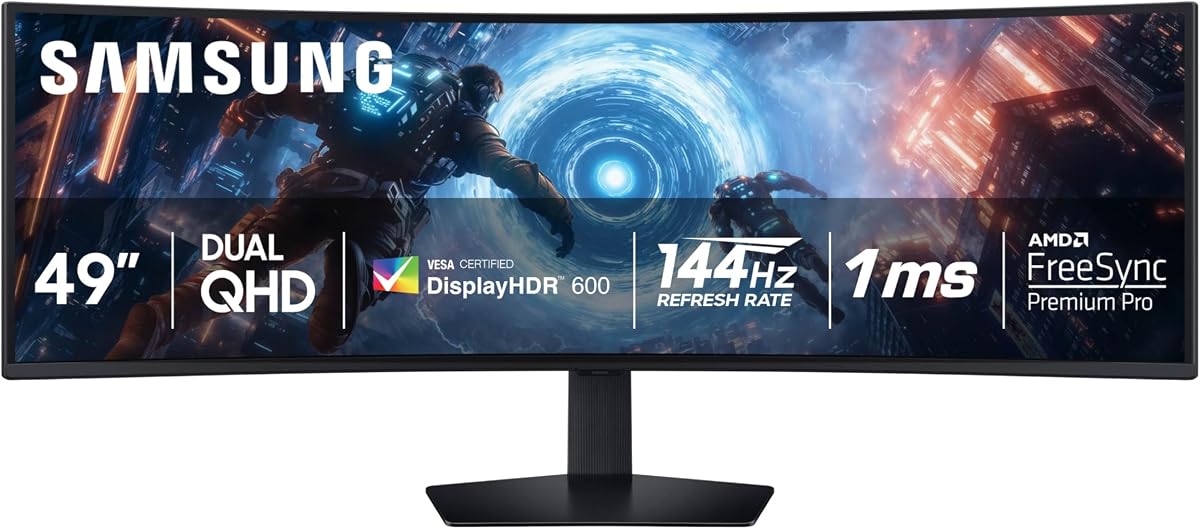
The Samsung Odyssey G9 G91F is a well-rounded premium gaming monitor with a 49-inch 1000R curved 32:9 display, Dual QHD resolution, 144Hz refresh, and DisplayHDR 600 support. Its 4.4 rating places it among the strongest choices in the guide. It delivers enough resolution and speed for detailed competitive games while providing a larger and more immersive canvas than conventional widescreen panels.
We may earn a commission when you buy through this link, at no additional cost to you.
The 144Hz refresh rate and 1ms response time support smooth movement, while AMD FreeSync Premium Pro helps reduce tearing and choppy motion. DisplayHDR 600 provides deeper blacks and brighter whites than entry-level HDR specifications, making the monitor suitable for cinematic games and high-contrast media. The wide 32:9 format is equivalent to two side-by-side 16:9 displays, giving users room for enemies, objectives, chat, and supporting information.
For productivity, split-screen mode enables parallel workflows, and Picture-in-Picture can place chats, videos, or gaming guidance over the main display. Auto Source Switch detects a turned-on device and changes the active input, reducing the need to navigate menus manually. The stand supports tilt and height adjustment. As an LCD-based premium model, however, it cannot match the pure blacks or near-instant GtG response of QD-OLED alternatives, and its gaming synchronization is centered on AMD FreeSync Premium Pro.
This G91F is an excellent choice for gamers who want a high-resolution, high-refresh ultrawide without moving to OLED. It is also compelling for entertainment because the HDR 600 panel and wide geometry suit large-format viewing. Creative users will appreciate the workspace and clarity, while the split-screen functions simplify mixed workflows. It is among the most versatile premium picks for a mixed gaming and productivity desk.
Dual QHD resolution preserves useful detail across the broad canvas, while 144Hz and a 1ms response target smooth gameplay. The combination is well suited to fast titles and expansive simulations.
Picture-in-Picture, split-screen viewing, and automatic source switching reduce the need for a second display. These functions are useful for chat, reference material, media, and desktop productivity alongside gaming.
We may earn a commission when you buy through this link, at no additional cost to you.
The MSI MPG 491CQPX combines two of the strongest gaming specifications available in this guide: a 240Hz refresh rate and 0.03ms GtG response time. Paired with a 49-inch QD-OLED panel at 5120 x 1440, it also provides high resolution, rich color, and deep blacks. Its 4.4 rating reflects a premium enthusiast display aimed at users who want the fastest possible response without giving up ultrawide detail.
We may earn a commission when you buy through this link, at no additional cost to you.
VESA DisplayHDR True Black 400 establishes a capable HDR baseline, while the QD Premium Color specification indicates attention to market color standards. G-SYNC compatibility is useful for NVIDIA-based systems, and the supplied title does not list FreeSync, so buyers should verify their preferred synchronization method before purchasing. The monitor also includes KVM functionality, allowing multiple connected devices to be controlled with one keyboard, mouse, and display.
Console support is another highlight. Console Mode and HDMI 2.1 with 48 Gbps bandwidth are designed to support compatible gaming consoles, although the exact console models and supported display modes should be verified. VESA mounting, tilt, height adjustment, and a built-in speaker add flexibility. MSI OLED Care 2.0 is included to reduce the risk of image sticking, but normal OLED precautions remain appropriate for prolonged static content.
The MPG 491CQPX is best for high-end gaming PCs, competitive players, and enthusiasts who prioritize both speed and contrast. It is significantly more demanding than a standard 60Hz display, requiring a capable graphics card and processor to make full use of 240Hz at Dual QHD. Those who do not need extreme speed may still appreciate the OLED picture quality, but the combination of performance, resolution, and responsiveness makes this model a standout enthusiast option.
The 240Hz refresh rate and 0.03ms GtG response create an exceptionally fast presentation. They are particularly valuable in competitive games where clear motion and immediate feedback can improve reaction and visual tracking.
Console Mode and a full-bandwidth HDMI 2.1 connection broaden the display's appeal. Users should confirm the exact console, resolution, refresh rate, and HDR behavior supported by the monitor and their game system.
We may earn a commission when you buy through this link, at no additional cost to you.
The ASUS ROG XG49VQ is a 49-inch 1800R curved ultrawide gaming monitor with 3840 x 1080 resolution and a 144Hz refresh rate. Its 4.4 rating reflects a well-liked design that combines a broad field of view, smooth gaming, useful color coverage, and flexible adjustment. It remains a practical option for buyers who value the familiar two-screen-style layout and ROG gaming features.
We may earn a commission when you buy through this link, at no additional cost to you.
FreeSync 2 helps synchronize compatible graphics hardware and reduce visible tearing, while the 144Hz rate supports fluid movement. DisplayHDR 400 certification and 90% DCI-P3 coverage offer respectable color performance for gaming, video, and general entertainment. The curved screen wraps around the viewer to enhance immersion, particularly in racing, flight simulation, strategy, and single-player titles that benefit from peripheral awareness.
The monitor includes ASUS GamePlus and GameVisual overlays, allowing users to access game-specific tools and visual presets. Eye Care technology uses flicker-free backlighting and blue-light filters to reduce strain during long sessions. Swivel, tilt, height adjustment, and VESA mounting provide several ways to position the display. Its main limitation is the 3840 x 1080 resolution: across 49 inches, that produces lower pixel density than the DQHD models, which may be noticeable in small text and detailed editing.
This XG49VQ is well suited to gamers who prefer a 144Hz ultrawide with a familiar resolution and broad viewing geometry. It can also serve as a large media display or a two-application workspace. For fine text, professional graphics, or maximum desktop density, a 5120 x 1440 option is preferable. Even so, this ASUS remains an attractive all-around choice for players who value gaming utilities, smooth motion, and a dramatic curved screen.
The 1800R curve and 32:9 ratio create a more enveloping field of view than a standard widescreen monitor. This can be particularly effective in games where awareness beyond the central reticle is useful.
GamePlus and GameVisual give users quick access to overlays and display presets. These features help tailor the monitor to different game genres and personal viewing preferences.
We may earn a commission when you buy through this link, at no additional cost to you.
The best 49-inch monitor is not simply the model with the longest specification list. Resolution, refresh rate, panel technology, connectivity, desk space, and intended workload should be considered together so the large format solves a real need rather than simply filling more desk area.
Resolution determines how much information the display can present and how crisp small elements appear across a large panel. A 5120 x 1440 Dual QHD model provides substantially more horizontal detail and higher pixel density than a 3840 x 1080 display. That makes DQHD better for dense documents, code, timelines, and fine editing, while also placing greater demands on the graphics system. The 3840 x 1080 format is closer to two 1920 x 1080 screens placed side by side, making it familiar, potentially easier to drive, and useful for general gaming and productivity.
In short, choose 5120 x 1440 for maximum detail and professional flexibility, or 3840 x 1080 when a smoother, less demanding setup matters more.
Refresh rate controls how often the display updates each second, and faster rates can make movement appear clearer. A 120Hz monitor is a major step above 60Hz, while 144Hz and 165Hz provide further refinement for fast action. Models reaching 240Hz are aimed at competitive players with powerful computers. The resolution also matters: driving 5120 x 1440 at 240Hz places much greater demands on a graphics card than running 3840 x 1080 at the same rate. Buyers should check the capabilities of both the monitor and their PC rather than considering refresh rate alone.
Choose a higher rate for competitive or fast-paced games, and choose a lower rate when the main goal is office work, media, or general entertainment on a more modest system.
LCD ultrawides remain the practical majority of the market, offering strong resolution choices, high refresh rates, and often useful brightness without the image-retention considerations associated with OLED. QD-OLED models go further with near-perfect blacks, high contrast, wide color, and extremely fast pixel response. They are especially attractive for dark-room gaming, cinematic viewing, and color-sensitive work, but they cost more and require reasonable care around static images. The included protections can reduce risk, but they do not change the underlying nature of OLED technology.
Choose LCD for versatility and value, or QD-OLED when superior contrast, response, and color depth justify the additional cost and care.
Variable refresh rate technology synchronizes the display and graphics output to reduce tearing, stutter, and inconsistent motion. AMD FreeSync is common across this category, with some models supporting Premium Pro or higher tiers. G-SYNC compatibility appears on certain models, including the MSI MPG 491CQPX, and the Samsung OLED G9 supports both G-Sync compatibility and AMD FreeSync Premium Pro. Support should be checked against the graphics card and driver in advance. A monitor without synchronization can still work, but the experience may be less consistent when the frame rate falls below the display's target.
Choose the model whose synchronization standard matches the graphics hardware, and verify the supported range and any listed compatibility requirements.
A 49-inch monitor may serve as the central hub for a workstation. DisplayPort and HDMI cover mainstream video needs, while USB-C can carry video, data, and power when the connected laptop supports compatible alternate modes. Power-delivery ratings range from 65W on the INNOCN models to 90W on the Samsung Business Curved Ultrawide. Additional USB-A, USB-B, and RJ45 connections can reduce desk clutter, though they do not guarantee that every connected device will charge at the advertised rate. Buyers should also verify cable standards, docking bandwidth, and the number of inputs they actually use.
Choose USB-C and a broad hub layout for a clean laptop setup, and ensure the power delivery level matches the connected computer's requirements.
A 49-inch curved display needs considerable desk depth, and its curve can occupy more space than its diagonal measurement alone suggests. It should be placed at a distance where the full width remains comfortable to view without constant head movement. Height adjustment, tilt, swivel, and VESA compatibility help position the screen properly, although the included stand may not satisfy every ergonomic preference. Wall mounting can free desk area, though users must install a suitable arm or bracket and route cables safely. Users sensitive to very wide fields of view may find 1800R or 1500R models more comfortable than 1000R designs.
Measure the desk and viewing distance first, then prioritize adjustable stands or reliable VESA support to avoid an awkward or overly immersive viewing position.
Color gamut tells you the range of colors a display can reproduce, while brightness and contrast determine how those colors appear in bright scenes and dark shadows. sRGB coverage is appropriate for general use, but creators may prefer a model with wider DCI-P3 coverage and factory-oriented color specifications. HDR400 is an entry-level tier, HDR600 offers a stronger target, and DisplayHDR 1000 requires a capable monitor and a suitably bright display. OLED screens create exceptionally deep blacks by switching individual pixels off, although their peak brightness can still vary by color and operating mode.
Choose sRGB for everyday work, wide-gamut coverage for demanding media, and an established HDR tier when the content and viewing environment justify it.
Picture-in-Picture and picture-by-picture allow two input sources to appear on one display, reducing the need for a second monitor. Auto Source Switch can detect powered-on devices and change inputs, while KVM switching can let one keyboard and mouse control multiple computers. USB-C docking and RJ45 networking add further flexibility for office desks. These features vary significantly across the list, so users who routinely switch between work, communication, media, and gaming systems should prioritize the exact workflow they need rather than simply choosing the largest screen.
Choose PIP, PBP, KVM, auto-switching, or a USB-C hub when your work depends on multiple sources, and skip features that duplicate a setup you do not use.
Begin by positioning the monitor directly in front of you at a comfortable distance rather than placing it to one side. Because a 49-inch 32:9 display is very wide, keeping the center of the screen aligned with the center of your chair reduces neck movement. Adjust the height, tilt, and swivel until the top edge is slightly below eye level and the viewing angle feels natural. Use the stand's height range or a VESA-compatible arm, and avoid leaning forward simply to see the far edges.
Connect the computer with the interface that matches the intended use and available bandwidth. DisplayPort is generally appropriate for high-refresh PC gaming, while HDMI expands console and media-device compatibility. For a laptop-based setup, use a compatible USB-C cable if the monitor supports display alternate mode and power delivery. After connecting, select the correct source, calibrate the refresh rate in the operating system's display settings, and use the monitor's PIP, PBP, or KVM functions when they solve a recurring workflow rather than simply enabling every option.
OLED models require extra care with static imagery, while conventional LCD models are generally more forgiving. Avoid leaving taskbars, dashboards, documents, or paused games onscreen continuously at maximum brightness, and use available OLED protection tools, screen savers, and automatic dimming features. Keep the panel clean with a soft, lint-free cloth, and do not push debris toward the edges. Periodically check that cables are not pulling on the stand, that vents remain unobstructed, and that firmware or display-driver updates are installed when the manufacturer provides them.
A 49-inch monitor is large, but its 32:9 aspect ratio can be highly productive when applications support wide layouts. It can replace two side-by-side 16:9 displays, making it useful for research, spreadsheets, video editing, and communication. The main requirement is adequate desk depth and a viewing position that allows the full width to be seen comfortably.
5120 x 1440 provides more pixels, finer detail, and a greater pixel density across the 49-inch panel. It is especially useful for code, small text, timelines, and other detailed work. The 3840 x 1080 format uses fewer pixels and may be easier for a graphics system to drive, but text and images can look less crisp on the same physical size.
No, although 240Hz can provide smoother motion and clearer visual feedback in competitive games. A 120Hz or 144Hz monitor remains very responsive, and its actual advantage depends on your system, game, display settings, and personal sensitivity to motion. The most important factors are smooth frame delivery, suitable graphics hardware, and a display that complements the games you play.
They can be excellent because OLED panels provide high resolution, deep blacks, and fast response in a wide workspace. The main concern is displaying static content for long periods, so users should employ screen savers, brightness controls, taskbar detection, and other manufacturer-provided protections. A premium LCD may be preferable for users who leave documents or dashboards visible continuously.
Yes, and that is one of the main benefits of the 32:9 format. A 49-inch display can show two wide applications or a single expansive workspace without the bezel gap found between separate monitors. It also reduces desk clutter, although PIP and PBP functions can split the screen into separate areas when distinct input sources are required.
The right card depends on resolution, refresh rate, game, and graphics settings. A 5120 x 1440 display requires more bandwidth and processing power than 3840 x 1080, while 240Hz models demand the most capable systems. Users should check the recommended requirements for their chosen games and confirm that their graphics card supports the desired combination of resolution and refresh rate.
It can be very useful for laptop users because one compatible USB-C connection can carry video, data, and power. Charging capacity varies from 65W to 90W across the models in this guide, so users should check whether the level meets their computer's needs. Desktop owners may find DisplayPort and HDMI more important than USB-C power delivery.
A 49-inch ultrawide is often positioned roughly two to three feet away, but the ideal distance depends on desk depth, curvature, text size, and personal preference. The entire screen should be visible with natural eye movement, and the center should align with your head. If the edges require excessive turning or leaning, adjust the distance, height, or curvature preference.
The best overall option is the Samsung Business Curved Ultrawide because it combines a spacious 32:9 panel, 120Hz smoothness, a 90W USB-C hub, built-in speakers, and practical height adjustment. The Samsung Odyssey OLED G9 G91SD is the premium image-quality choice, while the Samsung Odyssey G9 G91F offers a refined mix of Dual QHD detail, 144Hz gaming, HDR 600, and flexible multitasking.
Prioritize the display feature that affects your work most. Competitive players should consider 144Hz, 165Hz, or 240Hz and verify their graphics hardware can sustain the chosen resolution. Creators and office users should focus on pixel density, color coverage, USB-C charging, and screen width. QD-OLED buyers should also account for static-image care, while LCD users should compare brightness, contrast, and HDR specifications against their viewing environment.
Before purchasing, confirm the physical fit, current connector requirements, supported resolution and refresh combinations, desk depth, and preferred stand or VESA arrangement. Monitor prices, promotions, and feature bundles can change over time, so checking the current listing ensures the model still represents the best value for your specific needs.