
UGREEN 16K DisplayPort Cable 2.1
4.7Editor score
54Gbps DisplayPort 2.1 bandwidth
4K gaming up to 240Hz
Durable nylon braided jacket
Our expert guide compares Displayport Cable for Gaming options, covering bandwidth, high refresh rates, HDR, audio, durability, compatibility, and setup today.
A DisplayPort cable can determine whether a capable gaming PC and monitor deliver their intended resolution, refresh rate, HDR imagery, audio, and adaptive-sync performance. The right cable must match both ports, sustain the required bandwidth, and remain dependable behind a desk or beside a multi-screen rig.
We compared all ten cables by DisplayPort version, maximum bandwidth, supported resolutions, refresh rates, HDR and audio features, shielding, connector design, gaming technologies, and device compatibility. The list includes DP 1.4 options for established systems and VESA-certified DP 2.1 cables for newer, high-end hardware.
Each review reveals which setup benefits most from the cable, along with any practical limitations. Our top three picks cover budget-conscious, premium, and general-purpose choices, while the remaining entries serve particular display, multi-monitor, or connection needs. Product prices can change, so check the current listing before purchasing.
4.7Editor score

4.7Editor score

4.6Editor score
The comparison chart highlights each cable's headline bandwidth, maximum gaming resolution, refresh capability, and distinguishing construction or gaming features.



The Silkland 80Gbps DisplayPort Cable 2.1 earns the top position because it combines VESA certification, DP80 bandwidth, and an unusually broad set of gaming features in one 6.6-foot cable. Its 4.7 rating reflects a strong overall proposition, particularly for systems pairing a current graphics card with a high-refresh monitor.
We may earn a commission when you buy through this link, at no additional cost to you.
The cable supports uncompressed 4K at 240Hz and 8K at 60Hz, with additional DSC-enabled modes reaching 16K at 60Hz, 8K at 240Hz, and very high 4K refresh rates. Compatibility with UHBR20, Dynamic HDR10+, HDCP 2.3, VRR, ALLM, FEC, and DSC 1.2a makes it suitable for advanced gaming and multimedia setups.
Construction uses 28AWG tinned copper conductors, triple shielding, gold-plated connectors, and a nylon exterior described as substantially more durable than PVC. The lack of a retaining latch reduces the risk of accidental damage during removal, although it may be less convenient in a permanently installed multi-screen arrangement.
This is the strongest general recommendation for anyone seeking a long-lived cable that can cover present and future high-end gaming hardware. It is especially appropriate for 4K high-refresh displays, although users should remember that the cable alone cannot deliver a mode unsupported by the GPU, monitor, or graphics-card interface.
The 80Gbps link provides substantial headroom for high-resolution, high-refresh displays. That margin is useful when a PC is upgraded before the monitor, because the cable can handle demanding modes associated with current flagship graphics hardware.
VRR, ALLM, DSC, UHBR20, HDR, and high-bandwidth audio make this more than a basic video lead. Those features align well with adaptive-sync gaming monitors and systems intended for high-end desktop or multi-monitor use.
We may earn a commission when you buy through this link, at no additional cost to you.
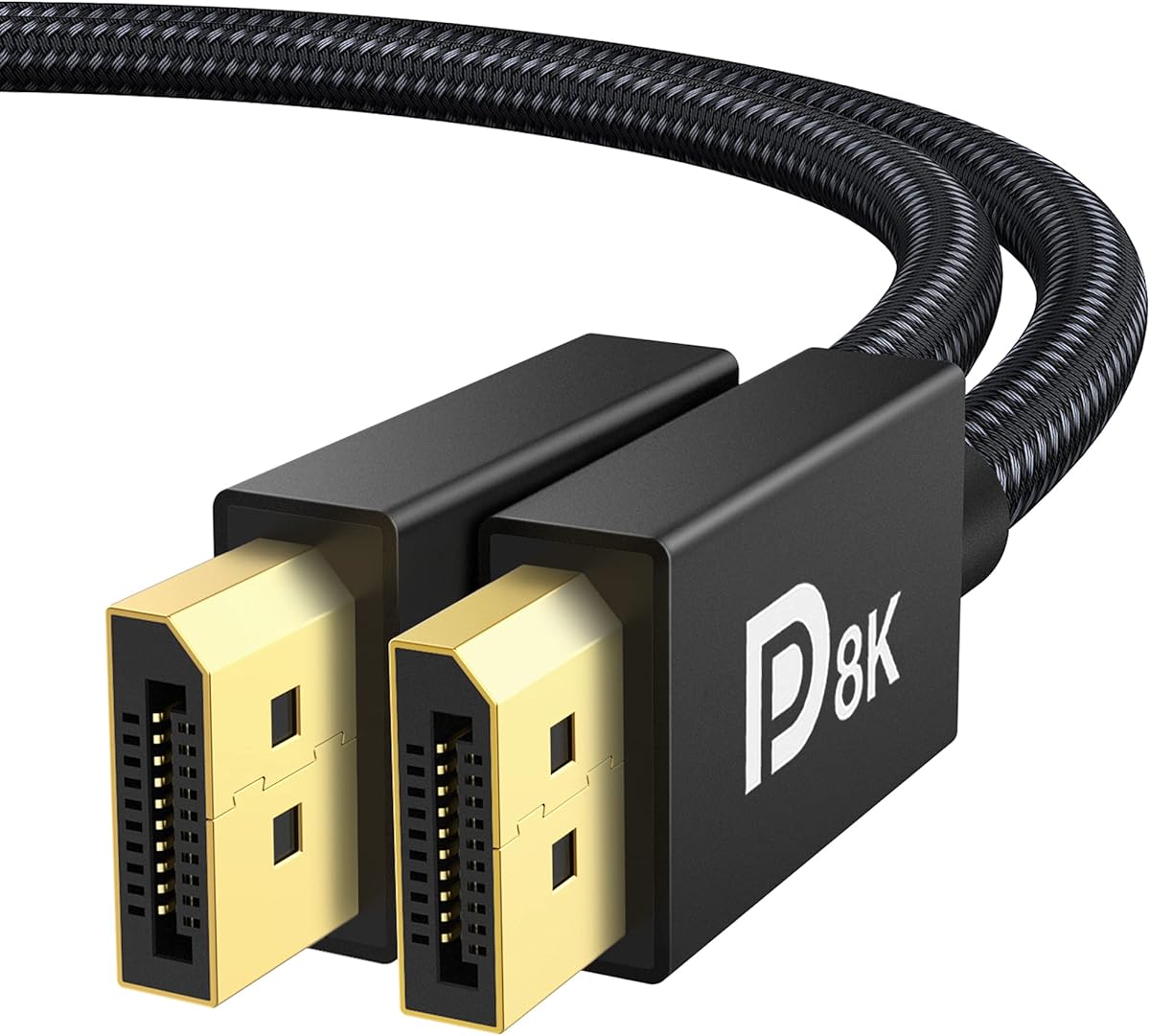
The UGREEN 16K DisplayPort Cable 2.1 is the value-focused choice in this guide, combining a 4.7 rating with 54Gbps bandwidth and VESA certification. It supports demanding gaming modes without moving into the very top tier of DP80 hardware.
We may earn a commission when you buy through this link, at no additional cost to you.
Listed capabilities include 4K at 240Hz, 8K at 240Hz, 16K at 30Hz with DSC 1.2a, and 1080p at 540Hz. VRR, ALLM, FreeSync, G-Sync, HDR, HDCP 2.2, FEC, UHBR10, and MST broaden its usefulness across fast gaming displays and multi-screen desks.
The cable uses 28AWG tinned copper, triple shielding, aluminum alloy connector housings, and a nylon braid. Its latch-free plug-and-play design avoids the need to release a retaining mechanism, although users accustomed to latched DisplayPort connectors may want to ensure the connection is seated firmly.
Choose this cable for a high-refresh gaming monitor without overspending on bandwidth that the current hardware cannot use. It is also a sensible upgrade from a basic cable included with a monitor, particularly when 4K at 144Hz or 240Hz is important to the setup.
A listed maximum of 4K at 240Hz makes this a practical choice for modern competitive and high-fidelity gaming displays. Actual output still depends on the source device, graphics card, and monitor accepting the selected resolution and refresh combination.
MST support allows compatible devices to manage multiple screens, provided the graphics card and displays support the required configuration. It makes the cable relevant to productivity-focused battlestations as well as gaming setups.
We may earn a commission when you buy through this link, at no additional cost to you.
The Highwings 80Gbps DisplayPort Cable 2.1 is a feature-rich alternative for gamers who want high bandwidth and a construction designed for regular cable handling. Its 4.6 rating indicates a favorable balance of specifications and customer feedback.
We may earn a commission when you buy through this link, at no additional cost to you.
Resolution support includes 16K at 60Hz with DSC, 10K at 60Hz, 8K at 120Hz, 4K at 240Hz, 165Hz, or 144Hz, and 2K at 240Hz. Dynamic HDR, 32-bit audio, FreeSync, G-Sync, Adaptive-Sync, and MTS make it suitable for immersive games and multi-monitor arrangements.
Internally, it uses 28AWG tinned copper conductors with triple-layer shielding. A double nylon braid and 24K gold-plated connectors target long-term durability, while the slip-resistant grip design is intended to make frequent connections easier. Unlike the leading certified DP80 cables, certification is not listed among its stated attributes.
This cable makes sense for builders who prioritize high refresh modes, gaming audio, and a flexible upgrade path. Confirm that the source and display support the intended resolution, enable the correct DisplayPort input, and manually select the desired refresh rate when necessary.
The cable's listed combinations cover everything from 2K high refresh to 16K with DSC. That makes it suitable for future-oriented builds, provided every component in the signal chain supports the target mode.
High-fidelity 32-bit audio and support for three adaptive-sync families suit gamers who use onboard display audio. The gaming benefits remain dependent on the monitor and graphics card implementing the relevant synchronization features.
We may earn a commission when you buy through this link, at no additional cost to you.
The IVANKY VESA Certified 8K DisplayPort Cable 1.4 remains a strong gaming option for systems that do not need DP 2.1. Its 4.7 rating and 32.4Gbps HBR3 bandwidth support high-resolution and high-refresh combinations that remain common on current gaming monitors.
We may earn a commission when you buy through this link, at no additional cost to you.
The cable lists 8K at 60Hz, 5K at 60Hz, 4K at 240Hz, 2K at 240Hz, and 1080p at 240Hz. Dynamic HDR, HDCP 2.2, FreeSync, and G-Sync support complement its video capabilities, while backward compatibility allows use with earlier DisplayPort revisions.
A 30AWG tinned copper core makes the cable relatively slim and flexible compared with many 28AWG alternatives. The nylon braid is rated to withstand more than 28,000 bends, gold-plated connectors aid conductivity and durability, and the latch-free design helps prevent port damage during removal.
Choose it as a flexible, established-format replacement or upgrade cable for a modern high-refresh monitor. It is particularly useful when the display tops out below the extreme resolutions associated with DP 2.1, while still delivering the resolution and refresh rate most gaming setups require.
The relatively slim 30AWG conductor arrangement makes routing easier than with many thicker high-bandwidth leads. A six-foot-class length also leaves room for normal monitor placement without excessive cable slack.
VESA certification and a listed 4K at 240Hz mode make this cable credible for competitive high-refresh displays. Certification verifies the cable standard, but the complete setup must still support the chosen resolution and refresh rate.
We may earn a commission when you buy through this link, at no additional cost to you.
This Silkland 54Gbps DP 2.1 cable offers a balanced alternative to the top-ranked 80Gbps model. It carries a 4.6 rating, VESA certification, and the headline modes needed by high-refresh gaming systems, including 4K at 240Hz.
We may earn a commission when you buy through this link, at no additional cost to you.
With DSC 1.2a, it supports 16K at 60Hz, 8K at 120Hz, and 4K at 240Hz, 165Hz, 144Hz, or 120Hz. Dynamic HDR, HDCP 2.2, 7.1/5.1/2.0 uncompressed audio, 32-bit audio, MST, G-Sync, FreeSync, and Adaptive-Sync make the feature set well suited to gaming desks.
The cable uses 28AWG tinned copper, triple shielding, gold-plated connectors, and a double nylon braid. A groove near the plug is intended to make removal easier in tight spaces, while the absence of a latch lowers the chance of damaging a connector during disconnection.
Choose this model when 54Gbps is sufficient and you want certified construction without moving to a top-tier DP80 cable. It is a good match for a powerful single gaming monitor or a multi-display arrangement that uses compatible MST configurations.
Fifty-fourGbps is enough for demanding 4K gaming modes while leaving a clear distinction from DP80 options. That balance can make sense when a computer or monitor does not support the cable's highest advertised modes.
MST support adds value for extended desktops, while uncompressed multichannel audio is useful with compatible gaming monitors. Users should verify monitor and GPU support before relying on daisy-chained or multi-stream arrangements.
We may earn a commission when you buy through this link, at no additional cost to you.
The Silkland 80Gbps Secure Latch cable is tailored to gaming installations where an accidental tug should not interrupt the display connection. It combines VESA-certified DP80 bandwidth with a physical locking mechanism and earns a 4.5 rating.
We may earn a commission when you buy through this link, at no additional cost to you.
Its specification list includes uncompressed 4K at 240Hz, 8K at 60Hz, and 2K at 540Hz, plus DSC-enabled modes up to 16K at 60Hz and 8K at 240Hz. UHBR20, Dynamic HDR10+, HDCP 2.3, VRR, ALLM, FEC, DSC 1.2a, MST, and surround audio cover advanced display functions.
The secure latch helps protect a connection from pets, accidental kicks, or cable movement, particularly behind wall-mounted displays. Twenty-six AWG tinned copper conductors, triple shielding, gold-plated connectors, and a double nylon braid reinforce the cable's high-speed and durability claims.
This is a compelling choice for fixed desks, multi-monitor installations, and users who value retention over rapid unplugging. Remember that the release button must be pressed before disconnecting, so it is less convenient when cables are changed frequently.
The locking latch is the defining feature for permanently installed displays. It reduces accidental disconnections, making the cable especially suitable for wall-mounted screens and crowded multi-monitor desks.
Certified 80Gbps bandwidth and robust conductor construction place this cable among the most capable choices. Its gaming feature set also closely matches the needs of high-end adaptive-sync monitors.
We may earn a commission when you buy through this link, at no additional cost to you.
The Capshi 8K 4K DisplayPort Cable 1.4 is a straightforward option for mainstream high-refresh gaming. Its 4.6 rating, VESA certification, and support for 4K at 144Hz cover a widely used performance tier without requiring DP 2.1 hardware.
We may earn a commission when you buy through this link, at no additional cost to you.
The listed modes include 8K at 60Hz, 5K at 60Hz, 4K at 144Hz, 2K at 240Hz, and 2K at 165Hz. HDCP 2.2, Dynamic HDR, DSC 1.2, FEC, 32-channel audio, and mirror or extended modes cover common display and gaming functions.
Multiple shielding layers help preserve signal integrity, while 24K gold-plated connectors support conductivity and corrosion resistance. Its slim, flexible design is useful for connecting a desktop or laptop to a monitor without creating a difficult cable-management problem.
Choose this cable for a 144Hz gaming monitor or a setup where the included monitor lead has degraded. It is less compelling for a display advertised around 4K at 240Hz, since that higher mode is not listed among its headline capabilities.
Four K at 144Hz remains a major gaming target for smooth competitive play and detailed high-resolution imagery. This cable directly supports that common display combination.
The cable connects DisplayPort-equipped systems directly to compatible displays without adapters. Avoiding signal conversion helps preserve the intended refresh rate and feature support.
We may earn a commission when you buy through this link, at no additional cost to you.
The IVANKY VESA Certified 80Gbps DisplayPort Cable 2.1 is the premium choice in the guide, pairing certified DP80 capability with a flexible 30AWG construction. Its 4.6 rating reflects a strong overall feature set for high-end gaming and multimedia installations.
We may earn a commission when you buy through this link, at no additional cost to you.
The listed resolution ceiling includes 16K at 60Hz, 10K at 60Hz, 8K at 240Hz or 120Hz, 4K at 960Hz, 540Hz, 480Hz, or 240Hz, and 2K at 360Hz. UHBR20, DSC 1.2a, HDR, 3D, HDCP 2.3, FEC, VRR, ALLM, MTS, and 32-bit audio cover advanced functions.
Triple shielding and 30AWG tinned copper conductors balance high-speed transmission with a slimmer, more flexible profile. Aluminum alloy housings assist with heat dissipation and rust resistance, while the double nylon braid is described as outperforming conventional PVC by a factor of ten.
This is the top pick for buyers who want certified 80Gbps bandwidth and plan to connect a high-end gaming PC to a compatible monitor. The cable is strictly for DisplayPort-to-DisplayPort connections and cannot adapt HDMI or Mini DisplayPort sources.
The 80Gbps rating and UHBR20 support provide meaningful capacity for future flagship displays. This makes the cable a long-term option when the PC is likely to be upgraded sooner than the monitor.
Using 30AWG conductors helps the lead remain manageable around a desk while retaining shielding and gold-plated contacts. The aluminum housing and braided jacket also suit high-use installations.
We may earn a commission when you buy through this link, at no additional cost to you.
The Ubluker 10K 8K DisplayPort 2.1 cable is a versatile option for gamers who also use their PC for high-resolution media or creative displays. It carries a 4.6 rating and combines 54Gbps bandwidth with support for several high-refresh gaming modes.
We may earn a commission when you buy through this link, at no additional cost to you.
Its title highlights 4K at 240Hz, 165Hz, 144Hz, and 120Hz, plus 10K and 8K capabilities. The product data also lists UHBR, HBR3, HDR, 12-bit color, DSC, multi-transmission, HDCP 2.3, FreeSync, and G-Sync support, covering many needs of modern desktop displays.
A nylon braided jacket improves handling and durability, while the 6.6-foot length should suit most monitor arrangements. SST and MST compatibility broaden its application across single and multiple displays, although configuration support remains determined by the connected GPU and monitors.
Choose this cable for a mixed gaming, streaming, and productivity desk where 4K high refresh is important but 80Gbps capability is unnecessary. Its wider entertainment focus makes it less specialized than the premium gaming models, though it remains a credible performance-oriented choice.
The combination of high-refresh modes, HDR, and broad resolution support suits a display used for both games and media. It is also relevant to creators who need a dependable cable between a powerful workstation and a high-resolution panel.
SST and MST support give users different ways to organize displays. Compatible adapters may be needed for particular arrangements, but the underlying cable supports both extended and multi-stream workflows.
We may earn a commission when you buy through this link, at no additional cost to you.
The Acer 8K DisplayPort Cable 6.6FT is a rugged, practical option for gamers who want a dependable lead with multi-monitor support. Its 4.7 rating places it among the strongest-rated products in the group.
We may earn a commission when you buy through this link, at no additional cost to you.
The cable offers 32.4Gbps bandwidth and lists 8K at 60Hz, 5K at 240Hz, and 4K at 144Hz. Dynamic HDR, HDCP 2.2, backward compatibility with earlier DisplayPort versions, and MST daisy-chaining expand its usefulness beyond a single gaming screen.
A heavy-duty nylon braid and reinforced aluminum shell are designed to withstand bending, wear, and oxidation. Multi-layer shielding minimizes electromagnetic interference, and the plug-and-play design requires no drivers. The long connector shell also supports a snug fit at compatible ports.
This is a good pick for an established gaming and productivity rig with one or several DP-equipped monitors. It may not be the best preparation for future DP 2.1-only workflows, but its current capability and ruggedness make it a dependable option for many systems.
MST daisy-chaining can simplify certain extended-display configurations, reducing the number of direct video connections when the hardware supports it. The reinforced shell and braid suit a cable that will remain routed and handled frequently.
Support for widely used gaming monitors, recent NVIDIA and AMD graphics cards, and earlier DisplayPort revisions makes this a low-friction replacement cable. Plug-and-play operation further reduces installation complexity.
We may earn a commission when you buy through this link, at no additional cost to you.
The best gaming cable must satisfy the graphics card, monitor, resolution, refresh rate, and feature requirements of the entire setup. Comparing the cable alone is not enough, because a high-specification lead cannot make an unsupported display mode available.
DisplayPort 1.4 provides 32.4Gbps of raw link bandwidth through HBR3 and remains suitable for many 4K high-refresh gaming monitors. DisplayPort 2.1 options provide either 54Gbps or 80Gbps, depending on the cable, creating more headroom for high-resolution combinations, compression, and newer graphics hardware. Choose the version that fits your existing GPU and display rather than paying for unused bandwidth.
In short, DP 1.4 is sufficient for many established gaming PCs, while DP 2.1 is the stronger long-term choice for new flagship hardware.
A cable's advertised resolution is only useful if the GPU and monitor can also produce that mode. For high-end gaming, look for 4K at 144Hz or 240Hz, 8K support, and the refresh rates appropriate to the panel. Some exceptionally high modes require DSC, so verify that the source, display, and operating system support compressed streaming where necessary.
Prioritize the exact mode you intend to run, not the largest number printed on the package. The graphics card's output configuration is equally important as the cable specification.
Display Stream Compression reduces the data required for selected high-resolution or high-refresh modes, allowing higher performance over available link bandwidth. Several DP 2.1 cables support DSC 1.2a, while some DP 1.4 products also use DSC. It is valuable for future displays, although the currently selected mode may still be transmitted without compression.
Choose DSC support for a future-oriented setup, but verify that the monitor can negotiate it properly. A cable alone cannot add DSC capability to incompatible hardware.
Gaming monitors commonly use FreeSync, G-Sync, or Adaptive-Sync, and a good DisplayPort cable should carry the synchronization signal without interference. VRR can reduce tearing when the frame rate changes, while ALLM can help a compatible television or display enter a low-latency gaming mode. These features require support across the monitor, graphics driver, and source device.
Look for VRR and ALLM when your display uses them. Cable marketing labels do not guarantee smooth performance unless the complete setup supports the relevant standard.
HDR support can improve contrast, color range, and visible detail in supported games, provided the graphics card, monitor, and game also support the desired format. High-bandwidth audio is useful for gaming monitors with built-in speakers or headphones, but compressed and uncompressed channel support can vary by cable and display.
Prioritize the HDR and audio formats your actual hardware uses. A cable carrying the signal does not guarantee that the monitor or game will process advanced HDR correctly.
High-bandwidth gaming cables benefit from multiple shielding layers, quality copper conductors, and connectors designed to maintain stable contact. The 26AWG to 30AWG options in this guide trade thickness for flexibility, while shielding helps limit electromagnetic interference and signal loss. Gold-plated contacts can improve corrosion resistance and signal integrity.
Look for tinned copper, triple shielding, and a reputable certification or warranty. Bulk alone does not guarantee a stable connection, so consider construction quality as well as wire gauge.
Most of the reviewed cables are 6.6 feet long, which generally provides enough distance for a monitor placed on a desk or mounted on a basic arm. Longer runs can be useful behind larger desks or for wall-mounted displays, but every additional foot adds routing and strain-management considerations. Avoid leaving excess cable gathered tightly behind the monitor.
Measure the route before ordering and choose enough length for service loops without creating a sharp bend. For permanently installed screens, a locking connector may be worth prioritizing.
Latch-free connectors reduce the risk of damaging a display or GPU during removal because there is no catch to release. Locking latches offer better resistance to accidental tugs and are helpful with wall-mounted or multi-monitor installations, but the user must press the release before unplugging. The better choice depends on how often the setup is rearranged.
Choose latch-free for frequent swapping and a secure latch for fixed installations. Either style must be inserted fully and checked for a stable connection.
Confirm that the graphics card and monitor have full-size DisplayPort connectors, then connect the cable directly without an adapter or converter. Select the matching DisplayPort input on the monitor, open the graphics control panel, and enable the resolution and refresh rate required by the game. Enable HDR, FreeSync, G-Sync, or Adaptive-Sync only after the basic image is stable.
Route the cable behind the desk or monitor stand and avoid creating tight bends. Use gentle curves rather than sharp angles, and do not pull on the connector when removing the cable. For latch-free plugs, grip the housing; for locking models, press the release mechanism first. Leave a small amount of slack so movement does not place stress on either port.
Keep the connector and jack clean and dry, and inspect them periodically for bent contacts or debris. Do not coil the cable too tightly or place it beneath heavy equipment. If the display fails to wake, loses synchronization, or falls back to a lower refresh rate, reseat both ends, check the selected input, and confirm that the graphics card supports the intended mode.
It depends on the monitor and graphics card. A capable DP 1.4 cable can handle many popular high-refresh modes, including the 4K configurations listed by several products in this guide. DP 2.1 is more attractive when you want 54Gbps or 80Gbps of headroom, newer UHBR20 or UHBR10 links, or future display upgrades. Always confirm the exact modes supported by both connected devices.
The best cable is one that supports the highest resolution and refresh rate available on the monitor while remaining compatible with the graphics card. For 4K at 240Hz, the highest-bandwidth DP 2.1 options are the strongest candidates. For 4K at 144Hz, a certified DP 1.4 cable may be entirely sufficient. Cable capability must still be matched by the GPU and display.
Most gaming monitors do not need 8K resolution, but an 8K-capable cable can provide useful bandwidth headroom for future displays. Its value depends on whether the GPU, monitor, and application support 8K output. For current 4K or high-refresh systems, bandwidth for DSC, VRR, HDR, and audio can be more relevant than a headline 8K figure.
A properly constructed cable can carry high-bandwidth signals over normal desk distances, but excessive length and poor routing may increase susceptibility to interference or signal instability. The cables in this guide are 6.6 feet long, which suits common monitor arrangements. For longer installations, choose a cable explicitly rated for the required bandwidth and avoid sharp bends.
A DisplayPort-to-DisplayPort lead generally works when both devices have compatible full-size ports, but the available resolution, refresh rate, HDR, audio, and adaptive-sync functions can still vary. HDMI and Mini DisplayPort cables or adapters are not direct substitutes. Check connector shape and the display's supported input modes before buying.
DSC enables selected high-resolution and high-refresh modes that may otherwise exceed available bandwidth. VRR is valuable for reducing tearing when a compatible monitor and graphics card are operating within their supported ranges. ALLM can help compatible displays prioritize low input latency. These are beneficial rather than universal requirements, so prioritize them when your chosen gaming monitor actively uses them.
A locking latch is useful for wall-mounted screens, fixed desks, and multi-monitor setups where an accidental tug could interrupt the connection. Latch-free plugs are usually easier to remove and may pose less risk of damaging a port during frequent changes. Whichever style you select, press a release button when required and pull only from the connector housing.
The graphics card, monitor, cable, resolution, and refresh setting must all support the intended mode. Check that the correct DisplayPort input is selected, enable the desired rate in the operating system or graphics control panel, and reconnect the cable if changes are not detected. Extremely high modes may also require DSC and compatible hardware.
The Silkland 80Gbps DP 2.1 cable is the strongest all-around choice, offering certified 80Gbps bandwidth, uncompressed 4K at 240Hz support, and the most complete gaming feature set. The UGREEN 54Gbps cable delivers the essential performance of a high-end modern lead at a more budget-conscious position, while the IVANKY 80Gbps model stands out as the premium pick.
Prioritize the exact mode your gaming monitor needs, then confirm that your graphics card can output it. Certification, DSC, VRR, ALLM, shielding, connector retention, and multi-monitor support matter more than an isolated headline specification. A certified DP 1.4 cable is often sufficient for 144Hz gaming, but DP 2.1 provides better preparation for future hardware and higher-bandwidth displays.
Before purchasing, verify the physical connector type, measure the intended cable route, and review the current product listing and warranty information. Prices and promotions can change, so use the live listing to confirm the latest offer and ensure that the selected cable matches the ports and capabilities of your gaming setup.