
Maxell CD & DVD Quick Wipes
4.3Editor score
Twenty non-abrasive cleaning wipes
Removes dust smudges and fingerprints
Suitable for routine disc maintenance
Compare the best DVD disc cleaners for discs, player lenses, and game media, including wipes, sprays, kits, and lens-cleaning discs.
DVD disc cleaners fall into several useful categories, from gentle wipes for fingerprints to sprays for stubborn grime and cleaning discs for optical drive lenses. A suitable product depends on whether the main problem is contamination on a disc, dust inside a player, or both.
This guide compares ten options using the supplied product information, focusing on cleaning method, included accessories, disc compatibility, player compatibility, ease of use, and the intended maintenance task. The list covers dedicated lens cleaners as well as surface-cleaning sprays, wipes, and multi-piece kits.
Each review explains what makes the product most useful, where its limitations may matter, and who is likely to get the best result from it. The top three highlight especially practical choices, while ratings and product details reflect the information available for this guide and current prices may change.
4.3Editor score

4.3Editor score

4.2Editor score
The comparison below separates player-lens cleaners from products intended to clean the surface of discs, helping readers identify the right maintenance method for optical media and compatible devices.




The Arsvita ARCD-04 is a laser lens cleaner disc intended for CD, VCD, and DVD players. Its 4.3 rating reflects a generally favorable response, while its defining feature is a two-brush process designed to lift dirt and dust deposits that may contribute to slow loading, skipping, freezing, dropouts, and distorted playback.
We may earn a commission when you buy through this link, at no additional cost to you.
This pick is especially useful when an optical player is exhibiting symptoms associated with a dirty lens. Unlike a surface spray or wipe, the cleaner is inserted into a compatible player and works on the laser assembly itself. The package also contains a glasses cloth, two disc cleaning fluid portions, and an after-sales card, making it broader than a lens disc alone.
The important limitation is compatibility. Arsvita specifically excludes PS1, PS2, PS3, PS4, Xbox, Xbox 360, Xbox One, Xbox X, Wii, Wii U, and Bose players from the listed compatibility range. Owners of those systems should not assume the product is safe merely because it resembles a standard disc.
This is a strong overall choice for someone maintaining a traditional CD or DVD player and wanting a single product to address both lens care and routine disc-surface cleaning. Verify the player type before ordering, follow the supplied instructions, and stop using the disc if it causes unusual resistance or noise.
The two-brush process is designed to remove deposits that can interfere with laser pickup. It may be particularly relevant when a previously reliable player begins skipping, freezing, or producing dropouts.
Included cleaning fluid and a soft cloth expand the product beyond a single-use lens tool, allowing careful maintenance of compatible discs as well as the player.
We may earn a commission when you buy through this link, at no additional cost to you.
The Arsvita CD/DVD Cleaning Set combines a laser lens cleaner disc with a glasses cloth and user manual. With a 4.2 rating, it offers a straightforward maintenance option for owners of compatible CD, VCD, and DVD players who want to address dust-related playback symptoms.
We may earn a commission when you buy through this link, at no additional cost to you.
Its core technology is a two-brush cleaning process intended to remove deposits that can cause slow loading, skipping, freezing, audio dropouts, and video distortion. The product focuses on the internal optical lens rather than simply wiping the top label of a disc, so it serves a different purpose from most spray cleaners.
Compared with the ARCD-04, this set does not list disc cleaning fluid in its package contents. That makes it more focused, but owners who also need to remove fingerprints or smudges from playable media may need a separate surface-cleaning product.
It is a sensible budget-oriented choice for maintaining a conventional disc player, particularly when the device has begun skipping or loading slowly. Confirm that the device is a compatible CD, VCD, or DVD player, and do not use it in the excluded console categories.
The set prioritizes internal lens maintenance. It is a better fit for a dusty player than for a disc whose only visible problem is a fingerprint near the label.
A cleaner disc, soft cloth, and user manual provide the basic materials needed for the intended maintenance routine without adding unrelated accessories.
We may earn a commission when you buy through this link, at no additional cost to you.
The Maxell DVD-LC is a dedicated lens cleaner with a 4.2 rating and one of the broadest stated compatibility ranges in this guide. Its Thunder on brush system uses superfine synthetic fibers impregnated with copper, combining cleaning and demagnetization functions.
We may earn a commission when you buy through this link, at no additional cost to you.
Maxell recommends cleaning a DVD player's lens after every ten hours of use and replacing the cleaner when the brush shows wear or after twenty uses. Those intervals make it easier to establish a routine and reduce the temptation to use a worn brush longer than intended.
Compatibility is a major strength. The product is listed for Blu-ray players, all DVD players, computers and laptops with DVD drives, Xbox and Xbox 360 systems, and PS1 and PS2 systems. It is explicitly not suitable for PS3, PS4, or WiiU, so checking the exact device remains important.
This is the top pick for a household with several older or mixed optical-media devices, especially when a single maintenance tool should work across DVD, Blu-ray, desktop, laptop, and supported gaming hardware. Insert it with the graphics facing up and the arrow pointing forward, then follow the player's playback and removal steps.
The unusually wide device list makes DVD-LC useful for collections that include conventional DVD players, computers, laptops, and supported older game systems.
The ten-hour cleaning and twenty-use replacement guidance makes this disc easier to incorporate into a regular care routine.
We may earn a commission when you buy through this link, at no additional cost to you.
The Arsvita ARCD-02 is a two-brush laser lens cleaner designed for CD, VCD, and DVD players. It carries a 4.1 rating and shares a practical approach with the ARCD-04: the disc is used inside a compatible player to remove dust deposits that can contribute to skipping, freezing, and distortion.
We may earn a commission when you buy through this link, at no additional cost to you.
Its package includes the cleaner disc, a glasses cloth, disc cleaning fluid, and an after-sales card. This combination allows the product to support both player-lens care and careful surface cleaning of compatible discs, although users should still follow the included directions.
The main drawback is its limited device list. Arsvita does not list compatibility with PlayStation, Xbox, Wii, or Bose players, which narrows its appeal compared with the Maxell DVD-LC. Its rating is also slightly lower, though the difference does not make it unsuitable for its stated role.
Choose ARCD-02 if you own a conventional CD, VCD, or DVD player and want a maintenance set with both fluid and cloth. It is best suited to owners willing to check device compatibility before use and to follow a regular, careful cleaning process.
The included fluid and cloth make this set more versatile than a lens disc alone while still addressing contamination inside compatible players.
Its clear strengths apply to CD, VCD, and DVD players, but the explicit console exclusions make it less versatile than a broadly compatible lens cleaner.
We may earn a commission when you buy through this link, at no additional cost to you.
The Maxell CD & DVD Quick Wipes pack contains 20 soft, non-abrasive wipes for routine maintenance of CDs and DVDs. Its 4.3 rating is strong within this guide, and the format is especially convenient for removing dirt, dust, smudges, and fingerprints from disc surfaces.
We may earn a commission when you buy through this link, at no additional cost to you.
Surface cleaning is an important first step because contaminants on the playable side can interfere with tracking. These wipes are designed to restore a cleaner playback surface and help prevent skipping without requiring liquid spray, cloth laundering, or a separate cleaning solution.
Their limitation is scope. A wipe cannot reach the laser inside a disc player, so this product should not be mistaken for a lens cleaner. It also offers less control for particularly heavy or stubborn contamination than a spray-and-buffer system.
This is a practical choice for households that regularly handle discs and want a simple, low-mess maintenance habit. Keep the pack near a disc cabinet or media shelf and clean from the center outward, using a fresh wipe for each disc when appropriate.
Individually supplied wipes make it easy to clean one disc at a time without handling a spray bottle or a shared, moisture-retaining cloth.
The stated non-abrasive design makes the wipes appropriate for removing everyday fingerprints and smudges while helping preserve playback quality.
We may earn a commission when you buy through this link, at no additional cost to you.
The Spray Disc Cleaner with Buffing Cloth has a 4.5 rating and provides a conventional spray-and-buffer approach to optical-disc maintenance. It is intended for regular use on HD DVD, Blu-ray, book-on-disc, game discs, and other disc formats.
We may earn a commission when you buy through this link, at no additional cost to you.
The included soft cloth allows the user to spray the cleaner and buff it away, a familiar method for people who already clean CDs, DVDs, or vinyl with separate solutions. The product is described as safe and effective without harmful vapors and does not contain alcohol.
Care is still essential. Users should apply the liquid to the cloth rather than soaking a disc, and they should avoid allowing liquid to pool around the disc hub or edge. Spray bottles also require more storage and handling than individually wrapped wipes.
This cleaner is a good choice for collectors, libraries, schools, or home offices with many mixed-format discs. It is a surface-cleaning product rather than a tool for the internal laser lens, and it works best when paired with careful, lint-free buffing.
The stated format support extends beyond standard CDs and DVDs to Blu-ray, HD DVD, book discs, and game media.
A solution that does not contain alcohol is combined with an included soft buffing cloth, reducing the need for separate accessories.
We may earn a commission when you buy through this link, at no additional cost to you.
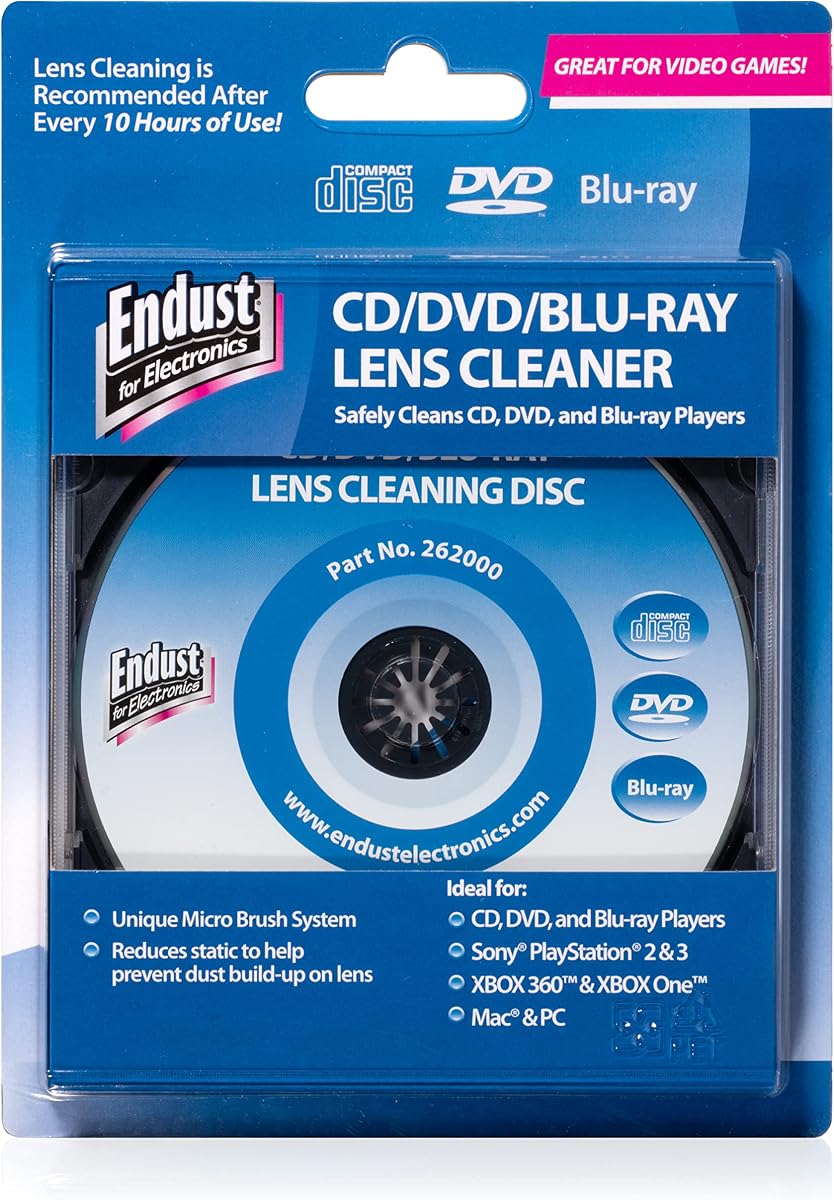
The Endust 262000 is a lens-cleaning disc for devices compatible with CD, DVD, and Blu-ray media. It carries a 4.3 rating and is positioned for office desktops, school environments, and home offices where shared optical drives may collect dust.
We may earn a commission when you buy through this link, at no additional cost to you.
The product removes dust and dirt from the disc-player lens through use inside a compatible device. Unlike surface cleaners, it addresses the internal optical assembly where airborne contamination can contribute to loading or playback problems.
A notable operational detail is that users should turn on the device audio after inserting the disc to hear the instructions. That requirement may be inconvenient for older equipment with unusual audio menus, and the cleaner cannot service devices that do not accept optical media.
Endust 262000 is a strong option for maintaining a shared office or school computer with a compatible drive. Keep the device open to the audio instructions, complete the cleaning cycle, and remove the disc according to the on-screen or spoken prompts.
Its stated use in offices and schools reflects the product's value in environments where several people handle equipment and dust exposure is routine.
The cleaning disc is intended to reach the optical lens, providing a different service from wipes or sprays applied to the disc surface.
We may earn a commission when you buy through this link, at no additional cost to you.
The TME CD DVD Cleaning Solution is an 8-ounce surface cleaner with a 4.5 rating. Its formula uses an ultra-pure water base that is filtered, UV-treated, and de-ionized, and it avoids alcohol and ammonia that could weaken or damage discs.
We may earn a commission when you buy through this link, at no additional cost to you.
The product is designed to clean gently down to the sub-micron level and to remove manufacturing haze from new discs. It is also formulated to avoid leaving an oily slick, although users should still wipe discs dry with a clean, lint-free cloth.
The phrase “not a scratch remover” is an important distinction. This fluid may improve the appearance and tracking of a disc by removing contaminants, but it should not be expected to repair deep physical scratches. A lint-free cloth is also needed for proper use.
Choose TME for a large collection, a new-disc manufacturing-haze concern, or a preference for a water-based solution without alcohol or ammonia. Apply sparingly, wipe in a controlled manner, and allow the disc to dry before playback.
The absence of alcohol and ammonia reduces the risk of harsh chemical interaction while supporting routine cleaning of multiple disc types.
Because this is not a scratch remover, it should be selected for dust and haze rather than as a treatment for visibly damaged polycarbonate surfaces.
We may earn a commission when you buy through this link, at no additional cost to you.
The CD & DVD Cleaning Kit combines an advanced cleaning solution with a premium reusable microfiber glove. Its 4.3 rating reflects a flexible option for discs, Blu-ray media, game discs, screens, lenses, and other delicate electronics.
We may earn a commission when you buy through this link, at no additional cost to you.
The solution is intended to lift dust, smudges, and fingerprints without harsh chemicals, while the glove allows the user to wipe the item after spraying. The product also claims to help reduce skipping and improve sound and picture clarity by restoring cleaner surfaces.
Because the glove is reusable, users should follow the manufacturer's care instructions and avoid transferring contamination from one device to another. The spray should not be applied directly to electronics unless the product instructions specifically permit that method.
This kit suits someone who wants one general cleaning setup for a mixed collection and occasional electronics care. It is particularly attractive for reducing fingerprints, although a dedicated lint-free cloth may offer more precise control for individual discs.
The reusable microfiber glove and gentle solution extend beyond optical discs to suitable screens, lenses, and other delicate electronics.
The glove can provide a large, soft cleaning area, though it should be kept for compatible surfaces and cleaned before reuse.
We may earn a commission when you buy through this link, at no additional cost to you.
The Premium CD Cleaner Solution Spray has a 4.6 rating, the highest listed rating among the products in this guide. It combines a 7-ounce solution with a 7-by-7-inch microfiber cloth described as anti-static, lint-free, streak-free, and non-abrasive.
We may earn a commission when you buy through this link, at no additional cost to you.
The product is designed to remove fine particles, dust, and dirt from CDs, DVDs, Blu-ray discs, game discs, book-on-disc media, and other disc formats. Its cloth can also be used for glasses, phones, and laptop screens, adding convenience beyond optical media.
The main tradeoff is handling. A spray can create excess liquid if used too quickly, and the fluid should be applied according to the directions rather than flooding a disc. The solution also cannot repair deep scratches, despite marketing language about restoring optical tracking.
This is a versatile choice for music enthusiasts, DJs, and households with mixed-format media. Use only enough cleaner to work with the cloth, keep moisture away from player openings, and buff the disc until dry before returning it to its case.
The included cloth is intended to lift fine particles while reducing the attraction of dust to cleaned surfaces during routine handling.
The same microfiber cloth can clean glasses, phones, and laptop screens, making the set practical for general electronics maintenance.
We may earn a commission when you buy through this link, at no additional cost to you.
The right DVD disc cleaner depends on the surface involved, the media format, and the devices you own. A disc with fingerprints needs a surface cleaner, while a skipping player may need its internal laser lens serviced.
Choose surface care for fingerprints, dust, smudges, or manufacturing haze. Choose a lens cleaner for slow loading, skipping, freezing, or dropouts associated with a dusty drive.
Match the cleaner to every format in your collection, not merely the format causing the current problem.
Never assume a standard-disc shape means a lens cleaner is safe for every console or specialized player.
Prioritize products specifically formulated for optical media and free from ingredients known to weaken or damage disc surfaces.
Choose the package that supplies every accessory needed for the intended cleaning task without requiring unnecessary extras.
Expect to buff each cleaned disc until it is dry rather than assuming the solution will evaporate evenly.
Follow a defined schedule and retire worn brushes or contaminated cloths instead of relying on visual results alone.
The most convenient option is the one you will use correctly and consistently, not necessarily the one with the most accessories.
Begin by identifying the affected component. For a disc, inspect the playable side for dust, fingerprints, smudges, or haze. Use a fresh soft wipe, or apply an appropriate cleaning solution to a lint-free cloth and spray the cloth rather than the disc. Wipe gently from the center toward the outer edge, avoiding circular pressure and repeated passes over the same area.
For a player lens, confirm that the device is compatible with the cleaning disc. Read the product instructions, insert the disc in the required orientation, and use the player menu or stated playback cycle. Do not force the disc, ignore unusual resistance, or attempt to use a cleaner in an excluded console or device.
After cleaning, let discs dry completely, return them to their cases, and keep the lens-cleaning disc in a protective sleeve. Wash reusable microfiber cloths according to their care guidance, and replace wipes or lens-cleaning discs when they become worn, dirty, or less effective.
A DVD disc cleaner removes dust, fingerprints, smudges, or haze from the surface of the disc. A laser lens cleaner is inserted into a compatible player to clean dust from the internal optical lens. If a disc looks clean but playback skips or freezes, lens dust may be more likely than a surface problem.
Most surface cleaners can remove dirt that makes scratches appear less obvious, but they do not repair the underlying polycarbonate or reflective layer. The TME product is explicitly described as not being a scratch remover. Deep scratches generally require disc repair or replacement rather than routine cleaning.
The sprays reviewed here are specifically described as alcohol-free, and the TME solution also avoids ammonia. Using a product formulated for optical media is important because harsh or unverified chemicals can interact poorly with disc layers. Follow the product label and do not substitute household cleaners.
No. Compatibility differs significantly among the products. The Arsvita cleaners exclude listed PlayStation, Xbox, Wii, and Bose models, while the Maxell DVD-LC has its own exclusions for PS3, PS4, and WiiU. Check the exact console and cleaner instructions before use.
Maxell recommends cleaning its DVD lens cleaner after every ten hours of use and replacing the product after twenty uses or when the brush shows wear. Other cleaners do not provide the same schedule, so cleaning frequency should depend on the manufacturer's guidance and the amount of dust in the environment.
It is generally safer to apply a small amount of fluid to a clean, lint-free cloth and then wipe the disc. Direct spraying can place excess liquid near the hub or edge. Buff the surface until dry before playback, especially when the disc will be stored in a case.
Several products in this guide explicitly support Blu-ray, game, HD DVD, or book-on-disc formats. The Maxell Quick Wipes are identified specifically for CDs and DVDs, so their suitability for other formats is less clear. Always check the individual label and stated compatibility before treating valuable media.
No. Cleaning can address symptoms associated with dust, but skipping or freezing may also result from physical scratches, damaged hubs, dirty disc surfaces, aging mechanisms, or other faults. If careful cleaning does not improve playback, the player or disc may require servicing or replacement.
The Arsvita ARCD-04 stands out as the most versatile all-around choice for compatible CD, VCD, and DVD players, while the Maxell Quick Wipes offer a simple option for routine disc-surface care. The Maxell DVD-LC takes the premium pick for its broad device compatibility, fine brush system, and clearly stated maintenance schedule.
Prioritize the problem you actually need to solve. Choose wipes for fingerprints, a spray and cloth for broader surface cleaning, and a dedicated lens disc for dust inside a compatible player. Then verify media support, device compatibility, ingredients, and included accessories before making a final selection.
Ratings and product details can change, and current prices vary by seller, availability, and time. Check the latest listing information, read the included instructions, and confirm that a cleaner is suitable for your specific discs and player before purchasing.