
Fractal Design Define 7 XL
4.6Editor score
Expanded modular storage layout
E-ATX and SSI-EEB support
Up to 18 HDDs and 5 SSDs
Water cooling up to 480mm
Explore 10 full tower workstation server cases compared for drive bays, cooling, motherboard support, expansion, connectivity, and professional builds in 2026.
Full tower workstation server cases combine the room required for large motherboards, multiple graphics cards, extensive cooling, and substantial storage with a chassis engineered for demanding professional workloads. A strong model should manage airflow, accessibility, cable routing, power demands, and future expansion without compromising usability or reliability.
We compared these ten cases across their stated motherboard support, drive configurations, cooling capacity, expansion slots, included fans, connectivity, and physical dimensions. The list covers NAS and storage enclosures, multi-GPU workstations, quieter premium builds, and highly serviceable server designs for users planning demanding systems.
Each review explains who benefits from a particular chassis, where it stands out, and where its compromises may matter. Ratings reflect the supplied customer feedback where available, while product specifications come from the listed descriptions. Prices and configurations can change, so compare current listings and hardware dimensions before purchasing.
4.6Editor score

5.0Editor score

4.7Editor score
The comparison below places the ten full tower workstation and server cases side by side, emphasizing the factors that most affect professional builds: motherboard fit, storage density, cooling headroom, expansion, GPU clearance, and serviceability.



The Rosewill Thor NAS is built primarily around storage capacity in a full tower workstation-style chassis. It has a supplied rating of 3.9, but its defining benefit is clear: the case can accommodate 11 3.5-inch hard drives or 13 2.5-inch SSDs while also accepting E-ATX motherboards and substantial expansion hardware.
We may earn a commission when you buy through this link, at no additional cost to you.
Its bay arrangement makes it especially relevant to DIY NAS builders, AI servers, media hubs, and small business storage systems. Eleven external 5.25-inch drive bays add another layer of expansion potential, while the stated 400mm expansion-card clearance provides room for larger professional add-in cards. USB 3.2 Type-C connectivity also supports fast peripheral workflows and modern desktop setups.
The principal trade-off is cooling. Only one 140mm PWM fan is included, so a serious build may need additional fans, and the available information does not describe a broad preinstalled cooling package. Buyers should also account for the weight, heat, and cable demands associated with filling numerous drive bays.
This is a strong recommendation for a builder whose priority is maximum storage in a conventional full tower. It is less convincing for someone seeking quiet operation, effortless cooling, or a ready-made high-density server chassis with extensive fan support already configured.
The choice between 11 hard drives and 13 SSDs gives the Thor NAS unusual flexibility. It can serve as a capacity archive, a media server, an AI development platform, or a business file repository depending on the storage mix and workload.
E-ATX board support and expansion-card clearance to 400mm make room for professional hardware beyond a basic NAS motherboard. The extra 5.25-inch bays also create paths for adding storage or peripherals over time.
We may earn a commission when you buy through this link, at no additional cost to you.
The Phanteks Enthoo Pro 2 Server V2 is an unusually flexible full tower for extreme workstation and server configurations. No customer rating was supplied for this model, so its appeal must be evaluated from its specifications: SSI-EEB motherboard support, room for 10 hard drives or 11 SSDs, and support for as many as 15 fans.
We may earn a commission when you buy through this link, at no additional cost to you.
Three of those fan positions are placed directly above the PCI and CPU region, an arrangement that can improve cooling where high-performance processors and expansion cards create concentrated heat. All-metal mesh panels reinforce the performance-focused approach, while support for both 480mm and 360mm radiators gives builders room to choose between compact liquid-cooling loops or larger heat exchangers.
The tradeoff is that the case is designed around flexible expansion rather than maximum hot-swap convenience. It does not present the dedicated serviceability of eight hot-swappable trays, and its storage capacity is below the densest NAS-oriented designs. A buyer needing simple drive swapping may prefer a purpose-built storage chassis instead.
Choose the Enthoo Pro 2 Server V2 when airflow options, motherboard range, and broad cooling support matter most. It is a strong foundation for a heavily upgraded multi-GPU workstation or compute system where the builder intends to customize cooling after installation.
Fan support reaches 15 positions, including three over the PCI and CPU area. That degree of placement control is valuable in systems where several high-output cards and a powerful processor operate at the same time.
The all-metal mesh design favors unrestricted ventilation over a fully sealed aesthetic. It pairs naturally with substantial fan or radiator configurations for workstations expected to sustain heavy workloads.
We may earn a commission when you buy through this link, at no additional cost to you.
The Antec 900 is the most balanced workstation case in this group, combining a supplied rating of 5.0 with extensive support for large motherboards, dual graphics cards, and serious cooling. It accommodates E-ATX, SSI-EEB, Threadripper, and back-connect motherboards, providing a versatile foundation for demanding professional platforms.
We may earn a commission when you buy through this link, at no additional cost to you.
Its six included PWM fans establish airflow at the front, power-supply shroud, and rear. Front support extends to a 420mm radiator, while the spacious interior fits dual GPUs up to 495mm long and 160mm thick. That combination makes the case particularly convincing for AI development, rendering, GPU computation, and other multi-card configurations.
Storage is less aggressive than in dedicated NAS cases, with nine drive bays split between four 3.5-inch or 2.5-inch combinations and five 2.5-inch positions. Tool-free tempered glass access, reusable PCIe slot covers, and full dust filtration improve everyday maintenance, while USB Type-C 3.2 Gen 2 connectivity supports fast transfers.
The Antec 900 is the strongest all-around recommendation for a buyer who wants workstation capability without committing to a narrowly specialized server design. It is especially suitable for dual-GPU systems where cooling, expansion clearance, and convenient maintenance matter more than maximum hard-drive density.
The included fan layout and 420mm front radiator capability reduce the need for an immediate cooling overhaul. It is a useful starting point for workstations that will run demanding processors and graphics cards for extended periods.
Support for dual GPUs up to 495mm long and 160mm thick gives the chassis an advantage over cases designed around standard gaming graphics cards. It provides useful space for professional accelerators and other extended add-in devices.
We may earn a commission when you buy through this link, at no additional cost to you.
The Fractal Design Define 7 XL brings a more refined and flexible approach to workstation construction. Its supplied rating is 4.6, and its defining qualities are the expansive E-ATX and SSI-EEB interior, modular storage system, and understated brushed aluminum and steel enclosure.
We may earn a commission when you buy through this link, at no additional cost to you.
In its default storage layout, it holds up to 18 hard drives and five SSDs. The system can also convert to an open layout, making space for large reservoirs, custom water loops, and radiators up to 480mm. Multi-brackets allow otherwise unused fan positions to become HDD, SSD, or pump mounts, giving builders meaningful control over the final arrangement.
The main consideration is planning. Numerous mounting positions and convertible layouts provide flexibility, but sophisticated systems take more deliberate assembly than a simpler fixed-bay chassis. Its refined materials and reversible dual-handed hinges with magnetic latching also position it more toward premium workstation aesthetics than bare-bones server utility.
This case is ideal for users who want serious hardware capacity without accepting an industrial appearance. It is a particularly strong option for studios, advanced creators, and technically confident professionals who will customize the internal layout and appreciate a quiet-looking, carefully finished chassis.
The default arrangement supports 18 hard drives and five SSDs, far beyond what most workstation cases offer. For projects that need more cooling hardware than storage, the open layout can rebalance the interior.
Large reservoirs and radiators up to 480mm are supported in the open configuration. This gives ambitious workstation builders a practical route to a clean custom loop while preserving access to the case's broad mounting flexibility.
We may earn a commission when you buy through this link, at no additional cost to you.
The Antec Flux Pro delivers a strong workstation feature set, including a supplied rating of 4.7 and six included PWM fans. Its combination of metal, glass, and wood creates a more textured appearance than a conventional all-steel server enclosure, while the interior remains designed for E-ATX professional hardware.
We may earn a commission when you buy through this link, at no additional cost to you.
Cooling is the main attraction. The case supports up to 12 fans simultaneously and can carry a 420mm radiator and a 360mm radiator at the same time. Removable brackets at the top, front, and power-supply shroud make it easier to reconfigure cooling as a system evolves, while reverse fans on the shroud support a balanced internal airflow path.
The 90-degree power-supply mounting option and CPU and GPU dual temperature display are useful workstation conveniences. The included information does not provide a detailed drive-bay count, however, so this case is less suitable for buyers whose first priority is a known, high-density storage layout.
The Flux Pro is our best-budget recommendation for a general workstation builder who wants strong cooling support and useful monitoring without committing to a storage-specific chassis. It is less conclusive for a NAS project where the number and type of drive trays must be known before purchase.
Six PWM fans provide a substantial cooling foundation from the start. Additional fan support and removable cooling brackets make it possible to adapt the airflow path as processors, accelerators, and memory configurations change.
The CPU and GPU dual temperature display adds at-a-glance operating information. Combined with the 90-degree PSU option, it reflects the sort of practical management features often valued in systems that remain powered on for extended periods.
We may earn a commission when you buy through this link, at no additional cost to you.
The KM7B NAS Server Case is a storage-first full tower with 13 HDD positions, two SSD bays, and support for motherboards from Mini-ITX through E-ATX. No customer rating was provided, but its layout clearly targets users who need many drives in a conventional tower rather than a compact desktop enclosure.
We may earn a commission when you buy through this link, at no additional cost to you.
It offers seven plus three expansion slots and a maximum graphics card length of 417mm when the drive bays are not occupied, or 280mm when they are. That distinction is important: builders using the chassis as intended for dense storage need to verify that their accelerator or adapter fits the reduced clearance.
Cooling options include front positions for three 120mm or 140mm fans, a rear position for one 120mm or 140mm fan, and top positions for three 120mm or two 140mm fans. The CPU cooler allowance reaches 180mm, and support for 360mm and 280mm liquid cooling gives additional flexibility.
The KM7B makes the most sense for a high-drive-count NAS or file server with modest graphics requirements. Its front connectivity includes one USB 3.0, two USB 2.0, and HD Audio, so buyers prioritizing the newest peripheral interfaces may prefer a more modern alternative.
The unusually large number of HDD positions makes this case relevant to bulk storage, media libraries, backup systems, and private clouds. The two dedicated SSD positions allow fast system or application storage to complement a large hard-drive pool.
Graphics card clearance changes substantially when the drive bays are populated. Builders should confirm the physical requirements of their accelerator and decide whether storage density or a long card is the higher priority before assembly.
We may earn a commission when you buy through this link, at no additional cost to you.
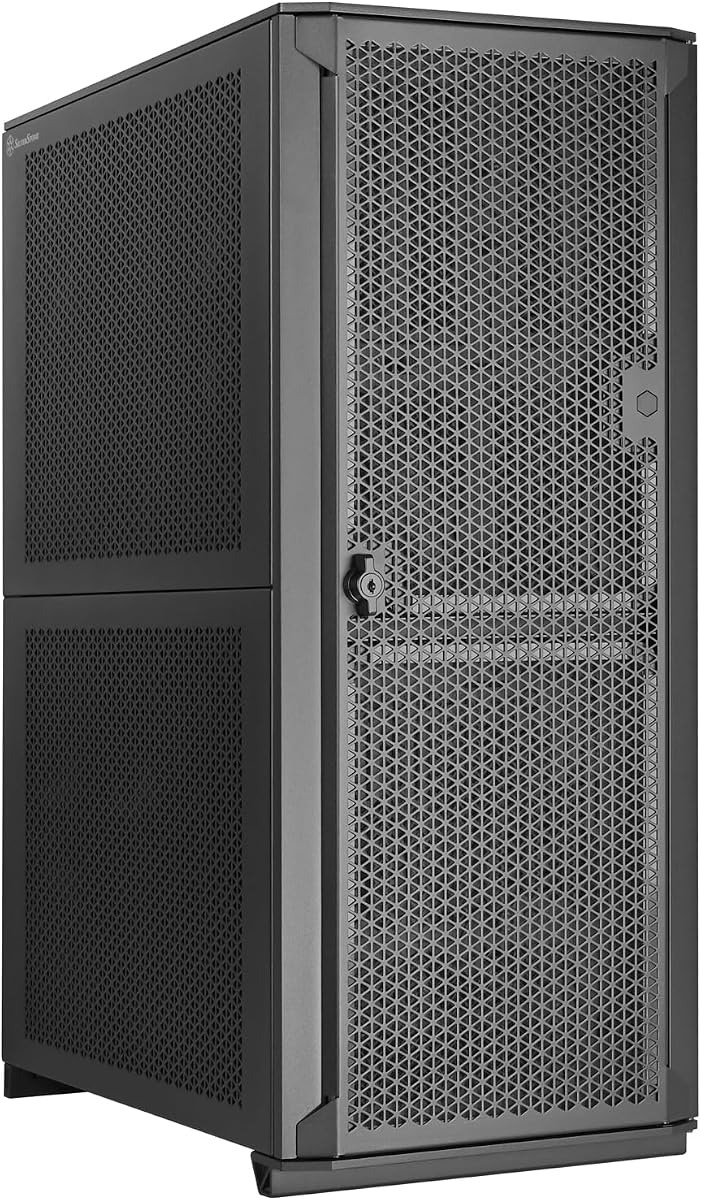
The SilverStone SETA H2 is a full-size workstation tower with a supplied rating of 4.4 and broad platform support. It accepts SSI-EEB, SSI-CEB, E-ATX, ATX, Micro-ATX, and Mini-ITX motherboards, making it useful when a builder is uncertain about which platform the finished system will use.
We may earn a commission when you buy through this link, at no additional cost to you.
Its storage specification is especially notable: up to 15 2.5-inch SSDs or 3.5-inch hard drives, including 15mm-thick SSDs. Eight expansion slots and multi-GPU capability make it suitable for professional add-in cards, while the perforated steel front mesh is designed to avoid restricting incoming airflow.
Fans are not included, so cooling configuration is entirely the builder's responsibility. The steel construction supports durability and robustness, but the case offers fewer convenience features than some competing workstations, and no supplied rating or specification indicates hot-swap drive trays.
The SETA H2 is best suited to integrators who value motherboard flexibility, a large drive count, and a straightforward steel chassis. It makes sense when the builder already has a cooling plan and prioritizes service access over a polished factory presentation.
Support extends from compact Mini-ITX through specialized SSI-CEB and SSI-EEB boards. This broad range is useful for workstation projects, prototyping environments, and technicians who may change core components over time.
The drive capacity is generous, but the stated configuration does not advertise hot-swappable carriers. For data centers where rapid tray replacement is essential, a dedicated hot-swap NAS chassis may be a better choice.
We may earn a commission when you buy through this link, at no additional cost to you.
The Fractal Design Pop XL Air RGB is the most approachable visually while retaining several useful workstation traits. Its supplied rating is 4.7, and the case supports E-ATX motherboards up to 280mm, ATX, Micro-ATX, and Mini-ITX boards.
We may earn a commission when you buy through this link, at no additional cost to you.
Four Aspect RGB fans are included, with room for two more. Radiator support reaches 360mm in the front, 280mm at the top, and 140mm at the rear, which covers the most common liquid-cooling arrangements. The tempered glass side panel also makes it easy to inspect a professional system without removing a panel.
Storage is the major limitation. The case supports four hard drives and six SSDs, or three hard drives and five SSDs when one optical bay is in use. Two 5.25-inch bays are concealed beneath a magnetic cover and integrated into a storage drawer, keeping the exterior clean while retaining flexible media-device access.
This case works best for creators, developers, and enthusiasts building an attractive single-workstation system rather than a high-density server. It also fits projects needing RGB lighting and substantial cooling, but it should not be chosen when hot-swap serviceability or numerous hard drives are central requirements.
Four illuminated 120mm fans provide a finished starting point, while additional fan and radiator positions give users room to tune the system. This makes the Pop XL Air RGB convenient for builders who want visual and thermal features without sourcing every component separately.
The tempered glass panel, concealed bays, and integrated storage drawer give the chassis a more consumer-oriented appearance. That makes it well suited to office environments, creative studios, and visible desk installations.
We may earn a commission when you buy through this link, at no additional cost to you.
The SilverStone ALTA D1 is a specialized modular workstation chassis rather than a general-purpose enthusiast tower. Its supplied rating is 3.9, and its defining feature is support for 12-by-13-inch SSI-EEB and 15.12-by-13.2-inch specialized motherboards, combined with up to 11 expansion slots.
We may earn a commission when you buy through this link, at no additional cost to you.
The modular approach allows builders to configure a high-end professional platform around multiple graphics cards or workstation accelerators. Total graphics card clearance is 407mm, while dual power supply support provides additional flexibility for systems with unusually high power requirements or redundant power configurations.
Cooling headroom is another advantage, with support for as many as three 360mm radiators. That capability is meaningful for dense multi-card systems in which processors, memory, storage controllers, and accelerators all generate heat within a confined enclosure.
The specialized board dimensions are the chief limitation. Buyers cannot treat the ALTA D1 as a universal E-ATX or ATX enclosure, and its supplied information does not describe conventional drive-bay counts. It is best for integrators with a specific multi-workstation architecture and compatible specialized motherboard.
Up to 11 expansion slots and 407mm card clearance give professional accelerators room to operate. The chassis is engineered for complex workstation configurations rather than a modest single-card office desktop.
Dual PSU capability and support for three 360mm radiators reflect the demands of highly loaded systems. These provisions make the ALTA D1 more relevant to specialized compute and workstation platforms than to ordinary office builds.
We may earn a commission when you buy through this link, at no additional cost to you.
The SilverStone CS383 is the most explicitly service-oriented NAS chassis in this roundup. It has a supplied rating of 4.5 and includes eight hot-swappable 3.5-inch or 2.5-inch drive trays, each positioned to support SAS-12G or SATA-6G drives.
We may earn a commission when you buy through this link, at no additional cost to you.
Motherboard support extends to E-ATX and SSI-EEB, while eight expansion slots provide room for network cards, controllers, and add-in hardware. Maximum graphics card or adapter card length is 340mm, which is adequate for many professional cards but shorter than several general workstation cases in the list.
The chassis can accept a 420mm liquid-cooling radiator or air coolers up to 186mm tall. It also supports dual power supplies or additional 5.25-inch drive bays, giving integrators options for redundancy and expansion depending on how the system is configured.
The CS383 is a compelling recommendation for a private NAS, shared storage server, or business file system where failed or replacement drives need to be changed quickly. It is less appropriate for graphics-heavy workstations requiring very long cards or for storage builders wanting more than the eight listed hot-swap trays.
Eight removable trays let operators replace or reconfigure drives without treating the case like a conventional desktop enclosure. That serviceability is the defining advantage for a continuously used storage server.
Support for both SAS-12G and SATA-6G drives broadens compatibility with enterprise and mainstream storage. Eight expansion slots also leave room for additional controllers or networking hardware that may be needed in a multi-user environment.
We may earn a commission when you buy through this link, at no additional cost to you.
A full tower workstation server case should be selected around the hardware it must support rather than exterior appearance alone. Motherboard format, drive layout, cooling, expansion, power requirements, and service access determine whether the chassis will work smoothly after installation.
Motherboard support is the first compatibility filter. E-ATX is the broadest common choice in this group, while several models also support SSI-EEB, SSI-CEB, Threadripper, or back-connect boards. SSI-EEB is common in demanding workstation and server platforms because it provides more expansion and power connectivity than standard E-ATX. Some cases support specific compact formats as well, making them adaptable, but a physically larger chassis does not automatically mean universal motherboard compatibility.
Choose a case that directly supports your board's exact dimensions and mounting pattern. Pay particular attention to specialized models such as the SilverStone ALTA D1, which requires particular server motherboard sizes.
Storage needs can range from a few fast SSDs to more than a dozen hard drives. Fixed-bay designs such as the KM7B offer 13 HDD positions, the Rosewill Thor NAS supports 11 HDDs or 13 SSDs, and the Define 7 XL can hold 18 HDDs and five SSDs in its default arrangement. NAS users should also consider whether drives must be hot-swappable, which is the primary advantage of the SilverStone CS383.
Decide whether capacity, drive type, or service speed matters most. More bays increase weight, heat, power use, and cable complexity, so the largest chassis is not automatically the best choice.
Professional components can produce substantial heat, making fan placement and radiator support as important as fan count. Cases with six included PWM fans, such as the Antec 900 and Flux Pro, offer a stronger starting point than models that include only one fan or none. The Phanteks Enthoo Pro 2 Server V2 supports as many as 15 fans, including three over the PCI and CPU region. Large liquid-cooling support ranges from 280mm configurations to 480mm radiators and even three 360mm radiators in specialized chassis.
Match cooling capacity to the processor, accelerators, number of drives, and ambient conditions. Also verify CPU cooler height, radiator position, and power-supply shroud clearance.
Professional graphics and compute cards can be considerably longer and thicker than gaming GPUs. The Antec 900 accommodates dual GPUs up to 495mm long and 160mm thick, while the SilverStone ALTA D1 provides 407mm total clearance across up to 11 expansion slots. The CS383 supports cards up to 340mm, and the KM7B's available clearance falls from 417mm without populated drive bays to 280mm when they are occupied.
Measure the exact card and cooler combination. Check slot spacing, riser cable requirements, power connectors, and whether storage installation reduces usable clearance.
Expansion slots indicate how many add-in cards a workstation can carry. Most cases provide seven or eight slots, while the Phanteks supports 11 PCI slots and the ALTA D1 reaches 11 expansion slots. This matters for multi-GPU rendering, GPU compute, high-speed networking, storage controllers, and specialized capture or acceleration hardware. Motherboard slot layout, lane sharing, power delivery, and operating-system support must also be compatible with the planned configuration.
Choose based on the number of accelerators you actually need. Installing several cards that compete for resources can reduce the value of a larger slot count.
Power is another area where workstation and server cases diverge from standard desktops. The SilverStone ALTA D1 and CS383 support dual power supplies, offering flexibility for specialized or redundant power arrangements. The Antec Flux Pro supports an innovative 90-degree PSU mount, which can improve airflow and cable routing. Other full towers may offer fewer specialized power provisions.
Confirm PSU form factor, available connectors, and the position of the shroud. For dense systems, plan cable paths early because large power bundles can obstruct airflow or limit access to drives.
Serviceability is especially important in cases intended to remain online. The CS383 provides eight hot-swappable drive trays, while the Antec 900 uses a tool-free tempered-glass side panel, reusable PCIe slot covers, and full dust filtration. The Define 7 XL uses multi-brackets and a magnetic front latch, while the Flux Pro provides removable cooling brackets. These details can reduce maintenance time and make component updates less disruptive.
Prioritize removable or tool-free parts when the system will be serviced regularly. Check whether removing the side panel exposes all drives and whether dust filters can be cleaned without complicated disassembly.
External connections should match how the workstation will be used. USB Type-C is especially convenient for modern peripherals and data transfers. The Rosewill Thor NAS includes USB 3.2 Type-C, and the Antec 900 includes USB Type-C 3.2 Gen 2 at 10Gbps. The KM7B lists one USB 3.0, two USB 2.0, and HD Audio. Audio output may be unnecessary in a headless server, while fast USB can be valuable for backups and media workflows.
Choose the front-panel layout that matches your peripherals. For a headless NAS, prioritize drive access and networking over audio connectors or decorative display features.
Before installing components, inventory the motherboard, processor cooler, graphics cards, power supply, drives, and expansion cards against the case specifications. Confirm motherboard support, drive-tray requirements, CPU cooler height, radiator dimensions, and GPU clearance. Assemble the system on a stable surface, use appropriate anti-static precautions, and route cables away from fan intakes and storage connections.
After the initial build, establish a deliberate airflow path. Mount intake and exhaust fans according to the chassis design, connect the included temperature displays where applicable, and verify that no cable interferes with a fan. Use the operating system or workstation monitoring software to check temperatures and confirm that all storage devices, accelerators, and network adapters are recognized.
For a server or NAS, plan a routine schedule for inspecting dust filters, confirming drive health, and checking that hot-swap trays release properly. Keep intake paths unobstructed, maintain adequate clearance around the chassis, and use surge protection and reliable power conditioning appropriate to the workload. Back up important data and follow the drive manufacturer's guidance for deploying and replacing drives.
Most full tower workstation cases support E-ATX, while more specialized models also accept SSI-EEB or SSI-CEB. ATX and Micro-ATX boards are common secondary options. Check the exact case specification before buying, because some larger chassis support proprietary motherboard dimensions rather than every standard.
It depends on the hardware. E-ATX is sufficient for many powerful workstations, but SSI-EEB offers additional expansion, power, and I/O options useful for specialized boards. It becomes more attractive for Threadripper systems, multi-GPU platforms, and workstation designs requiring additional connectivity beyond standard E-ATX.
A NAS case prioritizes drive density, hot-swap access, and continuous operation. A workstation case may support powerful CPUs and multiple graphics cards while offering fewer drive positions. Some models bridge both categories, so the best choice depends on whether storage servicing or compute expansion is the primary requirement.
It depends on the model and workload. The Antec 900 and Flux Pro include six PWM fans, while the Rosewill Thor NAS includes one and the SilverStone SETA H2 includes none. Additional fans may be needed for cooling dense storage, multiple GPUs, or a high-output CPU, and airflow should be balanced rather than simply maximized.
They are valuable when the NAS stores important data, runs continuously, or serves multiple users. Hot-swap trays can shorten maintenance and may allow a failed drive to be replaced without shutting down the entire system. For a lightly used archive, conventional fixed bays may be sufficient.
Several models can, including the Antec 900, SilverStone SETA H2, and SilverStone ALTA D1. Multi-GPU feasibility also depends on motherboard slot layout, physical spacing, power connectors, cooling, and whether the application can use the installed cards together. GPU length and slot clearance must be checked independently.
Larger radiator support provides greater cooling capacity and can run fans at lower speeds, but it also requires sufficient case space and compatible mounting positions. A 420mm radiator is a practical upper limit for many full towers, while 480mm support is uncommon and generally benefits specialized workstation layouts.
It is helpful for fast backups, portable storage, and modern peripherals but is not essential to every server workload. Headless systems may rely entirely on network access. For workstations used interactively, USB Type-C is more convenient, particularly when it supports the full 10Gbps standard.
The Antec 900 stands out as the strongest overall option because it combines broad motherboard support, six included fans, dual-GPU clearance, useful dust filtration, and modern connectivity. The Fractal Design Define 7 XL is ideal for builders who value modular storage, refined construction, and custom water-cooling flexibility, while the Antec Flux Pro offers a strong budget-oriented package for users focused on cooling.
For storage-heavy systems, prioritize the number and type of drive bays, hot-swap access, and airflow. The SilverStone CS383 is best for serviceable eight-bay NAS work, the Rosewill Thor NAS offers exceptional density, and the Define 7 XL provides exceptional modular capacity. Multi-GPU or specialized workstation builders should instead examine the Antec 900, Phanteks Enthoo Pro 2 Server V2, or SilverStone ALTA D1.
Before purchasing, compare the case's exact dimensions against the hardware you already own or plan to buy. Verify CPU cooler height, radiator placement, GPU clearance, drive connectors, and power supply format. Prices, availability, and product configurations can change, so review the current listing before making a final purchasing decision.