
4 Pack HDMI Dummy Plug 4K HDR
4.8Editor score
4K virtual display support
Four adapters included
Cross-platform compatibility
Our HDMI Dummy Plug guide compares ten options for headless PCs, remote access, virtual displays, gaming, mining, and cross-platform use.
An HDMI dummy plug is a compact adapter that makes a computer believe a display is connected, allowing GPUs and remote-access workflows to remain active without a physical monitor. The right model should match your required resolution, refresh rate, operating system, and preferred number of connected devices.
We compared all ten products using their stated resolution support, EDID behavior, platform compatibility, construction, pack size, remote-access suitability, and installation requirements. The guide covers general-purpose adapters as well as options aimed at high-refresh gaming, servers, rendering, and other headless systems.
Each review identifies the strongest use case and relevant limitations of its featured HDMI dummy plug. Ratings are included where available, while products without a published rating remain unrated. Product availability, features, and pricing can change, so confirm current specifications before purchasing.
4.8Editor score
4.6Editor score

The comparison below highlights each adapter's stated resolution support, platform reach, included quantity, and principal headless-computing strengths. These details make it easier to separate basic 1080p emulators from options aimed at 4K, high-refresh, multi-device, or specialized workflows.


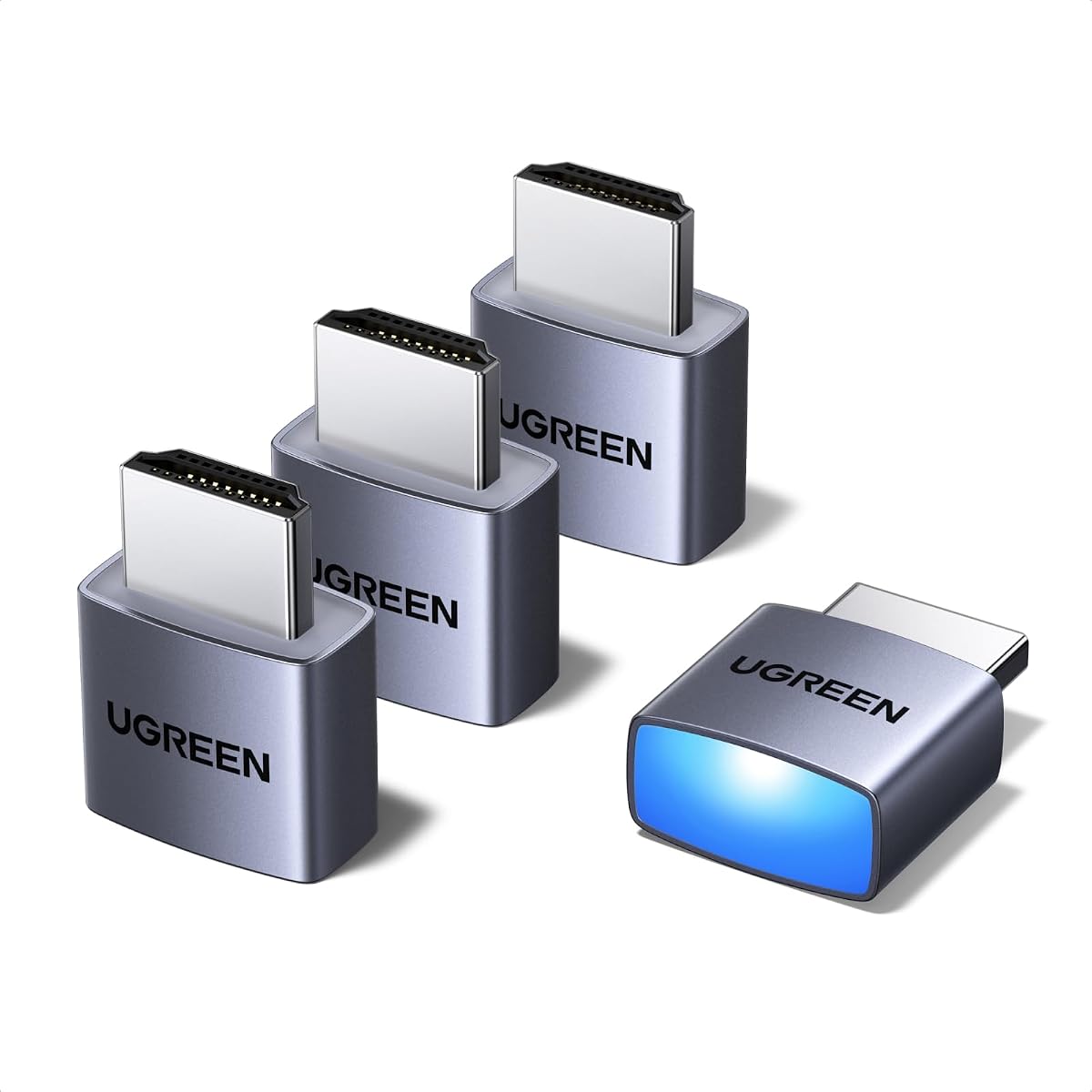
The UGREEN 4 Pack HDMI Dummy Plug is the most balanced overall recommendation in this guide, combining a 4.6 rating with support for 4K at 60Hz and 1080p at 120Hz. Its four-pack format makes it practical for workstations with several GPU outputs, while the aluminum shell and status LED add useful visibility and durability.
We may earn a commission when you buy through this link, at no additional cost to you.
This adapter is designed to create a virtual display so remote desktop software, video editing, game development, and other GPU-dependent tasks can continue without a physical monitor. It works with discrete graphics cards, laptops, and other devices that expose HDMI output, and its stated compatibility covers Windows, Mac, and Linux environments.
The main limitation is that 4K at 60Hz is listed with 4:2:0 chroma subsampling, which may not suit color-critical work that expects full chroma density. It also lacks the larger high-refresh mode selections offered by some specialty models. For typical server, homelab, editing, and remote-access tasks, though, those omissions are rarely decisive.
This is the best general choice for buyers who want more than one adapter, straightforward installation, and broad platform compatibility. Choose it over a single basic adapter when managing a multi-GPU system, and over a high-refresh specialty model unless your workflow explicitly requires 4K at 120Hz.
Including four adapters reduces the friction of assigning separate virtual displays to multiple GPUs or HDMI outputs. The status LED also makes it easier to confirm at a glance that an emulated display is active.
The plug-and-play approach requires no drivers, software, or external power. It is therefore well suited to remote-managed PCs, home servers, streaming setups, and virtual-display tasks performed through common remote-access applications.
We may earn a commission when you buy through this link, at no additional cost to you.
The 4 Pack HDMI Dummy Plug 4K HDR is a compelling budget-oriented option, holding the highest published rating in this roundup at 4.8. It combines four adapters with 4K at 60Hz, 2K at 60Hz, and 1080p at 120Hz support, making it useful for a broad range of headless and remote-access configurations.
We may earn a commission when you buy through this link, at no additional cost to you.
Its aluminum housing is intended to dissipate heat during sustained workloads, while the integrated LED gives users immediate feedback about the connection. The product supports NVIDIA, AMD, and Intel graphics hardware and is listed for Windows, macOS, and Linux, including use with popular screen-sharing tools.
Its 4K mode again carries a 4:2:0 limitation, and the description makes broad durability claims without the detailed construction notes provided by some later models. Buyers who need exotic refresh rates or 8K output will find more specialized choices. For standard remote desktops, servers, rendering, development, and trading stations, however, the core feature set is ample.
This is the strongest pick for buyers seeking multiple adapters and broad everyday compatibility without paying for a specialized high-refresh unit. Its high rating, four-pack format, and simple installation make it especially attractive for homelabs and technicians supporting several headless systems.
Four adapters cover several ports or systems without requiring separate purchases. The included metal housings and status LEDs also improve handling and make connection status easier to diagnose.
Windows, macOS, and Linux support makes the adapter versatile across mixed environments. Its advertised remote-management use cases include RustDesk, TeamViewer, Parsec, and Moonlight workflows.
We may earn a commission when you buy through this link, at no additional cost to you.
The DTech 3 Pack HDMI Dummy Plug is a practical choice for systems that need an emulated display at a high resolution. It carries a 4.6 rating and is sold as a three-pack, offering a practical balance between multi-device usefulness and a compact setup for a single workstation.
We may earn a commission when you buy through this link, at no additional cost to you.
The adapter can simulate a display up to 4096 by 2160, allowing the host to run headless while GPU acceleration remains available. It is particularly relevant to remote control, rendering, simulation, cryptocurrency mining, game streaming, and VR applications. Its gold-plated HDMI connector is intended to support stable digital signaling.
The product information does not emphasize high refresh rates, making it less attractive for demanding 120Hz or 144Hz gaming workflows. It also lacks the convenient status LED found in several newer competitors. Users whose main objective is simply keeping a headless GPU host active will find those omissions less consequential.
This is a good fit for server rooms, colocation facilities, SOHO systems, home servers, and remote-deployed PCs. It also stands out for specifically addressing headless operation on Mac systems. Choose it when a proven three-adapter set and broad 4K resolution support matter more than advanced gaming modes.
Emulating a high-resolution display allows compatible graphics hardware to remain available for accelerated remote tasks. This is useful when software behavior changes when no monitor is detected.
The pack suits administrators who manage multiple headless endpoints or need spare adapters. Its simple plug-and-play installation reduces setup time across Windows, Mac, and Linux hosts.
We may earn a commission when you buy through this link, at no additional cost to you.
The HDMI Dummy Plug Headless Ghost Display is a streamlined option for users who only need a 1920 by 1080 display at 60Hz. Its 4.6 rating and broad graphics-card compatibility make it a dependable simple solution for standard remote desktops and basic headless GPU tasks.
We may earn a commission when you buy through this link, at no additional cost to you.
The device works with Windows, macOS, and Linux, and its compact profile is useful where space around the HDMI socket is limited. It requires no drivers, configuration, or external power, allowing users to connect it and establish a virtual display with minimal setup.
The main limitation is its 1080p-at-60Hz target, which is much less suitable for modern 4K media, high-refresh interfaces, or detailed multi-resolution work. Its single-adapter format also requires separate purchases for several ports. Neither issue matters for basic administration, screen sharing, or lightweight GPU tasks.
Choose this model for a simple headless workstation, remote-access endpoint, or older system that needs only 1080p emulation. It is a sensible low-complexity option when high resolution, pack flexibility, and status indicators are not central requirements.
The low-profile body is convenient beside tightly arranged GPUs and laptops. It avoids the larger shells used by some multi-resolution adapters while retaining core EDID-emulation behavior.
The product is designed to work with any compatible graphics-card HDMI output, much like a conventional display. That makes it useful when the exact GPU model or form factor is still uncertain.
We may earn a commission when you buy through this link, at no additional cost to you.
The 3 Pack HDMI Dummy Plug 4K HDR delivers a useful middle ground between a single adapter and larger workstation packs. Its 4.5 rating, three included plugs, and support for 4K at 60Hz and 1080p at 120Hz make it a sound choice for general headless operation.
We may earn a commission when you buy through this link, at no additional cost to you.
The adapter is intended to enable virtual displays for remote control, video rendering, cryptocurrency mining, simulation, streaming, and VR-related workflows. It supports hot swapping, needs no driver or software, and draws no external power, which simplifies use with frequently restarted systems.
Compared with the UGREEN and highest-rated four-pack options, its published rating is slightly lower, and the description provides fewer details about housing design or connection monitoring. Buyers seeking very high refresh rates or extensive mode lists should look elsewhere. For ordinary 4K virtual-display work, those omissions have limited practical impact.
This is most suitable for home servers, remote-managed workstations, mini servers, and users who want spare adapters for multiple HDMI outputs. Its combination of 4K support, hot swapping, and a three-pack format gives it useful flexibility without moving into specialized high-refresh territory.
Low power consumption and no external supply make the adapter appropriate for servers that remain active around the clock. It emulates a display without adding the power requirements of a full physical monitor.
The gold-plated HDMI interface is intended to support dependable signal transmission. This matters in installations where a virtual display must remain recognized during sustained remote sessions.
We may earn a commission when you buy through this link, at no additional cost to you.
The HDMI Dummy Plug 4K HDR 5 Pack is notable for combining five adapters with a broad list of supported refresh rates. It can emulate 4K at 60Hz, 1440p at 120Hz or 144Hz, and 1080p at 120Hz, 144Hz, or 240Hz, making it relevant to both headless servers and gaming-oriented workflows.
We may earn a commission when you buy through this link, at no additional cost to you.
Its construction includes a gold-plated connector, full-board copper pouring, new solder, and a thick aluminum shell intended to support signal stability, durability, and electromagnetic shielding. The adapter defaults to 1080p but can present higher modes when the connected GPU and software support them.
It has no published rating, so there is less customer feedback available to help distinguish it from established products. Its default 1080p mode also differs from alternatives that begin at 1440p or 2160p. Users should not assume that every listed refresh rate will be accepted by every GPU, operating system, or remote application.
This model is best for buyers managing several endpoints or needing a high-refresh virtual display, particularly when the host GPU can supply the required signal. It is a strong choice for development boards, mini PCs, home labs, and multi-machine remote-access setups where five spares offer meaningful convenience.
The mode list extends beyond 4K at 60Hz to high-refresh 1440p and 1080p configurations. This gives remote and virtual-display users more options when their software and graphics hardware support them.
Copper board pouring, new solder, and a thick aluminum enclosure are intended to improve stability and durability. These details are useful for systems expected to operate continuously in unattended locations.
We may earn a commission when you buy through this link, at no additional cost to you.
The 4K 120Hz HDMI 2.1 Dummy Plug is the premium specialty choice for buyers who need a modern high-refresh virtual display. It supports up to 4K at 120Hz, along with 1440p at 60Hz or 120Hz and 1080p at 60Hz or 120Hz, making it especially relevant to current gaming and streaming hardware.
We may earn a commission when you buy through this link, at no additional cost to you.
Its stated uses include headless gaming PCs accessed through Moonlight, VR development, game streaming to handheld devices, rendering, mining, and remote control. The adapter uses a gold-plated connector and a plug-and-play design without drivers, software, external power, or configuration. It emulates a display rather than transmitting or receiving HDMI signals.
Reaching 4K at 120Hz requires a graphics card and port that support HDMI 2.1. The product information also warns that current Windows 10 systems can use 4K at 120Hz with HDR, while Windows 11 may cap the maximum mode at 4K at 60Hz with HDR. This makes the operating system a meaningful part of the purchasing decision.
Choose this adapter for a modern high-end GPU, headless gaming system, VR workflow, or high-refresh remote-streaming setup. It is not the natural choice for a multiport starter bundle, but it provides the clearest feature advantage when 120Hz 4K emulation is a priority.
The 120Hz capability targets Moonlight and similar remote-streaming users who want smoother motion than a conventional 60Hz emulated display. Actual results still depend on the host GPU, port, operating system, network, and streaming application.
This product is an EDID emulator rather than an HDMI transmitter or receiver. It tricks the host into detecting a display so remote and GPU-dependent workflows can continue without attaching a physical monitor.
We may earn a commission when you buy through this link, at no additional cost to you.
The HDMI Dummy Plug 8 Pack is the largest bundle here, offering eight adapters for extensive multi-port or multi-machine deployments. Its default 1440p mode and support for 4K at 60Hz, 1440p at 120Hz or 144Hz, and 1080p up to 240Hz make it versatile for mixed workloads.
We may earn a commission when you buy through this link, at no additional cost to you.
The construction follows the same advanced approach as related models, incorporating gold-plated connectors, copper board pouring, new solder, thick aluminum shells, and claimed electromagnetic shielding. It supports Windows, macOS, Linux, Raspberry Pi, Mac Mini, Jetson Nano, and other devices with HDMI output.
The primary disadvantage is practicality for ordinary single-PC users. Eight adapters may remain unused, and no customer rating is published to provide additional confidence. Furthermore, advertised modes still depend on the source hardware and operating system, so the bundle should not be viewed as automatically enabling every listed refresh rate.
This product is ideal for IT departments, homelab operators, game-streaming racks, and administrators supporting many headless endpoints. Its 1440p default also makes it useful for users who want a higher initial resolution than adapters defaulting to 1080p.
Eight adapters can support several GPU-equipped servers, mini PCs, development boards, or workstations from one purchase. This simplifies inventory management for administrators maintaining multiple identical virtual-display setups.
Starting at 1440p can suit remote desktops that benefit from additional desktop space. Users can still select other supported modes when the GPU, operating system, and applications allow.
We may earn a commission when you buy through this link, at no additional cost to you.
The HDMI Dummy Plug 5 Pack stands apart by defaulting to 2160p rather than 1080p or 1440p. It also supports 4K at 60Hz, 1440p at 120Hz or 144Hz, and 1080p at 120Hz, 144Hz, or 240Hz, giving buyers a high starting point alongside flexible refresh rates.
We may earn a commission when you buy through this link, at no additional cost to you.
Five adapters make it a useful middle-sized pack for homelabs, server closets, and multi-GPU workstations. Its aluminum construction, gold-plated connector, full-board copper pouring, and new solder are intended to support durable, stable operation. Plug-and-play setup eliminates driver and external-power requirements.
Because there is no published rating, buyers have less visible customer feedback to evaluate. A 2160p default may also demand more GPU memory and bandwidth than a 1080p remote desktop, while some remote software may request a lower resolution. Hardware and application support determine the final result.
Choose this bundle for users who specifically want a 4K-first virtual display and own capable graphics hardware. It is especially relevant to video preview, display mirroring, rendering, and remote-access setups where the extra desktop resolution is useful.
A 2160p default provides more workspace than conventional 1080p emulators. That can help remote users arrange dense applications or preview content at a higher simulated resolution.
The five-pack offers enough adapters for several systems while avoiding the excess inventory of an eight-piece set. It can also serve as a spare kit for field replacement.
We may earn a commission when you buy through this link, at no additional cost to you.
The 4K 120Hz 8K 30Hz HDMI Dummy Plug is the most feature-rich single adapter in the lineup, adding 8K at 30Hz to support for 4K at 60Hz or 120Hz. It also lists 1440p and 1080p modes up to 144Hz, making it appropriate for advanced headless graphics systems.
We may earn a commission when you buy through this link, at no additional cost to you.
The adapter is aimed at remote control, rendering, simulation, mining, game streaming, and VR workflows, including Moonlight access to a headless gaming PC. Its gold-plated connector and plug-and-play construction are designed for stable use without drivers, external power, or configuration. It remains a display emulator, not a transmitter or receiver.
Its advanced modes impose significant hardware constraints. The graphics card interface must support HDMI 2.1 for 4K at 120Hz, and an 8K-capable setup is needed for the listed 8K mode. There is also no published rating and only one adapter is included, limiting evidence and multi-port convenience.
This is the choice for users with current high-end graphics hardware who want the widest advertised mode selection. It is less suitable for a simple server or a multi-GPU deployment needing several physical adapters, but it provides a compelling specialized option for high-end 8K, 4K high-refresh, and VR-oriented systems.
Support for 7680 by 4320 at 30Hz distinguishes this adapter from the 4K-focused products. It gives owners of suitably capable hardware a path to emulate an 8K display for specialized workflows.
The listed 4K at 120Hz support targets Moonlight and similar remote-streaming setups. It can also benefit VR development, Wacom Cintiq workflows, and streaming to compatible handheld gaming devices.
We may earn a commission when you buy through this link, at no additional cost to you.
The right HDMI dummy plug depends less on physical size than on simulated resolution, refresh rate, host compatibility, and deployment scale. Review the following factors before deciding which model best fits your computer and workflow.
Start with the resolution your operating system and remote-access software actually need. Basic administration may work perfectly at 1920 by 1080, while video preview, dense desktop work, and display mirroring often benefit from 2560 by 1440 or 3840 by 2160. Check whether the adapter advertises the desired mode as its default and whether the host GPU can produce it.
Choose a 1080p model for straightforward remote control. Choose a 4K-first model when working with media or a high-resolution virtual desktop.
Refresh rate matters most for gaming, VR, animation, and real-time remote streaming. Options listed at 1080p or 1440p with 120Hz, 144Hz, or 240Hz can provide smoother motion, while a 60Hz model is adequate for conventional office and server administration. The GPU, HDMI port, operating system, and remote client must all support the desired combination.
Prioritize high-refresh support only when your workflow benefits from it. A 4K at 60Hz adapter is usually sufficient for non-gaming remote work.
An HDMI dummy plug emulates a display by presenting EDID information to the host. Basic models are designed for standard HDMI devices, while advanced 4K at 120Hz or 8K modes require an HDMI 2.1-capable graphics card and port. Remember that the adapter does not transmit video to another device or replace an HDMI extender.
Verify the graphics-card specification and port version before buying a high-refresh or 8K model. Older integrated graphics and adapters may negotiate lower modes.
The products in this guide are generally intended for Windows, macOS, and Linux, but behavior can differ between versions and remote-access utilities. Some applications may recognize a virtual display immediately, while others require a display-resolution utility or a manual change. HDR support may also vary by operating system even when the dummy plug advertises it.
For a mixed-platform environment, favor a model explicitly listing your primary systems. Check current software documentation if a specific resolution or HDR mode is essential.
A single adapter is sufficient for one computer or one GPU output. Multi-GPU workstations, rendering systems, and homelabs may need several virtual displays, making three-, four-, five-, or eight-packs more convenient. Bundles can also provide spares for field replacement and reduce the need to source identical adapters later.
Count the HDMI outputs that must remain active. Choose only as many adapters as the deployment requires, but consider a spare when uptime matters.
A small adapter still has to maintain a stable electronic connection in a hot server room or tightly packed workstation. Aluminum shells can assist with heat dissipation, while gold-plated connectors and carefully constructed boards are intended to improve long-term signal reliability. Some models include a status LED, which is valuable when troubleshooting a headless system remotely.
For unattended 24-hour use, favor a documented housing design and status indication when available. Secure the cable so the adapter is not bent or pulled.
All featured products are described as drawing power through the HDMI connection and requiring no external supply. Most also use a plug-and-play approach with no drivers, configuration utility, or dedicated software. This makes installation quick, although the host operating system still determines which virtual-display controls are available.
Choose a model that explicitly states no drivers and no external power are needed. That reduces deployment complexity in servers and remote kiosks.
The default resolution can matter when an administrator wants a particular view immediately after connecting the adapter. Models in this guide default to 1080p, 1440p, or 2160p. A lower default may be gentler on older hardware, while a higher default provides more workspace but can place greater demands on the GPU and remote application.
Decide whether you value immediate high resolution or broad compatibility. You can usually change the selected mode within operating-system display settings when the hardware supports alternatives.
Connect the adapter to an HDMI output on the computer, mini PC, laptop, development board, or other compatible device while the system is running or during a safe startup. Once connected, the operating system should detect an emulated display. Open its display or graphics-control panel and confirm that a new resolution appears before configuring remote-access software.
Choose a resolution and refresh rate supported by the host GPU, HDMI port, operating system, and application. For 4K at 120Hz or 8K at 30Hz, verify that the complete hardware path supports the selected mode. Test screen sharing, VNC, Moonlight, or your preferred remote-control application to ensure that the emulated display is visible and that performance meets your needs.
Handle the adapter by its housing and HDMI connector rather than pulling it out by the attached cable. Keep the connection dry and unobstructed, provide ventilation around a densely packed server or GPU, and periodically check that the plug remains seated. Because the device itself contains no moving parts, care mainly involves protecting the connection, maintaining reasonable operating temperature, and keeping spare plugs available in critical installations.
An HDMI dummy plug presents display-identification information to a computer so the GPU recognizes an active display. This can keep a graphics adapter available for remote desktop, rendering, streaming, mining, or other GPU-dependent tasks even when no physical monitor is attached. It creates a virtual display rather than sending visible images to another screen.
It does not make the hardware intrinsically faster, but it can prevent software or GPU behavior from changing when no display is detected. In suitable systems, that may preserve acceleration, maintain a desktop target, or make remote workflows behave more like a normal attended session. Results depend on the application, GPU, operating system, and remote software.
Most models reviewed here are advertised for Windows, macOS, and Linux. They rely on standard EDID emulation and generally require no drivers, but the available virtual-display options and recognized refresh rates can vary by system version and remote application. Confirm compatibility with your exact operating environment when precise resolution or HDR behavior matters.
Yes, the relevant products state that the graphics-card interface must support HDMI 2.1 to achieve 4K at 120Hz. Merely owning an adapter that lists 120Hz is not enough; the GPU, physical HDMI port, driver, operating system, and application must all support the selected mode. Otherwise, the system will generally negotiate a lower resolution or refresh rate.
It can allow a headless computer to maintain an emulated display for remote-control software such as TeamViewer, AnyDesk, RustDesk, VNC, Parsec, or Moonlight. You still need the remote-access software installed and configured, along with network access and any required sign-in steps. The adapter supplies the display signal that the operating system would otherwise lack.
A dummy plug can be used with a laptop or mini PC that has a physical HDMI output and supports headless or virtual-display operation. Some modern devices route their display output through USB-C or a docking station instead, in which case you would need an appropriate adapter or docking solution. Compatibility with the device's firmware and remote-access software remains important.
Several featured products specifically mention mining because an emulated display can prevent certain GPUs from reducing activity when they detect that no monitor is connected. It is not a mining accelerator and does not increase hashing performance. Users should also consider the mining software, thermal environment, power requirements, and local regulations.
You generally need one adapter for each HDMI output that must present an active virtual display. A multi-GPU system used for rendering, remote control, or multi-display workflows may therefore require several plugs. The three-, four-, five-, and eight-packs in this guide can be convenient for multi-system installations or spare inventory.
The UGREEN 4 Pack HDMI Dummy Plug is the strongest overall option because it combines 4K support, a four-adapter bundle, a status LED, and broad platform compatibility. The highest-rated 4 Pack HDMI Dummy Plug 4K HDR is an excellent budget-oriented alternative, while the 4K 120Hz HDMI 2.1 Dummy Plug leads for high-refresh gaming and advanced remote streaming.
For multi-machine homelabs, the DTech three-pack and the five- or eight-adapter bundles provide more practical deployment coverage. Simple 1080p administration may be better served by the compact Headless Ghost Display. Before purchasing, prioritize the resolution and refresh rate your hardware can actually produce, followed by operating-system and remote-software compatibility.
Product specifications, ratings, availability, and pricing can change over time. Check the current listing and manufacturer details before buying, especially for advertised HDR, 4K high-refresh, and 8K modes. Those features depend on the complete connection from graphics card and HDMI port to operating system and application.