
HP OmniBook 3 16-inch
4.5Editor score
2K IPS touchscreen display
AMD Ryzen 3 processor
256GB PCIe NVMe storage
HP OmniBook laptops cover a broad range of needs, from efficient touchscreen machines for students to powerful Windows 11 Pro systems for professionals. A strong model should balance processor capability, display quality, battery endurance, practical connectivity, and a comfortable keyboard without overwhelming you with unnecessary complexity.
This guide compares ten HP OmniBook models across the current range, including Intel Core Ultra, Snapdragon X, and AMD Ryzen 3 configurations. We considered processing power, memory, storage, screen technology and resolution, graphics, ports, wireless connectivity, cameras, battery claims, operating systems, and suitability for work, study, and travel.
Each review identifies the configuration that best serves a particular type of buyer, from the most economical option to premium touchscreen and convertible systems. Features and configurations can vary, while prices and availability change frequently, so confirm the current listing details before purchasing.
4.5Editor score
4.7Editor score

5.0Editor score
As an Amazon Associate we earn from qualifying purchases.
The comparison below makes it easier to distinguish the ten models by processor, memory, storage, display, and connectivity. The shortlist includes everything from a compact Arm-based laptop to large-screen Windows 11 Pro systems and a flexible 2-in-1.


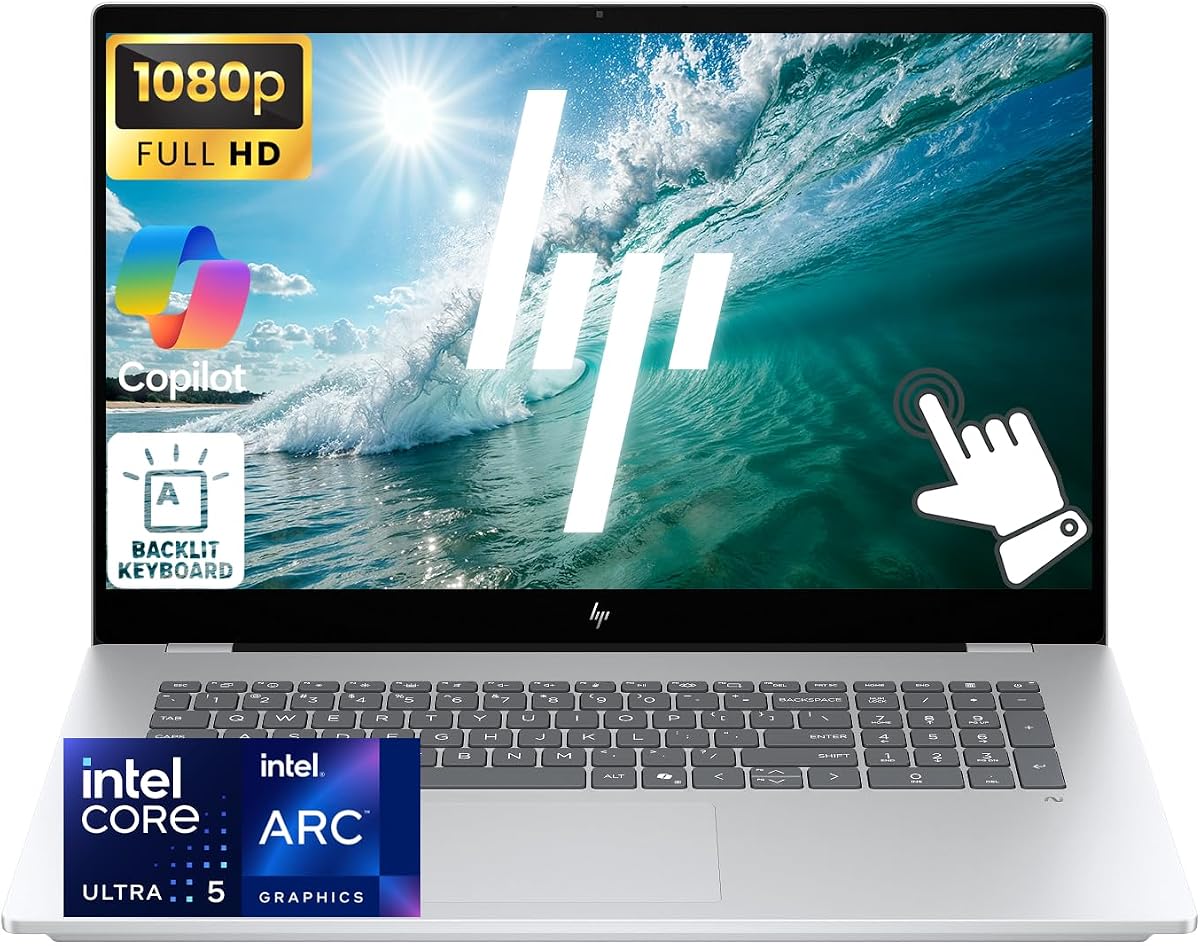
The HP OmniBook 7 17.3-inch is the strongest all-around choice in this guide, earning a 4.7 rating from its supplied customer feedback. It combines a large FHD IPS touchscreen, an Intel Core Ultra 5 226V processor, 16GB of LPDDR5x memory, and a 1TB SSD in a configuration that feels purpose-built for business, study, and media-heavy everyday use.
We may earn a commission when you buy through this link, at no additional cost to you.
Its most immediately appealing feature is the 17.3-inch multitouch panel. The 1920-by-1080 resolution, 400-nit brightness, and 100% sRGB coverage make it useful for presentations, browsing, creative review, and watching video. Intel Arc 130V graphics provide integrated performance without requiring a separate graphics card, while the eight-core processor should handle office applications, research, communication, and substantial multitasking.
The practical extras reinforce its business positioning. Windows 11 Pro adds features valued by organizations, including a privacy shutter on the camera and a 5MP IR camera with temporal noise reduction. A backlit keyboard, numeric keypad, dual speakers, HP Audio Boost, Wi-Fi 6E, Bluetooth 5.3, HDMI 2.1, and Thunderbolt 4 make it a well-rounded workstation for a fixed desk. The reported fast charge of approximately 50% in 45 minutes is useful between meetings.
The obvious trade-off is size. A 17.3-inch display is ideal for documents and media but is less convenient in a backpack than the 14-inch OmniBook options. Buyers should also consider how much locally stored content they need. Overall, it is the most balanced model here for users who value screen area, Windows 11 Pro, a proper keyboard, and business-grade connectivity without stepping into the Core Ultra 9 configuration.
The edge-to-edge 17.3-inch IPS display offers a roomy 1920-by-1080 workspace, 400-nit brightness, and 100% sRGB color coverage. It is a particularly good fit for spreadsheets, presentations, reference documents, and shared media.
The backlit keyboard, numeric keypad, camera privacy shutter, and integrated microphones support long working sessions. Thunderbolt 4 and HDMI 2.1 also make it easier to build a productive desk setup with external displays and accessories.
We may earn a commission when you buy through this link, at no additional cost to you.
The HP OmniBook 3 14-inch is the compact travel-oriented selection, carrying a 4.1 rating in the supplied information. Its 14-inch 2K OLED panel, Snapdragon X X1-26-100 processor, 16GB of LPDDR5x memory, and 256GB SSD make it a lightweight option for students, commuters, and frequent travelers who prioritize endurance and mobility.
We may earn a commission when you buy through this link, at no additional cost to you.
The OLED display has a 1920-by-1200 resolution and brightness of up to 300 nits, offering richer contrast than a conventional laptop panel. The Snapdragon platform is positioned around efficient productivity, AI capabilities, and long battery life, with a maximum claimed runtime of 41 hours and 45 minutes. HP Fast Charge is listed as restoring the battery from zero to 50% in approximately 45 minutes.
Wireless connectivity is handled by Qualcomm Wi-Fi 6E, and a dedicated Copilot key provides quick access to the on-device assistant. The listed Otter.ai functionality can record, transcribe, and summarize meetings, while an FHD IR camera with HDR auto-switch is designed to improve video calls in mixed lighting. These are meaningful additions for students and office workers who spend considerable time communicating online.
The primary limitation is storage, since 256GB may become inadequate for extensive media libraries or large project files. Because this is an Arm-based Windows system, buyers should also verify that their essential applications, drivers, accessories, and peripherals support the platform. It is best for mobile productivity rather than users who require specialized x86 software or expansive local storage.
The compact chassis, efficient Snapdragon processor, and stated battery life make this model appealing for commuting and travel. It is particularly useful for cloud-centered tasks such as documents, email, presentations, browsing, and video meetings.
Otter.ai can capture audio, organize notes, transcribe conversations, and create meeting summaries. A Copilot key makes the broader AI assistant easier to reach during busy workdays.
We may earn a commission when you buy through this link, at no additional cost to you.
The HP OmniBook 5 16-inch Core Ultra 7 is a polished middle ground between mainstream and premium OmniBook systems, with a 4.5 rating. It pairs the latest Intel Core Ultra 7 processor with a 16-inch touchscreen, 16GB of high-speed RAM, and a 1TB SSD, making it well suited to professionals, students, and creative users who want a capable everyday machine.
We may earn a commission when you buy through this link, at no additional cost to you.
The processor includes built-in AI acceleration intended to support responsive multitasking, productivity applications, and creative workloads. Windows 11 with Copilot AI adds assistance for drafting, organizing, and completing tasks, while the touchscreen offers a more direct way to navigate documents, browse, present, or sketch. A backlit keyboard, Wi-Fi 6E, and a silver aluminum design complete the professional presentation.
Its 1TB drive is one of the practical strengths of this model. It leaves considerably more room for documents, applications, media, and project files than a 256GB configuration. The 16-inch form factor also offers enough screen space for side-by-side work without becoming as unwieldy as the 17.3-inch OmniBook 7.
The supplied listing does not state the exact panel resolution, and 16GB of memory may be restrictive for advanced engineering, very large datasets, or intensive editing. Even so, this model is a compelling general-purpose option when you want Core Ultra 7 performance, a touchscreen, and plentiful storage without moving to the Core Ultra 9 or 2-in-1 designs.
Core Ultra 7 performance, 16GB of memory, and a 1TB SSD form a versatile foundation. The configuration is comfortable for daily office work, research, communication, and light creative tasks.
The 16-inch touchscreen supports direct interaction, while the backlit keyboard offers a familiar alternative for extended writing. That combination suits both interactive work and conventional office tasks.
We may earn a commission when you buy through this link, at no additional cost to you.
The HP OmniBook 5 16-inch Core Ultra 9 is the premium performance choice and carries a 5.0 rating in the supplied feedback. Its 15th-generation Intel Core Ultra 9 processor offers 16 cores and 16 threads, while 32GB of DDR5 memory and a PCIe SSD provide ample resources for complex workflows, heavy multitasking, programming, engineering, design, and advanced content creation.
We may earn a commission when you buy through this link, at no additional cost to you.
The 1920-by-1200 IPS anti-glare touchscreen provides a high-resolution 2K workspace with wide viewing angles. Intel Arc 140T graphics are specified for sharp detail and fluid rendering across gaming, photo and video editing, and general multimedia work. Its 16:10 shape also gives users more vertical space for documents, web pages, and editing timelines.
This is not simply a faster standard laptop. The built-in Intel AI Boost NPU is listed at 13 TOPS, and the Copilot key provides a direct route to AI-assisted workflows. Windows 11 Pro adds enterprise-oriented functionality, while the 1080p FHD IR camera, privacy shutter, backlit keyboard, DTS Ultra, and Windows Studio Effects support communication and focused work.
Connectivity is especially strong. Wi-Fi 6E, Bluetooth 5.3, USB-A at 5Gbps and 10Gbps, two USB-C ports with video and power delivery, and HDMI 2.1 allow the system to support up to three external displays. The trade-offs are size and cost relative to less powerful models. For users who genuinely need 32GB memory, Core Ultra 9 performance, and extensive connectivity, however, it is the most compelling premium option in the roundup.
Thirty-two gigabytes of DDR5 memory is the headline specification, giving demanding applications more room to operate. The 16-core processor and fast PCIe storage improve responsiveness across extensive project files and multiple open programs.
Two video-capable USB-C ports and HDMI 2.1 support up to three external displays. This makes the laptop well suited to a desk with multiple screens, specialized peripherals, and demanding professional workflows.
We may earn a commission when you buy through this link, at no additional cost to you.
The HP OmniBook 3 16-inch is the best budget-oriented selection in this guide, earning a 4.5 rating. It delivers a 2K IPS touchscreen, AMD Ryzen 3 30 processor, 8GB of LPDDR5 memory, 256GB PCIe NVMe SSD, Radeon 610M graphics, and Windows 11 Home at a comparatively accessible configuration.
We may earn a commission when you buy through this link, at no additional cost to you.
The 1920-by-1200 touchscreen is a major benefit at this level. Its wide viewing angles and lifelike color presentation make the laptop more versatile for streaming, browsing, schoolwork, and casual creative work than a basic non-touch display. Radeon 610M graphics support entertainment and multitasking, while the Ryzen 3 platform is intended for everyday productivity, casual gaming, photo editing, and streaming.
HP advertises battery life of up to 14 hours and 15 minutes, plus fast charging from zero to 50% in approximately 45 minutes. The Advanced Personal Mode is designed to isolate the user's voice during calls while filtering other sounds. An FHD camera with HDR auto-switch, Wi-Fi 6, and Bluetooth 5.4 cover core communication and connectivity needs, while a dedicated Copilot key provides quick AI access.
The compromises are concentrated in memory and storage. Eight gigabytes can feel restrictive when many demanding applications are open, and 256GB may require frequent cloud storage use or an upgrade. Even so, this model brings a rare combination of screen size, resolution, touch support, and modern features to a value-focused buyer.
A 2K IPS touchscreen, fast NVMe storage, an FHD camera, and AI-assisted call features give this model more capability than a basic entry-level laptop. It is a sensible starting point for students and everyday home users.
The 256GB drive is adequate for cloud-centric work and a curated local file collection. Users should avoid filling it with large media libraries and should plan for external storage or cloud backup when necessary.
We may earn a commission when you buy through this link, at no additional cost to you.
The HP OmniBook 5 16-inch Snapdragon combines a large OLED display with efficient Arm computing and has a 4.2 rating. Its 2K panel, Snapdragon X X1-26-100 processor, 16GB of LPDDR5x memory, and 512GB PCIe Gen4 SSD make it a distinctive option for users who want a roomy screen, modern AI features, and strong endurance.
We may earn a commission when you buy through this link, at no additional cost to you.
The OLED display uses a 1920-by-1200 resolution and reaches up to 300 nits, producing rich colors and strong contrast for media, creative review, and general productivity. The Snapdragon platform is designed to balance performance with power efficiency, while the Adreno GPU supports responsive interfaces, games, and graphics applications. HP lists maximum battery life of 34 hours and 45 minutes, with approximately 30 minutes needed to charge from zero to 50%.
The 512GB storage makes this a more self-contained system than the 256GB OmniBook 3. It also includes Qualcomm Wi-Fi 6E, Bluetooth 5.3, an FHD IR camera with a physical privacy cover, Otter.ai meeting tools, and a Copilot key. These features support a productive mobile workflow, particularly for people who communicate frequently and rely on cloud applications.
As with other Snapdragon-based Windows laptops, application and peripheral compatibility deserves attention. It is Windows 11 Home rather than Pro, so managed business deployment and certain advanced administrative features are not the focus. For a consumer or student seeking a large OLED panel and long claimed runtime, however, this is a strong alternative to conventional Intel configurations.
The 2K OLED display provides vivid color and deep contrast, while the Snapdragon platform is built around efficient operation. That pairing is especially attractive for long sessions involving browsing, documents, and streaming.
A 512GB PCIe Gen4 SSD gives users twice the internal capacity of the budget-focused OmniBook 3. It is a more comfortable starting point for applications, photos, coursework, and active project folders.
We may earn a commission when you buy through this link, at no additional cost to you.
The HP OmniBook X 14-inch is the display-focused premium compact and carries a 4.3 rating. Its defining feature is a 3K OLED touchscreen, joined by an Intel Core Ultra 7 356H processor, 24GB of LPDDR5x memory, and a 1TB PCIe Gen4 SSD. The result is a sophisticated option for creative professionals and buyers who prioritize visual detail in a portable enclosure.
We may earn a commission when you buy through this link, at no additional cost to you.
Because each OLED pixel lights independently, the display can produce deeper blacks, stronger contrast, and richer color depth. Its high resolution also provides excellent sharpness for photography, design work, detailed documents, and entertainment. Intel Graphics are suitable for streaming, video calls, photo editing, and everyday multitasking, while the Core Ultra 7 platform adds more headroom for demanding applications.
Smart Sense is an especially thoughtful feature. It adjusts system modes, temperature, and fan noise according to the current activity, aiming to maintain a balance between responsiveness and comfort. HP specifies up to 27 hours and 30 minutes of battery life, and fast charging reaches 50% in approximately 30 minutes. Poly Studio Audio, dual speakers, and a 5MP IR camera with HDR auto-switch support communication and media use.
The tradeoff is that a 3K OLED panel is not necessarily ideal for every user. High-resolution screens can consume more power, and some buyers may prefer the simplicity of lower-cost displays. The 14-inch size also means less working space than a 16-inch model. For creative work, premium entertainment, and portable productivity, though, it provides one of the most distinctive feature combinations in the lineup.
The 3K OLED panel offers the sharpest resolution in this roundup and is well suited to photos, design, video, and detailed documents. A high-quality screen can make routine work and entertainment feel noticeably more refined.
Smart Sense uses AI-driven behavior to adjust performance modes, temperature, and fan noise. The Intel Core Ultra 7 processor, 24GB memory, and 1TB SSD provide a strong foundation for mixed creative and productivity workloads.
We may earn a commission when you buy through this link, at no additional cost to you.
The HP OmniBook 5 16-inch Snapdragon Plus is a balanced OLED option for users who want a large screen, efficient performance, and AI-focused features. It holds a 4.5 rating and upgrades the standard Snapdragon X configuration with the Snapdragon X Plus X1P-42-100 processor while retaining 16GB of LPDDR5x memory and a 512GB SSD.
We may earn a commission when you buy through this link, at no additional cost to you.
The 1920-by-1200 OLED touchscreen reaches up to 300 nits and provides rich color for streaming, productivity, and light creative work. The Snapdragon X Plus chip is positioned for responsive multitasking, modern AI tools, and long battery life, while the Qualcomm Adreno GPU manages graphics with an emphasis on power efficiency. HP lists up to 34 hours of battery life and fast charging from zero to 50% in approximately 30 minutes.
For communication and collaboration, the system includes Otter.ai tools for recording, transcription, note organization, and meeting summaries. A physical camera privacy cover and IR sensor support Windows Hello, and dual speakers with HP Audio Boost enrich media playback. Qualcomm Wi-Fi 6E and Bluetooth 5.3 offer modern wireless connectivity, while the dedicated Copilot key provides fast access to the assistant.
As with other Arm-based Windows systems, compatibility is the main consideration. Native x86 emulation has improved, but specialized professional software, plugins, and some accessories may still deserve verification. Windows 11 Home also places this model below Pro-focused systems for managed deployment. It is a compelling everyday choice for users who prioritize the large OLED panel and endurance over maximum local storage and advanced administration.
A 16-inch 2K OLED offers an expansive, visually rich workspace for documents, media, browsing, and creative applications. The larger footprint makes the display especially appealing for desk-based use.
The Snapdragon X Plus processor, Copilot key, and Otter.ai features make AI assistance easy to integrate into a normal workday. Efficiency is the platform's defining advantage, with long claimed battery life and rapid charging.
We may earn a commission when you buy through this link, at no additional cost to you.
The HP OmniBook 16-inch Core Ultra 7 is a productivity-focused 16-inch model with a 5.0 rating. It combines a 2025 Intel Core Ultra 7 processor, 32GB of memory, a 1TB SSD, and a 2K touchscreen in a format designed to deliver desktop-class multitasking while retaining a useful amount of vertical screen space.
We may earn a commission when you buy through this link, at no additional cost to you.
The 1920-by-1200 WUXGA touchscreen reaches 300 nits and supports direct interaction for zooming, browsing, presenting, and navigating documents. Its 16:10 aspect ratio is particularly useful for reading long web pages, reviewing spreadsheets, and writing code because the taller screen displays more vertical information. A dedicated NPU offloads selected AI workloads such as background blur and noise reduction without burdening the main processor.
Performance comes from the Intel Core Ultra 7 CPU, 32GB of RAM, and fast solid-state storage. That combination is well suited to intensive multitasking, professional applications, large document collections, and heavier workflows. The dedicated Copilot key offers direct access to functions such as meeting summaries, text generation, and question answering, making AI assistance part of the physical interface rather than something buried in a menu.
The listing emphasizes the core productivity package but does not provide a full port specification or explicitly identify the Windows edition. Those details should be confirmed before buying, particularly if you need specific accessories, enterprise features, or multiple external displays. Even with that caveat, the combination of 32GB memory, 1TB storage, and a 2K 16:10 touchscreen makes this a compelling general-purpose workstation.
The 16:10 display offers a taller canvas than the common 16:9 format. That extra height is useful for long documents, code, research, spreadsheets, and communication windows viewed simultaneously.
A dedicated NPU is designed to handle suitable AI tasks with less impact on the CPU. The Copilot key and local acceleration features make the platform particularly relevant to frequent meeting users and creators.
We may earn a commission when you buy through this link, at no additional cost to you.
The HP OmniBook 7 Flip 16-inch is the only convertible in the roundup and earns a 4.1 rating. Its 360-degree hinge allows laptop, tent, stand, and tablet modes, while the Intel Core Ultra 7 258V processor, 32GB of DDR5 memory, and 1TB PCIe SSD provide a capable foundation for professional and creative work.
We may earn a commission when you buy through this link, at no additional cost to you.
The 16-inch WUXGA IPS touchscreen has a 1920-by-1200 resolution, 400-nit brightness, and micro-edge design. Intel Arc 140V graphics support visually rich content, modern media work, and video editing. The processor includes a 47 TOPS NPU, which is intended to accelerate AI tasks and improve energy efficiency compared with the prior generation of the platform.
The included HP USB-C Rechargeable MPP2.0 stylus has 4096 levels of pressure sensitivity, making the flip design more useful for note-taking, drawing, annotations, and presentations. Connectivity includes Thunderbolt 4, USB-C, USB-A, HDMI 2.1, Wi-Fi 7, and Bluetooth 5.4. Up to three external monitors are supported without a docking station, and the 5MP IR camera includes temporal noise reduction and secure facial recognition.
Windows 11 Pro adds BitLocker, Remote Desktop, and business-oriented management capabilities, while the backlit keyboard supports low-light typing. The notable disclosure is that the computer was resealed to upgrade the SSD, with separate warranty coverage for the upgraded drive and remaining HP components. Buyers should review that disclosure carefully. The 2-in-1 format is ideal for consultants, educators, analysts, and creative users, although its larger size makes it less travel-friendly than a conventional 14-inch laptop.
The 360-degree hinge supports four orientations, making the OmniBook 7 Flip useful for typing, presenting, watching video, sketching, or working upright. The included pressure-sensitive stylus adds precision for annotations and illustration.
Despite its convertible chassis, the system offers Windows 11 Pro, Thunderbolt 4, Wi-Fi 7, and support for three external displays. It can function as a capable desk workstation when connected to multiple screens and peripherals.
We may earn a commission when you buy through this link, at no additional cost to you.
The best HP OmniBook laptop depends on the balance between display quality, computing power, endurance, portability, storage, and software compatibility. Comparing those needs before choosing a processor or screen size can prevent an expensive mismatch.
Processor selection determines how comfortably an OmniBook handles demanding work. Intel Core Ultra 5 and Ultra 7 configurations are sensible for broad productivity, while Core Ultra 9 and 32GB of memory provide greater headroom for intensive multitasking, programming, engineering, design, and media editing. AMD Ryzen 3 is more appropriate for routine office tasks, browsing, streaming, and schoolwork, while Snapdragon X systems prioritize efficiency and mobile use.
In short, match the processor to the workload rather than choosing solely by model number.
Memory helps a laptop remain responsive when several applications are open, and storage determines how much you can keep locally. The lineup ranges from 8GB RAM and a 256GB SSD to 32GB DDR5 and 1TB of storage. A 16GB configuration is a comfortable minimum for many buyers, while 24GB or 32GB benefits heavy multitaskers, creators, and business professionals. Users with large media collections should favor 512GB or 1TB and consider backup storage.
Choose enough memory for your applications and enough storage for active files, keeping cloud or external storage for the archive.
HP offers 14-inch, 16-inch, and 17.3-inch screens with IPS, anti-glare, and OLED technologies. A 14-inch model is easier to carry, while 16-inch and 17.3-inch displays provide more workspace for documents, media, and presentations. 2K panels add useful sharpness, and 3K OLED is ideal for detailed creative work, though it can increase power consumption and may cost more than a conventional panel.
Prioritize the screen size that fits your workspace, then choose resolution and touch support based on how you work.
Windows models built on Intel and AMD processors generally follow the familiar x86 software ecosystem, while Snapdragon models use an Arm-based platform. Many common applications now run well on Arm through native builds or emulation, but specialized engineering tools, older drivers, plugins, and certain peripheral accessories may still be less compatible. Check every essential program and device before choosing a Snapdragon configuration, especially in a managed business environment.
For maximum application certainty, favor Intel or AMD; for mobility, verify Arm support first.
HP lists generous battery-life claims for several models, ranging from 14 hours and 15 minutes on the budget Ryzen 3 system to 41 hours and 45 minutes on the compact Snapdragon OmniBook 3. Actual runtime depends on screen brightness, workload, wireless activity, and battery condition. Fast charging is another useful measure, with several models reaching approximately 50% in 30 or 45 minutes.
Use the stated battery figure as a guide, but prioritize charging speed and efficiency when you regularly travel.
A modern laptop should support the displays, storage, charging, and peripherals you already own. Thunderbolt 4 and USB-C improve docking flexibility, HDMI simplifies external-monitor use, and USB-A preserves compatibility with older accessories. Wi-Fi 6E appears across much of the range, with Wi-Fi 7 on the OmniBook 7 Flip. Bluetooth 5.3 or 5.4 supports accessories, while some premium systems support as many as three external displays.
List your required ports before buying and check whether a dock or adapter is necessary.
Conventional OmniBook laptops suit users who want a straightforward keyboard-and-screen experience. The OmniBook 7 Flip adds a 360-degree hinge, tablet modes, and an included stylus, making it more adaptable for presentations, handwriting, drawing, and collaborative work. That versatility comes with a larger chassis and generally less convenient portability than a compact 14-inch notebook.
Choose a conventional laptop for efficiency or a convertible for flexibility, based on how often you change working positions.
Features such as a backlit keyboard, numeric keypad, camera privacy shutter, IR camera, AI noise reduction, and physical Copilot key can have a noticeable effect on daily comfort and security. Otter.ai tools may assist with meeting notes and transcriptions, while Smart Sense can optimize performance, temperature, and fan noise. Windows 11 Pro adds administrative and security capabilities such as BitLocker and Remote Desktop for professional environments.
Prioritize the convenience features you will use daily rather than paying for an AI label alone.
Start by completing the Windows setup process, signing into your preferred account, connecting to Wi-Fi, and confirming that Windows Update and the device manufacturer have installed the latest firmware and drivers. If the model uses a Copilot key, review the relevant privacy and account settings before enabling voice recording, meeting transcription, background blur, or other AI features. Create a recovery or backup method before moving important files onto the new system.
For everyday care, keep the laptop on a stable, hard surface and allow air to circulate around the vents. Use a soft microfiber cloth to clean the display, lightly dampened cloth for the lid and keyboard, and avoid spraying liquid directly onto the machine. If a stylus is included, store it in its designated holder and replace it when the tip becomes worn. Keep liquids and food away from the keyboard, and do not leave the computer in direct sunlight or inside a hot vehicle.
To maintain long-term performance, install software only from trusted sources, keep the operating system current, and leave a reasonable amount of free storage on the SSD. Use cloud synchronization or an external drive for important backups, especially on systems with 256GB drives. Clean charging ports gently, use the supported power adapter, and avoid repeatedly draining the battery to zero if consistent full-charge operation is not necessary. For the convertible model, transition between modes only after disconnecting peripherals that could obstruct the hinge.
The HP OmniBook 7 17.3-inch is the strongest general-purpose choice because it combines a large FHD IPS touchscreen, an Intel Core Ultra 5 processor, 16GB of memory, a 1TB SSD, and Windows 11 Pro. Its numeric keypad, backlit keyboard, camera privacy shutter, and broad port selection also suit office work. The 16-inch OmniBook 5 models are more compact alternatives for buyers who prioritize a smaller footprint.
They can be excellent choices for browser-based work, documents, communication, media, and cloud-centered productivity. The models in this guide include 16GB of memory, fast PCIe storage, modern wireless connectivity, and useful Copilot and Otter.ai features. However, users should verify support for specialized desktop software, plugins, drivers, and accessories before buying an Arm-based model.
The HP OmniBook 3 16-inch is a practical value pick, offering a 2K touchscreen, Ryzen 3 processor, fast NVMe storage, and a 14-hour-and-15-minute stated battery figure. Its 8GB memory and 256GB drive are adequate for many assignments but may be limiting for advanced software or extensive media. Students wanting more storage and endurance should consider the 14-inch Snapdragon OmniBook 3 after checking application compatibility.
Sixteen gigabytes is a sensible starting point for general productivity, study, browsing, and moderate multitasking. Twenty-four gigabytes provides more breathing room for mixed creative work, while 32GB is well suited to intensive professional applications, large project files, and heavy multiwindow workflows. The right amount also depends on the processor and your tendency to keep many applications open simultaneously.
A touchscreen can make navigation, zooming, presenting, drawing, and reading more direct. It is particularly useful on larger 16-inch and 17.3-inch models, where extra screen space pairs naturally with touch interaction. The smaller 14-inch OmniBook options also offer high-resolution OLED screens, but buyers who rarely touch their computer may prioritize battery life, keyboard comfort, or price instead.
Windows 11 Home is intended primarily for personal and general business use, while Windows 11 Pro adds capabilities relevant to organizations and advanced professional workflows. The OmniBook 7 17.3-inch and OmniBook 7 Flip include Pro, and the supplied information specifically notes BitLocker and Remote Desktop on the Flip. The choice matters most for device management, security, and business administration.
The HP OmniBook 7 Flip 16-inch is the most flexible because its 360-degree hinge supports laptop, tent, stand, and tablet modes. It also includes a pressure-sensitive USB-C rechargeable stylus for note-taking, drawing, and detailed annotation. The result is a better fit for presentations and creative input than any conventional model in the roundup.
An OLED display is worth considering for rich contrast, deep blacks, and vivid color, especially for entertainment and creative work. The lineup includes 2K OLED models in 14-inch and 16-inch sizes, plus a 14-inch 3K OLED option. Since high-resolution OLED panels can consume more power, evaluate the stated battery life and your mobile-use needs alongside display quality.
The best choice depends on which strengths matter most. The OmniBook 3 16-inch is the budget-focused option, the OmniBook 7 17.3-inch is the best-balanced business laptop, and the OmniBook 5 16-inch Core Ultra 9 is the premium choice for heavy workloads, 32GB memory, extensive connectivity, and a high-resolution touchscreen.
Buyers should prioritize processor and memory for demanding software, storage for local files, screen size for mobility, and battery life for travel. Snapdragon models deserve careful compatibility checks, while the OmniBook 7 Flip is the most compelling when presentation flexibility, note-taking, and tablet use matter as much as conventional laptop operation.
Finally, check the current product listing before purchasing because configurations, included accessories, software editions, and pricing can change. Read the technical details, reviews, and seller information carefully, and make sure the selected model has the display, ports, memory, and application support required for your daily work.