
Clear Desktop Computer Keyboard Cover Skin
4.1Editor score
Washable silicone skin
104-key layout support
Waterproof dust protection
Keyboard covers for PC range from ultra-thin silicone skins to stretchable fabric sleeves and rigid acrylic lids. The right option depends on your keyboard layout, work environment, and whether you prioritize spill protection, easy cleaning, reduced visible wear, or simple storage.
This guide compares ten covers using the supplied product information, focusing on dimensions, material, compatibility, cleaning methods, and protection against dust, moisture, debris, and everyday wear. It includes universal skins, model-specific films, fabric sleeves, and clear acrylic enclosures for different setups.
Each pick highlights the product's most useful qualities and honest limitations so you can match it to your keyboard and routine. Ratings and specifications reflect the available product data, while prices and availability can change, making it sensible to confirm current details before purchasing.
4.1Editor score

4.4Editor score

4.7Editor score
As an Amazon Associate we earn from qualifying purchases.
The table below compares all ten selections by format, material, size or compatibility, and primary protective benefit, making it easier to identify the right style for a standard desktop, compact model, gaming keyboard, or specific compatible layout.


This keyboard dust cover is a soft fabric sleeve designed for 75%, 80%, 96%, and many full-size PC keyboards. With a 4.4 rating, it stands out for its unusually broad fit range, simple handling, and ability to shield a keyboard from dust, scratches, hair, mist, and ordinary dirt without adding bulk.
We may earn a commission when you buy through this link, at no additional cost to you.
The material is described as super soft, lightweight, stretchable fabric. Its compressed dimensions begin at 14.9 by 5.9 by 1.57 inches and can expand to 19.5 by 7.5 by 1.57 inches, allowing it to accommodate several board widths. The listed compatibility includes the Logitech MK120, MK275, MK270, and MK345, as well as the Rapoo V500PR0, Razer, and Dell KB216 and KM117.
The principal limitation is that this is a dust cover rather than a waterproof enclosure. It can reduce exposure to dust and everyday grime, but it should not be treated as spill protection. The flexible fabric also means fit can vary across unusually shaped, elevated, or differently proportioned keyboards, so measuring the board before ordering remains important.
This is an excellent general choice for a home office, study area, or shared workspace where dust, hair, and surface scratches are the main concerns. It is particularly practical for people who want a lightweight cover they can remove quickly, wash when needed, and fold into a drawer. For most non-spill environments, it offers the most balanced coverage in the list.
The stretchable construction and wide dimensional range make this sleeve useful for compact and full-size keyboards alike. Its listed examples include several popular Logitech, Razer, Dell, and Rapoo models, reducing the guesswork involved when shopping for a broad-fit cover.
The soft fabric helps prevent scratches, dust, hair, and light contamination from settling directly on the keys. It can be removed in seconds and folded away when the keyboard is in use, making it convenient for desks that need to be cleared or cleaned frequently.
We may earn a commission when you buy through this link, at no additional cost to you.
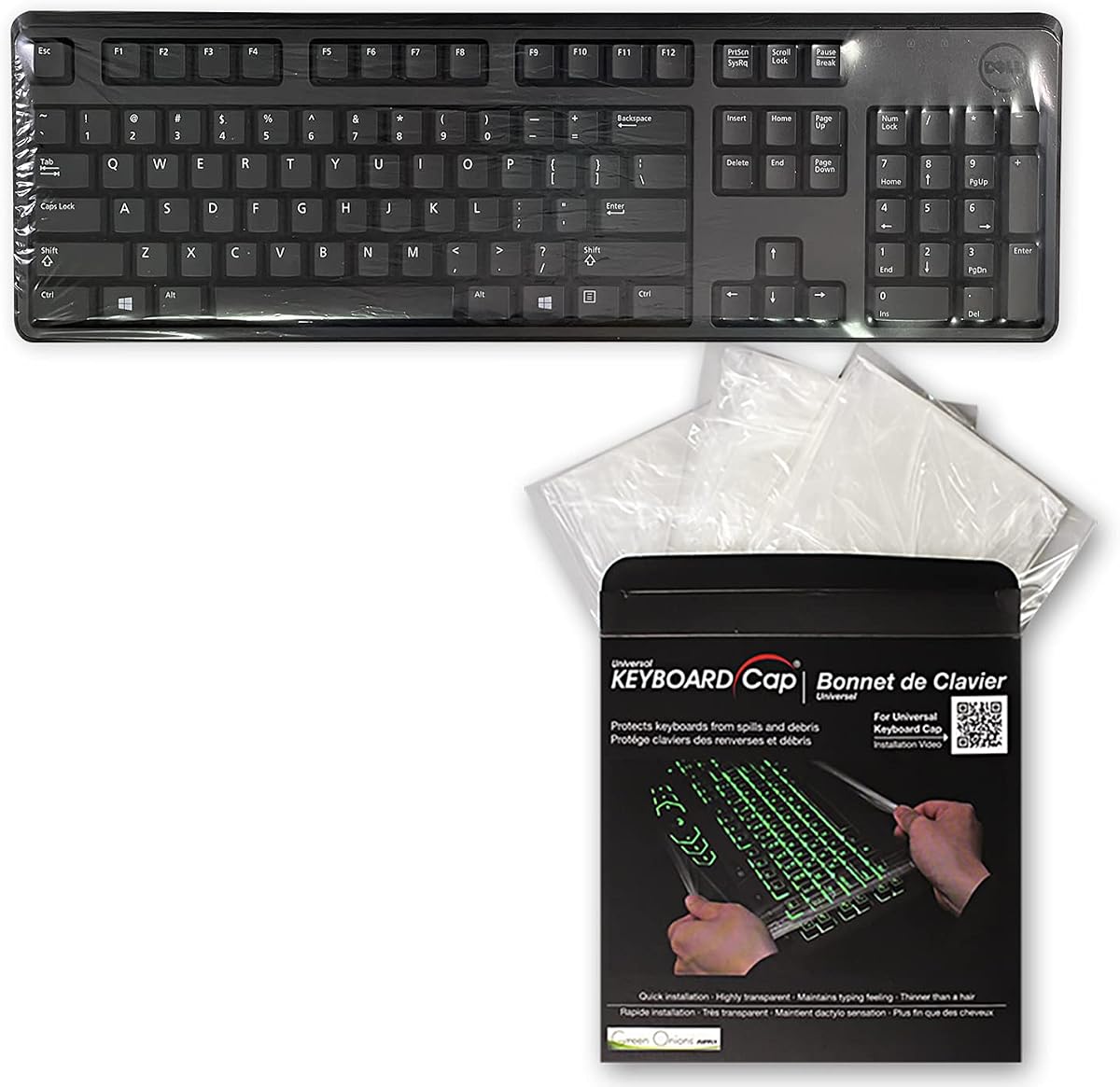
The Green Onions Keyboard Cap is a universal, fully covered desktop solution built around a very thin 0.025mm protective material. It has a 4.1 rating and distinguishes itself by creating a barrier over the keyboard while preserving the feel of the keys, making it a practical option for environments where cleanliness matters.
We may earn a commission when you buy through this link, at no additional cost to you.
Its primary benefit is protection from both dust and accidental liquid spills, including coffee, beer, and milk. Unlike a conventional fabric sleeve, the fully covered design is intended to prevent contaminants from reaching the keys. The cover also turns the keyboard into a flat surface when not being used, and the manufacturer specifically highlights hospitals, clinics, foodservice, and manufacturing clean rooms.
Compatibility is broad but not unlimited. The stated dimensions cover keyboards between 15.75 and 19.69 inches wide and between 6 and 8 inches deep. A flat universal cap can sit differently on keyboards with raised profiles, unusual edge shapes, or large protruding components, so checking the shape of the board remains necessary.
This is a strong choice for shared workstations, reception desks, clinical environments, and anyone who often works around drinks. The included three-pack is also useful for rotating covers while one is being cleaned. It is less suitable if your priority is a decorative rigid enclosure or a model-specific fit with perfectly molded key openings.
At 0.025mm, the cover is designed to preserve the tactile response of the keyboard while forming a continuous protective layer. This makes it more useful in an active workspace than a thick fitted cover that could alter key travel or feedback.
The three-cover set supports rotation in offices, clinics, hospitality settings, and other shared spaces. One cover can remain in use while another is cleaned, helping maintain a more consistent clean-workstation routine.
We may earn a commission when you buy through this link, at no additional cost to you.
The Coconut Cream Vinyl Cover combines practical desktop protection with a more decorative appearance than a basic silicone skin. Rated 4.4, it uses a translucent cream enclosure with medium blue trim and is positioned for standard-size PC keyboards rather than compact or specialty layouts.
We may earn a commission when you buy through this link, at no additional cost to you.
Its antistatic copolymer is described as pliable, silky smooth, and moisture resistant. That combination can help limit dust, static, and light moisture exposure while also shielding against food and other contaminants. The stated dimensions are 18 inches wide by 2 inches high by 7 inches deep, with a larger version mentioned in the product information as an alternative.
Its key strength is presentation. The cream color and blue trim are intentionally designed to look attractive on a desk, avoiding the utilitarian appearance associated with some protectors. The trade-off is that moisture resistance should not be confused with complete waterproofing, and the enclosure's proportions may not suit compact boards, raised mechanical models, or unusual desktop peripherals.
Choose this cover when appearance matters and your keyboard falls within a standard desktop size. It is a good fit for reception areas, front desks, home offices, and shared workspaces where the keyboard should remain visibly present even while protected. Buyers should measure first and confirm that the enclosure will not crowd nearby equipment.
The translucent cream finish and blue trim give this cover a more intentional appearance than a basic transparent skin. It offers visible protection without requiring a dark or completely opaque enclosure that might dominate the desk.
The stated antistatic copolymer is intended to help keep a keyboard free from dust and static while resisting light moisture. Its flexible construction also allows it to sit around a compatible standard keyboard without the rigidity of a hard acrylic case.
We may earn a commission when you buy through this link, at no additional cost to you.
The Clear Silicone Desktop Cover is a straightforward protector for standard PC keyboards with 104 or 107 keys. Its 4.1 rating reflects a practical balance of transparency, washability, and protection, while its 0.3mm silicone construction makes it one of the more accessible options in this guide.
We may earn a commission when you buy through this link, at no additional cost to you.
The cover is designed to prevent general wear, dust, and everyday spills from reaching the keys. Because it is removable and washable, owners can clean it with soapy water and return it after it dries. Its transparent appearance lets the keyboard remain visible, which can be helpful in offices where appearance and rapid access are both priorities.
The most important limitation is clearly stated: it does not fit mechanical or gaming keyboards, including wave-style layouts. Its listed dimensions are 17.59 by 5.1 inches, so even a standard membrane keyboard should be measured before ordering. A tight fit around a 104- or 107-key layout is essential for the molded skin to sit properly.
This is a sensible budget choice for standard office keyboards, home computers, and shared desktops that experience frequent typing. It is particularly useful when the goal is to reduce visible key wear and simplify cleaning. It should not be considered for a mechanical board, compact laptop-style layout, or any keyboard with a substantially different footprint.
The removable silicone design can be washed with soapy water, making routine care straightforward. Keeping the cover clean helps it continue acting as a barrier against crumbs, dust, and other debris without requiring replacement after every cleaning cycle.
This cover concentrates on the common 104- and 107-key desktop format, including its numeric keypad. That clear target makes selection easier for buyers who know they own a standard office keyboard, provided they also verify the stated dimensions.
We may earn a commission when you buy through this link, at no additional cost to you.
The Logitech Colorful Keyboard Cover is a model-specific silicone film for several Logitech desktop models, including the MK295, MK275, and MK270. With a 4.3 rating, it offers an appealing combination of targeted compatibility, washability, debris protection, and a colorful appearance.
We may earn a commission when you buy through this link, at no additional cost to you.
The product is also listed for the K200, K260, K270, K275, and K295, along with several MK-series combinations. Its ultra-thin silicone is designed to fit closely to the original keys, preserve an easy typing experience, and reduce typing volume. It can also protect frequently used positions from blurred legends and surface wear.
Compatibility requires particular care. The skin is intended for the US version and uses a rectangular Enter key. European and Japanese layouts may use a differently shaped Return key, and buyers are instructed to compare their keyboard model and layout with the product image. The film is not a universal cover that can adapt to unrelated layouts.
This is a good choice for Logitech owners who want a colorful, washable layer that protects against dust, food residue, and visible wear. It is especially appealing if typing noise is a concern in a shared room. Verify the model number, country-specific layout, and Enter key shape before purchasing to avoid an incompatible fit.
The cover supports a useful collection of K-series and MK-series keyboards, including the widely used MK270, MK275, and MK295. This gives owners of those models a colorful protective option without using a generic skin stretched over the keys.
The close-fitting silicone is intended to reduce typing volume while keeping dust and food residue out of the gaps around the keys. Its washable construction also makes it useful for keyboards that show wear around frequently used letters or numbers.
We may earn a commission when you buy through this link, at no additional cost to you.
The ZIYOU LANG KC04 is a transparent acrylic enclosure designed for standard 98-key keyboards. Its 4.1 rating reflects a straightforward protective design that keeps the keyboard visible while shielding it from dust, water, and accidental physical impacts when not in use.
We may earn a commission when you buy through this link, at no additional cost to you.
The stated external dimensions are 17.4 by 6.5 by 1.89 inches. It can support a standard 98-key mechanical, membrane, or other keyboard, as long as the board is at least one inch smaller in each relevant dimension. The enclosure has no lid and uses full-surface hot bending to create a rigid shape with rounded edges.
Fit is the main trade-off. A full-size keyboard with a numeric keypad is too large, and compact boards may fit but leave substantial extra room inside. Because the cover is a rigid case rather than a flexible skin, buyers need to check both the keyboard footprint and available vertical clearance on the desk.
Choose this enclosure when you own a 98-key board and want visible, substantial protection. It is a strong option for shared offices, gaming setups that use membrane or compact mechanical layouts, and desks where water, dust, or accidental bumps are concerns. The clear material preserves the keyboard's appearance and makes the cover's purpose immediately understandable.
Acrylic creates a defined barrier around a compatible 98-key keyboard while allowing the keys and backlighting to remain visible. The open-top, no-lid design keeps access simple when the keyboard is in use.
The rounded hot-bent edges improve handling and simplify surface cleaning. The cover can be wiped down periodically, helping keep a shared or frequently used keyboard protected without maintaining a fabric layer over every key.
We may earn a commission when you buy through this link, at no additional cost to you.
The Two-Pack Clear Keyboard Skin provides a 3.9-rated option for standard 104- and 107-key desktop keyboards. Its two-cover set is the distinguishing feature, allowing one skin to remain installed while the other is cleaned or temporarily serving another compatible workstation.
We may earn a commission when you buy through this link, at no additional cost to you.
The covers are described as transparent, ultra-thin, soft, and durable, with a 0.5mm listed thickness and an engineered silicone construction. They are intended to keep dust, water, coffee, and other spills from entering the keyboard while allowing backlighting to shine through. The stated dimensions are 17.59 by 5.1 inches.
Compatibility is narrow even though the product uses the word universal. It is expressly intended for standard desktop PCs with 104 or 107 keys and does not fit mechanical or gaming keyboards. A wavy key profile, raised frame, or nonstandard shape can also prevent the skin from seating properly, so measurement remains essential.
This set makes sense for offices with more than one matching workstation or for users who prefer rotating a freshly cleaned cover. It also suits standard keyboards in busy environments where crumbs, dust, and drinks are common. For compact, laptop-style, 98-key, or mechanical gaming layouts, a purpose-specific alternative would be a better fit.
Having a second matching cover makes it easier to clean one while the other remains available. This is particularly useful in offices, classrooms, reception areas, and shared workspaces where uninterrupted keyboard access matters.
The transparent material allows keyboard illumination to remain visible through the cover. That feature makes it practical for standard desktop keyboards that include decorative lighting, even though the skin is not intended for mechanical gaming models.
We may earn a commission when you buy through this link, at no additional cost to you.
The Universal Desktop Protector Skin is a simple, lightweight silicone cover for PC desktop keyboards. Its 4.0 rating and ultra-thin transparent design make it relevant for buyers who want basic protection against dust and spills without placing a rigid case or fabric sleeve over the keyboard.
We may earn a commission when you buy through this link, at no additional cost to you.
The product information lists dimensions of 17.52 by 5.51 inches and emphasizes checking those measurements before purchase. Made from flexible engineering-grade silicone, it is described as soft, durable, washable, and highly transparent. Its intended uses include protecting against coffee, beer, milk, crumbs, powder, liquid, and pet-related accidents.
As with other thin skins, fit depends on the board's overall shape and key arrangement. The cover is not described as fitting every desktop keyboard, and unusual layouts may not align with its molded openings. Its low profile also means it offers protection against surface contamination rather than the impact resistance of an acrylic enclosure.
This is a practical choice for a conventional office keyboard that stays in a shared or casual environment. It is easy to remove, clean, and reinstall, and the transparency allows the keyboard to maintain a familiar appearance. Buyers should measure width and depth carefully, particularly if the keyboard includes a large wrist rest, unusual bezel, or nonstandard navigation cluster.
The ultra-thin construction is designed not to interfere noticeably with normal typing. A transparent, removable skin can therefore remain available for cleaning without changing the appearance of a conventional desktop setup.
The cover can be removed and washed, allowing the keyboard itself to be cleaned without repeatedly brushing debris from each key gap. This makes it especially convenient in homes, offices, and other locations where drinks or food are common.
We may earn a commission when you buy through this link, at no additional cost to you.
The Redragon K556 Acrylic Keyboard Cover is purpose-built for the Redragon K556 104-key mechanical gaming keyboard. With a 4.7 rating, it is the highest-rated product in this group and offers the most specialized protection, including a raised design intended to discourage cat-related impacts.
We may earn a commission when you buy through this link, at no additional cost to you.
Precise cutting gives the cover a close fit around the K556, while side bulges make it easier to lift. The clear acrylic provides a physical barrier against dust, stains, cat hair, hard objects, and light water exposure without concealing the keyboard's lighting. Its internal dimensions are listed as 16.9 by 4.7 by 0.6 inches.
Its specificity is both its strength and its limitation. It is not a general gaming-keyboard cover and should only be considered after confirming the exact K556 model and layout. The acrylic is described as water resistant rather than fully waterproof, and a hard enclosure adds more bulk than a flexible silicone skin or a fabric sleeve.
This is the pick for a K556 owner who wants a discreet, close-fitting guard that preserves the gaming aesthetic. It is especially valuable in a home with cats, a pet-friendly office, or a setup where the keyboard sits in a high-traffic area. The model-specific construction makes it less versatile, but the protective and visual design is especially well suited to its target board.
The cover uses precise cutting and specified internal dimensions to fit the Redragon K556's 104-key layout. Side lifting bulges improve access, making the cover easier to remove without prying against the keys or keyboard frame.
The raised acrylic structure is intended to discourage cats from stepping or sitting on the keyboard while also protecting against hard or heavy impacts. Its transparent material preserves the gaming keyboard's visible illumination and overall appearance.
We may earn a commission when you buy through this link, at no additional cost to you.
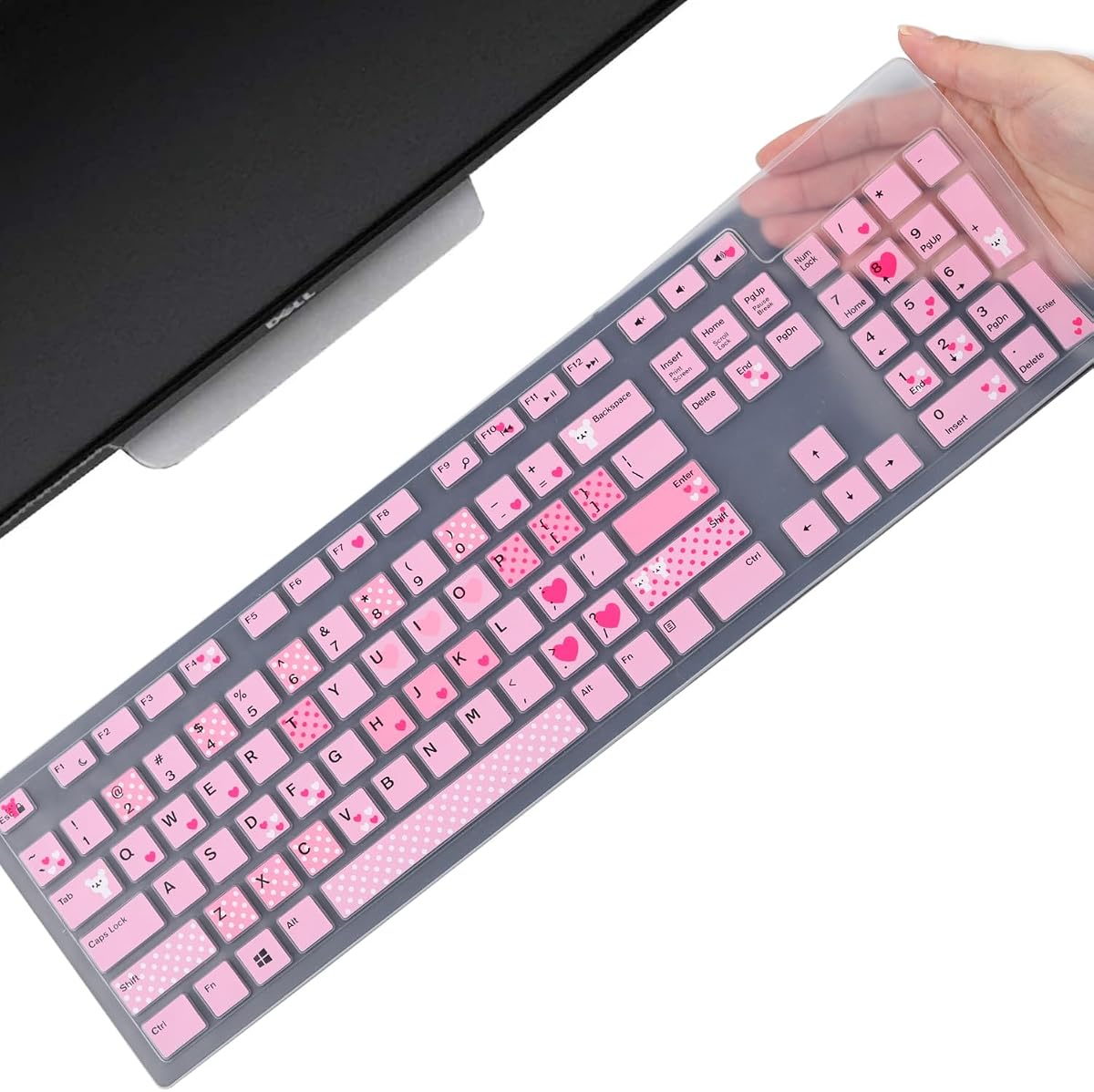
The Dell Silicone Keyboard Skin is a model-specific protector for several Dell wired and wireless keyboards, including the KM636 and KB216 family. Its 4.4 rating reflects a strong balance of close fit, subtle construction, washability, and protection across a wide list of compatible Dell desktop systems.
We may earn a commission when you buy through this link, at no additional cost to you.
The skin supports the Dell KM636 Wireless and Dell KB216 Wired Keyboard, as well as numerous Optiplex and Inspiron all-in-one models listed in the product title. Each key is specially molded for a close fit, and the 0.3mm thickness is intended to minimize interference while the keyboard is being typed on.
Compatibility is the decisive issue. The cover is designed for US keyboard layouts, so buyers should compare the keyboard layout with the product image and confirm the exact model. It is not intended for unrelated brands or international key arrangements. A precise model match is essential for every opening and the outer edge to align properly.
This is a strong option for Dell owners who want a discreet protector that supports both routine cleaning and daily use. It helps prevent dust, water, coffee, spills, and visible surface wear without adding a bulky enclosure. If you own one of the listed Dell keyboards and the layout matches, it offers a more tailored result than a generic universal skin.
The specially molded key structure follows the compatible Dell layouts more closely than a generic stretch cover. Buyers still need to verify the model, but the detailed mapping can produce a neater and more secure result when the correct keyboard is selected.
At 0.3mm, the silicone is designed to minimize typing interference while providing a removable barrier against dust and spills. Washing the skin with water allows routine maintenance without replacing the protective layer after ordinary cleaning.
We may earn a commission when you buy through this link, at no additional cost to you.
The most important consideration is fit, because a keyboard cover only works correctly when it matches the board's dimensions and layout. Material, protection level, cleaning routine, visibility, and storage needs should then guide the choice between a skin, sleeve, or enclosure.
Begin by measuring the keyboard from edge to edge, including any bezel that sits above the key bed. Compare those measurements with the product's listed dimensions, paying special attention to width and depth because a long numeric keypad can make a nominal full-size keyboard much deeper than a compact model. A cover that is slightly loose may function as a sleeve, while a molded skin needs a close and accurate match.
Silicone skins sit close to the keys and help reduce dust, crumbs, visible wear, and minor spill exposure. Fabric sleeves provide a soft removable barrier against dust, hair, and scratches but do not provide meaningful liquid protection. Acrylic enclosures create a rigid barrier against impacts, pets, dust, and water. Universal flat caps can protect broad desktop sizes but may not accommodate raised or unusually shaped keyboards.
A cover can have suitable dimensions and still fail if its key openings or Enter key shape do not match your keyboard. Model-specific covers are generally the safest option for Dell, Logitech, and Redragon boards, while universal products require closer visual inspection. Pay attention to the Enter and Return keys, the navigation cluster, the numeric keypad, and any language-specific characters. The listed product image is often as important as the measurement.
Ultra-thin silicone is intended to preserve the feel of the keys, but even a thin molded film can affect the sound or pressure of a keyboard. The Green Onions cap is particularly focused on retaining tactile feedback with its 0.025mm construction. Vinyl offers a softer, more decorative enclosure, while acrylic is rigid and clearly visible. Fabric feels comfortable over the board but is intended for dust rather than spill isolation.
Washable silicone skins are well suited to offices, schools, clinics, and homes where crumbs and liquids are common. Removable skins can be washed with soapy water and reinstalled after drying. Acrylic covers can be wiped down, and fabric sleeves are foldable and washable. Whatever the material, follow its care instructions and allow the cover to dry fully before reinstalling it.
Clear skins and acrylic lids allow keyboard lighting, legends, and overall design to remain visible. The cream vinyl model offers a more decorative look, while the Logitech film adds color to a compatible keyboard. A fabric sleeve is normally removed during use, so visibility matters less. Think about whether the cover remains on the desk during work or is only used when the keyboard is unattended.
Hospitals, clinics, foodservice areas, manufacturing spaces, and shared offices may value cleanable or waterproof barriers. Homes with pets may benefit most from a rigid raised cover. Dusty rooms and frequently used entertainment desks are well served by a lightweight fabric sleeve. If the keyboard is rarely exposed to contaminants, a thin silicone film may provide enough protection without changing the setup's appearance.
A removable skin or sleeve should be easy to take off when the keyboard is in use. The two-pack standard desktop option supports rotation between clean covers, while a fabric sleeve folds compactly for storage. A rigid acrylic enclosure stays on the desk, which is useful if protection is continuous but may require additional desk area. Consider the workflow before choosing a permanently positioned lid.
Before installing any cover, disconnect the keyboard if possible and place it on a clean, dry, level surface. For a silicone skin, align the largest keys first, such as the space bar, Enter key, and Shift keys, then work outward from the center while avoiding excessive tension. For a fabric sleeve, orient the opening correctly and stretch it gradually over the board rather than pulling sharply from one corner.
Acrylic and vinyl enclosures should be lowered carefully onto the keyboard so raised keys, feet, or unusual edge contours do not catch the material. Confirm that the case is not pressing on any key and that it does not block a retractable foot, indicator light, or cable connection. Remove the cover before transporting the keyboard unless the manufacturer explicitly says it is travel-safe.
Clean the cover according to its material. Removable silicone skins can generally be washed with soapy water, while acrylic and vinyl should be wiped with a suitable damp cloth. Fabric sleeves are washable and should be allowed to dry completely before use. Always avoid harsh chemicals, excessive heat, and abrasive tools, and confirm that a cleaned silicone film is fully dry before reinstalling it.
A flexible silicone skin is the most practical choice for many conventional 104- or 107-key desktop keyboards because it stays close to the keys and can be washed. Verify the listed dimensions and compare the key layout before buying. Compact, laptop-style, mechanical, gaming, and international layouts may require a different cover.
A properly fitted ultra-thin silicone cover should preserve the basic typing experience, although individual results can vary. Fit, thickness, and key shape all affect feel and sound. Install the cover carefully and check that every key moves normally without excessive pressure or misalignment.
Waterproof skins, flat caps, and water-resistant acrylic covers provide varying degrees of spill protection. A fabric sleeve is mainly a dust and scratch barrier and should not be treated as waterproof. Even liquid-resistant covers do not make a keyboard waterproof, so prompt cleanup remains essential after an accident.
Some do, but many universal silicone skins explicitly exclude mechanical and gaming models. Model-specific acrylic covers, such as the Redragon K556 option, are intended for a particular gaming keyboard. Mechanical key height, frame shape, raised elements, and special keycap designs can prevent a standard office skin from fitting correctly.
Remove the skin carefully and wash it with mild soapy water according to its care instructions. Avoid abrasive brushes and harsh solvents that could damage the surface or printed design. Rinse it as directed, let it dry fully, and inspect the key openings before fitting it back onto the keyboard.
A keyboard skin is a thin, flexible layer placed over the keys, while an acrylic cover is a rigid enclosure placed around the keyboard. Skins are discreet and usually remain close to the keycaps, whereas acrylic covers provide stronger protection from impacts and pets but take more desk space.
Confirm the exact keyboard model, country-specific layout, and Enter key shape, then compare them with the product's compatibility information and images. A matching model name is helpful but not always sufficient if the regional layout differs. Measuring the board is still the safest final check.
A thin silicone skin can remain installed if it fits properly and does not interfere with key movement. Fabric sleeves and rigid enclosures are usually better removed during active use for easier access and comfortable typing. Follow the product guidance and check for binding or uneven key pressure before working.
The Keyboard Dust Cover for PC is the strongest all-around option for broad compatibility, soft handling, and easy cleaning, while the Clear Silicone Desktop Cover offers a practical lower-cost option for standard 104- and 107-key boards. The Redragon K556 Acrylic Keyboard Cover stands apart as the premium, model-specific choice for stronger physical and pet-related protection.
Prioritize fit before any other feature. Measure the keyboard, verify the layout, and distinguish between a flexible skin, soft sleeve, flat waterproof cap, and rigid enclosure. Then consider whether your main concern is dust, visible wear, spills, cleaning, impact resistance, noise, appearance, or keeping a gaming keyboard visible.
Product details, ratings, availability, and prices can change over time, so confirm the current listing and compatibility details before making a final purchase. Taking a few minutes to compare your keyboard model with the cover's image can prevent an inconvenient mismatch and ensure that the protection actually fits your daily setup.