
SUPVAN E10 Label Maker
4.3Editor score
Laminated moisture-resistant labels
Free registration-free editing app
Rechargeable portable design
Built-in tape cutter
Label Printer for Food Packaging guide compares 10 thermal and Bluetooth models for labels, barcodes, dates, logos, portability, and ease of use.
A label printer for food packaging must produce clean, reliable information while handling containers, jars, bags, cartons, and other changing surfaces. Resolution, media compatibility, app tools, print speed, and easy maintenance matter because food businesses often need ingredient, allergen, date, identity, barcode, and price information across many package sizes.
This guide compares ten label makers and thermal printers using their stated specifications, supported media, connectivity, printing capabilities, and intended uses. It covers dedicated 4-by-6 shipping models as well as compact label makers suited to food containers, pantry organization, retail products, QR codes, dates, logos, and batch labeling.
The picks show that no single machine wins every workflow: some excel at portable food-container labels, others prioritize shipping-platform compatibility, and one provides a premium desk-based solution. Product ratings and specifications reflect the supplied listings, while availability, software behavior, accessories, and current prices can change over time.
4.3Editor score

4.6Editor score

3.6Editor score
The comparison below covers label width, output resolution, connectivity, media flexibility, and the most suitable food-packaging application for each printer.



The NULLTONEX Thermal Shipping Label Printer carries a 4.4 rating and stands out as a versatile production-oriented option for businesses that need more than narrow product stickers. Its direct thermal system prints barcodes, text, and addresses at 203 DPI and up to 150 mm/s, making it relevant to food businesses handling larger cartons, prepared-food boxes, wholesale labels, and outbound packages.
We may earn a commission when you buy through this link, at no additional cost to you.
Connectivity is unusually flexible for this category. Bluetooth serves phones, tablets, laptops, and PCs through the FlashLabel Pro app, while USB provides a direct alternative for steadier office workflows. The app includes more than 1,800 templates, over 300 fonts, and multiple editing tools, while offline storage lets users open saved designs without waiting for cloud downloads. Compatibility with major shipping services and marketplaces also makes it useful when food products ship directly to customers.
The main limitation is that output is black and white only. It also emphasizes standard shipping labels and media up to 4.3 inches wide rather than tiny one-line pantry stickers. Even so, those characteristics are sensible for cartons and shipping workflows, and the stated overheat protection supports stable longer runs. A food company should simply choose this machine when larger labels and package-level information matter more than colorful branding.
This is a strong candidate for cottage food producers, meal-preparation businesses, and fulfillment operations that want a single device for both product identifiers and shipping labels. Choose it for flexible media widths, fast thermal output, and comprehensive editing. For compact jar labeling, one of the dedicated label makers may be more convenient, but for production packaging labels, the NULLTONEX offers the more versatile foundation.
A supported width range of 1.57 to 4.3 inches allows the printer to handle narrow barcode labels, mailing labels, and standard 4-by-6 formats. That flexibility suits businesses that move between retail products, prepared-food packages, and customer shipments.
The FlashLabel Pro app combines ready-made templates, extensive fonts, and offline access to stored templates and designs. This helps teams maintain repeatable package information even when network access is inconsistent.
We may earn a commission when you buy through this link, at no additional cost to you.
The SUPVAN T50M Pro earns a 4.5 rating and focuses on the type of labeling encountered in homes, small food businesses, studios, and offices. It prints labels from three-quarter to two inches wide, giving it more room for ingredient lists, product names, QR codes, branding, and barcodes than the narrowest pantry-label makers.
We may earn a commission when you buy through this link, at no additional cost to you.
Its app is free, does not require registration, and accepts images from a phone, tablet, or PC. Users can work with more than 30 fonts, over 50 frames, and more than 660 icons. Automatic label size recognition reduces setup friction, while enhanced image processing is intended to produce clear, high-resolution output. Compatibility extends to square, round, address, cable, jewelry, and file labels.
The supplied information does not state a numerical print resolution, so buyers who require a specific DPI should not assume one. It is also designed around tape-style labels rather than large 4-by-6 logistics formats, and ink-free thermal output limits it to monochrome. These are reasonable trade-offs for a product-focused label maker, but they make it less suitable for conventional shipping-label software.
Choose the T50M Pro for branded jars, meal containers, bakery goods, and retail food products where design flexibility matters. It is a particularly practical pick for creators who want smartphone editing without registration and a generous selection of shapes. For high-volume shipping cartons, choose a dedicated 4-by-6 printer instead.
The T50M Pro accepts images, QR codes, barcodes, and logos, giving small food sellers a more visual labeling workflow. Its broad editing library makes it easier to distinguish flavors, variants, ingredients, or product batches.
No registration is required, and automatic size recognition helps reduce repetitive configuration. The result is a relatively approachable process for temporary workers or small teams that need labels without advanced printer setup.
We may earn a commission when you buy through this link, at no additional cost to you.
The NIIMBOT B2 has a 4.6 rating and offers the strongest balance of food-packaging relevance, portability, and operational flexibility in this group. Its most distinctive feature is one-button offline printing, allowing a user to generate current dates, recent historical records, or a selected template without first opening the app.
We may earn a commission when you buy through this link, at no additional cost to you.
The machine prints at 203 DPI and supports media from 20 to 50 millimeters wide, including white, colored, round, and transparent labels. That makes it appropriate for bakeries, coffee shops, kitchens, pantry jars, cosmetics, and small retail operations. Its intelligent identification system automatically recognizes and rewinds the first label, which can simplify media changes and reduce wasted output.
Bluetooth works with iOS, Android, and Windows PCs, while USB provides a wired computer option after driver installation. The app includes more than 20 languages, over 60 fonts, and more than 1,600 icons, and it supports batch printing of identical or different labels. The stated ten-phone simultaneous connection is useful in shared workspaces, although pads are not recommended and driver installation is required for wired PC use.
This is the most complete recommendation for a food business that needs portable, repeatable container labels rather than shipping cartons. Buy it for offline date labeling, flexible media, and effortless transitions between batches. It also suits home pantry organization, but its wireless workflow and media support give it a clearer professional advantage for prepared foods and retail packaging.
The one-button workflow is particularly valuable for bakery items, coffee bags, meal-prep containers, and inventory rotating daily. Teams can print a current date or saved template without navigating an app, improving consistency at busy labeling stations.
Support for white, colored, round, and transparent media accommodates jars, bottles, pantry containers, and retail products. Automatic recognition and rewind reduce setup time and help maintain cleaner output when changing formats.
We may earn a commission when you buy through this link, at no additional cost to you.
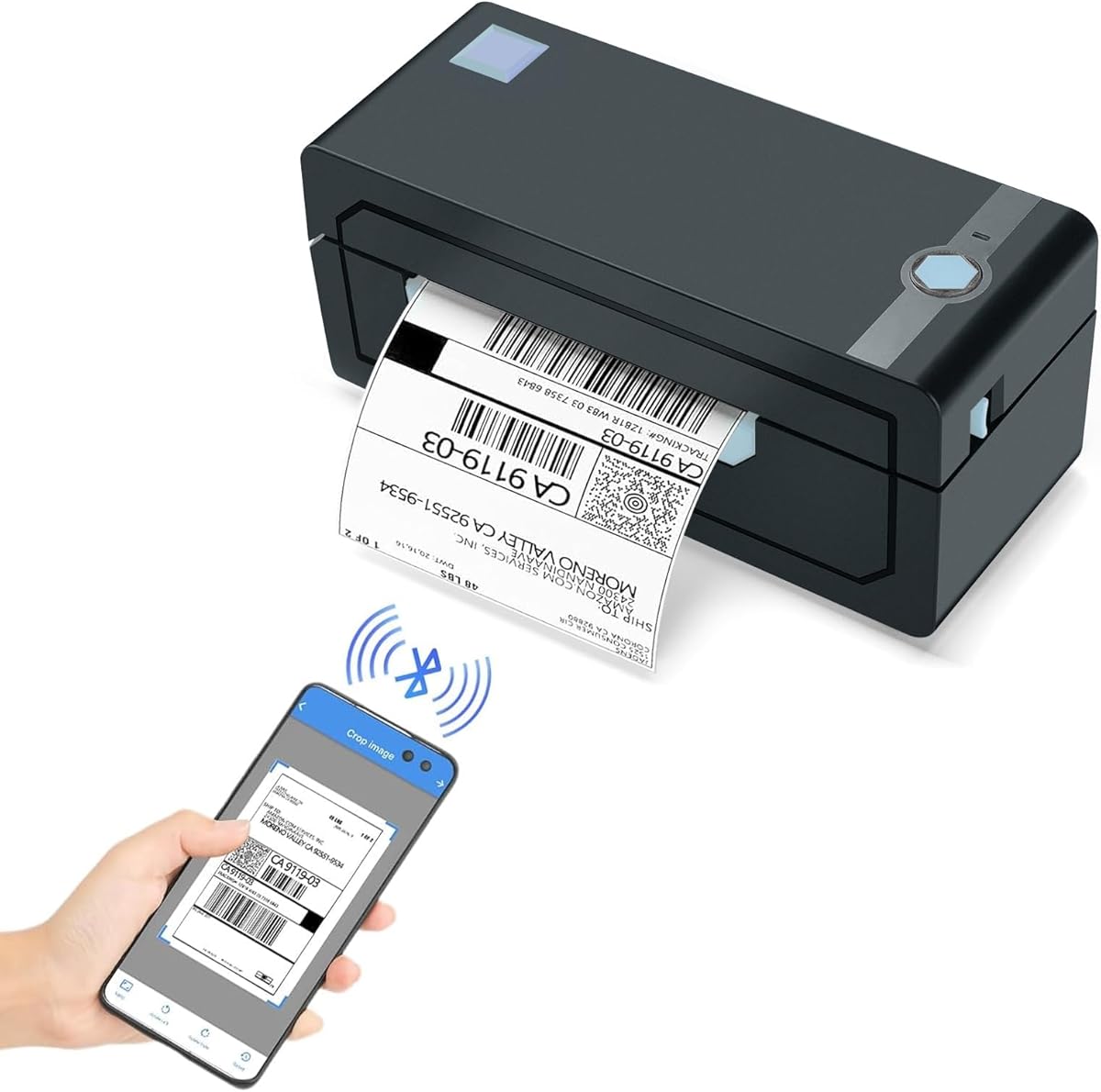
The JADENS Bluetooth Thermal Shipping Label Printer has a 4.4 rating and is aimed at businesses that print labels for both inventory and shipping. Its Japanese thermal print head operates at 203 DPI, providing enough stated resolution for ordinary barcodes, addresses, product information, and retail packaging identifiers.
We may earn a commission when you buy through this link, at no additional cost to you.
Roll and fanfold labels are supported within a width range of 1.57 to 4.1 inches. Marketplace and logistics-platform support includes Endicia, Dazzle, ShipStation, Shipping Easy, Shippo, ShipWorks, Ordoro, eBay, Amazon, and Shopify. A supplied USB drive contains printer drivers, instructional videos, and troubleshooting material, which is useful for onboarding staff who have not configured thermal printers.
Bluetooth behavior differs by device. Windows 8 and later and Mac systems can print over Bluetooth, while Android and iPhone users must use the Jadens printer app. USB is supported on Windows 7 and later and Mac OS 10.9 and later. Users must also long-press the feed button to identify and calibrate the label size whenever they change media, adding a step that is easy to overlook.
Choose the JADENS when online food sellers need a dependable way to move from small product labels to customer shipping labels. Its support for multiple roll and fanfold formats provides useful flexibility. Businesses choosing primarily for container stickers should weigh the calibration requirement, while high-volume fulfillment operations will appreciate the broad platform list.
The broad media range supports narrow product identifiers as well as standard shipping formats. This lets a food business manage a cohesive labeling system rather than maintain unrelated systems for retail packaging and fulfillment.
Compatibility with widely used shipping and marketplace platforms can shorten workflow learning curves. The included driver and instructional resources are valuable additions, although users should still confirm compatibility with their exact software setup.
We may earn a commission when you buy through this link, at no additional cost to you.
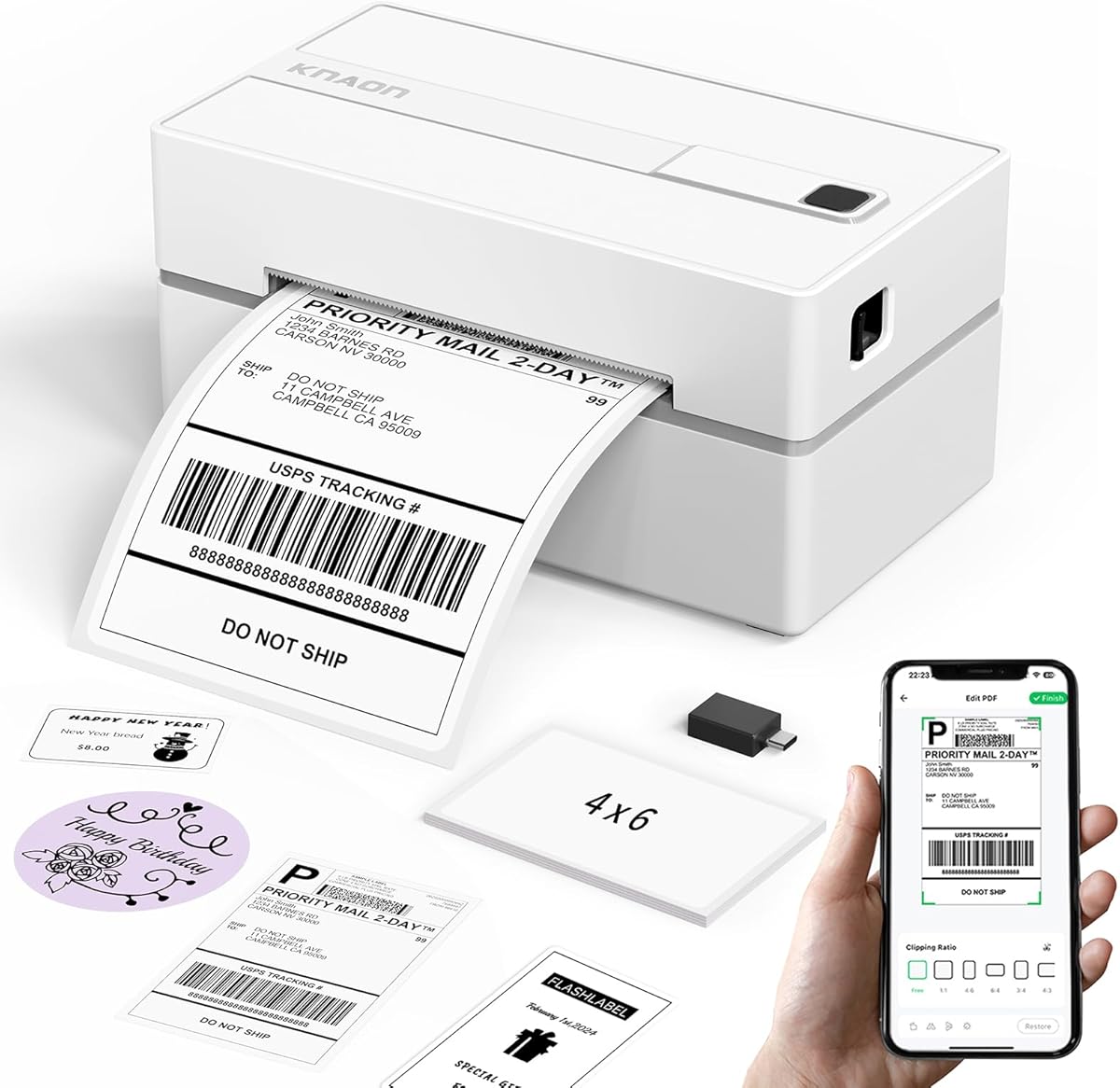
The KNAON Bluetooth Thermal Shipping Label Printer carries a 4.4 rating and combines a high stated print speed with broad connectivity. At up to 180 mm/s, it is positioned for small businesses that need product labels, shipping labels, and customer-facing package inserts to move efficiently through a shared workspace.
We may earn a commission when you buy through this link, at no additional cost to you.
Bluetooth printing is handled through FlashLabel Pro for mobile users, Windows, and macOS. The listing notes that devices cannot connect directly to Bluetooth and must use the app. USB works with macOS, Windows 7 and later, ChromeOS, and Linux, with a built-in USB drive holding drivers and tutorials. ChromeOS also requires the FlashLabel extension. This ecosystem is broad, but setup steps vary by platform.
The app provides more than 3,000 templates, over 5,000 icons, and more than 100 fonts. Supported paper widths range from 1.5 to 4.2 inches, while the stated dimensions make the unit reasonably compact. Amazon, eBay, Shopify, USPS, UPS, Etsy, PayPal, Poshmark, and DHL are listed as compatible, although platform labels generally need to be saved as PDFs and imported into the app.
This printer is a good fit for food makers handling a mixture of retail packaging and direct-to-consumer shipping. It combines useful design resources with fast output and broad system support. Choose it when order volume and mixed workflows matter; buyers focused only on tiny jar labels may find a dedicated label maker more convenient.
A stated speed of up to 180 mm/s supports fast package processing. This is especially useful for meal-preparation businesses, coffee subscriptions, and small food retailers that print addresses and product information throughout the day.
Thousands of templates, icons, and fonts can accelerate the creation of product names, logos, QR codes, and thank-you labels. Platform compatibility makes the printer useful beyond the shipping counter and across both packaging and dispatch workflows.
We may earn a commission when you buy through this link, at no additional cost to you.
The DYMO LabelWriter 550 Series is the premium-focused selection in this roundup, with a 3.6 rating and a feature set centered on simple, efficient label production. Automatic recognition and low-waste optimization are particularly relevant to food businesses that repeatedly change between label formats and want to avoid unused sheets.
We may earn a commission when you buy through this link, at no additional cost to you.
Direct thermal technology eliminates the need for ink or toner. The printer is designed exclusively for authentic DYMO LabelWriter labels, which are described as BPA-free and made from FSC-certified material. Users can print precise quantities instead of handling individual sheet labels, an advantage for small food shops, home bakers, and studios that need a limited number of polished package labels.
The main constraint is proprietary media compatibility. Buyers must use authentic DYMO labels, which can limit flexibility when comparing consumables or when an existing inventory includes another brand. The supplied listing also provides fewer detailed specifications than the other products, and its 3.6 rating is the lowest numerical rating here. Those factors make it a less obvious choice for a buyer who values open media options above streamlined brand-specific operation.
Despite the caveats, the LabelWriter 550 can be a strong desktop solution for a boutique food business that values neat output, automatic media handling, and reduced waste. It suits organized labeling stations more than highly mobile work. Confirm that authentic DYMO media in the required dimensions is available before purchase, and evaluate the stated limitations against your packaging volume.
Automatic recognition reduces the work involved in moving between label formats. For a small operation with several product flavors or container sizes, this can make daily label changes more consistent.
Printing precise quantities avoids the need to trim sheet labels or use more than necessary. The design is well suited to small runs of retail jars, boxes, and bags where presentation matters and excess stock would be wasteful.
We may earn a commission when you buy through this link, at no additional cost to you.
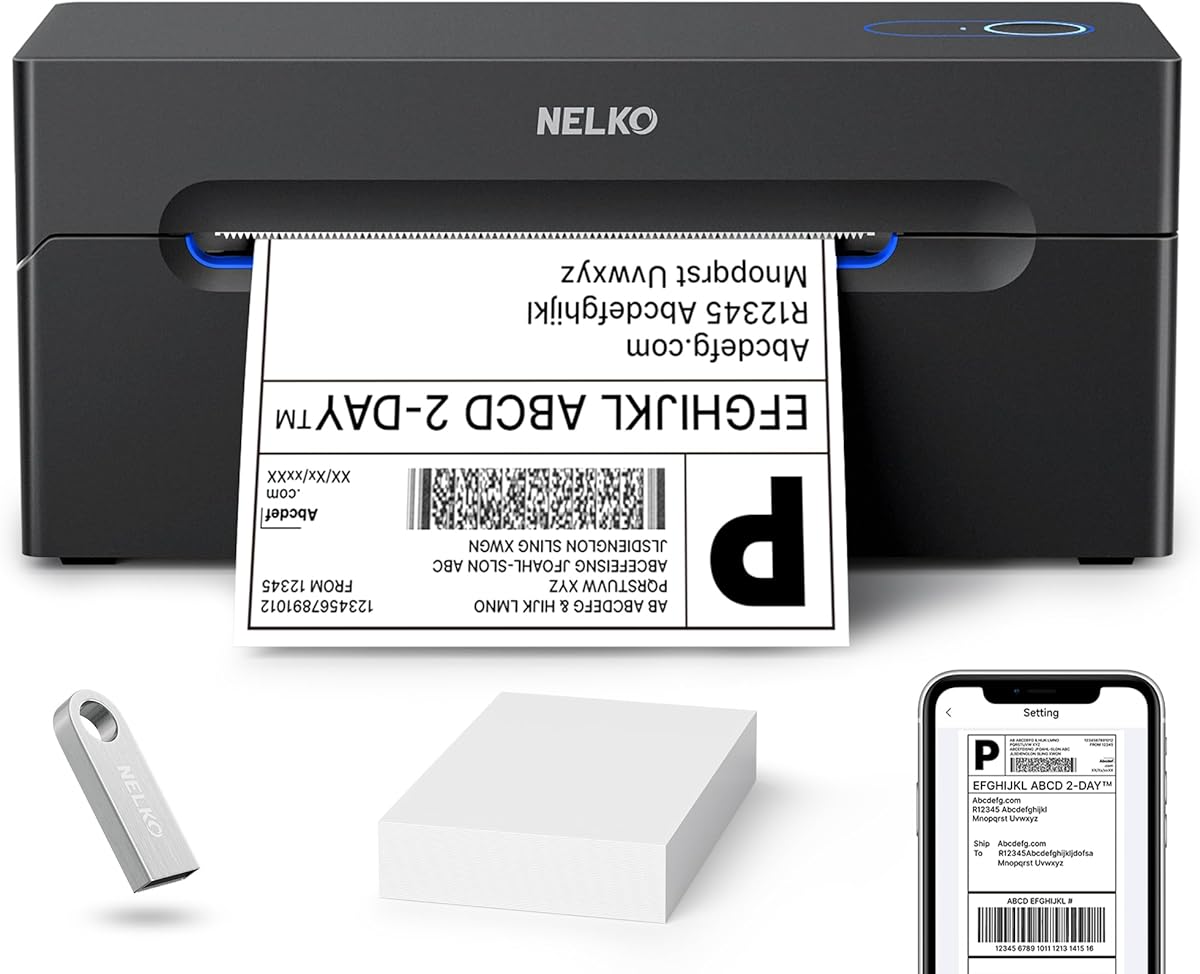
The Nelko Bluetooth Thermal Shipping Label Printer has a 4.3 rating and offers a compact, fast option for businesses combining food-product labels with package dispatch. It prints at 203 DPI and up to 150 mm/s, reportedly producing as many as 72 standard 4-by-6 labels per minute under suitable conditions.
We may earn a commission when you buy through this link, at no additional cost to you.
Bluetooth app printing is available for iOS and Android, Windows 7 and later, and Macs with M1 or M2 processors after installing the NELKO app. USB provides support for Windows, Mac, and ChromeOS, although the listing specifies that Mac Bluetooth is unavailable. Roll and fanfold labels are supported from 40 to 104 millimeters wide, including common 4-by-6, 3-by-2, 3-by-1, and 2-by-1 formats.
The broad platform list includes Amazon, eBay, Shopify, USPS, UPS, Etsy, PayPal, and Poshmark. As with many thermal shipping printers, users are instructed to save a logistics label as a PDF and upload it through the NELKO editor app. This is less seamless than native platform integration and requires a predictable file-preparation step, but it gives the printer broad applicability.
The Nelko PL70E is described as smaller than traditional printers and able to support several categories of labels in a small work area. It is a good choice for compact food fulfillment operations that need fast shipping output. Choose it for space efficiency and platform breadth, while keeping the PDF-based workflow and Mac connection limitations in mind.
The compact design is practical for home businesses, market stalls, and small commercial kitchens where counter space is limited. It can support shipping and narrow product labels without taking up the space of a full-size office printer.
Saving platform-generated labels as PDF files provides a consistent transfer method into the editing app. Teams should standardize this step so labels remain aligned, legible, and correctly sized across different marketplaces.
We may earn a commission when you buy through this link, at no additional cost to you.
The SUPVAN E10 is the budget-focused recommendation, with a 4.3 rating and a feature set aimed at kitchens, food containers, offices, and schools. It prints personalized information through a free app that requires no fees or registration, making the device approachable for home cooks and small food operations.
We may earn a commission when you buy through this link, at no additional cost to you.
The included editing options include 40 fonts, 30 frames, and more than 450 icons. Users can work with continuous label tape and customize its length or use die-cut labels for batch printing. A built-in cutter removes the need for separate trimming, improving workflow continuity when attaching labels to food containers, pantry jars, and storage boxes.
The laminated labels are described as waterproof, oil-proof, scratch-resistant, and heat-resistant. Those characteristics make them relevant to kitchens, where condensation, spills, and routine handling can damage ordinary paper labels. The rechargeable battery reportedly lasts a full month on one charge, although actual duration will depend on use and settings. No numerical print resolution is stated, so buyers needing a specific technical specification should verify it before committing.
Choose the E10 for affordable, portable labeling of pantry goods, leftovers, spice containers, and meal-prep packages. It is less appropriate for large cartons or high-volume logistics, where dedicated 4-by-6 printers are better. Within compact food labeling, however, its durable media, cutter, and no-registration app create a compelling low-cost package.
Waterproof, oil-proof, and scratch-resistant laminated media is better suited to food storage than unprotected paper. These properties help labels remain readable around jars, bottles, and containers exposed to condensation or frequent handling.
Custom-length continuous tape lets users fit variable container names or ingredient notes, while die-cut media supports repeated batches. The built-in cutter keeps the workflow tidy by trimming each label directly.
We may earn a commission when you buy through this link, at no additional cost to you.
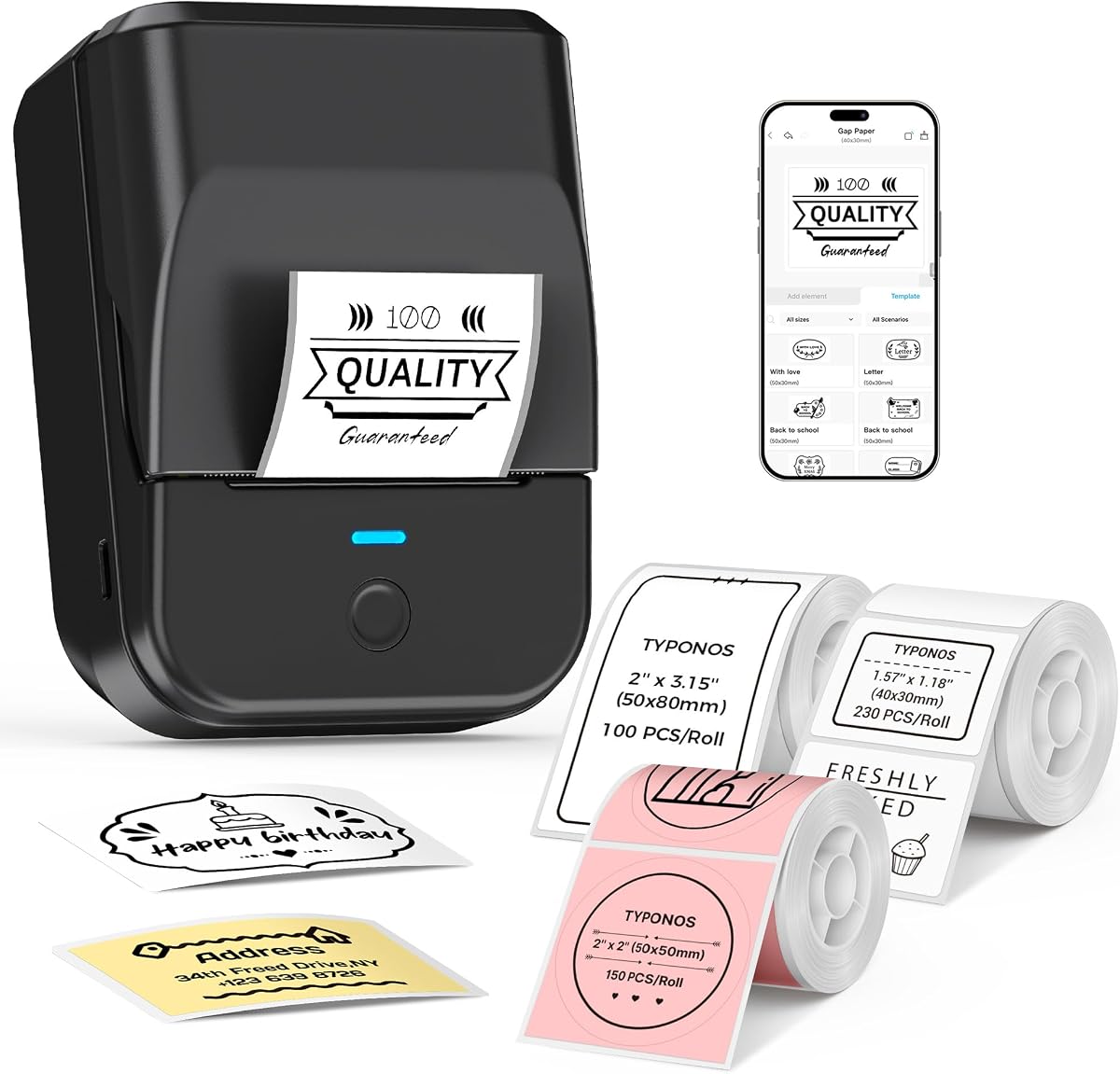
The PM240 Label Maker receives a 4.4 rating and distinguishes itself through a particularly extensive software toolkit. The Labelnize app includes more than 2,500 icons, 3,800 templates, and 430 fonts, while supporting Excel import, batch printing, AI text-to-image, and OCR text recognition.
We may earn a commission when you buy through this link, at no additional cost to you.
Its 203 DPI output and one-to-two-inch media range suit price tags, QR codes, barcodes, address labels, and small food-product identifiers. The bundle includes white rectangular labels in two sizes and pink round labels. TYPONOS media with built-in RFID chips allows the app to detect label size automatically, though the green liner sticker must remain attached to prevent printing errors.
Bluetooth works with phones and tablets, while PC use requires the listed driver and software followed by a USB connection. The two connection methods cannot operate simultaneously. The rechargeable 1500 mAh battery provides up to 100 days of standby time, and the 207-gram body is easy to carry. A power adapter is not included, and the machine automatically powers off after 30 minutes unless the setting is changed.
The PM240 is a strong choice for a food business that maintains structured product lists or produces many different labels from spreadsheet data. It is also useful for classroom and workshop labeling, although advanced AI and OCR features may matter more outside food operations. Choose it when batch creation and automatic media detection outweigh the need for color printing.
Excel import and batch printing are valuable for businesses that maintain names, flavors, SKUs, and prices in a spreadsheet. Importing structured information can reduce repetitive manual entry and improve consistency across many products.
Compatible RFID-enabled TYPONOS labels allow the app to recognize size automatically, reducing manual adjustments. Buyers should keep the green liner sticker intact and use compatible media to maintain reliable output.
We may earn a commission when you buy through this link, at no additional cost to you.
The NIIMBOT B1 has a 4.6 rating and is a portable label maker built for home food organization and small-business packaging. It supports media widths from 20 to 50 millimeters and works with rectangular, round, cable, file, and double-row labels, allowing the same device to cover jars, bottles, storage containers, and packaged products.
We may earn a commission when you buy through this link, at no additional cost to you.
Bluetooth connectivity is designed for iOS and Android smartphones, with tablets explicitly unsupported. PC connection is possible through USB after downloading the appropriate driver. The NIIMBOT app provides more than 10 languages and fonts, over 100 borders, more than 1,500 symbols, barcodes, QR codes, icons, images, and premade templates. These resources support food names, prices, product details, and branding.
The printer weighs 293 grams and includes a 1500 mAh rechargeable battery with up to 100 days of stated standby time. Compatible labels are described as waterproof, oilproof, wipeable, tear-resistant, self-adhesive, abrasion-resistant, and BPA-free. The bundle contains three rolls: white 50-by-30-millimeter labels, clear 40-by-30-millimeter labels, and colorful 34-by-34-millimeter labels, with the white roll already loaded.
Choose the B1 for portable food labeling at home, at market stalls, or in small retail settings. It has a strong rating and broad label-style support, but the B2 remains the stronger professional recommendation when offline date printing, first-label recognition, and more advanced food-business operation are priorities. The B1 is best for users who value simplicity and media variety.
Support for rectangular, round, cable, file, and double-row media lets users organize pantry shelves and package products without changing machines. Clear and colorful starter rolls also provide options for decorative food presentation.
At 293 grams, the B1 is easy to carry to markets, pop-ups, or production areas. The long stated standby time helps it remain ready for intermittent labeling sessions without frequent charging.
We may earn a commission when you buy through this link, at no additional cost to you.
The right label printer for food packaging depends on label dimensions, information density, container surfaces, production volume, and the balance between mobile and stationary workflows. Consider the complete packaging process before choosing a model.
Begin with the physical dimensions of your packaging. Narrow label makers suit spice jars, pantry containers, bottles, and small boxes, while 4-by-6 shipping printers support larger product panels, address labels, and courier labels. A broader supported range provides more flexibility, but confirm that the exact media dimensions used by your business are included rather than assuming every size will work.
List every element that must appear on the package: product name, ingredients, allergens, date, batch number, price, barcode, QR code, logo, and handling instructions. A 203 DPI model is specified for several options in this guide, while compact makers may offer sufficient output without listing a numerical resolution. More fonts, icons, templates, and image tools help when branding is part of the label.
The printer and its consumables should be appropriate for the environment around the food. Several included or compatible media options are described as waterproof, oil-resistant, tear-resistant, wipeable, heat-resistant, or BPA-free. Also examine the storage conditions around the package: refrigeration, condensation, oil, heat, and frequent wiping can matter more than decorative features in a working kitchen.
Bluetooth is convenient for phones and mobile labeling stations, while USB is often more predictable for a fixed desk setup. App-based printing can add template libraries and platform support, but it may require importing a PDF rather than connecting directly. Check the operating systems, devices, and software used by your business, and pay close attention to stated exclusions such as unsupported tablets or Bluetooth limitations on Mac.
Production volume should guide your speed and automation requirements. Thermal shipping printers in this roundup state speeds up to 150 or 180 mm/s, while label makers emphasize portability and on-demand use. Batch printing, spreadsheet import, template libraries, and automatic label detection can save meaningful time when a business prints many food variants or processes daily orders.
Rechargeable, lightweight machines are useful for market stalls, kitchens, warehouses, and mobile fulfillment teams. Consider stated standby time, actual runtime, charging method, and whether a power adapter is included. A mains-powered desktop printer may offer a steadier workflow, but a portable unit can be more valuable when labeling must happen across multiple stations.
Direct thermal printers avoid ink and toner, which simplifies maintenance, while automatic media recognition and low-waste features can reduce unused label stock. Automatic first-label rewinding, built-in cutters, and precise quantity printing are particularly useful. Confirm whether the printer requires proprietary media and whether replacement rolls are available in the exact formats your operation uses.
A good app should make common label designs repeatable without unnecessary complexity. Useful functions include automatic size detection, offline templates, QR and barcode insertion, image imports, batch printing, and PDF import for marketplace labels. Registration-free software can simplify onboarding, while multilingual support and extensive fonts help teams serving varied products. Review the stated capabilities against your existing workflow rather than choosing on template count alone.
Begin by confirming the correct media type, dimensions, and loading orientation. Install the listed app for smartphone or computer use, pair Bluetooth only when the printer and device support the required connection method, or connect the supplied USB cable. For products that use proprietary RFID-enabled media, keep the green liner sticker attached and allow automatic size detection to complete before printing.
Design a clear label with a readable hierarchy: product name first, followed by ingredients, allergens, date, price, barcode, or QR code. Preview the output at the correct dimensions and confirm that the text does not approach the edges. Import marketplace shipping labels as PDF files when required, and test one label before producing a batch. For continuous tape, set a length that fits the container without leaving excess material.
Care for the printer by keeping the print head and feed path clean and using the media specified by the manufacturer. Store thermal labels in a cool, dry place away from direct heat and direct sunlight because heat can fade printed images. Replace the roll before pulling hard against resistance, and avoid leaving a partial label exposed where it can collect debris. For battery-powered models, follow the app's automatic power-off settings and recharge the unit before extended jobs.
A compact thermal label maker is usually best for jars, bottles, pantry containers, and small retail packages. Choose a 4-by-6 thermal printer when you also need shipping labels, larger address panels, or fulfillment documents. The ideal model should support the exact media dimensions, required information, and device workflow used by your business.
Yes, provided the characters, symbols, and available label area support the information you need. The models with more fonts, icons, and editing templates offer greater flexibility for ingredients, allergen statements, logos, and special symbols. Buyers should still test a full-size label and review food-labeling requirements for their specific products and jurisdiction.
The products in this guide use direct thermal printing and do not require ink or toner. Their labels remain readable when stored under suitable conditions, but heat, direct sunlight, friction, and moisture can affect longevity. Choose media with suitable water, oil, and heat resistance for the intended storage environment.
They can be suitable for mobile or shared workflows because they reduce cable restrictions around kitchens and packing stations. Connectivity support differs among models, and several require an app even for Bluetooth printing. Confirm that your phones, tablets, and computers are supported, and establish a consistent app or PDF-import routine.
A dedicated 4-by-6 thermal printer is the better match when the primary task is printing customer shipping labels. The NULLTONEX, JADENS, KNAON, and Nelko options support roll or fanfold media and multiple shipping platforms. The correct choice depends on your platform workflow, supported media, and required print speed.
They are highly useful for refrigerated items, jars, bottles, and containers handled around moisture, oils, or condensation. The SUPVAN E10, PM240, and NIIMBOT options have compatible media described as waterproof, oil-resistant, or wipeable. Choose the exact media based on the package, storage temperature, and handling conditions.
Several thermal shipping printers support narrower media as well as 4-by-6 formats, making a combined workflow possible. Check the stated width range, software support, and whether your product labels use the same roll or fanfold format as shipping media. Otherwise, a small label maker and a separate shipping printer may offer better reliability.
Choose a label maker for narrow stickers, jar labels, barcodes, QR codes, dates, and portable organization. Choose a shipping printer for 4-by-6 addresses, courier labels, higher production speed, and marketplace workflows. Many food sellers benefit from both: a compact machine for packaging and a thermal printer for fulfillment.
The NIIMBOT B2 is the strongest overall choice because it combines 203 DPI output, offline date labeling, flexible food-friendly media, automatic recognition, and useful batch tools. The SUPVAN E10 is the best budget option for compact kitchen labels, while the DYMO LabelWriter 550 is the premium choice for buyers who value automatic media recognition and reduced waste within the DYMO media ecosystem.
The right product also depends on the package rather than the rating alone. Compact label makers serve jars, bottles, and pantry organization; shipping printers support 4-by-6 fulfillment; and hybrid thermal models bridge narrow product labels with larger package workflows. Prioritize exact media compatibility, required information, device support, durability, and the volume of labels produced each day.
Before purchasing, verify the printer with the labels and app you intend to use, especially for Bluetooth, tablets, PDFs, and proprietary media. Product details, ratings, accessory bundles, and prices can change, so check the current listing and current cost of compatible labels before making a final decision.