
iFixit Laptop Cleaning Kit
4.9Editor score
Purpose-built laptop cleaning set
Includes dust blower
Screen saver and microfiber cloths
Organized portable tool pouch
Discover the best laptop fan cleaning kit options for laptops, keyboards, vents, and delicate electronics, with expert comparisons of airflow, brushes, safety
A laptop fan cleaning kit helps remove dust from cooling vents, keyboard gaps, heat sinks, and other confined spaces where a cloth or household vacuum cannot reach. The most useful tools combine controlled airflow with brushes, narrow nozzles, soft brushes, and other attachments that can clean delicate electronics without pushing debris deeper into the machine.
We compared all ten products by examining their cleaning methods, motor power, speed controls, included accessories, portability, and suitability for laptop maintenance. The list covers dedicated electric air dusters, all-in-one device-cleaning kits, anti-static brush sets, and precision tools for delicate surfaces, giving readers several options for different routines and experience levels.
Each review explains the product's standout benefits, practical limitations, and most suitable user, while the comparison table summarizes the core differences. Ratings reflect the supplied customer feedback and may change as reviews evolve. Product availability, features, and pricing can also vary, so confirm the current listing and specifications before buying.
4.9Editor score
4.4Editor score

4.5Editor score
The comparison below highlights the main tool type, airflow capability, included cleaning attachments, and best use case for each laptop fan cleaning option.




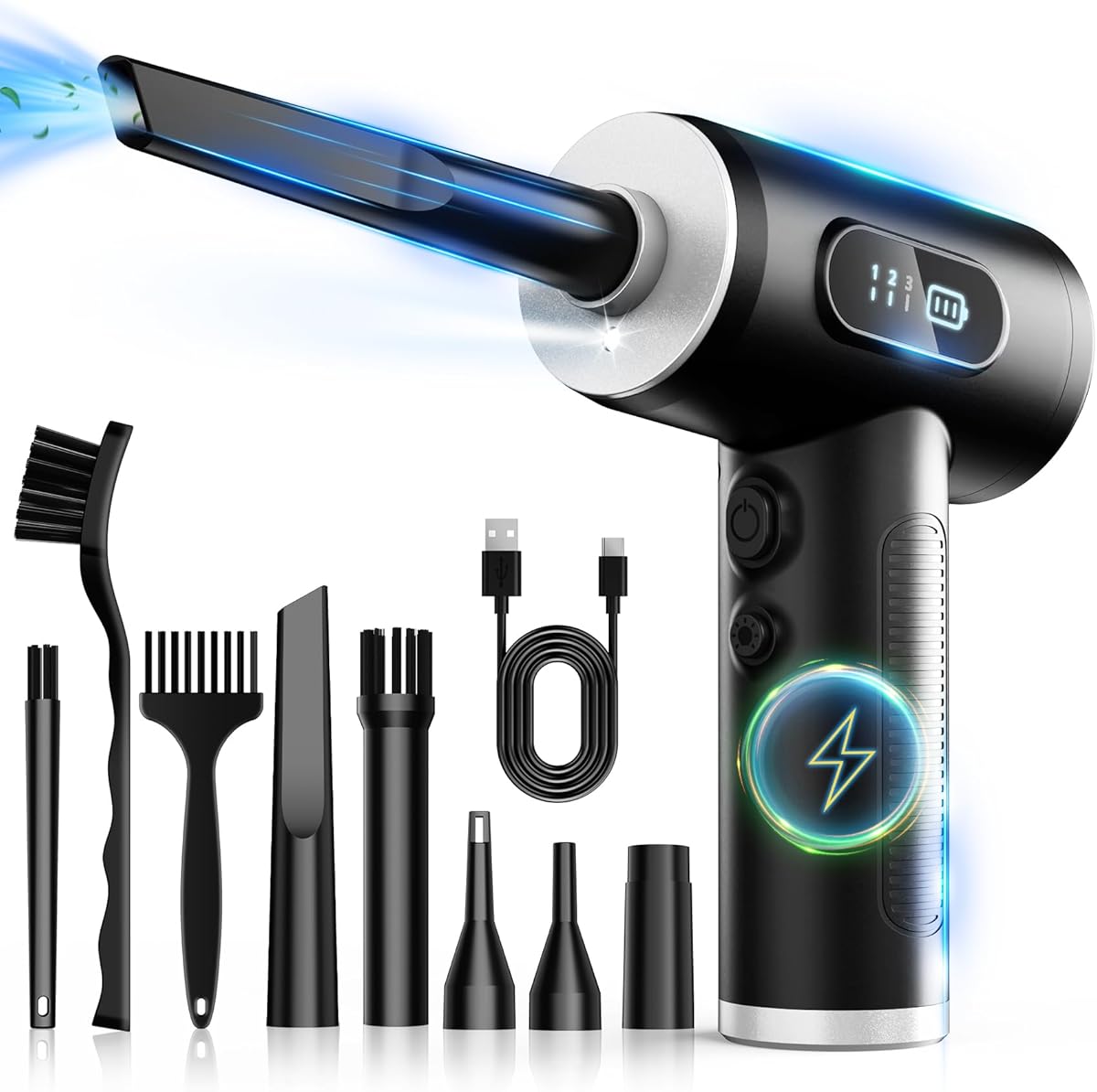
The FRESMOL Compressed Air Duster is a rechargeable electric blower designed for keyboards, computer towers, car interiors, and other electronics. It carries a 4.4 customer rating, with its strongest qualities being portability, adjustable airflow, and a useful collection of narrow nozzles and brushes. Its cordless design makes it easier to approach a laptop from different angles without a cable obstructing the work area.
We may earn a commission when you buy through this link, at no additional cost to you.
The motor reaches 100,000 RPM and offers three speed settings, allowing the user to begin with lower airflow around delicate components and increase power for stubborn debris in keyboard gaps, cooling vents, or PC fans. An LED display provides a quick view of the current speed and battery level. The built-in light is especially valuable when inspecting dark exhaust openings, while five nozzles and three brushes provide the reach and control needed to work around ports, keys, and tightly grouped hardware.
As with most blower-based tools, this product is best for loose dust rather than sticky residue, and it should not be treated as a substitute for opening the laptop or physically cleaning a clogged fan assembly. Its rechargeable battery also means the user must consider charge time and runtime. Even so, the combination of cordless operation, visible operating information, and varied speed levels makes it more versatile than a basic bulb blower or a single canned-air alternative.
This is the strongest general-purpose recommendation for someone who wants to maintain several devices and appreciates the freedom of cordless cleaning. It is especially helpful for routine dust removal around laptop vents, keyboards, desktop fans, and electronics. Buyers seeking a quiet, fully manual kit for delicate screen work may prefer the dedicated iFixit set, while those wanting even more power and accessory variety can consider the 280,000 RPM model.
Three speed levels let the user match airflow to the task, reducing the need for one aggressive setting in every situation. Start gently around screens, exposed ports, and precision assemblies, then use stronger airflow only where debris is loose and access is clear.
The five nozzles and three brushes create several ways to approach narrow laptop vents and recessed fan areas. A suitable attachment helps direct the airflow into the opening while keeping the larger motor housing away from delicate internal parts.
We may earn a commission when you buy through this link, at no additional cost to you.
The iFixit Laptop Cleaning Kit is a manual, all-in-one set designed specifically for routine laptop care. Its 4.9 rating is the highest among the listed products and reflects a strong customer reception. Rather than relying on a high-speed motor, it combines a dust blower, anti-static brush, microfiber cloths, screen protector, wipes, swabs, picks, and brushes to address both visible surfaces and confined areas.
We may earn a commission when you buy through this link, at no additional cost to you.
This broad coverage makes the kit useful for several stages of cleaning. The blower can lift loose debris from a keyboard or cooling fan area, the anti-static brush is suited to electronics, and the microfiber cloths and screen saver handle routine screen maintenance. Specialized swabs, picks, and brushes provide additional ways to work around ports and tight spaces. Everything fits in the compact iFixit Tool Pouch, which is convenient for a desk drawer, travel bag, or work kit.
The main limitation is that the kit does not provide the sustained, focused airflow of an electric duster. Deep dust packed inside a laptop heat sink may require opening the device and using separate maintenance procedures. Its screen-care items are also more useful for exterior cleaning than for dust lodged inside a spinning fan. Nevertheless, the unusually high rating, laptop-specific selection, and organization make this a practical basic kit for routine upkeep.
Choose this option if you want a simple manual set for cleaning the screen, keyboard, ports, and accessible fan openings without introducing another rechargeable device. It is particularly suitable for students, office workers, and frequent travelers who want several basic cleaning implements in one portable package. Users with heavy internal dust should pair it with an electric blower or consider a more powerful kit.
The combination of cloths, wipes, screen protection, brushes, swabs, and a blower reduces the need to search for separate supplies. It also allows the user to match the tool to the surface rather than using one brush for every task.
The included pouch keeps the small components together and makes the kit easier to carry. That organization is useful for travel or for anyone who wants a dedicated cleaning kit ready at a home or office desk.
We may earn a commission when you buy through this link, at no additional cost to you.
The Compressed Air Duster-280000 RPM Electric Air Duster is a high-output cleaning tool with a 4.5 rating and a stated motor speed of up to 280,000 RPM. Its defining feature is a brushless motor that produces focused, high-pressure airflow, offering more intensity than the other electric dusters in this guide. Four speed settings help control that performance across delicate and demanding cleaning tasks.
We may earn a commission when you buy through this link, at no additional cost to you.
The smart LCD screen displays battery status and the active speed level, reducing guesswork during longer cleaning sessions. The product also includes an LED light for dark spaces, four precision nozzles, and two cleaning brushes. It is marketed for PC components, premium electronics, keyboards, consoles, vehicle interiors, and other equipment, so its capability extends well beyond a single laptop. Type-C charging and a stated runtime of 90 to 150 minutes support repeated use.
The main consideration is that greater airflow is not automatically better for every component. Users should begin at a lower setting and avoid directing the strongest stream at exposed screens, unsecured parts, or sensitive electronics. The product also requires battery management, and the supplied high-capacity battery contributes to its overall size. These are manageable trade-offs for users who want one reusable blower across multiple devices and household tasks.
This model is a compelling premium choice for enthusiasts, gamers, technicians, and anyone managing dusty PCs, laptops, consoles, or camera gear. It is best for users who understand basic device care and can choose an appropriate speed and nozzle. Those who want a quieter, simpler routine focused on laptop surfaces may find the dedicated iFixit kit more convenient.
The advertised 280,000 RPM motor is designed for debris that requires a concentrated blast rather than light surface dusting. Even so, the lowest practical setting should be used first because airflow strength and distance both affect how debris moves.
The LCD provides immediate information about battery level and selected speed. This is useful for planning work, maintaining consistent output, and noticing when a recharge is needed before starting another device.
We may earn a commission when you buy through this link, at no additional cost to you.
The WOLFBOX MegaFlow 50 combines a 110,000 RPM motor with a lightweight cordless format, earning a 4.6 rating. It sits between basic hand blowers and the more aggressively specified high-speed models, offering three adjustable settings for keyboards, PCs, laptops, and other electronics. Its four nozzles help adapt the airflow to different openings and add useful reach for confined spaces.
We may earn a commission when you buy through this link, at no additional cost to you.
The product weighs 0.45 pounds and includes a lanyard, making it easy to hold over a laptop or work inside a computer case. Its stated runtime reaches 240 minutes on the lowest setting, which is particularly attractive for extended maintenance sessions. Type-C charging takes approximately 3.5 hours, and the manufacturer advises fully charging the battery before use to maintain performance.
Although the MegaFlow 50 has ample airflow for loose dust, it does not include the collection of detail brushes offered by several competing products. The four nozzles cover directional cleaning, but a small brush may be needed to lift hair and debris from key edges before blowing it free. Users should also expect to recharge before major cleaning tasks because runtime varies with the selected speed.
This is a strong choice for a user who values portability, long low-speed operation, and straightforward nozzle-based cleaning. It works well for routine laptop vent care and broad household dust removal without the complexity of a larger accessory kit. Buyers needing maximum motor speed or many brush sizes may prefer the 280,000 RPM model, while those seeking a traditional nonpowered setup can consider the iFixit kit.
A stated 240-minute runtime on the lowest setting makes the MegaFlow 50 useful for gradual cleaning of several devices. Its low weight also helps reduce wrist fatigue during repetitive work compared with a larger handheld blower.
The four included nozzles provide different shapes for laptop vents, keyboards, computer cases, and narrow household gaps. Selecting the closest match improves control and helps direct the airflow where it is needed.
We may earn a commission when you buy through this link, at no additional cost to you.
The Ordilend Keyboard Cleaner & Laptop Cleaning Kit is a manual toolkit for users who want to maintain keyboards, laptop screens, and several small electronic accessories. It carries a 4.6 rating and includes a retractable large brush, two polishing cloths, a keycap puller, a metal pen tip, a flocking sponge, a thin soft brush, a lens cleaning pen, five replacement cloths, and a large microfiber cloth.
We may earn a commission when you buy through this link, at no additional cost to you.
The keycap puller and multiple brush styles distinguish it from a basic screen-cleaning set. Mechanical-keyboard users can lift keycaps for deeper access, while the retractable brush and high-density mini brush work between keys and around flatter laptop keys. The metal pen tip is intended for targeted stain removal, while the soft plastic lens pen can handle camera screens and lenses with a gentler touch.
This product does not provide powerful airflow, so it is less effective against dense dust inside cooling fans and narrow exhaust vents. Its microfiber cloths are designed for screens and surfaces, and the included cleaning spray should be used carefully according to its own directions. The keycap puller also requires caution around delicate laptop key mechanisms, which may not be designed for repeated removal.
Choose the Ordilend kit for broad routine cleaning, particularly if you use a mechanical keyboard or own several small electronics. It is especially useful for organizing a desk, dorm room, office, or travel bag. If your main concern is packed laptop-fan debris, an electric blower should be added or selected instead.
The keycap puller and fine brush can remove surface obstacles from compatible mechanical keyboards. These tools are most helpful for routine debris and stains, not for repairing switches or addressing worn key mechanisms.
The flocking sponge and soft lens-cleaning pen extend the kit toward earbud cases, cameras, and other delicate accessories. This makes the set practical when one device-cleaning setup must cover several kinds of equipment.
We may earn a commission when you buy through this link, at no additional cost to you.
The Compressed Air Duster, 130,000RPM Ultra-Powerful Electric Air Duster is an accessory-rich blower with a 4.6 rating. Its brushless motor produces airflow up to 130,000 RPM and 52 meters per second, while four gears allow the user to select gentle dusting, precision work, routine cleaning, or heavy-duty cleaning. Holding a control activates the stated storm mode for more intensive use.
We may earn a commission when you buy through this link, at no additional cost to you.
Six nozzles and ten detail brushes give this model one of the broadest accessory selections in the guide. That assortment is helpful for laptop keyboards, sensitive electronics, car detailing, home cleaning, and inflation tasks. The 8,000mAh battery provides a stated 120 minutes on Speed 1, while Type-C charging takes approximately 2.5 hours. A lanyard and storage bag support portability, and the listed electronic protections cover overcharging and overheating.
The abundance of settings and attachments can feel excessive for a simple laptop cleaning task, and users must organize the small pieces to avoid losing them. The strongest gear and storm mode should not be directed toward unsecured screens or loose components. It also remains a blower rather than an enclosed extraction system, so it can move loose debris without removing every particle from deeply clogged hardware.
This model suits a user who wants one powered tool for computers, vehicles, household spaces, and occasional inflation tasks. It is a strong selection when accessory variety and multiple control levels matter more than a minimal design. For focused laptop maintenance, the smaller iFixit pouch is more portable, while the 280,000 RPM model delivers greater advertised motor speed.
The nozzles control the shape and reach of the airflow, while the detail brushes can loosen or gather small debris. Using the right pair for the task improves control around keyboards, vents, ports, and other tight spaces.
The stated overcharge and overheat protections add safeguards for a high-output rechargeable tool. Monitoring the charge level and allowing the battery to cool can help maintain consistent performance during repeated sessions.
We may earn a commission when you buy through this link, at no additional cost to you.
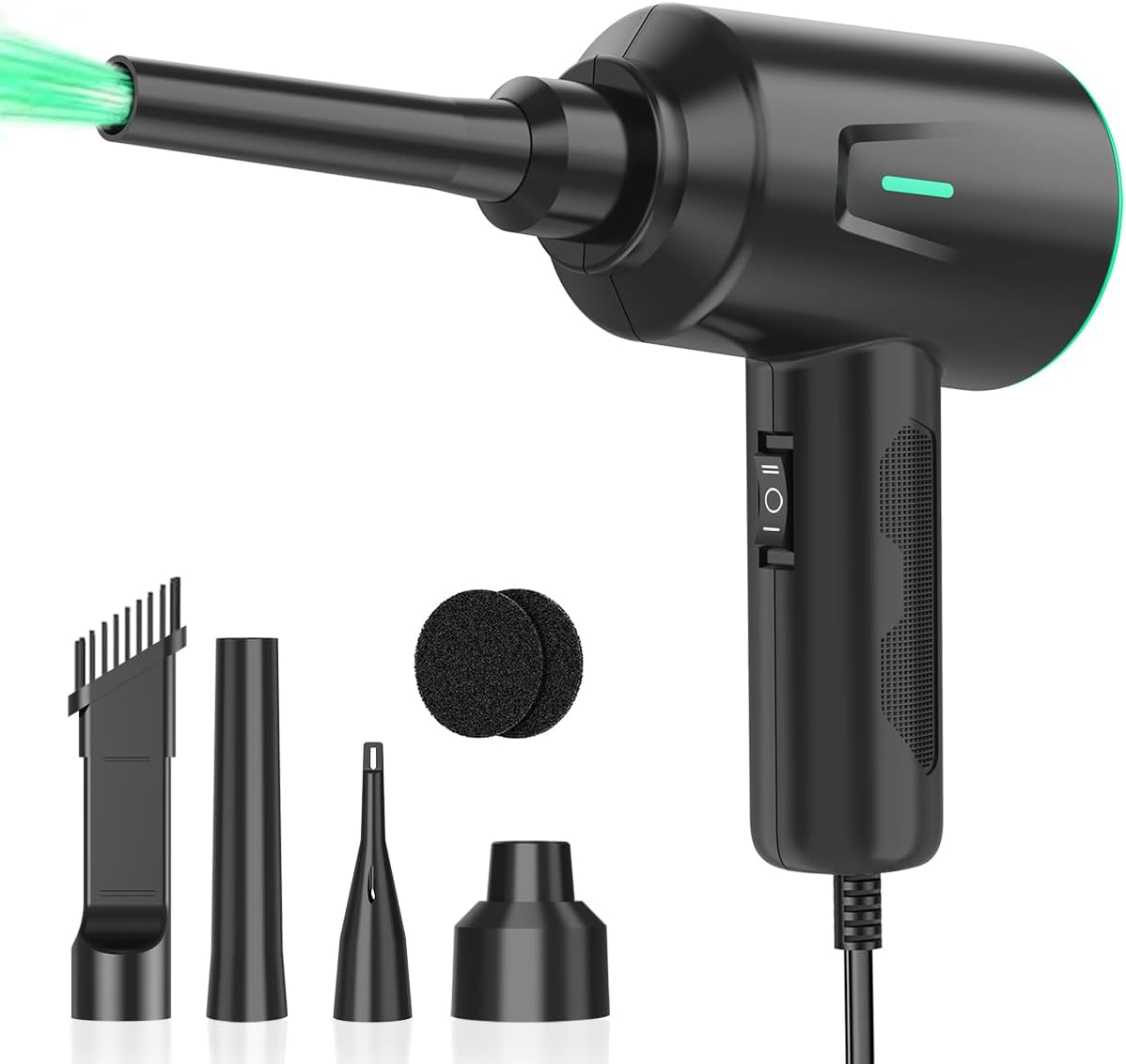
The Meudeen Air Duster is a corded electric blower designed for computers, keyboards, cameras, vehicles, and other equipment. It has a 4.5 rating and is powered directly from mains electricity, removing the battery charging and runtime concerns that come with cordless models. Its 8.2-foot cord provides useful reach when the outlet is not close to the work surface.
We may earn a commission when you buy through this link, at no additional cost to you.
The motor is stated at 500 watts, producing airflow up to 50 meters per second, with low and high speeds reaching 100,000 and 200,000 RPM respectively. Four brushes and two sponge filters support different cleaning tasks. This combination makes it useful for lifting debris from keys, cases, camera equipment, vehicle accessories, blinds, and model vehicles, provided the correct attachment and speed are selected.
Its central compromise is the cord. While continuous mains power offers consistent output, a cable can be inconvenient around a laptop, restrict access to tight spaces, and prevent use where no outlet is available. The 1.4-pound weight may also feel less portable than the lighter cordless alternatives. The product description inconsistently refers to both rechargeable operation and direct mains use, so buyers should verify the current package and power configuration before ordering.
This is a sensible option for a fixed cleaning station, workbench, or home office where continuous power is an advantage over portability. It provides strong airflow and useful brush attachments without requiring battery maintenance. People who clean laptops in different locations or need to move between rooms will likely favor one of the cordless models instead.
Because the blower draws from mains power, the user does not need to monitor battery life or pause for a recharge. That makes sustained workstation cleaning more straightforward, provided an outlet is conveniently located.
The lower setting is suitable for routine dusting and sensitive areas, while the higher setting addresses more stubborn debris. Starting conservatively helps preserve control around lighter components.
We may earn a commission when you buy through this link, at no additional cost to you.
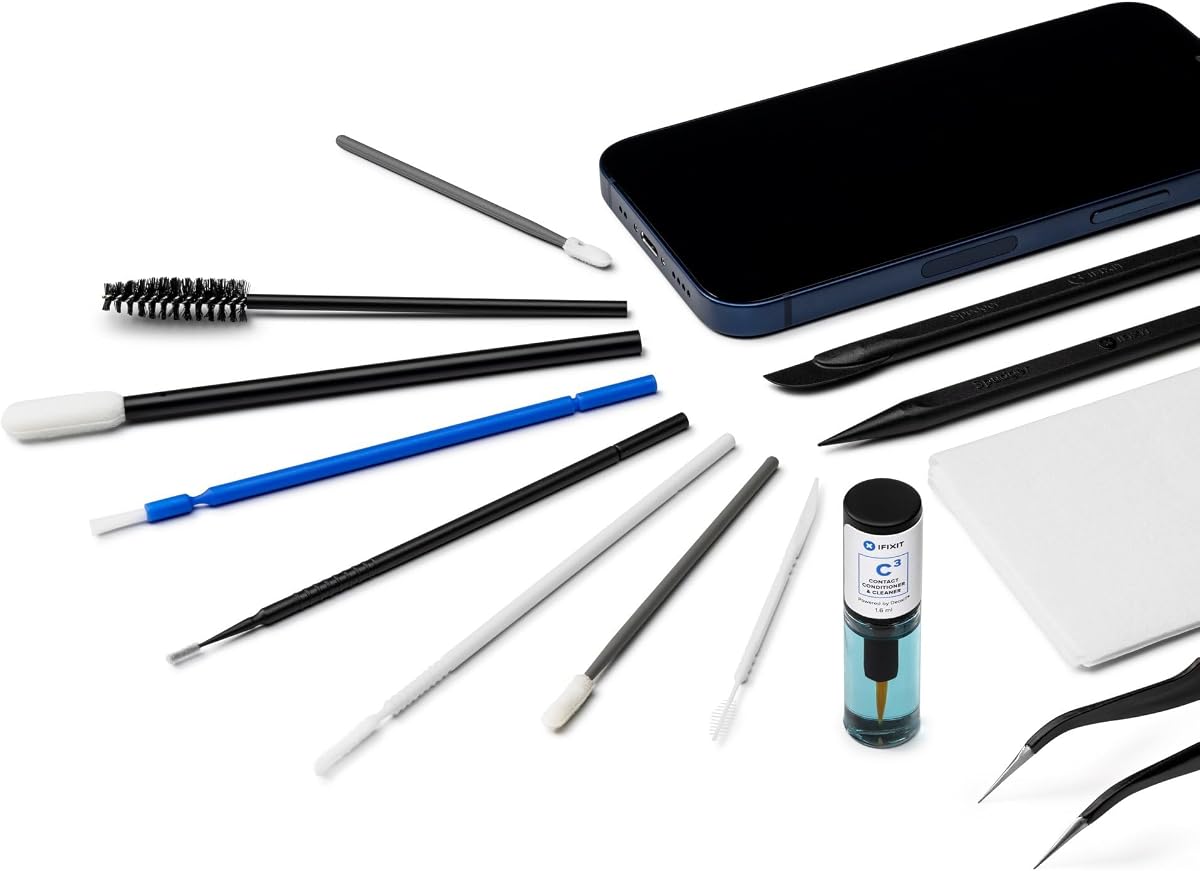
The iFixit Precision Cleaning Kit is designed for detailed cleaning of phones, laptops, tablets, and other electronics. Its 4.3 rating reflects a practical set of precision implements for hard-to-reach areas. The tools include a spudger, halberd spudger, angled tweezers, DeoxIT D100L, a cylindrical brush, medium and precision foam-tipped swabs, precision-tipped micro brushes, a small detailing brush, a plastic pick-and-brush combination, and lint-free cleanroom wipes.
We may earn a commission when you buy through this link, at no additional cost to you.
The spudgers and picks can separate covers or move cables without relying on a broad metal tool, while the angled tweezers and micro brushes offer control around tiny components. Foam swabs fit narrow channels and can carry the included cleaning material where a standard brush cannot reach. The set is particularly relevant for users comfortable working on exposed electronics rather than only cleaning the outside of a closed laptop.
Because it contains no powered blower, this kit is not the right choice for clearing a large volume of loose dust from a clogged fan. Each tool must also be used carefully because the wrong technique can scratch, bend, or leave residue. The note that the tools are intended for reuse means they should be cleaned between projects rather than treated as disposable supplies.
Choose the Precision Cleaning Kit when your laptop is already open or when you need to clean small electronic devices, contacts, ports, and interior details. It pairs well with an electric blower: use the blower to remove loose debris first, then use these precise tools for the remaining work. Users who want a simple external-care set may prefer the broader iFixit Laptop Cleaning Kit.
Angled tweezers, micro brushes, and foam-tipped swabs can reach locations that a broad brush cannot. These implements are valuable around ports, connectors, speaker openings, and exposed board components.
The tools are intended to be cleaned and reused between projects. Keeping them organized and free of old residue improves control and makes the kit more dependable for repeated maintenance work.
We may earn a commission when you buy through this link, at no additional cost to you.
The Keyboard Brush 10 Piece Set is a compact collection of nylon brushes designed for keyboards, computer fans, motherboard areas, camera components, car vents, and other confined spaces. It carries a 4.4 rating and requires no power, making it one of the simplest and most portable choices in the guide. Seven brushes have harder bristles, while three have softer bristles for more delicate surfaces.
We may earn a commission when you buy through this link, at no additional cost to you.
The varied sizes and shapes help the user match a brush to a specific gap. Narrow brushes can work between laptop keys, broader ones can sweep larger vents, and soft bristles are suited to monitors, car screens, and camera lenses. Most of the set is described as anti-static, which makes it more appropriate for electronic maintenance than an ordinary household brush that might generate static around sensitive components.
One important exception is the yellow-bristle brush, which is not anti-static and should not be treated as suitable for exposed internal electronics. Manual brushing also cannot provide the sustained air displacement of an electric duster, and the fine brushes may collect dust without removing it from the device. Loose residue still needs to be lifted and discarded carefully.
This set is a useful companion for routine laptop care because it is inexpensive in terms of space, requires no charging, and works on dry debris. It is particularly helpful for keyboard owners who prefer fine control over airflow. For packed fan vents or larger dust deposits, use these brushes alongside one of the electric dusters rather than expecting the set to handle every cleaning situation alone.
The mix of hard and soft bristles supports both stubborn debris and delicate surfaces. Choosing the narrowest suitable brush improves access while reducing the chance of scratching adjacent components.
The brushes work without liquid, making them straightforward for routine maintenance between deeper cleanings. Keep them separate from wet cleaning supplies and clean them after use so dust is not carried to other devices.
We may earn a commission when you buy through this link, at no additional cost to you.
The Compressed Air Duster, Electric Blower for PC, PS5, Car, Keyboard Cleaning is a cordless tool with a stated airflow of up to 110,000 RPM and a 4.4 rating. Its three adjustable speeds support everything from gentle dusting to more forceful removal of debris from keyboards, laptop vents, camera equipment, car vents, and other confined areas. The rechargeable battery and ergonomic grip make it suitable for moving between rooms or taking on travel.
We may earn a commission when you buy through this link, at no additional cost to you.
Five nozzles and four brushes provide enough variety for electronics, vehicle interiors, furniture gaps, and household surfaces. An LED light illuminates narrow or dark spaces, which helps when inspecting a laptop exhaust or the interior of a computer case. The product can also handle light inflation tasks such as balloons, air mattresses, and swim rings, adding value beyond dust removal.
The product description does not provide a specific runtime or full charging time, so users may need to establish the battery's real performance through normal use. The brush selection is less extensive than that offered by some competing electric dusters, and the lack of specialized precision tools makes this more of a general-purpose blower than a complete repair kit.
This is a good selection for a gamer, car owner, traveler, or home user who wants a single cordless blower for many chores. It is particularly useful for routine laptop and console cleaning when a reusable air source is preferred. Users whose main goal is delicate internal work should add precision brushes or select the iFixit Precision Cleaning Kit.
The same airflow and attachments handle car vents, sofas, window tracks, shelves, and household electronics. This flexibility makes the tool useful even when laptop cleaning is only one part of a larger maintenance routine.
The lightweight cordless design allows the user to approach a device from any angle, while the LED illuminates debris hidden in dark openings. Three speed levels provide a useful balance between control and cleaning force.
We may earn a commission when you buy through this link, at no additional cost to you.
The right laptop fan cleaning kit depends on whether you need focused airflow, manual precision tools, screen-care supplies, or a combination of accessories. Consider the type of dust, the accessibility of the fan, and your comfort working around electronics before choosing.
Choose powered airflow for deeper vent maintenance; choose manual tools for careful surface work.
Prioritize adjustable and controlled airflow over maximum motor speed alone.
Look for narrow nozzles, soft brushes, and a dedicated anti-static implement.
Choose cordless for mobility; choose corded for uninterrupted workstation cleaning.
Status displays and work lights improve control, visibility, and session planning.
Confirm screen compatibility and apply liquids to a cloth, never the display.
Power down, disconnect, cool, and consult service guidance before opening a laptop.
Use a pouch or case to organize small parts and keep cleaning tools task-ready.
Begin by shutting down the laptop fully, disconnecting the charger and peripherals, and allowing the device to cool. For external cleaning, start with a dry brush or soft cloth to remove loose debris from the keyboard, ports, and exterior vents. Hold the laptop securely so it cannot tip or open unexpectedly, and keep liquids completely away from openings and electronics.
For an external vent cleaning, select the narrowest suitable nozzle and begin with the lowest blower setting. Direct short bursts into the exhaust opening from a safe distance, working around each section rather than holding the tool in one position. If the fan can be accessed without opening the chassis, avoid spinning it while cleaning. Never insert rigid nozzles into a running fan, and stop if any component shifts or produces an unusual sound.
For deeper internal cleaning, follow the laptop manufacturer's disassembly and service instructions, disconnect the battery when directed, and hold or remove the fan only as specified by the manufacturer. Use a brush to loosen dust gently and a blower to lift it, taking care not to drive debris into the heat sink. After cleaning, let the device dry completely, inspect for loose tools or attachments, reassemble according to the service guide, and verify that vents remain unobstructed.
Shut down and disconnect the laptop, then use a small brush to loosen debris around the exterior vent. Follow with short, controlled bursts from an electric air duster using a narrow nozzle and the lowest effective speed. Do not insert a rigid attachment into a running fan, and stop if the fan starts unexpectedly. Opening the laptop is usually necessary for a thorough internal cleaning.
Properly used dry air is generally suitable for routine dust removal, but excessive pressure or improper technique can move unsecured parts or spin a fan unexpectedly. Hold the fan assembly as the manufacturer directs, keep the device powered off, and use the lowest setting that performs the task. Never use liquid compressed air near electronics, and avoid spraying directly into a vent from extremely close range.
An electric duster offers reusable, controlled airflow without relying on a disposable can. It is usually quieter, easier to handle, and more suitable for frequent maintenance because the user can select different speeds. Traditional cans can still work, but users must avoid propellant residue, tilt the can appropriately, and use short bursts. The best choice depends on convenience, attachment needs, and cleaning frequency.
Brushes are helpful because they can dislodge hair and dust that holds onto a fan blade, vent edge, or keyboard gap before the air moves it away. Soft or anti-static brushes are best for delicate surfaces, while narrow brushes fit confined spaces. A combined kit often works better than relying on airflow alone, especially for older devices with substantial dust accumulation.
Household vacuum cleaners can generate strong static, and their broad airflow may pull debris deeper into the laptop. They can also damage delicate internal components if the device is open. Use a soft brush and a controlled electric blower instead, keeping the vacuum away from the laptop whenever possible. If professional service is needed, have the technician use equipment designed for electronics.
The appropriate interval depends on the environment, device workload, and how quickly dust accumulates. Portable laptops used on beds, carpets, dusty desks, or workshop surfaces may need attention more often than systems in cleaner offices. Watch for rising fan noise, higher temperatures, intermittent throttling, or visible dust as practical signs that maintenance may be due. Inspect vents periodically and clean before problems become severe.
Only use screen-compatible materials from the kit. A clean microfiber cloth is suitable for routine dust, and any wet cleaning should use a solution approved for the display. Never spray cleaner directly onto the screen, and do not use a brush or blower forcefully enough to drive dust into an edge opening. Keeping screen-care supplies separate from internal dust tools helps prevent accidental damage.
Anti-static tools are especially useful when a fan is exposed and the user is cleaning around electronic components. Nylon brushes can reduce static-related risks compared with some ordinary brushes, although they cannot replace grounding or other professional service precautions. The yellow-bristle brush in the ten-piece keyboard brush set is explicitly not anti-static, so it should be reserved for non-electronic surfaces.
The FRESMOL Compressed Air Duster stands out as the most balanced overall choice because it combines cordless operation, three controlled speeds, useful status lighting, and a varied set of nozzles and brushes. The iFixit Laptop Cleaning Kit is ideal for straightforward, organized laptop care with manual tools, while the 280,000 RPM electric duster offers the strongest advertised airflow for demanding multi-device cleaning.
Prioritize the job you actually need to perform. A compact brush kit works well for keyboard edges and dry debris, a precision tool set handles exposed internal details, and a corded blower suits a fixed workstation with continuous power access. For substantial fan dust, choose a cordless electric duster with adjustable speed and narrow nozzles, and combine it with a soft anti-static brush when necessary.
Customer ratings, included accessories, charging details, and product availability can change, so check the current listing before purchasing. Review the laptop manufacturer's care instructions, confirm that any liquid cleaner is compatible with the surfaces involved, and follow basic electrical safety practices. Those steps help turn a convenient cleaning tool into a dependable part of a careful laptop maintenance routine.