
WFB Mouse Jiggler
4.5Editor score
Two-device multipack
Slight 1–2 pixel movement
Driver-free USB operation
Our Laptop Jiggler guide compares 10 devices for keeping laptops awake, with clear details on noise, modes, compatibility, portability, setup, and use.
A laptop jiggler is a small device that keeps a computer from entering sleep mode by creating mouse activity. Some models rotate a physical mouse, while compact USB versions generate cursor movement electronically. The right choice depends on your laptop, work environment, and need for discretion.
We compared all ten options by examining their operating method, motion patterns, controls, power requirements, operating-system support, noise claims, portability, and ease of setup. The list covers mechanical turntables, mini USB devices with USB-C adapters, and a cordless trackpad jiggler designed for people who do not use a mouse.
Each review identifies the product's strongest use case while noting relevant limitations. Ratings reflect the supplied customer feedback, while product details come from the available manufacturer and listing information. Availability and prices can change, so confirm the current specifications and cost before purchasing.
4.5Editor score

4.7Editor score

4.5Editor score
The table below compares all ten laptop jigglers by movement method, controls, connectivity, portability, and standout features so you can identify the model that best matches your setup.



The TECH8 USA Undetectable Mouse Mover Jiggler is the most versatile mechanical option in this guide, combining random mouse movement with three intensity levels, an automatic timer, and an ambient glow ring. Its supplied customer rating is 4.7, placing it among the strongest performers while giving it noticeably more visual character than a conventional mouse pad.
We may earn a commission when you buy through this link, at no additional cost to you.
Its primary strength is control. Users can select low, medium, or high motion according to the sensitivity of their mouse and the amount of cursor movement they need. The one-to-two-hour auto shutoff timer is also useful for short sessions, while the broad rotating disc can accommodate many mouse sizes. Because the device operates mechanically and requires no application, it avoids software installation and makes use straightforward.
The trade-offs are mostly practical. You need a real mouse rather than a trackpad, and the powered disc takes up more room than a tiny USB dongle. The holographic disc and glow ring are visually distinctive, which may be appealing at home but less suitable for a deliberately inconspicuous office. It also requires a wired connection to operate.
This is the strongest all-around recommendation for users who want adjustable physical movement, a timer, and attractive desk styling in one device. It is especially useful for prolonged remote-work sessions, online meetings, and tasks where a mouse is already part of the setup.
Three motion levels and a one-to-two-hour timer make this jiggler easy to tune for different work sessions. The adjustable range helps balance keeping the system active with minimizing cursor interference.
The wide mechanical disc supports different mouse sizes and needs no downloaded application. Its glow ring and holographic center add visual interest without changing the core plug-and-play operation.
We may earn a commission when you buy through this link, at no additional cost to you.
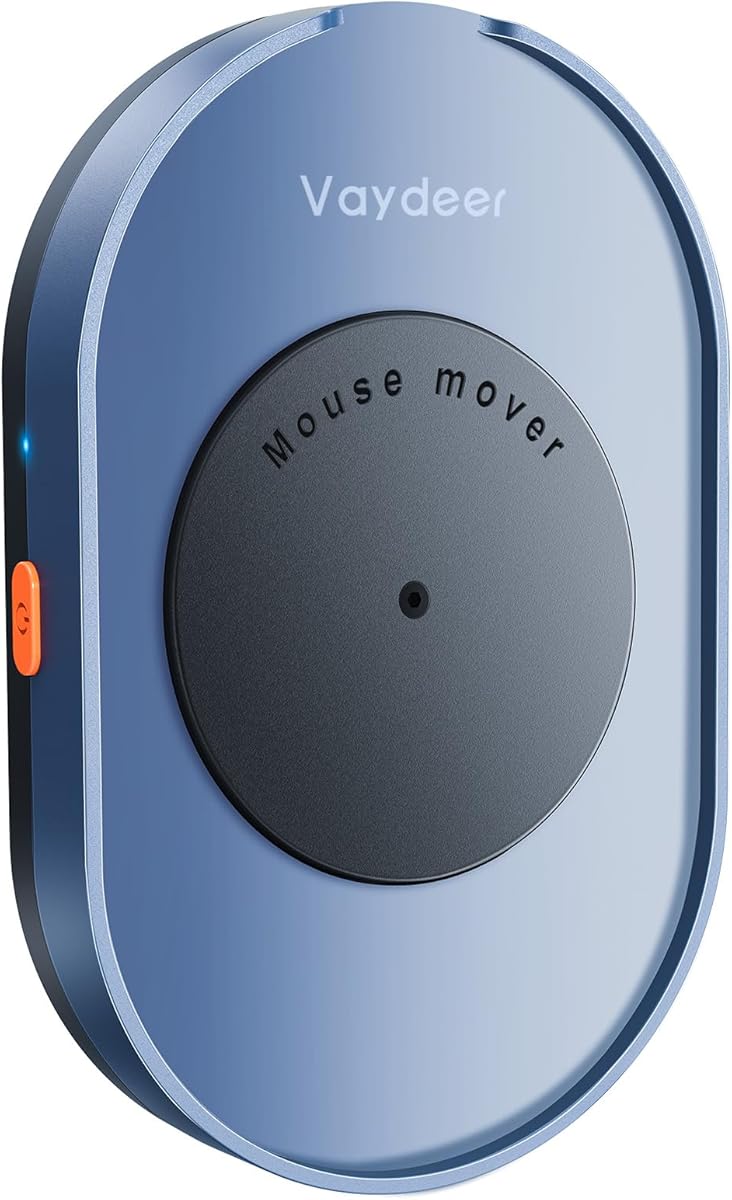
The Vaydeer Undetectable Mouse Jiggler M4 is a driver-free mechanical mover aimed at people who need quiet, continuous mouse activity without installing anything. It carries a 4.5 customer rating and emphasizes a low-noise motor, a straightforward on/off switch, and compatibility with either USB power or the included external adapter.
We may earn a commission when you buy through this link, at no additional cost to you.
The physical switch is a practical improvement over repeatedly unplugging a device. Once the mouse sensor is positioned over the rotating mechanism, pressing the switch begins movement and pressing it again stops the jiggler. The stated operating sound is below 45 dB, making the product more appropriate for a shared or video-call environment than a loud mechanical unit would be.
Its limitations are modest. It still occupies desk space and requires a standard mouse, while the cable must be routed around the workstation. It also lacks the three-level motion selection and automatic shutoff timer found on the TECH8 USA model, so users seeking more precise scheduling will have fewer controls.
Choose the M4 when a dependable physical switch, low-noise operation, and simple setup matter more than styling or extensive adjustment. It is a strong fit for home offices and shared workspaces where a physical mouse is already in regular use.
The listed motor produces less than 45 dB of sound, making the M4 a sensible choice near conversations or recorded calls. It delivers continuous physical movement without requiring a mouse-simulation program.
A dedicated physical switch lets the user start and stop movement without disconnecting the cable. USB and external-adapter power options provide additional flexibility across different desks.
We may earn a commission when you buy through this link, at no additional cost to you.
The WFB Mouse Jiggler Undetectable 2 Pack is a practical choice for users who need a compact electronic jiggler for more than one computer. Its supplied rating is 4.5, and the two-device configuration is especially useful for separate work and personal systems or for keeping one device as a backup.
We may earn a commission when you buy through this link, at no additional cost to you.
Rather than rotating a mouse, this model creates slight pointer movement of approximately one to two pixels. The listing says that movement is subtle enough to continue editing documents, watching media, or presenting without constant disruption. It also identifies itself as a standard 2.4G mouse, while its driver-free operation allows use with Windows, Mac OS, Android, and Raspberry Pi systems.
The device is less flexible than models with multiple movement patterns. It may also prompt the operating system to recognize a 2.4G mouse when first connected, which is expected behavior rather than a required installation step. The two-pack may be unnecessary for someone who only uses one laptop.
This is an excellent value-oriented selection for straightforward mouse activity across multiple computers. It offers the basic capabilities most buyers need—small movement, automatic operation, and broad compatibility—without taking up much desk space.
The one-to-two-pixel movement is designed to keep a computer active with minimal disruption. This makes the jiggler practical for reading, meetings, document work, and other tasks that still involve the mouse.
The included pair can support separate work and personal laptops, two offices, or a primary device and travel backup. Its compact size also makes each unit easy to carry between locations.
We may earn a commission when you buy through this link, at no additional cost to you.
The AUEDROT Mouse Jiggler Undetectable USB-C Mouse Mover is a compact electronic device built around an integrated USB-C connector. Its 4.3 customer rating is lower than those of several alternatives, but its two operating modes and straightforward button control target users who want simple cursor activity on a USB-C laptop.
We may earn a commission when you buy through this link, at no additional cost to you.
Slight Jiggler Mode moves the pointer approximately one to two pixels from side to side, which should be less disruptive during ordinary computer use. Random Jiggler Mode produces irregular motion for a different pattern. A short press turns the device on or changes modes, while a long press turns it off, eliminating the need to unplug it repeatedly.
The main restriction is connection type. A built-in USB-C plug is convenient for modern laptops, but it is less useful with older machines or systems that only have full-size USB-A ports unless an appropriate adapter is available. The device also lacks the three-mode selection, LED feedback, and physical mouse platform offered by some competitors.
BUY: AUEDROT is a focused choice for a USB-C-centered desk where simple, compact mouse activity is enough. It is particularly useful for users who do not want to place a physical mouse on a rotating mechanism.
The integrated USB-C plug avoids carrying a separate adapter for compatible modern laptops. Its small footprint also leaves the user’s normal mouse and desk space largely undisturbed.
Slight mode provides minimal back-and-forth movement, while random mode varies the pointer’s path. One button handles activation, mode changes, and shutdown.
We may earn a commission when you buy through this link, at no additional cost to you.
The Yonktoo Mouse Jiggler Undetectable, Slim Mouse Mover is a low-profile mechanical option for workspaces where a full-size turntable would be inconvenient. It has a 4.2 customer rating, starts automatically after connection, and provides a built-in button for pausing or resuming the rotating platform.
We may earn a commission when you buy through this link, at no additional cost to you.
Its strongest features are the slim profile, automatic startup, and one-touch control. The 1.5-meter USB-A-to-C cable gives users room to position the platform comfortably around a laptop, monitor, or desk edge, while the low-noise motor is designed to blend into a working environment.
Users do not get multiple movement levels or a shutoff timer, and the mouse must be placed correctly on the platform. That makes the device less suitable for people who want precise control over the movement pattern or a more compact electronic solution that does not depend on a physical mouse.
Choose the Yonktoo when you want a quiet, slim mechanical mover that begins working without complicated setup. It is best suited to a fixed desk where using a mouse during long online sessions is already normal.
The ultra-slim platform reduces the amount of desk space occupied by the mechanism. It offers a practical physical-mouse solution without the taller profile of many turntable-style jigglers.
The jiggler begins operating as soon as it is connected. Its built-in button makes it easy to pause the movement temporarily and resume it without reaching behind the laptop.
We may earn a commission when you buy through this link, at no additional cost to you.
The Meatanty Mouse Mover Undetectable is the most feature-rich mechanical jiggler in the group. It combines a large turntable, random physical movement, a visual interval display, and an adjustable five-to-60-second timer. Its 4.5 customer rating reflects a well-received product that goes beyond basic continuous rotation.
We may earn a commission when you buy through this link, at no additional cost to you.
The standout feature is the interval control. Buttons let the user increase or decrease the time between mouse movements in five-second increments, and an LED display makes the selected timing visible. The device also simulates random trajectories and is specifically designed to operate without requiring the user to calibrate the cursor before beginning a session.
Its claimed motor noise is below 20 dB, which is especially notable for a mechanical platform. The trade-off is size: the unit measures 6.14 by 5.90 by 1.69 inches, so it requires more desk space than a mini electronic jiggler. It also needs a wired power connection and a physical mouse.
This premium pick is best for users who want precise timing, realistic movement, and near-silent operation in a dedicated work area. Its controls and status display make it particularly suitable for long meetings, unattended tasks, and users who dislike constant cursor motion.
The five-to-60-second timer can be changed in five-second steps using the plus and minus buttons. An LED display provides clear visual feedback, helping users avoid unnecessary cursor movement.
Rather than relying on one repetitive pattern, the turntable produces a randomized path designed to resemble natural mouse use. That makes it a useful option for extended work and meeting periods.
We may earn a commission when you buy through this link, at no additional cost to you.
The USB Mouse Mover with Switch Button is a compact electronic jiggler distinguished by an aluminum alloy housing. It has a 4.4 customer rating and offers the same useful combination of slight and random movement seen in several other mini devices, but with a more substantial, polished body.
We may earn a commission when you buy through this link, at no additional cost to you.
A short press activates the unit or cycles through the two modes, while a long press turns it off. Slight mode moves the pointer one to two pixels from side to side, and random mode creates irregular movement. The included USB-C adapter improves compatibility with modern laptops, and the driver-free design means the device can begin operating after connection.
It is not as versatile as the TECKNET model, which provides a third mode and visible mode feedback, nor does it offer the timing display found on the Meatanty. The adapter also means the connection is not as immediately integrated as it is with a device featuring a built-in USB-C plug.
This model is a good match for buyers who value a compact electronic jiggler with a sturdy enclosure and simple controls. It works well for general desktop use, online meetings, reading, and remote connections across Windows and Mac systems.
The metal housing gives the small device a sturdier appearance and feel than many plastic alternatives. Its compact form also allows it to sit close to the computer without taking up much room.
The single button starts the device, changes movement modes, and turns it off. This keeps operation uncomplicated while including both subtle and randomized pointer movement.
We may earn a commission when you buy through this link, at no additional cost to you.
The TECKNET Mouse Jiggler Undetectable USB Mover Device is the strongest electronic option for buyers who want meaningful control over how the pointer moves. Its 4.6 customer rating is among the highest here, and its defining feature is a selection of three automatic movement modes rather than a single fixed behavior.
We may earn a commission when you buy through this link, at no additional cost to you.
Mode 1 moves the pointer approximately one pixel every three seconds, allowing regular mouse use to continue with little interference. Mode 2 creates fixed rectangular movement, while Mode 3 varies speed and direction in a random pattern. A discreet color LED changes with the active mode, allowing the user to identify the current setting without opening software or guessing.
The device is recognized as a standard USB mouse and supports Windows, macOS, and Linux without drivers. Its main limitation is that it remains tethered to a USB port. It also does not provide an automatic timer, so users who require scheduled shutdown must handle that separately.
This is the most versatile mini electronic jiggler in the guide. Choose it when one-button convenience, three movement styles, and clear visual feedback are more important than a cordless or mouse-rotating design.
The modes cover subtle periodic movement, movement within a fixed area, and irregular variable-speed movement. This range makes the device useful across different tasks without changing hardware.
The small color indicator provides at-a-glance confirmation of the selected mode. It remains useful in a professional setting while avoiding the need for a screen-based control application.
We may earn a commission when you buy through this link, at no additional cost to you.
The Mouse Jiggler Mover Wiggler Undetectable Shaker is a basic electronic solution for users who want to keep a laptop awake without managing settings or installing software. Its 4.7 customer rating ties for the highest rating among the products, offering strong customer feedback despite a deliberately straightforward feature set.
We may earn a commission when you buy through this link, at no additional cost to you.
The device is recognized as a regular mouse and requires no driver. Once connected, it begins simulating movement automatically, which makes it convenient for users who do not want to press buttons or configure a schedule. It supports widely used Windows, Mac, and Linux systems and is compact enough to carry to meetings, classes, or remote sessions.
The lack of selectable modes means it is less adaptable than the TECKNET, AUEDROT, or USB Mouse Mover models. It also lacks a timer, physical on/off control, and a cordless design. Users who need to vary its behavior will find fewer options here.
Choose this jiggler for uncomplicated mouse activity and fast setup. It is a particularly sensible choice for occasional travel, online classes, and users who want a device that begins working as soon as it is connected.
The jiggler starts simulating movement after connection and requires no installation process. It offers a low-friction solution for basic screen-awake and online-presence needs.
Its tiny enclosure is easy to keep in a laptop bag or carry between work and home. It also suits meetings, remote connections, classes, and other situations where continuing computer activity is useful.
We may earn a commission when you buy through this link, at no additional cost to you.
The Trackpad Mouse Jiggler Device is the only cordless, trackpad-oriented product in the guide. It is designed for laptop users who rely on a touchpad instead of a mouse and want a physical movement mechanism that requires no USB, Bluetooth, driver, or application. Its customer rating is 4.1, the lowest in the group.
We may earn a commission when you buy through this link, at no additional cost to you.
A small low-RPM motor creates mechanical fingertip-like movement across the touchpad. The device operates silently and runs from an included AA battery for up to six months when used around two hours per day. Because it has no cable, it leaves the laptop's ports open and avoids adding visible cords to a mobile workspace.
The most important caveat is touchpad configuration. The listing recommends maximizing sensitivity and disabling palm rejection features such as PalmCheck, SmartSense, and Accidental Touch Filtering. Some Windows Precision Touchpads include filtering software that may ignore the device's gentle mechanical input, so setup adjustments may be required.
This is the best option for a touchpad-first user who values cordless operation more than physical mouse support. It is less suitable if you cannot change touchpad settings or if your system aggressively filters synthetic touchpad activity.
The mechanism moves directly across a laptop touchpad, removing the need for a separate mouse or wired rotating platform. It is designed to keep the screen active while preserving a clean, portable workspace.
A low-RPM motor provides silent movement, and the included AA battery is advertised to last up to six months at two hours of daily use. This makes the device convenient for travel and frequently changing workspaces.
We may earn a commission when you buy through this link, at no additional cost to you.
The most important decisions are how the jiggler creates movement, whether it suits your input method, and whether its controls meet your need for discretion and scheduling. Connection style, portability, noise, and compatibility should then shape your final choice.
In short, choose mechanical movement if you already use a mouse and value natural cursor motion. Choose electronic movement for a smaller footprint, multi-device use, or configurable pointer patterns.
In short, verify the physical connector before buying. Adapters help, but a native match gives you the simplest and tidiest setup.
In short, prioritize subtle and configurable movement if you will work while the jiggler is running. Simpler automatic motion is sufficient when the device only needs to prevent sleep.
In short, select an electronic device for silent operation or a specifically low-noise mechanical model when sound quality matters. Confirm that the jiggler will not be picked up by your microphone.
In short, look for pause control, clear mode feedback, and a timer if your sessions follow a predictable schedule. A minimal automatic device is best only when you rarely need to adjust it.
In short, favor a mini electronic unit for a crowded desk and a slim mechanical platform when mouse movement is essential. Measure your workspace before ordering a large turntable.
In short, confirm that your operating system is listed, and expect a first-use hardware prompt on some computers. Driver-free does not mean the system will never ask you to confirm a new peripheral.
In short, buy a rotating platform only if you will use a mouse. Choose an electronic USB device or the dedicated trackpad jiggler for mouse-free operation.
Start by reading the product instructions and checking the connector type. For an electronic USB jiggler, connect it to the computer, wait for the system to recognize the device, and select the desired movement mode. For a mechanical unit, place the platform on a level surface, position the optical mouse so its sensor rests over the rotating section, and then connect the power cable or turn the unit on.
Use the device in a way that matches the task. Slight movement is best when you will continue working, while random or interval-based movement may be preferable during meetings, reading, remote connections, or long transfers. Mechanical jigglers should be stopped before moving the mouse away, and electronic devices can generally be paused with their physical button or multifunction control. Check with your organization's IT policy before using any peripheral on a managed work computer.
For maintenance, keep the device away from liquids, dust, and excessive heat, and do not force a mouse that does not fit or move freely. On rotating platforms, occasionally inspect the surface for debris and unplug the cable before cleaning. Battery-powered touchpad jigglers should be stored with the battery removed during long periods of nonuse, while every unit should be disconnected when it is no longer needed.
A laptop jiggler is designed to create mouse activity that can prevent a computer from entering sleep or idle mode. The exact result depends on your operating system, power settings, and application requirements, so it should not be treated as a guaranteed replacement for every power-control setting. Some services also track keyboard, mouse, and other interactions differently.
Most products in this guide are presented as standard mouse or USB composite devices, which can make them appear more familiar to a computer than an unusual driver-based tool. That does not guarantee acceptance by every employer. You should always follow your workplace's IT policy and ask an administrator before using an external peripheral.
Every product featured here operates without required software or drivers. Some electronic models may cause the operating system to display a standard device-recognition prompt the first time they are connected. That prompt is part of normal peripheral setup and differs from having to download a dedicated utility.
Most electronic USB jigglers work independently of your physical mouse and can move the pointer while you use a trackpad. Mechanical turntables require an optical mouse positioned on the rotating platform. For direct trackpad movement, the dedicated cordless trackpad jiggler in this guide is designed for that purpose.
It depends on the movement mode. Slight modes that move only one or two pixels should have minimal effect, while random and interval-based movements may be more noticeable. You can usually pause a device with its physical button, adjust its interval, or select a less active mode when you need precise cursor placement.
A USB jiggler electronically generates pointer movement through a USB connection and usually takes up very little space. A mouse mover mechanically rotates a platform beneath an optical mouse. The electronic format is often more portable, while the mechanical format can support more natural mouse trajectories and larger mice.
Many products in this guide list support for Windows, macOS, and Linux, and several also mention Android or Raspberry Pi. Check the specific listing before purchasing, especially if your setup uses an unusual device or operating-system version. You may also need to approve the new peripheral through the system's device prompt.
The simplest approach is to unplug the device, although models with a switch or multifunction button let you pause and resume movement without disconnecting it. Mechanical jigglers should be switched off before you lift the mouse from the platform. If a cursor remains active, check whether another jiggler is connected to the same computer.
The TECH8 USA Mouse Jiggler is the most well-rounded recommendation because it combines three motion levels, an automatic timer, a broad rotating disc, and a distinctive glow-ring design. The WFB Mouse Jiggler is an excellent value choice when a two-device pack and subtle movement are sufficient, while the Meatanty Mouse Mover stands out for premium timing controls, random trajectories, and exceptionally quiet operation.
Prioritize the type of movement that fits your work. Choose a mechanical platform if you use a mouse and value natural motion, a mini USB jiggler if portability and multiple modes matter, or the cordless trackpad model if you do not want to carry a mouse. Noise, scheduling, connector type, and operating-system support are equally important before making a final selection.
Current specifications, customer feedback, availability, and prices can change over time, so review the latest listing before purchasing. Comparing the connector, controls, supported systems, and movement pattern against your actual workflow will help ensure that the chosen laptop jiggler remains useful and unobtrusive.