
Tonmom Adjustable Laptop Stand
4.5Editor score
Seven adjustable height levels
Open passive cooling design
Fits 10 to 15.6-inch laptops
A laptop ventilation stand can improve screen positioning, typing comfort, and airflow beneath a notebook, but the best model depends on how and where you work. Fans offer active cooling, while raised platforms help heat escape passively. A useful stand should also remain stable and fit the laptop without obstructing ports.
We compared all ten products by considering cooling design, height adjustment, device compatibility, portability, stability, USB connectivity, and practical desk space. The list covers passive aluminum risers, adjustable folding stands, and powered cooling pads for different laptop sizes, so it includes options for travel, intensive work, and everyday home offices.
Each pick highlights the reasons it stands out while also noting compromises, such as added weight, fixed angles, or the need for a USB connection. Ratings and product details reflect the supplied information, and configurations can change over time. Check the current listing and your laptop dimensions before purchasing.
4.5Editor score

4.8Editor score

4.7Editor score
As an Amazon Associate we earn from qualifying purchases.
The comparison below highlights the principal differences in height control, cooling method, portability, support capacity, and laptop compatibility across all ten stands.




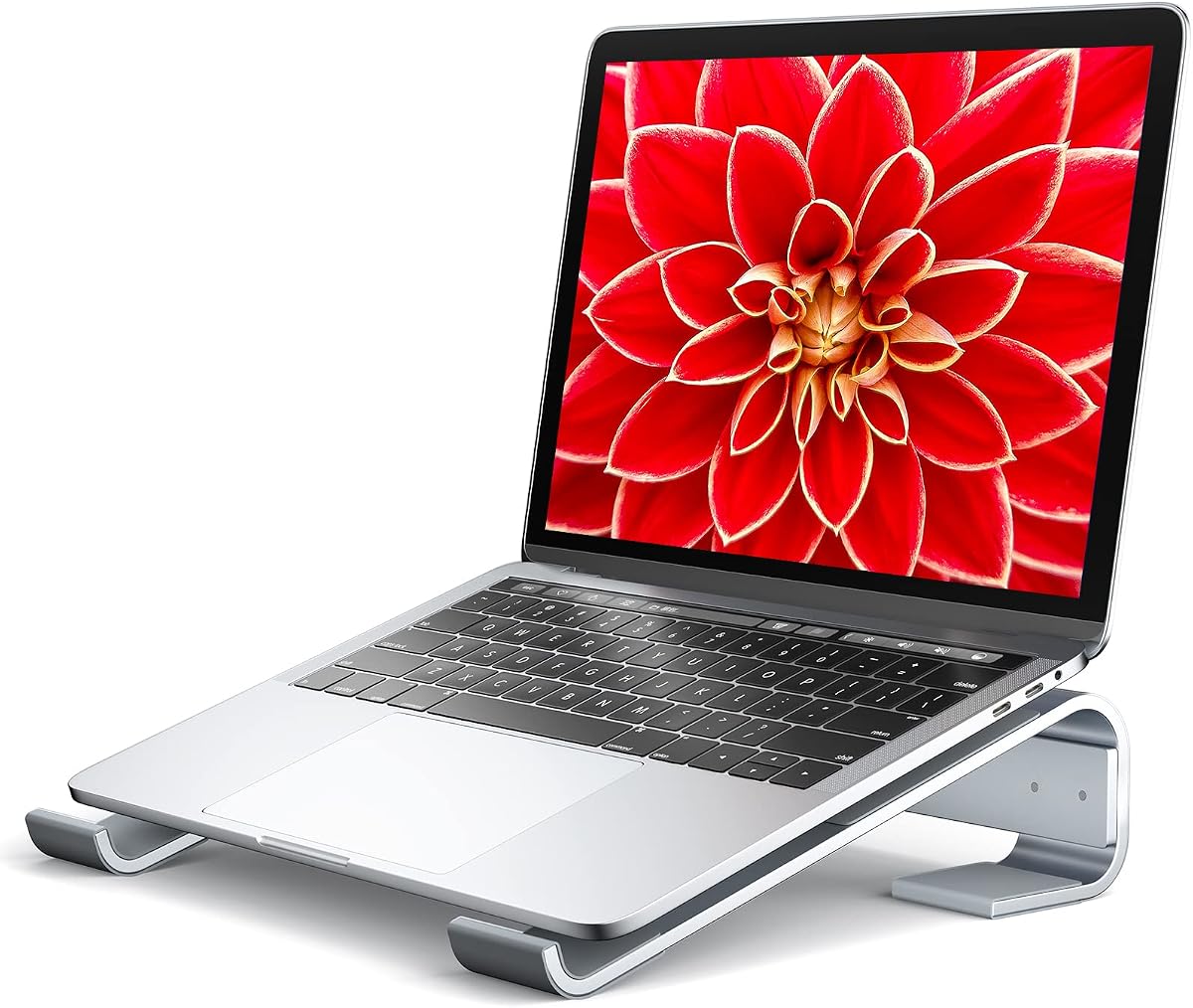

The Tonmom Laptop Stand for Desk is a compact passive riser rated 4.5 out of 5. Its defining advantage is flexibility: seven height settings raise the notebook from 2.78 inches to 6.5 inches, allowing the screen to sit closer to eye level while the keyboard remains usable with an external mouse and keyboard.
We may earn a commission when you buy through this link, at no additional cost to you.
The open structure supports airflow beneath the computer, while a forward tilt helps move warm air away from the underside. A large anti-slip silicone pad helps reduce sliding and protects the laptop from scratches. Its triangular support layout creates a stable-looking platform without requiring a motor, power cable, or USB connection.
Portability is another strength. The stand weighs only 0.53 pounds and folds to 10.5 by 1.96 by 0.68 inches, making it straightforward to place in a bag between meetings or work locations. The main limitation is that it offers passive cooling only, so it cannot force air through a laptop during demanding workloads.
This is a strong choice for students, office workers, and frequent travelers who want adjustable height without added desk clutter. It supports laptops from 10 to 15.6 inches and many popular brands. For heavier setups, compare the support system and load rating before expecting the same stability from a larger workstation notebook.
Overall, the Tonmom is a compelling entry for buyers who value range, low weight, and simple construction. Its seven-level adjustment makes it more versatile than a fixed-angle riser, while its compact fold makes it easier to carry than many powered cooling pads.
Seven levels let the user move between a modest typing angle and a substantially higher screen position. The adjustment range is especially useful when switching between a desk, couch, or temporary table, provided the support bars are kept balanced.
Raising the laptop creates space for air to circulate beneath it. This passive approach is simple and quiet, making the stand practical for video calls, writing, and routine office work where active fans would add little benefit.
We may earn a commission when you buy through this link, at no additional cost to you.
The Thibault Aluminum Laptop Stand combines a minimalist metal appearance with passive airflow and a raised working position. Its 4.6 rating reflects a straightforward design aimed at users who want a dedicated home or office platform for compatible 13-, 14-, 15.6-, and 16-inch laptops.
We may earn a commission when you buy through this link, at no additional cost to you.
The aluminum alloy platform is designed to remain rigid while holding the computer at a tilted angle. Soft rubber pads protect both the desk and the laptop, and the product description states that these contact points also help reduce vibration. That combination can be reassuring for users concerned about a hollow or unstable feel during typing.
Its ventilated construction is more substantial than a simple sheet-style riser. The open area beneath the laptop allows air to reach the bottom vents, while the raised position can reduce the direct contact between the chassis and desktop. Because the angle is not listed as adjustable, the stand is better suited to people who already know they prefer that viewing position.
This model is most appropriate for users willing to pair it with an external keyboard and mouse. Elevated typing directly on a fixed-angle aluminum surface may feel less comfortable for long sessions, but it works well for watching screens, joining meetings, or using a full desktop accessory setup.
The Thibault stands out for clean construction, broad brand compatibility, and effective open airflow. It is a sensible fixed-angle choice when appearance and a stable raised position matter more than multiple height settings or powered fans.
Metal construction resists flexing and gives the platform a substantial feel. Rubber contact points soften where the stand meets the laptop and desk, helping reduce scratches and small movements during use.
The ventilated design leaves the underside exposed so circulating air can reach intake areas. It cannot cool a laptop as aggressively as a powered fan pad, but it is more effective than leaving the device flat against the desk.
We may earn a commission when you buy through this link, at no additional cost to you.
The Kootek Laptop Cooling Pad is the most feature-rich active cooler in this group, with five fans, LED lighting, two control switches, and a built-in dual USB hub. Its 4.4 rating reflects a broad package for users who want more than passive elevation, particularly when running demanding applications.
We may earn a commission when you buy through this link, at no additional cost to you.
The fan layout includes one 4.72-inch fan and four 2.76-inch fans. Controls can operate one fan, four fans, or all five, allowing the user to balance cooling against noise or workspace needs. Six adjustable height settings make it easier to place the screen at a comfortable level for work, movies, or gaming.
Two front stoppers help keep the laptop from sliding into the fan area. The cooling pad supports 12- through 17-inch notebooks, including major brands such as Apple, HP, Alienware, Dell, and ASUS. The built-in USB hub also offers extra connection options for peripherals, although the supplied cable is USB-to-USB and a Type-C adapter is needed for devices that require that connection.
Its main trade-off is bulk and dependence on power. A powered cooler is larger and heavier than a folding riser, and the cable can add clutter to an otherwise minimal desk. Users who only need a viewing-height improvement may find that a passive stand is easier to carry and requires no setup beyond positioning the laptop.
The Kootek is a good pick for gaming, demanding creative work, or frequent use of resource-intensive applications. It combines useful height adjustment with genuine active cooling and convenient USB connectivity, making it the most functionally complete option in the roundup.
One large fan and four smaller fans give the cooler more airflow options than a single-fan pad. The two switches make it simple to choose a quieter or more powerful configuration without operating each fan separately.
Six height settings support comfortable viewing, while the integrated hub provides extra USB connections. The hub is useful for a mouse, keyboard, storage device, or other peripheral, though the Type-C adapter caveat is worth checking.
We may earn a commission when you buy through this link, at no additional cost to you.
The havit HV-F2056 is a portable active cooling pad designed primarily for 15.6- and 17-inch laptops. It earns a 4.4 rating and offers a relatively restrained design with a metal mesh surface, three ultra-quiet fans, and two height positions for a raised viewing angle.
We may earn a commission when you buy through this link, at no additional cost to you.
The mesh surface provides a stable carrying area for larger notebooks, while the three-fan arrangement supplies active airflow beneath the chassis. Two adjustable height settings make the stand more versatile than a completely flat cooling pad without introducing a complicated adjustment system. An extra USB port and power switch add functional value for a desk-based setup.
Compared with the Kootek, this model offers fewer fans and fewer height options, but it presents a simpler and more portable alternative. The supplied connection is USB-to-USB, and users connecting a Type-C device may need a Type-C-to-USB adapter. It also occupies more desk space than a folding passive riser and always requires a powered USB source when operating the fans.
The most suitable buyer is someone with a larger 15.6- or 17-inch notebook who wants a modest lift and active cooling without the complexity of a multi-fan control panel. It is less attractive for smaller laptops or for people who need frequent height changes, although the basic raised position can still improve screen visibility.
Overall, the HV-F2056 delivers a focused combination of portability, quiet fans, and a stable platform. It is a practical powered option for larger computers, particularly when desk space and feature control matter more than extensive customization.
The three ultra-quiet fans are designed to cool the underside without dominating the work environment. This makes the pad suitable for shared offices, study sessions, and long periods of typing or media consumption.
The metal mesh surface creates a defined support area for 15.6- and 17-inch devices. Combined with two raised positions, it offers a practical compromise between portability, stability, and screen elevation.
We may earn a commission when you buy through this link, at no additional cost to you.
The Amazon Basics Ergonomic Laptop Stand is a substantial adjustable riser with a 4.6 rating. It combines up to seven inches of height adjustment, an open aluminum design, and an 11-pound load capacity, making it suitable for users who want more support than a basic folding platform offers.
We may earn a commission when you buy through this link, at no additional cost to you.
The frame is made from lightweight, rust-resistant aluminum and uses non-slip silicone pads plus protective hooks to keep the laptop in position. Its compatibility extends from 10- to 15.6-inch laptops and tablets. Importantly, the supplied information notes that larger or heavier devices can affect balance, so the stated capacity should not be treated as a guarantee for every model.
The open hollow design promotes airflow under the notebook and reduces heat buildup during extended or intensive tasks. It also provides meaningful clearance beneath the chassis. Users are advised to place the stand on a flat, solid surface and avoid pressing down heavily on the laptop while typing, especially at greater extension.
Portability is available through a folding design, but this is not the lightest option. Its stated weight is 1.7 pounds, and it folds to 10 by 8.7 by 1.8 inches. That bulk is reasonable for a permanent desk setup or occasional travel, though it may take up more room than a thin riser in a tightly packed laptop bag.
The Amazon Basics model is a strong all-around choice for standard notebooks, heavier workstations, and users who value an eleven-pound stated capacity. Its adjustment range, protective hardware, and open frame make it particularly useful when the goal is a stable, ventilated, elevated workstation.
The broad adjustment range allows the screen to move closer to eye level, while the aluminum frame provides a rigid base. A separate keyboard and mouse will usually create a more comfortable long-session setup than typing directly on an elevated laptop.
The hollow frame leaves the laptop's underside exposed and encourages passive heat dissipation. There is no powered fan, yet the open structure can improve circulation compared with placing the notebook directly on a solid desk.
We may earn a commission when you buy through this link, at no additional cost to you.
The Adjustable Laptop Stand is a lightweight portable riser rated 4.5 out of 5. It raises compatible laptops from 4.34 to 6.59 inches across six levels, giving users meaningful control over screen height without the need for powered cooling equipment.
We may earn a commission when you buy through this link, at no additional cost to you.
Its triangular support structure and large anti-slip silicone pad help the laptop remain stable and protected from scratches. A forward tilt and open construction promote airflow beneath the notebook, while smooth edges reduce the chance of uncomfortable contact with the hands. The design is compatible with 10- to 15.6-inch laptops from many major brands.
The standout feature is portability. At 0.49 pounds, it is the lightest listed option, and the folded size of 9.96 by 1.98 by 0.68 inches should be easier to accommodate in a bag than bulkier cooling pads. The main operating detail is that both support bars must be inserted at the same level to maintain balance.
There is no powered fan, so users with sustained heavy workloads may need more active cooling. It also reaches a higher minimum elevation than some compact wedges, which may reduce clearance for desks with low drawers. Even so, the broad adjustment range allows users to select a lower position when a modest lift is enough.
For students, travelers, and hybrid workers who need a reliable riser more than a fan system, this stand offers an attractive combination of low weight, portability, and adjustment. It is one of the most practical choices for carrying a basic ergonomic setup between locations.
The low weight and narrow folded profile make this model easy to add to a backpack or slim laptop bag. It offers a simple way to improve screen height in cafés, shared workspaces, or temporary home-office setups.
Six levels provide enough variation for different desks and postures. Keeping the support bars at matching levels is essential, and checking the setting after every adjustment helps prevent uneven loading.
We may earn a commission when you buy through this link, at no additional cost to you.
The BESIGN LS03 is a detachable aluminum stand with the highest listed rating in the roundup at 4.8 out of 5. It raises compatible laptops by up to six inches, creating a more elevated screen position while retaining a clean, compact form suited to home or office desks.
We may earn a commission when you buy through this link, at no additional cost to you.
The aluminum alloy construction is listed as supporting up to 8.8 pounds, while attached rubber helps keep the laptop stable and protects its surface from scratches. The stand assembles in three steps and can be detached or folded for storage. Its open aluminum shape encourages airflow beneath the computer without adding electronics, cables, or fan noise.
Unlike a multi-level riser, the LS03 does not provide fine-grained height adjustment. That simplifies setup and can create a more consistent viewing position, but it offers less flexibility when a user needs to alternate between a low typing angle and a high screen position. It is also passive, so it improves circulation rather than actively forcing air through the chassis.
The best fit is a user with a 10- to 15.6-inch laptop who values a stable platform, quick assembly, and a tidy desk. It works particularly well with a separate keyboard and mouse. Buyers who need several height levels or active cooling should look elsewhere, but most routine productivity and media-viewing tasks are well served by this simpler design.
The BESIGN LS03 earns the Editor's Choice designation because it balances construction, stability, storage, and airflow without unnecessary complexity. Its detachable format is easy to understand, and the high rating makes it a confident recommendation for a wide range of standard laptops.
The three-step assembly makes the stand approachable and allows it to be separated when it is not needed. Folding it flat helps clear desk space and makes the aluminum frame easier to store between uses.
The aluminum frame and rubber contact points help the laptop remain steady on the raised surface. The stated 8.8-pound capacity makes it suitable for many mainstream notebooks, although an external keyboard and mouse will improve comfort.
We may earn a commission when you buy through this link, at no additional cost to you.
The Soqool Laptop Stand is a fixed-angle aluminum riser with a 4.7 rating. It elevates the laptop by 2.6 inches, providing a noticeable improvement over a flat desktop position while maintaining a relatively compact profile suited to everyday productivity setups.
We may earn a commission when you buy through this link, at no additional cost to you.
Its three-sided triangle construction uses aluminum alloy to create a stable support structure. Rubber inlets and anti-skid pads are designed to prevent the laptop from sliding or rocking, while smooth edges protect the user's hands. The ventilating construction leaves space beneath the chassis for passive airflow and reduces direct contact with the desk.
The product description lists compatibility with notebooks from 10 to 15.6 inches and gives examples including MacBook, ThinkPad, Dell, HP, ASUS, and Chromebook models. It also references a wider selection of common screen sizes, so checking the exact dimensions and shape of the laptop remains sensible before purchase.
Fixed geometry is the central trade-off. The fixed angle cannot be enlarged or reduced without altering the joints, so it will not accommodate a variety of postures as well as an adjustable model. It also provides no active fan cooling, making it more appropriate for general work, browsing, and viewing than for sustained thermal-intensive tasks.
The Soqool is a good choice for buyers who want a sturdy, attractive aluminum stand with a low-profile elevation and reliable anti-slip contact. It offers fewer features than adjustable or powered alternatives, but its focused design can be exactly what a fixed-workstation user needs.
The three-sided aluminum structure creates a firm base beneath the laptop. Rubber inlets help prevent lateral movement, addressing one of the most common complaints associated with inexpensive stands that rock during typing.
The ventilated aluminum body allows air to circulate below the computer. It does not cool as actively as a fan-equipped pad, but the raised and open platform can help warm air move away from intake areas.
We may earn a commission when you buy through this link, at no additional cost to you.
The Aluminum Laptop Stand Riser is a minimalist wedge that raises the rear of a laptop by 35 millimeters, or 1.38 inches. With a 4.6 rating, it offers a subtle typing-angle improvement and passive airflow rather than the larger screen elevation provided by adjustable risers.
We may earn a commission when you buy through this link, at no additional cost to you.
Made from 6061 aluminum with a sandblasted, anodized finish, the stand has a smooth metallic appearance that suits modern offices and studios. Its elongated 30 by 6.5-centimeter base spreads the laptop's weight across a wider area, while a large silicone contact pad helps prevent scratches and slipping.
One unusual feature is the laser-engraved inch and centimeter scale. It turns the riser into a compact measuring tool, which may be useful for quick paper or workspace tasks, although the primary function remains supporting a notebook. The low wedge shape also occupies less vertical desk space than a tall stand.
Its modest elevation means it will not correct an especially low screen position, and the fixed angle cannot be adjusted. There are likewise no fans or height controls. For a user who only wants a slight lift and better underside airflow, those limitations are acceptable; for a major ergonomic correction, a taller adjustable model is more appropriate.
The stand works well with MacBook, Chromebook, notebook, and other compatible laptops, subject to checking dimensions. It is best recommended for users who value durable materials, understated appearance, and a small footprint over dramatic elevation or extensive adjustment.
The 35-millimeter rise creates a gentle typing slope while preserving a relatively low profile. It is a practical choice for users who find taller stands uncomfortable or who need to keep a small amount of space beneath the laptop.
The 6061 aluminum body provides a rigid foundation, while silicone at the contact points reduces movement and protects the laptop. The finish adds a refined appearance that is easy to coordinate with other metal desk accessories.
We may earn a commission when you buy through this link, at no additional cost to you.
The Nulaxy Ergonomic Adjustable Laptop Stand is a heavy-duty riser with a 4.7 rating. Its dual-rod mechanism, stated 22-pound capacity, and compatibility with 10- to 16-inch laptops make it a strong option for larger machines and extended workstation use.
We may earn a commission when you buy through this link, at no additional cost to you.
Rather than relying on a single hinge, the stand distributes weight through a dual-support rod design. The manufacturer describes this arrangement as a stable, wobble-free typing platform. An advanced geometric heat-vent pattern on the upper panel adds openings near the laptop itself, supplementing the airflow created by raising the device.
The stand is designed to reduce neck, shoulder, and spinal fatigue by bringing the display toward eye level. That ergonomic benefit is most noticeable during long typing sessions, video meetings, or gaming. Anti-slip silicone pads grip the laptop and protect its finish, while the stated capacity provides reassurance for heavier systems.
Its complexity and weight are acceptable for a stable desk accessory but less attractive for constant travel. It can collapse flat for storage, yet the folding sequence and support mechanism may be less convenient than a simple thin wedge. It is also a passive design, so users with prolonged maximum-performance workloads may still benefit from active cooling.
The Nulaxy is the best premium selection for people with larger or heavier laptops who value stability, broad fit, and a substantial ergonomic lift. It is less necessary for a lightweight travel riser, but for a permanent workstation it offers a convincing combination of rigidity, ventilation, and portability.
Two support rods distribute the laptop's weight more evenly than a single-hinge arrangement. The stated capacity of 22 pounds is a major advantage for larger workstations and gaming laptops, though desk stability still matters.
The geometric upper-panel pattern supplements the open space beneath the computer. It cannot replace active fans, but it adds passive paths for air around the chassis during demanding sessions.
We may earn a commission when you buy through this link, at no additional cost to you.
The right laptop ventilation stand depends on cooling intensity, portability, screen height, device size, and the peripherals you plan to use. Reviewing these factors before buying helps prevent a stand that looks convenient from being awkward in daily use.
Choose a passive riser for the simplest setup, or a fan-equipped pad when active heat management is a priority.
Verify width, depth, weight, and hinge clearance rather than relying on screen size alone.
Measure eye-to-screen height, and use external peripherals with elevated stands.
Prioritize a rigid base, even support, and a capacity above the laptop's weight.
Compare folded size, weight, setup time, and USB requirements for mobile use.
Look for rigid materials, silicone grip, smooth edges, and unobstructed vents.
Use a keyboard and mouse to make raised positioning comfortable and productive.
Prioritize the setup problem you actually have and maintain safe, comfortable habits.
Begin by placing the stand on a flat, solid surface and positioning the contact pads or support bars to match the laptop's base. For adjustable models, insert paired bars at the same level and confirm that the computer sits evenly. Start with a moderate height, connect an external keyboard and mouse if needed, and adjust the screen until the top of the display is close to eye level. Avoid positioning the laptop directly in front of a bright window or glare source, and keep cables from pulling the device toward the edge of the stand.
For a powered cooling pad, connect the included USB-to-USB cable to a suitable port and begin with the lower fan setting. Some devices require a Type-C-to-USB adapter, so confirm the connector before relying on the pad. Place the laptop so its intake vents are not blocked, and follow the fan controls provided with the product. Clean the intake grille and the pad's surface regularly, especially in dusty environments, so airflow is not restricted by dust or debris.
To care for a passive aluminum stand, wipe it with a soft, dry or lightly damp cloth and avoid abrasive cleaners that could damage the finish. Do not pour liquid over silicone pads, hinges, or support bars. For folding models, open or close the mechanism gently and check for trapped debris before storing. When a stand is not in use, keep it flat or fully collapsed in a protective pocket, and inspect silicone contacts and locking points periodically for looseness, wear, or damage.
A passive stand can help by raising the laptop and exposing more of its underside to circulating air. It does not generate airflow itself, so its effect is more noticeable when the computer is used in a normal room and the intake vents remain unobstructed. A powered cooling pad provides a stronger cooling effect by moving air across the laptop. Neither option replaces good ventilation habits or maintenance of the internal cooling system.
You can use a stand, but the screen and keyboard rise together on most models. A steep angle may therefore increase wrist and shoulder strain during extended typing. Using a separate keyboard and mouse allows the screen to remain at a comfortable viewing height while the input devices stay at desk level. For occasional use, a lower or adjustable position may be more comfortable.
For browsing, documents, video calls, and routine productivity, a lightweight passive riser is often sufficient and easier to manage. Powered pads become more useful during gaming, video rendering, programming builds, large data tasks, and other sustained workloads that generate more heat. They also require a USB connection and take up more desk space, so the additional cooling should match your actual workload.
Compare the laptop's width, depth, weight, and hinge arrangement with the stand's stated dimensions and capacity. Screen size is a useful starting point, but it does not account for narrow bezels, wide chassis designs, cases, or unusual hinge shapes. A stand should support the base without pressing against vents, and its retaining lip should not interfere with opening the display.
The top of the screen should generally be near eye level, with the laptop centered in front of you. Because a raised laptop also raises its keyboard, most people benefit from using an external keyboard and mouse. If a stand only offers a fixed angle, test it with your normal chair and desk before committing. Adjustable models provide more flexibility for different seating and viewing situations.
A stand may reduce heat buildup by improving passive circulation or by moving air with fans, but it cannot guarantee that a laptop will never overheat. Blocked vents, a crowded workspace, dust, sustained maximum processor load, and poor room ventilation can all affect temperatures. A powered pad is best treated as one part of a broader cooling routine that includes cleaning vents and managing demanding workloads.
Aluminum generally resists bending and feels more stable, especially when the design uses a broad base and reinforced joints. Plastic stands can still be adequate for lighter laptops and may weigh less. The most important durability features include secure locking points, stable support bars, non-slip pads, and a design that does not concentrate pressure near the laptop's vents.
Disconnect power from a powered pad before cleaning it. Use a soft brush or compressed air carefully around fan openings and the laptop's intake vents, then wipe accessible surfaces with a soft, lint-free cloth. Keep liquid away from hinges, electrical contacts, and fan motors. Do not use harsh chemicals, and make sure the stand is completely dry before reconnecting a laptop or powered accessory.
The Tonmom Adjustable Stand is the practical budget choice for travelers and everyday users who want several height levels in a light package. The BESIGN LS03 is the most broadly appealing option, combining a high rating, aluminum construction, quick assembly, and simple passive cooling. The Nulaxy Dual-Rod Stand is the premium selection for heavier laptops and users who prioritize stability, substantial load support, and advanced ventilation.
Before choosing, decide whether passive elevation is enough or whether active fans are necessary for your workload. Match the laptop's dimensions and weight to the stand, consider how often you will move it, and plan on external peripherals if the screen will be raised substantially. Stable construction, unobstructed vents, a workable viewing angle, and sufficient clearance matter more than decorative features or a long specification list.
Product details, ratings, and configurations can change, and current prices should be checked at the time of purchase. Review the latest listing, compatibility notes, included accessories, and return terms before ordering. The right laptop ventilation stand is the one that improves your screen position and airflow while fitting naturally into the way you work.