
Yilador Ultra-Thin Cover
4.3Editor score
Three covers included
Flexible low-profile slider
Four-step installation process
Explore the best laptop webcam cover options, comparing fit, thickness, installation, privacy, compatibility, and ease of use across ten practical designs.
A laptop webcam cover provides a simple physical barrier over a built-in camera, reducing unwanted visibility during calls, meetings, and everyday computer use. A good model should fit the camera securely, slide smoothly, avoid interfering with the display, and remain easy to use without damaging the device surface.
This guide compares ten webcam covers by evaluating compatibility, thickness, attachment method, material, privacy mechanism, pack quantity, and device-specific design. It includes adhesive sliders, clip-on covers, flexible options, and purpose-made shutters for Logitech webcams, so readers can choose the approach that suits their equipment.
Each review explains the strongest reasons to consider a particular cover, along with its limitations and ideal buyer. The list also identifies three standout choices for different priorities. Product availability and pricing can change, so confirm the current listing and fit before making a final purchase.
4.3Editor score

4.5Editor score

4.6Editor score
The comparison below highlights the main differences in installation, thickness, compatibility, and intended use, helping you identify the most appropriate cover for your laptop, tablet, or external webcam.


The CloudValley Laptop Camera Cover Slide combines a 4.5 rating with a notably thin 0.023-inch aluminum design, making it one of the most versatile options in this guide. Its two-piece configuration provides a practical way to cover and uncover the camera without relying on software settings or remembering to toggle a privacy mode.
We may earn a commission when you buy through this link, at no additional cost to you.
The main appeal is its combination of low profile and broad compatibility. The product is described as suitable for many MacBook, HP, Dell, Asus, Acer, and Lenovo laptops, as well as all-in-one computers and leading tablets such as iPad, Surface Pro, Galaxy Tab, Fire HD, and Google Pixel Tablet. The aluminum alloy construction also complements the appearance of modern devices rather than looking like a temporary patch.
Installation is straightforward: align the cover with the webcam, attach it, and press firmly for 15 seconds. The listing states that it does not interfere with web use or the camera indicator light, and the 0.023-inch profile is designed to avoid preventing a laptop from closing. The principal compromise is that adhesive attachment can be less forgiving than a clip-on design, particularly around newer devices with unusual camera placement.
This is the strongest all-around choice for readers who want a low-profile metal slider with broad device support and a two-cover package. Buyers should still verify their exact device model and camera-bezel shape, especially if they use a full-screen screen protector or have a protruding lens. For those devices, a purpose-fit external webcam cover may be a better choice.
The 0.023-inch aluminum profile adds a physical camera barrier without creating a bulky ledge over the display. That makes it especially suitable for users who routinely travel with a laptop and want the screen to close normally.
The broad compatibility claim covers common laptop brands, all-in-one computers, and several popular tablet families. Two covers provide useful backup, although the two-piece pack may be less convenient for someone covering many devices.
We may earn a commission when you buy through this link, at no additional cost to you.
The Yilador Webcam Cover 3 Pack holds a 4.3 rating and offers a practical balance of affordability, flexibility, and straightforward installation. Its low-profile slider is described as 0.027 inches thick in the product features, although the title uses a rounded 0.03-inch description. Either way, the central selling point is a slim cover that should not prevent normal laptop closure.
We may earn a commission when you buy through this link, at no additional cost to you.
The installation process is easy to understand: clean the surface, apply the adhesive, align the cover with the lens, and press for 10 seconds. The upgraded adhesive is intended to create a durable hold without damaging the equipment, while the three-pack format allows users to protect a laptop, tablet, and another device. It is also compatible with a broad list of Apple, HP, Lenovo, Dell, Acer, Asus, and Samsung devices.
There is an important compatibility warning. The product is not suitable for MacBooks released after 2023, devices with a protruding front camera, full-screen or notch-style tempered-glass screen protectors, or a phone's rear camera. These limitations are understandable for a generic adhesive slider, but they make careful model checking essential rather than optional.
For a buyer seeking an affordable way to cover several built-in cameras, the Yilador package is a sensible choice. It is less suitable for newer MacBook owners or anyone whose camera physically projects above the display. Those users should favor a clip-on, device-specific, or purpose-fit Logitech solution instead.
The three-cover format is useful for households with multiple computers, tablets, or a mix of work and personal devices. It provides a simple physical barrier without requiring a separate software-based privacy routine for each machine.
The explicit restrictions on post-2023 MacBooks, protruding cameras, and certain screen protectors are important. Checking the camera position and installed accessories before ordering prevents a disappointing fit.
We may earn a commission when you buy through this link, at no additional cost to you.
This CloudValley webcam shutter carries a 4.6 rating and stands out because it is modeled specifically for several Logitech webcam families rather than being a generic sticker-like slider. Supported models include the C920x, C920, C922x, C922, C930e, and C922x Pro Stream HD Camera, giving it a clear advantage for users who rely on an external webcam.
We may earn a commission when you buy through this link, at no additional cost to you.
Its flip mechanism allows the shutter to move through 180 degrees for opening and closing, and it can be removed when flipped beyond that range. The product attaches securely without leaving residue and is intended to offer both privacy and some protection against dust and lens scratching. A direction booklet and 18-month after-sales support are also included.
The obvious limitation is specialization. Buyers will need to verify their exact Logitech model, since the cover is not presented as a universal laptop-bezel accessory. It also does not address a separate built-in laptop camera, and the package contains one shutter rather than a multi-piece set. Those factors make it a focused solution rather than a broadly universal one.
For someone who owns one of the compatible Logitech C-series webcams and wants a purpose-made, neatly integrated privacy control, this is the premium choice in the roundup. It combines a higher rating with a tailored fit and straightforward flip action. It is less appropriate for general laptop users or owners of external cameras outside the stated compatibility list.
A model-specific shutter can look more integrated than a generic adhesive rectangle. The flip design also keeps the cover close to the camera when opened, reducing the need to store a separate piece.
Beyond blocking unwanted camera views, the cover is designed to reduce exposure to dust and scratches. That makes it particularly useful for webcams kept in shared rooms, home offices, or frequently transported setups.
We may earn a commission when you buy through this link, at no additional cost to you.
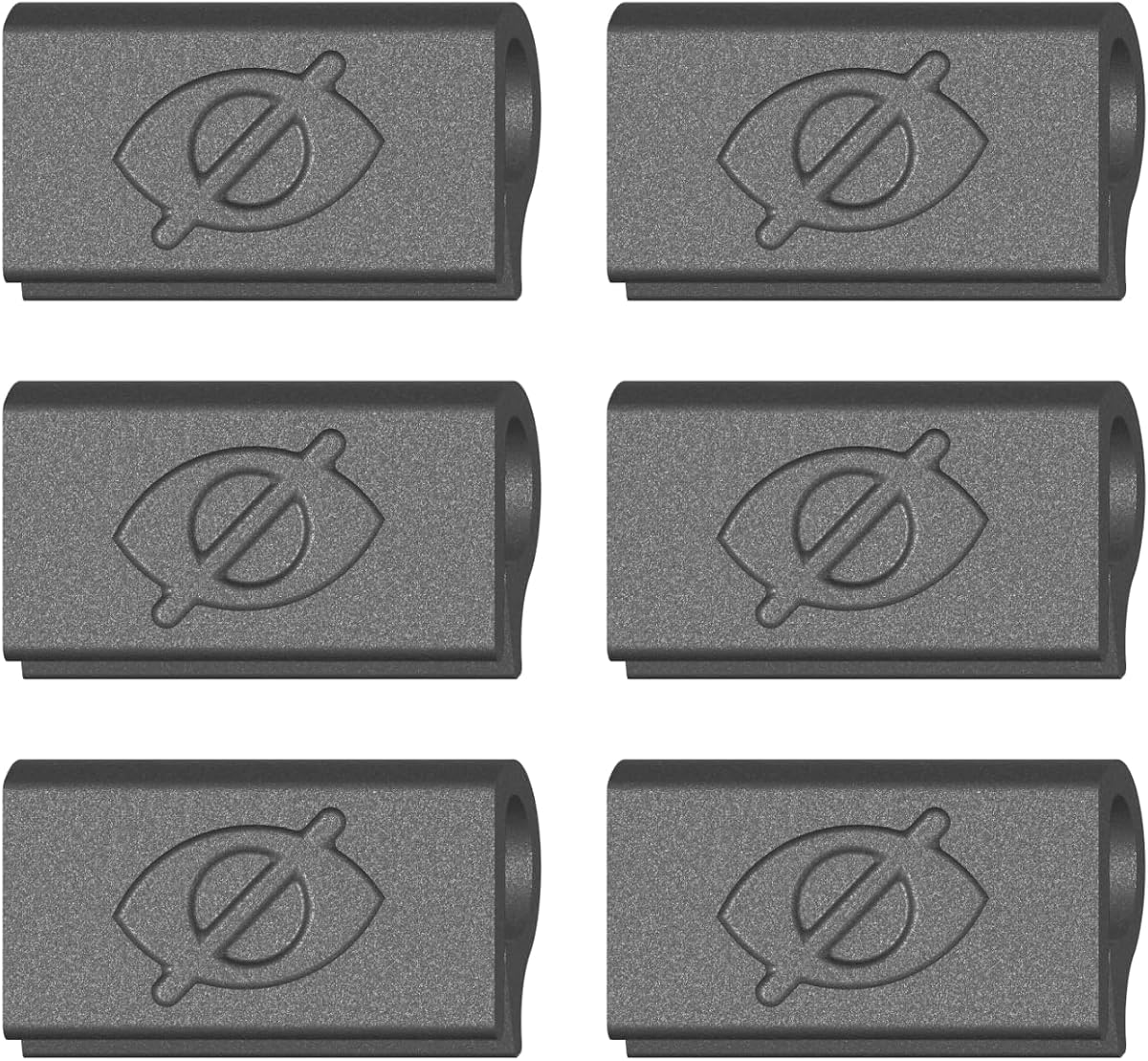
The push-on clip cover earns a 4.3 rating by addressing a common drawback of adhesive webcam sliders: residue. It uses flexible TPU that grips the laptop bezel, allowing the user to press it into place with one finger and remove it without dealing with sticky backing. Six covers are included for multiple devices or as spares.
We may earn a commission when you buy through this link, at no additional cost to you.
Its design is specifically intended for MacBook, PC laptop, and Chromebook cameras. The thin profile is claimed to allow the display to close and enter sleep mode while the cover remains attached. Privacy control remains straightforward: slide the cover closed when the camera is not needed and open it before joining a call.
This product is intentionally limited compared with universal adhesive sliders. It is not designed for tablets, phones, or devices used in thick cases, so buyers should assess the available bezel space before ordering. The clip depends on a secure physical grip, which means unusually thick or irregular bezels may not retain it as well.
The cover is a good option for users who frequently move their laptop, dislike adhesive residue, or may want to remove and reposition the privacy control. It is particularly suitable for a slim laptop or Chromebook used without a bulky case. Those using a tablet or heavily protected laptop should choose a more adaptable design.
Because the TPU piece clips over the bezel rather than bonding to it, it can be removed without leaving adhesive behind. This makes it attractive for frequently changing work setups and borrowed devices.
The attachment depends on the edge geometry around the camera. Slim MacBook, PC laptop, and Chromebook bezels are the intended use, while thick cases and tablet frames are not the target.
We may earn a commission when you buy through this link, at no additional cost to you.
The Ultra-Thin ABS Slider has a 4.2 rating and offers a 0.022-inch flexible ABS design with six black covers in the pack. It is among the thinnest options listed, and its construction is intended to resist fragility while remaining flexible enough for repeated sliding.
We may earn a commission when you buy through this link, at no additional cost to you.
The installation method uses a strong adhesive backing. After cleaning the surface, users remove the tape, align the slider with the camera, and press hard for 10 seconds. The product is advertised for laptops, tablets, computers, Echo Show, and various Apple devices, including MacBook Pro, MacBook Air, iMac, Mac mini, iPad, and older iPhone models.
The tradeoff is that adhesive attachment is less flexible than clipping. The slider can be difficult to reposition once pressed, and device owners should consider the condition of the surface before applying it. The broad device list also varies considerably in camera size and bezel design, so compatibility should be understood as a starting point rather than a guarantee.
This six-pack is well suited to users who want multiple inexpensive covers for different devices, shared computers, or replacement units. Its very thin profile is appealing for frequent laptop use. Those with unusual camera placement, a full-face screen protector, or a preference for residue-free installation may be better served by a clip-on model.
The number of included sliders makes the set useful for covering more than one built-in camera. It is also handy for keeping a spare available after wear, repeated movement, or changes to a different device.
Cleaning the bezel before applying the adhesive supports a more secure connection and reduces the likelihood of trapped dust. Users should also verify the lens dimensions and nearby accessories before pressing the slider into place.
We may earn a commission when you buy through this link, at no additional cost to you.
The JOS California set has a 4.1 rating and distinguishes itself with nine pieces arranged in three groups: three large ovals, three medium rectangles, and three standard ovals. This variety makes it more adaptable than packs containing several copies of one generic shape, particularly for a household with devices that have different camera apertures.
We may earn a commission when you buy through this link, at no additional cost to you.
The sliders measure 0.03 inches thick and have curved edges intended to blend with a device's appearance. Installation uses removable adhesive: clean the surface, align the appropriate slider over the lens, and press for 15 seconds. The product description states that the adhesive can be removed without leaving traces.
Its compatibility list spans laptops, smartphones, tablets, PS4 cameras, all-in-one desktops, and other devices. The large oval is specifically identified for the Tesla Model 3 and Model 3/Y interior cabin camera, which is a niche but useful detail. On the other hand, the nine-piece assortment may feel excessive for a buyer who only needs one standard laptop cover.
This pack makes the most sense for people managing several camera sizes or seeking one accessory that can cover a computer, tablet, and phone. It is less compelling for a single-device owner who values a minimalist setup, but the range of shapes reduces the risk that none will match a particular camera. Check dimensions and camera shape before applying adhesive.
The mix of ovals and rectangles gives buyers options when a single standard slider would not align properly. It is especially useful for collections of devices produced by different manufacturers.
At 0.03 inches, the covers are designed to remain unobtrusive when the laptop is closed. Buyers should still account for cases, raised bezels, and unusual lens positions.
We may earn a commission when you buy through this link, at no additional cost to you.
The Gadget Ray Clip-On Set provides a reusable, adhesive-free alternative for laptop and tablet cameras. Its 3.6 rating is the lowest among the ten products, so buyers should weigh the convenience against fewer historical customer ratings. The design still addresses a specific need: users who do not want tape, gunk, or permanent residue on a display bezel.
We may earn a commission when you buy through this link, at no additional cost to you.
Four flexible covers are included, allowing the user to protect a laptop, tablet, and other compatible device or keep extras nearby. The cover grips the bezel and slides open for camera use and closed for privacy. The stated compatibility includes MacBook Pro, MacBook Air, iPad, Dell, HP, Lenovo, and most standard-bezel laptops and tablets.
Its best performance is expected on slim devices without heavy cases. A thick protective case changes the geometry available to the clip and may prevent it from gripping correctly. The product description also notes that it is intended for use while the device is open, with removal and reattachment expected when needed. This is more hands-on than a permanently attached adhesive slider.
The set makes sense for users who value a removable, reusable design and own slim devices. It is less compelling for someone who wants a cover to remain permanently installed, or who uses a tablet in a substantial case. Confirming the available bezel edge before ordering is the most important precaution.
The clip avoids adhesive backing entirely, so it can be removed and repositioned without leaving sticky traces. This is useful for shared computers, changing work areas, and rotating between several devices.
The product performs best on standard, relatively narrow bezels. Heavy cases and raised frame edges can interfere with the grip, so the device's total thickness should be considered before installation.
We may earn a commission when you buy through this link, at no additional cost to you.
The Jungle Deer slider combines privacy protection with decorative styling, earning a 4.4 rating. It uses a cute printed pattern that helps the webcam cover blend into a personal setup rather than looking like a plain black strip. The package contains three covers for laptops and desktop PCs.
We may earn a commission when you buy through this link, at no additional cost to you.
A key feature is the enlarged opening, described as 0.43 by 0.35 inches. That larger aperture is intended to avoid obstructing the camera's normal field of view when the slider is open. The flexible mechanism also supports 360-degree rotation, allowing users to switch viewing angles more freely than with a simple linear slide.
Installation uses adhesive and requires cleaning the surface, removing the backing, and holding the cover in place for 30 seconds. The instructions recommend not sliding it for 24 hours to achieve maximum adhesion. Compatibility includes many MacBook Pro and Air models, HP, Dell, Acer, Asus, Lenovo, Samsung, Chromebook, tablet, desktop, Echo, and smartphone cameras, but specific exclusions are noted.
This cover is a good choice for a user who wants the webcam to retain a personal visual theme. The expanded opening and rotational design are especially useful when a straight slide would restrict the camera angle. It is not compatible with the MacBook Pro 16-inch Model A2141 from 2019 or Samsung Galaxy devices, so model verification is essential.
The printed finish turns a utilitarian privacy accessory into a visible part of the device. This can make the cover feel more intentional, particularly on laptops with otherwise minimal black or silver finishes.
The 360-degree design gives the slider more positional freedom than a standard horizontal mechanism. The larger opening also helps preserve the usable camera view when the cover is moved aside.
We may earn a commission when you buy through this link, at no additional cost to you.
The ienza Logitech lens slider carries a 4.6 rating, placing it among the strongest-rated products in the guide. It is designed to place a privacy shutter directly over the lens of selected Logitech webcams, offering a physical barrier for external-camera users who want more control than a software toggle alone.
We may earn a commission when you buy through this link, at no additional cost to you.
The listing identifies compatibility with the Logitech C920x HD Pro Webcam, C920 HD Pro, C920 HD Webcam, C930e, and C922 Pro Stream. It can also work with other popular webcams, although the model should be checked because a lens slider must match the camera housing and lens position. The part is sometimes referred to as a webcam lid, cap, protector, or privacy cover.
The main limitation is clear from the product's purpose: this is not a cover for a built-in laptop camera. It also relies on a specific external-webcam form factor, so buyers should not assume it will fit a Logitech model outside the listed range. Confirming the exact webcam model is essential before purchase.
This slider is a focused choice for owners of one of the supported Logitech webcams. Its high rating, straightforward operation, and direct lens coverage make it a strong privacy accessory for conference calls, streaming, and home-office use. If the goal is instead to protect a laptop's built-in camera, choose one of the general-purpose covers in this roundup.
Placing the slider over the lens creates a direct, visible barrier. It is particularly useful for shared offices where an external webcam remains pointed toward a common workspace.
The support list includes common C920, C922, and C930e variants, but housing designs can vary. Users should compare their exact camera model before ordering rather than relying only on the Logitech brand name.
We may earn a commission when you buy through this link, at no additional cost to you.
The MESMOS Plant Slider has a 4.4 rating and offers a playful plant-themed design for users who want their privacy accessory to coordinate with a personal setup. It is described as a six-pack of webcam covers intended for plant enthusiasts, although the core function remains straightforward physical camera coverage.
We may earn a commission when you buy through this link, at no additional cost to you.
Compatibility is presented across MacBook Pro and Air, iPad, iMac, Echo, Surface, tablets, and other devices. The slider is thin enough for laptops to close snugly, which helps it remain practical during travel or storage. Installation is simple, and the product claims to remove without leaving sticky residue.
As with other adhesive sliders, the actual fit depends on lens placement, bezel dimensions, and nearby accessories. The large size referenced in the title may not suit every compact camera aperture, even though the device compatibility list is broad. Users should therefore measure the camera area and inspect their screen protector before applying the cover.
This product is best for buyers who enjoy decorative workstation details and want a set large enough to cover several devices. It performs the same core function as a conventional black slider, but with a more distinctive appearance. Those prioritizing exact device-specific fit should instead choose a model engineered for their particular laptop or Logitech webcam.
The plant pattern makes the webcam cover approachable and giftable. It is a small aesthetic upgrade for people who enjoy coordinating accessories with their workspace.
The multipack makes it convenient to protect a primary laptop, a tablet, and other compatible devices. Extra units can also serve as replacements or be shared with coworkers and family members.
We may earn a commission when you buy through this link, at no additional cost to you.
The most important consideration is not simply the material or appearance; it is whether the cover fits your exact camera and works with the way you use the device. Review compatibility, thickness, attachment method, and removable behavior before choosing.
Choose a model explicitly compatible with your device and camera position. Measure the lens area when a product is not tailored to your hardware.
Prioritize adhesive for permanence or a clip for easy removal. Match the method to how often you move, share, or rotate your devices.
Select a low-profile model, then test closure with all accessories installed. Thinness matters more when portability and uninterrupted use are priorities.
Look for an opening that clears the camera view and a movement method that suits your setup. Rotating covers offer more placement flexibility.
Choose metal for a slim, polished appearance or flexible material for adaptable bezel contact. Clean the surface and avoid dragging covers forcefully across the screen.
Count the devices you want to cover and compare the included shapes. Choose quantity for practical coverage rather than a larger pack by default.
Favor a mechanism you can operate without searching for it. Simple movement, a clear opening, and easy access to the lens improve daily usability.
Use a purpose-fit shutter when your camera model is listed. For mixed devices, choose a well-shaped universal slider and verify dimensions carefully.
Begin by identifying the exact camera and measuring the area around its lens. Clean the bezel with a suitable cleaning wipe, remove oily residue, and let the surface dry. For an adhesive model, align the cover over the camera before pressing it down. Apply steady pressure for the time stated in the instructions, which ranges from about 10 to 30 seconds among these products.
After installation, leave adhesive covers undisturbed for the recommended curing period, which may be as long as 24 hours for some models. Move the slider only when necessary, and open it before joining a call or using any camera-based feature. For clip-on covers, check that the bezel is clean and that the flexible grip sits securely without lifting the display or pressing against a case.
Periodically inspect the cover, especially if the device travels frequently. Replace a loose adhesive slider rather than forcing it, and clean a reusable clip with a soft dry cloth. Avoid scraping the lens with the edge of the cover, and do not use a cover on a camera that becomes hot or on a surface that could trap moisture.
A webcam cover creates a physical visual barrier over the lens, which is useful when a camera is not in use. It does not replace operating-system security, updated software, strong account credentials, or careful privacy settings. A cover is best viewed as one layer in a broader digital-security routine.
A low-profile cover should not interfere with normal closure, but the actual result depends on thickness, bezel shape, case design, and screen protector. It is wise to close the laptop after installation and confirm that it reaches its usual position and enters sleep mode. Raised cameras and thick accessories are the most common sources of fit problems.
Adhesive models can be more difficult to reposition than clip-on covers, and residue may remain depending on the surface and how long the cover was attached. Removing the cover soon after purchase can make residue less likely, but it should never be pried forcefully against the display. Clip-on designs are usually easier to remove because they are not bonded to the device.
It depends on the geometry of the screen protector and camera area. Full-screen protectors, raised glass, and notch-style designs may leave insufficient clearance or prevent the slider from moving correctly. The Yilador product specifically excludes full-screen and notch-style tempered-glass protectors, while other models may fit if the camera opening remains unobstructed.
No. A Logitech-specific shutter is designed to fit the housing and lens position of an external Logitech webcam, not the separate camera built into a laptop. If both cameras need coverage, a buyer may need one purpose-fit external shutter and one general-purpose laptop slider.
A slider is usually attached with adhesive and moves across the lens, while a clip-on cover grips the bezel and can usually be removed without adhesive. Sliders tend to be more discreet and stable after installation. Clip-on designs are often preferable for temporary use, shared equipment, or users who do not want any adhesive on their device.
Compare the camera aperture with the cover's dimensions and opening, and check whether the lens is centered, offset, protruding, or surrounded by a raised bezel. Purpose-built product descriptions are the most reliable guide, but measuring the camera area can prevent an unsuitable purchase. Users should also account for any installed case or screen protector.
A properly fitted camera cover should not cover the microphone or speaker because it is positioned over the lens. A misaligned or oversized cover could obstruct adjacent components, however. This is another reason to align the product carefully and confirm that the sliding opening clears the camera view without extending over nearby hardware.
The CloudValley Metal Cover is the most balanced general recommendation because of its very thin 0.023-inch profile, broad compatibility, and two-cover package. Yilador offers the best budget-oriented option with a flexible three-pack, while the CloudValley Logitech shutter stands out for supported external webcams with a purpose-built flip mechanism and a strong 4.6 rating.
The most important buying priority is fit, not appearance. Verify the exact camera model, lens position, bezel dimensions, and any screen protector before ordering. Choose an adhesive slider when permanence and a clean profile matter, or a clip-on cover when residue-free removal and repeated repositioning are more important. Purpose-designed Logitech covers are preferable for compatible external webcams.
Finally, check the current product listing before purchase because compatibility details, package contents, and prices can change over time. Read the seller's latest instructions, confirm whether the cover includes adhesive, and allow any recommended curing period before using the slider. With those checks completed, the right webcam cover can provide a simple, dependable physical layer of camera privacy.