
Brother HL-L2405W
4.1Editor score
Fast 30-page monochrome printing
Dual-band wireless connectivity
Low-cost TN830 toner options
250-sheet paper tray
Explore the best laser printer with cheap toner options, comparing ten models for print speed, duplexing, connectivity, capacity, and multifunction value.
A laser printer with cheap toner can deliver crisp monochrome documents without the expense associated with frequent ink replacements. The right model also needs suitable speed, paper handling, connectivity, and operating costs. Printers vary considerably in how they balance those features, so the lowest acquisition cost does not always produce the lowest long-term ownership cost.
This guide compares ten monochrome laser printers across speed, duplexing, wireless support, paper capacity, toner compatibility, scanning, copying, and fax functions. It includes compact single-function models for homes, connected printers for small teams, and all-in-one machines for offices. The products were compared using their supplied specifications, ratings, stated capabilities, and toner requirements rather than personal testing experience.
Each review identifies the strongest feature and the compromises that may matter to a particular buyer. The first selections provide the broadest balance of capabilities, while later reviews show how simpler connectivity or smaller footprints can change the decision. Product features, configurations, promotions, and toner costs can change over time, so readers should confirm the latest specifications and current pricing before purchasing.
4.1Editor score

4.5Editor score

4.3Editor score
The comparison below highlights the major differences among these ten monochrome laser printers, including core functions, output speed, duplexing, connectivity, document handling, and toner compatibility. These factors help distinguish a basic home printer from a connected team printer or a full office multifunction model.




The Brother HL-L2405W is a compact monochrome laser printer built for homes and home offices that need dependable documents without color-printing costs. It carries a 4.1 rating and stands out for its combination of 30-page-per-minute performance, dual-band wireless connectivity, a 250-sheet tray, and support for Brother Genuine TN830 and TN830XL toner. It is a straightforward choice for users who print mostly reports, forms, invoices, and everyday business pages.
We may earn a commission when you buy through this link, at no additional cost to you.
Its strongest economic appeal comes from pairing a relatively straightforward laser platform with broadly available toner and an optional Refresh EZ Print subscription. The subscription trial is designed to simplify replenishment, while the use of TN830 and TN830XL cartridges gives buyers a way to compare standard and high-capacity supplies. Connectivity includes 2.4GHz and 5GHz Wi-Fi, as well as USB for a local computer connection, and the Brother Mobile Connect app supports remote printing and supply management.
The main limitation is that this printer only handles one-sided documents automatically. That restriction can become noticeable when printing long reports, multipage handouts, or documents intended for filing. It also provides no scanner or copier, so buyers who occasionally need to digitize paperwork will need another device. The 250-sheet paper tray is nevertheless generous for the printer's size and reduces the need for frequent refills.
This model is most suitable for a student, home worker, or small household that primarily needs crisp black-and-white pages and prefers wireless access. Buyers should choose it when low routine printing costs, simple operation, and a compact footprint matter more than automatic duplexing or integrated scanning. For those requirements, it is an especially practical entry point into monochrome laser printing.
The printer uses TN830 and TN830XL toner, and the optional Refresh EZ Print service is intended to make replenishment easier and reduce the likelihood of unexpected supply interruptions. Buyers can compare cartridge options according to their expected page volume.
Dual-band Wi-Fi improves compatibility with modern home and office networks, while the Brother Mobile Connect app places printing and toner tracking controls on a compatible phone. USB remains available for a direct local connection.
We may earn a commission when you buy through this link, at no additional cost to you.
The Canon imageCLASS LBP6030w is a compact, print-only monochrome laser printer intended for homes, schools, and small offices where straightforward document output is the priority. Its 3.8 rating reflects a basic feature set, but the machine's appeal lies in its small footprint, wireless connectivity, and use of Canon Genuine Toner 125. It avoids unnecessary scanner and copier components, helping it fit neatly into smaller workspaces.
We may earn a commission when you buy through this link, at no additional cost to you.
The printer produces up to 19 pages per minute and holds up to 150 sheets of paper. Compatible mobile devices can print from almost anywhere in the workspace, while Energy Saver mode is stated to use less than two watts. Canon Genuine Toner 125 has a listed page yield of 1,600 pages, and a one-year limited warranty provides basic manufacturer coverage.
Compared with the faster models in this guide, the LBP6030w does not offer automatic duplex printing, so multipage documents must be printed one side at a time. Its 150-sheet tray is also smaller than the 250-sheet trays offered by several Brother machines. These limitations make it less attractive for users with sustained, high-volume printing, but its compactness may compensate for them in a confined office or study area.
Consider the LBP6030w when the priority is dependable monochrome printing from a compact wireless unit. It suits a student who prints assignments, a household needing occasional documents, or a small office with moderate print volume and little interest in scanning. For those needs, it offers a straightforward combination of Canon toner availability, wireless printing, and a modest physical footprint.
The print-only configuration keeps the machine focused and relatively small. It is a better fit for a dorm room, home office, or shared study area where desk space is at a premium and scanning hardware would not be used regularly.
Canon Genuine Toner 125 is specified with a 1,600-page yield, giving buyers a clear cartridge standard to consider. Checking cartridge availability before buying can help simplify long-term ownership.
We may earn a commission when you buy through this link, at no additional cost to you.
The Brother MFC-L2820DW is the most functionally complete option in this group, combining laser printing, copying, scanning, and faxing in a compact monochrome all-in-one. It carries a 4.3 rating and is aimed at small offices that need more than a basic desktop printer. The machine combines up to 36-page-per-minute printing with a 50-page automatic document feeder and an intuitive 2.7-inch touchscreen.
We may earn a commission when you buy through this link, at no additional cost to you.
Its office-oriented feature set includes duplex printing, a 2.7-inch control panel, cloud destinations such as Google Drive, Dropbox, Evernote, and OneNote, and flexible connections over dual-band wireless, Ethernet, or USB. Scan speeds are listed at up to 23.6 black-and-white images per minute and 7.9 color images per minute. Brother Mobile Connect expands the control options to printing, scanning, supply ordering, and toner tracking from a compatible mobile device.
Toner is handled through Brother Genuine TN830 or TN830XL cartridges, and the supplied information also describes a Refresh EZ Print subscription trial intended to simplify replenishment. The trade-off is complexity and size: users who need only basic printing may find the touchscreen, fax function, and additional hardware unnecessary. It also takes up more room than the single-function models, although it consolidates several devices into one footprint.
This printer is a strong recommendation for a small office, clinic, administrative workspace, or home business that regularly copies, scans, or faxes documents. Its combination of a document feeder, fast output, duplexing, and network connections makes it more versatile than the lower-ranked alternatives. The extra capabilities justify the premium position for buyers who would otherwise purchase several separate devices.
Printing, copying, scanning, and faxing are consolidated into one unit. The 50-page automatic document feeder is particularly useful for multipage records that would otherwise require repeated manual placement on the scanner glass.
Dual-band wireless, Ethernet, and USB cover home networks, wired offices, and direct local setups. The touchscreen also provides access to popular cloud-based print and scan destinations.
We may earn a commission when you buy through this link, at no additional cost to you.
The Canon imageCLASS MF3010 VP is a wired monochrome multifunction laser printer that combines printing, scanning, and copying. It has a 4.2 rating and differentiates itself through an included USB cable, ID Card Copy capability, color scanning up to 600 dpi, and substantial toner stated to be included in the box. It is a practical option for a fixed desk or a small office that does not need network printing.
We may earn a commission when you buy through this link, at no additional cost to you.
The printer operates at up to 19 pages per minute and accepts up to 150 sheets of paper. Its listed operating-system support includes versions of Windows, Mac OS X, and Linux for printing only. Energy Saver mode is stated to draw approximately 1.2 watts during sleep, and a one-year limited warranty adds standard coverage.
The largest limitation is its dependence on a wired USB connection. There is no listed wireless capability, so users cannot print directly from a phone or place the machine on a shared office network without adding equipment and configuration. Automatic duplex printing is also absent. While the scan and copy functions broaden its usefulness, the slower speed and smaller paper capacity make it less attractive for high-volume document production.
Buyers should choose the MF3010 VP for a stationary office workstation that values scanning, copying, and straightforward USB operation. It may also appeal to someone starting with a new computer that has USB but does not want to configure Wi-Fi. It is less fitting for mobile users, shared teams, or anyone who expects frequent two-sided printing, but it remains a capable compact multifunction option.
The scanner and copier make this model useful for routine paperwork that would otherwise require separate equipment. ID Card Copy provides a convenient way to reproduce identification cards and similar small documents.
The included USB cable allows immediate connection to a compatible computer without requiring a separate network adapter. The trade-off is that the printer cannot provide the wireless convenience offered by most higher-ranked models.
We may earn a commission when you buy through this link, at no additional cost to you.
The Brother HL-L2460DW is a fast, connected monochrome laser printer designed for home offices and small teams. It holds a 4.0 rating and focuses on efficient two-sided document production, with a stated speed of up to 36 pages per minute. Its combination of duplexing, dual-band wireless, Ethernet, USB, and a 250-sheet tray makes it a practical middle ground between a basic home printer and a larger multifunction machine.
We may earn a commission when you buy through this link, at no additional cost to you.
Brother Genuine TN830 and TN830XL toner are supported, and the supplied information describes a Refresh EZ Print subscription trial. The Brother Mobile Connect app provides mobile printing, toner tracking, and supply management. A manual feed slot handles envelopes and specialty media, while the main tray offers enough capacity for routine office documents without constant replenishment.
What it does not offer is equally important. This is a print-only device, so documents must be scanned or copied elsewhere. Specialty paper is handled through a manual slot rather than a second automated tray, which is less convenient when such media is used regularly. These shortcomings are easy to accept if duplex printing and fast monochrome output are the primary needs.
The HL-L2460DW is recommended for households with active work-from-home routines, small administrative teams, or anyone printing long reports who wants automatic two-sided pages. Compared with the HL-L2405W, it adds duplexing, faster output, and Ethernet at the cost of a larger and more capable footprint. For a dedicated printing station, that is an effective package.
Automatic duplex printing reduces the number of sheets required for multipage documents and removes the need to flip pages manually. This makes the printer especially well suited to reports, contracts, and internal presentations.
Dual-band wireless and Ethernet provide flexible paths for connecting several computers. The 36-page-per-minute rate also helps the printer serve users with a steady flow of routine monochrome documents.
We may earn a commission when you buy through this link, at no additional cost to you.
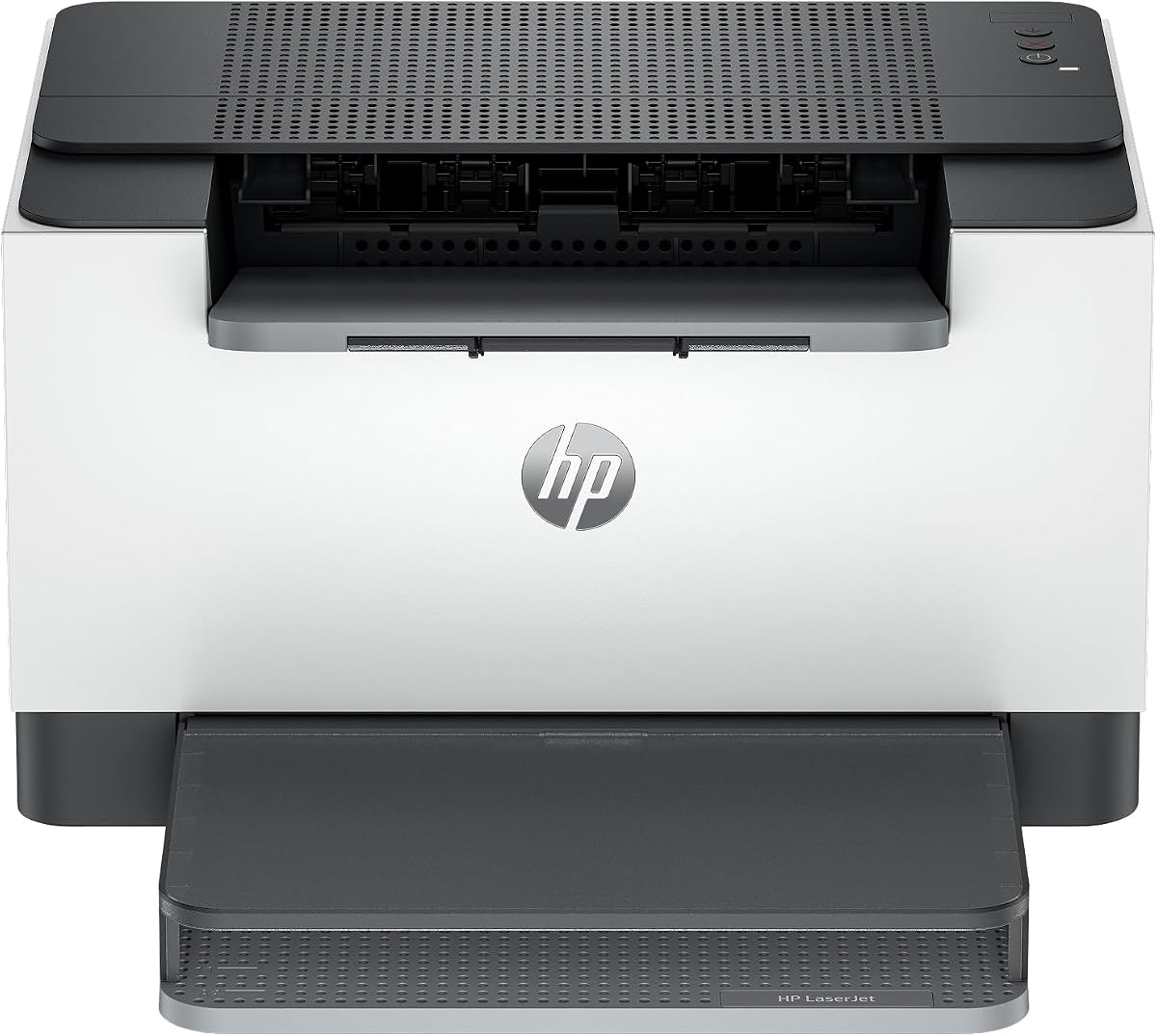
The HP LaserJet M110w is a small wireless printer intended for one to three people who want simple monochrome output in a limited space. It carries a 3.9 rating and emphasizes compact dimensions, straightforward setup, and printing from phones, tablets, computers, and other supported devices. Its list of compatible platforms includes Microsoft, Mac, AirPrint, Android, and Chromebook environments.
We may earn a commission when you buy through this link, at no additional cost to you.
Print speed reaches up to 21 black-and-white pages per minute, and wireless connectivity includes a self-reset feature intended to help restore network access. The HP Smart app supports mobile printing and copying tasks that rely on functions available through the app. The machine is described as the world's smallest laser printer in its class, making it appealing where desk space is limited.
An important ownership consideration is the stated restriction on third-party cartridges. The printer is designed to work only with cartridges containing original HP chips or circuitry and blocks cartridges using non-HP chips or circuitry. That limitation can make cartridge compatibility and ongoing supply costs less flexible than those of models accepting a broader range of supplies. It is also a print-only device without automatic duplexing or integrated scanning.
Choose the M110w for a small home office or shared personal workspace where minimal size, wireless access, and a straightforward monochrome printer matter most. It may be less suitable for buyers who prioritize economical aftermarket cartridge flexibility, frequent duplex printing, or integrated document functions. Its strongest case is a clean, simple setup in a genuinely small space.
The unusually compact form factor helps conserve desk or shelf area. It is a practical option for a home office, dorm, or small team location where a full-size multifunction machine would occupy too much room.
The supplied information states that only cartridges with original HP chips or circuitry will work. Prospective buyers should factor that limitation into cartridge compatibility and long-term supply planning before making a purchase.
We may earn a commission when you buy through this link, at no additional cost to you.
The HP LaserJet M209dw is a wireless monochrome printer aimed at small teams that routinely produce black-and-white reports. It has a 4.2 rating and stands out for automatic two-sided printing, dual-band Wi-Fi with self-reset, and built-in security protections. It is designed for groups of approximately one to five people and combines a 30-page-per-minute single-sided speed with a stated duplex rate of up to 19 pages per minute.
We may earn a commission when you buy through this link, at no additional cost to you.
The machine's self-resetting wireless connection is intended to detect and resolve connectivity issues automatically, which is useful in changing office environments. Mobile printing and easy setup are central to its design, while built-in security features help guard the printer against potential attacks. It is Instant Ink eligible according to the supplied title, although buyers should examine current cartridge and subscription details before selecting a supply model.
As a print-only device, it lacks a scanner, copier, and fax. Its duplex speed is also lower than its single-sided speed, as expected when each sheet must be fed through the machine twice. Users who need to digitize documents must maintain a separate scanner or multifunction device, and those with substantial print volume should verify that the stated speed satisfies their workflow.
The M209dw is well matched to a home business or small team seeking secure wireless access and efficient duplex documents without the footprint of an all-in-one machine. It is a stronger choice than the M110w for shared users because of its two-sided output and security-oriented design, but it remains less versatile than the Brother multifunction options.
Built-in security measures are designed to protect the printer from potential attacks in a shared network. This makes the model a sensible option for users who place connected equipment within a business environment.
Dual-band Wi-Fi with self-reset is intended to identify and correct connection problems automatically. The feature can reduce disruption when a printer has trouble remaining connected to a changing network.
We may earn a commission when you buy through this link, at no additional cost to you.
The Canon imageCLASS LBP122dw is a compact wireless duplex laser printer designed for home use and personal monochrome printing. It has a 3.9 rating and combines a stated speed of up to 30 pages per minute with automatic two-sided output. It is a well-balanced option for someone who wants more efficient document handling than a basic single-sided model without carrying the complexity of an all-in-one printer.
We may earn a commission when you buy through this link, at no additional cost to you.
The supplied information lists compatibility with Canon Genuine Toner 071 and the 071 high-capacity cartridge. Mobile printing is available through the Canon PRINT app and other supported services. The compact design is intended to fit into almost any home workspace, making it especially useful where a larger office printer would be inconvenient.
Its principal limitation is that it only prints. There is no scanner, copier, fax function, or touchscreen control panel. The listing also does not emphasize a large paper capacity, so buyers with regular print volume should verify that requirement. Another consideration is whether the available Canon 071 toner configuration fits their expected workload and compatibility needs.
This printer suits a home user or remote worker who prints lengthy monochrome documents and values automatic duplexing without needing to copy or scan. It is a sensible alternative to the Brother HL-L2460DW for buyers already familiar with Canon supplies. Its compact design and 30-page-per-minute rate make it particularly relevant to home offices handling moderate print volumes.
Automatic duplexing is the model's defining advantage over simpler printers. It saves paper and time when producing multipage reports, coursework, invoices, or internal documents.
The printer uses Canon Genuine Toner 071 and supports a high-capacity version. Comparing the yield and expected workload of those supplies can help buyers estimate how frequently replenishment will be necessary.
We may earn a commission when you buy through this link, at no additional cost to you.
The HP LaserJet MFP M235sdw is a wireless monochrome all-in-one intended for offices of approximately one to five people. It carries a 4.0 rating and combines printing, scanning, copying, duplexing, and flexible network connections. Its stated single-sided speed reaches up to 28 pages per minute, and the product is positioned for business documents, brochures, presentations, and other black-and-white office work.
We may earn a commission when you buy through this link, at no additional cost to you.
Dual-band Wi-Fi with self-reset helps the printer identify and resolve connectivity issues, while Ethernet supports a stable wired network connection. Built-in security features are intended to protect against potential attacks. It can print from mobile devices, PCs, and tablets and works with Microsoft, Mac, AirPrint, Android, and Chromebook platforms.
Compared with the Brother MFC-L2820DW, this HP model omits faxing and does not include an automatic document feeder in the supplied specifications. Its flatbed-based multifunction design may therefore be less convenient for processing lengthy originals automatically. It also reaches a slightly lower listed print speed, which can matter in workflows with sustained document volume.
The M235sdw is a good fit for a small office that wants scanning and copying alongside secure wireless printing. Buyers who need fax or automatic feeder support should examine the more capable Brother alternative, while those wanting only printing may find a simpler dedicated model more appropriate. Its balanced feature set works well for everyday shared-office use.
Scanning and copying add practical value beyond basic printing. These functions make the machine more versatile for office paperwork, records, and everyday administrative workflows.
Both Ethernet and dual-band wireless are included, allowing the printer to fit different network plans. Self-reset Wi-Fi and built-in security measures support more stable shared-office operation.
We may earn a commission when you buy through this link, at no additional cost to you.
The Brother HL-L2480DW is a compact three-function monochrome laser printer that combines printing, scanning, and copying. It has the highest rating in this group at 4.5 and offers a particularly balanced combination of speed, duplexing, connectivity, paper capacity, and touchscreen controls. It is designed for small offices and work-from-home users who need more than a single-function printer but do not require fax support.
We may earn a commission when you buy through this link, at no additional cost to you.
The machine prints at up to 36 pages per minute and automatically handles two-sided documents. It has a 250-sheet paper tray and a manual feed slot for envelopes and specialty media. A 2.7-inch touchscreen provides access to printing from and scanning to services including Google Drive, Dropbox, Evernote, and OneNote, while dual-band wireless, Ethernet, and USB cover different connection preferences.
Brother Mobile Connect adds remote printing, scanning, toner tracking, and supply ordering through a compatible mobile device. Brother Genuine TN830 and TN830XL toner are supported, and the supplied information describes a Refresh EZ Print subscription trial for simplified replenishment. The main omissions are fax and an automatic document feeder. A long multi-page original therefore must be scanned one page at a time on the flatbed.
This model is the most versatile choice for buyers seeking an excellent all-around balance rather than a specialized minimum-cost printer. It is particularly appropriate for a home office, a small business, or a shared workspace that regularly prints duplex documents and occasionally needs to copy or scan them. Its 4.5 rating, strong speed, and generous paper tray justify the Editor's Choice position within this comparison.
Printing, flatbed scanning, and copying cover the most common document tasks without adding fax hardware. It provides a practical middle ground between a dedicated printer and a larger four-function office machine.
Up to 36 pages per minute and automatic duplex printing make the printer effective for recurring reports and team documents. The 250-sheet main tray further reduces interruptions during busy printing sessions.
The touchscreen offers direct access to popular cloud destinations, while Brother Mobile Connect allows remote management and printing. These features support distributed workspaces where documents may begin on a phone rather than at a desk.
We may earn a commission when you buy through this link, at no additional cost to you.
Choosing an economical monochrome laser printer requires comparing more than the purchase price. Toner yield, cartridge availability, duplexing, connectivity, paper capacity, and the exact mix of printing and document-management functions all influence the total ownership experience.
Toner expense is usually the most important recurring cost for a laser printer. Compare the standard and high-capacity cartridges approved for each model, then estimate how many pages you expect to print each month. A lower-yield cartridge may appear inexpensive at first but need more frequent replacement, while a high-capacity option can reduce interruptions when its upfront cost is spread across more pages. Also confirm that the required cartridge is readily available and that the printer has no unusual chip or circuitry restrictions.
In short, compare realistic page volume against cartridge yield, availability, and compatibility rather than judging toner cost by cartridge packaging alone.
Speed matters when pages accumulate in a queue, but the useful comparison is whether output keeps pace with your routine. These models range from 19 to 36 pages per minute for black-and-white printing. Faster models can finish batch jobs with less waiting, while slower units may be entirely adequate for occasional home documents. A multifunction machine also spends time scanning, copying, or feeding originals, so rated print speed alone does not describe every task.
In short, choose a speed that comfortably covers your busiest period, with extra margin if several people share the printer.
Automatic duplex printing produces both sides of a sheet without manual flipping. It is valuable for long reports, contracts, work packets, and routine multipage documents. Printers without the feature can still handle two-sided output manually, but that adds labor and makes consistent results harder to maintain. Among this group, the Brother HL-L2460DW, HL-L2480DW, and MFC-L2820DW, Canon LBP122dw, and HP LaserJet M209dw and MFP M235sdw provide automatic duplex capability.
In short, duplexing saves time and paper, making it a priority for anyone who regularly prints multipage documents.
Wireless connectivity is essential for flexible placement and mobile printing. Dual-band Wi-Fi can provide better compatibility across modern networks than a single-band connection, while Ethernet offers a stable wired route for offices. USB remains important for direct local setup and troubleshooting. Consider where the printer will live: a machine near the router may connect easily, while a separate wired model can create fewer wireless questions but restricts mobility. App-based setup and cloud destinations add convenience but are most useful when every device supports the relevant software.
In short, favor dual-band wireless for shared spaces, Ethernet for stable networks, and USB as a dependable local fallback.
The main tray determines how often the printer must be refilled. A 250-sheet tray suits homes and small offices with frequent printing, while a 150-sheet tray can be adequate for occasional use. Manual feed slots support envelopes and specialty media, but they require individual handling and are better suited to occasional jobs. If a printer serves several people, a higher-capacity main tray can also reduce delays when someone else is replenishing it.
In short, match tray capacity to your typical volume and verify that the paper types you use fit the main tray or manual slot.
Print-only models are smaller, simpler, and usually less expensive to operate when scanning and copying are rarely needed. A three-function printer adds scanning and copying, while the Brother MFC-L2820DW also provides fax and a 50-page automatic document feeder. The HP MFP M235sdw offers scanning and copying but no fax. Assess the actual tasks performed in your home or office rather than paying for functions that will sit unused, and consider an automatic document feeder when originals regularly contain multiple pages.
In short, choose only the document functions you will genuinely use, paying particular attention to feeder capacity when handling lengthy originals.
The physical footprint matters in home offices, dorm rooms, and shared rooms where space is limited. The HP LaserJet M110w is particularly compact, while Canon LBP6030w and LBP122dw also emphasize a small footprint. Multifunction units naturally take up more room because they include scanners, copiers, document feeders, and control panels. Buyers should leave enough space to open paper trays, remove toner, access output, and perform routine maintenance without moving the machine each time.
In short, compare the complete footprint and clearance needs rather than focusing only on width or height.
Some models provide a touchscreen and direct access to services such as Google Drive, Dropbox, Evernote, and OneNote. Others are controlled primarily through a computer or mobile app. Touchscreens can be convenient, but they are not automatically better for every user. Check operating-system support, mobile-device compatibility, and available connection methods before purchase. For cartridge choices, note that the HP M110w is stated to require original HP chips or circuitry, which limits third-party cartridge flexibility.
In short, verify software, device, and cartridge compatibility before ordering so the printer fits your existing workflow.
Begin by unboxing the printer, removing any packing material, installing the toner cartridge, and adding a reasonable amount of plain paper. Connect the machine through USB, Ethernet, or the preferred Wi-Fi method, then install the manufacturer's software or app from the official source. Print a test page to verify alignment, text clarity, and the selected paper source before starting a large job.
Use the driver or app settings to select the correct paper size and type, and enable duplex printing when appropriate. For envelopes, labels, or thicker media, use the manual feed slot and adjust the settings to match the stock. Automatic duplexing works best with standard paper of the appropriate weight. On multifunction models, clean the scanner glass regularly and feed multi-page originals through the automatic document feeder only when the machine includes one.
For economical toner use, select economy or draft modes for routine drafts, preview pages before large runs, and avoid printing repeated or unnecessary error pages. Keep the paper tray stocked with dry, clean media, wipe the exterior with a soft dry cloth, and follow the manufacturer's cleaning cycle. When a message indicates low toner, plan a replacement before quality degrades, and avoid interrupting a print job merely to check a partially used cartridge.
Start by comparing the specific cartridges approved for each printer rather than looking only at the printer's purchase cost. Calculate the cost of a standard or high-capacity cartridge divided by its stated yield, then compare that figure with your monthly page volume. Cartridge availability, yield accuracy, and chip or circuitry restrictions also affect the real expense. A model with slightly higher acquisition cost can be more economical if it offers high-yield supplies and dependable availability.
Not always, although it often is when the page-yield figures and cartridge costs are compared correctly. A high-capacity cartridge spreads its purchase cost across more pages, but using it in a low-volume household may leave it unused for a long time. Calculate cost per printed page for both cartridge types and consider how frequently you will need to replace them. Availability and compatible hardware options should also be included in the calculation.
It depends on how often you print documents longer than one page. Automatic duplexing saves paper, reduces manual flipping, and makes multipage reports more consistent. If you mainly print single-page forms, receipts, or short notes, the feature may matter less. If contracts, lesson packets, proposals, or long reports are routine, a duplex-capable model is likely to be more convenient and efficient.
A multifunction model can be economical when copying and scanning are regular needs because it consolidates several functions in one footprint. However, it may cost more than a dedicated print-only model and require more maintenance. A print-only printer is often sufficient for occasional document viewing, while a copier or separate scanner may make more sense for infrequent or specialized tasks. Compare the functions you will actually use rather than the number of features advertised.
Most of the wireless models listed support mobile printing through their respective apps, including Brother Mobile Connect, Canon PRINT, and HP Smart. Compatibility also depends on the phone's operating system and the selected service. Wired models such as the Canon MF3010 VP do not offer the same wireless convenience. Before buying, confirm that the printer's app and mobile services are available for the devices you actually use.
The Brother MFC-L2820DW offers the broadest document-management functions, including printing, copying, scanning, faxing, and a 50-page automatic document feeder. Its dual-band wireless and Ethernet support also suit shared workspaces. Buyers who do not need fax may prefer the Brother HL-L2480DW for its faster three-function configuration, while the HP MFP M235sdw provides a more compact scanning and copying option with network connectivity.
Manufacturers may use embedded chips, firmware checks, or other circuitry to control cartridge authentication and product behavior. The supplied HP LaserJet M110w information specifically states that it blocks cartridges without original HP chips or circuitry and requires periodic firmware updates to maintain those measures. Buyers who want broader cartridge flexibility should check this restriction before purchase and factor it into ongoing toner planning.
Replacement timing depends on page volume, document coverage, and the yield of the installed cartridge. The printer may display a low-toner message before output quality is affected, but it is wise to keep a compatible replacement ready for busy periods. Using draft or economy settings where quality permits can extend cartridge life. Follow the manufacturer's guidance and avoid leaving a partially used toner cartridge exposed in humid conditions.
The Brother HL-L2405W is a compelling budget-oriented choice for buyers who want fast monochrome printing, dual-band wireless connectivity, and TN830 toner options in a compact package. The Brother HL-L2480DW takes the core experience further with automatic duplexing, scanning, copying, a touchscreen, and a 250-sheet tray. For buyers who need complete office functions, the Brother MFC-L2820DW adds faxing and a 50-page automatic document feeder.
Prioritize the expenses and tasks you will encounter most often. Check cartridge yield, availability, and restrictions; determine whether duplexing will materially reduce paper use; and make sure the connection method suits the location. A simple print-only machine may be ideal for occasional documents, while a multifunction model earns its extra complexity through scanning, copying, faxing, or automatic feeder support. Higher speed is useful only when your routine workload requires it.
Ratings and specifications provide a useful starting point, but current product configurations and promotions can change. Before placing an order, confirm the exact toner options, paper capacity, connection methods, operating-system compatibility, and current cost of the printer and its supplies. Those checks will help ensure that the selected model remains economical for your specific printing volume.