
Intel BE200 Wi-Fi 7 Card
4.6Editor score
Tri-band Wi-Fi 7
Up to 8774Mbps link speed
Bluetooth 5.4 support
Intel 12th-gen platform
Our M2 WiFi Cards guide compares ten AX210, BE200, 9560, AX1800, AX411, and Wi-Fi 7 models for speed, compatibility, Bluetooth support, and installation needs.
M2 WiFi cards provide a practical way to add modern wireless connectivity and Bluetooth to a compatible laptop, desktop, or mini PC. A worthwhile card should match your slot, operating system, processor platform, router, and preferred wireless bands while providing dependable drivers and a stable connection.
We compared all ten cards by examining chipset generation, supported frequencies, stated link speeds, Bluetooth version, M.2 interface requirements, operating-system support, antenna provisions, security features, and installation considerations. The list includes Wi-Fi 6, Wi-Fi 6E, and Wi-Fi 7 models for different budgets and systems.
Each review identifies the product's strongest benefits and honest limitations, helping you determine which card fits your hardware. Ratings and availability can change over time, and prices fluctuate, so compare the current product listing and current cost before making a final purchase.
4.6Editor score

4.8Editor score

4.8Editor score
This side-by-side overview compares the listed M2 WiFi cards by wireless generation, frequency support, Bluetooth capability, platform requirements, and key installation considerations.






The DTK AX210NGW kit combines an Intel AX210-based M.2 2230 module with two 5dBi antennas, an 11-inch RF cable, and low-profile brackets. Its 4.5 rating reflects a broadly useful Wi-Fi 6E upgrade, particularly for users who need external antennas or a flexible placement inside a desktop or mini-PC enclosure.
We may earn a commission when you buy through this link, at no additional cost to you.
The AX210 chipset supports 2.4GHz, 5GHz, and 6GHz bands, providing tri-band operation when the router and local 6GHz network permit it. The listed maximum link speeds are 574Mbps on 2.4GHz and 2400Mbps on each of the 5GHz and 6GHz bands. OFDMA, MU-MIMO, 1024-QAM, and Target Wake Time features support efficiency, concurrent-device use, and potentially better battery behavior.
The included antenna hardware is the kit's defining advantage over a bare module. It can improve positioning options in a metal desktop case or permit a desktop-style antenna arrangement, although users must route the 11-inch cable correctly and avoid sharply bending it. Bluetooth 5.3 is useful for headsets, keyboards, and other peripherals, but the card still depends on appropriate Intel drivers and a properly configured antenna system.
This is the most complete package for someone building or repairing a desktop with a Wi-Fi 6E upgrade, particularly when external antenna placement is important. It is less convenient for a laptop user who already has factory antenna leads and a tightly integrated lid assembly. For those seeking a balanced module with installation flexibility, it is the strongest all-around choice in this list.
The supplied 5dBi antennas and RF cable let you position the radio away from dense internal components. That can make a meaningful difference in desktop and mini-PC installations where an internal card antenna would otherwise be awkwardly positioned.
Support for 2.4GHz, 5GHz, and 6GHz gives the card flexibility across conventional Wi-Fi 6 and Wi-Fi 6E networks. Your actual internet speed will still depend on the router, signal conditions, and network configuration.
We may earn a commission when you buy through this link, at no additional cost to you.
The OKN AX210 is a straightforward M.2 2230/NGFF module for upgrading a compatible Windows computer to Wi-Fi 6E and Bluetooth 5.3. Its 4.6 rating and broad use of current AX210 features make it a practical option for users seeking tri-band capability without moving to a Wi-Fi 7 platform.
We may earn a commission when you buy through this link, at no additional cost to you.
The card uses the Intel AX210 chipset and supports 2.4GHz, 5GHz, and 6GHz networks. Stated maximum link speeds total 5400Mbps across those bands. Features carried over from the AX200 include MU-MIMO, OFDMA, 1024-QAM, and 160MHz channel support, all intended to improve efficiency and performance in suitable networks.
Bluetooth 5.3 adds support for compatible wireless accessories, while WPA, WPA2, and WPA3 protocols cover common wireless-security options. The product is listed for 64-bit Windows 10 and Windows 11, including systems with Intel processors and newer AMD processors. As with most internal modules, antenna routing and driver installation are separate concerns rather than fully handled features of the card itself.
Choose this module if your computer has an accessible M.2 2230 A/E-key slot and you want a familiar AX210 upgrade with 6GHz support. It is a good fit for everyday productivity, downloads, and connected peripherals, though a Wi-Fi 7 card may make more sense for a new system with compatible infrastructure. The AX210 platform remains a versatile and broadly understood choice.
MU-MIMO, OFDMA, 1024-QAM, and 160MHz support give this module a strong modern feature set. These technologies are most useful when the connected router and network conditions can take advantage of them.
Bluetooth 5.3 lets the computer use compatible headsets, keyboards, mice, and other peripherals. This can eliminate the need for a separate internal Bluetooth adapter if the M.2 slot and drivers are properly configured.
We may earn a commission when you buy through this link, at no additional cost to you.
This Intel AX210 module is a compact tri-band Wi-Fi 6E and Bluetooth 5.3 network card intended for notebooks. Its 4.8 rating is the highest among the listed AX210 options, although the available product information is concise and does not describe included antennas, brackets, or other accessories.
We may earn a commission when you buy through this link, at no additional cost to you.
The core appeal is the AX210 platform itself. Tri-band operation gives users access to 2.4GHz, 5GHz, and 6GHz networks, while Bluetooth 5.3 expands peripheral connectivity. That combination remains useful for compatible laptops that need a newer internal wireless module but do not require the additional capabilities of a Wi-Fi 7 adapter.
The sparse listing means buyers should confirm the module's dimensions, interface, antenna arrangement, and system requirements against the computer manufacturer's service documentation. It appears intended as an internal notebook module rather than a complete desktop installation kit. Any replacement should also account for the laptop's existing antenna cables, mounting hardware, and operating-system driver process.
This is a sensible option for a knowledgeable laptop owner seeking a straightforward AX210 replacement at a favorable cost. Its strong rating and focused configuration make it appealing, but the thin product description calls for extra verification before purchase. Those comfortable identifying their exact M.2 module and antenna layout will gain the most from its straightforward design.
The module targets the M.2 2230 form factor commonly used in compatible notebooks. Buyers should still match it to the original card and verify whether the laptop uses separate Wi-Fi and Bluetooth antenna connectors.
Because the listing offers limited detail, check the laptop model, internal slot, antenna connectors, and supported operating system. A photograph of the existing card and the manufacturer's service manual can prevent an incompatible purchase.
We may earn a commission when you buy through this link, at no additional cost to you.
The Intel BE200 NGW module is the most technically advanced card in this guide, bringing Wi-Fi 7, tri-band operation, and Bluetooth 5.4 to compatible M.2 2230 systems. Its 4.6 rating reflects strong potential, but the platform requirements are narrow and clearly stated.
We may earn a commission when you buy through this link, at no additional cost to you.
The card supports 2.4GHz, 5GHz, and 6GHz signals, with listed maximum speeds of 574Mbps, 2400Mbps, and 5800Mbps respectively, totaling 8774Mbps. Bluetooth 5.4 builds on Bluetooth 5.3 with enhancements including LE connection features, host-controller key-length support, and LE channel hierarchy. These specifications are particularly relevant to systems paired with compatible Wi-Fi 7 routers.
The significant caveat is platform support. The product is limited to Intel 12th-generation and newer processors and does not support AMD systems. It requires an M.2 E-key interface and a compatible operating system, while Wi-Fi and Bluetooth drivers must be downloaded from Intel by searching for BE200NGW. The seller also provides a one-year warranty and lifetime technical support.
This is the premium choice for a new or upgraded Intel system that already has suitable antennas, a compatible M.2 slot, and access to a Wi-Fi 7 router. Without that infrastructure, the extra capability may remain unused. Buyers should verify platform support before opening the case and install the proper drivers immediately after fitting the card.
The BE200's headline link speed is most useful with a compatible Wi-Fi 7 router and suitable client hardware. On an older dual-band network, the card can connect, but much of its potential advantage will remain unavailable.
Intel 12th-generation and newer processors are required, and AMD is explicitly excluded. Checking this before purchasing avoids an otherwise capable card being installed in an unsupported system.
We may earn a commission when you buy through this link, at no additional cost to you.
The EDUP BE6500 uses the MediaTek MT7925 chipset to offer Wi-Fi 7, tri-band operation, Bluetooth 5.4, and broad platform support. Its 4.4 rating is competitive, and the option to use it with both Intel and AMD systems distinguishes it from the Intel-only BE200 listings.
We may earn a commission when you buy through this link, at no additional cost to you.
Maximum stated link speeds are 688Mbps on 2.4GHz and 2882Mbps on both 5GHz and 6GHz, producing a combined maximum of 6.5Gbps. Multi-Link Operation is intended to improve resilience and latency by intelligently using available links. WPA3 support and compatibility with WPA2 give users access to modern and common security protocols.
Bluetooth 5.4 is listed as supporting up to seven simultaneous Bluetooth devices, making the module attractive for users with several wireless accessories. EDUP advises disabling the computer's built-in Bluetooth before use, which can help avoid conflicts with an existing radio. The card fits M.2 2230 A/E-key slots but not CNViO2 protocol slots or Mini PCIe slots.
This is a strong choice for a compatible AMD laptop or an Intel system that does not meet the stricter BE200 platform rules. It supports 64-bit Windows 11 and Linux kernel 6.7 or later with built-in driver support, although EDUP also provides a specific driver download page. Verify slot type and Linux version before purchasing, then install the recommended driver for the best experience.
Intel and AMD compatibility makes the MT7925 option attractive when the brand of the processor is not fixed. That flexibility comes with clear exclusions for CNViO2 and Mini PCIe slots, which should be checked carefully.
MLO can use multiple links to support stable, low-latency connections under changing network conditions. Its benefit depends on router support, network configuration, and the rest of the client's wireless stack.
We may earn a commission when you buy through this link, at no additional cost to you.
The EDUP Intel AX210 combines a 4.8 rating with a well-rounded Wi-Fi 6E feature set and clear platform guidance. It is a strong overall recommendation for compatible laptops and desktops that need tri-band wireless, Bluetooth 5.3, and current security support without moving to Wi-Fi 7.
We may earn a commission when you buy through this link, at no additional cost to you.
The AX210 chipset supports 2.4GHz, 5GHz, and 6GHz bands, with listed maximum link speeds of 574Mbps, 2400Mbps, and 2400Mbps. MU-MIMO, OFDMA, 160MHz bandwidth, and 1024-QAM make it suitable for modern homes, offices, and shared wireless environments. Bluetooth 5.3 supports modern headsets, keyboards, mice, and other peripherals.
Installation requires an M.2 2230 A/E-key slot and is described for Intel systems running 64-bit Windows 10 or Windows 11. CNViO2 protocol slots and Mini PCIe slots are not compatible. Wi-Fi and Bluetooth drivers can be obtained from Intel's official website, which reduces uncertainty about driver provenance and makes troubleshooting easier.
This card is best for users who want a proven Wi-Fi 6E module with broad everyday capabilities and clear compatibility information. Its limitations are standard rather than fundamental: it cannot fit CNViO2 or Mini PCIe designs, and a compatible router is needed to use the 6GHz band. For a standard M.2 laptop upgrade, it is an especially balanced recommendation.
Tri-band operation, MU-MIMO, OFDMA, and 1024-QAM cover the most important Wi-Fi 6E capabilities. The result is a versatile module for compatible systems that may use conventional 2.4GHz and 5GHz networks today and gain access to 6GHz later.
The listing identifies supported systems, excluded interfaces, security protocols, and driver sources. That transparency is especially valuable for first-time internal card installers who may not know whether their M.2 slot uses the required A/E-key configuration.
We may earn a commission when you buy through this link, at no additional cost to you.
The Intel Wireless-AC 9560NGW is a mature dual-band M.2 2230 card for users who do not need Wi-Fi 6E or Wi-Fi 7. Its 4.4 rating and support for 802.11ac Wave 2 make it a credible lower-cost route to a fast, modern internal connection.
We may earn a commission when you buy through this link, at no additional cost to you.
The 9560 supports 2.4GHz and 5GHz Wi-Fi, with a maximum stated speed of 1.73Gbps when using 160MHz channels. MU-MIMO helps the network serve multiple devices more efficiently, and WPA3 encryption is supported. Integrated Bluetooth 5.1 provides a convenient way to connect common wireless peripherals without requiring a separate adapter.
The main limitation is generational. There is no 6GHz band, so buyers with Wi-Fi 6E or Wi-Fi 7 routers cannot access the cleaner, higher-capacity spectrum offered by those standards. Bluetooth 5.1 is also older than the 5.3 and 5.4 versions found on the other selections. Nevertheless, for ordinary browsing, video, work applications, and connected peripherals, the platform remains functional.
Choose the 9560NGW when cost and mature dual-band performance matter more than access to the latest bands. It is listed as best optimized for Intel Core processors and uses the common M.2 2230 format. Confirm antenna connectors and system compatibility, install suitable drivers, and use a router that supports 802.11ac for the best result.
The 9560 can deliver a strong connection on 5GHz networks with 160MHz channels. For many users, a stable dual-band connection is more relevant than access to newer standards.
If your router already uses a 6GHz network, the 9560 cannot join it. In that situation, an AX210 or AX411 option offers a more future-facing upgrade path.
We may earn a commission when you buy through this link, at no additional cost to you.
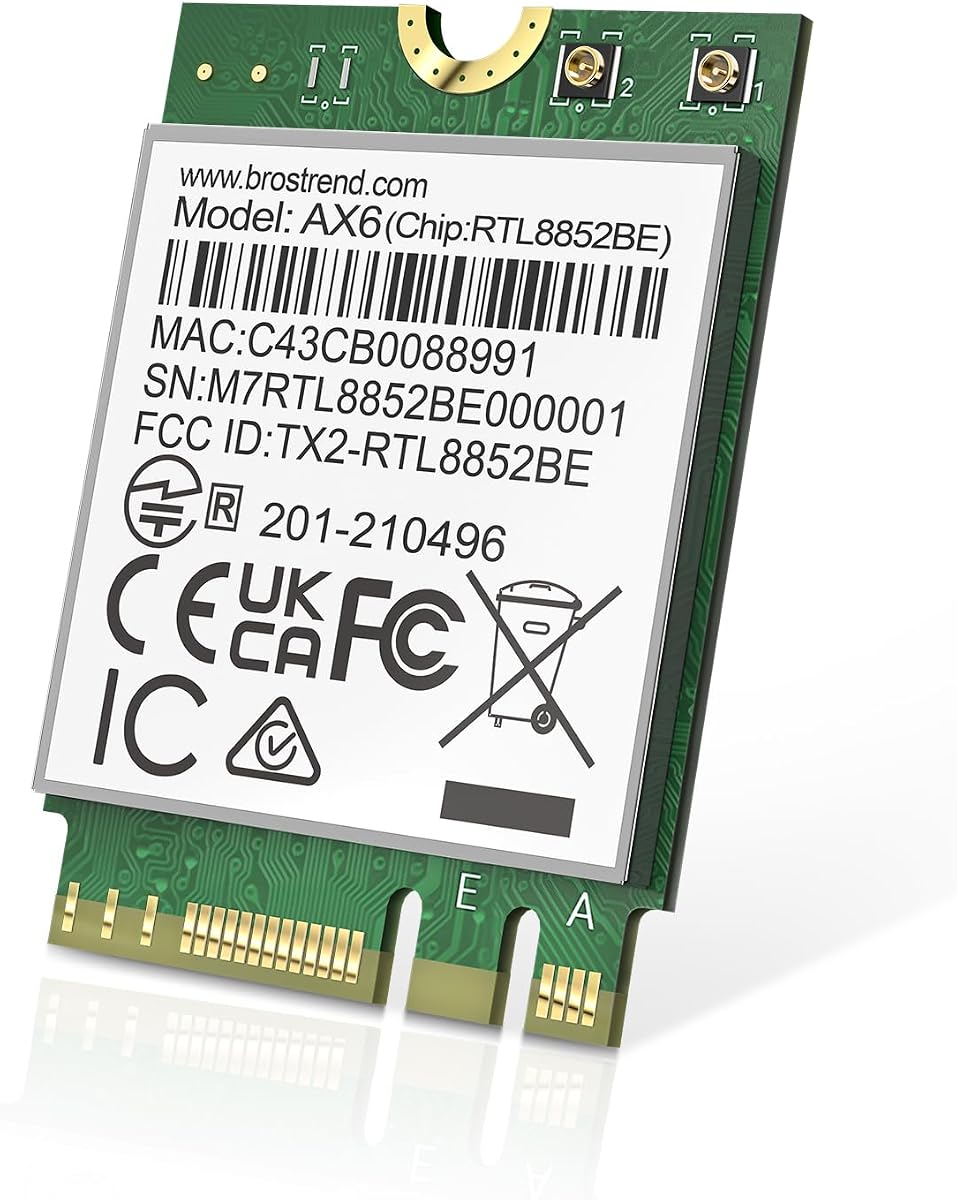
The BrosTrend AX1800 is a dual-band Wi-Fi 6 M.2 card aimed at laptop and PC upgrades that need modern wireless without tri-band requirements. Its 4.4 rating reflects a balanced feature set, and the stated AX1800 classification is reached through 1201Mbps on 5GHz plus 574Mbps on 2.4GHz.
We may earn a commission when you buy through this link, at no additional cost to you.
The card's technical features include UL/DL MU-MIMO, OFDMA, and 1024-QAM. Those technologies support efficient simultaneous device access, improved network handling in crowded environments, and higher spectral efficiency. Bluetooth 5.2 adds two-times-faster transmission and four-times-broader range compared with Bluetooth 4.2, according to the product information.
It uses the standard 2230 size, measuring 22mm wide by 30mm long, and works with M.2 Key A and Key E slots. Windows 10 and Windows 11 are supported, while Linux compatibility requires kernel 6.5 or higher. Linux technical support is not provided, so troubleshooting for that platform may be more involved.
This card is a good fit for a compatible laptop that primarily uses 2.4GHz and 5GHz networks and does not need 6GHz. Download the latest BrosTrend driver for optimal performance, verify the slot and antenna layout, and check the device manager for conflicts. It offers strong Wi-Fi 6 value without the platform restrictions associated with some premium models.
MU-MIMO, OFDMA, and 1024-QAM allow the card to work more efficiently with modern routers and multiple connected clients. They are particularly relevant in busy homes and offices.
Compatibility is stated for Linux kernel 6.5 or later, but technical support is not offered. Checking kernel version and researching the exact card identification before installation can prevent avoidable problems.
We may earn a commission when you buy through this link, at no additional cost to you.
The Intel Killer BE200 is a tri-band Wi-Fi 7 card aimed particularly at gaming systems and compatible Intel computers. Its 4.6 rating accompanies a stated maximum link speed of 5.8Gbps, Bluetooth 5.4, and an emphasis on ultra-low latency.
We may earn a commission when you buy through this link, at no additional cost to you.
Across 2.4GHz, 5GHz, and 6GHz bands, the card can work with modern tri-band networks. The product information specifically notes that maximum speeds require a compatible Wi-Fi 7 router, as well as favorable distance, equipment, and configuration. The M.2 PCIe Key E interface fits many compatible laptop and desktop designs.
Operating-system requirements are strict. The card requires 64-bit Windows 11, and AMD-based systems are not supported. That makes it less versatile than the MT7925 option but more focused for an Intel platform. Bluetooth 5.4 supports compatible peripherals, while the Killer branding places emphasis on gaming, streaming, and latency-sensitive use.
This BE200 variant is most appropriate for a Windows 11 Intel gaming PC or laptop that can take advantage of a Wi-Fi 7 network. It may be less attractive for business users on older operating systems or AMD systems. Confirm the M.2 interface, antenna arrangement, processor platform, and router generation before buying to ensure the card's advanced features can actually be used.
The card is positioned for gaming, where quick response and stable wireless behavior matter. Actual latency still depends on the router, network load, distance, and competing traffic, so the card alone cannot guarantee a particular result.
Windows 11 64-bit and an Intel processor are required. This narrower support should be checked before purchase, particularly if the computer currently uses Windows 10 or an AMD platform.
We may earn a commission when you buy through this link, at no additional cost to you.
The Intel AX411.NGWG.NVX is a compact M.2 2230 tri-band Wi-Fi 6E and Bluetooth 5.3 adapter with a perfect 5.0 listed rating. It is designed for compatible laptops, mini PCs, and motherboards and brings Intel Killer network optimization to the selection.
We may earn a commission when you buy through this link, at no additional cost to you.
The card supports 2.4GHz, 5GHz, and 6GHz bands, giving users access to conventional and newer wireless spectrum. Its stated maximum speed reaches 3Gbps, supported by OFDMA, MU-MIMO, 1024-QAM, and WPA3 security. Those features suit modern network environments where efficiency and simultaneous device access matter.
Intel Killer optimization is intended to prioritize gaming, streaming, and real-time applications. Bluetooth 5.3 provides stable, energy-efficient peripheral connectivity with BLE support. The M.2 Key E interface is compact and suitable for many modern systems, although a server label in the title does not automatically mean that every server configuration is compatible.
This is an attractive choice for a small-form-factor PC, mini PC, or compatible laptop that wants tri-band Wi-Fi 6E and a highly rated module. Its 3Gbps maximum is lower than the 5400Mbps and 8774Mbps figures stated for the fastest AX210 and BE200 options, so buyers seeking maximum link rates may prefer those alternatives. Otherwise, the AX411 offers a balanced, well-rounded feature set.
The M.2 2230 Key E format can suit space-constrained laptops, mini PCs, and compatible motherboards. The card adds both tri-band Wi-Fi and Bluetooth without requiring two separate internal modules.
Intel Killer optimization is designed to prioritize traffic associated with gaming, streaming, and real-time applications. This can be useful on shared systems where ordinary traffic might otherwise compete for wireless capacity.
We may earn a commission when you buy through this link, at no additional cost to you.
Choosing an M2 WiFi card starts with your computer's internal slot, processor platform, operating system, antenna arrangement, and router. Once those essentials are confirmed, wireless generation, Bluetooth version, security, and intended use help determine the most suitable option.
In short, confirm the exact interface and dimensions before buying any internal wireless card.
Choose a card whose operating system, processor family, and driver path are explicitly supported by your computer.
Match the card's generation to your current and planned router rather than selecting solely by the largest advertised link speed.
Choose tri-band for flexibility and future router access; choose dual-band when your network mainly uses 2.4GHz and 5GHz.
Treat maximum link speed as one technical measure rather than a promise about everyday internet performance.
Prioritize the Bluetooth version and simultaneous-device needs that match your peripherals, not merely the newest version number.
Buy a module alone for an existing antenna-equipped system, or choose a full kit when you need external antennas and mounting hardware.
Verify the driver's availability, operating-system coverage, warranty, and technical-support terms before completing the purchase.
Before installation, shut down the computer completely, disconnect its power source, and consult the manufacturer's service documentation. Confirm that the M.2 slot uses the correct Key A or Key E interface and that the replacement card's dimensions match the original. For a laptop, note the positions and connector types of the Wi-Fi and Bluetooth antenna cables before removing the existing module.
Install the card according to the system's instructions, secure it with the proper retaining screw or bracket, and reconnect any antenna cables exactly where they belong. On a desktop, a complete antenna kit may require routing the RF cable through the case and attaching antennas outside the chassis. Once the computer starts, install the current Wi-Fi and Bluetooth drivers from the chip manufacturer's official website, then restart if prompted.
After installation, use the operating system's network and Bluetooth settings to select the appropriate Wi-Fi network, enter its credentials, and pair desired peripherals. If wireless performance is weak, check antenna connections and reposition external antennas rather than assuming the card is defective. Keep the module seated, avoid pressure on the card and antenna cables, and use the manufacturer's driver updates to maintain compatibility and security.
Many compatible laptops use the M.2 2230 form factor, often identified by an NGFF label. However, the physical size is only part of compatibility, because the slot must also use the correct Key A or Key E layout and provide the required connections. Check the original wireless card, service manual, or motherboard documentation before purchasing.
AX210 is the more broadly compatible Wi-Fi 6E option and works with many supported Intel and newer AMD laptop platforms. BE200 offers newer Wi-Fi 7 capabilities but has tighter processor and operating-system requirements, including Intel 12th-generation hardware for one listing. Your hardware requirements should come first, followed by the generation of your router.
That depends on the package. Some listings are bare modules intended for laptops or desktops that already have antenna cables, while the DTK AX210 kit includes antennas, an RF cable, and mounting brackets. Check the package contents carefully and do not assume that every M.2 WiFi card includes the external hardware needed for a desktop installation.
Yes, if the motherboard has a compatible M.2 A/E-key slot and the required PCIe and USB connections. A desktop also needs suitable antenna leads or a compatible antenna kit, and the case must provide a suitable location for the antennas. Consult the motherboard manual to verify slot type and antenna connectors before buying.
Internal wireless cards commonly need operating-system drivers even when the computer previously had working wireless hardware. Download the current Wi-Fi and Bluetooth drivers from the chipset manufacturer, ensure the operating system version is supported, and restart after installation. If the card remains unavailable, check Device Manager, antenna connections, slot compatibility, and conflicts with the previous wireless module.
A Wi-Fi 7 card can connect to a compatible Wi-Fi 6 router, but it cannot create Wi-Fi 7 capabilities that the router does not provide. The largest benefits appear with a matching Wi-Fi 7 router, suitable 6GHz access, and favorable network conditions. For most current networks, a well-installed AX210 can provide a more balanced upgrade.
AX1800 is a dual-band Wi-Fi 6 classification, while AX210 and AX411 are tri-band Wi-Fi 6E modules. The AX210 listings state higher maximum link rates than the AX411, whereas the AX411 emphasizes compact tri-band operation and Intel Killer optimization. Actual performance also depends on the router, antennas, and platform.
It can help prevent conflicts, particularly if the computer already contains another Bluetooth radio. The EDUP MT7925 listing explicitly recommends disabling built-in Bluetooth before use. If both an old and new adapter appear in Device Manager, disable the old one and confirm that the operating system is using the intended card.
The EDUP Intel AX210 stands out as the most balanced overall choice, combining a strong 4.8 rating with Wi-Fi 6E, Bluetooth 5.3, clear compatibility details, and modern security support. The DTK AX210 kit is ideal when external antennas and mounting hardware matter, while the Intel BE200 provides the most advanced Wi-Fi 7 path for compatible newer Intel systems.
Prioritize exact interface, processor, operating-system, and antenna compatibility before considering speed. Wi-Fi 7 is attractive for new hardware and matching infrastructure, Wi-Fi 6E offers a versatile middle ground, and dual-band cards can remain sensible for standard 2.4GHz and 5GHz networks. Bluetooth version and driver availability should also be checked before ordering.
Finally, compare the current listing, package contents, warranty, and current cost before purchasing because availability and prices can change. The right M2 WiFi card is the one that fits the system, works with the intended router, and provides a driver-supported installation without unnecessary extra features.