
KAILONG MFD70-X 150M
4.7Editor score
Rated 150 million clicks
Soft, crisp tactile action
Broad three-pin compatibility
Mouse Micro Switch for Gaming options are compared for force, durability, contact design, compatibility, noise, and everyday performance.
Mouse micro switches are the small mechanical components that register each click inside a gaming mouse. A good replacement should provide a consistent operating force, reliable electrical contact, a comfortable action, and enough rated life for regular play. The right choice also depends on whether you prefer a lighter, softer click or a more deliberate tactile response.
This guide compares seven replacement micro-switch products and three complete gaming mice with notable switch systems. Specifications considered include operating force, release force, pre-travel, rated cycle life, contact materials, sound characteristics, and compatibility. We also distinguish standard three-pin replacements from mice featuring optical or hot-swappable switch mechanisms, since they are not directly interchangeable.
Each review explains who the product suits, where it stands out, and what limitations to consider. The top picks cover a practical replacement set, a higher-cycle alternative, and a ready-to-use premium mouse. Ratings and specifications reflect the supplied product information, while current prices and availability can change at any time.
4.7Editor score

4.7Editor score

4.4Editor score
The table below compares the replacement switch sets by their published force, durability, contact, and compatibility characteristics, then places them alongside three complete gaming mice whose optical, push-fit, or installed switch systems offer a different route to upgrading performance.




This four-pack combines the Kailh GM4.0 and GM8.0 families and earned a 4.8 user rating, making it one of the strongest general-purpose replacement choices in this guide. The included set is described as four GM8.0 switches, while the specifications also provide the defining GM4.0 figures for comparison. That combination makes the listing especially useful for buyers who are learning how operating force and cycle life differ between two established switch types.
We may earn a commission when you buy through this link, at no additional cost to you.
The GM8.0 requires 65gf of operating force and has a minimum release force of 25gf. Its 0.3±0.2mm conduction itinerary and 25% touch feeling suggest a relatively short, direct action, while the gold-plated contacts are intended to maintain dependable signal transfer. The GM4.0 is listed at 70±10gf with a 0.3mm conduction itinerary, making it the slightly heavier and more deliberate of the two designs.
Durability is another important strength. The GM8.0 is rated for 80 million cycles, while the GM4.0 carries a 60-million-cycle rating. Neither is silent, and both are specifically described as having no double-click behavior. The main practical limitation is that the package does not include one of each type despite the broad product naming, so buyers seeking a mixed set should verify the selected variant carefully.
This is an attractive recommendation for gamers replacing worn switches in a compatible three-pin mouse, particularly those who want a reasonably light everyday action without moving to a radically different feel. It is less suitable for users who require near-silent clicking or an easy hot-swap system. Confirm the mouse's switch layout, pin arrangement, and original switch dimensions before ordering, and keep the installation process gentle to avoid bending the small contacts.
The GM8.0's 65gf operating force sits between a very light click and a firm traditional action. That middle position can be useful during long sessions because it offers tactile feedback without demanding as much actuation pressure as the heavier GM4.0 specification.
Gold-plated contacts support consistent communication between the switch and the mouse board. The benefit becomes most relevant in replacement use, where clean metal-to-metal contact helps preserve signal integrity over repeated clicks.
We may earn a commission when you buy through this link, at no additional cost to you.
The Red Kailh GM 4.0 is a four-switch replacement set with a 4.5 rating and a clearly defined operating feel. It is built around a 70±10gf operating force, a 25gf minimum release force, a 0.3mm conduction itinerary, and a 25% touch feeling. For players accustomed to the GM4.0 platform, those values describe a deliberate click with a short activation stroke.
We may earn a commission when you buy through this link, at no additional cost to you.
Its gold-plated contacts are the main electrical feature, providing a stable connection designed for repeated use. The stated cycle life exceeds 60 million clicks, which is substantial for a replaceable component and more than enough for many years of ordinary gaming use. Compatibility information explicitly mentions Zowie, Razer, and Logitech mice, giving buyers a useful starting point when checking fit.
The trade-offs are fairly obvious from the specifications. This is not a silent switch, so it will not solve clicking-noise concerns. Its 60-million-cycle figure also trails the GM8.0 listings in this roundup. The 70gf actuation requirement may feel heavier than the 60 to 65gf alternatives, particularly for players who make rapid repeated clicks or prefer minimal finger travel.
Choose this set if you want a known GM4.0-style action, a firm tactile response, and four replacement units for a compatible mouse. It is best suited to users who value a clear, moderately weighted click more than silence or maximum cycle rating. Before buying, check the exact dimensions, three-pin configuration, and whether your mouse uses a mechanically replaceable switch design.
A specified 0.3mm conduction itinerary and 25% touch feeling make this a good choice for players who prefer a direct activation point. The switch should feel familiar if the original mouse already used a GM4.0.
A four-switch package gives users spare units for more than one button or one complete mouse. It is also convenient for technicians or builders who maintain several compatible gaming mice.
We may earn a commission when you buy through this link, at no additional cost to you.
The KAILONG MFD70-X 150M is the premium replacement pick in this guide, combining a 4.7 rating with a published cycle life of 150 million clicks. Its purple-and-gold presentation also distinguishes it from conventional black replacement sets. The action is specified at 0.74N, or 70gf, and is described as soft and crisp rather than heavy or sluggish.
We may earn a commission when you buy through this link, at no additional cost to you.
Its electrical design includes gold-plated contacts, 150 milliohms maximum contact impedance, and insulation impedance of 100 megaohms minimum. Pretravel is listed at 0.30±0.2mm with an overtravel requirement of 0.20mm minimum. These details suggest attention to both activation consistency and the mechanical relationship between the plunger, contact leaf, and mouse button.
Compatibility is the strongest headline feature. The product information states compatibility with up to 99% of market mice when the replacement is a rectangular three-pin micro switch, and it names Zowie, Razer, and Logitech models as examples. That claim still should not be treated as a guarantee. PCB layout, physical housing size, and the number of pins can all affect whether a switch fits correctly.
This is the strongest option here for a builder or enthusiast who wants a high rated cycle life and is comfortable replacing standard mechanical switches. The 70gf force may be less attractive to players who want a very light click, while the requirement for a compatible three-pin layout excludes optical and many hot-swappable systems. Verify dimensions and switch type before making the purchase.
A 150-million-click rating is the highest among the replacement sets reviewed here. It makes the MFD70-X especially attractive for heavy use, shared equipment, or builders who want switches rated to outlast several upgrade cycles.
Gold plating, defined contact impedance, and insulation specifications show attention to the electrical side of the switch. These characteristics help support reliable click registration in a compatible gaming mouse.
We may earn a commission when you buy through this link, at no additional cost to you.
The YIMAGUJRX Kailh GM 8.0 set combines a 4.7 rating with an 80-million-cycle rating and a moderate 65gf operating force. It packages four black GM8.0 switches, making it a straightforward option for replacing a set of worn mechanical switches in a compatible gaming mouse. The listed release force is 25gf minimum, which helps describe how quickly the switch disengages after a click.
We may earn a commission when you buy through this link, at no additional cost to you.
The conduction itinerary is 0.3±0.2mm, and the touch feeling is listed at 25%. Gold-plated contacts support dependable electrical behavior, while compatibility information specifically references Zowie, Razer, and Logitech mice. These are standard mechanical micro switches rather than optical devices, so they cannot be installed in a mouse built around light-based switch sensing.
The main limitation is that the product is not silent. It is also a bare replacement component rather than a complete mouse, requiring the user to disassemble the shell, release the old switches, and align the new ones correctly. Players who have never replaced a switch should expect a delicate operation, particularly around the tiny electrical pins.
This set is a good middle option for gamers who want something between a light click and a heavy 70gf switch. It is especially relevant when the original mouse already used a GM8.0 and the goal is to restore its familiar action. Confirm the housing geometry, pin count, and orientation before purchase, and make sure the mouse's PCB can accept these replacements.
The 65gf operating force offers enough resistance to provide a clear click without reaching the heavier 70gf feel of the GM4.0. That middle ground is useful for players who want tactile feedback and comfortable repeated actuation.
Gold-plated contacts are designed to preserve signal quality through a long service life. Combined with the 80-million-cycle rating, the switch targets both mechanical longevity and dependable registration.
We may earn a commission when you buy through this link, at no additional cost to you.
The Kailh GM8.0 Upgrade V2 is the most balanced all-around replacement in this guide. It carries a 4.7 rating, a stated cycle life of more than 90 million clicks, and a moderate 0.65N operating force. The blue switches are an updated version of the GM8.0 platform, with the listed changes emphasizing lower pressure, a softer and more elastic feel, and a compact rebound.
We may earn a commission when you buy through this link, at no additional cost to you.
Its 60±10gf operating force sits close to the standard GM8.0's 65gf figure, but the product description presents the Upgrade V2 as a refined experience rather than a radically different design. Pretravel is 0.30±0.20mm, and movement differential is limited to 0.12mm maximum. The stated 25gf minimum release force supports a relatively prompt reset after each click.
The product uses gold-plated contacts and is described as compatible with Zowie, Razer, and Logitech mice. It remains a non-silent mechanical switch with no double-click design. It also requires a compatible standard switch layout, making it unsuitable for optical switches or proprietary assemblies that do not accept a conventional three-pin replacement.
Choose the Upgrade V2 for players seeking a refined everyday click, a strong 90-million-cycle rating, and a comparatively light actuation. The trade-off is that this is still a do-it-yourself component with no silent option. Buyers should inspect the original switches, compare their dimensions and pin layout, and make sure the mouse is designed for user-replaceable mechanical switches before opening it.
The Upgrade V2 is built around a softer, more elastic handfeel and a compact rebound. Its moderate force is intended to reduce the effort of repeated clicks while preserving a clear mechanical response.
A rated life of more than 90 million cycles places the Upgrade V2 well above most standard replacement options. It is a sensible choice for high-frequency players who replace switches less often.
We may earn a commission when you buy through this link, at no additional cost to you.
This Kailh micro-switch listing offers one, three, or five-piece variants, making it useful for a single replacement or a broader repair. The selected product is a three-piece version and has a 4.4 rating. Its title identifies a two-pin format intended for compatible computer mice, which gives it a slightly different installation profile from the three-pin sets elsewhere in the guide.
We may earn a commission when you buy through this link, at no additional cost to you.
The specifications are not entirely uniform. One line gives an operating force of 80±15gf, an operation position of 0.3±0.2mm, and a mechanical life of three million times. Another lists an operating force of 70±10gf, a 0.3mm conduction itinerary, and a 25% touch feeling. Both confirm that the product is not silent and is designed not to double click.
The three-million-cycle figure is the central limitation. It is much lower than the 60- to 150-million-cycle ratings offered by the other replacement sets, so this is better viewed as an inexpensive, readily available repair component than a long-term upgrade. The listed operating force also requires close attention to select a variant with a comfortable feel.
This option makes sense when one switch has failed and you want a small quantity at a practical cost, especially if the mouse uses a matching two-pin Kailh mechanism. It is less compelling for a full premium rebuild. Confirm the pin count, housing size, and original switch model before ordering, and avoid assuming that the three-million figure describes every variant listed on the same page.
The available one-, three-, and five-piece choices provide useful flexibility. A single-switch buyer can avoid purchasing a full set, while a multi-button replacement can be handled with one order.
The two-pin format can simplify replacement in compatible mouse boards. It is important, however, to compare the original switch rather than judging only by product photographs.
We may earn a commission when you buy through this link, at no additional cost to you.
The 10-pack version of the Kailh GM4.0 and GM8.0 listing has a perfect 5.0 rating, making it the most highly rated product in the roundup. The selected package contains ten black GM8.0 switches. For a user maintaining several mice, replacing multiple buttons, or wanting a substantial spare supply, the quantity is unusually practical.
We may earn a commission when you buy through this link, at no additional cost to you.
The GM8.0 switch operates at 65gf, has a 25gf minimum release force, and uses a 0.3±0.2mm conduction itinerary. Its listed touch feeling is 25%, while gold-plated contacts support consistent electrical contact. The GM8.0 is rated for 80 million cycles, and the accompanying GM4.0 specifications provide a 70gf operating force and 60-million-cycle rating for comparison.
As with the four-pack listing, the title references both GM4.0 and GM8.0 even though the selected variant contains ten GM8.0 units. That distinction matters for buyers comparing variants. The switches are not silent and are described as having no double-click behavior, so users seeking a quiet office mouse should look elsewhere.
This package is ideal for a dedicated hobbyist, repair technician, or gamer who wants enough matching units for several builds. A single-mouse owner may find ten switches excessive, but the per-unit practicality improves when the entire quantity is needed. As always, confirm that the target mouse accepts standard three-pin GM8.0-style switches and compare the physical housing before opening it.
Ten identical switches are convenient for rebuilding several buttons or maintaining multiple compatible mice. Keeping matching units on hand also simplifies future replacements.
The 80-million-cycle GM8.0 rating is a major strength for high-frequency use. It exceeds the lower rating of the budget multi-pack and provides a more durable option than a temporary repair.
We may earn a commission when you buy through this link, at no additional cost to you.
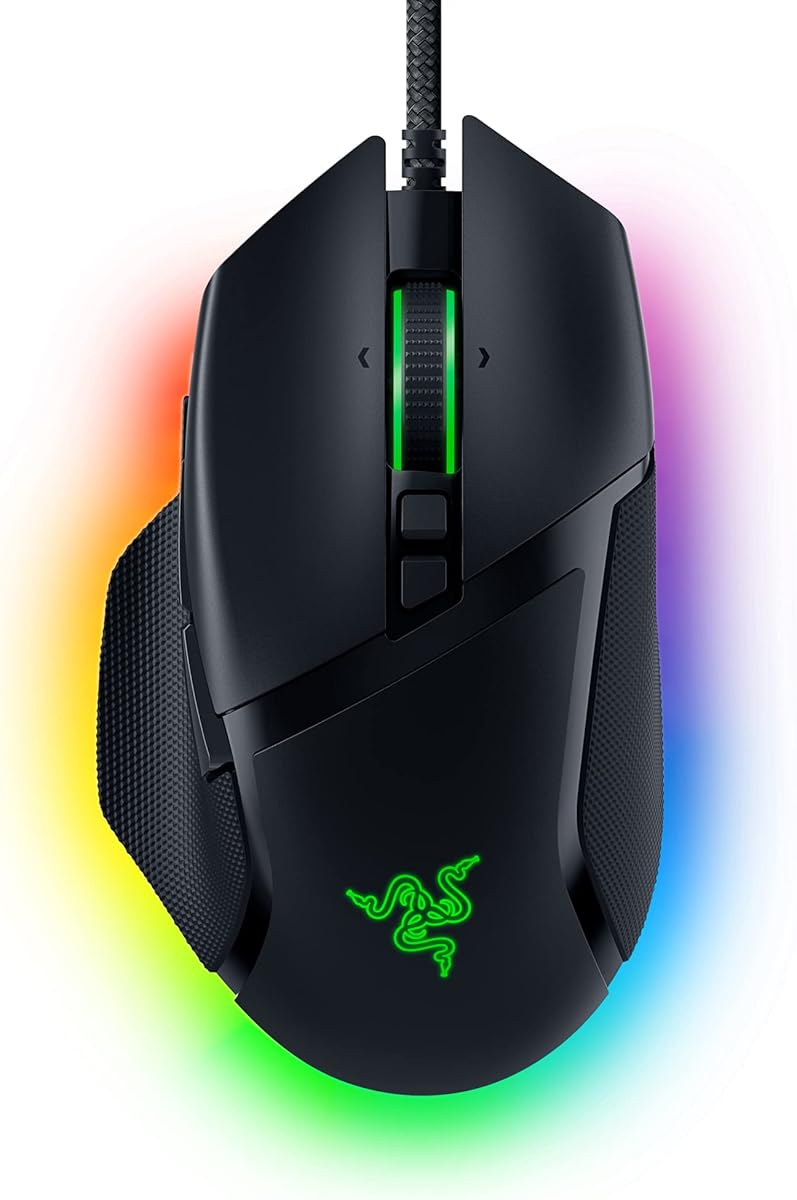
The Razer Basilisk V3 is a complete wired gaming mouse rather than a bag of replacement switches. It received a 4.6 rating and uses Razer Optical Mouse Switches Gen 2. The optical system is rated for up to 70 million clicks and provides a 0.2ms actuation speed, making it relevant for players who value fast response and consistent debounce behavior.
We may earn a commission when you buy through this link, at no additional cost to you.
The mouse also covers far more than switching. Its ergonomic shape includes a thumb rest, and its 11 programmable buttons can carry macros or secondary functions. A HyperScroll tilt wheel can move from click-to-click control to free-spinning, while 11 separate Razer Chroma RGB lighting zones offer extensive visual customization. The Focus Plus sensor supports up to 26,000 DPI.
There is an important compatibility limitation. Because the Basilisk V3 uses optical switches, the mechanical Kailh and KAILONG replacements in this guide cannot be installed in it. It also does not list a hot-swap feature or push-fit switch sockets. Those absences make it a strong all-in-one choice for a new buyer, but less useful for someone whose specific goal is swapping the feel of an existing mechanical-switch mouse.
Choose the Basilisk V3 if you want a feature-rich ergonomic mouse with fast optical clicks, customizable controls, RGB lighting, and a high-resolution sensor rather than a DIY switch upgrade. It is especially suitable for players who prefer having every major subsystem integrated and configured through the Razer ecosystem. Check current software support, dimensions, and the complete feature set before purchasing.
Optical Gen 2 switches register actuation in 0.2ms and are rated for up to 70 million clicks. This approach is intended to reduce unintended double-clicks while preserving quick input response.
The thumb-rest shape, high-resolution Focus Plus sensor, HyperScroll wheel, and 11 programmable buttons make this a complete gaming setup. It reduces the need to assemble a mouse from separate components.
We may earn a commission when you buy through this link, at no additional cost to you.
The ASUS ROG Gladius III Core is a complete 72g wired gaming mouse with a 4.5 rating. Its most relevant feature for this guide is the pair of push-fit switch sockets, which allow compatible mechanical switches to be swapped to vary click force and extend service life. The installed ROG Micro Switch II are described as crisp, with a 100-million-click lifespan.
We may earn a commission when you buy through this link, at no additional cost to you.
The mouse is built for precise play. Its sensor supports up to 12,000 DPI with less than 3% deviation, and the polling rate is listed at 1,000Hz. Full PTFE feet are intended to support smooth movement, while ROG Paracord and the lightweight 72g weight suit players who want a responsive wired design without excessive mass.
Unlike a basic DIY replacement, the push-fit sockets are designed to make switch changes more convenient. However, only switches that correctly match the socket and electrical layout can be used. The product information does not indicate that the standard three-pin Kailh and KAILONG sets reviewed here are directly compatible, so buyers should check the supported switch format and the manufacturer's guidance before buying alternative switches.
This is the best route for a gamer who wants both a finished mouse and future switch customization without fully desoldering the original components. The right-handed ergonomic shape makes it less suitable for left-handed users, and the 12,000 DPI specification is lower than the 26,000 DPI figure associated with the MSI mouse in this roundup. Overall, it offers an appealing mix of low weight, high-rated installed switches, and accessible customization.
Push-fit sockets offer a more approachable upgrade path than permanent soldering. Compatible switch changes can alter click force while helping extend the usable life of the mouse.
At 72g, the Gladius III Core combines a low mass with a precise 12,000-DPI sensor and 1,000Hz polling. The wired connection and Paracord help maintain a consistent gaming connection.
We may earn a commission when you buy through this link, at no additional cost to you.
The MSI Versa PRO W is a complete gaming mouse built around OMRON optical micro switches and a PixArt PAW-3395 sensor. It has a 3.7 rating, the lowest among these ten products, but its underlying specifications remain substantial. The switch system is rated for more than 70 million clicks, while the sensor supports up to 26,000 DPI and a 1,000Hz polling rate.
We may earn a commission when you buy through this link, at no additional cost to you.
Its feature set is aimed at versatile control. The mouse provides 13 programmable buttons, including a Sniper Button, Profile Switch, and RGB Button. Its scroll system supports four-way movement and can shift between click-to-click precision and free-spinning speed. The contoured, ambidextrous design includes a thumb rest, and RGB lighting adds another layer of customization.
The key caveat is that optical switches are not mechanically interchangeable with the standard replacement sets in this guide. There is no mention of hot-swappable sockets, so the switch experience is tied to the installed OMRON system. Its 3.7 rating also indicates a less favorable user consensus than the other complete mice and replacement sets, even though the published specifications are competitive.
This mouse is most appropriate for a gamer who wants high sensor resolution, abundant programmable controls, flexible scrolling, and a fast optical-switch action without opening the chassis. It is less suitable if the central priority is swapping conventional mechanical switches. Buyers should investigate the current user feedback, verify hand-fit, and consider how the button layout and ambidextrous shape work with their preferred grip before purchasing.
The PixArt PAW-3395 sensor supports up to 26,000 DPI and a 1,000Hz polling rate. These specifications place the mouse among the more technically advanced tracking systems in this roundup.
Thirteen programmable buttons, including dedicated profile, aiming, and lighting controls, provide substantial flexibility. The dual-mode scroll wheel adds practical navigation beyond simple click input.
We may earn a commission when you buy through this link, at no additional cost to you.
Choosing a mouse micro switch involves balancing activation force, durability, noise, electrical design, and physical compatibility. For complete mice, sensor performance, ergonomics, connectivity, and programmability become equally important, so the replacement options and ready-made alternatives should be evaluated as different routes to the same goal.
Choose a lighter switch for fast clicking and a firmer switch for deliberate feedback. Always verify the selected variant's specifications.
Prioritize higher cycle ratings for heavy use. For occasional repairs, compatibility and feel matter more.
Match pin count, dimensions, and mounting layout. Never force a switch that does not align correctly.
Mechanical and optical switches are not interchangeable. Check the mouse's switch technology first.
The listed replacement switches are not silent. Consider room noise, shell materials, and your sensitivity to click sound.
Look for plated contacts and defined electrical specifications. Consistency matters as much as tactile feel.
Short pre-travel usually feels direct. Match the original switch closely when preserving feel is important.
For complete mice, prioritize sensor, ergonomics, controls, connectivity, and comfort alongside switch technology.
Begin by confirming that the replacement is electrically and mechanically correct for the mouse. Check the original switch model, pin count, housing dimensions, and the manufacturer's compatibility guidance. Disconnect the mouse from the computer, remove any batteries if it is wireless, and photograph the existing switch position before removing anything. Work on a clean, well-lit surface with anti-static precautions appropriate for handling small electronic parts.
Remove the mouse shell carefully and avoid pulling on the wires attached to the switch. If soldering is required, use appropriate tools and follow the original pin layout exactly. Keep the replacement switch aligned squarely with the housing and PCB, install the shell without trapping cables, and test every button in a basic text editor before returning to a game. A single click in a text field can reveal double clicks, missed registrations, or an unstable connection more clearly than a fast-paced title.
After installation, use the mouse normally and periodically check for intermittent clicks, sticking, or changes in actuation. Keep the mouse vents and openings free of dust, and avoid liquids near the switches. A replacement cannot compensate for a damaged PCB, misaligned button, or poorly seated connector. If clicks feel abnormal, retrace the installation rather than applying extra force. For optical or hot-swappable systems, follow the manufacturer's instructions for compatible parts and socket alignment.
No. The replacement must match the mouse's switch technology, pin count, housing dimensions, and electrical layout. Standard three-pin mechanical switches cannot replace optical switches, and a visually similar switch may still be wired differently. Identify the exact mouse and original switch model before ordering, and check the manufacturer's compatibility information.
The GM4.0 is listed at a 70±10gf operating force and a 60-million-cycle rating. The GM8.0 operates at 65gf and carries an 80-million-cycle rating. Both use gold-plated contacts and a nominal 0.3mm travel, but the GM8.0 is somewhat lighter and has a higher stated cycle life. The Upgrade V2 is a separate, refined version of the GM8.0 platform.
No. The supplied information explicitly identifies the replacement sets as not silent. If low sound is a primary priority, investigate mice with quieter-feeling installed switch systems, but also consider the shell, button materials, and ambient noise. No optical switch should automatically be assumed to be completely silent.
A higher cycle rating indicates a greater number of actuations specified under the manufacturer's test conditions. It is useful as a durability comparison, with the MFD70-X rated at 150 million clicks and the Kailh Upgrade V2 at more than 90 million. Actual lifespan varies with use conditions, so ratings should be considered alongside force, quality, and compatibility.
Generally, no. GM8.0 is a conventional mechanical switch, while optical mice detect clicks through light rather than traditional contact closure. The Razer Basilisk V3 and MSI Versa PRO W use optical switch systems and should not receive standard three-pin mechanical replacements. The ASUS ROG Gladius III Core has mechanical push-fit sockets, but only compatible switch types should be used.
Lower-force switches generally require less pressure and suit rapid clicking or players who prefer a light action. Higher-force switches provide a more deliberate tactile event and may reduce accidental inputs when a mouse is bumped. The reviewed replacements cluster around 60 to 70gf, with one multi-pack listing also showing 80±15gf. Matching the original switch is usually the safest choice for a predictable feel.
A four-switch pack is generally sufficient for the primary left and right buttons plus a few spares, and it may also support a scroll-wheel switch if the model is compatible. A ten-switch pack is more practical for several mice or repeated future repairs. The actual required number depends on the mouse's switch layout, so inspect the internals before ordering.
Test each button in a text editor first, looking for missed clicks, unwanted double clicks, sticking, and uneven force. Confirm that the mouse disconnects or powers off correctly if it is wireless. If a new switch feels abnormal, check alignment, pin placement, and the button membrane before using the mouse in a demanding game.
The Kailh GM8.0 Upgrade V2 is the strongest all-around replacement because it combines a refined 0.65N action, gold-plated contacts, and a cycle rating above 90 million. The KAILONG MFD70-X 150M stands apart for its 150-million-click rating, while the Kailh multi-pack offers a more economical route for limited repairs. Among complete mice, the ASUS ROG Gladius III Core is especially relevant because its push-fit sockets create a more convenient path to future switch customization.
Prioritize the fundamentals: confirm that the switch technology and dimensions are compatible, then choose the click force that suits your playing style. Noise, rated life, and spare quantity should be weighed according to your needs. If you prefer a ready-made mouse rather than a rebuild, compare optical switch response, sensor specifications, ergonomics, controls, and connectivity rather than focusing on switch cycles alone.
Ratings, product configurations, and technical details can change as manufacturers update listings, so verify the selected variation and current specifications before purchasing. Availability and prices also fluctuate, and the most expensive option is not automatically the best fit. For a mechanical replacement, the Upgrade V2 offers the most balanced overall feature set, while the MFD70-X is the strongest high-cycle choice.