
PSxMemCard Game Memory Card
4.5Editor score
Virtual memory card creation
Selectable PS2 capacities
Included 8GB microSD
Real-time OLED display
This guide compares PS1 and PS2 memory card replacements, including capacity, console support, storage design, compatibility, and ease of use.
A missing or unreliable memory card can stop a classic PlayStation game before it begins, while an unsuitable replacement may fail to save correctly or occupy the wrong console slot. The best option depends on whether you need a straightforward PS1 card, a dedicated PS2 card, or a modern adapter that manages saves through removable storage.
We compared the ten products by examining their stated console compatibility, storage capacity, physical design, included accessories, firmware features, and practical suitability for game saves. The list covers dedicated 1MB PS1 cards, a 256MB PS2 card, and SD-based adapters designed for virtual memory cards and expandable storage.
Each review identifies the product's strongest reason to buy, along with practical trade-offs and compatibility considerations. Ratings reflect the supplied customer feedback, while availability and prices can change at any time, so readers should confirm the latest listing details before ordering.
4.5Editor score

4.7Editor score

5.0Editor score
The comparison below separates dedicated memory cards from modern SD-based adapters, making it easier to match storage needs, console support, and setup preferences.





The PSxMemCard Game Memory Card combines PS1 and PS2 support in one adaptable device, earning a 4.5 customer rating in the supplied listings. Its standout feature is the ability to create virtual memory cards for saves rather than relying on one fixed physical card format, making it suitable for owners of either console generation.
We may earn a commission when you buy through this link, at no additional cost to you.
The adapter can create 128KiB virtual cards for PS1, PS One, PS2, and arcade systems. For PS2 use, virtual memory card sizes can be set from 1MB through 64MB, while automatic game detection helps create dedicated cards for running games. The included 8GB microSD can hold more than 60,000 128KB PS1 cards or over 8,000 8MB PS2 cards, and storage is expandable to 2TB.
Its 128×64 OLED screen provides real-time status information, two front buttons handle menu navigation, and a front USB-C port supports firmware updates. These features add complexity compared with a basic 1MB card, but they also make the device more transparent and adaptable. Buyers who simply need a traditional card may find the dedicated alternatives more direct.
This is the most comprehensive choice for someone who wants one storage solution across PS1, PS One, and PS2 hardware. It is particularly attractive to players with multiple save-heavy games who value capacity selection and expandable storage over the simplicity of a single fixed-memory card.
Rather than locking users into a fixed amount of onboard memory, the adapter stores virtual cards on microSD. Selectable PS2 capacities and dedicated cards for detected games make it easier to organize saves across a varied classic-game library.
The OLED display gives immediate feedback about the current system state, while front controls reduce menu-navigation friction. USB-C firmware support also provides a straightforward path for keeping the device current.
We may earn a commission when you buy through this link, at no additional cost to you.
The BITFUNX PSxMemCard Gen2 is a four-in-one memory solution for PS1, PS One, PS2, and related systems. Its 4.7 rating is the highest among the listed products, and the combination of virtual-card creation, automatic game detection, expandable storage, and an OLED display gives it exceptional breadth.
We may earn a commission when you buy through this link, at no additional cost to you.
For PS1 and PS One, it creates 128KiB virtual cards and supports launching FreePSXBoot with Unirom or Tonyhax. For PS2, it supports FreeMCBoot, OpenTuna, and other exploits while allowing virtual memory card sizes of 1MB, 2MB, 4MB, 8MB, 16MB, 32MB, or 64MB. The included 8GB microSD supports expansion to 2TB and can accommodate more than 60,000 PS1 cards or over 8,000 8MB PS2 cards.
Automatic game detection can produce dedicated virtual memory cards for each running game, reducing the chance that unrelated save data shares the same virtual card. The OLED status screen and two-button menu system make the device easier to manage, and USB-C provides a convenient firmware-update connection. The main drawback is that users seeking a simple plug-in save card will face more concepts and menu choices.
Choose the BITFUNX when you want extensive multi-console support, abundant storage, and advanced homebrew-related functions in a single device. It is the strongest all-around recommendation for informed users, especially those managing saves across both PS1 and PS2 collections.
The adapter detects a running game and can create a dedicated virtual card for it. That approach helps isolate save data and makes it easier to manage a large collection without repeatedly choosing or changing card formats.
Support for listed PS1 and PS2 boot methods expands its usefulness beyond ordinary saving. A front USB-C port keeps firmware maintenance simple, while the display reduces the uncertainty of operating an advanced device.
We may earn a commission when you buy through this link, at no additional cost to you.
The Kaico SD2PSX Gen2 delivers the essential advantages of an SD-based memory adapter without adding a stated premium for extras. It holds a 4.6 rating, supports PS1, PS One, and PS2, and includes an 8GB microSD card along with a 12-month warranty covering support, repairs, and replacements.
We may earn a commission when you buy through this link, at no additional cost to you.
PS1 users can create 128KiB virtual cards and use listed launch methods including Unirom and Tonyhax. On PS2, the adapter supports virtual cards, FreeMCBoot, OpenTuna, and other exploits, with configurable capacities from 1MB to 64MB. The included card can hold over 60,000 128KB PS1 cards or more than 8,000 8MB PS2 cards, and compatible microSD media can expand capacity to 2TB.
Its plug-and-play design is appealing because no additional software is required, and the front USB-C port supports straightforward firmware upgrades. Compared with more elaborate choices, the Kaico listing does not emphasize an OLED display, so status checking may be less visually informative. However, its basic configuration, warranty coverage, and strong customer rating create a balanced package.
This adapter is a compelling choice for buyers who want PS1 and PS2 compatibility, substantial included storage, and dependable support without paying for every premium convenience. It also suits anyone who prefers an expandable system but does not need a highly visual menu.
A 12-month warranty provides access to support, repairs, and replacements for qualifying Kaico PSxMemCard adapters. That coverage makes the product especially reassuring for first-time buyers of modern memory adapters.
The 8GB microSD provides immediate capacity for thousands of virtual cards. Users who need more can move to compatible microSD storage up to the stated 2TB limit without changing the core adapter.
We may earn a commission when you buy through this link, at no additional cost to you.
The NXL-PSX01 is a traditional 1M memory card built for PS1, PS One, and PSX games, with a 4.4 customer rating. Its 15-block layout offers a familiar approach for anyone replacing an original card and also allows PS1 games to save when played on a compatible PS2.
We may earn a commission when you buy through this link, at no additional cost to you.
The product is deliberately focused: it is designed for PS1 and PS One games and does not advertise native PS2 save support. That limitation actually makes its intended use easy to understand. Rather than navigating virtual-card sizes or firmware menus, a player can treat it as a conventional memory card for a classic PS1 library.
Its 1MB advertised capacity is modest compared with the many thousands of virtual cards supported by SD-based adapters, but it is a common format for original-style PS1 use. The rating of 4.4 indicates generally favorable customer feedback, although the product does not include a microSD card, display, or firmware update features.
Buy this card if you own a physical PS1 or PS One, need a straightforward replacement, and want one that also works for PS1 titles on PS2. It is less appropriate for PS2 games requiring larger native cards, and modern multi-console users may prefer the flexibility of a virtual-memory adapter.
The 15-block card format mirrors the structure associated with classic PlayStation saving. That familiar design makes it a natural choice for users restoring a traditional hardware setup without changing how they manage games.
The card works with PS1 games on PS2 hardware, giving owners of either system a way to continue using PS1 titles. It does not replace a native PS2 card for games that save outside the PS1 format.
We may earn a commission when you buy through this link, at no additional cost to you.
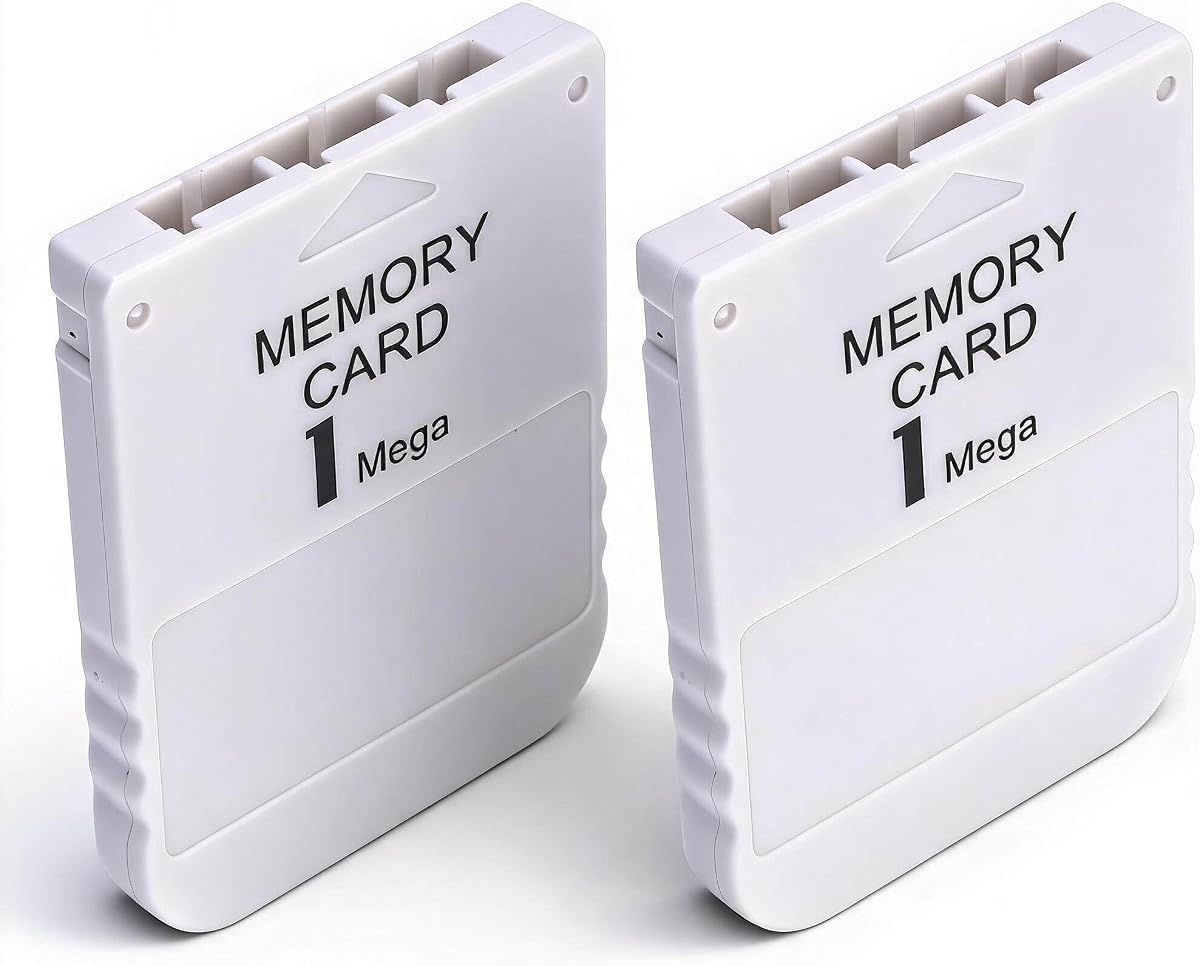
The Pomya two-pack provides two 1MB physical memory cards for PS1 systems, with a supplied rating of 3.8. It is aimed at users who want a spare, a way to maintain separate save collections, or a straightforward bundle for multiple classic consoles.
We may earn a commission when you buy through this link, at no additional cost to you.
Both cards are described as replacements for original PS1 memory cards, with 1MB of capacity for games that include saving. Their stated fast read and write operation is intended to reduce delays when loading or saving, and the compact, lightweight construction makes each card easy to carry between systems.
The two-card format is the main advantage over single-card alternatives. One card can remain connected while another is used for a different collection, although the listing does not describe software for transferring or synchronizing data between them. Its 3.8 rating is lower than those of the leading products, and compatibility is specifically centered on PS1 rather than native PS2 games.
This bundle is most useful for PS1-focused players who value having a spare physical card. It is less suitable for PS2 owners seeking large native capacity or for users who want one modern adapter to manage saves across multiple console generations.
Having two cards provides a practical backup and lets players separate save sets without constantly moving a single card. The simple physical format also makes either card easy to identify and transport.
The lightweight card format suits a portable collection of PS1 hardware and games. It preserves a straightforward physical-card experience instead of introducing an SD card, screen, or menu-driven adapter.
We may earn a commission when you buy through this link, at no additional cost to you.
The Compact 1MB PS1 Card is a focused replacement for original PS1 memory cards. Its supplied 5.0 rating is the highest in the list, making it a strong fit for buyers seeking a simple traditional card rather than a configurable modern adapter.
We may earn a commission when you buy through this link, at no additional cost to you.
The card provides 1MB of storage, which the listing says can meet the requirements of most PS1 games and support multiple game saves. Its ABS construction is described as sturdy and resistant to everyday wear, while the compact 2.20 by 1.65 by 0.27-inch size adds little bulk to a console setup.
Fast read and write behavior is another stated advantage, helping games recognize the card without unnecessary delay. The trade-offs are clear: this is a single PS1 card with fixed capacity, not a system for native PS2 saves or large virtual-card libraries. Its rating reflects customer feedback, but it remains a less feature-rich product by design.
This is the simplest option for a PS1 owner who needs one dependable-format card for ordinary game saves. Choose it for an original-style setup or a budget replacement, while avoiding it when PS2 compatibility or expandable storage is essential.
The 1MB format requires no virtual-card configuration, microSD installation, or firmware navigation. That makes the card appealing for users who want the original PS1 workflow restored quickly.
ABS material supports a lightweight shell that resists common handling wear. The small dimensions make the card convenient to store with a console or carry separately when using more than one system.
We may earn a commission when you buy through this link, at no additional cost to you.
The Sony PlayStation 1MB Card is a traditional 15-block card manufactured by Sony, with a supplied rating of 3.8. Its primary appeal is provenance: buyers who prefer an authentic original-manufacturer accessory over a third-party card can obtain the expected physical format and established design.
We may earn a commission when you buy through this link, at no additional cost to you.
The listing describes 1 Megabit, equivalent to 128KB, spread across 15 standard blocks. It is compatible with original PlayStation, PSX, and PS One consoles, and it can store PS1 game data when those games are used on a PS2. That makes it appropriate for restoring a classic setup or replacing a missing card for PS1 titles.
The primary limitation is capacity. While marketed as a 1MB card, the stated technical specification is 1 Megabit or 128KB, so it should not be compared directly with products advertising 1MB of digital capacity. It also lacks the large storage and configuration flexibility of SD-based adapters, and its customer rating is not among the highest in the group.
Buyers who value Sony manufacture and a known original accessory format should shortlist this card. It is better suited to focused PS1 use and PS1 games on PS2 than to PS2-native games or users wanting a broad virtual-memory library.
Sony manufacture provides a recognizable choice for collectors and users restoring original hardware. It is particularly attractive when authenticity matters more than flexible storage management.
The 15-block layout corresponds with the familiar classic PlayStation save format. It supports PS1, PSX, and PS One systems and also covers PS1 titles played on PS2.
We may earn a commission when you buy through this link, at no additional cost to you.
The 1MB Memory Card Two-Pack includes two physical cards designed for PS1 systems and carries a supplied rating of 3.9. It combines a familiar save format with the convenience of a spare, making it useful for owners of several consoles or for separating different game collections.
We may earn a commission when you buy through this link, at no additional cost to you.
Each card has a stated 1MB capacity for multiple game saves. The product description highlights fast read and write performance, allowing games to access the card more quickly, while its ABS construction is designed to resist breaking and fading. The cards are also small and light enough to store or transport easily.
There is no microSD expansion, on-device display, or virtual-card sizing, so this bundle is much less versatile than the leading adapters. It is intended for PS1 games and does not add native PS2 save capacity. While the two-card quantity is convenient, buyers still need to maintain separate physical cards and cannot rely on automatic per-game organization.
This pair is a solid choice for classic PS1 players who want an inexpensive replacement and a backup. It is less appropriate for a multi-console collection that needs one device to handle both PS1 and PS2 virtual memory cards.
A second card can hold a different set of saves or remain available as a backup. This is useful for collectors who prefer complete separation between game groups.
Stated fast read and write performance supports responsive game loading and saving. The simple physical design means there is no storage format or menu configuration to learn.
We may earn a commission when you buy through this link, at no additional cost to you.
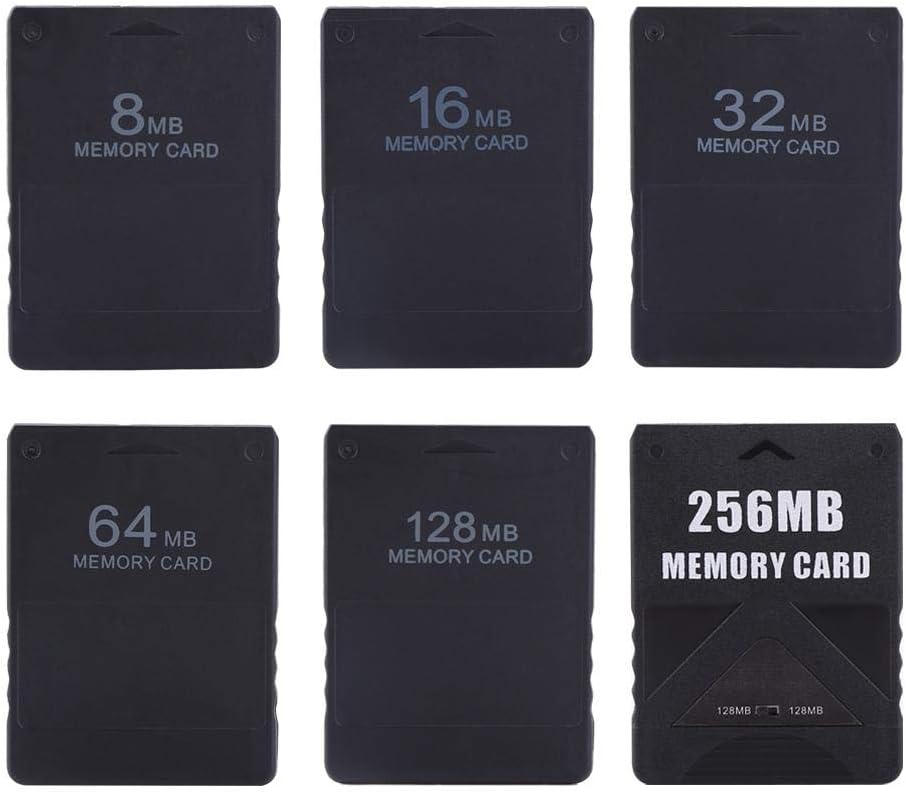
The 256MB PS2 Memory Card is built for native PS2 saving, offering a larger physical capacity than the 1MB PS1 cards in this guide. Its 4.3 rating and broad support for both standard and Slim console lines make it a practical choice for players with substantial PS2 libraries.
We may earn a commission when you buy through this link, at no additional cost to you.
The listing states that the card works with all PS2 versions, including Standard and Slim systems, and offers 256MB of advertised capacity. It can store customized game data without requiring a boot disc, while its plug-and-play format means there is no microSD to install or firmware workflow to configure.
Unlike SD-based adapters, this is a physical card rather than a virtual memory system. It therefore does not advertise automatic per-game card creation, selectable virtual sizes, or the ability to store thousands of saves on removable media. The product listing mentions other capacity options in its general description, but the selected product is the 256MB version.
Choose this card for PS2 owners who want direct native storage, especially if they play games with larger save requirements. It is less useful for PS1-focused setups or for users who want advanced boot utilities and virtually unlimited save organization.
The 256MB advertised capacity gives PS2 games considerably more room than a classic small memory card. It is better positioned for larger collections of games that each create substantial save data.
Compatibility with both Standard and Slim lines broadens its usefulness within the PS2 ecosystem. Its no-boot-disc approach also keeps setup focused on the card itself.
We may earn a commission when you buy through this link, at no additional cost to you.
The Pomya Single 1MB Card is a basic physical replacement for PS1 memory cards, with a supplied customer rating of 3.8. It offers the clearest option for someone who needs one standard-format card to restore saving on a classic console.
We may earn a commission when you buy through this link, at no additional cost to you.
Its 1MB capacity is described as sufficient for PS1 games with save functionality, allowing progress to be retained across multiple titles. Fast read and write behavior supports quicker game loading and saving, while the lightweight construction makes the card easy to carry and store.
The product lacks the virtual-card sizes, microSD expansion, OLED status displays, and boot utilities found in the leading adapters. It also does not support native PS2 games. Although the listing emphasizes dependable construction, the 3.8 rating places it behind the better-reviewed products in customer satisfaction.
This card is best for a PS1 owner who wants a simple single-card solution and has no need for PS2 compatibility. Users building a larger multi-console save system should instead consider one of the expandable SD-based adapters.
The card follows the familiar 1MB PS1 format, so it serves as a direct replacement without software or configuration. That simplicity remains its primary strength.
Stated fast read and write behavior helps reduce waiting around game saves. Its small, lightweight body also makes it convenient to keep with a portable classic-console setup.
We may earn a commission when you buy through this link, at no additional cost to you.
The right replacement depends mainly on which console you use, whether native or virtual storage suits you, and how many saves you expect to maintain.
Begin by identifying the exact hardware and games in your collection. Most dedicated 1MB cards are built for PS1, PS One, and PSX systems, and several also save PS1 games on PS2. The 256MB card shown here is intended for PS2 games and supports both Standard and Slim console versions. SD-based adapters provide a different approach by creating virtual memory cards for both PS1 and PS2.
A physical card provides the familiar original-console workflow, while an SD-based adapter stores virtual cards on microSD. Virtual systems can create separate cards for detected games, offer selectable PS2 sizes, and support very large libraries. Physical cards remain simpler and avoid menus, firmware management, and microSD installation, making them attractive for single-console or traditional setups.
Capacity should match the games you intend to play. The listed PS1 cards provide 1MB, while the dedicated PS2 product offers 256MB of advertised space. SD-based adapters can create PS1 cards at 128KiB and PS2 cards from 1MB to 64MB, with the included 8GB microSD able to hold thousands of virtual cards. Check the requirements of demanding or save-heavy titles before choosing.
The modern adapters in this guide support microSD media up to 2TB, and the recommended models include an 8GB card. Expansion is valuable for collectors, but it also creates a responsibility to keep the storage device recognized reliably and to preserve important save data. A dedicated physical card is less dependent on removable media but cannot offer the same number of virtual cards.
Advanced adapters need a way to communicate status and configuration. The PSxMemCard and BITFUNX models include 128×64 OLED screens, two front buttons, and front-facing USB-C ports for firmware updates. The Kaico also provides USB-C updates, while the basic physical cards have no display or firmware workflow. These features improve control but add complexity for new users.
Some SD-based adapters support specific launch methods and exploits, including FreePSXBoot with Unirom or Tonyhax on PS1 and FreeMCBoot or OpenTuna on PS2. These are defined product features, not reasons every buyer should seek them. Consider them only if your intended setup benefits from the listed utilities, and follow the product instructions carefully.
A card that stays in a console should still be handled, transported, and inserted without damage. Several PS1 options use ABS construction and emphasize a lightweight, compact form. More elaborate adapters add a screen, buttons, and a USB-C port, so they naturally require more care during insertion. Match the physical design to whether the product will remain installed or move between systems.
Customer ratings can provide a useful signal about real-world satisfaction. The products in this guide range from 3.8 to 5.0, and the Kaico includes a 12-month warranty with support, repairs, and replacements. Read the rating in context, compare it with the product's capabilities, and retain purchase documentation in case a physical card fails or a warranty claim becomes necessary.
Before inserting a physical card, switch off the console and confirm that the replacement is intended for the relevant PS1, PS One, PSX, or PS2 system. Align it carefully with the memory-card slot and insert it without forcing it. For an SD-based adapter, install the included or a compatible microSD card first, then follow the device's menu instructions to select the appropriate virtual-card behavior.
After setup, launch a game and create a save early to confirm that the console recognizes the card. Keep the console area clear, avoid touching contacts, and do not bend or force a card. For adapters, use the OLED display and controls as intended, and avoid removing the microSD while the console is powered. The USB-C port is for firmware maintenance, so use the correct update process and keep the console powered during the procedure.
Protect important saves by maintaining a separate copy of the relevant microSD contents and avoiding formatting the card unless the intended process requires it. Clean physical cards gently with a dry, soft cloth when needed, store them in a protective case, and keep them away from moisture, heat, and excessive bending. For any adapter, follow the manufacturer's current instructions because firmware procedures and menus can change with updates.
A standard 1MB PS1 memory card can save PS1 games played on a PS2, as stated for several products in this guide. It does not provide native PS2 save capacity for games designed around larger PlayStation 2 memory formats. A dedicated PS2 card or a compatible virtual-memory adapter is more appropriate when you need to save PS2 games.
A PS1 card uses the smaller classic save format and is mainly intended for PS1, PS One, and PSX games. A PS2 card is designed for native PlayStation 2 saves and may offer substantially more advertised capacity. Virtual-memory adapters can create both formats, giving one device broader use across two console generations.
The Kaico listing specifically describes a plug-and-play design with no additional software required, while the other SD-based products use on-device menus, displays, and controls for configuration. In every case, users should follow the product instructions for microSD installation, virtual-card creation, and firmware updates.
Yes, an SD-based adapter can store many virtual memory cards on one microSD. The included 8GB cards in the featured adapters are stated to hold over 60,000 128KB PS1 cards or more than 8,000 8MB PS2 cards. Physical 1MB cards have much less room and are generally used for a smaller selection of games.
A traditional 1MB card is the simplest choice for a PS1, PS One, or PSX console. Among those options, the Compact 1MB PS1 Card stands out for its 5.0 supplied rating, while the two-card bundles provide a useful spare. Users wanting more advanced organization should consider an SD-based adapter instead.
It depends on the product. The PSxMemCard, BITFUNX, and Kaico adapters create virtual PS2 memory cards, while the dedicated 256MB product is designed specifically for PS2 games. The 1MB PS1 cards focus on PS1 games and should not be treated as native PS2 save cards.
Use a compatible microSD card within the adapter's stated 2TB limit and follow the setup instructions for the included storage before formatting or changing cards. Preserve a backup of important save files, and never remove the card while the console is powered. The adapter's display and menu can help verify whether the new card is being recognized correctly.
Insert the card with the console off, power on the system, and launch a game that supports saving. Create a new save, close the game, and confirm that the progress remains when you reopen it. For an SD-based adapter, also check that the OLED status display and menu show normal operation and that the intended virtual card is selected.
The BITFUNX PSxMemCard Gen2 is the most complete multi-console choice, combining a 4.7 rating, virtual-card support, automatic game detection, an OLED display, and expandable microSD storage. The PSxMemCard Game Memory Card offers a similarly capable alternative with selectable PS2 sizes, while the Kaico SD2PSX Gen2 stands out for its warranty and straightforward value proposition.
For a basic PS1 setup, prioritize a traditional 1MB card that matches your console's physical format and save expectations. The Compact 1MB PS1 Card leads that group with a 5.0 supplied rating, while the NXL-PSX01 appeals to buyers who prefer a 15-block format. For native PS2 games, choose the dedicated 256MB card instead of a PS1-focused replacement.
Whichever option you choose, verify compatibility, included storage, and setup requirements before purchasing. Prices, ratings, and product availability can change, so check the current listing and current customer feedback at the time of order to make the most informed decision.