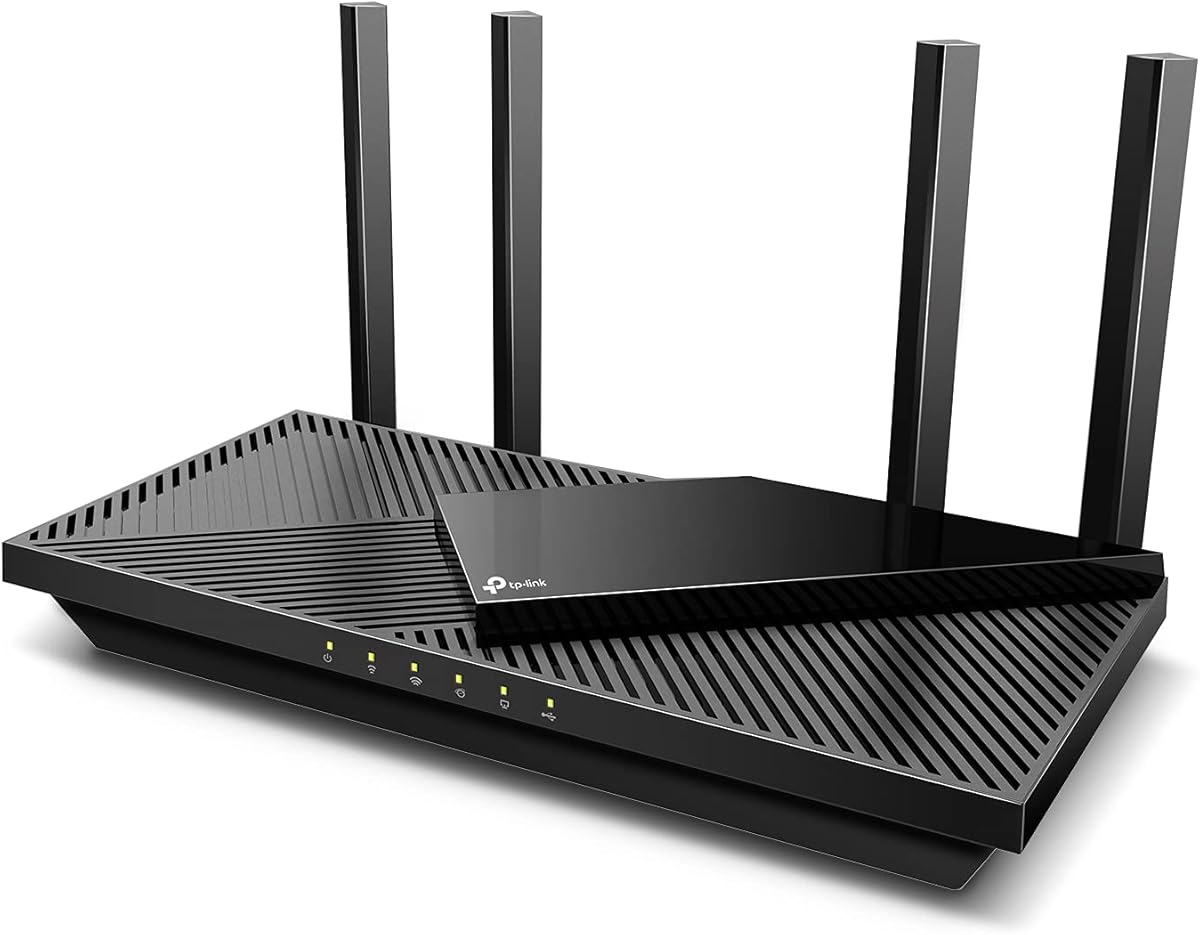
TP-Link Dual-Band AX3000 Wi-Fi 6 Router
4.4Editor score
AX3000 dual-band throughput
OFDMA reduces network congestion
Four high-gain external antennas
This guide compares router for 600 Mbps Internet options across Wi-Fi 6, Wi-Fi 6E, Wi-Fi 7, Ethernet ports, coverage, security, setup, and family use.
A router for 600 Mbps internet must do more than support a fast connection. It must distribute that speed reliably among phones, computers, televisions, work devices, and smart-home products while resisting interference from nearby networks. Wi-Fi 6, Wi-Fi 6E, and Wi-Fi 7 models offer different combinations of throughput, range, processing power, and multi-gigabit wired connectivity.
The ten routers in this guide were compared using their stated wireless standards, band configurations, maximum throughput, Ethernet options, coverage claims, device capacity, security features, and compatibility with common internet services. The list includes standalone routers, a cable modem-router combination, and gaming-focused models for households with different needs and network layouts.
Each review explains the product's strongest features, practical limitations, and most suitable buyer. The first three selections represent the strongest overall choices for budgets, balanced performance, and premium features. Actual results depend on the internet plan, modem, home construction, device capabilities, distance, interference, and number of connected clients, and current prices change frequently.
4.4Editor score

4.0Editor score
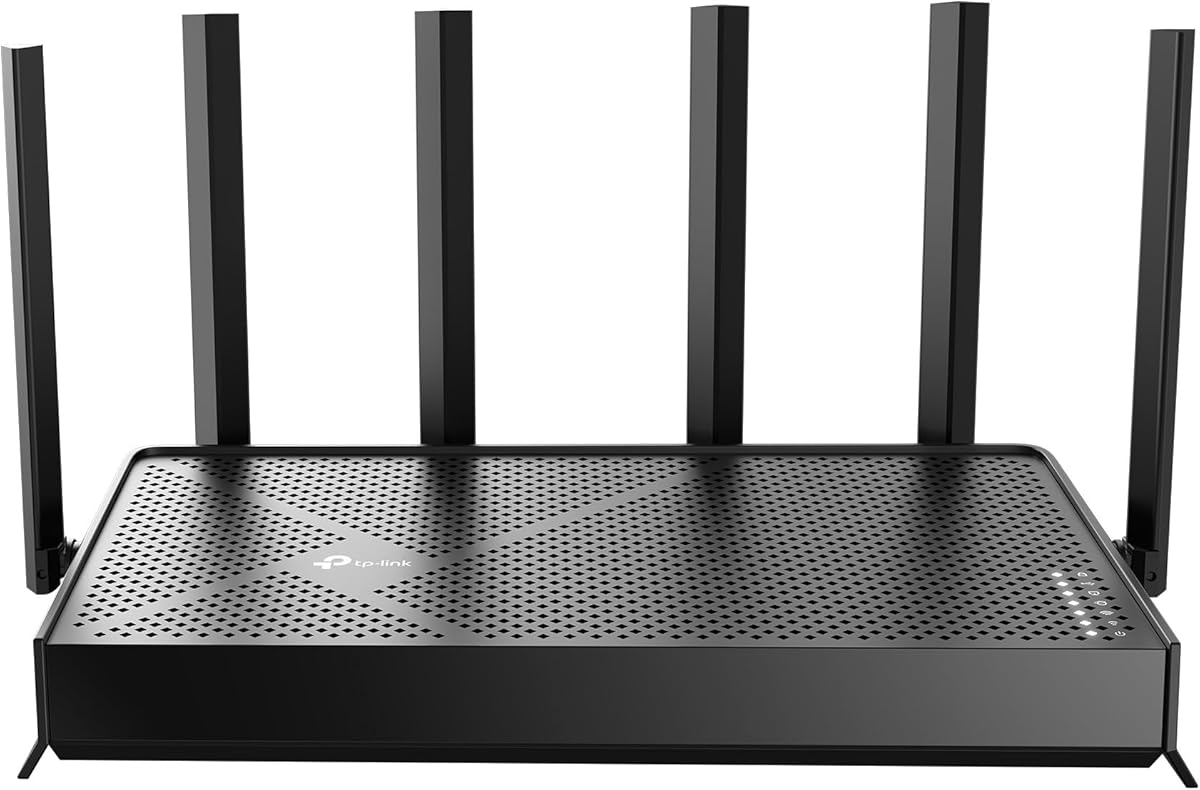
4.2Editor score
This side-by-side comparison covers wireless generation, aggregate bandwidth, wired port options, and the environments each router is designed to serve. It helps distinguish straightforward 600 Mbps setups from gaming, large-home, and future-oriented networks that require more bandwidth or multi-gigabit connections.


The TP-Link Archer AX21 V5 is a dual-band Wi-Fi 6 router built for households that want a 600 Mbps internet plan to be handled with ample headroom. It carries a 4.4 rating and combines aggregate throughput of up to 1.8 Gbps with coverage features such as beamforming, four high-gain antennas, and an advanced front-end module. That makes it a practical middle ground between a basic home router and a more elaborate multi-band system.
We may earn a commission when you buy through this link, at no additional cost to you.
Its stated performance divides into up to 1,200 Mbps on the 5 GHz band and up to 574 Mbps on the 2.4 GHz band. Although those are theoretical wireless rates rather than guaranteed internet speeds, they are appropriate for a 600 Mbps plan when compatible clients are close to the router. OFDMA, beamforming, and simultaneous transmission help the Archer AX21 V5 serve multiple phones, computers, televisions, and smart-home devices more efficiently.
The main limitation is its two-band design. It cannot use the cleaner 6 GHz spectrum, so nearby Wi-Fi 6E or Wi-Fi 7 networks may compete with its 5 GHz channel. It also requires a separate modem, which adds equipment and may create additional setup work. The product's 1.8 Gbps aggregate figure is lower than most premium choices, although it remains ample for the target connection speed.
This router is a strong recommendation for apartment residents, small homes, and families seeking straightforward Wi-Fi 6 without installing a multi-gig system. It is less attractive for users with several Wi-Fi 7 devices, dense apartment competition, or a need for multiple 2.5 Gbps LAN ports. For those situations, the Archer BE550 or BE600 offers more flexibility, while the AX3000 model provides a lower-cost alternative.
OFDMA allows the Archer AX21 V5 to communicate with multiple clients more efficiently on the same band. This is particularly useful during evenings when family members are streaming, attending calls, gaming, and downloading at the same time.
Four high-gain antennas work with beamforming and the front-end module to direct signal toward connected devices. Placement remains important, so the router should be installed in an open central location rather than inside a cabinet or beside a television.
We may earn a commission when you buy through this link, at no additional cost to you.
The TP-Link Archer AXE75 is a tri-band Wi-Fi 6E router that provides a 6 GHz connection alongside conventional 2.4 GHz and 5 GHz bands. It has a 4.3 rating and offers up to 5,400 Mbps of aggregate wireless bandwidth. For a 600 Mbps internet plan, that capacity is more than sufficient, especially when several compatible clients need dedicated spectrum.
We may earn a commission when you buy through this link, at no additional cost to you.
The 6 GHz band offers additional bandwidth and can reduce congestion from networks operating on lower bands. Its total band allocation consists of 2,402 Mbps on 6 GHz, 2,402 Mbps on 5 GHz, and 574 Mbps on 2.4 GHz. A 1.0 GHz dual-core processor, 512 MB of memory, and a housing designed for heat dissipation support sustained performance and future software management.
A 600 Mbps plan does not require Wi-Fi 6E, but it benefits users with recent phones, laptops, tablets, and other 6 GHz-compatible devices. Older clients can still use the lower bands, while a separate modem is required for most internet providers. The Archer AXE75 also supports VPN server and client functions, including OpenVPN, PPTP, and L2TP, which can be useful for remote access or routing selected traffic through a VPN.
This is a good choice for users who want a 6 GHz network and the option to build a larger system with EasyMesh-compatible equipment. The AX1800 is simpler and may suit a smaller home, while the BE550 and BE600 offer newer Wi-Fi 7 features and faster wired ports. Buyers should confirm that their important devices support 6 GHz before treating that band as the main reason to choose this model.
The 6 GHz spectrum can provide clients with wider channels and less interference than crowded lower bands. Compatible devices placed near the router may see lower congestion when the household is simultaneously using many online services.
With 512 MB of memory and a dual-core processor, the Archer AXE75 is equipped for more demanding networks than a basic Wi-Fi 6 router. It also supports additional EasyMesh routers, extenders, and wireless powerline adapters when one router does not cover the entire property.
We may earn a commission when you buy through this link, at no additional cost to you.
The TP-Link AX3000 Wi-Fi 6 router is a cost-conscious option for homes using a 600 Mbps internet service. Its 4.4 rating reflects a broadly capable design, with up to 2,402 Mbps on 5 GHz and 574 Mbps on 2.4 GHz. Those rates provide comfortable headroom for the target plan while also supporting several bandwidth-hungry devices at once.
We may earn a commission when you buy through this link, at no additional cost to you.
OFDMA, MU-MIMO, and beamforming work together to improve multi-client performance. Four high-gain external antennas help provide consistent coverage, while Target Wake Time can help compatible devices communicate more efficiently and consume less power. A larger heat sink and revised case design are intended to limit overheating and performance throttling during extended use.
The two-band layout is the clearest compromise. It cannot provide the congestion relief of a 6 GHz system, and its aggregate maximum is lower than many Wi-Fi 7 routers. Nevertheless, a 600 Mbps connection does not require the enormous headline rates of those premium devices. A separate modem remains necessary for most providers, so the complete setup involves both equipment purchases and two installation steps.
This model is well suited to buyers who want modern Wi-Fi 6 features without paying for a tri-band or multi-gig platform. It suits apartments, small homes, and typical families with mixed device generations. Those needing a 6 GHz band, extensive wired connectivity, or premium multi-gig ports should examine the Archer AXE75, BE230, or BE550 instead.
OFDMA lets the router divide available radio resources among several clients. This reduces contention when phones, computers, and streaming devices are active at the same time, particularly on the congested 2.4 GHz band.
The redesigned enclosure and larger heat sink address a common router issue: reduced performance after sustained workloads. Keeping the unit in an open position with unobstructed airflow helps it maintain its intended operating conditions.
We may earn a commission when you buy through this link, at no additional cost to you.
The NETGEAR Nighthawk CAX30 is a combined DOCSIS 3.1 cable modem and AX2700 Wi-Fi 6 router. It has a 4.1 rating and is intended for cable subscribers who want one device to handle both the internet connection and wireless distribution. Its multi-gig capability can support current faster cable plans, making it relevant to a 600 Mbps user who wants room for future service upgrades.
We may earn a commission when you buy through this link, at no additional cost to you.
Provider compatibility is a central consideration. The product is listed as compatible with Xfinity internet plans up to 800 Mbps, Spectrum up to 1 Gbps, and Cox up to 1 Gbps. It is not compatible with Verizon, AT&T, CenturyLink, DirecTV, DISH, or bundled voice plans, and ISP activation is required after setup. These limitations should be checked before purchase.
Wireless performance comes from dual-band AX2700 Wi-Fi 6, with coverage stated for up to 2,000 square feet and capacity for more than 25 connected devices. Four Gigabit Ethernet ports provide hardwired connections for consoles, desktops, and televisions. The Nighthawk app supports guided setup, speed tests, device pausing, and guest networks, while WPA3, firewall protection, and denial-of-service defenses provide a useful security baseline.
The CAX30 is a sensible choice for compatible cable customers who want a streamlined setup. It removes the need to match a separate modem with a router and offers a simpler path to multi-gig service. It is less flexible for fiber, DSL, satellite, or unsupported cable arrangements, where a standalone router is usually necessary. Users also need to confirm that their provider permits customer-owned modem-router equipment.
Integrating a DOCSIS 3.1 modem and Wi-Fi 6 router can simplify installation and reduce desk clutter. The Nighthawk app guides configuration, while the four Gigabit Ethernet ports support wired devices that benefit from stable local connections.
Multi-gig DOCSIS 3.1 support gives this combination more headroom than a basic gigabit cable modem. Real throughput remains dependent on the customer's plan, the provider's network, and the path from the provider to the home.
We may earn a commission when you buy through this link, at no additional cost to you.
The GL.iNet GL-MT6000 Flint 2 is a Wi-Fi 6 gaming router with a 4.5 rating, the highest among the products in this guide. It combines eight-stream wireless connectivity, a stated maximum throughput of 6 Gbps, 1 GB of DDR4 memory, and 8 GB of eMMC storage. Those specifications make it a strong option for users who want control over networking features rather than a simple router interface.
We may earn a commission when you buy through this link, at no additional cost to you.
The Flint 2 is particularly appealing for gamers and advanced users. Its dual 2.5G ports support high-speed wired connections, while stated WireGuard and OpenVPN rates of up to 900 Mbps and 880 Mbps respectively can serve VPN-heavy households. Actual VPN performance varies with the internet provider, network environment, server location, and VPN service. AdGuard Home support provides an additional layer of DNS-based filtering and ad blocking.
The router can accommodate more than 100 devices according to its product information, and its generous memory is valuable for users who want to install additional plugins or build more advanced configurations. Those same capabilities introduce complexity. The manufacturer specifically recommends updating the firmware during initial setup, and setup may require connecting a computer by Ethernet to access the web administration panel.
The Flint 2 is a compelling match for gamers, VPN users, and technically confident buyers who want 2.5G wired performance. It is unnecessary for a simple 600 Mbps plan, particularly if the user's devices only support older Wi-Fi generations. The Archer BE230 offers a cleaner mobile-app experience, while the Archer BE550 provides more 2.5G ports and a newer wireless standard.
The combination of Wi-Fi 6, high-throughput processing, and 2.5G connectivity gives gaming equipment more bandwidth headroom. It can be especially useful when a console, gaming computer, streaming display, and other household devices are active simultaneously.
WireGuard and OpenVPN support allows selected traffic to be routed securely, while AdGuard Home provides local filtering controls. These functions give advanced users more visibility and configuration options than a standard home router.
We may earn a commission when you buy through this link, at no additional cost to you.
The TP-Link Archer BE230 is a dual-band Wi-Fi 7 router offering a practical path into the newest wireless generation. It has a 4.2 rating and delivers up to 2,882 Mbps on 5 GHz and 688 Mbps on 2.4 GHz. The BE3600 class provides ample capacity for a 600 Mbps internet plan while supporting current features such as Multi-Link Operation, Multi-RUs, and 4K-QAM.
We may earn a commission when you buy through this link, at no additional cost to you.
Its wired connectivity is more advanced than many entry-level Wi-Fi 6 routers. One 2.5G WAN/LAN port and one 2.5G LAN port make it possible to use a multi-gig modem and avoid a bottleneck on the path to the internet. Three additional Gigabit LAN ports serve desktop computers, televisions, game consoles, and other wired devices.
The principal compromise is that this is a dual-band model and cannot operate on the 6 GHz band. Users seeking a clean high-frequency network with multiple simultaneous links may find the tri-band BE550 or BE600 more appropriate. The BE230 also generally needs a separate modem, and real wireless performance depends on Wi-Fi 7 client support, distance, obstacles, and neighboring interference.
This router is a good fit for buyers with a few recent Wi-Fi 7 devices who also want multi-gig Ethernet without moving to a large tri-band system. Its 2.0 GHz quad-core processor, four internal antennas, beamforming, and stated coverage for up to 2,000 square feet make it a well-rounded home option. It is especially appealing for users who want EasyMesh expansion without starting with the most advanced hardware.
The Archer BE230 introduces current Wi-Fi 7 capabilities while keeping the band count and port arrangement relatively approachable. It is a practical option when a household wants newer wireless technology and multi-gig wired connectivity without a complex tri-band system.
The 2.5G ports are useful for a multi-gig modem, high-end computer, network storage device, or other demanding wired client. Remaining 1 Gbps ports can handle ordinary household equipment without requiring a separate switch.
We may earn a commission when you buy through this link, at no additional cost to you.
The TP-Link Archer BE550 combines tri-band Wi-Fi 7 with an unusually useful collection of 2.5G Ethernet ports. Its stated aggregate bandwidth reaches 9,214 Mbps across the 2.4, 5, and 6 GHz bands, including a 6 GHz band rated at 5,760 Mbps. It carries a 4.0 rating and is one of the strongest all-around choices for a modern, device-heavy home.
We may earn a commission when you buy through this link, at no additional cost to you.
Multi-Link Operation, Multi-RUs, 4K-QAM, and support for 320 MHz channels give compatible devices several ways to improve responsiveness and reliability. The router includes a 2.5G WAN port and four 2.5G LAN ports, so both the internet uplink and multiple wired clients can operate above gigabit speeds. That makes it suitable for a 600 Mbps plan with considerable room for future expansion.
Its feature set extends beyond raw speed. HomeShield supplies network protection, parental controls, and IoT security tools, while a private IoT network can isolate compatible devices using WPA3 encryption. The router can function as both a VPN client and server, supports EasyMesh expansion, and is managed through the Tether app. These features add convenience for owners who want control without maintaining a complex configuration.
The BE550 is recommended for medium to large homes with several modern devices, a mix of Wi-Fi 7 clients, and demand for multi-gig wired connections. Its 4.0 rating is lower than several alternatives, but rating totals should be considered alongside features and compatibility. Buyers with only 600 Mbps service and a few older devices may find the AX3000 or AX1800 more than sufficient, while the BE600 is preferable for users prioritizing even faster networking.
Five 2.5G ports make the Archer BE550 unusually versatile for a home router. A multi-gig modem can use the WAN port, while computers, network storage, and smart televisions can each receive a high-speed wired connection without adding an immediate multi-gig switch.
A dedicated IoT network keeps compatible smart-home products on a separate wireless network from everyday computers and phones. Combined with WPA3 encryption, this can reduce exposure to devices that receive fewer security updates.
We may earn a commission when you buy through this link, at no additional cost to you.
The TP-Link Archer BE600 is a premium tri-band Wi-Fi 7 router built for users who want more than a conventional 600 Mbps setup. It has a 4.2 rating and provides a seven-stream 6 GHz band, 5 GHz and 2.4 GHz bands, and a combined maximum throughput of approximately 9.7 Gbps. Its defining feature is a flexible port arrangement led by a 10 Gbps WAN/LAN connection.
We may earn a commission when you buy through this link, at no additional cost to you.
The port selection includes one 10 Gbps WAN/LAN port, one 2.5 Gbps WAN/LAN port, and three 2.5 Gbps LAN ports. A compatible multi-gig modem can feed the 10 Gbps port for very fast fiber or similar services, while 2.5G connections accommodate demanding computers, storage, and entertainment devices. This makes the router particularly relevant to households that expect their internet plan or local network demands to grow.
Wireless capacity is equally ambitious. The 6 GHz band can deliver up to 5,765 Mbps, the 5 GHz band up to 2,882 Mbps, and the 2.4 GHz band up to 1,032 Mbps. Coverage is stated for up to 2,600 square feet and 120 devices, with six positioned antennas and beamforming supporting signal distribution. Walls, floors, neighboring networks, and client capabilities will still determine real-world results.
The BE600 is the premium choice for expansive homes, advanced users, and owners with current or planned multi-gig service. For a straightforward 600 Mbps plan in a small home, it can be excessive, and the AX1800 or AX3000 would be easier to justify. The BE550 offers a similar tri-band concept with more 2.5G ports, while the NETGEAR RS700S is an alternative for buyers interested in a 10 Gbps WAN connection and broad Nighthawk coverage.
The 10 Gbps port removes a potential bottleneck between a multi-gig modem and the internal network. It can also be used as a LAN port, allowing compatible computers and storage devices to benefit from very fast local transfers.
The stated support for 120 devices reflects an emphasis on busy, highly connected homes. Tri-band operation and Wi-Fi 7 features help modern clients distribute traffic, although a large home may still benefit from a properly placed mesh expansion.
We may earn a commission when you buy through this link, at no additional cost to you.
The NETGEAR Nighthawk RS700S is a tri-band Wi-Fi 7 router designed for busy homes, wide coverage, and high-capacity wired networking. Its 4.4 rating and stated throughput of up to 19 Gbps make it one of the most capable standalone routers in this guide. It can pair with an existing modem or gateway over Ethernet and works with most cable, fiber, DSL, and satellite services.
We may earn a commission when you buy through this link, at no additional cost to you.
A 12-stream design is stated to cover up to 3,500 square feet and 200 devices, with MU-MIMO and OFDMA supporting simultaneous traffic. A 10 Gbps WAN port can accept a compatible fiber or other high-speed connection. One 10 Gbps Ethernet LAN port and four 1 Gbps LAN ports provide paths for gaming systems, network-attached storage, and smart televisions.
Connection details still require care. Some gateways and modem-router combinations must be placed in bridge mode, and the product does not require a coax connection because it is a standalone router. Large properties, multi-story homes, and difficult building materials may reduce the stated coverage, in which case an Orbi mesh system may be more appropriate. NETGEAR Armor is available as a trial, with a separate subscription required afterward.
The RS700S is recommended for large homes with numerous connected devices, a fast internet plan, and at least one 10 Gbps-capable network component. It is overkill for a typical 600 Mbps apartment. Buyers should first assess whether the main benefit they need is wireless capacity, wired speed, or simply better placement, because the BE600 and RS300 can meet some of the same needs with less extreme specifications.
Connecting to an existing modem or gateway makes the RS700S adaptable to many access technologies. Users of cable, fiber, DSL, and satellite services can retain an approved provider device and use this router for local wireless and wired networking.
The Nighthawk app provides guided setup, speed tests, device pausing, and guest-network controls. These tools help owners understand network behavior and manage access across a household with many connected products.
We may earn a commission when you buy through this link, at no additional cost to you.
The NETGEAR Nighthawk RS300 is a tri-band Wi-Fi 7 router that balances high wireless throughput with a more modest multi-gig port selection. It has a 4.3 rating and provides up to 9.3 Gbps across the 2.4, 5, and 6 GHz bands. The router is intended to deliver dependable whole-home performance for streaming, calls, gaming, and smart devices.
We may earn a commission when you buy through this link, at no additional cost to you.
Its 2.5 Gbps WAN port is suitable for a multi-gig modem, while two 2.5 Gbps LAN ports and two 1 Gbps LAN ports cover demanding and ordinary wired equipment. This arrangement is less expansive than the Archer BE600, but it remains more flexible than routers limited to gigabit Ethernet. It is a good fit for owners who want multi-gig readiness without needing a 10 Gbps connection for a NAS, workstation, or ultra-fast fiber service.
The stated coverage is up to 2,500 square feet and 100 devices, which suits a substantial but not necessarily sprawling home. MU-MIMO and OFDMA help the router serve multiple clients simultaneously. As with all wireless systems, walls, floors, interference, and the capabilities of individual devices influence actual performance. Larger or multi-story homes may benefit from a mesh system rather than relying on one access point.
The RS300 is a strong recommendation for households that want Wi-Fi 7, 2.5G wired connectivity, and broad device support without the most extreme specifications. It is more than sufficient for a 600 Mbps plan when paired with a suitable modem. The BE550 offers more 2.5G LAN ports, the BE600 includes a 10 Gbps port, and the AX3000 is a simpler Wi-Fi 6 alternative for less demanding homes.
A 2.5G WAN port prevents the router from limiting many multi-gig internet plans, while two 2.5G LAN ports can serve compatible computers, storage devices, and game systems. The remaining gigabit ports cover ordinary household equipment.
The Nighthawk app supports guided setup, Wi-Fi management, speed tests, device pausing, and guest networks. This makes the RS300 practical for users who want advanced Wi-Fi 7 hardware without navigating a complicated interface.
We may earn a commission when you buy through this link, at no additional cost to you.
The right router depends on service type, home size, client capabilities, wired-device requirements, and the likelihood of future upgrades. A 600 Mbps plan is not exceptionally fast by current standards, so matching the router to actual usage matters more than choosing the largest headline number.
Start by identifying how the home receives internet. Cable users may need a DOCSIS modem or a compatible modem-router combination, while fiber, DSL, and satellite subscribers usually connect a standalone router to an existing gateway or modem through Ethernet. The CAX30 is specifically for compatible cable services and excludes Verizon, AT&T, CenturyLink, DirecTV, DISH, and bundled voice plans. Most standalone routers in this guide require a separate modem.
Match the router and service first, then consider wireless features. A powerful Wi-Fi 7 unit cannot compensate for an incompatible access method, and a standalone router cannot replace a required cable modem.
Wi-Fi 6 is a sensible baseline for a 600 Mbps connection, while Wi-Fi 6E adds a 6 GHz band and Wi-Fi 7 introduces features such as Multi-Link Operation, Multi-RUs, and 4K-QAM. Band count matters too: dual-band devices use 2.4 and 5 GHz, while tri-band models add 6 GHz. Compatible newer clients can benefit from the extra spectrum, especially where lower bands are crowded.
Choose Wi-Fi 6 for broad, economical compatibility, Wi-Fi 6E for a useful 6 GHz option, and Wi-Fi 7 when the household owns recent high-end devices or expects to upgrade soon.
Coverage claims provide a starting point, but placement and construction matter more than a maximum square-foot figure. Thick walls, floors, metal appliances, long corridors, and neighboring networks can reduce usable range. The AX21 V5 and AX3000 use four external antennas, while premium models use multiple internally or externally positioned antennas with beamforming. Central, elevated placement usually produces more consistent results.
For a small or single-level home, one well-positioned router may be sufficient. For a multi-story property, consider EasyMesh-compatible models or a mesh system. The RS700S covers the largest stated area in this group, but stated coverage is not a guarantee.
For a 600 Mbps plan, Gigabit Ethernet is generally adequate for ordinary computers, televisions, and consoles. Multi-gig ports become important when using a faster modem, a high-end workstation, network-attached storage, or frequent local file transfers. The BE230 includes two 2.5G ports, the BE550 adds several more, and the BE600 offers a 10 Gbps connection.
Count wired devices before selecting ports. A faster uplink helps only if the modem and service can deliver it, while additional 2.5G LAN ports avoid requiring a switch when several demanding devices are connected.
Households with many active clients should consider processor speed, memory, MU-MIMO, and OFDMA. The AXE75 includes 512 MB of memory, the Flint 2 has 1 GB of DDR4 plus 8 GB of eMMC, and several Wi-Fi 7 routers use faster quad-core or premium processing. These resources can help the router maintain responsiveness as the number of simultaneous connections rises.
Prioritize efficient multi-client features rather than device-count claims alone. Real performance depends on traffic intensity, client standards, and whether nearby networks are congested.
Look for WPA3 support, firewall protection, automatic firmware updates, parental controls, and separate IoT networks. The BE550 and BE600 offer private IoT networking and HomeShield tools, while NETGEAR models include Advanced Router Protection and optional NETGEAR Armor services after a trial period. VPN client or server support can add privacy for selected devices or permit secure remote access.
Check whether advanced security is included or subscription-based. A router should also be kept on current firmware, since network-facing software requires regular updates to address newly discovered vulnerabilities.
TP-Link models are generally managed through the Tether app, NETGEAR uses the Nighthawk app, and GL.iNet provides a web administration interface with advanced controls. Apps are convenient for setup, guest networks, device pausing, speed tests, and firmware updates. The Flint 2 is better suited to users who want plugins, AdGuard Home, and detailed VPN configuration.
Choose the interface that matches your comfort level. A simpler managed experience is usually preferable for families, while advanced users may value granular control, additional storage, or protocol selection.
A router supporting Wi-Fi 7, multi-gig ports, and mesh expansion can remain useful after the current 600 Mbps service is upgraded. The BE550 and BE600 are particularly future-oriented, while the NETGEAR RS700S offers 10 Gbps connectivity for very fast access plans. More advanced hardware is not automatically necessary, but it can reduce the need for an earlier replacement if a fiber or multi-gig service is planned.
Balance current needs against realistic plans. Do not pay for unused 10G hardware if the service, modem, and local devices remain gigabit-level, but consider future-proofing when an upgrade is already planned.
Begin by placing the router in a central, elevated location with open ventilation. Avoid cabinets, enclosed media consoles, and positions beside large metal appliances. Connect the appropriate modem or gateway to the router's WAN or internet port using Ethernet, then power both devices and follow the manufacturer's app or setup interface. Change the default administrator credentials, update the firmware, and set a strong Wi-Fi password before adding all household devices.
For cable service, confirm provider compatibility and complete any required activation before expecting the CAX30 to operate normally. For a standalone router, verify that the connected modem or gateway is in the appropriate bridge or router mode as directed by the provider. A wired speed test near the router can help separate internet-service limitations from Wi-Fi problems, while a second test on Ethernet or near the access point helps identify wireless interference or placement issues.
Maintain the network by installing firmware updates promptly, reviewing connected devices, and replacing old wireless passwords or administrator credentials when needed. Keep the unit away from direct heat, periodically clear dust from vents, and avoid stacking equipment that blocks airflow. When coverage is weak, adjust placement before adding extenders, and use mesh components that support the router's ecosystem for a more consistent whole-home experience.
No. A capable Wi-Fi 6 router can comfortably handle a 600 Mbps service when connected to a suitable modem and placed well. Wi-Fi 6E and Wi-Fi 7 become more attractive when the household owns compatible clients, has many active devices, experiences crowded wireless channels, or plans to upgrade its internet service and local wired network.
A better router cannot exceed the speed delivered by the internet service, but it can eliminate local bottlenecks and improve wireless consistency. Wired connections and favorable router placement often help more than upgrading to a model with a very high theoretical wireless rate. The modem, provider network, device limitations, and congestion all influence the final result.
Most standalone routers in this guide require a separate modem or gateway, including the TP-Link and GL.iNet models. The NETGEAR Nighthawk CAX30 is the exception because it combines a DOCSIS 3.1 cable modem with Wi-Fi 6 routing, but it only supports compatible cable services and requires ISP activation.
Not for basic household use because Gigabit Ethernet already exceeds a 600 Mbps connection. A 2.5G or 10G port becomes useful with a faster modem, fiber service, network-attached storage, a high-end computer, or heavy local transfers. The port must also match the connected modem, service, and device capabilities.
It depends on the layout, construction materials, number of clients, and router placement. A central unit with multiple bands may cover many homes, but floors and thick walls can create dead zones. EasyMesh-compatible TP-Link models or a NETGEAR Orbi system may be more effective for large or multi-story properties.
The 2.4 GHz band offers long range and better wall penetration but has lower throughput and is often crowded. The 5 GHz band is faster and commonly used for computers, televisions, and gaming. The 6 GHz band found on Wi-Fi 6E and Wi-Fi 7 routers offers additional capacity but requires compatible devices and generally has shorter effective range.
Connect a computer directly to the router with Ethernet and run a speed test, then compare the result with the provider's expected range. If the wired result is also slow, the issue may involve the service or modem. If Ethernet performs well but Wi-Fi does not, focus on client capabilities, band congestion, distance, placement, and network configuration.
Install current firmware as soon as it becomes available, especially during initial setup and when security advisories appear. Updates can correct defects, improve stability, and close security vulnerabilities. For advanced models such as the Flint 2, the manufacturer specifically recommends updating firmware during initial configuration to optimize performance.
The TP-Link AX3000 Wi-Fi 6 router is the most practical budget-oriented selection, offering strong dual-band throughput and efficient handling of multiple clients. The TP-Link Archer BE550 stands out as the most balanced high-performance choice with tri-band Wi-Fi 7 and five 2.5G ports. For users seeking a premium foundation and unusually fast wired connectivity, the TP-Link Archer BE600 offers a 10 Gbps port alongside advanced wireless capabilities.
Prioritize compatibility with the internet service, client device standards, home construction, and actual wired requirements. A smaller Wi-Fi 6 router is sufficient for many 600 Mbps households, while a tri-band model becomes more useful with newer devices and busy networks. Users planning a fiber upgrade or connecting demanding local equipment should consider multi-gig ports and EasyMesh expansion.
Before purchasing, confirm the required modem or gateway, review provider compatibility, compare current features, and verify that the router can be positioned where it will provide usable coverage. Product specifications and prices can change, so checking current listings, warranty details, firmware availability, and promotions at the time of purchase will help ensure the selected model remains the right fit.