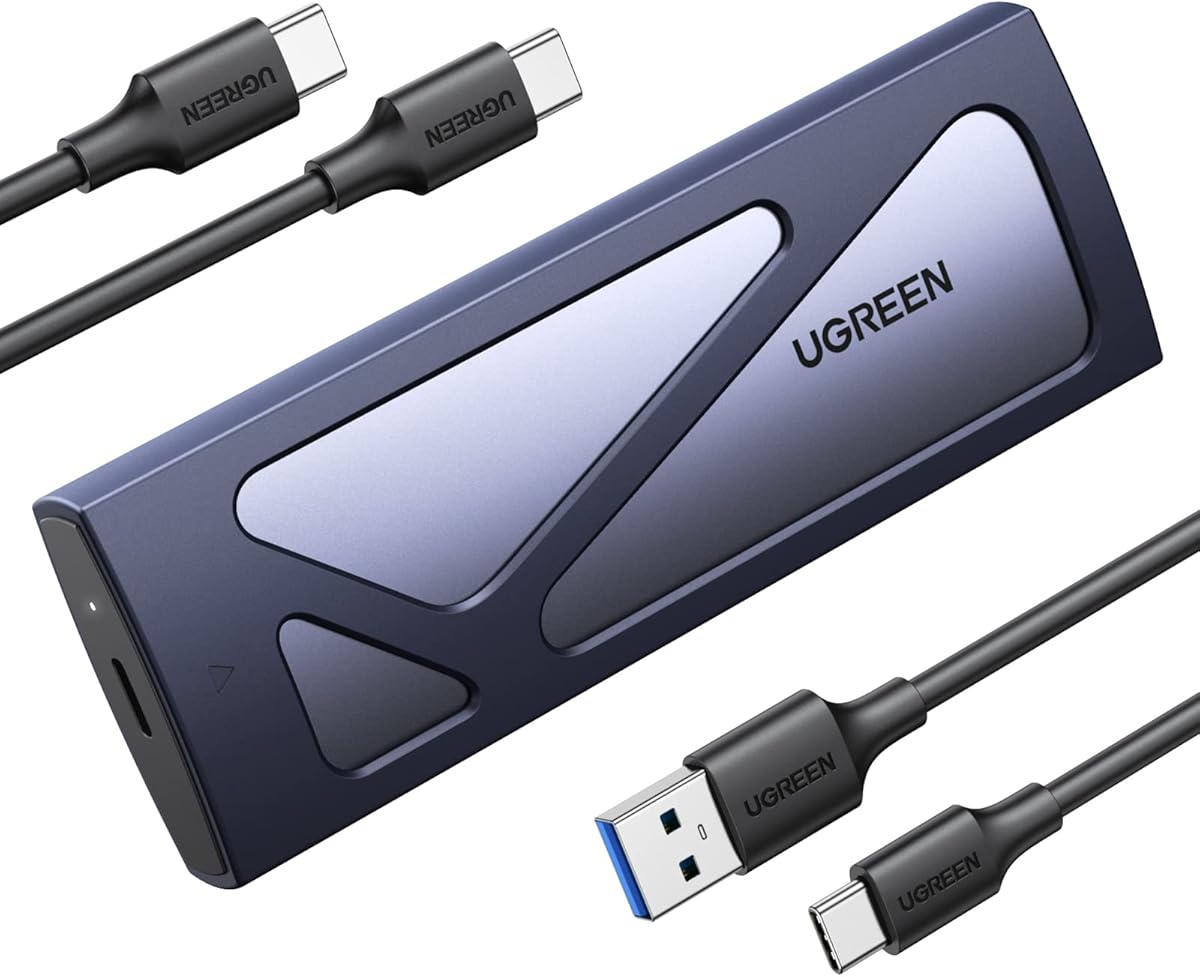
UGREEN USB-C M.2 NVMe SSD Enclosure
4.4Editor score
10Gbps USB 3.2 Gen 2
Tool-free installation
Up to 8TB capacity
Aluminum with silicone protection
Our rugged NVME enclosure guide compares ten durable USB-C models for speed, SSD compatibility, portability, cooling, and reliable physical protection.
A rugged NVMe enclosure should protect a fast SSD from drops, dust, moisture, and daily movement without turning installation into a frustrating project. The strongest models combine a protective shell, secure internal retention, useful cooling, and broad device compatibility in a package that is still easy to carry.
We compared ten enclosures based on the supplied specifications, emphasizing USB interface speed, supported M.2 protocols and lengths, enclosure materials, environmental protection, installation method, thermal provisions, and intended use. The list covers budget models, premium gaming designs, tool-free options, and highly versatile SATA-compatible enclosures.
Each review identifies the feature that makes its enclosure distinctive, while also explaining compatibility limits and practical trade-offs. Ratings reflect the supplied customer feedback, and product configurations, bundled accessories, availability, and current market pricing can change, so verify the latest listing before purchasing.
4.4Editor score

4.5Editor score

4.7Editor score
The table below compares all ten rugged NVMe enclosures by their most important distinctions, including interface generation, supported drive types, physical protection, and installation convenience.
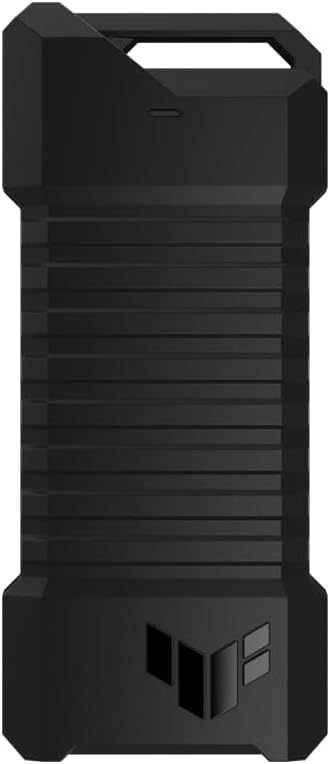


The ASUS TUF Gaming A1 is a rugged enclosure built for buyers who want gaming aesthetics and serious physical protection without giving up broad SSD compatibility. Its supplied customer rating is 4.6, and the defining features are a 10Gbps USB-C 3.2 Gen 2 interface, support for both M.2 NVMe PCIe and M.2 SATA drives, and a Q-Latch installation mechanism.
We may earn a commission when you buy through this link, at no additional cost to you.
Durability is the A1's main attraction. It is described as meeting MIL-STD-810H drop-resistance standards and carrying an IP68 water-and-dust resistance rating, giving it a more defensible ruggedness profile than enclosures that rely only on an aluminum shell. A bundled USB-C cable adds convenience, while stated compatibility with PCs, laptops, mobile devices, PS5, and Xbox expands its use beyond conventional desktop storage.
The main limitation is interface speed. Its 10Gbps USB-C connection is still fast enough for most portable storage tasks, but it is slower than the 20Gbps interface offered by the ASUS TUF Gaming A2. There is also no lighting or elaborate RGB feature set for buyers who want the enclosure itself to become part of a gaming setup.
Choose the A1 when environmental resistance, broad drive support, and straightforward installation matter more than having the fastest possible USB interface. It is particularly attractive for travelers, console owners, and field users who want a dependable way to carry an existing M.2 SSD between locations.
The combination of MIL-STD-810H drop resistance and IP68 water-and-dust protection makes the A1 one of the strongest rugged choices in the group. It is better suited to unpredictable environments than a lightweight aluminum case with no stated environmental rating.
Supporting both NVMe PCIe and SATA SSDs means you are not limited to one generation or protocol of M.2 drive. The 2242, 2260, and 2280 form-factor support broadens compatibility with existing storage.
We may earn a commission when you buy through this link, at no additional cost to you.
The ASUS TUF Gaming A2 stands out as the fastest enclosure in this comparison, with a USB-C 3.2 Gen 2×2 interface capable of up to 20Gbps. Its 4.5 customer rating reflects a strong overall response, while the aluminum-alloy chassis, silicone-rubber exterior, IP68 rating, and MIL-STD-810H testing make it one of the most convincingly rugged models listed.
We may earn a commission when you buy through this link, at no additional cost to you.
It also retains the practical strengths of the A1 while improving speed and thermal construction. Both NVMe PCIe and SATA drives fit in 2242, 2260, and 2280 sizes, and the screw-free Q-Latch system allows quick swaps. An aluminum chassis and thermal pad help dissipate heat, which is especially relevant because faster host interfaces and larger-capacity drives can create heavier sustained workloads.
A 20Gbps connection only reaches its full potential when the computer, port, and cable also support USB 3.2 Gen 2×2. Older USB connections will operate at their own lower limits. Buyers should also remember that an enclosure can preserve an SSD's speed only when the drive, interface, host, workload, and thermal conditions are all suitable.
For buyers seeking the strongest balance of speed, protocol flexibility, and rugged protection, the A2 is the leading choice. It is especially well matched to newer laptops and desktops with compatible high-speed USB-C ports, as well as users who regularly transfer large files and want less friction when changing SSDs.
Doubling the stated interface bandwidth to 20Gbps can shorten transfer times on compatible systems. The advantage is most meaningful for sustained transfers involving large, uncached files rather than small everyday documents.
The aluminum-alloy structure and included thermal pad provide a practical means of moving heat away from the drive. That design is especially useful when combining a high-speed interface with a high-capacity SSD during extended transfers.
We may earn a commission when you buy through this link, at no additional cost to you.
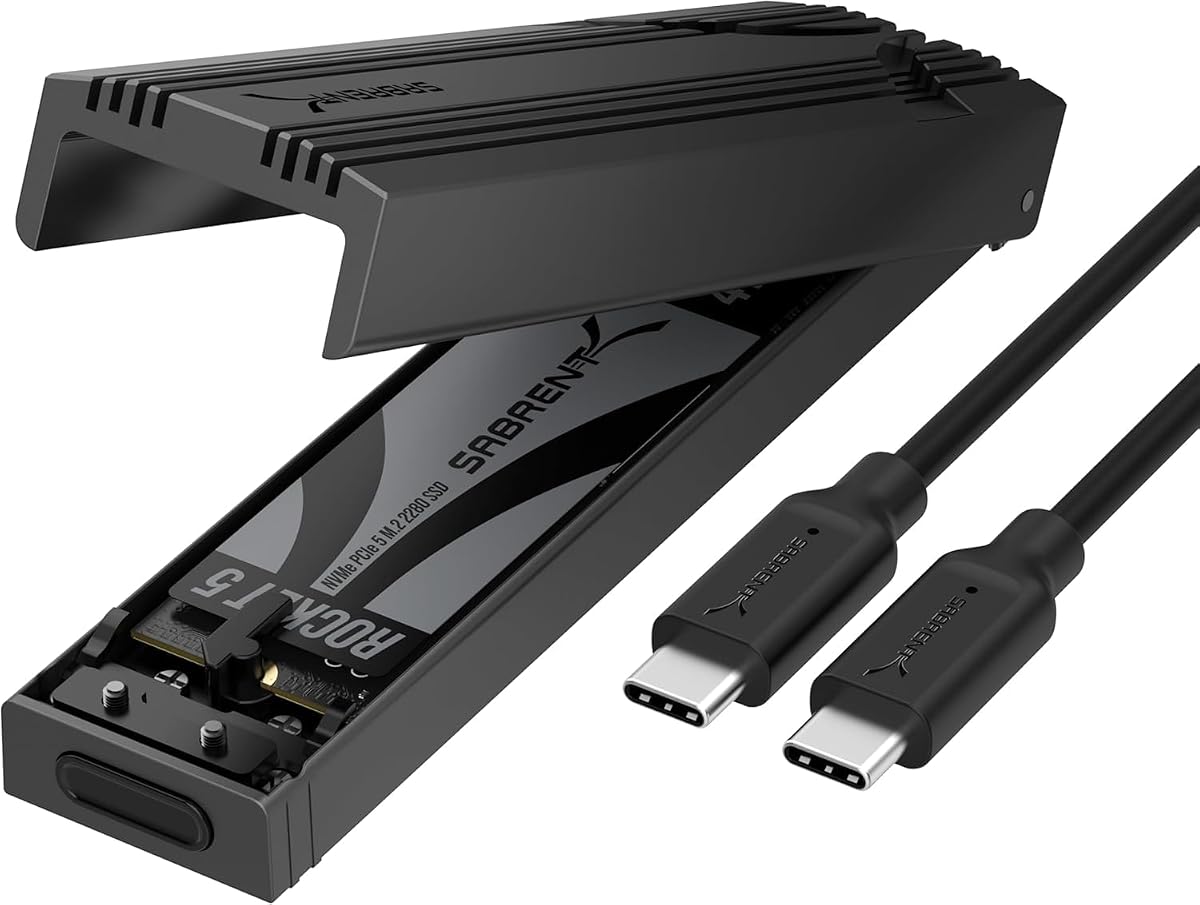
The SABRENT EC-PNVO is a compact, tool-free enclosure designed specifically for M.2 NVMe SSDs. It has a 4.5 customer rating and a 10Gbps USB-C 3.2 Gen 2 interface. The flip-open cover, locking installation design, and support for 2230, 2242, 2260, and 2280 drives make it particularly convenient for repeated upgrades, cloning, troubleshooting, and portable work.
We may earn a commission when you buy through this link, at no additional cost to you.
Its aluminum enclosure presses a thermal pad directly against the SSD, a construction choice intended to improve heat transfer and sustain 10Gbps performance more reliably than a simple slide-in design. A reinforced ABS frame adds structural support, while the plug-and-play USB-C connection requires neither drivers nor external power. The supplied information also lists compatibility with laptops, desktops, gaming handhelds, and other USB-C devices.
The major caveat is that this is an NVMe-only enclosure. It will not accept M.2 SATA SSDs, so buyers with older SATA-based M.2 drives need to choose a dual-protocol model. Despite that limitation, its direct thermal contact and tool-free access create a clear advantage for users who frequently install or remove drives.
The EC-PNVO is best for portable storage built around a modern NVMe drive, particularly if you value quick access and simple installation. It is a sensible choice for content creators, gamers, and technicians who need a dependable external drive without carrying installation tools.
Opening the cover, inserting the SSD, and locking it into place takes fewer steps than a screw-secured design. That convenience is valuable when cloning disks, moving data between machines, or troubleshooting storage problems.
Pressing the enclosure's thermal pad directly against the drive improves heat transfer. The result is a design better suited to sustained 10Gbps transfers than an enclosure that leaves the SSD poorly coupled to its metal shell.
We may earn a commission when you buy through this link, at no additional cost to you.
The Ineo C2597-NVMe differentiates itself with a built-in write-protection switch and a rugged, militarized design inspired by Picatinny rails. Its 4.2 customer rating is lower than those of several competitors, but the enclosure provides practical features that may not appear in more conventional designs, including a solid aluminum cover and a 10Gbps USB 3.2 Gen 2 connection.
We may earn a commission when you buy through this link, at no additional cost to you.
The write-protection control is the most important feature. In the lock position, the supplied information says the enclosure and its files become read-only, which can reduce the risk of malware or accidental changes when examining files on a public computer. It accepts M-Key NVMe drives in 2230, 2242, 2260, and 2280 sizes, and a bundled silicone thermal pad helps manage heat during transfers.
Compatibility is narrower than the dual-protocol alternatives. It does not support M.2 SATA or NGFF drives, so users with SATA-based storage must look elsewhere. The write-protection behavior also depends on the connected system recognizing the switched storage mode, making the switch less useful on systems with limited USB storage support.
This enclosure is a strong match for field technicians, investigators, outdoor users, and anyone who regularly views files on shared computers. Its distinctive rail-style housing and physical security control make it more specialized, but for the right workflow, those differences are meaningful rather than merely decorative.
The write-protection switch offers a visible way to prevent modification while files are being viewed on a shared computer. This is particularly useful for diagnostics, field servicing, and controlled review environments.
A solid metal cover shields the drive, while the included silicone pad helps draw heat away from it. That combination suits users who need a protective case as much as they need a fast adapter.
We may earn a commission when you buy through this link, at no additional cost to you.
The Zinc Alloy M.2 NVMe and SATA enclosure is a versatile choice for users who may encounter more than one type of M.2 drive. It supports NVMe PCIe and SATA SSDs in 2230, 2242, 2260, and 2280 sizes, while its RTL9210B controller includes short-circuit, over-current, and other multi-protection features along with UASP and Trim support.
We may earn a commission when you buy through this link, at no additional cost to you.
The 10Gbps USB 3.2 Gen 2 interface can handle up to 10Gbps with supported NVMe drives and up to 6Gbps with SATA drives. Its zinc-alloy shell, silicone-wrapped edges, and scratch-resistant exterior are described as rugged, waterproof, and dustproof. A bundled thermal pad supports heat dissipation, while the included screwdriver makes the screw-secured installation straightforward.
There are meaningful restrictions. It does not support M.2 SATA AHCI B-Key SSDs, does not accept drives with preinstalled heatsinks, and must be opened with a screwdriver. Its stated maximum capacity is also 4TB. These limitations make it less flexible than a tool-free enclosure, even though its protocol range is broad.
This model suits buyers who want one enclosure to cover both NVMe and SATA storage and who value a substantial metal shell over a no-tool workflow. Its range of operating systems and device types also makes it useful for backups, media transfer, and general-purpose portable storage.
Supporting both NVMe and SATA helps avoid owning separate adapters. It is especially useful for technicians or content professionals who may receive older SATA-based M.2 drives alongside modern NVMe storage.
The zinc-alloy body and silicone-wrapped edges provide a more substantial feel than a lightweight plastic enclosure. The supplied specifications also identify the shell as resistant to dust, scratches, and water, although buyers should still consult the manufacturer's care guidance.
We may earn a commission when you buy through this link, at no additional cost to you.
The Ineo C2594-NVMe combines a rugged protective structure with RGB gaming design. It carries a 4.4 customer rating, uses a 10Gbps USB 3.1 connection, and accepts M-Key NVMe SSDs in 2230, 2242, 2260, and 2280 sizes. Its aluminum cover and compact silicone frame are described as waterproof and shockproof, giving the enclosure a distinctive combination of protection and visual appeal.
We may earn a commission when you buy through this link, at no additional cost to you.
A bundled silicone thermal pad helps cool the SSD during sustained transfers, while the enclosed design keeps the drive protected from routine impact and handling. Unlike the C2597 model, it does not include a physical write-protection switch, so its emphasis is on physical durability and appearance rather than controlled read-only access.
Its protocol support is the main restriction. The enclosure is explicitly limited to M.2 NVMe and PCIe SSDs using the M-Key and does not accept SATA or NGFF drives. Buyers should also consider whether the RGB lighting is a benefit for their setup rather than simply an extra feature they will never use.
The C2594-NVMe is well suited to gamers and builders who want a portable enclosure that looks at home alongside illuminated equipment. It also makes sense for users who want a protected NVMe adapter with a 10Gbps interface, thermal pad, and multiple supported form factors.
Many rugged enclosures use plain industrial shells. This model retains a protective aluminum cover and silicone frame while adding RGB lighting for users who want their portable storage to coordinate with a gaming setup.
Compatibility with 2230, 2242, 2260, and 2280 drives gives users access to several widely available capacities and form factors. It remains important to check that the SSD is bare and does not include an oversized factory heatsink.
We may earn a commission when you buy through this link, at no additional cost to you.
The UGREEN USB-C M.2 NVMe SSD Enclosure is a practical portable option with a 4.4 customer rating. It supports 10Gbps USB 3.2 Gen 2, works across major operating systems, and accommodates M.2 NVMe drives in 2230, 2242, 2260, and 2280 sizes with capacity stated up to 8TB.
We may earn a commission when you buy through this link, at no additional cost to you.
Its tool-free buckle design makes installation quick and keeps the drive stable after insertion. The enclosure uses an RTL9210 controller with short-circuit, over-current, and other multi-protection features while supporting UASP and Trim. A slim aluminum body is paired with an extra silicone case, combining a practical protective layer with easy transport.
It does not support SATA NGFF or mSATA drives, so it is unsuitable for owners of older M.2 SATA storage. Reaching 10Gbps also requires a matching USB 3.2 Gen 2 data cable and a compatible host port; otherwise, the connection will operate at a lower speed.
The UGREEN enclosure is a strong everyday choice for students, office workers, travelers, and anyone who wants a tool-free portable adapter for a modern NVMe drive. It may lack the formal environmental ratings of the ASUS TUF models, but its protective silicone case, metal construction, controller protections, and broad capacity support make it versatile and approachable.
The buckle-based installation system allows the drive to be inserted and removed without a screwdriver. This reduces downtime when changing storage between a desktop, laptop, and portable setup.
The aluminum enclosure and added silicone shell provide everyday impact protection, while the RTL9210 controller includes electrical safeguards. Together, they form a balanced design for carrying a drive between work and travel locations.
We may earn a commission when you buy through this link, at no additional cost to you.
The ICY BOX M.2 NVMe and SATA enclosure is designed for mobile professionals who need to move storage between field work and editing locations. It has a 4.3 customer rating, a 10Gbps USB 3.2 Gen 2 Type-C interface, and support for both M-Key and B+M-Key NVMe and SATA SSDs in sizes from 2230 through 2280.
We may earn a commission when you buy through this link, at no additional cost to you.
Its full-metal housing is described as resistant to dust and shock, and a thermal pad helps dissipate heat during large transfers or extended use. The included lanyard can attach the enclosure to a camera bag or gear loop, making it easier to keep portable storage accessible. Compatibility with Windows, macOS, Linux, and Android broadens its application across common computing environments.
The stated capacity limit of 4TB is lower than that of some rivals, which may matter for users assembling large media libraries or backup systems. It also lacks a supplied IP water-and-dust rating, so its environmental protection should not be interpreted as equal to an enclosure with a formal IP68 designation.
The ICY BOX is best for photographers, videographers, and other mobile professionals who value a lanyard, metal construction, and support for both NVMe and SATA drives. Its clean balance of protection, protocol flexibility, and portability makes it a solid field accessory.
The included lanyard gives the enclosure a practical place on a camera bag or gear loop. That small feature can make a portable drive easier to find, carry, and keep physically secure during movement.
The full-metal shell provides structural protection, while the included thermal pad helps transfer heat away from the drive. This construction is useful for sustained file movement involving high-capacity SSDs.
We may earn a commission when you buy through this link, at no additional cost to you.
The SABRENT EC-SNVE is a slim, tool-free enclosure for M.2 NVMe and SATA SSDs. It has a 4.5 customer rating, supports up to 10Gbps over USB 3.2 Type-C, and is stated to reach up to 1000MB/s in real transfers. Installation takes seconds without a screwdriver, while bus power eliminates the need for an external supply.
We may earn a commission when you buy through this link, at no additional cost to you.
Its compatibility with both PCIe NVMe and M.2 SATA drives makes it more adaptable than many slim competitors. The aluminum case and ABS frame keep the enclosure light enough for a laptop bag, and a thermal pad moves heat away from the installed drive. The package includes the enclosure, an eight-inch Type-C to Type-C cable, and a user manual.
The drive must be bare, with no room for a preinstalled heatsink, and the supported lengths are 2242, 2260, and 2280. It also does not accommodate 2.5-inch SATA drives or mSATA modules. Users should be comfortable with the difference between a product capable of accepting a drive and a product that includes storage already installed.
The EC-SNVE is a strong recommendation for people who want a thin, tool-free adapter that can handle both major M.2 protocols. It is particularly useful for office workers, students, and IT professionals who need a simple way to connect spare SSDs for backup, migration, or diagnostics.
The installation system allows bare SSDs to be inserted and removed quickly. Combined with the enclosure's low-profile construction, it works well for users who carry storage in a laptop bag or camera case.
The enclosure supports up to 10Gbps and is stated to deliver as much as 1000MB/s in real transfers. Actual results depend on the SSD, host port, cable, file sizes, and whether the source device can sustain the required throughput.
We may earn a commission when you buy through this link, at no additional cost to you.
The ASUS ROG Strix Arion is the premium gaming enclosure in this lineup and earned the highest supplied customer rating at 4.7. It combines an aluminum-alloy housing, 10Gbps USB 3.2 Gen 2 performance, thermal pads, and ASUS Aura Sync RGB lighting. The result is an enclosure designed to look at home in a gaming setup while providing a practical way to carry a PCIe NVMe SSD.
We may earn a commission when you buy through this link, at no additional cost to you.
It supports M-Key and B+M-Key PCIe NVMe drives in 2230, 2242, 2260, and 2280 form factors. The aluminum structure helps pull heat away from the drive, while the RGB system can synchronize lighting effects with other compatible Aura Sync products. Both USB-C to USB-C and USB-C to USB-A cables are included, which makes it easier to connect to modern laptops as well as systems with Type-A USB ports.
Its 10Gbps interface is not the fastest offered in the comparison, although it remains suitable for most portable storage tasks. The enclosure also lacks a stated IP rating, so its protection story centers on aluminum construction rather than a certified water-and-dust standard. The gaming aesthetic and lighting are premium features, but buyers seeking a discreet office accessory may prefer a simpler design.
The Arion is an excellent choice for gaming enthusiasts who want portable NVMe storage that continues the visual design of their system. It is also a thoughtful upgrade for anyone already using Aura Sync accessories, particularly given the included cables, thermal construction, and strong customer feedback.
The aluminum-alloy housing does more than create a premium appearance. Its thermal pads help draw heat away from the SSD, supporting steadier behavior during demanding file transfers.
Aura Sync allows the enclosure's lighting to coordinate with compatible ASUS hardware. For a gaming desk, that integration can make a compact storage adapter feel like a deliberate part of the setup rather than an overlooked accessory.
We may earn a commission when you buy through this link, at no additional cost to you.
The right rugged NVMe enclosure depends on more than appearance. Drive protocol, USB generation, environmental protection, cooling, installation method, and the devices you use should all influence the decision.
Start by identifying the type of SSD you own or intend to buy. NVMe-only enclosures are usually simpler and can focus their controller and thermal design on PCIe drives, but they will not accept M.2 SATA SSDs. Dual-protocol models support both NVMe and SATA, while still excluding unusual variants such as SATA AHCI B-Key modules in some cases. Check the manufacturer's exact list of supported protocols and keys rather than assuming every 2280 M.2 drive is interchangeable.
Interface speed is only one part of the connection, and the slowest component controls the result. A 20Gbps enclosure needs a host port, cable, and operating system that support USB 3.2 Gen 2×2. A 10Gbps enclosure also needs a matching Gen 2 connection to reach its stated rate, and even then SSD speed and file characteristics may limit throughput. Backward compatibility is useful, but it should not be confused with full-speed performance on older equipment.
A metal shell can improve impact resistance, but it does not automatically make an enclosure waterproof. Formal standards such as IP68 provide more specific information about water and dust resistance, while MIL-STD-810H references indicate testing against defined environmental methods. Consider whether your use involves rain, dust, drops, vibration, or ordinary indoor travel, and review the manufacturer's care instructions because sealed ports and covered interfaces can affect real-world use.
Fast SSDs can generate heat during sustained transfers, and an enclosure can make cooling more difficult than an internal installation. Look for aluminum construction, direct thermal-pad contact, or a larger metal heat-spreading surface. These features are especially valuable with high-capacity drives, large files, and repeated transfers. Avoid sealing a warm drive inside an unventilated pouch or leaving it in direct sunlight, because enclosure design cannot eliminate every thermal constraint.
Tool-free enclosures are faster and easier for frequent drive changes, while screw-secured models may feel more secure and can suit users who install the same SSD once. Flip-open and latch-based systems also make it easier to confirm that the drive is fully seated. Whichever method you choose, check whether the enclosure accepts only bare drives and whether a factory heatsink will prevent insertion. Secure retention is important because a loose drive can interrupt transfers or damage contacts.
M.2 SSDs come in several physical lengths, with 2280 being the most common. Enclosures may support 2230, 2242, 2260, and 2280 sizes, but support is not always universal. Capacity limits also matter: several products support up to 4TB, while some list 8TB or greater. A larger-capacity SSD may use components or firmware that make sustained performance more demanding, so pair capacity with adequate interface speed and cooling.
A truly portable enclosure should be easy to carry, attach to a bag, and connect without an awkward adapter. Some models include a lanyard, while others rely on their dimensions and low weight. Consider the bundled cable length, connector type, and whether the enclosure is likely to remain connected during travel. Silicone or rubberized edges can improve grip and protect the enclosure when it is set down on a rough surface.
RGB lighting, write-protection switches, military terminology, and multi-protocol controllers serve different purposes. Gaming aesthetics may be worthwhile in a visible desktop setup, while a physical write lock can be valuable for shared or public computers. Conversely, an office user may prefer a quiet, slim enclosure without decorative lighting. Choose protections and features that improve the intended workflow rather than assuming the most elaborate enclosure is automatically the most useful one.
Before installing a drive, confirm that it is compatible with the enclosure's protocol, key, length, and capacity requirements. Power down the host, connect the enclosure's cable if your system requires it, and then secure the bare SSD according to the latch, tool-free cover, or screw-based instructions. Make sure the drive lies flat, the connector is fully seated, and any retaining mechanism is closed before applying force.
Connect the enclosure to a compatible USB-C port and confirm that the drive appears in the operating system before copying important files. Use the included cable when possible, especially if a higher USB generation is required. Before unplugging, stop active transfers and safely eject the drive through the host system. Closing the port cover, if one is present, helps protect against dust and moisture, but the enclosure should not be immersed unless the manufacturer explicitly permits it.
Keep the enclosure dry, avoid blocking any cooling surfaces, and do not leave a working drive in a hot vehicle or direct sunlight. Periodically inspect the cable, connectors, latch, and enclosure for cracks or debris. If transfer speeds fall unexpectedly, test the host port and cable, confirm that the enclosure is fully seated, and let the drive cool before continuing large transfers.
It depends on the model. NVMe-only enclosures support compatible PCIe drives but reject M.2 SATA SSDs, while dual-protocol models accept both major types. Even dual-protocol enclosures may exclude unusual SATA AHCI B-Key variants, so always verify the exact key and protocol list before purchasing.
No. The host port, cable, SSD, file size, and workload all affect the result. A 10Gbps interface also requires compatible USB 3.2 Gen 2 hardware, and even then many SSDs cannot sustain the theoretical maximum. Typical real-world performance may be lower than the interface rating.
IP68 is a standardized protection classification, but the test conditions and limits depend on the manufacturer's certification. Buyers should still avoid submerging the enclosure, leave port covers closed, and follow the included care instructions. A formal rating should not override product-specific operating guidance.
SSDs generate heat, and an external enclosure can make it harder to dissipate that heat. Aluminum housings, direct thermal-pad contact, and proper airflow help manage temperatures. If transfer performance falls or the drive becomes uncomfortably hot, pause the operation, let it cool, and check whether the enclosure is blocking ventilation or being used in a hot environment.
Not always. Many tool-free and slim designs specify bare drives only, and a factory heatsink may be too tall to fit. Measure or check the enclosure's clearance before buying a preinstalled or decorated M.2 SSD. The drive should also never force the connector or retaining mechanism out of alignment.
Most M.2 SSDs draw enough power from standard bus-powered USB connections, and the products in this guide are designed for that arrangement. Very high-capacity or power-hungry drives may behave differently, so check the enclosure and SSD requirements. A host with insufficient USB power can cause disconnection or unstable transfer behavior.
Gen 2 commonly refers to a 10Gbps interface, while Gen 2×2 uses two lanes and can reach 20Gbps. Gen 2×2 requires a compatible host port and cable, so the faster enclosure may still operate at a lower rate when connected to a system that supports only 10Gbps.
It is useful when inspecting files on public or shared computers because it provides a visible way to request read-only access. It is not essential for normal personal storage. Availability and behavior also depend on the host system's USB storage support, so verify compatibility before relying on the switch as a security measure.
The ASUS TUF Gaming A2 is the strongest all-around choice because it combines a 20Gbps interface, NVMe and SATA support, Q-Latch installation, serious drop and ingress ratings, and an aluminum thermal design. For a simpler portable setup, the UGREEN enclosure provides a tool-free 10Gbps option, while the ASUS ROG Strix Arion delivers premium aluminum construction, thermal pads, cables, and synchronized gaming lighting.
The right enclosure depends on your actual constraints. Choose dual-protocol support if you may use SATA-based M.2 storage, an NVMe-only model for a simpler modern setup, formal environmental ratings for harsh conditions, and a write-protection switch when shared computers are part of your workflow. Confirm drive length, thermal provisions, and USB host compatibility before making a final decision.
Because SSD compatibility, host hardware, bundled accessories, and market pricing can change, check the current product listing and support documentation before ordering. That final check helps ensure the enclosure supports your exact drive, intended devices, and travel conditions.