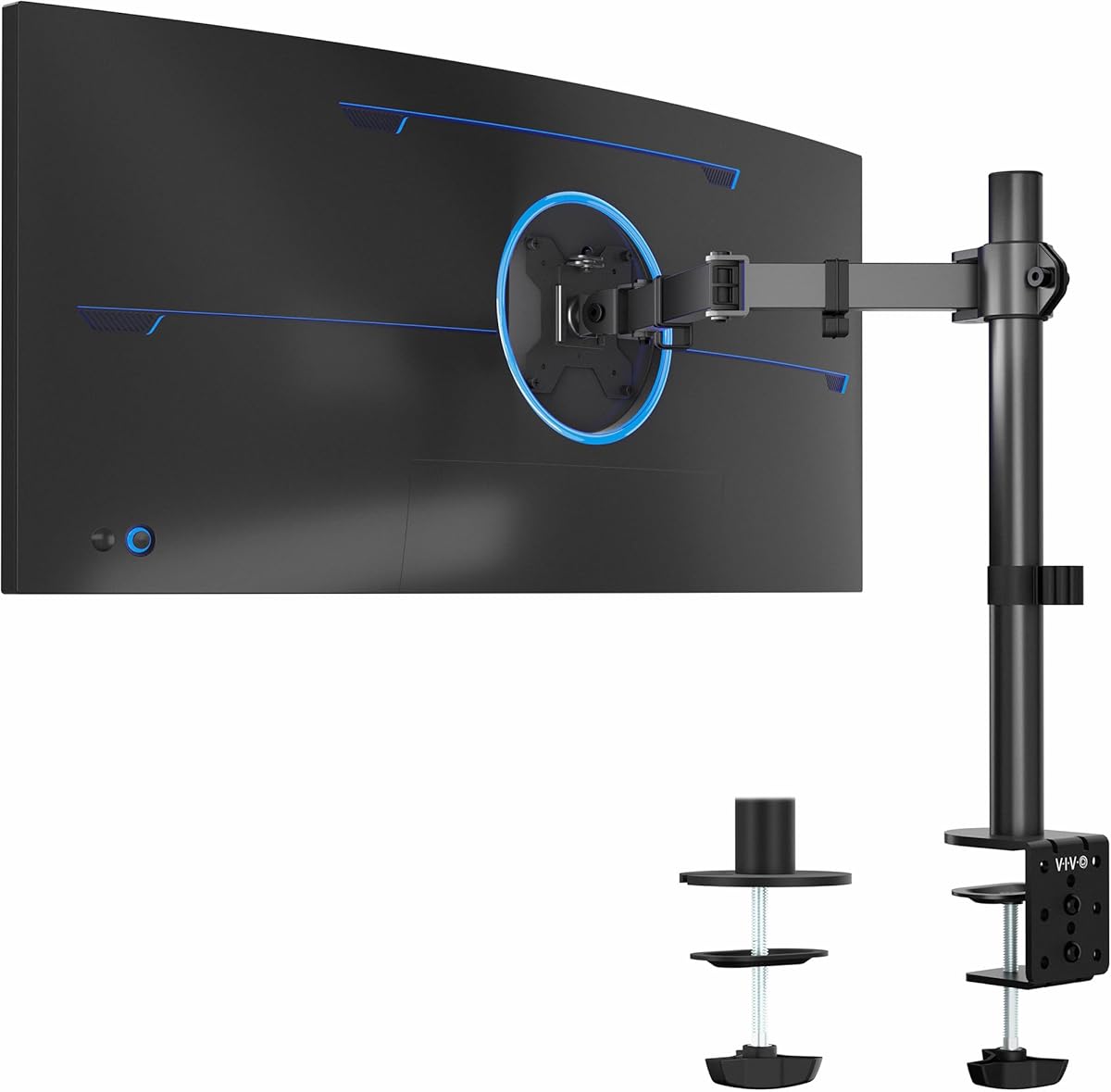
VIVO Single 13 to 38 inch Ultrawide Monitor Arm
4.5Editor score
Supports monitors up to 38 inches
22-pound load capacity
Portrait and landscape rotation
Clamp and grommet options
A single monitor arm can transform a crowded workstation by lifting the display above the desktop, improving positioning, and returning room for a keyboard, notebook, or other essentials. The best models combine stable support, smooth articulation, useful cable management, and an installation method suited to the desk.
This guide compares ten single monitor arms across screen and weight compatibility, VESA support, height and reach, tilt, swivel, rotation, mounting options, and everyday convenience. The list includes mechanical, gas-spring, and mechaspring designs for standard displays, heavier screens, curved monitors, and ultrawide setups.
Each review identifies the product's most useful qualities and its important limitations, helping you match an arm to your monitor, desk, and routine. Ratings and specifications reflect the supplied product information, while prices and availability can change, so confirm current details before purchasing.
4.5Editor score

4.4Editor score

4.5Editor score
As an Amazon Associate we earn from qualifying purchases.
The table below places all ten monitor arms side by side, emphasizing the factors that most affect fit, positioning, installation, and daily usability.




The WALI Adjustable Single Monitor Arm has a 4.3 rating and stands out for its unusually high flat-screen load capacity, broad size range, and generous articulation. It supports most flat or curved LCD and LED screens from 13 to 34 inches, with capacities of 26.4 pounds for flat displays and 19.8 pounds for curved models.
We may earn a commission when you buy through this link, at no additional cost to you.
Its movement range is one of the strongest in this group. The arm reaches 19.3 inches, rises as much as 17.3 inches above the desktop, swivels through 180 degrees in either direction, tilts from 70 degrees up to 45 degrees down, and rotates 360 degrees. Those capabilities suit users who alternate among extended viewing, centered work, and portrait-oriented tasks. Built-in cable guides help keep the raised display area visually tidy.
Compatibility deserves careful attention. The standard 75-by-75-millimeter and 100-by-100-millimeter VESA patterns cover many popular monitors, but weight and curvature determine whether the arm is appropriate. The product information also recommends a wooden desk without a crossbeam beneath the mounting area, which may limit some glass, metal, or reinforced-desk installations.
This is a strong choice for a standard 27-, 32-, or 34-inch monitor, especially if you want a high capacity and frequent repositioning. Buyers with very heavy curved displays should consider the separate WALI Ultrawide model or a more specialized heavy-duty mount. For most mainstream setups, however, the combination of reach, stability, and installation options is hard to overlook.
With a 26.4-pound flat-screen limit, this arm offers useful headroom for many large desktop displays. Check the screen's weight and VESA pattern before ordering, especially when using a curved panel.
The generous tilt, swivel, extension, and rotation make it easy to move between focused work, media viewing, and a vertical document layout. Adjust tension gradually to keep the display steady.
We may earn a commission when you buy through this link, at no additional cost to you.
The HUANUO FlowLift Single Monitor Mount carries a 4.6 rating, tying for the highest among the listed products. It supports 13- to 32-inch monitors weighing 4.4 to 19.8 pounds and works with both 75-by-75-millimeter and 100-by-100-millimeter VESA patterns, giving it broad appeal for office and home displays.
We may earn a commission when you buy through this link, at no additional cost to you.
Its defining feature is the ability to lift the screen up to 39.6 centimeters and reposition it with one hand. The supplied specifications list a tilt range of negative 50 degrees to positive 85 degrees, plus 90-degree swivel in either direction and 360-degree rotation. A stable position at the selected angle is particularly useful for users who move between code, documents, calls, and entertainment.
HUANUO states that the arm uses automotive-grade components and has passed 20,000 motion tests. The one-piece design is intended to simplify assembly, and the included hardware supports a straightforward process: attach the desk bracket, connect the VESA plate, and then set tension for the monitor's weight. Both C-clamp and grommet mounting options are included.
The main caveat is installation compatibility. HUANUO recommends a wood tabletop, ideally without beams or panels beneath the installation area, and states that the mounting options support desktops between 0.59 and 3.54 inches thick. This model is best for users who value effortless daily movement and a straightforward setup more than maximum weight capacity or very wide extension.
The lift and adjustment design makes the arm practical for a workspace where the screen position changes throughout the day. Its tilt range is especially useful when viewing content from above or placing the display closer to eye level.
The reported 20,000 motion tests and automotive-grade components support an expectation of repeated use. Proper tension calibration remains essential for smooth movement and steady positioning.
We may earn a commission when you buy through this link, at no additional cost to you.
The ErGear Single Monitor Arm earns the Editor's Choice designation because it combines a broad monitor range, extensive articulation, convenient installation, and straightforward cable organization. Its 4.4 rating reflects a well-rounded option for users who want a flexible arm without specialized controls or premium-level mechanisms.
We may earn a commission when you buy through this link, at no additional cost to you.
Compatibility covers most 13- to 34-inch flat and curved monitors up to 19.8 pounds with standard 75-by-75-millimeter or 100-by-100-millimeter mounting patterns. The arm adjusts vertically by up to 17.5 inches and reaches 18.1 inches, while offering positive 80-degree and negative 50-degree tilt, 90-degree swivel in either direction, and 360-degree rotation.
Installation is a major strength. The upgraded VESA plate is designed for tool-free attachment, while the desk can be fitted using either a C-clamp or a grommet base. The clamp handles desks from 0.39 to 2.56 inches thick, and the grommet option supports 0.39 to 2.95 inches. Cable clips open without tools, making it easier to route and access cords after the monitor is raised.
ErGear describes a wider VESA head, a tighter-fitting VESA panel, and a durable core tested through more than 20,000 cycles. These are meaningful details for a frequently adjusted arm, though the product's 19.8-pound ceiling makes it unsuitable for some heavier professional displays. For typical productivity, gaming, and creative monitors, the ease of setup and broad positioning range make this the most versatile recommendation.
The tool-free VESA plate removes much of the alignment work associated with conventional screw-on plates. It is particularly helpful when the monitor is large, heavy, or mounted away from the edge of the desk.
Raising the display frees room for a keyboard, notebook, docking station, or larger mouse pad. Openable cable clips make it easier to service the wiring without dismantling the arm.
We may earn a commission when you buy through this link, at no additional cost to you.
The HUANUO FlowLift Pro Monitor Arm is the premium pick in this roundup, with a 4.5 rating and a collection of refined installation and adjustment features. It is designed for 13- to 32-inch monitors between 4.4 and 15.4 pounds and supports the standard 75-by-75-millimeter and 100-by-100-millimeter VESA patterns.
We may earn a commission when you buy through this link, at no additional cost to you.
The most unusual feature is the PrecisionView tension window. A visible yellow indicator moves as the arm is calibrated, giving users direct feedback instead of requiring guesswork. The arm also uses a MechaSpring mechanism intended to retain stable support over time and provide a smoother, one-finger adjustment experience than conventional spring designs.
Its tool-free InstaMount VESA plate simplifies the most awkward part of installation. The simplified components include one base and one screw, while the quick-release plate allows the display to snap into place. The arm has 90-percent professional-grade metal construction, is TÜV Rheinland certified, and has reportedly been tested at three times its load for added safety.
The limitation is its 15.4-pound maximum load, which is lower than several competing arms. HUANUO also recommends mounting it only on wood desks between 0.59 and 3.54 inches thick and cautions buyers with irregular desk edges. This model is a compelling premium choice for a compatible monitor when installation convenience, calibrated tension, and refined everyday movement matter more than maximum capacity.
The PrecisionView indicator provides immediate visual feedback while the mechanism is calibrated. This reduces uncertainty when setting the arm for a particular monitor weight and can make repeated adjustments more consistent.
The quick-release plate lets users attach or detach a compatible display without aligning and tightening individual screws. That convenience is particularly noticeable with larger panels.
We may earn a commission when you buy through this link, at no additional cost to you.
The VIVO Single 13 to 38 inch Ultrawide Monitor Arm combines a 4.5 rating with unusually broad screen compatibility. It supports displays from 13 to 32 inches and ultrawide models up to 38 inches, provided they use 75-by-75-millimeter or 100-by-100-millimeter VESA mounting and weigh no more than 22 pounds.
We may earn a commission when you buy through this link, at no additional cost to you.
Its articulation includes positive and negative 90-degree tilt, 360-degree swivel, and 360-degree rotation. The monitor can also be placed in portrait or landscape orientation, and height can be adjusted by up to 16 inches along the center pole. These features make it useful for coding, document review, gaming, and general office work where changing screen orientation adds value.
Installation is straightforward. The included C-clamp fits desks up to 3.25 inches thick and is tightened by hand, while a grommet base provides an alternative mounting method. A detachable VESA plate and included hardware simplify the process, and cable clips on the arm and pole help organize power and audiovisual leads.
This arm is a compelling value-oriented choice for users who want one mount to cover a standard display and an ultrawide upgrade. It does not list a specific extension reach in the supplied information, so buyers who require a precise forward distance should verify dimensions before purchase. Its weight rating, size range, orientation support, and included mounting choices nevertheless make it exceptionally versatile.
The ability to support conventional displays through 32 inches and ultrawides through 38 inches makes this arm useful across future upgrades. Verify both screen weight and VESA compatibility before changing monitors.
Portrait orientation is valuable for long documents, code, and narrow productivity windows. The full rotation range also allows the display to move between landscape and vertical positions.
We may earn a commission when you buy through this link, at no additional cost to you.
The HUANUO Gas Spring Monitor Arm has a 4.6 rating and offers the characteristic smooth movement associated with a gas-spring arm. It supports 13- to 32-inch monitors weighing 4.4 to 19.8 pounds and fits the standard 75-by-75-millimeter and 100-by-100-millimeter VESA patterns.
We may earn a commission when you buy through this link, at no additional cost to you.
The screen can be raised up to 39.6 centimeters from the desktop and adjusted with one hand. Movement specifications include a tilt range of negative 50 degrees to positive 30 degrees, 90-degree swivel in either direction, and 360-degree rotation. Once the gas-spring tension is set for the display's weight, users can move the monitor without repeated screw adjustments.
HUANUO describes automotive-grade gas-spring cores that have undergone 20,000 motion tests. The arm is supplied with both a C-clamp and grommet base, and its one-piece design is intended to make installation quick. The process consists of fixing the desk bracket, attaching the VESA plate, and setting the spring tension for the connected monitor.
Its most compelling benefit is the combination of floating-style movement and substantial desk-space recovery. The product information says the mounting base can save more than 80 percent of the desktop space used by a vertical stand with a heavy base, creating room for a full-size keyboard and mouse pad. Gas springs can require correct calibration, so following the instructions closely is important.
Once properly tensioned, the gas-spring core lets the display glide through its range rather than move under spring resistance alone. That makes frequent angle changes feel more natural.
Removing the monitor's base creates space across the desktop instead of only around its footprint. The result is better suited to wide keyboards, larger mouse surfaces, and compact productivity setups.
We may earn a commission when you buy through this link, at no additional cost to you.
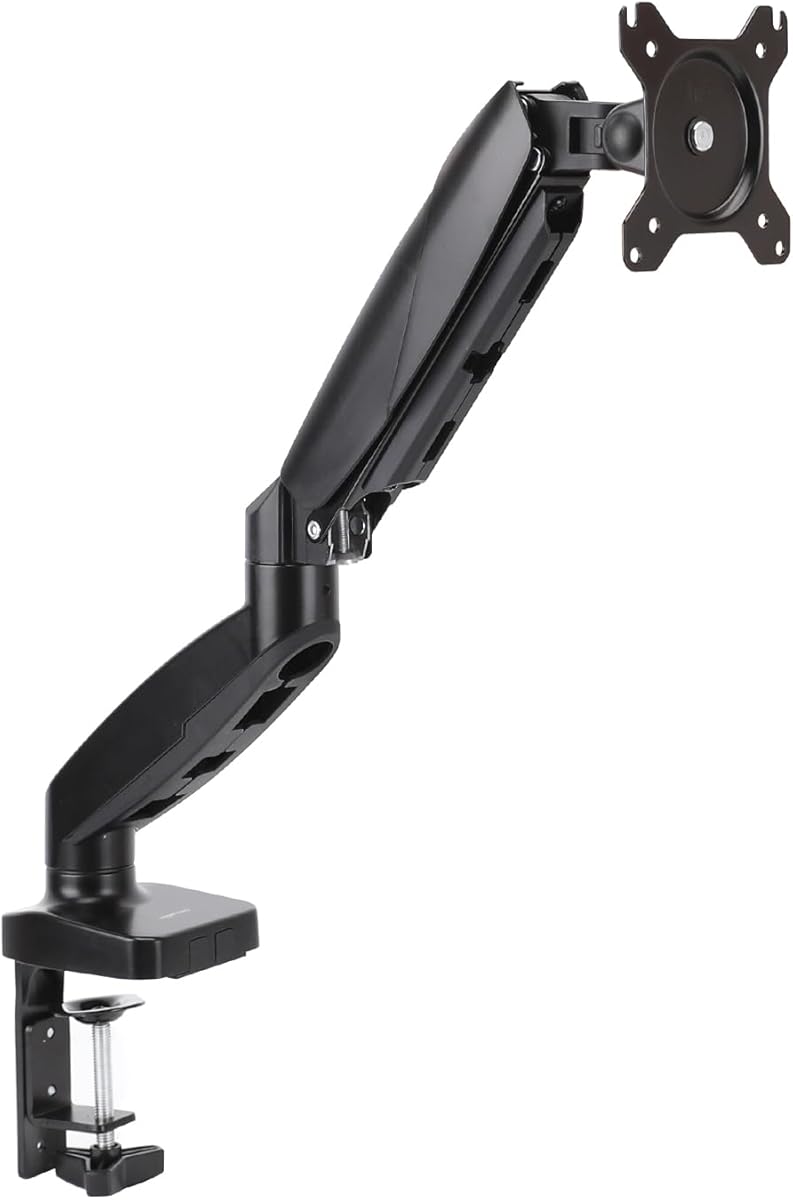
The Amazon Basics Gas Spring Single Monitor Arm is designed for users who want fluid positioning on a compact 15- to 27-inch display. It supports monitors weighing 4.4 to 15.4 pounds and accepts both 75-by-75-millimeter and 100-by-100-millimeter VESA mounting patterns.
We may earn a commission when you buy through this link, at no additional cost to you.
Its 20.5-inch extension is among the more generous reach figures in this list, and the articulation includes negative 90-degree to positive 85-degree tilt, 90-degree swivel in each direction, and 360-degree rotation. These ranges allow the screen to move close to the user for focused work or farther away for shared viewing.
Gas-spring tension must be set according to monitor weight to prevent drifting or sagging. The joints may initially feel stiff because they are tightened for transport, so users should follow the manual to adjust both tension and joints before normal operation. The mounting kit includes C-clamp and grommet options for desktops between 0.39 and 4 inches thick.
The chief limitation is compatibility with larger monitors. Its size and weight limits exclude many 32-inch and larger screens, and even some ultrawide models. Nevertheless, for a compatible compact display, the combination of gas-spring movement, long reach, wide tilt, and two mounting methods creates a focused and capable workstation arm.
The 20.5-inch extension gives users room to pull the display toward a laptop or push it back for presentations. It also provides ample freedom to arrange peripherals around the monitor.
The arm is designed to remain stable when its gas spring is calibrated to the connected monitor's weight. Spending a few minutes with the instructions prevents unwanted movement or sagging.
We may earn a commission when you buy through this link, at no additional cost to you.
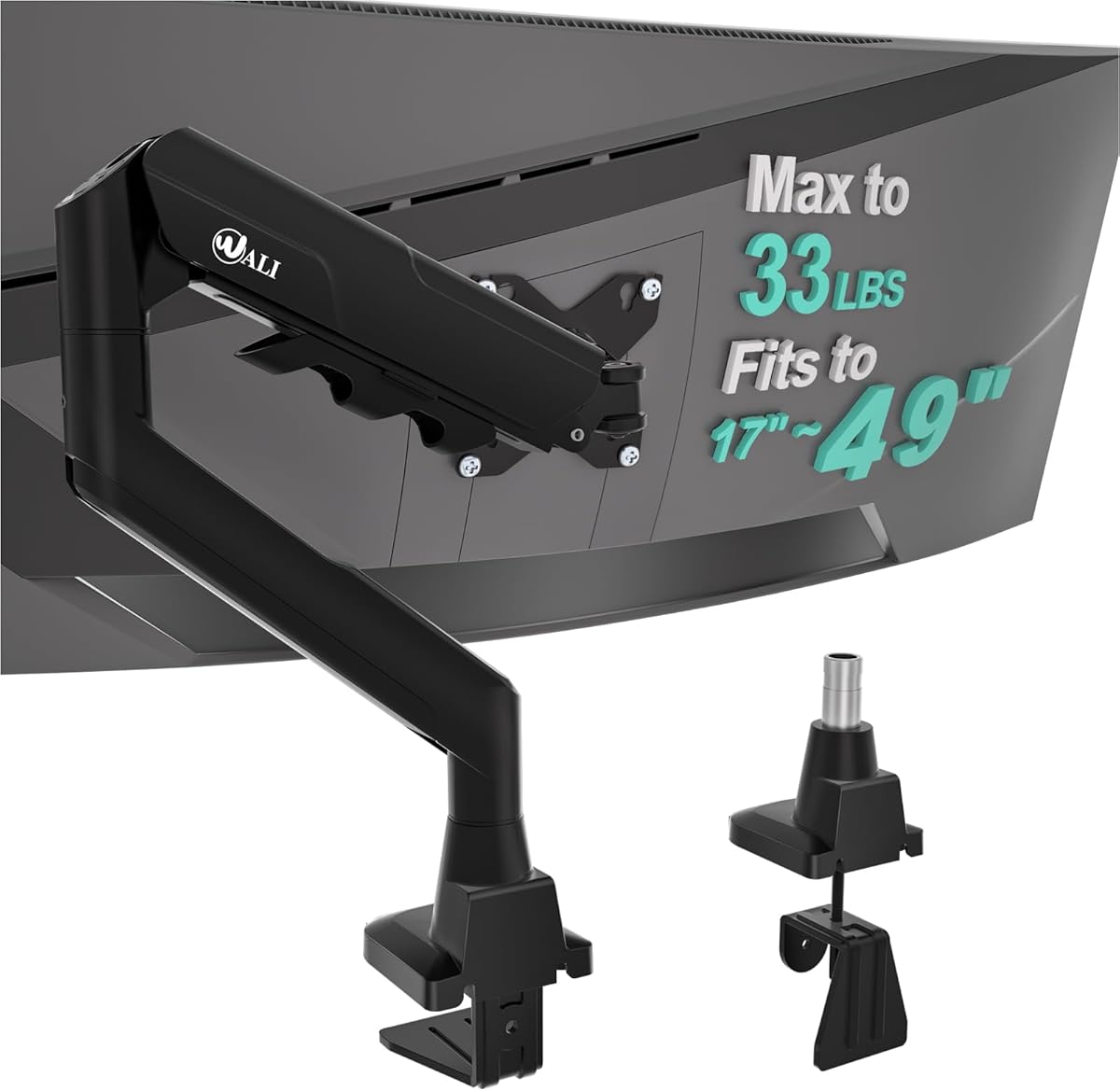
The WALI Ultrawide Single Monitor Arm is purpose-built for large, heavy displays, carrying a 4.3 rating and the highest load capacity in the roundup. It supports most flat or 1800R curved LCD and LED screens from 17 to 49 inches, with a maximum load of 33 pounds and standard 75-by-75-millimeter or 100-by-100-millimeter VESA holes.
We may earn a commission when you buy through this link, at no additional cost to you.
Reach and height are also among the class leaders. The arm extends 21.14 inches and rises up to 20.59 inches above the desktop. Its movement includes 90-degree swivel in either direction, 75-degree tilt up and down, and 360-degree rotation. This makes the mount suitable for expansive gaming displays and wide productivity monitors that need substantial repositioning.
Cable management guides run along the arm to keep wiring out of the way. A wider VESA head and tighter-fitting VESA panel are intended to improve stability, while the core has reportedly been tested through more than 20,000 adjustment cycles. Both C-clamp and grommet mounting are offered for wood desks between 0.39 and 1.96 inches thick.
The important caveat is that the product is tailored to flat or 1800R curved screens. More aggressive curvatures may not be supported, and the clamp's maximum desk thickness is lower than some competing mounts. For a compatible large ultrawide, however, the 33-pound capacity and large adjustment envelope make this a purpose-fit solution.
A 33-pound rating provides useful support for a high-end expansive display. Buyers should still verify the monitor's exact weight, VESA pattern, and curvature before installation.
Long extension, substantial vertical rise, and full rotation make the arm adaptable to gaming, media, and detailed productivity work. Cable routing remains practical as the display changes position.
We may earn a commission when you buy through this link, at no additional cost to you.
The VIVO Single Monitor Stand is a mechanical spring option for 17- to 32-inch screens. It supports flat and curved displays weighing 4.4 to 19.8 pounds with either 75-by-75-millimeter or 100-by-100-millimeter VESA mounting, giving it broad relevance for both office and gaming setups.
We may earn a commission when you buy through this link, at no additional cost to you.
Its articulation includes positive and negative 90-degree tilt, 180-degree swivel, and 360-degree rotation, allowing portrait as well as landscape placement. The mechanical spring provides counterbalanced movement, while the open-top VESA plate makes slide-on monitor installation more convenient than a fully enclosed plate.
The C-clamp accommodates desktop surfaces up to 3.1 inches thick, and an optional bolt-through grommet mount supports tops up to 1.9 inches. All necessary hardware and instructions are included. Users should note that the rear of the arm can extend beyond the desk edge, a design feature that creates clearance but requires sufficient installation space.
Compared with gas-spring models, this arm may require more effort when moving repeatedly, and spring tension can change as conditions vary. It is nevertheless a straightforward, established style of mount that avoids gas-spring components. It is best suited to users who need dependable positioning, frequent orientation changes, and a simple installation with either clamping or grommet support.
The spring-assisted mechanism allows the display to remain in position while providing basic counterbalance. It is a familiar design for users who prefer direct mechanical control.
The open-top plate simplifies attaching a compatible monitor. Once aligned, the display can slide into position rather than being held against four visible screw heads.
We may earn a commission when you buy through this link, at no additional cost to you.
The 5Rcom Single Monitor Arm has a 4.1 rating and offers broad compatibility for most 13- to 35-inch flat and curved screens. Its stated load range runs from 4.4 to 22 pounds, while premium alloy steel is used to support the display during daily work and gaming.
We may earn a commission when you buy through this link, at no additional cost to you.
The arm reaches up to 21.2 inches and adjusts the screen height by as much as 17.7 inches. It tilts from negative 45 degrees to positive 90 degrees, swivels 90 degrees in either direction, and rotates 360 degrees at the VESA plate. That range makes vertical use possible and provides several viewing angles for different tasks.
Built-in cable management routes cords along the arm, helping keep the raised workstation organized. This is especially valuable when the monitor is positioned over a docking station or where several leads need to move with the display as it is adjusted.
The supplied information is less detailed about VESA patterns and desk-mounting methods than it is for many competing models, so compatibility should be confirmed before buying. Its 4.1 rating is also the lowest in this roundup. Even so, the combination of 35-inch compatibility, 22-pound capacity, and long reach makes the arm a viable option for users who value broad fit and flexible positioning.
The stated 13- to 35-inch range covers many common desktop displays and larger curved models. Confirm the rear mounting pattern and exact weight before installation because those details are not fully described.
A 21.2-inch extension allows the screen to move closer for detailed work or farther away for more desk visibility. The 17.7-inch height range supports a broad choice of viewing positions.
We may earn a commission when you buy through this link, at no additional cost to you.
The right single monitor arm depends on screen weight, size, VESA layout, desk construction, and how often you change the display's position. Use the following factors to narrow the options before purchasing.
Choose an arm with some capacity margin, especially if the display is heavy or you plan to replace it. Weight compatibility is the first filter to apply.
Confirm the hole spacing, mounting depth, and included hardware before ordering. A compatible screen size does not automatically mean VESA compatibility.
Prefer a clamp for a simple reversible installation, and a grommet when appearance or desk-edge space is the priority. Measure thickness and inspect the underside first.
Choose smooth gas or mecha-spring movement for frequent repositioning, or a mechanical arm for a simpler established design. Correct calibration is more important than the mechanism label alone.
Prioritize adequate height and enough forward movement to clear your work surface. Check the arm's complete dimensions when desk depth is limited.
For general productivity, prioritize full rotation, at least moderate swivel, and tilt that suits your viewing height. Portrait capability adds value for text-heavy work.
Choose an arm with clips or channels that match your cable volume. Leave enough slack for full movement without sharply bending cables.
Inspect the desk underside, measure its thickness, and follow the included instructions. The best mechanism is ineffective if it is installed in an unsuitable surface.
Start by confirming the monitor's VESA pattern, weight, and dimensions against the arm's specifications. Inspect the desktop and underside for obstructions, then choose the appropriate C-clamp or grommet method. Follow the arm's installation manual, tighten the desk attachment evenly, and attach the display with the correct screws and spacers. Never force a VESA plate if the holes do not align.
After mounting the screen, set the arm's spring or gas-spring tension using the connected monitor's actual weight. Move the display through its full range and check for sagging, drifting, wobble, or interference with nearby objects. Tighten the relevant adjustment hardware only as directed. Keep enough cable slack to permit movement without tugging at the display ports.
For ongoing care, wipe the metal surfaces and joints with a soft, dry cloth, and avoid abrasive cleaners or excess liquid around the mechanism. Inspect the clamp or grommet periodically, particularly after moving the desk. If movement becomes stiff, recalibrate tension according to the instructions rather than applying extra force to the joints.
It depends on the model, but most products in this guide support screens from roughly 13 to 34 inches. Specialized options accommodate ultrawide displays up to 38 or 49 inches. Always compare the arm's stated size range, weight limit, and VESA pattern with the specifications of your particular display.
These measurements describe the distance between the four mounting holes on the back of a monitor. Most arms in this guide support both patterns, which covers many mainstream displays. If your monitor uses another spacing, or lacks mounting holes entirely, you will need an adapter or a different mount.
Gas-spring arms usually move more smoothly and are easier to raise with one hand. Mechanical spring arms can also provide good counterbalance and may appeal to buyers who prefer a simpler design. Whichever you choose, set the tension correctly for the monitor's weight to prevent sagging or drifting.
No. Desk thickness, material, edge shape, and the area beneath the surface all affect installation. Many products specifically recommend wood desks with an unobstructed underside. Measure the desktop and inspect its structure before choosing a clamp or deciding to install a grommet base.
Yes, because raising the display removes the monitor's base from the desktop and creates usable room beneath and around the screen. The amount recovered depends on the monitor's original stand and how close the arm places the panel to the desk. Wall-mounted or short-base setups can free the most surface area.
Several models can, provided the screen falls within the arm's size, weight, curvature, and VESA specifications. The WALI Ultrawide Single Monitor Arm supports certain flat and 1800R curved screens up to 49 inches and 33 pounds. Standard 32-inch ultrawides may fit a broader selection of mounts, but heavier models require extra care.
The most common cause is incorrect spring or gas-spring tension for the installed display. Confirm that the mounting hardware is secure, the arm is installed according to its instructions, and the monitor falls within the weight range. Recalibrate the mechanism rather than tightening unrelated joints.
Most of the arms listed here support 360-degree rotation and therefore allow portrait placement, although buyers should check the full articulation specifications. Portrait mode is useful for reading long documents, reviewing code, or creating a narrow secondary display beside a laptop.
The ErGear Single Monitor Arm is the strongest all-around option, combining a broad 13-to-34-inch range, extensive articulation, tool-free VESA installation, and accessible cable clips. The VIVO Single Ultrawide Monitor Arm provides exceptional value and flexibility for standard and ultrawide screens, while the HUANUO FlowLift Pro offers premium construction, visible tension calibration, and refined quick-release installation.
Prioritize the fundamentals before focusing on extra movement. The arm must support your monitor's exact weight, match its VESA pattern, and attach safely to your desk. Then consider whether you need a long reach, portrait rotation, cable management, or the easiest possible daily adjustment. Heavier displays and more demanding desk structures narrow the field and make the listed capacity and mounting guidance especially important.
Ratings, specifications, prices, and availability can change, so confirm the current product details before making a final purchase. Read the installation instructions, use the correct fasteners and spacers, and calibrate the arm with the actual monitor attached. With those checks completed, one of these ten single monitor arms can deliver a cleaner desk and a more adaptable viewing position.