
Microsoft Surface Laptop
4.4Editor score
Touchscreen Copilot+ platform
One terabyte solid-state storage
Claimed all-day endurance
Snapdragon X Elite laptops combine efficient ARM-based processors, capable integrated graphics, and long battery life in exceptionally thin computers. A strong model should balance responsiveness, a useful display, enough memory, and practical connectivity, whether you work remotely, study, create media, or travel frequently.
This guide compares ten Snapdragon X Elite models using the supplied specifications, including processor tier, display technology, memory, storage, weight, battery claims, ports, operating system, and included accessories. The list covers premium business machines, OLED ultraportables, touchscreen models, and more affordable configurations for everyday productivity.
Each review explains the standouts, limitations, and likely buyer for every model, while the comparison table makes key differences easier to scan. Product configurations and availability can change, and prices fluctuate over time, so readers should verify the current listing and specifications before ordering.
4.4Editor score

5.0Editor score

5.0Editor score
As an Amazon Associate we earn from qualifying purchases.
The comparison below highlights the major differences among these ten Snapdragon X Elite laptops, from processor generation and memory to display type, portability, and bundled extras. It is designed to help narrow the field before considering warranty terms, compatibility, and current availability.




The Lenovo Yoga Slim 7X is an exceptionally balanced Snapdragon X Elite laptop, earning a 5.0 rating in the supplied data. Its standout feature is a 14.5-inch 3K OLED touch display with Dolby Vision, HDR 600 support, a 90Hz refresh rate, and up to 1000 nits of peak brightness. That makes it especially appealing for media editing, visual design, and everyday premium computing.
We may earn a commission when you buy through this link, at no additional cost to you.
Performance comes from the Snapdragon X Elite X1E-78-100 processor, paired with 16GB of memory and 1TB of storage. Lenovo describes the chip as capable of 45 trillion operations per second, while the supplied specifications highlight efficient operation and up to 23.5 hours of video playback. Connectivity is also a major strength, including three 40Gbps USB4 ports with charging and DisplayPort 1.4 support.
Portable construction is another advantage. At 2.82 pounds, the Yoga Slim 7X is light for a large-screen OLED machine, and its 1.5mm key travel should make typing more comfortable than on many ultrathin laptops. The trade-offs are the fixed 16GB memory and reliance on integrated graphics, which makes it less suitable for demanding games or graphics workloads that benefit from a discrete GPU.
This is the strongest all-around recommendation for users who want a vivid display, long battery life, modern connectivity, and enough performance for demanding productivity in a highly portable design. It is particularly well suited to mobile creators, professionals, students, and commuters who regularly work away from an outlet.
The 2944 by 1840 OLED panel is the Yoga Slim 7X's defining feature. Its 100% DCI-P3 coverage, HDR 600 True Black support, touch capability, and high peak brightness make it more compelling than a conventional IPS laptop display for color-sensitive and entertainment-oriented work.
Three USB4 ports make this one of the strongest entries for peripheral flexibility. The claimed 23.5-hour video playback also offers a useful endurance target for students and travelers, although real results will vary with brightness, network activity, and workload.
We may earn a commission when you buy through this link, at no additional cost to you.
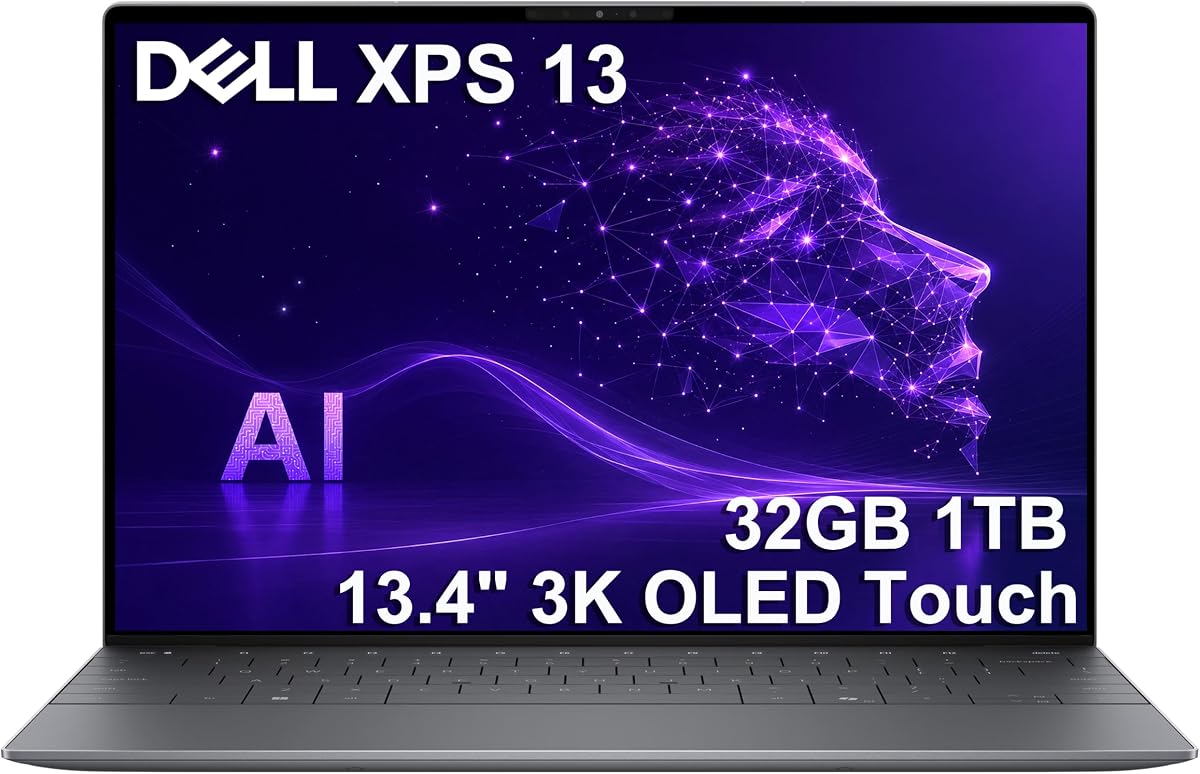
This Dell XPS 13 9345 configuration earns a 5.0 rating and stands out as a business-focused Snapdragon X Elite laptop with 32GB of LPDDR5X memory. The X1E-80-100 processor has 12 cores and Dual-Core Boost technology, while 1TB of storage provides ample room for documents, project files, photos, and locally installed applications.
We may earn a commission when you buy through this link, at no additional cost to you.
Its 13.4-inch 2K IPS display offers a 30-120Hz variable refresh rate and up to 500 nits of brightness. Although it is non-touch and anti-glare rather than OLED, that combination can be attractive for users who prefer a conventional, glare-resistant productivity screen. The CNC-machined aluminum enclosure, narrow InfinityEdge design, and starting weight of approximately 2.62 pounds preserve the premium XPS identity.
Dell includes useful work-oriented features such as Wi-Fi 7, Bluetooth 5.4, a fingerprint reader, a 1080p RGB camera, dual-array microphones, and quad speakers. The 55Wh battery is designed for extended unplugged productivity, and the compact 60W USB-C adapter simplifies travel. The main limitation is the presence of only two USB4 Type-C ports, making a hub worthwhile for busy desk setups.
Choose this XPS when memory capacity, premium construction, security, and business communications matter more than a touch panel or a high-refresh OLED screen. It is a strong fit for executives, consultants, students, and hybrid workers who want a compact machine capable of handling many applications at once.
The 32GB LPDDR5X allocation is a major advantage over 16GB configurations. It provides additional headroom for heavy browser sessions, large project folders, communication tools, and on-device AI applications, although the memory remains physically integrated and is not intended for user upgrades.
The graphite CNC-machined aluminum design weighs approximately 2.62 pounds at the stated starting configuration. Its narrow bezels, fingerprint reader, backlit keyboard, and FHD camera reinforce its suitability for meetings, travel, and managed professional workflows.
We may earn a commission when you buy through this link, at no additional cost to you.
This upgraded Yoga Slim 7X listing carries a 4.1 rating and retains the visual centerpiece of Lenovo's premium Snapdragon design: a 14.5-inch 3K OLED touchscreen at 2944 by 1840. The panel supports touch input and a 60Hz refresh rate, providing a crisp alternative to conventional laptop displays for design, browsing, and media consumption.
We may earn a commission when you buy through this link, at no additional cost to you.
It uses the 12-core, 12-thread Snapdragon X Elite X1E-78-100 processor with 16GB of on-board memory and a 512GB PCIe NVMe solid-state drive. A 70Wh four-cell battery and 65-watt USB-C power supply make it suitable for extended work sessions, while 802.11be and Bluetooth 5.4 provide modern wireless connectivity.
This configuration is professionally upgraded and resealed, with Windows 11 Home 64-bit listed. The 512GB capacity is the most obvious limitation, particularly for large media libraries or extensive project archives, and buyers who want room to grow should prioritize a larger internal drive. The included portable USB hub may add convenience but does not solve every need of a well-equipped desk.
The laptop is a sound recommendation for users who want the quality of a 3K OLED panel and Snapdragon efficiency without selecting the largest storage option. It suits students, commuters, and creative professionals whose files can readily fit within 512GB or who can manage larger assets through external storage.
The high-resolution OLED touchscreen provides excellent visual detail without changing the familiar Yoga Slim 7X form factor. At 60Hz, it is less suited to high-frame-rate gaming than a 90Hz or 120Hz panel, but it remains well matched to productivity, video, and creative applications.
A 512GB NVMe drive is adequate for general use but can fill quickly with 4K footage, large design projects, or an extensive application library. The listing specifies Windows 11 Home, so business buyers should verify whether their organization requires Pro features or management tools.
We may earn a commission when you buy through this link, at no additional cost to you.
The OLED-equipped Dell XPS 13 9345 earns a 4.0 rating and brings a 2880 by 1800 anti-reflective touchscreen to the XPS line. Its 400-nit brightness and Qualcomm Adreno graphics make it a compelling choice for users who value visual detail, touch interaction, and a compact 13.4-inch form factor.
We may earn a commission when you buy through this link, at no additional cost to you.
The X1E-80-100 Snapdragon X Elite processor offers 12 cores, Dual-Core Boost up to 4GHz, and an NPU rated at up to 45 TOPS. It is paired with 32GB of 8448MT/s DDR5 memory and a 1TB PCIe NVMe drive. Windows 11 Pro adds BitLocker, Remote Desktop, Hyper-V, and Group Policy support, strengthening its professional positioning.
The laptop can reportedly connect two external 4K monitors through its USB-C ports without a docking station, a valuable feature for desk-based workflows. Its claimed battery life reaches up to 27 hours under specified conditions. On the other hand, the listing states that the computer was resealed to upgrade the SSD and divides the warranty between the upgrader and Dell, which deserves careful review.
This is a strong choice for business professionals, analysts, engineers, and creators who want a premium touchscreen and Pro software features. Buyers should confirm the upgraded component's warranty terms and ensure that their required applications support the ARM-based platform before purchase.
The 3K OLED panel combines rich contrast with direct touch interaction, while the anti-reflective finish can help in bright surroundings. Support for two external 4K displays makes the configuration especially useful for analysts and professionals who need more desktop space than the built-in screen provides.
Windows 11 Pro provides BitLocker encryption, Remote Desktop, Hyper-V virtualization, and Group Policy management. These features make the laptop more relevant to organizations, although organizations should still audit compatibility with their particular applications, extensions, and security tools.
We may earn a commission when you buy through this link, at no additional cost to you.
This 4.4-rated Yoga Slim 7X Pro combines a high-resolution OLED touchscreen with Windows 11 Pro, making it a distinctive option for professionals who want a light ARM laptop. The 14.5-inch panel offers 2944 by 1840 resolution, touch support, and a 60Hz refresh rate for detailed work and comfortable media viewing.
We may earn a commission when you buy through this link, at no additional cost to you.
The Snapdragon X Elite X1E-78-100 provides 12 cores and 12 threads with 36MB of cache, while 16GB of on-board memory and 512GB of PCIe NVMe storage cover general productivity. A four-cell 70Wh battery, 65-watt USB-C charger, 802.11be, Bluetooth 5.4, integrated camera, and backlit keyboard complete a practical mobile package.
Unlike the closely related Home configuration in this list, this version includes Windows 11 Pro. That is valuable for users who need advanced administration, virtualization, remote access, or organizational security features. The trade-offs are fixed 16GB memory, limited 512GB storage, and the need to confirm that all necessary applications support ARM architecture.
The Yoga Slim 7X Pro is recommended for business users, consultants, students, and mobile creators who prioritize OLED visuals and Pro software in a portable package. Its included USB hub adds some immediate connectivity convenience, although serious accessory users may still want a fuller-featured dock.
Windows 11 Pro adds functionality that can be important in workplace environments, including Remote Desktop, BitLocker, Hyper-V, and Group Policy. For home use, the difference may be less visible, but it adds flexibility for technically capable buyers.
The 70Wh battery and 65-watt USB-C power supply support a travel-oriented workflow, while Wi-Fi 6-class 802.11be and Bluetooth 5.4 cover modern wireless needs. As with other ARM systems, application and accessory compatibility should be checked before committing to a full setup.
We may earn a commission when you buy through this link, at no additional cost to you.
The 2024 Microsoft Surface Laptop carries a 4.4 rating and offers a balanced approach to the Copilot+ PC category. It combines a 12-core Snapdragon X Elite processor, 16GB of memory, and 1TB of storage in a slim platinum chassis, making it a practical choice for everyday productivity and light creative work.
We may earn a commission when you buy through this link, at no additional cost to you.
Its 13.8-inch touchscreen uses a thin-bezel design and supports HDR technology, while the supplied listing claims up to 20 hours of battery life. That endurance figure, together with the portable format, should appeal to students and commuters who need a capable computer for classes, documents, browsing, streaming, and communication.
Microsoft positions the machine around on-device AI and privacy-conscious productivity, although the value of those features depends on the software and services available for the user. Sixteen gigabytes of unified memory may be sufficient for many workflows, but it cannot be expanded, and the integrated graphics are not intended to replace a discrete gaming GPU.
Among the options in this guide, the Surface Laptop stands out as a value-focused route into a premium Snapdragon design without choosing a large-screen or high-end workstation aesthetic. It is best for mainstream users who want a polished touchscreen, ample storage, and strong battery claims in a simple, recognizable design.
A 1TB drive is unusually useful in a value-oriented configuration because it reduces the need for constant cloud transfers or immediate external storage upgrades. Sixteen gigabytes of memory remains adequate for common productivity tasks, though heavy virtual machines and large creative projects may benefit from more.
The 13.8-inch touchscreen provides a comfortable canvas for browsing, documents, annotations, and streaming without moving to a larger notebook. Its claimed battery life makes it well matched to mobile schedules, though real runtime will depend on display settings and workload.
We may earn a commission when you buy through this link, at no additional cost to you.
The HP OmniBook 3 offers a different route into the Snapdragon ecosystem, using the Snapdragon X X1-26-100 rather than one of the higher-tier X Elite chips in most of this guide. It is built around affordability and a large display, with 16GB of DDR5 memory, 512GB of storage, Windows 11 Home, and Copilot+ PC experiences.
We may earn a commission when you buy through this link, at no additional cost to you.
The 16-inch WUXGA screen operates at 1920 by 1200 with a 16:10 aspect ratio, offering more workspace than a conventional 16:9 panel. That makes it useful for document editing, browsing, and split-screen productivity. The listed processor includes eight Oryon CPU cores, Qualcomm Adreno integrated graphics, and a 45 TOPS Hexagon NPU.
Unlike the premium X Elite alternatives, this model lacks an available aggregate customer rating in the supplied data, so its real-world reception cannot be assessed from the same evidence. It is also a less powerful processor tier and offers a lower-resolution display, making it most appropriate for general office work, web use, communication, and education.
The OmniBook 3 is a worthwhile consideration for buyers who prioritize screen area, modern wireless and USB support, and a lower-tier Snapdragon configuration. Its bundled USB 3.0 hub can help with peripheral expansion, but owners should still check application compatibility and display resolution expectations before purchasing.
The 16:10 WUXGA panel is the defining benefit, offering room for documents and multiple windows without the bulk of a much larger traditional workstation. Its 1920 by 1200 resolution is less detailed than the 3K OLED screens elsewhere in this guide, so image-heavy users may prefer those alternatives.
The eight-core Snapdragon X1-26-100 supports modern AI, USB4, Thunderbolt 4, and PCIe 4 capabilities, making it a credible everyday platform. It sits below the 12-core X Elite configurations in the rest of the list, which may matter for sustained multitasking or more demanding creative tasks.
We may earn a commission when you buy through this link, at no additional cost to you.
The Samsung Galaxy Book4 Edge configuration with the docking-station storage bundle earns a 5.0 rating and delivers one of the most visually ambitious designs in this guide. Its 16-inch 2880 by 1800 Dynamic AMOLED 2X touchscreen supports a 120Hz adaptive refresh rate, combining fine detail, rich color, and responsive touch interaction.
We may earn a commission when you buy through this link, at no additional cost to you.
A Snapdragon X Elite X1E-80-100 processor and Qualcomm Adreno graphics provide capable everyday and creative performance, while Copilot+ PC features support intelligent productivity workflows. The machine includes 16GB of LPDDR5X memory, a 512GB UFS storage component, and a 1TB docking-station set, creating 1.5TB of combined storage for files and desktop use.
The blue chassis weighs 3.40 pounds, so it is portable for a 16-inch premium notebook but not as travel-friendly as the 13- and 14-inch alternatives. Connectivity is comprehensive, with two USB-C 4 ports, HDMI 2.1, an audio jack, a microSD reader, Wi-Fi 7, and Bluetooth 5.4. A fingerprint reader and backlit keyboard add everyday convenience.
This configuration is ideal for buyers who want a large, vivid touch display and a complete package that includes extra storage and docking accessories. It stands out for media consumption, presentation work, and general professional use, provided its larger body suits their workspace and travel pattern.
The 3K AMOLED panel and 120Hz adaptive refresh rate make this model particularly engaging for video, streaming, and visually detailed work. Its 16-inch scale offers generous screen real estate, though users seeking maximum portability should compare it with the smaller Dell XPS and Lenovo Yoga Slim models.
The included one-terabyte docking-station set is a meaningful addition for users who need more capacity than the laptop alone provides. The bundled microSD card, cables, and cleaning cloth also make the package useful for moving files and maintaining the larger display.
We may earn a commission when you buy through this link, at no additional cost to you.
The Sapphire Blue Galaxy Book4 Edge provides the core Galaxy Book4 Edge experience in a 16-inch Dynamic 3K AMOLED touchscreen with a 120Hz adaptive refresh rate. It targets users who want a visually rich, touch-friendly large display for entertainment, browsing, creative review, and general productivity.
We may earn a commission when you buy through this link, at no additional cost to you.
The Snapdragon X Elite processor provides a 45 TOPS NPU according to the supplied information and is presented as a platform for efficient computing and Copilot+ PC features. With 16GB of memory and 512GB of storage, it is adequately equipped for mainstream applications, communication, and media, though serious creators may need more local capacity.
Samsung highlights long battery life and fast charging, both useful qualities for a large-screen notebook. The lack of an available aggregate customer rating in the supplied data is a limitation of the listing rather than a product fault, but it means this configuration has less visible customer feedback than the higher-rated Samsung bundle.
The standard 512GB model is a good choice for buyers who prioritize the AMOLED panel, touch experience, and processor without needing the expanded dock bundle. It is best suited to media-heavy users and professionals who will keep active files in cloud or external storage.
The combination of 3K resolution, AMOLED contrast, and a 120Hz adaptive refresh rate creates an excellent screen for streaming, browsing, and general media enjoyment. The large dimensions also help make the display feel more immersive than the 13-inch alternatives in this guide.
Snapdragon's emphasis on power efficiency supports Samsung's long-battery-life positioning, while the inclusion of super-fast charging helps reduce downtime. Actual results depend on display brightness, refresh behavior, wireless connectivity, and the applications used.
We may earn a commission when you buy through this link, at no additional cost to you.
The Dell XPS 13 9345 Business configuration earns a 5.0 rating and is one of the strongest choices for users who prioritize memory and professional security. Its 32GB of LPDDR5X is the highest listed memory allocation in this group, while the Snapdragon X Elite X1E-80-100 supplies 12 cores and Dual Core Boost performance.
We may earn a commission when you buy through this link, at no additional cost to you.
The 13.4-inch 2K InfinityEdge display uses a 30-120Hz adaptive refresh rate and reaches 500 nits. It is non-touch, but its variable refresh and anti-reflective character should appeal to users who spend long periods reading, writing, analyzing information, or streaming. A 512GB solid-state drive supports fast loading and everyday file storage.
Windows 11 Pro adds professional management and security capabilities, while the fingerprint reader, backlit keyboard, 1080p RGB camera, and dual-array microphones support secure daily operation. The 55Wh battery is claimed to deliver as much as 27 hours with the FHD+ display, although real-world use will vary.
This XPS is recommended for business users, students, and creators who want maximum memory in a compact chassis. Its two USB-C connections may require planning around dongles, and buyers with large media archives may prefer a 1TB configuration, but its overall mix of security, endurance, and multitasking capacity is excellent.
Thirty-two gigabytes gives the system generous room for many applications, extensive browser tabs, communication tools, and large working sets. Because the LPDDR5X memory is integrated, choosing this configuration at purchase is important for users who anticipate future growth.
Windows 11 Pro, a fingerprint reader, and a 1080p RGB camera create a solid foundation for managed work and video meetings. The dual-array microphones and adaptive display improve practicality during communication-heavy days, particularly for consultants and remote employees.
We may earn a commission when you buy through this link, at no additional cost to you.
The best Snapdragon X Elite laptop depends on whether display quality, battery life, memory, software, portability, or connectivity matters most. These factors help compare ARM-based Windows systems without overlooking platform compatibility or the practical differences between upgraded and manufacturer-sealed configurations.
Most premium selections use the 12-core Snapdragon X Elite X1E-80-100 or X1E-78-100, both of which include Dual-Core Boost or similarly advanced performance features. The HP OmniBook 3 uses the eight-core Snapdragon X X1-26-100, making it a distinct lower-tier option. Higher core counts can improve multitasking, responsiveness, and performance in demanding applications, but everyday productivity also depends on memory, software optimization, thermal design, and storage speed.
Choose the 12-core X Elite models for heavier multitasking and a more generous performance margin. The eight-core HP configuration is more appropriate for routine office work, browsing, education, and communication.
Memory is one of the most important upgrade decisions because most ARM laptops use unified memory that cannot be expanded after purchase. The 16GB configurations fit typical productivity needs, while the Dell XPS 13 9345 models provide 32GB for intensive browser sessions, large working sets, content creation, and professional multitasking. Unified architecture can also help graphics workflows, but it does not make the integrated GPU equivalent to a discrete graphics solution.
Choose 16GB for ordinary use and 32GB for demanding workflows or a long ownership period. Treat memory as a permanent specification and avoid paying for a larger display while underprovisioning the processor's working memory.
The guide spans conventional 2K IPS panels, 3K OLED touchscreens, a 16-inch WUXGA display, and a 3K AMOLED screen. OLED and AMOLED models provide deeper contrast and richer color, while IPS can be preferable for glare resistance and a traditional office appearance. Touch is useful for browsing, drawing, presentations, and casual tablet use, but it is not essential for every workflow. Refresh rate also matters for scrolling, animation, and pen or touch fluidity.
Choose OLED for media, color-rich creative work, and premium visuals. Choose IPS or WUXGA for practical productivity, glare resistance, or a lower-cost alternative. Include touch and high refresh rate in the decision only if your daily tasks will benefit from them.
Snapdragon platforms are designed around efficient operation, and the supplied claims range from about 20 hours to 27 hours of use or video playback, with one Lenovo configuration claiming up to 23.5 hours of playback. These figures are useful for comparison but are not guarantees under identical conditions. Bright displays, high refresh rates, active video calls, heavy applications, and weak wireless signals can change results. Charger size also affects portability, as shown by Dell's compact 60-watt USB-C adapter.
Prioritize long claimed endurance for travel, but also consider charger size and whether the laptop can charge through a compatible USB-C port. Treat manufacturer battery claims as a guide and expect actual runtime to reflect your workload.
A 13-inch laptop is generally easier to carry than a 16-inch model, and the Dell XPS and Lenovo Yoga Slim 7X configurations offer the strongest combinations of large screens and low weight. Samsung's Galaxy Book4 Edge weighs 3.40 pounds, which remains reasonable for a 16-inch premium device but is less convenient for frequent commuting. Display bezels, keyboard size, cooling, and the included charger can all affect the practical experience of carrying a laptop.
Choose a 13- or 14-inch model for frequent travel, and consider a 16-inch design for a stationary workspace or larger viewing area. Compare total carried weight rather than relying only on the stated laptop weight.
Windows on Arm has expanded, but buyers should still check the exact applications, browser extensions, drivers, and peripheral devices they depend on. Business users may need virtualization, remote access, security, or management software, making Windows 11 Pro preferable to Home. Upgrade and reseal listings also deserve attention because component warranties may be divided between the seller and original manufacturer. Always verify the final operating system version and included accessories on the current listing.
Check application and accessory compatibility before ordering, especially for specialist engineering, gaming, or corporate software. Review the warranty terms in detail whenever a listing states that the factory seal was opened for an upgrade.
Storage capacity ranges from 512GB to 1TB within the laptops, with one Samsung bundle adding a separate one-terabyte docking-station set. A larger internal drive reduces dependence on external media and can improve convenience when working with large photo, video, design, or development files. Some listings use UFS rather than NVMe, while upgraded configurations may contain a mix of internal and dock-based storage. Confirm the type, capacity, and location of each drive before purchase.
Choose 1TB or more for heavy local file use, and choose 512GB when cloud storage or external media is part of the workflow. Do not assume the laptop itself contains the full combined capacity shown in a bundle.
After setting up your Snapdragon laptop, update Windows and all installed applications, then confirm that the drivers for peripherals such as printers, scanners, webcams, and docks are available for ARM-based Windows. Use the manufacturer's application or Windows settings to install any chipset or firmware updates, and check that your most important applications and browser extensions function correctly.
To maintain battery health, use the built-in charge limits and power modes where available, avoid leaving the computer in a hot vehicle, and keep the charger compatible with the system's USB-C power delivery requirements. A protective case can reduce damage from drops, while a microfiber cloth and suitable screen-cleaning solution help keep touchscreens and anti-glare panels free of fingerprints without introducing moisture near the keyboard.
For demanding work, give the laptop adequate ventilation and avoid blocking its vents with fabric or stored objects. Back up important files regularly, especially when using upgraded storage configurations or external docks. Update the operating system promptly, use a strong login credential, and enable the available biometric or hardware-assisted security features to protect both the device and the data stored on it.
Yes, Snapdragon X Elite laptops are well suited to browsing, office applications, communication, streaming, and general multitasking. Models with 32GB of memory offer additional headroom for demanding browser use and professional applications. As with any platform, confirm that specialist software and accessories you need support ARM-based Windows.
The Samsung Galaxy Book4 Edge and Dell XPS 13 9345 OLED offer 3K touchscreen panels, while the Lenovo Yoga Slim 7X provides a 3K OLED display with up to 1000 nits of peak brightness. Samsung emphasizes its large AMOLED screen and 120Hz adaptive refresh rate, whereas Lenovo highlights brightness and a 90Hz refresh rate.
Sixteen gigabytes is sufficient for many students and mainstream professionals, especially with cloud-based files. Thirty-two gigabytes is preferable for intensive multitasking, large working sets, professional applications, and longer ownership. Because memory is generally integrated, upgrading after purchase is not an option.
Most standard Windows applications are supported, but compatibility varies by program, version, extension, driver, and peripheral. Business software, specialist engineering tools, older games, and certain accessories may require extra checking. Review the developor's ARM support and test essential applications before making an irreversible purchase.
They can be worthwhile if the upgraded memory or storage solves a specific need and the seller provides clear coverage. However, the original factory seal has been opened, and the listing may split warranty coverage between the upgrader and the manufacturer. Compare the upgraded components, return terms, and warranty duration with a manufacturer-sealed option.
Several models do, particularly those with USB4 and DisplayPort support. The Dell XPS 13 9345 OLED configuration states that two external 4K monitors can be connected through its Type-C ports without a docking station. Compatibility and refresh-rate limits can vary by display, so buyers should verify the specifications for their exact configuration.
The Dell XPS 13 9345 and Lenovo Yoga Slim 7X are among the strongest travel options because they combine large displays with low stated weights. The Dell configuration starts at approximately 2.62 pounds, while the Lenovo weighs 2.82 pounds. Compact USB-C chargers and strong battery claims further improve their suitability for mobile work.
Choose a 13-inch model for frequent commuting, smaller workspaces, and maximum portability. A 16-inch model is better for large documents, split-screen work, media consumption, and a mostly stationary setup. The Galaxy Book4 Edge delivers an especially expansive AMOLED experience, but its 3.40-pound weight is greater than the 13- and 14-inch alternatives.
The Lenovo Yoga Slim 7X is the strongest all-round choice because it combines an exceptional 3K OLED touchscreen, a light 2.82-pound chassis, modern USB4 connectivity, and long claimed battery life. The Microsoft Surface Laptop delivers a compelling value package with a one-terabyte drive and polished Copilot+ design, while the Samsung Galaxy Book4 Edge stands out for its large 3K AMOLED screen and bundled desktop storage.
Start by prioritizing the factor you will notice every day: memory for heavy multitasking, OLED or AMOLED for media work, low weight for travel, or Pro software for business management. Then verify application compatibility, ports, warranty coverage, and storage needs. An upgraded listing may offer useful value, but factory-sealed configurations can provide more straightforward warranty support.
Specifications and availability can change over time, so confirm the processor, memory, display, operating system, accessories, and warranty on the current retailer page before purchasing. Using the links in this guide provides direct access to each model, while checking the latest listing details helps ensure the configuration still matches your needs.
