
MOSISO Computer Blue Light Blocking Screen Protector
4.4Editor score
Filters up to 99% UV
Reduces blue light 45%
Hanging installation
An eye friendly monitor protector can make long desktop sessions more comfortable by filtering blue light and ultraviolet radiation while also reducing reflections. The right panel should fit precisely, preserve image quality, and suit your workspace, whether that is a home office, a shared office, or a gaming setup.
The products in this guide were compared using their stated dimensions, light-filtering claims, installation methods, surface features, and intended applications. The list covers dedicated blue-light filters, anti-glare protectors, and privacy screens for common 21-, 22-, 23-, 24-, and 27-inch widescreen monitors.
Each review highlights the product most relevant to a particular need, while the comparison table makes size and feature differences easier to scan. Ratings and specifications reflect the supplied listings, and prices and availability can change, so confirm the current listing before purchasing.
4.4Editor score

4.2Editor score

4.2Editor score
As an Amazon Associate we earn from qualifying purchases.
The comparison below organizes each protector by its strongest benefit, intended display size, installation approach, and stated light-filtering performance, helping you identify the most suitable model for your monitor and routine.

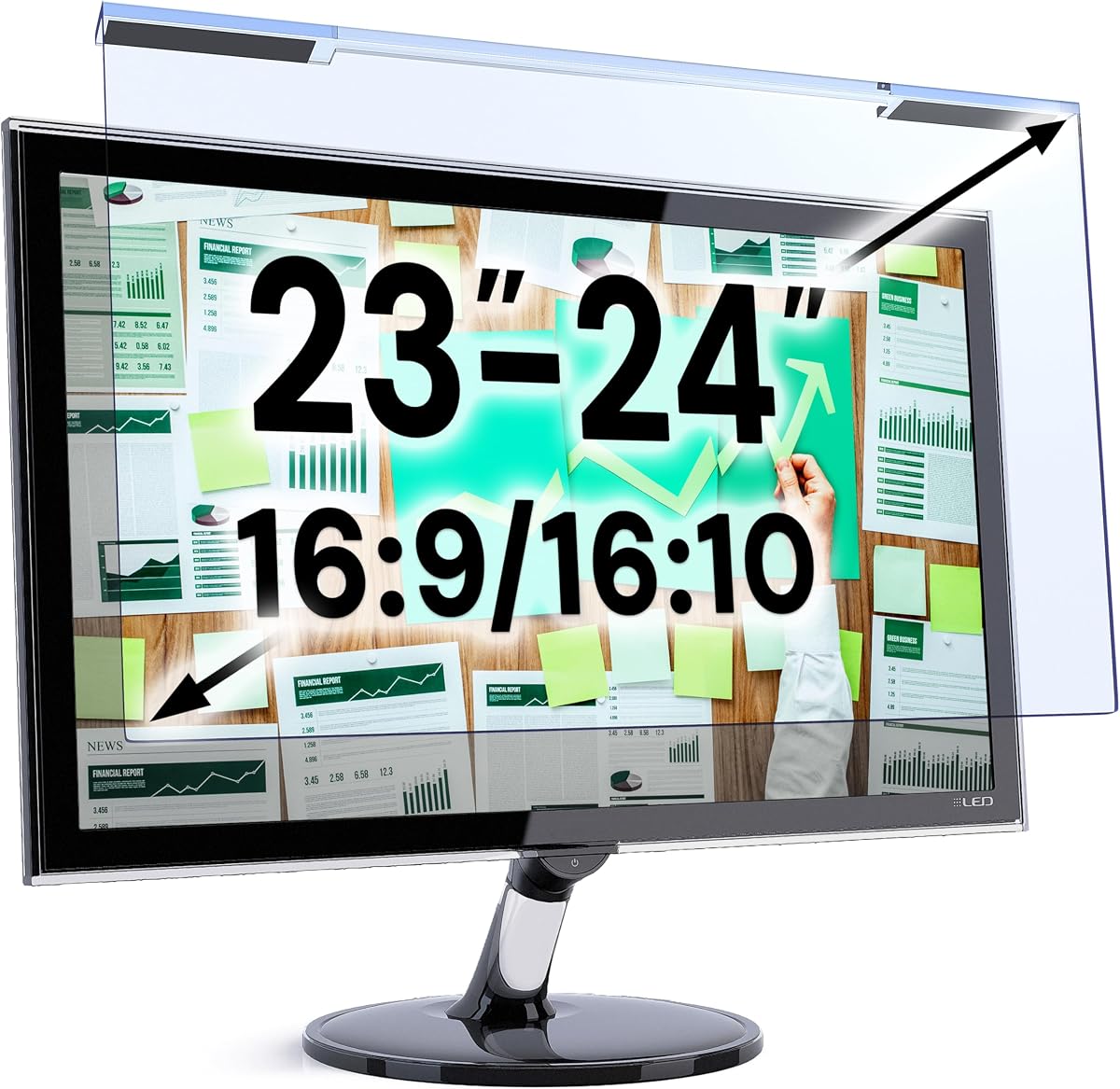


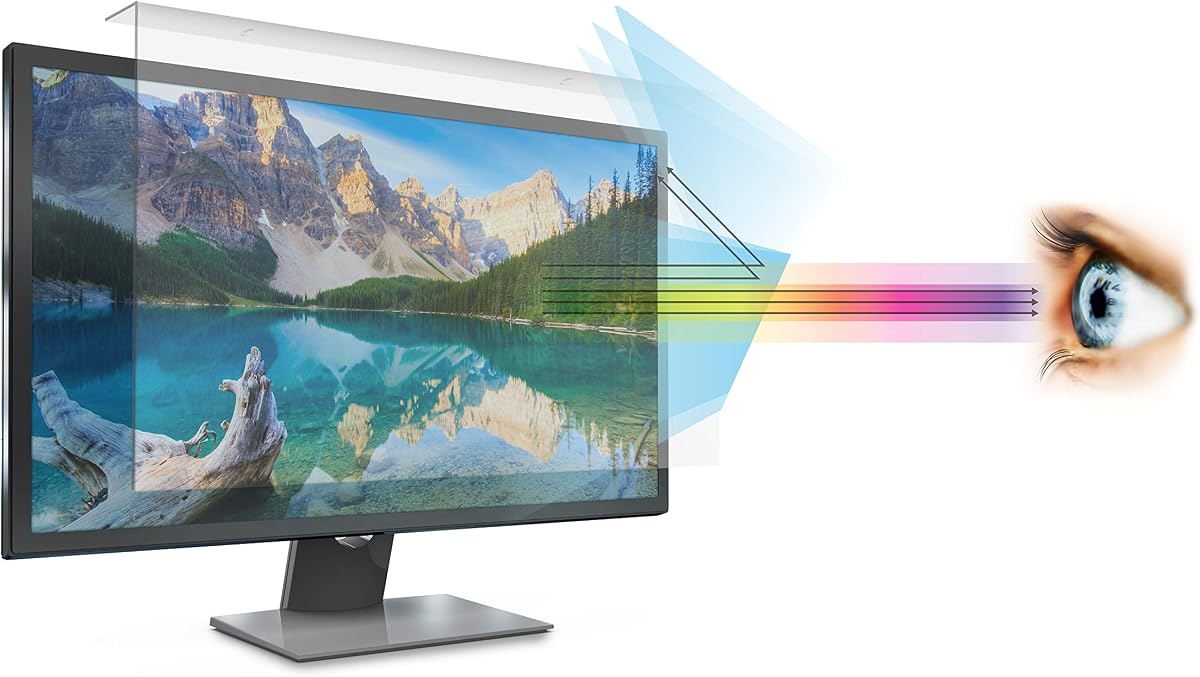

The MOSISO Computer Blue Light Blocking Screen Protector offers a straightforward way to soften screen exposure for compatible 23- to 24-inch widescreen displays. With a 4.4 rating, it stands out for a claimed 99% UV filtration, a 45% reduction in blue light between 420 and 460 nanometers, and a thin acrylic construction that preserves brightness.
We may earn a commission when you buy through this link, at no additional cost to you.
Its primary advantage is versatility across popular monitor brands. The listing names compatibility with 24-inch iMac, Lenovo IdeaCentre, HP Pavilion, Dell P Series, Sceptre, Acer Aspire, and ViewSonic models, along with diagonally measured 23-, 23.6-, 23.8-, and 24-inch 16:9 monitors. That broad list makes it useful for buyers who want one general-purpose blue-light filter rather than a specialized privacy panel.
The trade-offs are that this is a hanging film rather than a privacy filter, and its blue-light reduction is lower than the strongest percentage claims among the privacy-filter options. Its 0.05-inch thickness may also mean it needs careful handling during installation. Nevertheless, the stated 95% transparency, dust and scratch resistance, and simple peel-and-hang setup make it a balanced budget-oriented choice.
Choose this protector if you use a compatible 23- or 24-inch monitor, spend substantial time working or gaming, and want basic blue-light and UV filtration without privacy-filter complexity. Measure both the display area and diagonal before ordering, then compare the dimensions with the manufacturer’s compatibility list to avoid a poor fit.
The filter targets blue light in the 420–460 nanometer range while retaining a stated 95% transparency. That combination suits users who want visible filtering without a pronounced darkening effect on the monitor.
Installation requires removing the surface films and hanging the panel over the display. This avoids adhesive tabs, although the panel should be aligned carefully to prevent trapped dust from creating distracting marks.
We may earn a commission when you buy through this link, at no additional cost to you.
The Mamol 24 Inch Privacy Screen Filter combines visual privacy with substantial light filtering, earning a 4.2 rating. It is designed for 16:9 widescreen monitors measuring 20 15/16 by 11 13/16 inches, and its microlouver technology limits side visibility at approximately 30 degrees while blacking out the image nearer 60 degrees.
We may earn a commission when you buy through this link, at no additional cost to you.
Eye-comfort features are a major selling point. The listing states that the panel filters 99.9% of UV rays and suppresses 98% of blue light, while the reversible construction lets users choose a glossy side for clarity and privacy or a matte side for reduced glare and reflections. An extra anti-reflective layer is also described as supporting high-definition clarity.
The principal compromise is inherent to privacy technology: as the viewing angle widens, the display becomes darker. It also requires a precise match to the visible screen area, and buyers with narrow or unusual bezels should verify compatibility before installation. Even so, the included adhesive strips and slide tabs, cleaning cloths, and guide make the two-pack a practical option for offices, travel, and shared workspaces.
This is a strong recommendation for anyone who needs both confidentiality and blue-light filtering on a standard 24-inch 16:9 monitor. Select it when the panel dimensions match and privacy matters more than unrestricted off-axis visibility. For shared or mobile setups, the two included panels also allow one to remain at a second workstation.
Turning the panel over changes the viewing experience without requiring a second filter. Use the glossy side when clarity and confidentiality are priorities, and the matte side when reflections are more distracting than a slightly softer appearance.
Adhesive strips provide a more permanent hold, while slide tabs suit monitors with raised bezels. Because the package contains two filters, it is also convenient for alternating between two workstations without repeatedly reinstalling a single panel.
We may earn a commission when you buy through this link, at no additional cost to you.
The VizoBlueX 23–24 inch Anti-Blue Light Filter is a 4.4-rated panel intended for users who want layered optical protection without adding privacy filtering. Its 21.5-by-13-inch dimensions cover a range of 23- and 24-inch 16:9 monitors, including Apple iMac 24 Retina and all-in-one models.
We may earn a commission when you buy through this link, at no additional cost to you.
The listing describes a multilayer design that eliminates hazardous UV and blocks harmful high-energy visible light. It is specifically positioned as a blue-light filter rather than an anti-glare or privacy screen, preserving a clear division between its features. Color maintenance and installation are also emphasized: users remove protective films from both sides and hang the filter over the monitor.
Because it does not claim anti-glare performance, it may not be the best option for a brightly lit room where reflected light is the dominant problem. The need to measure only the screen diagonal without the frame also deserves attention, because actual width and height should still be compared before purchase. Even so, the filter’s broad brand list and simple mounting approach are appealing.
Choose the VizoBlueX for a compatible 23- or 24-inch display when blue-light filtering is your main concern and you want a straightforward hanging panel. It is especially relevant for users of the named iMac models or popular monitors from Samsung, LG, Dell, HP, Lenovo, Asus, Acer, BenQ, ViewSonic, Philips, and NEC.
The product is designed to maintain visible colors rather than impose a strongly tinted appearance. This makes it attractive for creative work, general browsing, office productivity, and extended text-heavy sessions.
Its support for common 16:9 displays and several major brands reduces the likelihood of a difficult search. Confirm both the visible dimensions and the absence of an unusually narrow bezel before committing.
We may earn a commission when you buy through this link, at no additional cost to you.
The VINTEZ Blue Light Screen Protector provides a relatively restrained approach to eye comfort, with a 4.3 rating and stated filtration of up to 61% of blue light and 99% of UV light. It is made for 23-, 23.6-, 23.8-, and 24-inch monitors, with an actual filter size of 21.2 by 13.4 inches.
We may earn a commission when you buy through this link, at no additional cost to you.
Compatibility extends across popular HP, Samsung, Dell, Asus, LG, Huawei, and MSI displays, as well as other brands. The panel is positioned over the top of the monitor after both protective films are peeled away, so no adhesive mounting is required. Its optical layer is described as reducing light in the 420–460 nanometer range while maintaining image clarity.
The listing specifically notes that this model does not have an anti-glare function, which is an important limitation for users working near windows or under strong overhead lighting. It also includes only one panel, although that is sufficient for a single workstation. A stated lifetime replacement policy and the protective role against scratches, dirt, and dust add reassurance.
This is a sensible choice for a 23- or 24-inch user who prioritizes basic blue-light filtering, UV reduction, and uncomplicated installation. It is less suitable for shared desks where confidentiality is required or for bright rooms where glare reduction should be the main objective. Measure the visible display area before ordering.
The filter hangs from the monitor rather than attaching directly to the panel. This permits easy removal for cleaning and avoids adhesive residue, provided the panel is handled by its edges.
The stated combination of UV filtration and moderate blue-light reduction is suited to users who prefer a clear image and a less aggressive tint. It does not replace professional advice for persistent eye symptoms.
We may earn a commission when you buy through this link, at no additional cost to you.
The Peslv 24 Inch Privacy Screen is an extensively equipped two-pack with a 4.2 rating. It is engineered for standard 24-inch 16:9 monitors measuring 20 15/16 by 11 13/16 inches and combines side-viewing privacy with stated reductions of 92% blue light and 98% UV light.
We may earn a commission when you buy through this link, at no additional cost to you.
The product’s most distinctive feature is its double-sided construction. A matte outward-facing surface emphasizes anti-glare performance and a 30-degree privacy angle, while the glossy side is described as delivering a stronger anti-peeping effect at a 26-degree angle. The optical design reportedly underwent 22,188 anti-peep angle corrections, according to the listing.
Installation can use double-sided adhesive strips or slide tabs, with the latter appropriate for raised-bezel monitors. The package also contains transparent mounting pieces and several cleaning items. As with other privacy filters, the picture darkens when observed from a wider angle, and the fit depends on accurate width and height measurements rather than diagonal size alone.
Choose the Peslv when you work with sensitive information, alternate between two computers, or want both glare control and stronger privacy without managing separate panels. It is also well suited to offices, travel, healthcare, legal work, and banking. Its two-filter format and flexible surfaces justify considering it over a basic blue-light panel.
The reversible panel makes it possible to tune the protector to your environment. Choose matte in bright offices for softer reflections or glossy when maximum side-angle confidentiality matters most.
Two complete filters are included, along with sufficient mounting accessories for multiple setups. This is especially useful for users who move between a home computer and an office workstation.
We may earn a commission when you buy through this link, at no additional cost to you.
The Protescreen 27 Inch Privacy Screen is designed for larger 16:9 desktop displays and carries a 4.1 rating. Its stated dimensions are 23 9/16 by 13 1/4 inches, with a 27-inch diagonal, and the micro-louver technology limits viewing to approximately plus or minus 28 degrees.
We may earn a commission when you buy through this link, at no additional cost to you.
Eye protection includes stated reductions of 92% blue light and 98% UV light. The panel also claims to block 95% of reflected light, giving it a meaningful advantage in offices, cafés, airports, and other bright or public environments. A matte side emphasizes glare control, while a glossy side is positioned as more privacy-resistant.
The screen is reusable and can be installed with double-sided adhesive or slide tabs. The latter method is limited to monitors with raised frames, while adhesive installation accommodates the wider range of 16:9 displays. One filter and a basic accessory set are included, so buyers needing two protected workstations should consider a two-pack alternative.
This protector is a good fit for a 27-inch user who needs confidentiality and eye comfort in a shared environment. It is less appropriate if you regularly view the display from steep side angles or need a complete package for multiple machines. Verify the visible dimensions and bezel style before ordering.
The combination of blue-light, UV, and reflected-light reduction is especially relevant on a large monitor used for long work sessions. The stronger glare treatment also helps when overhead lighting creates visible reflections.
The listing identifies the filter as suitable for curved 27-inch screens. Dimension matching remains essential because curvature and bezel design can affect how closely the filter sits to the display surface.
We may earn a commission when you buy through this link, at no additional cost to you.
The ZYY 27 Inch Anti Blue Light Screen Protector combines a 4.4 rating with a durable five-layer optical construction. It is intended for monitors measuring 24 1/8 by 14 inches, supports curved screens, and is explicitly not designed for iMac displays.
We may earn a commission when you buy through this link, at no additional cost to you.
Its stated filtration performance is among the more substantial figures in the guide: at least 90% blue-light blocking, at least 98% UV blocking, and at least 99% blocking of other listed harmful lights. The panel uses 8H-reinforced acrylic and is described as thin at two millimeters, with resistance to scratching, fingerprints, and an explosion-proof construction claim.
The installation is a hanging type, and the protective films on both sides need to be removed first. A hanging format means less risk of adhesive residue and permits the filter to move with the monitor, but it can leave the upper edge exposed to dust. The size is also larger than many nominal 27-inch filters, so buyers should compare actual width and height rather than rely on diagonal labeling.
Choose the ZYY if you have a large, curved or standard 27-inch monitor and value strong optical claims alongside a hardened surface. It is a better fit for gaming, studying, and professional work than for an iMac or a display with unusually tight dimensions. Regular cleaning and careful alignment will help preserve a clear viewing experience.
Five optical layers support the listed blue-light, UV, and other light-filtering claims. The goal is to reduce harsh screen exposure while maintaining high-resolution color and a relatively thin profile.
The 8H acrylic construction adds scratch and fingerprint resistance. It also gives the panel a more substantial feel than a very thin utility film, although proper handling remains important.
We may earn a commission when you buy through this link, at no additional cost to you.
The MUBUY 24-inch Anti Blue Light Anti Glare Screen Protector is a 3.6-rated option distinguished by its matte, oleophobic coating. It is laser-cut to a 20.9-by-11.77-inch visible area for 24-inch 16:9 monitors and is listed for Dell, HP, Acer, ViewSonic, Asus, Aoc, Samsung, Sceptre, LG, Philips, and Amazon displays.
We may earn a commission when you buy through this link, at no additional cost to you.
Its premium eight-layer design claims complete UV blocking and filtration of harmful 380–495 nanometer high-energy visible light. The anti-glare surface reduces visual interference in bright conditions, while an oil- and water-repellent coating makes routine wiping easier. It also states that original screen responsiveness is preserved with zero input lag.
The lower rating warrants more attention than the strong feature list might initially suggest. The listing does not provide a precise blue-light reduction percentage, and a heavily anti-glare surface can make some displays look less vivid. Its compatibility with both curved monitors and touchscreens is useful, but users should verify whether their specific model has a touch-sensitive display surface.
Choose the MUBUY when reducing reflections and fingerprints is more important than achieving the highest stated blue-light percentage. It is a practical general-purpose filter for bright offices and shared workspaces, while users who are particularly sensitive to a matte appearance may prefer a clearer non-anti-glare model.
The anti-glare finish is the defining feature. It softens strong reflections and reduces distracting overhead-light interference, making the protector particularly useful in brightly illuminated offices.
Because the product supports touchscreens and claims no added input lag, it can serve users who interact with their monitor directly. Its oleophobic coating also helps limit the fingerprints commonly associated with touch displays.
We may earn a commission when you buy through this link, at no additional cost to you.
The EZ-Pro Anti Blue Light Screen Filter fills an important gap for 21- and 22-inch widescreen desktop monitors. It has a 4.4 rating, a visible filter size of 19.3 by 12.5 inches, and a stated ability to block up to 80% of harmful blue light and radiation.
We may earn a commission when you buy through this link, at no additional cost to you.
Its attachment system requires no adhesive. Instead, the acrylic panel attaches to the monitor bezel, allowing it to be fitted or removed easily. The same material is said to shield the display from dust and scratches, while the package includes a blue-light testing kit, installation guide, and cleaning cloth.
This design is convenient for users who move their monitor or do not want permanent adhesive on the bezel. On the other hand, the product focuses on blue-light reduction rather than privacy or anti-glare performance, so it may not suit a workstation where side confidentiality or strong reflections are the primary concerns.
Choose the EZ-Pro if your display is a diagonally measured 21- or 22-inch model and you want a removable filter with a clear eye-care purpose. It is especially useful for students, office workers, programmers, and gamers who want to limit blue-light exposure without adding complex mounting hardware.
Attaching the panel to the bezel avoids screen adhesive and allows fast removal. The approach is especially useful for shared spaces, movable desks, and displays that are repositioned frequently.
A cleaning cloth and blue-light testing kit add practical value. The testing kit can help buyers understand the filter’s visual effect, while the cloth supports routine maintenance.
We may earn a commission when you buy through this link, at no additional cost to you.
The IPROKKO 2Pack 27 Inch Blue Light Screen Protector provides two filters for standard 16:9 27-inch monitors, with each panel measuring 23 9/16 by 13 1/4 inches. Its 4.0 rating reflects a well-rounded feature set that includes 98% stated blue-light filtration and 99% UV filtration.
We may earn a commission when you buy through this link, at no additional cost to you.
The product also claims a 90% light transmission rate and the use of optical materials intended to reduce 95% of glare and reflected light. A reinforced layer resists scratches, dust, and contact from sharp objects. It supports curved monitors and is compatible with many popular monitor brands, including HP, Dell, Samsung, Lenovo, LG, Acer, ASUS, and ViewSonic.
Installation is described as a simple hanging process without tabs or adhesive, reducing visible mounting hardware. Both filters are removable and washable, so accumulated dust can be cleaned rather than requiring immediate replacement. The main limitations are that it offers no privacy function and comes with a stated one-year warranty rather than a longer support policy.
Choose the IPROKKO if you own a 27-inch 16:9 display and want two panels for separate workstations, a replacement, or rotating between bright and dark environments. It is particularly suitable for users who want high blue-light and UV filtration together with glare control, but privacy is not part of the feature set.
The listing combines high blue-light and UV filtration with glare reduction. That makes the panel more versatile than a filter focused on a single wavelength, especially in offices with substantial ambient light.
Two removable, washable panels offer practical flexibility. One can remain in place while the other is cleaned, or both can serve separate computers in a home-and-office arrangement.
We may earn a commission when you buy through this link, at no additional cost to you.
The most useful monitor protector depends on display dimensions, lighting conditions, and whether you need confidentiality. Use the following factors to narrow the field before comparing installation methods and filtration claims.
Start with the display area rather than the diagonal measurement alone. A nominal 24-inch monitor can have noticeably different visible widths and heights depending on its aspect ratio, bezel, and model. Measure both the active screen and the outer edge, then compare those figures with the product’s stated panel dimensions. For curved displays, check whether the protector is designed to sit directly against the screen.
Products in this guide make different blue-light filtration claims, ranging from a stated 80% in one smaller model to as high as 98% in several 24- and 27-inch options. A higher percentage does not automatically mean a better experience, since tint, color fidelity, brightness, and ambient lighting also affect comfort. Choose a model whose optical strength sounds appropriate for your preferences, and consider testing it before committing to multiple panels.
UV filtration and blue-light reduction address different parts of the spectrum. Several products state that they block at least 98% or 99% of UV while separately reporting lower blue-light reduction. Look for both figures and ensure that the listing does not imply that a high UV figure represents equally strong blue-light filtering.
A privacy filter adds microlouver technology that narrows the visible viewing angle. This is valuable in open offices, airports, libraries, and financial or medical settings, but the image becomes darker when viewed from the side. If you work alone and value a wide viewing angle, choose a clear blue-light panel instead. If confidentiality matters, compare the stated privacy angles and reversible surfaces.
Anti-glare treatments are most useful under harsh overhead lighting or near windows. A matte surface can reduce reflections but may also make colors look less vivid. Clear filters are often preferable for color-sensitive work, while anti-glare designs excel in bright offices. Some privacy filters include reversible matte and glossy sides, giving you a way to adapt the same panel to different locations.
Hanging filters are simple and leave no adhesive behind, but they require careful alignment and can collect dust along the upper edge. Adhesive strips create a stable hold but are less convenient if the monitor is moved. Slide tabs provide a removable solution for displays with raised bezels. Consider how often you relocate the monitor, clean the panel, or switch between workstations.
A protector should not make the display frustrating to use. Some listings specify 90% or 95% transmission, while others emphasize maintained brightness and high-definition color. Reviews can reveal whether a panel appears excessively tinted, but they cannot replace checking dimensions and installation requirements. For professional color work, select the clearest option and test a refundable purchase if possible.
Useful extras include microfiber cloths, alcohol wipes, mounting tabs, adhesive strips, and installation guides. A two-pack can be worthwhile for people with multiple computers or for keeping a spare panel ready. Reversible surfaces and included cleaning tools improve long-term usability. Compare the package contents because a single economical filter may offer less flexibility than a two-panel kit.
Begin with a clean, powered-off display. Remove dust and fingerprints with a soft microfiber cloth, then measure the visible screen and compare it with the protector’s dimensions. For hanging models, remove the protective films from both sides immediately before placement, handling only the edges to avoid transferring oils.
Align the top edge of the panel with the monitor and lower it into place without dragging it across the surface. If using adhesive strips, apply them to the frame or designated mounting areas and press each tab firmly into place. Slide tabs should sit on the outer rim of a raised bezel. Work slowly to avoid bubbles, trapped dust, or accidental creases.
Clean the protector periodically with the supplied cloth or another lint-free microfiber cloth. If the manufacturer permits alcohol wipes, use them sparingly and never spray liquid directly onto the display. Remove and clean the panel before reinstalling it, and avoid abrasive cleaners, sharp tools, and excessive pressure that could scratch the screen.
An eye-care mode changes the display’s color output at the software level, while a physical protector filters light before it reaches the screen and may also control glare. They can be used together, although a strong filter combined with a warm eye-care setting may make the image look excessively yellow. Compare the result with and without each feature to determine the most comfortable combination.
A privacy filter can be comfortable when viewed directly, but its microlouver structure intentionally darkens the image at side angles. Reversible matte and glossy panels can help you tune clarity, glare control, and privacy. People who need frequent collaboration from different positions may prefer a clear blue-light filter instead of a privacy model.
Measure the active display from one visible corner to the opposite corner for the diagonal, then measure the visible width and height without including the frame. Compare all three measurements with the listing, because many similarly sized monitors have different active areas. If a curved display has an unusually narrow or irregular bezel, contact the seller before ordering.
Some blue-light filters introduce a warmer or more amber appearance, while others are designed to retain a neutral image. The amount of visible tint depends on the filter technology and your display settings. Users concerned about color accuracy should check reviews for appearance notes and test a panel before using it for color-critical professional work.
Several products in this guide explicitly state that their filters are washable or can be cleaned to restore them. Follow the included instructions, use a clean microfiber cloth, and avoid abrasive products. Never spray cleaning fluid directly onto the monitor, and allow the panel to dry fully before reinstalling it.
Some listings in this guide explicitly support curved screens, but the protector must still match the visible dimensions and curvature. A flat filter may not sit evenly against a strongly curved panel, potentially creating distortion or gaps. Check the manufacturer’s compatibility notes and model-specific guidance before installation.
Only if both devices have compatible visible dimensions and the attachment method suits their frames. A hanging filter may fit several similarly sized screens, while a bezel-mounted model may work better across different devices. The VINTEZ listing mentions monitors and laptops, but you should still verify the measured active area of each screen.
No. Monitor protectors may improve comfort for some users, but persistent dryness, blurred vision, headaches, or changing eyesight can have causes that require professional evaluation. A filter is an optional comfort accessory rather than medical treatment, and users with continuing symptoms should consult an eye-care professional.
The MOSISO filter stands out as a budget-focused choice for compatible 23- and 24-inch monitors, while the Mamol privacy screen combines strong UV and blue-light claims with two installation methods. The Peslv two-pack offers the most flexible premium package, particularly for users who need different surfaces or want protection at two workstations.
Your first priority should be accurate sizing, followed by the problem you most want to solve: blue-light filtering, glare reduction, screen protection, or confidentiality. Clear filters suit color-focused users, matte options help in bright rooms, and privacy models are worth their trade-off in exposed workspaces. Installation method and included accessories are equally important for long-term convenience.
Before buying, verify the visible width and height, confirm monitor compatibility, and review how the product changes brightness or viewing angle. Ratings, promotions, and prices can change over time, so check the current listing and current cost when you are ready to purchase.