
ASUS ROG Strix G16 RTX 5060
4.4Editor score
RTX 5060 Blackwell architecture
16GB DDR5 memory
165Hz FHD+ display
Our ASUS ROG Strix Laptop guide compares 10 gaming laptops across performance, displays, memory, cooling, portability, and upgradeability for every buyer.
ASUS ROG Strix laptops combine desktop-inspired gaming hardware with displays, keyboards, and cooling systems designed for demanding play. A strong model should deliver responsive performance, sustained frame rates, accurate visuals, comfortable controls, and enough memory and storage for modern games, creative work, and everyday productivity.
This guide compares ten ASUS ROG Strix models spanning 16-inch and 18-inch designs, Intel and AMD processors, several NVIDIA GeForce RTX configurations, and displays ranging from 144Hz to 240Hz. The evaluation emphasizes the specifications and features listed for each system rather than personal testing experience.
Each entry explains the strongest reasons to choose a particular model, along with its more apparent compromises. The selections include a practical mainstream option, high-refresh gaming choices, large-screen premium systems, and configurations for buyers who prioritize memory, storage, display quality, or future upgradeability.
4.4Editor score

4.3Editor score

5.0Editor score
The table below places all ten ASUS ROG Strix laptops side by side, concentrating on the processor, graphics hardware, display, memory, and major practical differentiators that matter when choosing a gaming notebook.




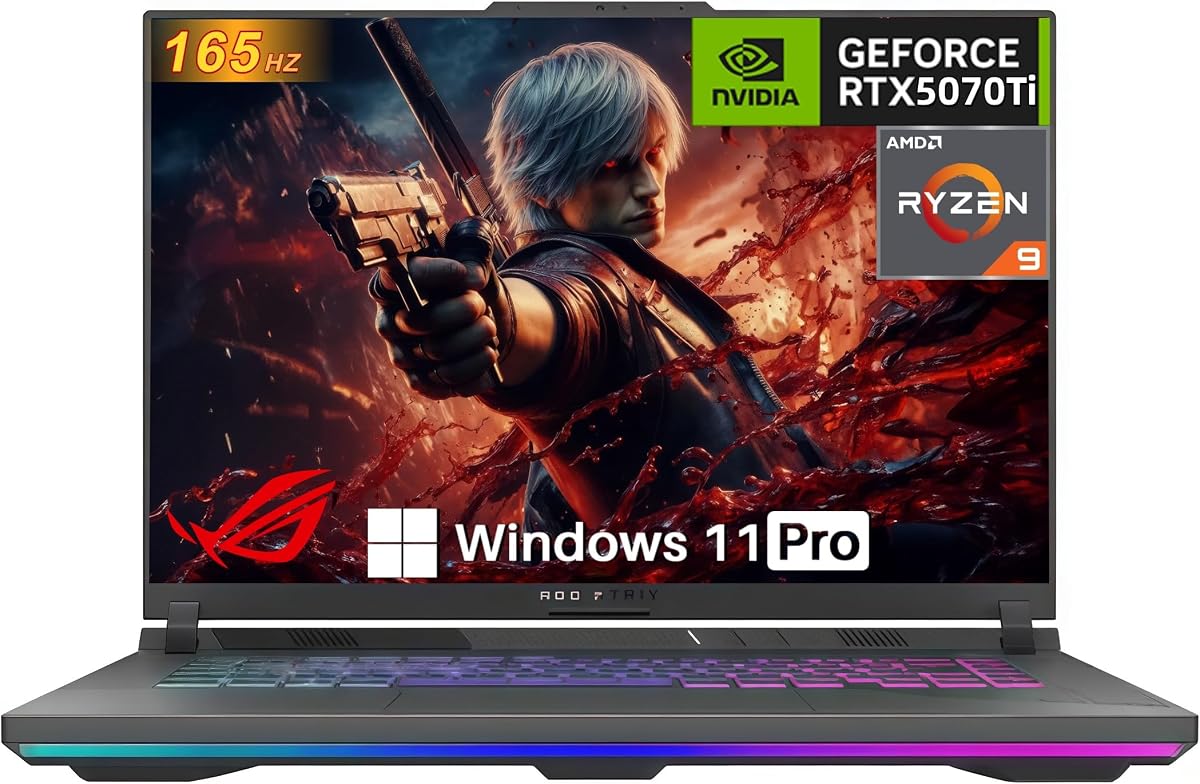
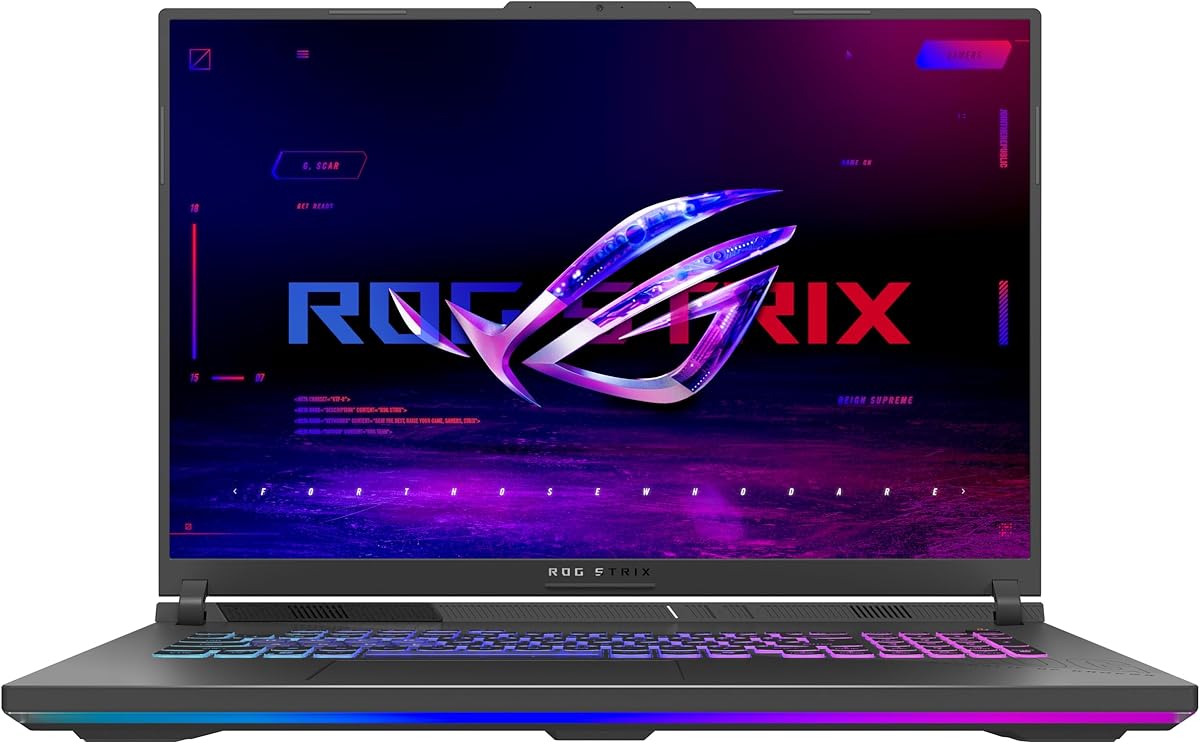
The ASUS ROG Strix G16 RTX 5060 is a well-balanced gaming laptop for buyers who want modern NVIDIA hardware without stepping into the most advanced configurations in this roundup. Its 4.4 rating is among the stronger results in the group, and the combination of an Intel Core i7 14650HX processor, RTX 5060 Laptop GPU, 16GB of DDR5 memory, and 1TB PCIe Gen 4 SSD covers mainstream gaming, streaming, and everyday productivity.
We may earn a commission when you buy through this link, at no additional cost to you.
The most attractive feature is the balance between performance and display characteristics. Its 16-inch FHD+ panel operates at 165Hz with a listed 3ms response time, while the ACR film is designed to improve contrast and reduce glare. The RTX 5060 uses NVIDIA Blackwell architecture and supports DLSS 4 and Max-Q technologies, while ROG Intelligent Cooling combines an end-to-end vapor chamber, tri-fan technology, and Conductonaut Extreme liquid metal on the chipset.
There are some clear compromises. The 16GB memory configuration is modest by current gaming-laptop standards, especially for heavy multitasking, creative applications, and games with large asset libraries. The FHD+ screen is also less detailed than the 2.5K ROG Nebula options in this guide. Nevertheless, neither issue undermines the model's value-oriented purpose: it focuses on core gaming performance, fast refresh, modern networking, and practical everyday capability.
This is the most approachable recommendation for a gamer who wants a capable 2025 ASUS ROG Strix laptop without prioritizing a higher-resolution display or top-tier graphics. It is also a sensible choice for a student or commuter who needs a large gaming machine that can handle work between sessions. Buyers who need more memory or finer display detail should move to one of the 32GB or 2.5K configurations.
The Core i7 14650HX and RTX 5060 pairing covers the kind of hardware most buyers need for high-refresh gaming and demanding multitasking. DLSS 4 and Max-Q support provides additional tools for improving frame rates and efficiency, while the 1TB Gen 4 drive offers ample room for a substantial game library.
ROG Intelligent Cooling is a meaningful strength for sustained gaming because it uses a vapor chamber, three fans, and liquid-metal thermal compound on the chipset. The full-surround RGB light bar also syncs with the keyboard and compatible ROG peripherals, while Stealth Mode can disable the lighting for a more professional appearance.
We may earn a commission when you buy through this link, at no additional cost to you.
The ASUS ROG Strix G16 RTX 5070 Ti is the strongest all-around 16-inch choice in this guide for buyers who want flagship-class laptop graphics, a high-refresh display, and ample memory. It carries a 4.3 rating, and its Intel Core Ultra 9 275HX processor, RTX 5070 Ti Laptop GPU, 32GB of DDR5-5600MHz memory, and 1TB PCIe Gen 4 SSD form a particularly compelling specification sheet.
We may earn a commission when you buy through this link, at no additional cost to you.
Display quality helps distinguish this model. Its 16-inch ROG Nebula panel combines a 2.5K resolution with a 240Hz refresh rate and 3ms response time, making it well suited to competitive shooters, fast action games, and high-resolution creative work. The RTX 5070 Ti uses Blackwell architecture with DLSS 4 and Max-Q support, while the full-surround RGB light bar coordinates with the keyboard and other ROG accessories.
The trade-off is financial rather than technical: this configuration occupies the upper end of the range and may be unnecessary for a player who only needs solid 1080p performance. It also ships with Windows 11 Home rather than Pro, which could matter to a buyer who requires specific business-management features. Beyond those considerations, the 32GB memory, high-end GPU, and fast panel make the machine unusually complete for high-intensity gaming and multitasking.
Choose this G16 if competitive frame rates, a sharp 240Hz screen, and strong creative performance are all priorities and the additional investment fits your budget. It is particularly appropriate for enthusiasts who want the Scar 18's performance class in a somewhat more conventional 16-inch format. For a larger screen and HDR-focused visuals, the Scar 18 is the relevant alternative.
The 2.5K ROG Nebula display offers considerably more detail than an FHD+ panel, while its 240Hz refresh rate and 3ms response time suit fast-paced games. The ACR film is intended to increase contrast and reduce glare, making the screen useful both during lengthy gaming sessions and for content creation.
The RTX 5070 Ti and Core Ultra 9 275HX provide a high-performance foundation for modern AAA titles, ray tracing, content creation, and streaming. A full 32GB of DDR5-5600MHz memory is especially helpful when games, browser tabs, recording software, and creative applications are used at the same time.
We may earn a commission when you buy through this link, at no additional cost to you.
The ASUS ROG Strix Scar 18 is the premium large-screen selection, combining an Intel Core Ultra 9 275HX processor, RTX 5070 Ti graphics, 32GB of DDR5 memory, and a remarkable Mini LED display. Its 4.3 rating reflects a configuration aimed at buyers who treat their gaming laptop as a desktop replacement, creative workstation, and entertainment display in one.
We may earn a commission when you buy through this link, at no additional cost to you.
The 18-inch ROG Nebula HDR panel is the centerpiece. It offers 2.5K resolution, 240Hz refresh, 3ms response, more than 2,000 dimming zones, dual ACR layers, and 100% DCI-P3 color coverage. These specifications make it particularly interesting for HDR gaming, video editing, color-sensitive work, and cinematic entertainment, while the larger screen gives competitive players more peripheral awareness.
Its large dimensions are the main compromise. An 18-inch chassis is inherently less portable than a 16-inch model, and this Scar also combines premium graphics with an advanced vapor chamber, tri-fan cooling, Conductonaut Extreme liquid metal, tool-free access, a MUX Switch, and Advanced Optimus. The result is a specification-rich machine rather than a minimalist travel companion. Windows 11 Pro and an included three-month PC Game Pass add further utility.
Buy the Scar 18 if you regularly use an external monitor, want a true all-in-one gaming and productivity system, or value a large, color-rich, high-refresh panel. It is a natural choice for a gaming setup that stays on a desk. If portability is more important, the 16-inch G16 models offer a similar RTX 5070 Ti class in a more travel-friendly format.
Mini LED technology and more than 2,000 dimming zones give the display substantially finer local control than a conventional backlit LCD. Combined with 240Hz refresh, 2.5K resolution, 3ms response, and 100% DCI-P3 coverage, it targets both fast gaming and demanding visual work.
Tool-free access makes RAM, SSD, and other internal components more approachable for upgrades, while a removable frame helps protect surrounding hardware. The MUX Switch can route frames directly from the discrete GPU, and Advanced Optimus can switch between integrated and discrete graphics without requiring a restart.
We may earn a commission when you buy through this link, at no additional cost to you.
This ASUS ROG Strix G16 configuration puts a flagship-class Intel Core Ultra 9 275HX processor and a premium 240Hz ROG Nebula display into a 16-inch laptop with RTX 5060 graphics. Its 4.0 rating is respectable, although it is lower than the ratings attached to several alternatives, making this a specification-driven option rather than an automatic top choice.
We may earn a commission when you buy through this link, at no additional cost to you.
The screen is one of the strongest parts of the package. It combines 16:10 proportions, 2.5K resolution, 240Hz refresh, and 3ms response, while its ACR film is designed to improve contrast and reduce glare. Dolby Vision HDR adjusts color for a richer and brighter presentation, making the laptop suitable for games, video, and general entertainment.
The notable limitation is the balance between the Core Ultra 9 processor and the RTX 5060 GPU. The processor should be well suited to demanding workloads, but buyers seeking more graphics headroom may prefer the RTX 5070, RTX 5070 Ti, or RTX 5080 alternatives. Memory is also limited to 16GB, which can constrain heavy multitasking even though the 1TB PCIe Gen 4 SSD provides ample storage.
This model makes sense for a buyer whose workload is processor-heavy, who values a 2.5K 240Hz panel, and who does not need a higher-tier GPU. It is also attractive for creative use because Dolby Vision HDR and the high-refresh screen complement demanding applications. For gaming, consider whether the RTX 5060 meets your target settings before choosing it over the more powerful G16 configurations.
The Core Ultra 9 275HX is the defining processor choice and should provide substantial capability for gaming, streaming, rendering, and multitasking. It is particularly compelling when paired with a fast display because the system is built to take advantage of high-refresh output in more demanding applications than simple browser work.
The ROG Nebula panel delivers the visual refinement buyers may prioritize most, but the RTX 5060 is the limiting factor for graphics-intensive games. This makes the configuration most compelling when display quality and processor performance matter more than maximum frame rates in the latest titles.
We may earn a commission when you buy through this link, at no additional cost to you.
The Ryzen 9 RTX 5070 G16 is a notable alternative for buyers who prefer an AMD processor or want a dedicated RTX 5070 configuration without moving to a 2.5K panel. It combines the AMD Ryzen 9 9955HX with NVIDIA Blackwell architecture graphics, 16GB of DDR5-5600MHz memory, and a 1TB PCIe Gen 4 SSD.
We may earn a commission when you buy through this link, at no additional cost to you.
Its 16-inch FHD+ display supports 165Hz and a 3ms response time, which is fast enough for many competitive and single-player games. The RTX 5070 supports DLSS 4 and Max-Q, while the MUX Switch can route frames directly from the discrete GPU for a listed gaming-performance benefit. Advanced Optimus can move between integrated and discrete graphics without a restart, helping balance performance and battery use.
The main uncertainty is the absence of a published customer rating for this listing. It should therefore be compared primarily on its specifications rather than on established user feedback. The 16GB memory configuration is another limitation, and the FHD+ resolution is less detailed than the ROG Nebula screens available on other models in the guide.
This G16 is most appropriate for an enthusiast who values the Ryzen 9 9955HX and RTX 5070 combination, especially if AMD processor support is important to their software workflow. It also suits buyers who value a 165Hz panel but do not need 2.5K resolution. Confirm the available memory and storage configuration and review current listing details before making a final decision.
Pairing the Ryzen 9 9955HX with an RTX 5070 gives buyers a powerful processor-and-graphics configuration. The combination is well suited to modern games and content creation, while DLSS 4 and Max-Q offer additional tools for frame-rate and efficiency management.
The MUX Switch provides a direct path from the discrete GPU to the display, which can help maximize gaming performance. Advanced Optimus automates transitions between integrated and discrete graphics, making the system more practical for mixed work-and-play sessions without manually changing modes every time.
We may earn a commission when you buy through this link, at no additional cost to you.
This ASUS ROG Strix G16 stands out for its 140W RTX 5070 Ti configuration, extensive connectivity, and a listed 5.0 rating. It pairs the GPU with 12GB of GDDR7 memory and an AMD Ryzen 9 8940HX processor rated at up to 5.3GHz, while also including 32GB of DDR5 memory and a 1TB SSD.
We may earn a commission when you buy through this link, at no additional cost to you.
For a buyer who frequently connects wired accessories, the port selection is particularly useful. The listed connectivity includes two USB-C 4 ports, two USB-A 3.2 ports, HDMI 2.1, 2.5G Ethernet, and an audio combination jack. Wi-Fi 6E, a 1080p webcam, an RGB keyboard with Aura Sync, and Hi-Res Audio with Dolby Atmos broaden its appeal for work, streaming, and entertainment.
The display is the main step down from the premium alternatives. Its 16-inch WUXGA LED panel operates at 165Hz and includes 100% sRGB coverage, 3ms response, and an ACR film, but it does not match the 2.5K resolution, HDR treatment, or 240Hz refresh rate of the ROG Nebula models. The listed 140W GPU power target and upgrade capacity make it a performance-focused alternative rather than a visual-specialist choice.
This configuration is a good match for a gamer who values a powerful discrete GPU, generous 32GB memory, extensive ports, and expandable internals over a high-resolution display. Support for up to 64GB of DDR5 memory and 4TB of PCIe storage adds long-term flexibility. It is also a strong option for someone who regularly uses Ethernet for gaming or transfers large creative files.
The listed 140W power target and 12GB of GDDR7 memory distinguish this model from standard configurations. Advanced Optimus, DLSS, Frame Generation, and the MUX Switch complement the hardware with features designed to improve frame rates, efficiency, and direct graphics routing.
Two USB-C 4 connections, dual USB-A ports, HDMI 2.1, 2.5G Ethernet, and Wi-Fi 6E make the laptop practical with multiple peripherals. A 1080p webcam and audio features also help it function as more than a dedicated gaming machine.
We may earn a commission when you buy through this link, at no additional cost to you.
The upgrade-focused ASUS ROG Strix G16 RTX 5070 Ti combines strong customer feedback with unusually accessible internal components. Its 4.9 rating is among the highest in this guide. The configuration uses an AMD Ryzen 9 8940HX processor with 16 cores and 32 threads, plus an RTX 5070 Ti Laptop GPU with 12GB of GDDR7 graphics memory.
We may earn a commission when you buy through this link, at no additional cost to you.
Its most distinctive practical feature is tool-free access to RAM, SSD, and fans. A Q-latch SSD system allows storage to be changed quickly, and a removable frame protects other hardware while offering deeper access for advanced users. The system also lists two tool-free SO-DIMM slots, making the initial 16GB of DDR5-5600MHz memory easier to expand.
The supplied listing title is abbreviated, so it does not provide the same display resolution, refresh rate, operating system, or storage details as the more fully described models. Buyers should therefore inspect the current product page carefully. Even so, the core hardware information is clear: a high-core-count Ryzen 9, RTX 5070 Ti graphics, PCIe Gen 4 storage performance, and an end-to-end vapor chamber with Conductonaut Extreme liquid metal.
This laptop is especially attractive to owners who expect to upgrade memory or storage over time rather than accepting the configuration as fixed. Its strong rating also makes it a compelling choice when direct customer feedback carries more weight than a longer specification list. It is best for an experienced buyer who values graphics performance and serviceability and who will confirm the panel and remaining configuration details before purchase.
Tool-free access to RAM, SSDs, and fans lowers the barrier to routine maintenance and component changes. The Q-latch design and removable protective frame make it easier to work on supported components while reducing the need for specialist tools.
The Ryzen 9 8940HX offers 16 cores and 32 threads with speeds listed up to 5.3GHz. Paired with the RTX 5070 Ti, it creates a capable platform for demanding games, streaming, rendering, and simultaneous background workloads.
We may earn a commission when you buy through this link, at no additional cost to you.
The 2026 ASUS ROG Strix G16 RTX 5080 is the ultimate graphics-oriented selection in this guide. It carries a 5.0 rating and combines the NVIDIA GeForce RTX 5080 Laptop GPU, 32GB of DDR5-5600MHz memory, a 1TB PCIe Gen 4 SSD, and a 2.5K 240Hz ROG Nebula HDR display. This is the configuration to consider when maximum graphics capability is the leading priority.
We may earn a commission when you buy through this link, at no additional cost to you.
The RTX 5080 uses NVIDIA Blackwell architecture and supports DLSS 4 and Max-Q. The ROG Nebula HDR panel adds Dolby Vision HDR, richer and brighter color, improved contrast through an AGLR film, and broad viewing angles. Together with the Core Ultra 9 processor listed in the product title, it creates a platform suited to the most demanding games, creative applications, and high-refresh entertainment.
The most important caveat is that the supplied product information contains a conflict between the product title and feature text: the title identifies an Intel Core Ultra 9 290HX Plus, while the description refers to an Intel Core Ultra 9 275HX Processor. The product title also lists a 240Hz display, while the description mentions 300Hz. Buyers should verify the exact screen specification and processor on the live listing before ordering.
This G16 is ideal for an enthusiast who wants the highest-class GPU in a conventional 16-inch ROG Strix form. Tool-free access to RAM, storage, and fans supports ownership over time, while the MUX Switch and Advanced Optimus provide direct-routing and automatic graphics options. Its premium nature makes it less suitable for buyers with modest gaming requirements, but for maximum capability it is the clearest choice in the lineup.
The RTX 5080 places this configuration at the upper end of the range for gaming, rendering, and GPU-accelerated creative work. DLSS 4 and Max-Q support helps improve frame-rate management, while 32GB of system memory gives demanding applications additional working capacity.
The listed 2.5K 240Hz ROG Nebula HDR display is suited to fast-paced games and immersive entertainment. Dolby Vision HDR and AGLR film are intended to improve brightness, color, contrast, glare handling, and off-axis image consistency, though the exact refresh rate should be confirmed because of the inconsistent listing detail.
We may earn a commission when you buy through this link, at no additional cost to you.
This ASUS ROG Strix G16 is a storage-focused alternative for buyers who want more than the usual 1TB SSD without stepping up to an RTX 5070 Ti or RTX 5080. It combines an Intel Core Ultra 9 275HX processor, RTX 5070 Laptop GPU, 32GB of DDR5 memory, and a 2TB PCIe Gen 4 SSD, earning a 4.2 rating.
We may earn a commission when you buy through this link, at no additional cost to you.
The 16-inch ROG Nebula display offers 2.5K resolution, a 240Hz refresh rate, and 3ms response. Its ACR film is designed to improve contrast and reduce glare, while Dolby Vision HDR adjusts colors for a richer and brighter image. The result is a strong combination for high-refresh gaming, media consumption, and content creation.
The RTX 5070 is the principal reason this model sits below the Ti-equipped alternatives in performance terms. It remains a capable Blackwell-architecture GPU with DLSS 4 and Max-Q support, but buyers should assess it against the more powerful options. The supplied cooling description is also less detailed than on several other listings, mentioning an end-to-end vapor chamber and tri-fan technology without providing the same level of detail elsewhere.
Choose this model when 2TB of storage, 32GB of memory, Windows 11 Pro, and a high-quality 240Hz panel are priorities. It is especially practical for large game installations, video projects, and users who prefer not to manage storage immediately. It also offers a more restrained path into the ROG Strix line than configurations with the highest-end GPUs.
The 2TB PCIe Gen 4 SSD gives this model more room than the common 1TB configuration, reducing the need to move large installations and project files. Combined with 32GB of DDR5, it is well suited to buyers who game and create on the same machine.
The 2.5K ROG Nebula panel provides a useful balance of detail and speed at 240Hz with 3ms response. Dolby Vision HDR and the anti-glare film make it more versatile for entertainment and content work than a basic high-refresh gaming panel.
We may earn a commission when you buy through this link, at no additional cost to you.
The ASUS ROG Strix G18 brings an 18-inch screen to a configuration that pairs an AMD Ryzen 9 8940HX Mobile Processor with the NVIDIA GeForce RTX 5050 Laptop GPU. Its 4.4 rating is strong, and the model is aimed at buyers who want a large gaming display and a capable CPU without choosing a top-tier graphics card.
We may earn a commission when you buy through this link, at no additional cost to you.
The 18-inch FHD+ panel uses 16:10 proportions and a 144Hz refresh rate. An ACR film is designed to improve contrast and reduce glare. For gaming, the processor is a substantial part of the system's appeal, while the RTX 5050 uses Blackwell architecture and supports DLSS 4 and Max-Q technologies. The system also includes 16GB of DDR5-5200MHz memory and a 1TB SSD.
The main limitation is graphics performance relative to the rest of this list. The RTX 5050 is designed for a different tier of gaming experience than the RTX 5070, RTX 5070 Ti, and RTX 5080 configurations, while the 144Hz panel is slower than the 165Hz and 240Hz alternatives. The large chassis also reduces portability compared with the many 16-inch options.
This G18 is most suitable for someone who values screen size, the Ryzen 9 processor, and the RTX 5050 price tier, perhaps for esports, strategy games, older titles, or a large-screen entertainment and productivity setup. It is less appropriate for buyers who want maximum frames in demanding new releases. Confirm that the graphics level meets your games' requirements before making it your primary gaming machine.
The 18-inch display gives games, videos, and desktop applications more room, while 144Hz and a 3ms response time provide a smooth baseline for fast action. The RTX 5050 keeps this large-format approach in a more modest graphics tier than the premium models in the guide.
The Ryzen 9 8940HX provides a strong computational foundation, and the cooling system lists tri-fan technology, a full-width heatsink, and full-surround vents. These details are especially relevant in an 18-inch chassis designed to sustain performance during extended sessions.
We may earn a commission when you buy through this link, at no additional cost to you.
The right ROG Strix configuration depends on how you will use it. Graphics capability, display quality, memory, storage, cooling, portability, and operating-system needs should be considered together rather than as isolated specifications.
The NVIDIA GeForce RTX level is usually the most influential specification for gaming. The RTX 5050 serves as the entry point in this group, the RTX 5060 and RTX 5070 occupy progressively higher performance tiers, and the RTX 5070 Ti and RTX 5080 target the highest demands. All of the listed GPUs use Blackwell architecture and support DLSS 4 and Max-Q, but they still differ greatly in raw graphics capability. A higher-tier card can also provide more headroom for ray tracing, high-resolution rendering, and future games.
Prioritize the GPU according to your games and target settings. Choose a lower tier for esports, independent titles, and lighter workloads; look higher for demanding AAA games and creative rendering.
The range includes 144Hz FHD+, 165Hz FHD+, 165Hz WUXGA, 240Hz 2.5K, and 240Hz 2.5K HDR panels. Resolution affects image detail and desktop space, while refresh rate makes motion appear smoother. The HDR Mini LED Scar 18 goes further with more than 2,000 dimming zones, 100% DCI-P3 coverage, and dual ACR layers.
Match the screen to the game and workspace. Competitive players may prioritize refresh rate, while creators and general users may value 2.5K detail, HDR, and wider color coverage.
The guide includes Intel Core i7, Intel Core Ultra 9, and AMD Ryzen 9 processor options. A powerful CPU benefits games, streaming, rendering, compilation, multitasking, and content creation, although the GPU remains critical for frame rates. Buyers should also consider software compatibility, particularly when choosing between Intel and AMD platforms for specialist applications.
Choose the processor that best fits your workload and software. Do not assume a faster CPU can compensate for insufficient graphics performance in games that are GPU-limited.
Configurations range from 16GB to 32GB of DDR5, with one listing supporting up to 64GB. Thirty-two gigabytes is a more comfortable starting point for modern games, streaming, editing, and many applications open simultaneously. Tool-free access, two SO-DIMM slots, and the Q-latch SSD system make future expansion more convenient on selected models.
Favor 32GB when the budget allows, especially for heavy multitasking. If a model includes 16GB, verify whether memory can be upgraded before treating that capacity as a permanent limitation.
Most models provide a 1TB PCIe Gen 4 SSD, while one option includes 2TB. Fast storage shortens loading times and keeps game libraries, creative files, and applications responsive. The G16 configurations with tool-free access and the Q-latch system are particularly interesting for owners who expect to add or replace storage over time.
Choose 1TB for a focused collection and 2TB for large libraries or heavy project files. Confirm SSD upgradeability and slot availability when future expansion is important.
ROG Intelligent Cooling is a common strength across the lineup. Listed features include end-to-end vapor chambers, tri-fan designs, full-width heatsinks, full-surround vents, and Conductonaut Extreme liquid metal on the chipset. These systems are intended to manage heat and maintain performance during long sessions. Fan noise and chassis temperature can still vary, so the listed cooling architecture is one factor among several.
Give particular importance to cooling in a large or heavily loaded system. Strong thermals help the processor and GPU sustain their intended performance for longer periods.
Sixteen-inch G16 models are the more balanced choice for buyers who may travel or work away from a desk. The 18-inch G18 and Scar 18 provide larger gaming and productivity surfaces, but their chassis size makes them less convenient to carry. A desktop-replacement setup can take full advantage of the larger displays, especially when an external monitor is also used.
Choose 16 inches for greater mobility and 18 inches for a stationary, screen-first experience. Consider your desk, bag, and typical usage location before selecting the larger models.
Some systems include Windows 11 Home, while the Scar 18 and RTX 5070 G16 configuration include Windows 11 Pro. Connectivity ranges from Wi-Fi 6E to Wi-Fi 7, and the 140W RTX 5070 Ti listing lists USB-C 4, USB-A 3.2, HDMI 2.1, and 2.5G Ethernet. RGB lighting, a MUX Switch, Advanced Optimus, and Stealth Mode improve everyday usability and customization.
Check the operating system, networking standard, and required ports before purchase. Business users, streamers, and peripheral-heavy setups may value these practical details more than a small display or graphics advantage.
Begin by configuring Windows, installing the required graphics and chipset software, and updating the system before transferring a large game library. Use the appropriate performance or operating mode in the available ROG controls, and connect the laptop to a suitable power source for sustained gaming or heavy creation. A short warm-up period for storage and memory-intensive applications can reduce early-session slowdowns.
For everyday use, take advantage of Advanced Optimus or the MUX Switch when the listed configuration supports them. The MUX Switch can route frames directly from the discrete GPU during gaming, while Advanced Optimus can switch between integrated and discrete graphics for routine tasks. Stealth Mode disables the RGB lighting for meetings, study, or professional settings, and Aura Sync can synchronize lighting with compatible peripherals.
Keep cooling vents clear, avoid placing the laptop on soft fabric, and clean dust from the intake and exhaust areas regularly. Avoid blocking airflow and use a stable surface during intense sessions. For upgrades, power the system down, consult the model-specific service information, and use the tool-free access and Q-latch features only where they are provided. Back up important data before changing RAM or storage.
The best choice depends on the graphics level you need and the resolution you prefer. The 240Hz 2.5K ROG Nebula G16 models provide a strong combination of speed and detail, while the RTX 5070 Ti and RTX 5080 offer more graphics headroom. For lower-demand esports titles, a 165Hz or 144Hz configuration may still deliver an excellent competitive experience.
It has the highest-tier NVIDIA GeForce GPU listed in this roundup, paired with a Core Ultra 9 processor and 32GB of memory. The exact processor listing is inconsistent between the product title and feature description, however, so buyers should verify the current processor and refresh-rate details on the live product page.
A 16-inch G16 is generally the more balanced option for portability and can still provide a fast, sharp display. An 18-inch G18 or Scar 18 gives you more screen space and can feel more like a desktop replacement. The larger models are usually better suited to a fixed desk, while frequent travelers should prioritize a smaller chassis.
These are different NVIDIA GeForce performance tiers within the Blackwell family. The RTX 5060 appears in lower-cost configurations, the RTX 5070 adds more performance, and the RTX 5070 Ti is designed for more demanding games and creative workloads. All three models in the guide support DLSS 4 and Max-Q technologies.
It can be sufficient for focused gaming and normal productivity, but 32GB is more comfortable for streaming, creative software, browser-heavy workflows, and running several games or applications together. Several models include tool-free RAM access, so an owner may be able to start with 16GB and expand later.
Several listed configurations explicitly support tool-free access to RAM, SSDs, and fans. One G16 includes two tool-free SO-DIMM slots and a Q-latch SSD system, while the Scar 18 describes tool-free access to RAM and storage. Upgradeability varies by model, so check the service information for the exact configuration before removing or replacing components.
The MUX Switch provides a direct route from the discrete GPU to the display and may improve gaming performance. Advanced Optimus automates switching between integrated and discrete graphics according to the task, which can improve battery use during lighter work. Not every configuration in the list includes both features, so check the individual listing details.
No. A high-refresh display can make fast motion look smoother, but the game must actually generate enough frames to use the available refresh rate. Graphics performance, game settings, and the monitor's own response also influence the result. A 165Hz or 144Hz model can still be very effective when paired with a suitable GPU.
The ASUS ROG Strix G16 RTX 5060 stands out as the balanced budget-oriented recommendation, combining modern Blackwell graphics, a 165Hz panel, Wi-Fi 7, and capable cooling. The RTX 5070 Ti G16 is the stronger all-round choice, pairing its high-end GPU with a 2.5K 240Hz ROG Nebula display, 32GB of memory, and a flagship-class processor.
For buyers seeking the highest visual and performance specification, the Scar 18 RTX 5070 Ti and 2026 G16 RTX 5080 are the premium options to compare. Prioritize the GPU for maximum gaming capability, the display for competitive motion and creative detail, 32GB of memory for demanding workflows, and tool-free access if you plan to upgrade components over time.
Availability and pricing can change, and individual listings may contain incomplete or inconsistent specifications. Before purchasing, verify the current processor, display refresh rate, memory, storage, operating system, connectivity, and upgrade support on the live product page. Comparing those details against your most demanding games and applications will lead to the most suitable ASUS ROG Strix Laptop.