
Bambu Lab P1S
4.5Editor score
Enclosed high-speed FDM platform
Automatic bed leveling
Optional 16-color AMS system
Our Fdm Printer for Large Prints guide compares 10 capable FDM models, covering build volume, speed, multi-color tools, automation, and print quality criteria.
An FDM printer for large prints should offer enough build volume, structural stability, and thermal control to handle oversized models and serious batches. The most useful machines balance speed with repeatable accuracy while remaining approachable for creators, engineers, and small production teams.
This guide compares ten large-format FDM printers on build dimensions, motion systems, extrusion, automation, material support, and multi-color capabilities. It also considers practical trade-offs, including chamber heating, calibration, maintenance, and how each machine fits different maker and commercial workflows.
Each review identifies the strongest use case for its featured printer, from accessible large-format production to advanced multi-material fabrication. Product configurations and prices can change, so verify the current specifications and accessories before purchasing.
4.5Editor score

4.0Editor score

4.5Editor score
The comparison highlights the most important differences among these large-format FDM printers, including usable build space, speed, material capability, chamber control, and multi-color integration.



The Bambu Lab P1S stands out as a practical entry into capable FDM printing without asking buyers to assemble a complicated machine. It carries a 4.5 rating and combines a fully enclosed body, a 500 mm/s claimed speed, 20,000 mm/s² acceleration, and automatic bed leveling. Those features make it especially appealing to creators who want stronger results than an open-frame desktop printer can provide.
We may earn a commission when you buy through this link, at no additional cost to you.
Its enclosure is one of the most important features for large-print workflows because it helps reduce airflow around the deposited material. The listed material range includes PLA, PETG, TPU, PVA, PET ABS, and ASA, while PA and PC are considered capable rather than ideal. The printer can also handle up to 16 colors when connected to a Bambu Lab AMS, although the AMS is not included merely because the capability exists.
The main compromise is physical scale. The P1S is fast, polished, and convenient, but it does not offer the enormous build spaces of the Ender 5 Max, K2 Plus, or other dedicated large-format models. Buyers planning life-size objects, tall architectural pieces, or many units per plate will need to check dimensions carefully. Its greater strength is versatility across common filament types and everyday production tasks.
This is a strong recommendation for makers who want an approachable, enclosed, high-speed printer and may later add multi-color capability. It works well for prototypes, decorative pieces, functional models, and medium-sized batches. Choose it when enclosure, convenience, and speed matter more than maximizing the build volume.
A 500 mm/s motion system and automatic leveling reduce the setup burden for mixed print queues. It is well suited to users who want quick results without manually adjusting the bed for every new material or model.
Connecting a compatible Bambu Lab AMS adds automatic multi-color and multi-material capability. The P1S is therefore a sensible starting point for creators who can grow into more advanced color projects later.
We may earn a commission when you buy through this link, at no additional cost to you.
The Snapmaker U1 is the standout multi-material option in this group, earning a 4.6 rating with a four-toolhead system that changes tools in about five seconds. Rather than repeatedly feeding, unloading, and purging filament, the machine swaps complete toolheads. That approach can reduce waste and make mixed-color or mixed-material jobs substantially more efficient.
We may earn a commission when you buy through this link, at no additional cost to you.
Each independent toolhead can hold a different filament, allowing rigid and flexible materials, water-soluble supports, and multiple engineering polymers to be combined in one print. The listed compatible materials include PLA, PVA, TPU, PETG, PCTG, ABS, ASA, PA, and PC. This is especially useful for articulated models, prototypes requiring support removal, shoes using different TPU hardness levels, and finished models with deliberate color transitions.
Its 270 × 270 × 270 mm build volume is the central limitation for users shopping specifically for large prints. It is more of a square-format professional workhorse than the largest printer here, but the four-toolhead design delivers capabilities that several bigger machines can only offer through external or optional filament systems. The CoreXY platform is also listed for speeds up to 500 mm/s.
The U1 suits experienced makers, educators, small businesses, and product designers who consider color and material diversity more important than the biggest possible canvas. Its tool-change speed, calibration features, model library, and app control also make it appealing to newcomers who want a guided setup without giving up advanced functionality.
Swapping preloaded toolheads avoids the long purge sequence associated with many conventional multi-filament systems. The result is faster transitions and less waste when a model changes material repeatedly.
Independent heads can combine soluble support with the model material or mix several TPU hardness levels. That flexibility turns the U1 into more than a standard single-material large-format printer.
We may earn a commission when you buy through this link, at no additional cost to you.
The Creality Ender 5 Max is the most compelling general-purpose choice for genuinely large projects. It provides a 400 × 400 × 400 mm build volume, making it the largest cubic workspace among the machines compared. A 4.0 rating reflects a capable platform whose strengths are scale, rigidity, speed, and production management.
We may earn a commission when you buy through this link, at no additional cost to you.
Its die-cast aluminum frame and precision linear rail are designed to control vibration and maintain stability with tall or heavy models. The CoreXY system is listed at speeds up to 700 mm/s, while a 1000W heated bed reaches working temperature quickly. Automatic 64-point leveling and Z-offset reduce manual preparation, and the direct-drive dual-gear extruder emphasizes dependable feeding for extended use.
The distinguishing practical feature is WLAN multi-printer control. Grouped management and a tri-color status indicator make the machine easier to incorporate into a Creality-based print farm. It does not, however, offer the same native multi-color focus as the Snapmaker U1 or Kobra S1 Max. Its advantage is larger physical output and a straightforward path to batch production.
Choose the Ender 5 Max for oversized prototypes, architectural models, batch jobs, or expansion of an existing print farm. It is not the simplest enclosed option for beginners, but experienced makers and production operators will appreciate the combination of cubic volume, metal construction, and remote fleet controls.
A 400 mm cube gives modelers more freedom in height, width, and depth. It can reduce the need to divide large designs into separate pieces before printing and assembly.
Wireless grouped control and visible status indicators help operators supervise several machines. The platform is therefore especially relevant to studios, classrooms, and small print farms.
We may earn a commission when you buy through this link, at no additional cost to you.
The Creality K2 Plus Combo combines a 350 mm cubic build area with an extensive color system. Its headline feature is support for four CFS units, enabling up to 16 colors without painting finished parts. The system can read RFID filament information, automatically select and relay material, and continue with a similar filament when one color runs out.
We may earn a commission when you buy through this link, at no additional cost to you.
Speed and rigidity are handled through 600 mm/s motion, 30,000 mm/s² acceleration, and a die-cast aluminum Matrix frame. Dual independently motorized Z axes assist with bed leveling and stability, while a hardened-steel high-temperature nozzle supports demanding materials. The chamber is actively maintained at temperatures up to 60°C, helping control warping in ASA, PPA, and other engineering-grade filaments.
Two AI cameras add a more advanced monitoring layer. One watches the chamber for problems such as spaghetti failures, while the other supports flow-rate optimization and helps identify underfeeding or overfeeding. These are meaningful production features, but they do not eliminate the need to select appropriate settings, maintain the extruder, and verify material compatibility.
The K2 Plus Combo is a compelling choice for users who need both large objects and many colors. It fits professional studios, display-model producers, and advanced creators better than a simple single-color printer. Those who only need occasional color should consider the cost and operational complexity of maintaining four filament units.
Connecting four CFS units creates a broad color palette for logos, scenery, educational models, and decorative pieces. Automatic RFID recognition and filament relay reduce the need for manual intervention.
Active chamber heating and a high-temperature hotend create a more suitable environment for warp-prone engineering polymers. The design therefore supports functional work as well as display models.
We may earn a commission when you buy through this link, at no additional cost to you.
The ANYCUBIC Kobra X prioritizes efficient color production in a relatively compact footprint. It supports native four-color printing and can expand to as many as 19 colors with four ACE 2 Pro units. Its 4.4 rating reflects a feature-rich approach aimed at custom-order workflows and print farms.
We may earn a commission when you buy through this link, at no additional cost to you.
The vertical spool holder and top-mounted architecture reduce the horizontal space consumed by the filament system. This is useful for benches where several printers need to operate close together. A shortened filament-change path is claimed to reduce purge waste by 81.25%, which can improve output per spool and reduce material waste during frequent color transitions.
Precision comes from a 49-point LeviQ 3.0 leveling mesh, while a 720P camera provides real-time monitoring, spaghetti detection, and object detection intended to prevent damage. Anycubic App support adds fleet management and object-skipping functions. The 260 mm cubic build volume is smaller than most dedicated large-format options, so size remains an important limitation.
The Kobra X is best for colorful custom products, batch production, and compact multi-printer workspaces. It may not be the right choice for oversized sculptures, but it provides a persuasive mix of color capacity, monitoring, and a smaller physical footprint.
The top-mounted layout preserves useful bench space compared with side-mounted boxes. That makes the Kobra X attractive to operators building dense printer clusters.
Reducing the filament travel distance can lower purge requirements between colors. For frequent multi-color orders, that efficiency can matter more than the largest possible build volume.
We may earn a commission when you buy through this link, at no additional cost to you.
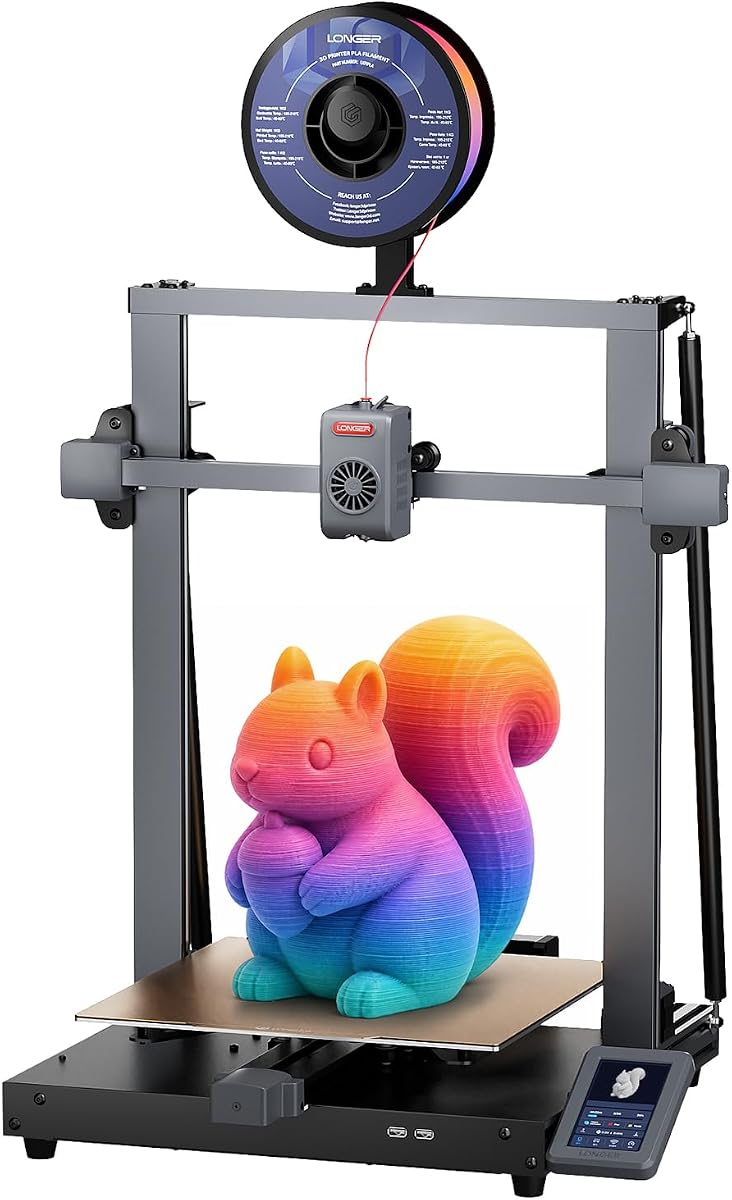
The LONGER LK10 Plus combines a generous 320 × 320 × 400 mm build volume with an open-frame design and a strong 4.4 rating. It is particularly interesting for users who need more height than a standard desktop printer provides but do not require a fully enclosed production chamber.
We may earn a commission when you buy through this link, at no additional cost to you.
Its Klipper-based platform is listed at speeds up to 500 mm/s with 10,000 mm/s² acceleration. A dual-gear direct-drive extruder provides strong filament feeding and is listed as compatible with PLA, PETG, ABS, TPU, and Nylon. The open architecture allows convenient access to the build area, which can help when loading unusually tall models or working with large assemblies.
Automatic setup is handled through an eddy-current sensor that detects the bed surface and compensates for Z offset. Filament-runout detection, power-loss recovery, dual-band Wi-Fi, silent TMC2209 drivers, and dual Z-axis support improve day-to-day reliability. The 400 mm height is particularly useful for figures, props, organizers, and upright assemblies.
Buyers should account for the lack of an enclosed chamber. Materials that benefit from heat retention, especially ABS and some engineering polymers, are better served by an enclosed model. For PLA, PETG, TPU, prototypes, and tall decorative work, the LK10 Plus offers a compelling balance of volume, speed, and automation.
The 400 mm Z dimension gives creators more freedom for upright figures, architectural elements, and tall organizers. It also allows more small parts to be arranged vertically.
Sensor-based Z-offset calibration, runout detection, and power-loss recovery reduce common sources of interrupted jobs. These features are valuable during long production runs.
We may earn a commission when you buy through this link, at no additional cost to you.
The QIDI Max4 Combo is the premium choice for users who prioritize chamber control, advanced monitoring, and a high ceiling for both speed and output. It carries a 4.5 rating and offers a 390 × 390 × 340 mm build volume, making it one of the larger machines in the comparison.
We may earn a commission when you buy through this link, at no additional cost to you.
Its 65°C active heated chamber and silicone bed are designed to create more uniform conditions for materials such as ABS-CF, PC, and PPS-CF. The 40 mm³/s high-flow hotend and hardened steel nozzle support standard polymers and abrasive filled nylon. A Polar Cooler system is mentioned for the chamber environment, although the Max4 series does not include that accessory and it must be purchased separately.
Motion performance is a major strength. Closed-loop X and Y motors, 800 mm/s maximum speed, 30,000 mm/s² acceleration, and an anti-backlash Z lead screw are specified for speed and precision. A built-in AI camera can detect abnormal prints and pause the machine, while QIDI BOX compatibility expands the system toward 16-color and multi-material production.
This printer is best suited to professional fabricators, advanced hobbyists, and small businesses that regularly use demanding polymers. It is less attractive for a simple first large printer because the footprint, thermal hardware, optional accessories, and material requirements demand more attention. For users who need those capabilities, however, it is a remarkably complete production platform.
Maintaining a 65°C chamber can reduce warping and improve consistency with temperature-sensitive materials. The heated silicone surface also supports even heat distribution and first-layer adhesion.
Closed-loop motion, anti-backlash Z mechanics, and active vibration control help preserve accuracy at higher speeds. These features make the platform relevant to demanding production rather than only quick demonstration prints.
We may earn a commission when you buy through this link, at no additional cost to you.
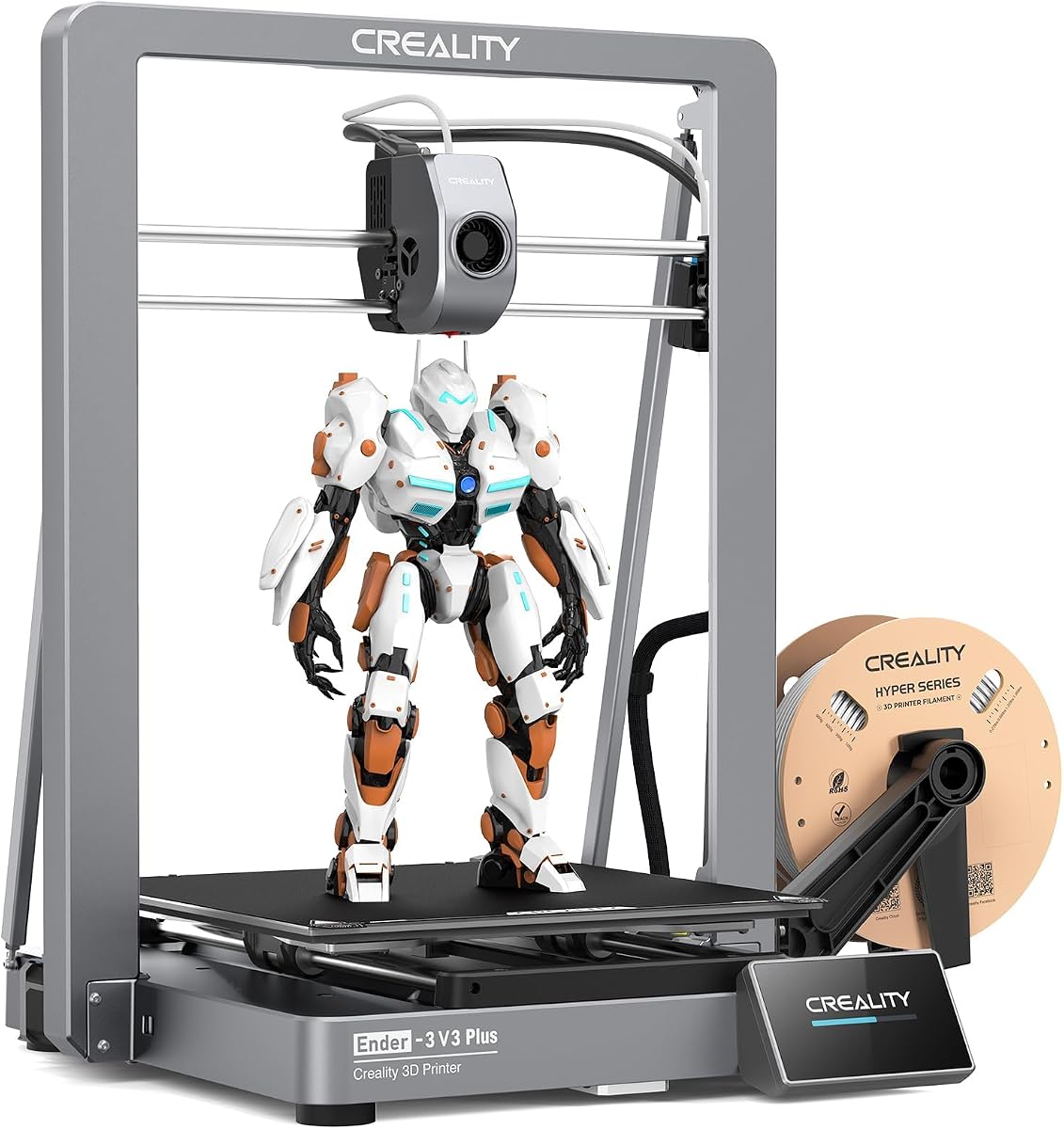
The Creality Ender 3 V3 Plus offers a middle ground between a conventional desktop printer and a dedicated large-format production machine. Its 300 × 300 × 330 mm build volume is substantial, while the CoreXZ system is listed for 600 mm/s speed and 20,000 mm/s² acceleration. The result is a versatile platform for prototypes and small batches.
We may earn a commission when you buy through this link, at no additional cost to you.
Stability receives attention through a metal frame, dual Y-axis motors, linear rods, an optical Z shaft, and support rods that form a more rigid gantry. The direct-drive extruder uses a bolster spring and ball plunger to maintain filament grip, while a tri-metal nozzle and hardened steel tip support easier maintenance and extended service life.
Automation includes one-tap calibration, automatic leveling, Z-offset adjustment, and an input-shaping test. Most parts arrive as pre-assembled modules, reducing setup compared with older-style kits. The 3.7 rating is the lowest numerical score among the rated products, but the specification set explains why it remains relevant to buyers seeking speed and convenience without a multi-filament system.
It is well suited to PLA and PETG models, props, functional parts, and batch projects that fit within 300 mm dimensions. The open frame is less suitable for temperature-sensitive materials that require enclosure. Still, for makers upgrading from a basic desktop FDM printer, the V3 Plus provides a meaningful increase in speed, stiffness, volume, and automatic operation.
Dual Y-axis motors and a braced frame help control movement under load. The rigid gantry is especially useful when printing larger objects or accelerating quickly.
One-tap calibration, bed leveling, Z-offset setup, and input shaping reduce the tuning required before a print. That convenience makes the machine approachable for intermediate users.
We may earn a commission when you buy through this link, at no additional cost to you.
The LONGER LK5 Pro 3 is a large, open-source-oriented printer aimed at makers who want to customize firmware and retain control over the printing process. It has a 4.1 rating, a 300 × 300 × 400 mm build volume, and a mostly assembled structure designed to simplify initial setup.
We may earn a commission when you buy through this link, at no additional cost to you.
The triangular arrangement of diagonal rods strengthens the frame and helps limit vibration. Silent TMC2208 drivers reduce motor noise, while the open-source motherboard allows users to modify G-code and explore firmware workflows. A 4.3-inch full-color touchscreen provides a clear interface for monitoring print progress and adjusting machine functions.
Practical reliability features include power-loss recovery, filament-runout detection, and a glass-like lattice build plate. The upgraded dual-blower kit cools filament after extrusion to help limit deformation and stringing. Unlike many modern competitors, though, the machine does not emphasize AI monitoring, touch-free calibration, or a heated chamber, and its open frame is less suitable for difficult high-temperature materials.
This model is a good fit for tinkerers, educators, and experienced users who value firmware access and a generous vertical build area. Beginners should be comfortable learning slicer settings and basic maintenance, while users printing ABS or advanced composites should consider an enclosed model instead.
Open-source firmware and motherboard access make it possible to tailor behavior and experiment with G-code. That control is a major reason to choose this model over a more sealed ecosystem.
Power-loss recovery and filament-runout detection help prevent a minor interruption from ruining an entire print. These protections are especially useful for tall models that require extended runtimes.
We may earn a commission when you buy through this link, at no additional cost to you.
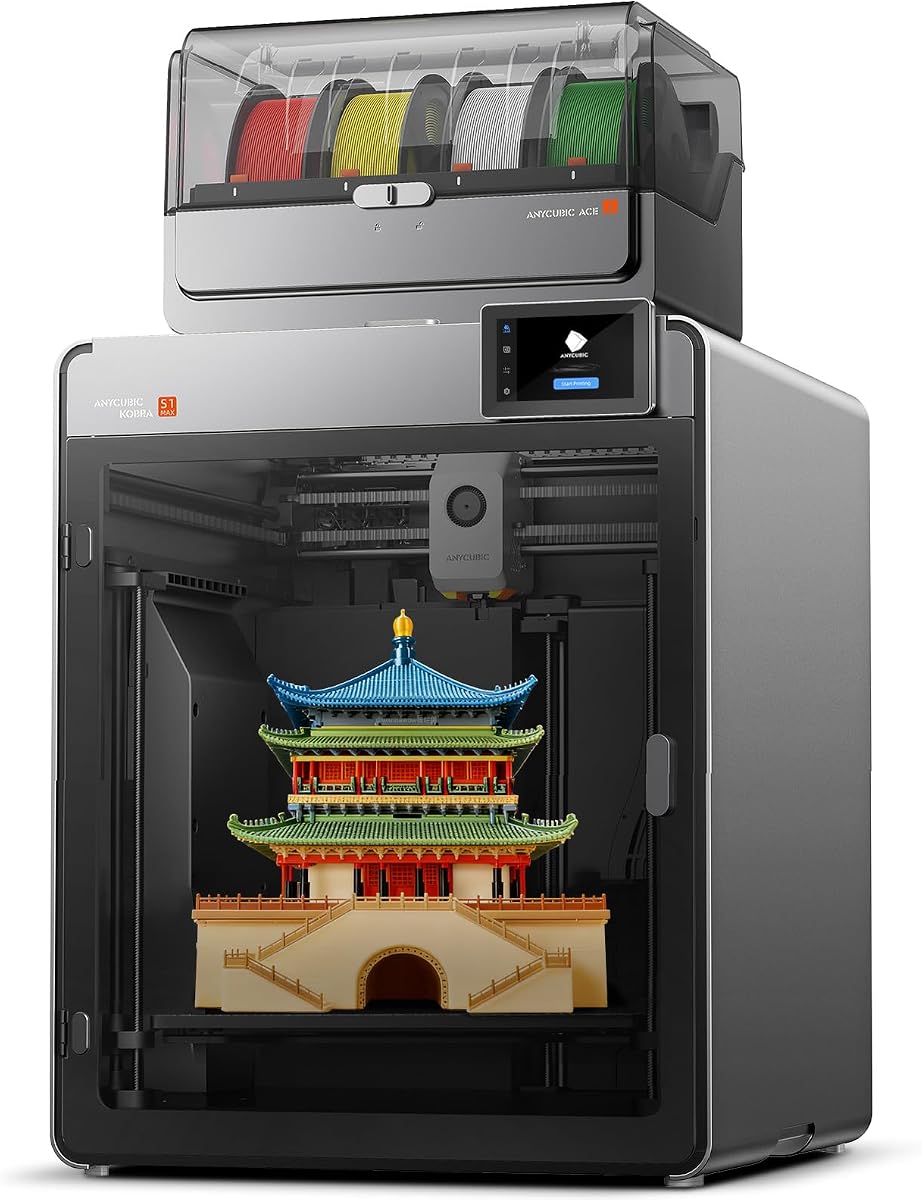
The ANYCUBIC Kobra S1 Max Combo combines a 350 mm cubic build volume, a fully enclosed CoreXY structure, and native four-color printing. These features place it among the most versatile options for creators who want one machine to handle oversized models, color, and temperature-sensitive materials.
We may earn a commission when you buy through this link, at no additional cost to you.
The enclosure includes a 65°C heated chamber and a 350°C hotend, supporting PLA, PETG, TPU, ABS, ASA, and PVA. Active vibration compensation helps reduce ringing at the listed speed of up to 600 mm/s. A hardened steel nozzle, hardened extruder gears, and titanium alloy throat are intended to provide reliable feeding and better wear resistance with abrasive filaments.
The included ACE 2 Pro supports four-color printing, and connecting four ACE 2 Pro units expands the system to as many as 16 colors. LeviQ 3.0 auto-leveling compensates for uneven beds, while filament-runout detection and power-loss recovery protect long jobs. The package is therefore aimed at users who want a complete color workflow rather than a single extruder that later needs external management.
The main limitation is the absence of a numerical customer rating in the supplied product data, which makes it harder to compare long-term user satisfaction. Buyers should therefore place greater weight on the enclosed CoreXY design, chamber control, and expanded color capability. It is a strong candidate for advanced makers and professional studios that need both scale and color.
A 350 mm cube offers useful room for large objects, while the ACE 2 Pro system adds immediate four-color capability. The combination suits detailed display models and batched colorful items.
Hardened components and a titanium alloy throat improve durability when working with abrasive filaments. Together with the heated chamber, they support a broader engineering-oriented workflow.
We may earn a commission when you buy through this link, at no additional cost to you.
Large-format FDM printers vary greatly in usable volume, thermal control, color handling, and production automation. Comparing those factors against the size and materials of your planned models is more useful than focusing only on a headline speed.
Choose a volume with enough margin for your normal projects, not merely the largest advertised object.
Prioritize rigidity, controlled acceleration, and proven motion components over maximum speed.
Use an enclosure when material stability matters; choose an open frame only for appropriate filaments.
Match gearing, hotend temperature, and wear-resistant parts to the filament you plan to use.
Favor thorough automatic calibration, then maintain a clean and consistent build plate.
Choose the least complex color system that reliably covers your actual material needs.
For long or batch jobs, invest in monitoring and recovery features that reduce costly failures.
Choose a machine whose controls, maintenance, and support fit your experience and available workspace.
Begin by measuring the machine's complete footprint, including clearance for the bed, gantry, filament system, and removed parts. Level the surface, connect the printer to its intended network, and confirm that all axes move freely. Review the filament supplier's drying and temperature recommendations, then load the material only after the extruder has reached the correct temperature.
Before starting a large print, inspect the model for supports, overhangs, wall thickness, and bed contact. Use the printer's calibration process, clean the build plate with the recommended method, and verify that the first layer is complete across the intended area. For enclosed printers, confirm that vents are unobstructed and allow the chamber to reach its target temperature before the first critical layer.
During long jobs, inspect the printer and filament path periodically, especially after a power interruption, unusual noise, or change in room conditions. Keep the nozzle and build plate clean, replace worn nozzles before they deform the surface quality of a print, and store hygroscopic filament in a dry environment. Follow the manufacturer's cleaning intervals and update firmware or slicer software when compatibility and stability improvements are available.
Choose a build volume that comfortably fits the model in its intended orientation, with extra clearance for supports and removal. A cube-shaped volume offers flexibility for sculptures and props, while a taller Z dimension is valuable for upright products and architecture. It is also important to account for bed movement and whether the finished part can be removed without scraping.
No. Maximum speed is only one part of print time, and aggressive settings can reduce accuracy or cause failures. Frame rigidity, acceleration control, slicing quality, thermal stability, and reliable extrusion are often more important for a large model. A slower but repeatable machine may finish sooner than a faster machine that requires repeated tuning or fails near the end.
An enclosure is most useful when printing ABS, ASA, PC, or other materials that benefit from stable heat and limited airflow. It can also improve consistency for delicate finishes. For PLA, PETG, and many TPU projects, a well-tuned open-frame machine can produce excellent results, so enclosure design should be matched to material and workspace requirements.
They can be worthwhile for painted-look models, personalized products, articulated figures, and batch customization. The benefits must be weighed against the cost of filament units, purging, extra calibration, and maintenance. Makers who rarely need color will usually receive better value by choosing a simpler large-format platform and investing in the model and materials.
Consumption depends on model volume, perimeter density, infill, wall count, support material, and color changes rather than build volume alone. A large printer can produce many small parts per plate, but material efficiency still depends on the slicer profile. Reviewing weight and purge waste for a representative model is more useful than estimating from the machine's dimensions.
Routine care includes cleaning the nozzle and build surface, checking filament paths for debris, inspecting belts or rails, and keeping cooling vents unobstructed. Heated chambers and heated beds also require periodic surface checks and careful filament handling. Follow the manufacturer's replacement schedule, especially for wear-prone nozzles, gears, and belts.
One large machine may simplify complex jobs and reduce slicing overhead, but it cannot always match the parallel throughput of several smaller printers. A single unit is more practical when large models are common or a major print must finish without being split. Multiple machines remain useful for high-volume batches, redundancy, and simultaneous production of different designs.
Focus on usable build dimensions, real chamber temperature, supported filament range, hotend capability, motion rigidity, calibration coverage, and failure recovery. Treat maximum print speed as only one metric. Also check the size and weight of the machine, accessory ecosystem, replacement-part availability, and whether its controls fit your experience level.
The Creality Ender 5 Max stands out for its 400 mm cubic build volume, rigid metal frame, fast CoreXY motion, and print-farm management. The QIDI Max4 Combo is the premium option for demanding materials and chamber-controlled production, while the Bambu Lab P1S offers the most approachable enclosed experience with strong speed and optional color expansion.
Your priorities should determine the winner. Choose maximum cubic volume for oversized models, a heated chamber for engineering polymers, a multi-tool system for mixed materials, or a compact footprint for a dense printer cluster. Print quality still depends on selecting realistic settings, maintaining the machine, and using filament suited to its hotend and chamber design.
Before buying, confirm the current build dimensions, included accessories, material requirements, and configuration of the multi-color system. Prices and bundles can change, so compare the complete setup rather than relying on a single headline specification or an old listing.