
ScanSnap iX2500 Photo Edition
4.5Editor score
Scans up to 100 photos
Large touchscreen controls
Three protective carrier sheets
Turning physical photo albums into organized digital files requires more than a basic document scanner. The best scanner for old photos should handle prints gently, capture fine detail, restore faded colors, and place each image where it can be viewed, backed up, and shared with ease.
We compared the ten featured scanners by examining their stated resolution, photograph capacity, feeder or flatbed design, restoration tools, connectivity, document features, and overall suitability for preserving family memories. The list includes flatbed, automatic-document-feeder, portable, wireless, and professional-resolution options.
Each review shows which type of collector or project the scanner best serves, along with meaningful strengths and limitations. Product features and availability can change over time, so readers should verify current specifications and compare pricing before making a final purchase.
4.5Editor score

4.5Editor score

3.9Editor score
As an Amazon Associate we earn from qualifying purchases.
This side-by-side comparison highlights the major differences among flatbed, sheet-fed, portable, wireless, and professional photo scanners, including scan speed, resolution, photo capacity, software, and connectivity.


The Epson FastFoto FF-680W is a high-speed photo and document scanner built for collections that need to be digitized efficiently. It carries a 4.5 rating, and its most persuasive feature is the ability to scan up to 36 photos in a batch at a stated speed of one photo per second. That combination makes it especially useful for albums, envelopes, and boxes containing many prints.
We may earn a commission when you buy through this link, at no additional cost to you.
Its software-assisted imaging tools include automatic enhancement, color restoration, red-eye reduction, de-skewing, cropping, and rotation. The scanner also captures the image and handwritten notes on the reverse in a single duplex pass, a valuable feature when family photographs contain captions or contextual details. Users can select 300 dpi for sharing, 600 dpi TIFF for archiving, or 1200 dpi for enlarging, while mobile capture is available at up to 600 dpi in JPEG format.
The main trade-off is that this is a feeder-based model rather than a flatbed. It is best suited to loose standard-size photographs and mixed print batches, not oversized artwork or fragile items that need a flat surface. A carrier sheet and microfiber cloth are included, and the Safetouch approach helps reduce direct contact with photographs. Buyers should still inspect their prints and remove objects that could cause feeding problems.
This is the strongest general recommendation for someone converting many old photographs without wanting to place each print manually. Wireless and USB connectivity, automatic uploads to Dropbox and Google Drive, and separate document-scanning capabilities make it versatile beyond the photo-album project. Choose it when volume, convenience, and useful restoration features matter more than the very highest optical resolution.
With a 36-photo batch capacity and a stated one-photo-per-second rate, the FF-680W is built for substantial albums. Feed only compatible prints, review the output periodically, and use a carrier when required by the scanner's workflow.
Automatic color restoration, red-eye reduction, cropping, and rotation reduce repetitive editing work. Single-step duplex capture also preserves handwritten notes printed or written on the back of a photograph.
We may earn a commission when you buy through this link, at no additional cost to you.
The ScanSnap iX2500 Photo Edition is the most advanced-featured option in this group, with a 4.5 rating and a large touchscreen for creating and selecting scan profiles. It is designed for users who want high-volume photo capture without relying on a computer for every task. The scanner can process up to 100 photos per minute and its automatic document feeder holds as many as 36 photographs.
We may earn a commission when you buy through this link, at no additional cost to you.
Photo-specific convenience is a major strength. Three carrier sheets are included for delicate prints, and quick-start instructions help users create dedicated photo scanning profiles. The touchscreen can guide users through selectable settings, while Quick Menu supports scan-drag-drop workflows. Files can be sent to a PC, Mac, mobile device, or supported cloud service, and automatic optimization, naming, and sorting reduce the organization burden.
Its premium positioning comes with higher expectations and a more complex feature set than simpler flatbeds. Buyers must understand how the feeder, carrier sheets, and profiles interact, especially when scanning mixed sizes or particularly delicate prints. Touchscreen controls also make the scanner approachable for family members who may not want to configure software manually.
Choose this scanner when you have a large archive, want a streamlined dedicated workflow, and value flexibility in where scans are delivered. The included photo carriers and 36-photo feeder capacity distinguish it from the standard iX2500. For users who need a dedicated device for thousands of prints, it offers the strongest balance of speed, guided operation, and post-scan organization.
Reusable photo profiles let users save settings for recurring jobs, while automatic naming and sorting reduce the work required after scanning. This is valuable for collections that will grow through regular digitization sessions.
Wi-Fi 6, USB-C, mobile-device support, and cloud services provide several ways to route completed files. You can send images directly to a computer or compatible cloud destination without making every scan pass through the same workflow.
We may earn a commission when you buy through this link, at no additional cost to you.
The Epson Perfection V19 II is a straightforward flatbed scanner for people who want high-resolution photo capture without investing in an automatic feeder. Its 3.9 rating reflects a practical balance of useful features, including 4800 dpi optical resolution, a removable high-rise lid, and one-touch controls that reduce the steps required for common scans.
We may earn a commission when you buy through this link, at no additional cost to you.
The removable lid helps when scanning books, albums, and artwork, while the flatbed format lets users position each print precisely. Easy Photo Fix can restore color to faded photos with one click. Epson ScanSmart also supports searchable PDF creation and OCR-based conversion into editable Word, Excel, and PowerPoint documents, making the scanner more useful for mixed personal archives.
Its central limitation is speed. Every photograph must be placed, scanned, and removed by hand, so this model is better for occasional projects, small albums, or prints that need careful positioning than for hundreds of images. It is USB powered, weighs 3.1 pounds, and includes a kickstand for vertical storage, which helps if workspace is limited.
For a first family-photo project or a modest collection of loose prints, the V19 II provides the essential capabilities without the complexity of a feeder-based system. Its high stated resolution makes it a sensible entry point for users who want digital enlargements and detailed copies while retaining straightforward physical controls.
The 4800 dpi optical resolution provides ample detail for close viewing and enlarging. A removable lid accommodates thicker material, while USB power and a storage kickstand simplify a small home-office setup.
Easy Photo Fix provides a quick way to improve the color of faded photographs. Because the flatbed gives you direct control over placement, it is also practical for framing unusual shapes and checking each image before scanning.
We may earn a commission when you buy through this link, at no additional cost to you.
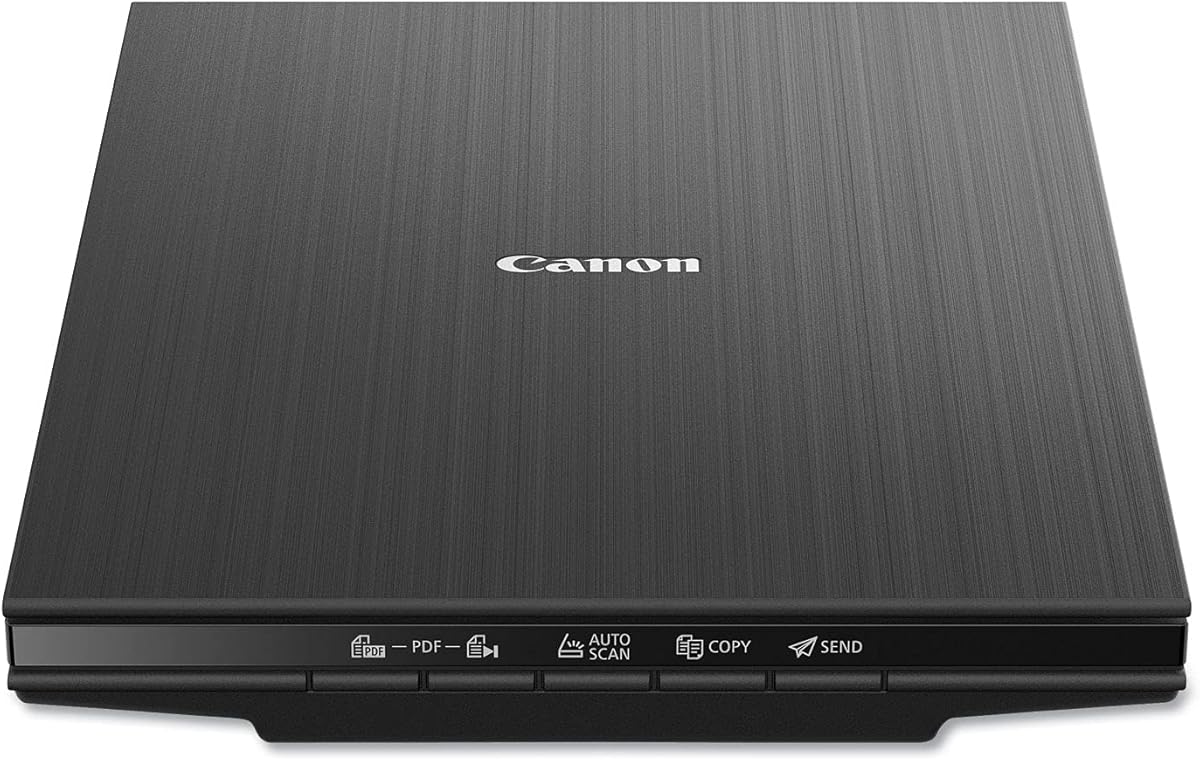
The Canon CanoScan LiDE 400 is a slim flatbed model with a 4.1 rating and a stated 4800 x 4800 dpi resolution. Its low-profile body measures 7.7 by 14.5 by 0.4 inches, making it a practical choice for a compact office, shared workspace, or home archive station. It supports both documents and photographs through a conventional flatbed workflow.
We may earn a commission when you buy through this link, at no additional cost to you.
Automatic Scan Mode detects the type of material on the glass and adjusts settings accordingly. Dedicated EZ buttons help simplify recurring actions, while PDF buttons allow creation of editable, searchable multi-page PDF files. Image enhancements include color restore and dust removal, both relevant when old prints have lost some of their original color or have collected surface debris.
Unlike an automatic document feeder, the LiDE 400 cannot batch a stack of prints. You will need to place each item carefully, close the lid, and initiate the scan. That makes it more appropriate for smaller collections or photos that benefit from precise positioning. Its USB Type-C cable handles both data and power, reducing cable clutter.
The scanner is a good alternative for buyers who prioritize high resolution, a slim form, and simple physical controls over unattended throughput. It can also handle letter-sized and A4 pages according to the stated paper-size support. For old photographs with faded color, the restoration features add meaningful value, while the flatbed format remains the most flexible method for handling individual prints.
Color restore is particularly useful for faded prints, while dust removal can improve the appearance of images with surface debris. These automatic enhancements complement, rather than replace, careful scanning and backup.
At only 0.4 inches thick, the LiDE 400 is easy to store or position where work surface space is limited. Automatic detection and one-cable USB Type-C connectivity keep the operation uncomplicated.
We may earn a commission when you buy through this link, at no additional cost to you.
The AMBIR Photo Scanner Bundle is built specifically for printed photographs and combines scanning hardware with cleaning supplies and organization software. Its 4.3 rating is supported by features aimed at common family-archive problems: handling several popular print sizes, cleaning fragile surfaces, restoring faded images, and bringing existing digital pictures into one library.
We may earn a commission when you buy through this link, at no additional cost to you.
The bundle includes a bellow-based blower, microfiber cloth, anti-static soft brush, and protective carrier sheet. Those accessories make the product more complete than a basic scanner alone. Resolution options include 300 dpi for everyday use and 600 dpi for higher-detail output. Supported photo formats include 3 x 5, 4 x 6, 5 x 7, 8 x 10, 1 x 1, and panoramic images up to 12 inches.
Picture Studio by AMBIR adds custom albums, tags, favorites, notes, auto-enhancement, faded-photo restoration, filters, borders, and fine controls for brightness, contrast, exposure, sharpness, and gamma. It can also import existing images from Apple Photos, Google Photos, digital cameras, and memory drives, helping users build a unified library rather than keeping old and new files separate.
Its main limitations are the choice between 300 and 600 dpi rather than higher resolution options, and reliance on USB connectivity. It is still an attractive package for users who value the included cleaning tools and organization workflow. Choose it when maintaining and sorting the collection is as important as obtaining a basic digital copy.
Picture Studio can bring images from major photo libraries, cameras, and drives into the same workspace. Custom albums, tags, favorites, and notes make it easier to retrieve a particular event or family member later.
The included blower, microfiber cloth, anti-static brush, and carrier sheet support a more careful workflow. Cleaning and handling materials should be used according to the condition of each photograph.
We may earn a commission when you buy through this link, at no additional cost to you.
The Epson Perfection V39 II is a 4800 dpi flatbed scanner intended for photographs, artwork, illustrations, books, and documents. Its 3.7 rating is the lowest among the featured products, but its core photo features remain relevant for old-photo restoration. The removable high-rise lid, one-touch buttons, and USB-powered construction make it a straightforward option for individual projects.
We may earn a commission when you buy through this link, at no additional cost to you.
Easy Photo Fix restores faded color with one click, which is one of the most directly relevant tools for aging prints. Epson ScanSmart adds cloud-storage destinations and supports stitching oversized images together, an advantage for users working with unusually large pictures. The scanner can also produce letter-sized documents in as little as 10 seconds, according to the stated specifications.
The flatbed design requires manual placement and offers no automatic batch feeding. This reduces throughput but gives the user precise control over orientation and framing. As a result, the V39 II is better suited to smaller batches, albums, and mixed materials than to an archive containing hundreds of uniform prints.
Its value depends on the need for a versatile home scanner with strong restoration functions rather than high-volume capture. Buyers who want a dedicated batch photo scanner may find a feeder model more efficient. Those handling albums, artwork, books, and occasional photographs will appreciate the 4800 dpi resolution, removable lid, and simple one-touch operation.
Easy Photo Fix provides an approachable starting point for faded prints. Reviewing every result is still important because automatic enhancement can alter the appearance of photographs differently according to their condition.
Beyond photographs, the scanner handles books, artwork, illustrations, and documents. ScanSmart cloud options and oversized-image stitching extend its usefulness for mixed creative and archival projects.
We may earn a commission when you buy through this link, at no additional cost to you.
The ScanSnap iX2500 is a high-speed document scanner that also manages photographs, receipts, and business cards. With a 4.3 rating, its strongest features are a large touchscreen, 45 ppm double-sided scanning, and a 100-sheet automatic document feeder. It is positioned as an upgraded replacement for the discontinued iX1600 and is aimed at users with a broad paper archive.
We may earn a commission when you buy through this link, at no additional cost to you.
Wi-Fi 6 and USB-C provide flexible connections. Personalized profiles can be selected from the touchscreen, and Quick Menu supports scan-drag-drop workflows. The scanner can automatically optimize, name, and sort files for delivery to a PC, Mac, mobile device, or cloud service. A brake roller system, multi-feed sensor, and skew detection work together to reduce jams, stuck pages, and potential paper damage.
Although it handles photos, the standard iX2500 is not the Photo Edition listed above and does not come with the same three included photo carrier sheets. For an archive dominated by ordinary paper documents, its 100-sheet feeder and rapid duplex throughput are advantages. For a dedicated old-photo workflow, the Photo Edition may be a more natural match.
Choose the standard iX2500 when you want one capable machine for family paperwork, school records, receipts, and a smaller number of photographs. It is also a strong choice for users who value guided touchscreen operation and automatic file handling without needing the more specialized photo bundle.
The brake roller, multi-feed sensor, and skew detection help the feeder manage documents consistently. These systems are particularly useful when scanning mixed stacks that may contain sheets of different weights or sizes.
Personalized touchscreen profiles and automatic naming and sorting make repeat jobs more consistent. Cloud and device destinations let users route files according to the project rather than relying on one fixed computer workflow.
We may earn a commission when you buy through this link, at no additional cost to you.
The Epson Workforce ES-50 is a compact mobile scanner designed for portability and quick, single-sheet capture. It holds a 4.3 rating and scans a page in as little as 5.5 seconds. Although primarily a document scanner, its sheet-fed design makes it potentially useful for a limited number of loose photographs that fit within its supported handling area.
We may earn a commission when you buy through this link, at no additional cost to you.
The scanner accepts documents up to 8.5 by 72 inches and can digitize receipts and identification cards. Epson ScanSmart provides review-and-save controls, cloud destinations, searchable PDF creation, and OCR-based editable Word and Excel output. Automatic feeding mode combines multiple inserted sheets into one file, which helps when scanning a sequence of documents one at a time.
Photo capability is the important limitation. There is no multi-photo feeder, dedicated carrier system, or photograph-specific restoration workflow listed. A sheet-fed mobile scanner can also place more handling demands on each print than a flatbed. The ES-50 is therefore better for portable document capture or a small set of standard prints than for a large album project.
Choose it for travel, estate organization, or a home where space is limited and USB power is readily available. It needs no batteries or external power supply and connects through USB 2.0. Its strengths are portability, quick setup, and document-oriented software, but a photo-specific scanner is the safer choice when preservation quality and varied print handling are the main priorities.
Its compact body and USB-powered operation make it useful for scanning away from a permanent desk. A single-sheet workflow also allows users to move through boxes at their own pace while keeping digital copies organized.
OCR can produce searchable PDFs and editable Office files, while support for receipts and ID cards expands the scanner's utility. These document features may make it more practical than a photo-only device for everyday administration.
We may earn a commission when you buy through this link, at no additional cost to you.
The Epson Perfection V850 Pro is the specialist option for photographers, artists, and serious archivists who prioritize image quality above convenience. It carries a 4.4 rating and offers 6400 dpi resolution, a dual-lens system, 4.0 Dmax tonal performance, and Digital ICE correction. Those specifications position it as a high-end flatbed for demanding photo work.
We may earn a commission when you buy through this link, at no additional cost to you.
The dual-lens setup selects between two lenses to optimize results, while the stated 4.0 Dmax and 4.0 Dmax tonal range are intended to support smooth gradations and fine shadow detail. Digital ICE can address dust and image imperfections through the scanning workflow. At 6400 dpi, the scanner is well suited to detailed enlargements, slides and film workflows where supported, and archival reproduction.
This is not an automatic album scanner. Each photograph or negative must be positioned by hand, and high-resolution files require sufficient storage and appropriate post-processing. Its listed operating systems also reflect an older platform generation, so buyers with newer computers should verify current driver and software compatibility before relying on it for a modern digital archive.
Choose the V850 Pro when maximum stated resolution and tonal detail justify a premium specialist purchase. It is the most compelling option here for fine-art reproduction and high-end photo digitization. For ordinary family snapshots, however, its capabilities exceed the needs of many collections, making one of the faster or less expensive flatbeds a more efficient choice.
The 6400 dpi resolution offers substantial enlargement latitude and fine detail capture. Users should save masters in a high-quality format and create smaller viewing copies for everyday sharing.
The dual-lens system is designed to choose an appropriate lens for the scan, while 4.0 Dmax supports detailed tonal transitions. These qualities are especially relevant to slides, negatives, artwork, and photographs with subtle shading.
We may earn a commission when you buy through this link, at no additional cost to you.
The Canon CanoScan LiDE110 is a basic flatbed option for digitizing loose photographs and ordinary documents. Its 4.3 rating reflects a useful set of automatic features, including Auto Scan Mode, while the 2400 x 4800 dpi specification provides more detail than a very simple office scanner.
We may earn a commission when you buy through this link, at no additional cost to you.
Auto Scan Mode detects the material on the glass and adjusts settings, reducing the number of manual decisions involved in a basic scan. The Advanced Z Lid expands for bulky items such as books or thick photo albums, and a single USB cable provides both data and power. Letter-size color scanning takes approximately 18 seconds according to the stated information.
As a flatbed, the LiDE110 requires individual placement and does not automate batches of photographs. Its maximum resolution is lower than that of the other flatbeds in this list, making it more suitable for screen viewing and standard copies than for highly demanding fine-art reproduction. Basic color scans remain capable of preserving recognizable detail for family archives.
This scanner suits buyers who value automatic setup, a compact format, and simple handling over advanced photo restoration or large-volume throughput. It can serve as an approachable first scanner for a small box of prints. More demanding collectors may benefit from a higher-resolution flatbed, while those with many photographs should consider a feeder-based alternative.
Auto Scan Mode recognizes the item on the glass and adjusts the scanning settings. This reduces the learning curve for users who are creating a first digital copy of family prints.
The expandable Advanced Z Lid provides clearance for bulky items. Users can close the lid over thicker material without forcing it, reducing the chance of an uneven or obstructed scan.
We may earn a commission when you buy through this link, at no additional cost to you.
The right scanner depends on the size of your collection, the types of prints you own, and how much post-processing you want to perform. Resolution, handling, restoration tools, connectivity, and storage strategy should be considered together.
Resolution determines how much fine detail a scanner can capture. A 300 dpi setting is often sufficient for ordinary viewing and sharing, while 600 dpi gives more room for cropping and moderate enlargement. Models offering 1200, 4800, or 6400 dpi provide additional latitude for close inspection, art reproduction, slides, negatives, and demanding archival work. Higher resolution also creates larger files and can expose dust, scratches, and uneven coloration that the scanner's correction tools must address.
A flatbed gives you direct control over placement and works well for books, albums, oversized prints, artwork, and mixed sizes. An automatic feeder is much faster for loose photographs because it captures a batch without requiring the user to reposition every print. The FastFoto and Photo Edition models can hold multiple photographs, but standard-size prints and carriers may still limit what can be loaded. Think about the actual condition and dimensions of your archive before choosing.
Faded color, dust, minor rotation, and skewed placement are common in old collections. Restoration features such as Easy Photo Fix, color restore, dust removal, red-eye reduction, automatic enhancement, crop, and deskew can reduce manual editing. The AMBIR bundle goes further with albums, tags, notes, filters, and fine brightness and contrast controls. No algorithm should replace visual review, so consider whether the software makes manual correction easy and allows the original file to remain untouched.
Old photographs can curl, fade, tear, or carry residue. Flatbeds allow you to inspect and flatten each print without forcing it through rollers. Feeders demand correctly aligned, clean, compatible prints and may require carrier sheets. The Epson FastFoto includes Safetouch technology and a carrier, while the ScanSnap Photo Edition provides three carrier sheets, and the AMBIR bundle includes cleaning tools plus a protective carrier. Handle rare photographs separately and avoid forcing delicate items into an automatic workflow.
USB provides a dependable direct connection, while Wi-Fi can send scans to a computer, mobile device, or cloud service without a cable. The FastFoto supports wireless and USB connectivity, the ScanSnap models use Wi-Fi 6 and USB-C, and the AMBIR and flatbed options rely on USB. Consider where your existing photos are stored and whether you want to begin backups immediately during scanning. A wireless workflow should never replace a second, verified backup of the resulting files.
A scanner can produce excellent images that remain difficult to find later. Touchscreen profiles, automatic naming, sorting, albums, tags, favorites, and notes help keep an archive usable. The ScanSnap models emphasize automatic organization and quick routing to applications and clouds, while Picture Studio by AMBIR is designed around custom albums and tags. Establish a consistent folder or album structure and preserve original scans alongside edited copies so future sorting remains possible.
Many photo collections sit alongside letters, certificates, newspaper clippings, receipts, and handwritten notes. Flatbeds handle documents and unusual media, while the FastFoto's duplex capture can preserve writing on the back of photographs. The V19 II, V39 II, and LiDE models also support searchable PDFs or OCR-based editable documents. If the archive includes many pages, consider feeder capacity, duplex speed, searchable PDF creation, and direct cloud delivery alongside image quality.
Even a moderate photo collection can create a large number of high-resolution files. Check whether your computer has enough storage, whether the scanner supports your operating system, and whether the software can send files directly to the destination you use. High-resolution models and rapid feeders can fill drives faster than expected. Maintain organized originals, create working copies for editing, and use separate physical or cloud storage for the second backup before deleting anything from the scanning computer.
Begin by sorting prints without removing them permanently from their albums. Dust each image gently, remove sticky notes and fasteners, and separate fragile, warped, or torn photographs from prints that can be scanned safely. Review the scanner's supported sizes and carrier instructions, then make a small test batch to establish the correct resolution, enhancement, cropping, and file settings.
Clean the scanner glass and feed rollers according to the manufacturer's instructions. Place flatbed prints face down with their edges aligned, or load only compatible loose photographs into an automatic feeder. Use a carrier sheet when required. Check previews for rotation, cropping, skipped backs, and enhancement errors, especially on a batch's first few pages, and save an untouched master alongside any edited version.
After each session, organize the new files, confirm that every expected photograph has a corresponding image, and copy the results to at least one separate storage location. Keep the physical prints in acid-safe archival sleeves or albums with proper support. Periodically verify that backup files open correctly, and avoid storing originals in locations exposed to excessive heat, moisture, or direct sunlight.
For normal screen viewing and sharing, 300 dpi is usually a practical starting point. Choose 600 dpi when you want more detail for cropping, moderate enlargement, or closer inspection. Higher resolutions such as 1200, 4800, or 6400 dpi can benefit specialized archival work, but they create larger files and reveal more surface defects. The best choice depends on the print condition, intended output, and available storage.
A flatbed is safer and more flexible for fragile, curved, oversized, or unusually shaped prints because you control placement. An automatic feeder is much faster for a large collection of standard-size loose photographs. Mixed archives often benefit from both approaches: use a feeder for clean batches and a flatbed for delicate or unusual items. Checking print condition before choosing is more useful than choosing based on speed alone.
Several models include automatic restoration features. The Epson Perfection V19 II and V39 II use Easy Photo Fix, the Canon LiDE 400 includes color restore and dust removal, and the AMBIR bundle provides auto-enhance and faded-photo restoration tools. These functions can improve many images, but every scan should be reviewed because correction strength may differ according to fading, discoloration, and the condition of the original.
It is worth scanning the backs when they contain handwritten names, dates, messages, stamps, or other context. The Epson FastFoto can capture the image and reverse-side notes in one duplex pass. For flatbeds, you can make a second scan or photograph the reverse separately. If backs are damaged or sticky, handle them gently and avoid forcing a scanner lid closed over protruding material.
JPEG is convenient for sharing and can use less storage, while TIFF is commonly preferred for preservation masters because it avoids lossy compression. The FastFoto supports 600 dpi TIFF for archiving and JPEG formats for sharing or mobile use. A practical workflow is to preserve an untouched high-quality master and create smaller JPEG copies for everyday browsing. The exact format should match how you intend to store and use the files.
Create folders or albums by year, event, family group, or physical album, and use consistent names across both sides of the workflow. Touchscreen profiles, automatic sorting, tags, favorites, and notes can help, but the structure should still be planned before a large batch begins. Preserve original scans and edited copies separately so that later enhancements do not replace the preservation master.
Keep at least two copies in different locations, with one preferably disconnected from the computer used for scanning. A local drive plus a separate cloud or external-storage copy provides a useful basic approach. Periodically open sample files to confirm that backups remain usable. Scanning software, cloud synchronization, and a good naming system improve convenience, but they do not replace a separate backup.
Yes, and most of the listed models can scan both. Flatbeds are especially versatile for books, albums, and mixed paper sizes. Document-focused feeders add OCR, searchable PDFs, duplex capture, and automatic file organization, while the FastFoto also preserves notes on photo backs. If documents make up only a small part of the project, prioritize gentle photo handling and restoration; if both categories are substantial, consider both capacities together.
The Epson FastFoto FF-680W is the strongest all-around recommendation because it combines rapid batch photo capture, duplex preservation of reverse-side notes, useful restoration features, and flexible wireless or USB routing. The ScanSnap iX2500 Photo Edition is the premium choice for extensive archives that benefit from a guided touchscreen workflow and substantial feeder capacity, while the Epson Perfection V19 II offers a straightforward, lower-cost route into high-resolution flatbed scanning.
Your priority should follow the nature of the collection. Choose a feeder for large batches of clean, standard prints, a flatbed for fragile or varied materials, and a high-resolution specialist model for fine-art reproduction or demanding archival work. Software for restoration, organization, searchable documents, and cloud delivery can be as important as the headline resolution, but every automated correction still deserves a visual check.
Before purchasing, verify current specifications, computer compatibility, included accessories, and the latest price. Product features and pricing can change, and scanners are often purchased as part of a larger archive project involving storage, organization, and backups. With those needs defined, the most suitable scanner becomes much easier to identify.