
Android Tablet Ordering System
Android tablet-based ordering format
Ordering software included
Designed for retail and restaurants
Compact alternative to large kiosks
Self ordering kiosks can help restaurants give customers a faster, more independent ordering path while reducing pressure on counter staff during busy service periods. A useful kiosk combines a responsive touchscreen, dependable hardware, compatible ordering software, and a form factor that suits the available counter or floor space without creating a new bottleneck.
The products in this guide span dedicated ordering systems, Android-based hardware, Windows kiosks, floor-standing displays, and a smaller countertop option. We compared their stated capabilities, including operating systems, display formats, installation approach, connectivity, content management, and intended restaurant use, while separating complete ordering solutions from more general-purpose interactive displays.
Each review identifies the product's strongest use case and important limitations, from software licensing and hardware sizing to portability and installation requirements. The top selections reflect the clearest combinations of restaurant relevance, usability, and practical versatility. Product specifications and availability can change, so buyers should confirm current configuration details and prices with the seller before purchasing.


As an Amazon Associate we earn from qualifying purchases.
This side-by-side comparison covers every listed product, highlighting form factor, operating system, display capability, restaurant suitability, and the most important practical trade-off for each option.



The 15-inch Self-Service Ordering Kiosk is the most directly restaurant-focused option in this guide. It pairs a compact countertop enclosure with an integrated touchscreen intended for customer ordering and check-in. Its stated goals are straightforward: reduce lines, improve ordering efficiency, and give restaurant, café, and retail counters a self-service option without occupying a large floor area.
We may earn a commission when you buy through this link, at no additional cost to you.
The compact 15-inch format is particularly useful for restaurants that cannot accommodate a full-size digital-signage kiosk beside the register. A smaller display can fit more naturally at a service counter, an order station, or a pickup area. Because the product is designed around touchscreen ordering rather than general advertising, it should feel more relevant to a quick-service workflow than many of the larger displays in this roundup.
The available product information does not state the operating system, processor, RAM, storage, connectivity standards, payment-reader support, or compatibility with particular point-of-sale platforms. Those omissions make it especially important for buyers to ask the seller whether the interface can connect to the restaurant's existing menu, inventory, payment, and receipt systems. A dedicated ordering label alone does not confirm end-to-end integration.
This is the strongest general recommendation for a restaurant that values a modest physical footprint and a clearly defined ordering role. Operators should verify integration requirements, mounting stability, screen accessibility, and the extent of the included software before buying. It is also wise to test the viewing angle at the planned service position, because a compact screen that is too low or difficult to reach can negate its space-saving advantage.
The 15-inch screen is large enough to present menu choices and order controls while remaining appropriate for a countertop environment. This makes the unit easier to introduce without redesigning the customer path around a large freestanding display.
Its integrated interface and check-in function support a more purposeful experience than a generic touchscreen used only for signage. Restaurants can position it where customers can begin an order before reaching a staffed register.
We may earn a commission when you buy through this link, at no additional cost to you.
This Android software option is designed for restaurants that want quick-service ordering software without purchasing a tightly integrated kiosk bundle. It supports Android 6.1 or greater and follows a bring-your-own-kiosk model, allowing an operator to use compatible hardware that may already be available.
We may earn a commission when you buy through this link, at no additional cost to you.
Its QSR-specific positioning is meaningful because ordering interfaces for quick-service restaurants need to move customers through familiar steps quickly. The software displays in portrait mode, which generally fits vertical Android displays better than landscape orientation. The seller also states that installation is easy and that the software is intended to improve labor efficiency, though specific workflow features are not fully described.
The most significant detail is the 90-day software license. A buyer should determine exactly what happens at the end of that period, whether renewal is required, and which features remain active. This option is therefore less suitable for someone seeking an uncomplicated permanent purchase without researching subscription terms. Compatible hardware must also meet the software's performance and screen requirements.
This product is best for a restaurant operator with existing Android equipment or a strong preference for separately selecting hardware and software. It offers a flexible path to a self-ordering system, but buyers should confirm long-term licensing, installation support, payment workflows, and compatibility with their point-of-sale system before committing.
The bring-your-own-kiosk model can reduce unnecessary hardware replacement when an existing Android screen meets the requirements. It also lets the restaurant select a screen size and enclosure that better fit its service area.
Portrait mode can create a familiar vertical ordering path, making menu browsing and customer decisions easier to present on a tall display. The format is particularly relevant to a dedicated self-service station.
We may earn a commission when you buy through this link, at no additional cost to you.
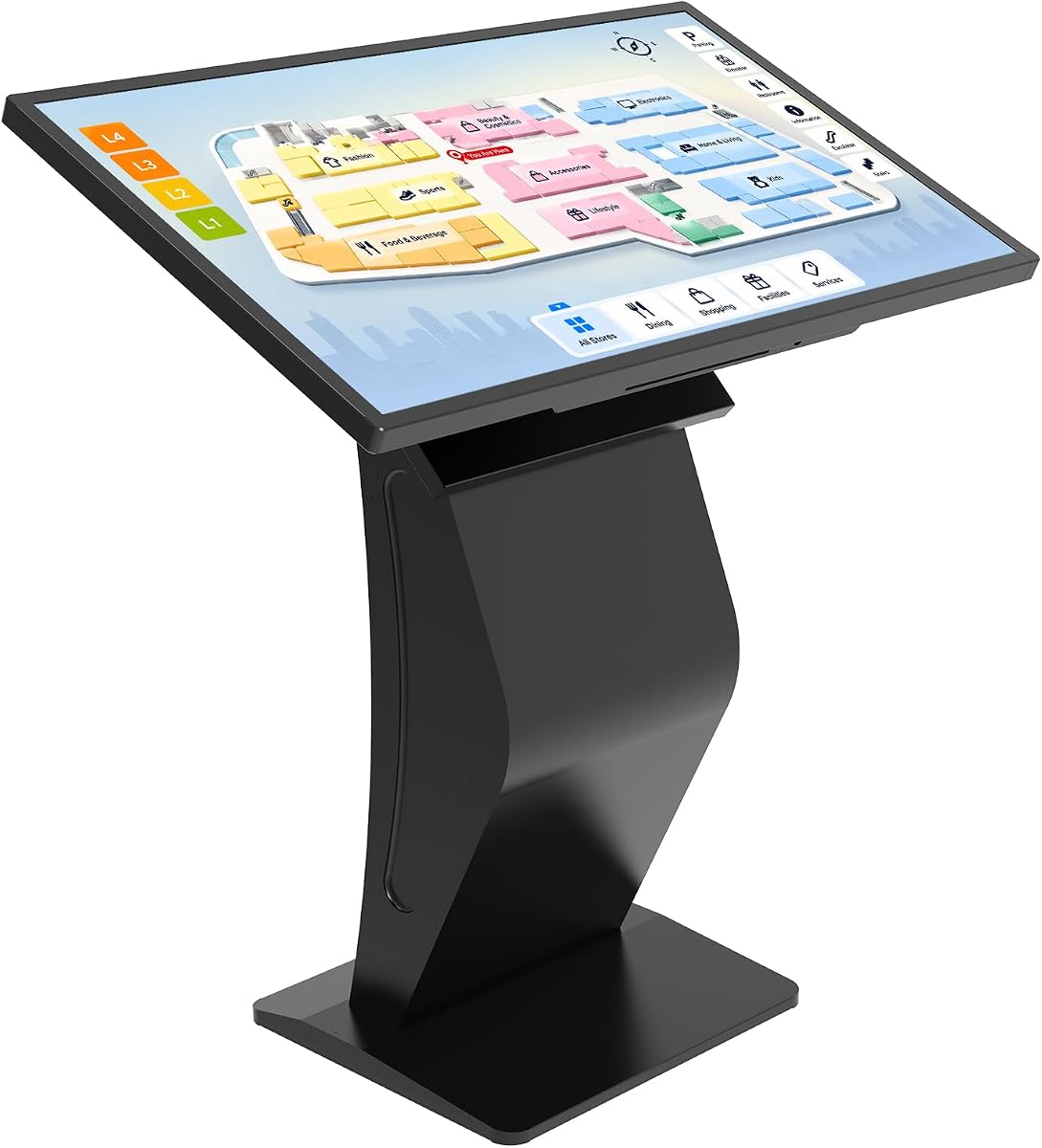
The 43-inch Windows 11 kiosk offers the most expansive general-purpose hardware configuration in the roundup. It includes a large Full HD multi-touch display, Windows 11, 8GB of RAM, and 128GB of storage, allowing restaurant operators to install business applications, open browser-based services, and use the screen for digital signage.
We may earn a commission when you buy through this link, at no additional cost to you.
Its large display provides strong visibility in high-traffic areas and can serve several functions beyond ordering. The listed applications include restaurant self-ordering, mall directories, product showcases, advertising, wayfinding, and presentations. Content can be updated through a browser-based content-management approach, USB drive, or Wi-Fi, making it practical for operators who want menus and promotions to remain flexible.
The listing does not state that restaurant-specific ordering, payment, or POS software is included. Buyers would still need to source and configure the ordering application, ensure that it runs correctly on Windows 11, and connect any payment or receipt hardware. The K-style floor stand also requires adequate floor space and must be positioned so customers can interact without obstructing traffic.
For a restaurant with room for a large, freestanding display and a need to alternate between ordering and promotional content, this is the most premium and versatile choice in the list. It is less compelling for a small counter that needs a modest footprint, but it offers a polished installation with useful computing built in.
The Windows environment broadens the kiosk beyond a single ordering task. A restaurant can use it for ordering, menus, promotions, directories, or other browser-based tools without relying on an external computer.
With 8GB of RAM, 128GB of storage, and a preinstalled operating system, the kiosk avoids the need for a separate computer. That makes installation more approachable for operators comfortable with standard software and browser-based management.
We may earn a commission when you buy through this link, at no additional cost to you.
The second 43-inch Windows 11 listing offers nearly the same stated core configuration as the previous option: a Full HD multi-touch display, 8GB RAM, 128GB storage, Windows 11, and a K-style floor stand. It is intended for self-ordering, directories, product catalogs, advertising, and wayfinding.
We may earn a commission when you buy through this link, at no additional cost to you.
Its primary advantage is flexibility. The browser and application support gives operators freedom to run commercial tools, while USB and Wi-Fi content updates make it possible to manage menus, maps, promotions, and media without coding. The black finish and freestanding design are suited to visible locations such as restaurant entrances, retail floors, and hotel lobbies.
There is no indication that a restaurant-specific ordering application, card reader, printer, or POS connector is included. The hardware may be capable of handling those tasks, but compatibility must be confirmed independently. The listing also provides little detail about speaker quality, network hardware, security controls, and commercial-use support.
This display is worth considering when a restaurant wants a prominent, flexible information station rather than a narrowly defined countertop terminal. It may serve as a customer-facing ordering point, but the business should budget for the required ordering application, payment equipment, menu setup, and any network infrastructure.
The ability to update menus and promotional media through USB or Wi-Fi supports frequent changes. That is useful for restaurants that introduce seasonal items, limited-time offers, or revised operating information.
The 43-inch multi-touch screen and modern floor stand create an attention-grabbing station. It is best suited to businesses where visibility from several feet away is more important than minimal footprint.
We may earn a commission when you buy through this link, at no additional cost to you.
The Android Tablet Ordering System offers one of the clearest entry points into self-ordering because it includes ordering software with an Android tablet. It is marketed for quick-service restaurants and retail counters, with stated goals of increasing order size, improving labor efficiency, speeding customer service, reducing revenue loss, and improving the consumer experience.
We may earn a commission when you buy through this link, at no additional cost to you.
A tablet-based format can be less imposing and more economical than a large fixed kiosk. It may be easier to deploy in a modest restaurant or trial a self-service ordering flow without dedicating substantial floor space. The included software also reduces the need to assemble a complete system from separate hardware and application components.
The supplied information is less detailed than for the larger display kiosks. It does not state the screen size, Android version, memory, storage, network support, payment-reader compatibility, or whether the tablet includes a stand and mounting hardware. Restaurant operators should confirm how the device integrates with payment processing, kitchen tickets, receipts, inventory, and existing POS software.
This is the best budget pick for a restaurant seeking a relatively accessible self-ordering system with software included. Its value depends on choosing a screen size and placement that feel natural to customers, along with verifying the complete checkout workflow before deploying it throughout the restaurant.
Bundled software removes one major purchasing decision. Operators can focus on whether the supplied tablet, payment options, and menu system work with the restaurant's operational flow.
The compact tablet approach gives a restaurant an accessible way to introduce customer self-ordering. It can be positioned near the entrance, service counter, or a dedicated ordering point depending on traffic flow.
We may earn a commission when you buy through this link, at no additional cost to you.
This large floor-standing Android kiosk is designed for self-service inquiries, product selection, food ordering, mall navigation, and advertising. Its movable base and adjustable viewing angle offer practical flexibility for restaurants that need to reposition a customer-facing display or use it for different purposes throughout the day.
We may earn a commission when you buy through this link, at no additional cost to you.
The stated computing configuration is Android 13 with 4GB of RAM and 32GB of storage. It supports HDMI, Wi-Fi, USB, Ethernet, and Bluetooth, while screen mirroring allows content from a phone to appear on the display. Two 5W speakers are included, and scheduled playback can support continuous advertising when no customer is actively using the kiosk.
There is a notable inconsistency in the listing. Its title describes a 43-inch screen, while the feature details refer to a 32-inch digital signage display. The stated resolution is 1920×1080 at 60Hz with 450 nits of brightness and a 178-degree viewing angle. Buyers should confirm the exact panel size and current specifications before ordering.
This option is appealing for high-traffic operations that want a movable, connected Android display. Restaurant-specific ordering and payment software is not stated as included, and compatibility with the required ordering platform must be confirmed. It is best for buyers comfortable configuring Android applications, peripherals, and content.
Two wheels allow staff to move the unit without fully dismantling it. The angle-adjustable structure can also accommodate different customer heights and changing queue layouts.
Scheduled playback turns unused screen time into a promotional opportunity. Menus, seasonal offers, or brand content can rotate when the self-service function is not in active use.
We may earn a commission when you buy through this link, at no additional cost to you.
The 21.5-inch floor-standing kiosk offers a more compact alternative to a 43-inch installation. It retains the Android 13 operating system, 1920×1080 resolution, 60Hz refresh rate, 450-nit brightness, capacitive multi-touch control, and broad connection options offered by the larger Android model.
We may earn a commission when you buy through this link, at no additional cost to you.
Its smaller display can make better sense in restaurants with limited floor space or customers who prefer a less dominant interaction point. The 178-degree viewing angle supports visibility from different positions, while the adjustable stand and two wheels allow the unit to be moved as service arrangements change. When idle, it can display advertisements or other scheduled content.
The main limitation is screen real estate. A 21.5-inch panel can work well for a simplified menu or a carefully designed ordering flow, but it may not suit restaurants with extensive catalogs, many modifiers, or complex navigation. The listing does not identify included ordering software, payment accessories, or exact processor performance, so the complete customer flow must be configured and tested.
This is a sensible choice for a small restaurant or compact ordering point that still wants a freestanding touchscreen rather than a tablet or counter-only unit. Its advantages are flexibility, a relatively modest footprint, and a complete Android environment with multiple input and connectivity options.
The 21.5-inch format preserves the customer-facing presence of a floor kiosk while reducing the space required. It is useful where a 43-inch display would obstruct traffic or overwhelm the counter area.
The capacitive touchscreen supports gesture-based interaction and offers a responsive, modern feel. The wide viewing angle helps customers read menu items from different positions around the kiosk.
We may earn a commission when you buy through this link, at no additional cost to you.
This Android point-of-sale kiosk is explicitly positioned for quick-service restaurants and retail, with ordering software included. Its stated benefits include improved labor efficiency, increased purchase size, a better consumer experience, revenue-loss prevention, and reduced customer wait time.
We may earn a commission when you buy through this link, at no additional cost to you.
The complete-system positioning is attractive to restaurants seeking a dedicated self-ordering experience rather than a general digital-signage screen. Because the software is included, operators can focus on menu configuration, item presentation, upselling prompts, and the relationship between kiosk orders and the broader point-of-sale workflow.
The supplied details are concise and do not reveal the display size, processor, memory, operating-system version, connectivity, included peripherals, or supported payment methods. A restaurant should also determine whether the system can print kitchen orders, connect to inventory, accept appropriate payment forms, and report transactions to the same back-office tools used elsewhere.
This product is a strong match for a QSR operator who values a purpose-built ordering workflow over a general-purpose display. It is especially compelling if the included software is compatible with the restaurant's other systems. Confirming the hardware specifications, installation process, and checkout flow is essential before making a final decision.
Purpose-built software can guide customers through a restaurant's menu more effectively than a general browser. This focus may make the interaction easier to optimize for rapid decisions and common QSR purchases.
The listed goals include order-size growth, labor efficiency, revenue-loss prevention, and wait-time reduction. Together, they suggest a system intended to improve both front-line service and operational visibility.
We may earn a commission when you buy through this link, at no additional cost to you.
The Lesnala signs are not a self-ordering touchscreen, but they are a useful supporting accessory for restaurants that are adding or refining an ordering and pickup flow. The set contains four double-sided signs, each measuring 20 by 30 centimeters, along with twine for hanging. One side identifies the ordering location and the other identifies pickup.
We may earn a commission when you buy through this link, at no additional cost to you.
Clear wayfinding can prevent customers from interrupting staff with routine questions, standing in the wrong queue, or confusing order placement with order collection. The signs use a black-and-gold design with conspicuous lettering, and their hanging holes make them easy to mount on hooks, nails, handles, or other available points.
The signs are made from plastic described as resistant to cracking, bending, and fading. Their flexibility is useful because restaurants can move them as queues, delivery handoffs, or staffing arrangements change. However, they are decorative wayfinding tools rather than digital systems and cannot collect payment, display a live menu, or process an order.
This product is best for restaurants that already have ordering equipment and need clearer customer routing. It can be especially useful near a front desk, cashier area, pickup counter, or delivery handoff point. Purchasers should assess visibility from the intended approach angle and ensure the sign does not compete with more important menu or brand displays.
Clearly separating order and pickup points helps customers make the next step obvious. That can reduce interruptions for staff without requiring a full digital kiosk.
Pre-drilled holes and included twine allow the signs to be hung or removed quickly. Restaurants can therefore adjust their layout without committing to permanent mounting.
We may earn a commission when you buy through this link, at no additional cost to you.
The final listing provides a 43-inch Windows-based touchscreen with 8GB of RAM and 128GB of storage. Its browser access and application support make it suitable for self-ordering, POS software, digital signage, directories, product catalogs, and promotional information within one commercial enclosure.
We may earn a commission when you buy through this link, at no additional cost to you.
A browser-based interface can simplify content updates because operators can work through online services rather than designing native applications. Media playback, website access, and business applications are all listed capabilities, giving a restaurant flexibility to use the display for ordering, menu browsing, and customer information.
The listing contains an important inconsistency. Although the title and a feature heading identify a 43-inch display, one description refers to a 32-inch Windows touchscreen. It also says only that the system is Windows rather than clearly identifying the version, despite the title mentioning Windows 11. Buyers should request the exact screen size, operating system, installed application list, and included accessories.
The product is worth considering for an operator who wants a large Windows station with integrated computing and broad software compatibility. It is less turnkey than a listing that explicitly includes restaurant ordering software. Before purchase, confirm that the intended ordering platform, payment reader, printer, and network connection are supported and can operate together reliably.
Direct browser access allows the kiosk to work with web-based ordering and management tools. This can be useful for restaurants that prefer cloud services over specialized native applications.
The stated 43-inch Full HD screen gives customers a generous area for menu exploration and touch input. It is most appropriate for locations with enough room and customer traffic to support a prominent kiosk.
We may earn a commission when you buy through this link, at no additional cost to you.
The right restaurant kiosk balances screen usability, ordering workflow, payment integration, physical placement, and ongoing content management. These factors matter more than headline display size because a polished kiosk can still create delays if its software, connectivity, or customer flow is poorly matched to the restaurant.
A self-ordering kiosk must do more than display attractive screens. Its software should support the restaurant's ordering model, including menu categories, modifiers, taxes, tips, discounts, kitchen routing, receipts, and payment rules. For the products that explicitly include software, confirm whether the license covers the complete customer flow or only selected features. Windows and Android products may run the operator's preferred application, but compatibility should be verified before purchase.
The most important integration question is whether kiosk orders enter the same inventory and reporting systems used by cashiers and kitchen staff. A standalone order screen can create operational inconsistencies if it cannot share item availability, tax treatment, or transaction data. Choose software with documented support for the restaurant's existing or planned POS platform.
Prioritize verified ordering integration over extra display features. A compatible, dependable workflow matters more than a larger panel that complicates installation.
Screen size should reflect the complexity of the menu and the physical customer journey. A 15-inch countertop display or Android tablet may suit a compact operation with a simplified menu. A 43-inch floor kiosk can display richer information, support more visible wayfinding, and attract attention in a busy entrance, but it needs sufficient space and a clear line of approach.
Consider viewing height, reach, font size, contrast, and the number of steps required to complete an order. A large screen does not help if customers must bend awkwardly or if the interface includes too much information at once. Test the proposed unit with representative users whenever possible, including customers of different heights and technical comfort levels.
Match the display to the customer flow. Use larger screens where visibility and navigation matter, and choose compact models when counter space is the limiting factor.
Android and Windows offer different application and administration models. Android systems are common in mobile-derived commercial displays and can work well with browser-based or Android-native ordering tools. Windows provides a familiar desktop environment, built-in browser access, and 8GB RAM configurations in several listings, making it suitable for business applications, POS systems, and digital-signage software.
The operating system alone does not guarantee compatibility. Buyers should verify the required application version, touchscreen behavior, browser requirements, peripheral support, and licensing. Software updates and long-term support are also relevant because a self-ordering system must remain dependable throughout the restaurant's operating life.
Choose the platform supported by the ordering application you intend to use, not simply the one with the most flexible-sounding specification sheet.
A self-ordering flow normally needs more than a touchscreen. Depending on the restaurant, customers may need a card reader, contactless terminal, receipt printer, cash option, barcode scanner, kitchen printer, or status light. The listed products vary widely in this area: some include ordering software, while others are general-purpose displays that require separate applications and peripherals.
Ask whether each accessory is supported through the same operating system and whether the complete checkout can be tested in the intended restaurant environment. Network reliability, payment-network availability, and printer placement can affect how quickly customers complete an order. A streamlined interface cannot compensate for a confusing payment step at the end of the process.
Confirm the complete accessory list and test a real transaction before deployment. Built-in payment support is not the same as compatibility with a particular reader.
Countertop units minimize floor usage and can create a natural ordering point near a register. Floor-standing kiosks offer greater customer visibility and accommodate taller interfaces, but they require a stable location that does not interrupt queues or service traffic. Wheeled and angle-adjustable designs add flexibility, while fixed stands can provide a more permanent customer-facing appearance.
Consider power access, network coverage, cable routing, security, lighting, and the height at which the screen will operate. A freestanding unit should not become a trip hazard or block an accessible route. Restaurants should measure the intended area before selecting a large display and verify that doors, shelves, and neighboring equipment remain accessible.
Plan the physical placement first, then choose the form factor. A better-specified kiosk still causes friction if customers cannot comfortably approach it.
Menus, prices, and promotions change frequently, so content management is central to dependable operation. Several Windows kiosks support updates through USB, Wi-Fi, browser-based tools, or drag-and-drop media workflows. The Android floor stands can also use scheduled playback and serve advertising when they are not being used for an order.
Ask whether a restaurant's ordering interface can still show an appropriate screen if the internet connection fails. Some general-purpose displays support online and offline operation, but that does not automatically mean every ordering application remains fully functional offline. A robust plan can include a local menu cache, controlled update windows, and a clear procedure for reverting to a known-good version.
Favor simple, repeatable content management. A system that the operator can update confidently is more valuable than one with advanced features that are difficult to maintain.
Restaurant kiosks are exposed to constant use, spills, cleaning routines, and accidental contact. Buyers should consider screen responsiveness, stand stability, surface materials, availability of replacement parts, and the vendor's support process. A locked or managed device may also be necessary to prevent customers from opening applications, changing settings, or navigating away from the ordering interface.
Remote management, user restrictions, and automatic startup can reduce the work required at opening and closing. For mobile or wheeled units, a stable base and controlled movement plan are especially important. Before installation, identify who will clean the screen, respond to errors, apply updates, and coordinate repairs with the hardware supplier.
Treat maintenance as part of the operating plan. A durable, supportable kiosk is usually more valuable than one that looks polished but cannot be serviced quickly.
The value of a kiosk includes software licensing, accessories, installation, menu design, network service, maintenance, and training. Some listings include software, while the Android QSR software option has a stated 90-day license. General-purpose displays may leave the operator responsible for an ordering application, payment equipment, and content setup.
Compare the complete deployment rather than the hardware alone. A lower-cost tablet can be an effective starting point, while a larger Windows kiosk may justify its footprint when it serves ordering, advertising, directories, and customer information. Restaurant-specific software may also deliver better workflow value than additional screen size.
Calculate the resources needed to make the system operational. This prevents unexpected costs and makes it easier to select a solution that matches the restaurant's service volume and technical capabilities.
Begin by mapping the customer journey. Decide where customers should discover the kiosk, how they will start an order, which payment methods they can use, and whether they will pick up their food at the kiosk, a separate counter, or a shelf. Test the sequence with several typical orders, including modifiers, discounts, taxes, tips, canceled payments, and printed receipts.
Install the kiosk on stable, level ground or a suitable counter, then connect it to reliable power and the restaurant's network. Configure automatic startup, restrict access to the ordering application, and test brightness and touch response under actual lighting. Place signs or staff prompts nearby if customers might otherwise queue in the wrong location.
For daily care, follow the manufacturer's cleaning instructions and use a soft, lightly dampened cloth on the screen. Avoid spraying liquid directly onto the display, and do not use abrasive cleaners. Inspect cables, stands, wheels, and touchscreen responsiveness routinely, while keeping a backup procedure for order taking when a kiosk is unavailable.
A compact countertop model or tablet-based system is usually more practical for a small restaurant with limited counter or floor space. A 15-inch display can support simplified menus without demanding a large customer area. The best size still depends on menu complexity, accessibility needs, and whether the same unit will also display promotions or other information.
The better platform is the one supported by the restaurant's ordering application and required peripherals. Windows products in this list offer desktop application and browser access, while Android systems may suit mobile-style apps and cloud-based ordering tools. Confirm operating-system support, payment-reader compatibility, printer support, and software updates before choosing.
Payment processing is not clearly included with every product in the guide. Some listings are complete ordering systems with software, while the general-purpose displays require separate restaurant software and possibly separate payment hardware. Ask the seller exactly which card readers, terminals, receipt printers, scanners, and payment services are supported and included.
Some hardware supports online and offline operation, but the ordering application must also support offline behavior. The two Windows 43-inch listings state that online and offline operation is supported. A restaurant should still test what customers see during an outage, whether orders queue locally, and how transactions synchronize when service returns.
Choose a countertop unit when space is limited and the ordering interface can be reached comfortably from the service area. Choose a floor-standing kiosk when greater visibility, a taller interface, or additional signage functions are important. Measure the area, inspect customer traffic, and verify power and network placement before making a final choice.
Test the complete order with different menu items, modifiers, discounts, taxes, tips, payment methods, and receipt handling. Also evaluate touch accuracy, screen readability, network stability, sound levels, accessibility, and recovery from application or payment errors. A controlled trial with real customers is the best way to uncover workflow problems before every station goes live.
Update the menu whenever prices, availability, or required disclosures change, and review promotional content regularly for accuracy. Several Windows kiosks support USB, Wi-Fi, or browser-based updates, while Android displays can use scheduled playback. Establish a simple publishing and approval process so a staff member can update content without creating ordering errors.
Signs can improve the flow even when a digital kiosk is available. Clear order and pickup signs help direct customers to the right stations, separate incoming orders from completed pickups, and reduce questions for employees. The Lesnala sign set in this guide is a low-complexity wayfinding accessory rather than an interactive ordering system.
The 15-inch countertop kiosk is the most directly restaurant-oriented overall recommendation, combining a compact footprint with a dedicated touchscreen ordering format. The Android tablet system with included software is the strongest budget starting point, while the 43-inch Windows 11 kiosk is the most premium and versatile option for businesses that want ordering, browser-based tools, and digital signage in one enclosure.
Before buying, prioritize the complete workflow over headline specifications. Confirm ordering-software compatibility, payment accessories, receipt and kitchen routing, network requirements, screen accessibility, and physical placement. Restaurants that need more flexibility may favor a general-purpose Windows or Android display, while those wanting a faster deployment should focus on a bundle that includes the necessary ordering software.
Finally, check the current listing, configuration, warranty, license terms, accessories, and price with the seller. Hardware specifications and software availability can change, and the same product title may cover multiple configurations. A careful compatibility review will help ensure that the chosen kiosk supports a dependable customer experience rather than simply adding another screen.


