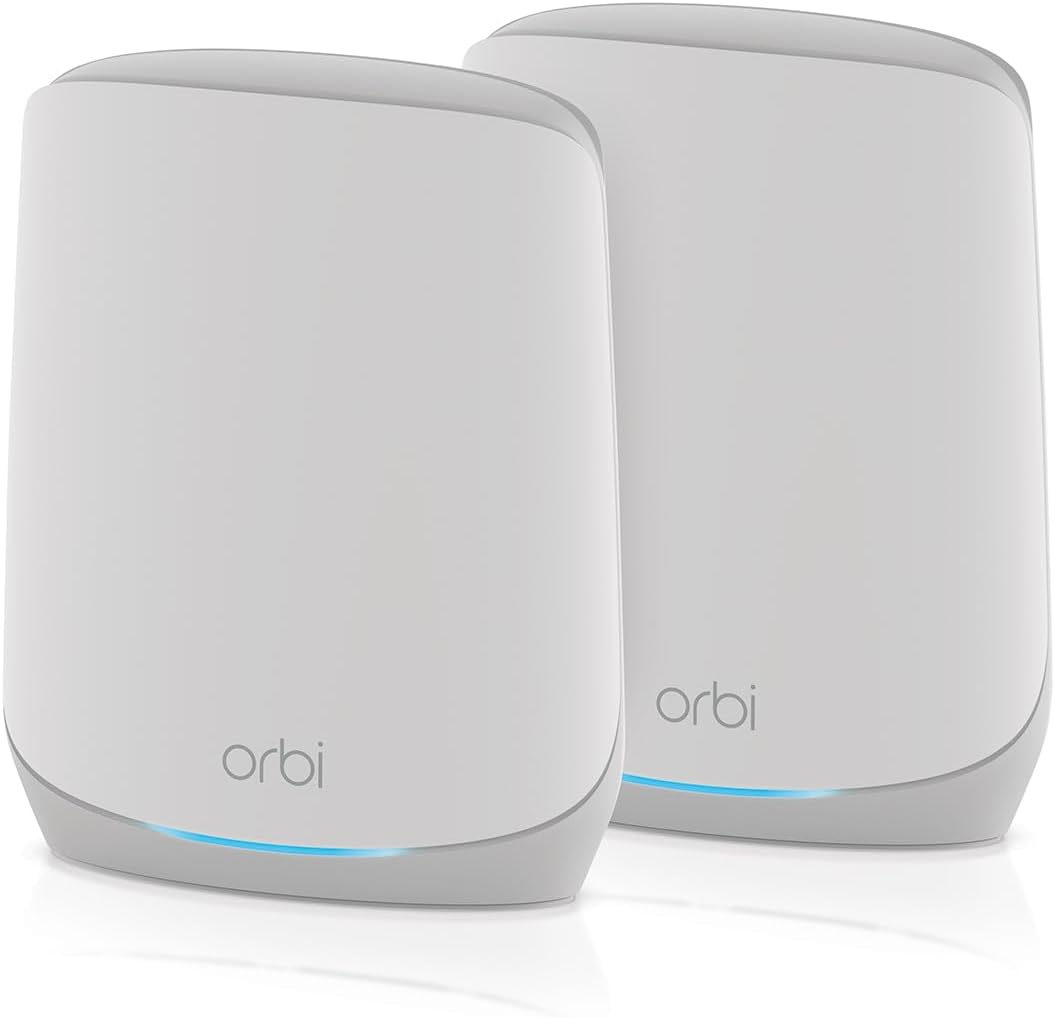
NETGEAR Orbi RBK762S
4.1Editor score
Covers up to 5,000 square feet
Supports up to 75 devices
Offers AX5400 WiFi 6 performance
Includes one wired satellite
Our Netgear Orbi WiFi System guide compares ten mesh systems and satellites across coverage, WiFi generation, backhaul, ports, security, expansion, and ease of
A Netgear Orbi WiFi System is designed to eliminate weak coverage areas by combining a primary router with one or more mesh satellites. The right configuration depends on home size, construction, device count, internet speed, wired connections, and whether you need current WiFi 7 hardware or a more established WiFi 6 platform.
This guide compares ten systems and expansion units using the supplied specifications, customer ratings, coverage claims, wireless generations, backhaul designs, Ethernet options, security features, and expandability. It includes complete Orbi bundles, individual satellites, a cable modem router combination, and two Deco systems for wider context.
Each numbered review explains the product's strongest benefits, practical limitations, and ideal buyer profile. The top selections represent different priorities rather than a single universal winner. Product availability, features, ratings, and prices can change, so confirm the current listing and network requirements before buying.
4.1Editor score
4.2Editor score

3.7Editor score
The comparison below highlights the most consequential differences among the ten products: wireless standard, stated coverage, device capacity, and expansion or connectivity considerations. Two Deco systems appear as relevant alternatives for buyers comparing mesh platforms rather than choosing exclusively within the Orbi ecosystem.



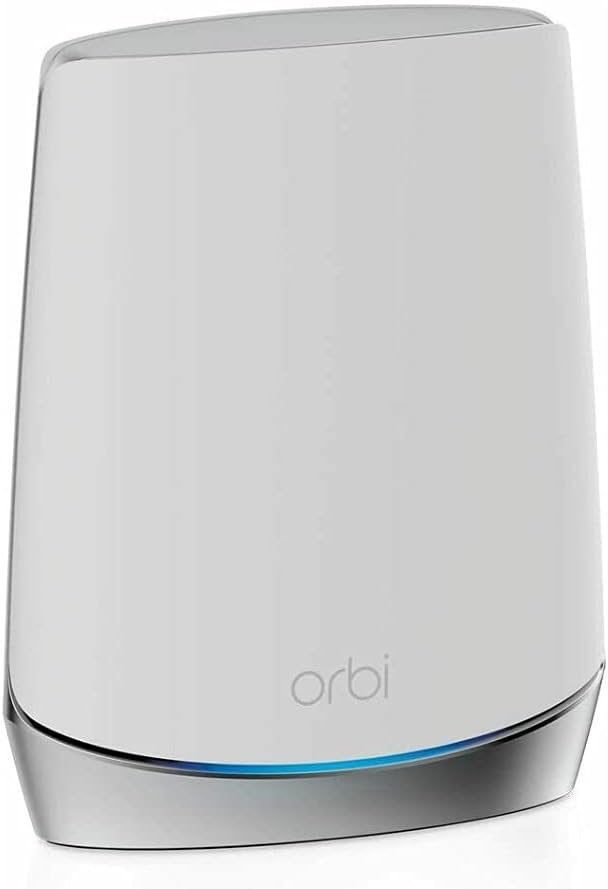

The NETGEAR Orbi 970 Series Add-on Satellite is a WiFi 7 expansion unit for homeowners who already own an RBE971, RBE972, or RBE973 system. It carries a 3.3 customer rating, making it the least favorably reviewed product in this guide, but its technical purpose is clear: extend an existing Orbi 970 mesh rather than serve as a standalone router. Each unit is advertised to add coverage for as much as 3,300 square feet.
We may earn a commission when you buy through this link, at no additional cost to you.
Its strongest feature is the patented Quad-Band design with Enhanced Dedicated Backhaul. The dedicated lane is intended to keep satellite traffic separate from client traffic, helping multiple users stream, game, participate in calls, and use VR without the wireless backhaul becoming the primary bottleneck. WiFi 7 performance is advertised at up to 27 Gbps, with backward compatibility for WiFi 6, WiFi 5, and older connected devices. Real-world results will depend on the client hardware, internet plan, distance, and obstacles.
The main limitation is ecosystem rigidity. This satellite is designed exclusively for the 970 Series, so it cannot serve as a convenient expansion option for an RBK752, RBK762S, RBK853, or other Orbi generation. Its 3.3 rating also suggests that some customers have encountered issues or unmet expectations, although the supplied information does not establish the cause. It also makes little sense as a first purchase because there must already be a compatible base system.
Choose this satellite when you own an Orbi 970 Series and have identified a specific area that still lacks reliable coverage. It is a specialized premium expansion rather than a general-purpose starter kit. Confirm that your existing model is RBE971, RBE972, or RBE973, place the unit where a wired Ethernet connection is practical, and avoid buying it merely because the headline WiFi 7 speed sounds impressive.
The dedicated backhaul is particularly relevant in homes where several people use high-bandwidth applications at once. By reserving wireless capacity for mesh communication, the design aims to reduce contention between satellites and everyday clients.
This unit makes the most sense when an existing 970 Series network already performs well but needs reach in a basement, upstairs room, garage, or other poorly served area. A full replacement bundle may be unnecessary when one additional node can correct the problem.
We may earn a commission when you buy through this link, at no additional cost to you.
The NETGEAR Orbi RBE973S is the most expansive complete system in this roundup, combining one router and two satellite extenders in the 970 Series. It is advertised to cover up to 10,000 square feet, support as many as 200 devices, and deliver up to 27 Gbps with WiFi 7. Its 3.7 rating is respectable within the group, although it does not lead the customer ratings despite having the most advanced stated specifications.
We may earn a commission when you buy through this link, at no additional cost to you.
The package addresses a very specific buyer need: a large home with many connected devices and several areas that require mesh coverage. Quad-Band technology and Enhanced Dedicated Backhaul are designed to keep the two satellite links operating independently of ordinary client traffic. A 10 Gbps internet port also provides headroom for a suitably fast internet service, while a 200-device target makes the system relevant to homes combining smart-home equipment, computers, televisions, consoles, phones, and work devices.
Those capabilities come with practical caveats. A maximum speed of 27 Gbps is an aggregate wireless specification, not a guarantee that one client will receive that rate; internet-plan limits, device support, distance, and building materials remain important. The bundle is also larger than many competitors and may be overkill for a modest apartment. The supplied 3.7 rating indicates that the hardware is not as universally satisfying as some lower-rated specifications might suggest.
This is the best choice in the guide for buyers who genuinely need a high-capacity, WiFi 7 mesh across a very large home. It is less convincing for someone simply seeking reliable basic coverage in a smaller residence. Its two included satellites reduce the need for immediate expansion, while the dedicated backhaul and high device capacity make it particularly relevant to demanding, multi-user environments.
A stated capacity of 200 devices makes this system more than a basic coverage extender. It suits households with many connected endpoints or extensive smart-home systems, provided the placement of all three units supports consistent overlap between coverage zones.
The 10 Gbps internet port can accommodate high-capacity broadband plans, while WiFi 7 offers compatibility with current and older clients. However, achieving useful top-end results requires compatible client devices and an internet service that can supply the necessary throughput.
We may earn a commission when you buy through this link, at no additional cost to you.
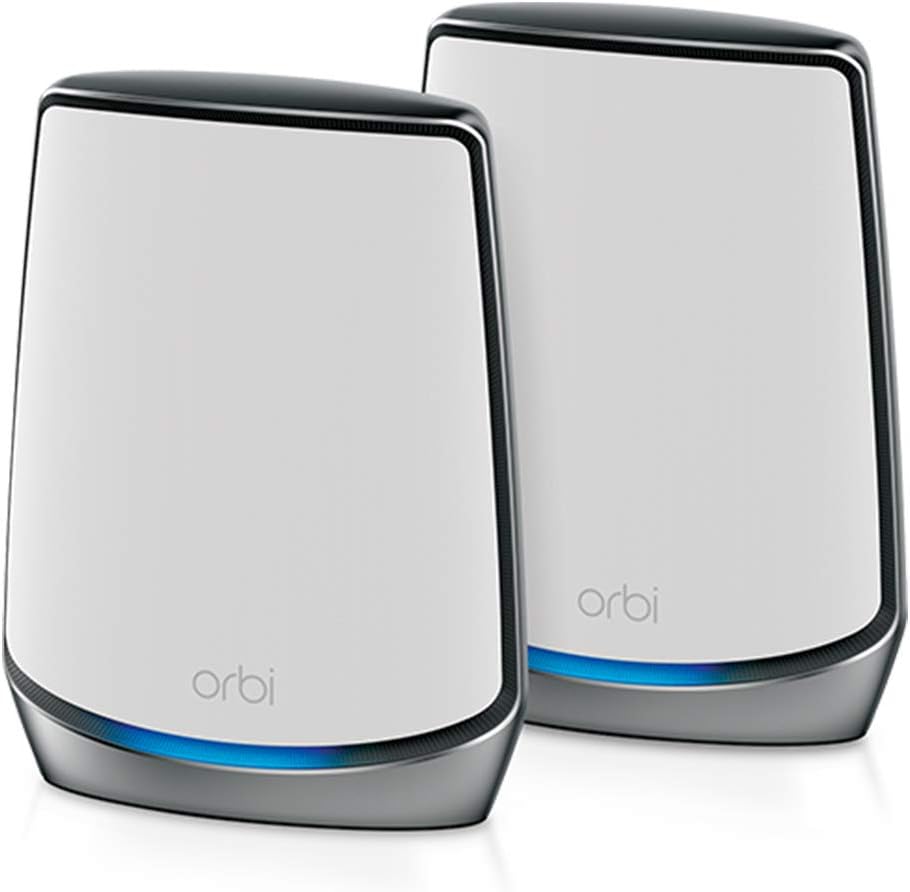
The NETGEAR Orbi RBK852 combines a router and one satellite extender in a tri-band WiFi 6 configuration. It carries a 4.3 customer rating, tied for the highest among the listed products, and offers a balanced set of household features. Coverage is advertised at up to 5,000 square feet for as many as 100 devices, with AX6000 aggregate performance rated at up to 6 Gbps.
We may earn a commission when you buy through this link, at no additional cost to you.
The system targets a broad middle ground rather than emphasizing only the newest radio standard. It supports internet services up to 2.5 Gbps, including cable, satellite, fiber, and DSL, and places four Gigabit Ethernet ports on both the router and satellite. Those connections suit computers, game consoles, streaming players, and storage devices. NETGEAR Armor provides a 30-day trial, while automatic security updates and enhanced protection features are included as part of the product approach.
The chief compromise is that WiFi 6 is no longer the newest generation represented in the roundup, and the RBK852 does not include the 10 Gbps internet port or 27 Gbps capability of the 970 Series. The stated coverage figure is also a maximum rather than a guarantee; walls, floors, interference, and unit placement can materially change results. The included satellite is appropriate for many layouts, but larger homes may immediately need another node.
For most buyers who want proven Orbi management, strong customer feedback, and broad device support, the RBK852 is an excellent general-purpose recommendation. Choose it over the 970 Series when your internet plan, device mix, and home size do not justify paying for the newest platform. It is particularly attractive for households that value multiple wired ports and a simple router-plus-satellite arrangement.
The RBK852 avoids the more specialized demands of premium WiFi 7 systems while retaining tri-band mesh, AX6000 performance, and support for up to 100 devices. It is a credible fit for homes where reliable streaming, gaming, and conferencing are the priority.
Four Gigabit Ethernet ports on each included unit make it easier to connect stationary devices without relying on WiFi. This is particularly helpful for home offices, media consoles, game systems, and network storage located away from the primary router.
We may earn a commission when you buy through this link, at no additional cost to you.
The NETGEAR Orbi RBK762S is the budget-focused top pick, pairing a router with one satellite in a tri-band WiFi 6 system. Its 4.1 rating places it behind the RBK852 and RBK853 on customer feedback, but the supplied specifications show a capable package for a typical home. It covers up to 5,000 square feet, supports as many as 75 devices, and offers AX5400 aggregate performance up to 5.4 Gbps.
We may earn a commission when you buy through this link, at no additional cost to you.
It is a sensible option for households that want to replace an ordinary WiFi router with a mesh network without moving to a premium WiFi 7 platform. Compatibility extends to cable, satellite, fiber, and DSL providers with service up to 2.5 Gbps. The router includes three 1 Gbps Ethernet ports, while the satellite has two, providing enough wired connectivity for selected devices without making the system physically more complex than necessary.
Security support is another differentiator. The product includes a one-year NETGEAR Armor subscription, along with built-in safety features and updates designed to protect the household. Expansion is described as a button-based process using an Orbi 760 satellite sold separately, allowing buyers to grow coverage without replacing the original two-piece system. The trade-offs are lower device capacity than several premium systems and fewer Ethernet ports than the RBK852.
Choose the RBK762S when a straightforward, moderately priced mesh upgrade matters more than WiFi 7 or maximum port count. It is well matched to apartments, condos, and conventional homes with moderate wireless demand. Buyers should still place the satellite thoughtfully and avoid assuming that the stated square-footage figure will apply identically to every building.
The RBK762S preserves the core Orbi experience—tri-band mesh, app-based management, expandable coverage, and integrated security—without moving to the most advanced specifications. Those fundamentals are more important for most households than headline peak throughput.
The included satellite and push-button expansion process let buyers solve a large home in stages. A compatible Orbi 760 satellite can be added later if another zone needs stronger coverage, which is often more economical than buying a larger initial bundle.
We may earn a commission when you buy through this link, at no additional cost to you.
The NETGEAR Orbi RBE972S is a two-piece 970 Series system that combines a router and one satellite extender. It is advertised for up to 6,600 square feet of coverage, as many as 200 devices, and up to 27 Gbps WiFi 7 performance. Its 3.3 customer rating is one of the lower figures in the group, so buyers should interpret the high specifications as capabilities rather than a guarantee of uniformly satisfying ownership.
We may earn a commission when you buy through this link, at no additional cost to you.
The central technical advantage is exclusive Quad-Band operation with Enhanced Dedicated Backhaul. That approach separates mesh communication from normal client traffic and is intended to sustain performance during simultaneous 8K streaming, gaming, virtual reality, and video conferencing. WiFi 7 is backward compatible with older devices, which makes the system useful in a mixed household containing newer WiFi 7 hardware alongside WiFi 6, WiFi 5, and older equipment.
A 10 Gbps internet port offers useful capacity for a fast fiber or other high-capacity connection. Security features are enabled out of the box and supported by automatic firmware updates and ongoing safety features. The main limitation is that only one satellite is included. While 6,600 square feet of stated coverage sounds impressive, complicated layouts, thick building materials, and poor node placement can still produce weak areas, and the larger RBE973S may fit homes requiring more mesh nodes.
This system is best for a buyer who wants a compact premium platform, a high-capacity internet port, and a large stated device count without a three-piece package. It is less appropriate for modest homes or those satisfied by WiFi 6. Pay close attention to the current rating and product listing, and consider adding a compatible 970 satellite if the initial coverage does not fully meet your needs.
The stated support for up to 200 devices makes the RBE972S attractive to households with many phones, computers, televisions, smart appliances, and connected entertainment equipment. Capacity is one part of performance, so node placement and internet speed still influence the experience.
The RBE972S gives buyers access to the 970 Series without starting with the larger RBE973S. It is a practical middle configuration when one additional unit should be enough, though the RBS compatibility details should be verified before expansion.
We may earn a commission when you buy through this link, at no additional cost to you.
The TP-Link Deco 7 Pro BE10000 is a tri-band WiFi 7 mesh system that provides a strong alternative to Orbi. It has a 4.2 customer rating, supports more than 200 devices, and covers up to 7,600 square feet. Unlike many mesh systems, its three units also provide a meaningful wired backhaul option, with four 2.5G WAN/LAN ports across the system along with a USB 3.0 port on the primary router.
We may earn a commission when you buy through this link, at no additional cost to you.
Its radio configuration delivers advertised maximums of 5,188 Mbps on the 6 GHz band, 4,324 Mbps on 5 GHz, and 574 Mbps on 2.4 GHz. These figures support high-resolution media, augmented and virtual reality, and other demanding applications, though actual results depend on client capabilities, distance, and obstacles. Wired backhaul can be particularly valuable in a large home where running Ethernet between nodes is possible and eliminates much of the uncertainty associated with wireless backhaul.
Network management features are extensive. A unified network name, AI-assisted roaming, parental controls, IoT security, VPN support, and automatic app-based firmware management broaden its appeal. TP-Link states that Deco products work together to form a mesh and remain backward compatible with earlier WiFi generations. The important limitation is ecosystem choice: this is not an Orbi system, so existing Orbi satellites cannot simply be added to a Deco network.
Choose the Deco 7 Pro if you are comparing mesh platforms and value flexible wired backhaul, strong customer feedback, and extensive management tools. It is also attractive for a new installation where running Ethernet is realistic. If you already own Orbi hardware or want one consistent Orbi app and ecosystem, one of the RBK models or a 970 Series bundle will be the more coherent purchase.
The ability to connect Deco units with Ethernet gives this system a path to stable backhaul in homes where cabling is practical. That can improve consistency in multi-node installations and reduce dependence on distance and wall density.
The Deco App combines setup, updates, parental controls, IoT protection, and VPN capabilities. This makes the system attractive to users who want more than basic SSID selection and want to manage network services from a mobile device.
We may earn a commission when you buy through this link, at no additional cost to you.
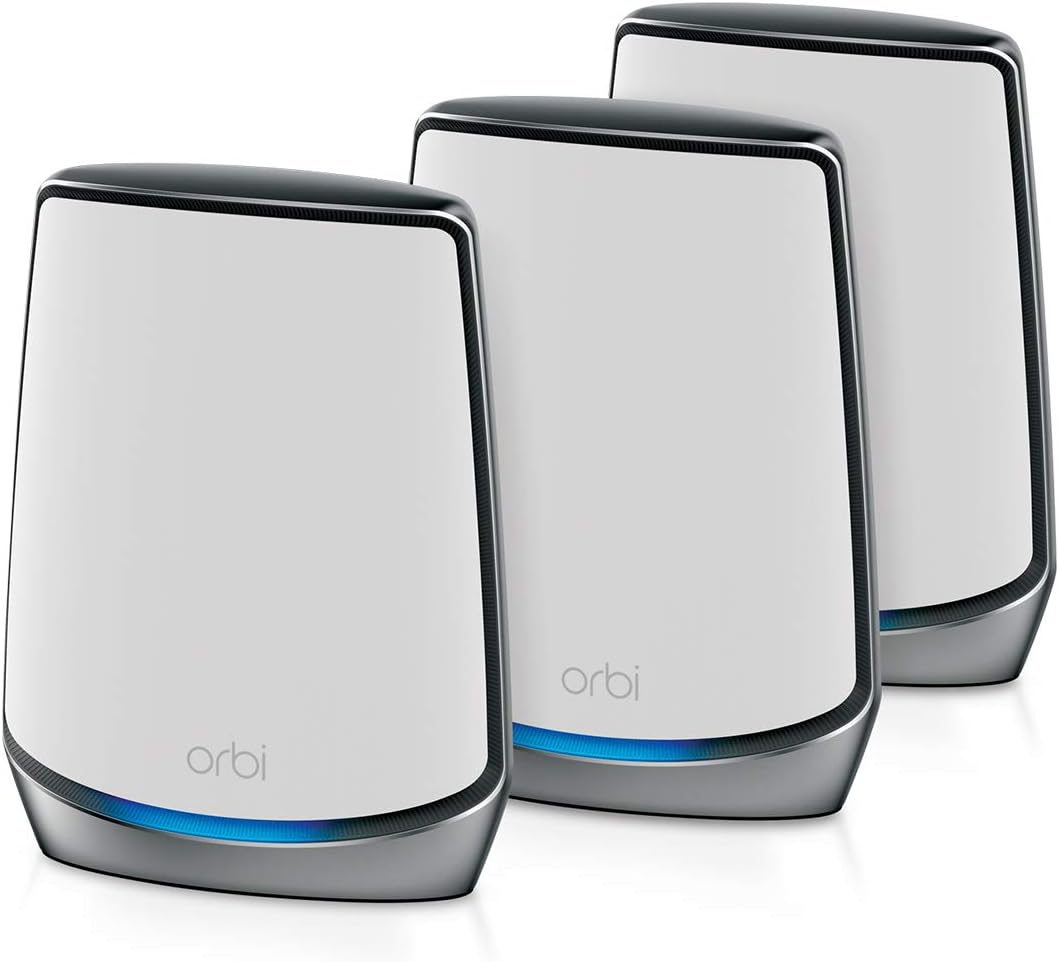
The NETGEAR Orbi RBK853 is a three-piece WiFi 6 mesh system comprising one router and two satellite extenders. It has a 4.2 customer rating and is the editor's choice because it combines favorable feedback with a practical balance of coverage, wired connectivity, and expandability. The stated coverage reaches up to 7,500 square feet for as many as 100 connected devices.
We may earn a commission when you buy through this link, at no additional cost to you.
Two included satellites are a major practical advantage in homes with several floors, rooms divided by masonry, or dead zones behind the router. The tri-band architecture and AX6000 aggregate performance are intended to provide stable service for streaming, gaming, web conferencing, and general household use. Each router and satellite includes four Gigabit Ethernet ports, allowing several stationary devices to connect without competing for wireless capacity.
The system supports internet providers with service up to 2.5 Gbps and is compatible with cable, satellite, fiber, and DSL connections. NETGEAR Armor is available through a 30-day trial, automatic security measures are built in, and the Orbi app handles setup and management. Its limitation is generational: buyers seeking WiFi 7 or a 10 Gbps internet port must look to the 970 Series. A three-node bundle may also be excessive for a small apartment.
The RBK853 is our preferred all-around Orbi option for a large home that needs more than one satellite but does not require the newest radio standard. It is also a strong candidate for users who want multiple Ethernet ports at each node. Choose it when room count, coverage reach, and flexible expansion matter more than having the highest theoretical throughput.
The two included satellites can be positioned separately, making the RBK853 better suited to elongated homes and multi-level layouts than a two-piece system. Ethernet connections at those locations can also give important devices a direct wired path.
Additional compatible Orbi satellites can extend the stated coverage by as much as 2,500 square feet each. That makes it possible to start with a three-node system and add nodes only if later testing reveals another weak area.
We may earn a commission when you buy through this link, at no additional cost to you.
The NETGEAR Orbi CBK752 combines a DOCSIS 3.1 cable modem with an AX4200 WiFi 6 router and a mesh satellite. It is designed for cable subscribers who want to combine modem and wireless networking instead of maintaining separate devices. Its 4.0 customer rating is solid, and the product's stated coverage of up to 5,000 square feet supports approximately 40 or more devices in suitable open layouts.
We may earn a commission when you buy through this link, at no additional cost to you.
The integration is the main attraction. The primary unit connects to coaxial cable and performs the modem function while also serving as the mesh router, with the included satellite extending the network. AX4200 tri-band WiFi 6 is advertised at up to 4.2 Gbps, including a dedicated band for the mesh connection. Four Gigabit Ethernet LAN ports on the modem router and two on the satellite support connections for consoles, players, computers, and storage.
Provider compatibility is decisive. The system is certified with Xfinity up to 900 Mbps, Spectrum up to 1 Gbps, and Cox up to 1 Gbps, but it does not work with fiber, DSL, or satellite internet. Activation requires the cable provider, and current service and equipment availability should be confirmed. Walls, floors, and interference can reduce the stated coverage, and an optional RBS750 can add as much as 2,500 square feet.
Choose the CBK752 if you have compatible cable service and want fewer boxes, simpler ownership, and integrated Orbi management. It is less suitable if your provider is unsupported or if you plan to switch to fiber. The security package includes a 30-day NETGEAR Armor trial, WiFi encryption, automatic firmware updates, and a separate guest network.
Combining the cable modem and router removes one device and reduces cable clutter. The approach is especially convenient when a household wants a single app and unified mesh network for both internet delivery and WiFi coverage.
The modem is certified only with the listed cable providers and service levels, so compatibility must be confirmed before purchase. A fiber, DSL, or satellite household should select a standalone Orbi router instead.
We may earn a commission when you buy through this link, at no additional cost to you.
The NETGEAR Orbi RBS750 is an add-on satellite for the RBK752 WiFi 6 system and carries a 4.4 customer rating, the highest among the ten products. Each satellite is advertised to add up to 2,500 square feet of coverage, making it a straightforward solution for extending an existing Orbi installation into a basement, upstairs space, garage, or another dead zone.
We may earn a commission when you buy through this link, at no additional cost to you.
Its AX4200 tri-band WiFi 6 architecture provides aggregate performance of up to 4.2 Gbps. As part of an Orbi mesh, devices can move between nodes while retaining the same WiFi network name. The satellite adds useful wireless reach and can be managed through the Orbi app alongside the rest of the system. It is not intended to replace the main router or work as an independent network.
Compatibility is the essential limitation. The supplied data specifically identifies the RBK752 as compatible, so buyers should verify system support before ordering rather than assuming it will pair with every Orbi product. It also cannot upgrade an existing network to WiFi 7 or add a 10 Gbps internet port to the primary router. Coverage gains depend on appropriate placement, wired connectivity where possible, and the physical layout of the home.
This is an excellent purchase for RBK752 owners who have identified a remaining weak zone after the original two units are installed. Its 4.4 rating is encouraging, and targeted expansion is often more efficient than replacing a functioning system. It is not the right choice for a first-time mesh buyer, who should begin with a complete router-and-satellite bundle.
Adding one satellite is a focused way to correct a specific coverage problem without replacing the router or other nodes. It works particularly well when the new location can be connected by Ethernet to strengthen the mesh backbone.
Because the RBS750 operates within the Orbi mesh, phones and laptops can roam under one network name. This removes the need to switch manually between separate routers and supports a more consistent connected-device experience.
We may earn a commission when you buy through this link, at no additional cost to you.
The TP-Link Deco 7 BE5000 is a dual-band WiFi 7 mesh system with a 4.3 customer rating. It covers up to 6,600 square feet, supports more than 150 devices, and advertises aggregate performance of 5 Gbps. That makes it a noteworthy value-oriented alternative for shoppers who want current WiFi 7 equipment without moving into a quad-band Orbi 970 configuration.
We may earn a commission when you buy through this link, at no additional cost to you.
The radio breakdown is 4,324 Mbps on the 5 GHz band and 688 Mbps on 2.4 GHz. These figures support 4K and 8K streaming, AR and VR gaming, and other high-bandwidth uses, although the supplied information clearly notes that performance varies with conditions, device distance, and obstacles. WiFi 7 and 2.5G Ethernet can work together to balance traffic between Deco units, and backhaul requires at least two units.
The system also provides AI-driven roaming, a unified network name, basic parental controls, IoT device identification, security scanning, quality of service, reporting, and VPN support. The app assists with setup, management, and firmware updates. A separate modem is required for a typical home internet connection. Expansion is straightforward for Deco owners, but compatibility with existing Orbi equipment is not available.
Choose the Deco 7 BE5000 if strong customer feedback, WiFi 7, and broad device capacity are the priority and you are not locked into the Orbi platform. It may also appeal to buyers who want 2.5G Ethernet options and a straightforward dual-band design. The primary trade-off is that fewer bands may offer less flexibility than tri-band or quad-band systems in complicated homes.
The dual-band design concentrates capacity on 5 GHz and 2.4 GHz rather than adding another radio. That can be effective in moderate homes where clients do not require the maximum flexibility of a tri-band or quad-band mesh.
Free features include a network security scan, IoT device identification, basic parental controls, quality of service, and scheduled reports. These tools make the system practical for households that want useful controls without committing to every paid security tier.
We may earn a commission when you buy through this link, at no additional cost to you.
Choosing a mesh system means balancing the home's physical layout, internet capacity, device count, wired options, and management preferences. The most important step is to estimate where coverage is actually weak rather than relying only on the advertised square-footage figure.
Coverage claims are maximum estimates and should be treated as planning aids, not guarantees. A long, narrow home may need more nodes than its total area suggests, while a square home with central placement may be well served by two units. Multi-level homes, interior masonry, metal appliances, finished walls, basements, and garages can all reduce usable range. Draw a simple floor plan, mark dead zones, and decide where each node would be placed before choosing a bundle size.
WiFi 7 systems offer newer capabilities and are appropriate for owners with compatible devices, while WiFi 6 remains backward compatible with older clients. The product speed is aggregate across bands and is shared among users; it does not guarantee the same result on every phone, laptop, television, or smart-home device. Consider how many clients actually support WiFi 7 before paying for a premium platform.
Backhaul is the connection between the router and satellites. Tri-band Orbi systems reserve a band for this task, while the 970 Series uses dedicated Quad-Band technology with Enhanced Dedicated Backhaul. Wired backhaul, where available, can be even more consistent. If running Ethernet is difficult, prioritize a system designed explicitly for robust wireless backhaul and place nodes to maintain good overlap.
The listed systems range from support for 40 or more devices to 200 devices. A device count is only an estimate, and performance depends on activity, radio conditions, and the capabilities of each client. Larger households should consider not only how many devices are connected but also whether several are streaming, gaming, working, or making calls simultaneously.
Wired connections remain valuable for desktop computers, game consoles, streaming devices, smart televisions, and network storage. The RBK852 and RBK853 provide four Gigabit Ethernet ports on both the router and included satellites. The RBK762S offers three on the router and two on its satellite, while the Deco 7 Pro includes 2.5G options. Count the devices that benefit most from a stable wired connection before choosing.
Most Orbi routers connect to an existing modem or gateway and support common provider types, but the CBK752 is different because it includes a DOCSIS 3.1 cable modem. It is certified with Xfinity, Spectrum, and Cox at specified service levels and does not support fiber, DSL, or satellite. The Deco systems also require a separate modem for most connections. Confirm the connector, provider, service speed, and activation requirements.
Orbi systems provide built-in security measures, automatic firmware updates, guest-network controls, and access to NETGEAR Armor, with trial or subscription terms varying by model. TP-Link Deco systems offer security scanning, IoT identification, parental controls, reports, and VPN support. Compare the full service terms and desired controls, and keep firmware current to maintain protection.
An expandable ecosystem can be valuable if the home or internet plan changes. The RBS750 adds coverage to a compatible RBK752, while the RBK762S supports Orbi 760 satellites. The 970 Series uses its own compatible expansion units, and Deco systems expand with other Deco models. Expansion does not automatically add the primary router's faster port, so plan around the complete network rather than one isolated node.
Begin by positioning the router near the main internet entry point and away from enclosed cabinets, large metal appliances, mirrors, and other radio obstacles. Place each satellite in an area that still needs coverage, generally halfway between the router and the weak zone rather than directly beside the router. Connect nodes with Ethernet when possible, then power on the equipment and follow the Orbi or Deco app's setup process.
After setup, test performance in every room that matters, including floors, outdoor areas, and basements. Pay attention to signal strength, connection stability, latency, and the devices choosing the nearest node. If a zone is weak, move the satellite before adding another one. A small change in position often fixes an overlap problem that more equipment cannot resolve.
Continue managing the system through its app, install firmware updates promptly, use a secure administrator password, and configure the guest network for visitors. Reboot equipment when troubleshooting, but avoid repeated power cycling as a substitute for diagnosing placement or configuration issues. If replacing or upgrading a unit, confirm that the satellite is compatible with the router and that the app reflects the intended network topology.
Most Orbi router-and-satellite systems connect to an existing cable, fiber, DSL, or satellite modem or gateway. The RBK852, RBK762S, RBK853, and 970 Series bundles are routers and mesh units rather than general-purpose cable modems. The CBK752 is the exception because it includes a DOCSIS 3.1 cable modem and is intended for compatible cable providers.
Compatibility depends on the generations and required software support of the specific products. The RBS750 is explicitly listed as compatible with the RBK752, while the 970 add-on satellite is designed for RBE971, RBE972, and RBE973 systems. Do not assume every satellite works with every router; confirm the product's compatibility information before combining units.
A mesh system is usually more helpful when coverage is uneven, the home has multiple floors, or walls and other obstacles create dead zones. A powerful single router may be enough for a compact, open space with one primary usage area. Mesh nodes do not automatically increase an internet provider's speed, although dedicated backhaul can improve the flow of data between coverage nodes.
The correct number depends on layout rather than square footage alone. A two-piece system may handle many medium homes, while a three-piece system is useful for larger or multi-level spaces. One satellite should generally be placed in a weak area with sufficient overlap from the router or another node. Adding a compatible satellite is a better response to a measured dead zone than placing two nodes too close together.
Older WiFi 6, WiFi 5, and earlier devices can connect to WiFi 7 systems, but they do not gain WiFi 7 capabilities. They will continue operating at the speeds supported by their own radio standards and the available network and internet service. A WiFi 7 mesh can therefore serve a mixed household, although its greatest benefits appear with compatible newer clients.
Wired backhaul is generally the most consistent option because the connection between nodes does not compete for wireless airtime. It is particularly valuable in large homes where Ethernet can be installed between appropriate locations. Wireless backhaul remains practical for many installations, and systems with a dedicated backhaul band are designed to reduce contention, but placement and building materials still influence the result.
The CBK752 is most suitable for compatible cable subscribers who want a combined modem, router, and mesh system. It reduces the number of devices and simplifies setup through the Orbi app. Buyers using fiber, DSL, or satellite should choose a standalone Orbi router, while cable customers should verify provider certification, service tier, and equipment approval before purchase.
The included terms differ by product. Some Orbi listings include a trial or a stated subscription period, while continued protection may require a separate subscription. The Deco systems include a set of free security and management features and also describe optional premium services. Review the current service terms for the exact product and region before relying on a paid feature.
The RBK762S is the value-focused choice for a typical home, the RBK853 is the most balanced editor's selection for broader coverage and multiple wired connections, and the RBE973S is the premium option for buyers who need WiFi 7, a 10 Gbps internet port, and a large three-node system. Each serves a distinct need rather than representing one universal winner.
Prioritize measured dead zones, the number of simultaneous users, client capabilities, and whether Ethernet can be installed. Existing Orbi owners should verify satellite compatibility before expanding, while cable customers should confirm provider support. Buyers comparing brands should also consider the Deco 7 Pro BE10000 and Deco 7 BE5000, both of which offer WiFi 7 outside the Orbi ecosystem.
Ratings, availability, features, subscription terms, and prices can change, so review the current product listing before making a final decision. Confirm current hardware specifications, provider compatibility, and total network needs, then choose the configuration that offers the most useful coverage for your particular home.