
Brother MFC-L5915DW
4.3Editor score
Up to 50 ppm monochrome
70-page automatic feeder
Two-sided high-volume scanning
Gigabit Ethernet and Wi-Fi
Compare the best office printer for high volume printing, including speed, capacity, connectivity, ink costs, and features for busy teams.
An office printer for high volume printing must do more than produce sharp pages quickly. It needs dependable paper handling, manageable operating costs, easy connectivity, and enough supply capacity to avoid constant interruptions. The right model depends heavily on whether your workload is mostly monochrome, color, or a combination of both.
We compared all ten featured printers using the specifications and feature details supplied for each model. The list covers monochrome laser systems, refillable ink-tank printers, and color all-in-ones, while weighing print speed, paper capacity, scanning features, duplexing, network support, and included ink or toner.
Each review identifies the workload the printer best suits and any important trade-offs. The selections range from a straightforward home-office color model to business-oriented laser units built for demanding documents. Product details and prices can change, so confirm current specifications, supply compatibility, and costs before purchasing.
4.3Editor score

4.0Editor score
4.1Editor score
The comparison below shows how each printer approaches high-volume work, from fast monochrome laser output to refillable color systems. It highlights the most consequential differences in speed, capacity, document handling, and connectivity.





The HP OfficeJet Pro 9125 is the strongest all-around choice in this guide, combining office-oriented speed with the full range of functions many small teams expect. It is rated 4.0 and reaches up to 22 pages per minute in black and 18 pages per minute in color, giving it a meaningful advantage over many inkjet models when mixed office documents include charts, forms, and presentations.
We may earn a commission when you buy through this link, at no additional cost to you.
Its productivity features support continuous work rather than just simple desktop printing. A 250-sheet input tray reduces refill frequency, while the automatic document feeder, duplex printing and scanning, copier, and fax provide a complete document-handling package. The 2.7-inch touchscreen makes settings more approachable, and dual-band Wi-Fi plus the HP app simplifies access from computers and mobile devices.
There are trade-offs. As an inkjet, it is best suited to offices that need color but do not run nonstop monochrome jobs. The model is designed to work only with cartridges containing original HP chips or circuitry, which may narrow supply choices for buyers accustomed to third-party cartridges. HP AI formatting and security features are helpful additions, but they do not eliminate the importance of checking ink use and page volumes.
Overall, the 9125 best fits a small or midsize office that wants one capable machine for printing, scanning, copying, and faxing. Its combination of paper capacity, color speed, automatic duplexing, and a large feeder makes it a well-rounded high-volume option without moving into the larger footprint of a business laser system.
Speeds of up to 22 ppm in black and 18 ppm in color are well suited to reports, brochures, presentations, and flyers. The color figure is especially notable because many home-oriented inkjets fall well below the speed required for shared office workflows.
The automatic document feeder, duplex workflow, scanner, copier, and fax reduce the need for separate equipment. These functions are particularly valuable when staff routinely convert paper records, distribute digital copies, or send documents directly from the office.
We may earn a commission when you buy through this link, at no additional cost to you.
The HP Smart Tank Plus 570 is an economical choice for high-volume color printing, particularly in a home office or small workspace that does not need faxing or an automatic document feeder. Its 3.8 rating reflects a simple focus on economical ink delivery, and its most compelling advantage is the inclusion of up to two years of HP ink.
We may earn a commission when you buy through this link, at no additional cost to you.
The supplied allowance is stated at up to 8,000 color pages or 6,000 black pages, depending on usage. This can reduce the pressure to purchase supplies immediately after setup. Refilling is handled through HP's mess-free tank system: bottles are plugged into the ink tanks and allowed to drain, avoiding the squeezing and cartridge replacement process associated with conventional inkjet printers.
The main compromises involve office automation. It provides printing, copying, scanning, borderless output, mobile printing, and wireless connectivity, but the absence of an automatic document feeder makes it less convenient for multi-page scanning or copying. Its 3.8 rating is also lower than those of several alternatives, so buyers should carefully examine current user feedback and ensure the feature set suits their workflow.
Choose the Smart Tank Plus 570 when reducing ink interruptions is the priority and the office prints a meaningful number of color pages. It is less compelling for a busy shared team that regularly feeds multi-page originals through a scanner, but for straightforward, high-volume color output, the generous ink package and refillable system offer clear convenience.
The included page allowance makes this printer appealing for organizations that consistently produce forms, lesson materials, graphics, or client presentations. A tank-based system can also be easier for users who dislike handling small cartridges or worry about running out of ink during a busy project.
The refill process centers on plugging compatible HP ink bottles into external tanks and allowing the ink to drain into place. This design removes the need to squeeze bottles, reducing some of the common mess associated with refillable printers.
We may earn a commission when you buy through this link, at no additional cost to you.
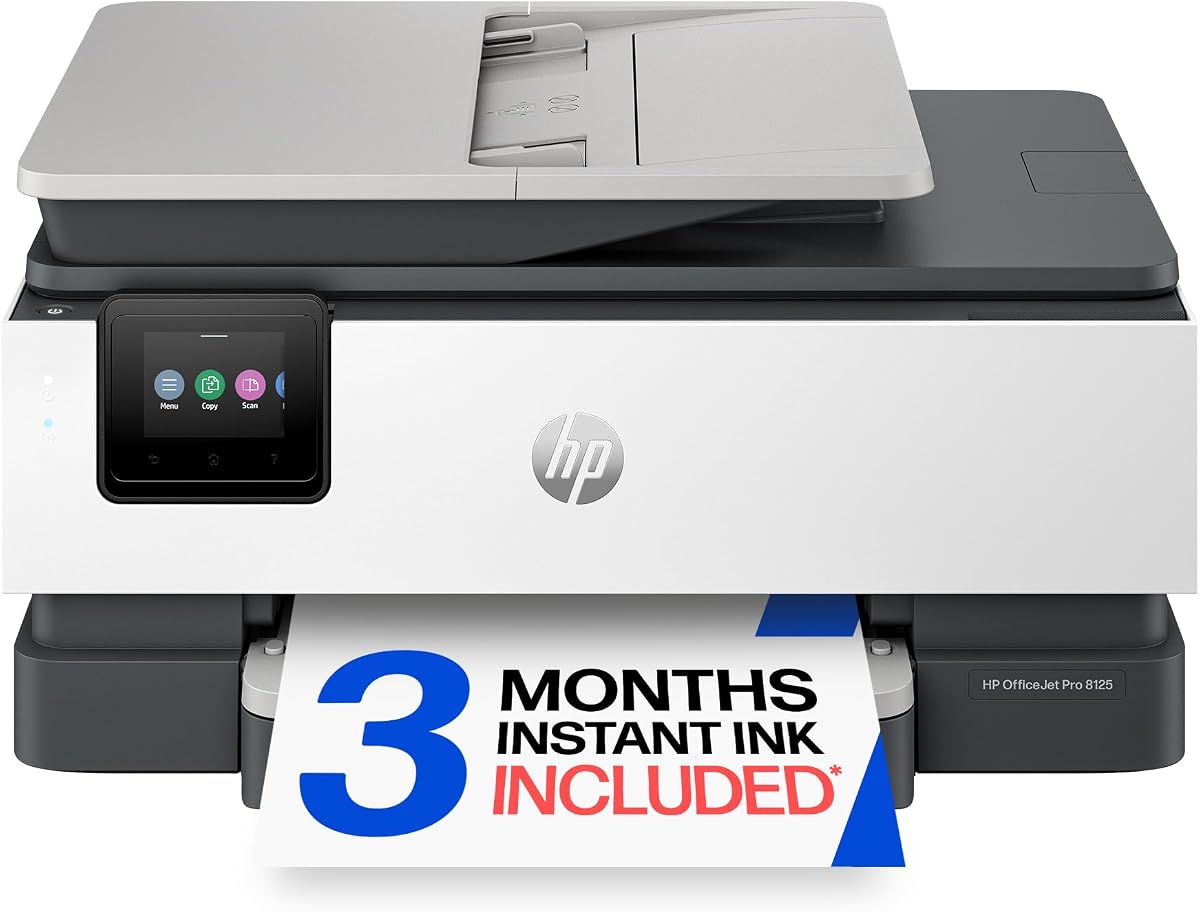
The HP OfficeJet Pro 8125 is a capable home-office printer with several features usually associated with higher-volume office models. It carries a 3.9 rating and prints up to 20 pages per minute in black, making it well suited to reports, contracts, invoices, and other text-heavy documents.
We may earn a commission when you buy through this link, at no additional cost to you.
Color output reaches up to 10 ppm, which is adequate for presentations, flyers, and occasional graphics but not as quick as the OfficeJet Pro 9125. A 225-sheet input tray, automatic document feeder, automatic duplexing, 2.7-inch touchscreen, dual-band Wi-Fi, and HP app support give it a useful balance of capacity and convenience.
Its limitations are similar to those of other cartridge-based OfficeJet models. Color-heavy offices will generate more demand for ink, and the printer is intended to operate only with cartridges featuring original HP chips or circuitry. Periodic firmware updates may also affect the use of non-HP cartridges. These are important considerations for buyers focused strictly on the lowest operating expense.
The 8125 is a sensible choice for a home office or small team that prints substantial black-and-white work and needs color only part of the time. It provides a more substantial feeder and tray than basic home inkjets, but the HP OfficeJet Pro 9125 remains the stronger option for organizations that place greater emphasis on color throughput.
The automatic document feeder and duplex workflow allow multi-page documents to be processed with less manual intervention. That makes the 8125 practical for recurring copying, scanning, and mixed print-and-scan assignments.
Its 20 ppm black speed is well suited to lengthy internal documents. This makes it a practical companion for a home office that often prints contracts, schedules, invoices, reports, and other predominantly monochrome material.
We may earn a commission when you buy through this link, at no additional cost to you.
The Brother HL-6210DW is a high-speed monochrome laser printer designed for offices with substantial document volume. Its 4.1 rating reflects a combination of 50 ppm printing, generous paper handling, and business networking features. It is a printer-only model, making it most appropriate for teams that already have separate scanning or copying equipment.
We may earn a commission when you buy through this link, at no additional cost to you.
Paper capacity is a major strength. The standard 520-sheet main tray is joined by a 100-sheet multipurpose tray, and optional trays can expand total capacity to as much as 1,660 sheets. That reduces replenishment during long print runs, especially in environments that use letter-size and standard office paper.
The printer also supports built-in Gigabit Ethernet and dual-band wireless networking, making it easy to share from multiple devices. Brother Genuine ultra high-yield replacement toner is listed as producing up to 18,000 pages, which can help lower per-page costs in consistently busy offices. Triple Layer Security provides additional protection for network, devices, and documents.
This is a compelling choice for a legal, accounting, logistics, administrative, or records office that prints mainly black-and-white documents at speed. It may not suit users who need scanning, copying, or color output, but for a print-only monochrome workload, its speed, capacity, security, and toner efficiency are highly relevant.
The 520-sheet main tray exceeds the capacity of most office inkjets, while the multipurpose tray supports additional media. Optional expansion to 1,660 sheets makes the HL-6210DW especially useful for offices that produce sustained batches of standard documents.
Gigabit Ethernet, dual-band wireless support, and Triple Layer Security make the printer suitable for shared professional environments. Teams can place it on a wired network or provide wireless access for selected users and mobile devices.
We may earn a commission when you buy through this link, at no additional cost to you.
The Brother DCP-L2640DW combines printing, scanning, and copying in a compact monochrome laser system aimed at small businesses. Its 4.1 rating reflects a balanced feature set, and its 36 ppm print speed is quick enough for recurring invoices, reports, shipping paperwork, and internal documents.
We may earn a commission when you buy through this link, at no additional cost to you.
The automatic document feeder holds 50 pages, a meaningful convenience in a compact unit. Scanning reaches up to 23.6 ipm in black and 7.9 ipm in color, while automatic duplex printing reduces paper consumption. The supplied Brother Mobile Connect app expands access to print, scan, management, supply ordering, and toner tracking from a mobile device.
Connectivity options include dual-band wireless at 2.4GHz and 5GHz, Ethernet, and a local USB connection. That range makes the printer flexible for a small office that wants a permanent network connection but may also need direct use near a single workstation. The lack of color and fax keeps the design focused and compact.
Buyers should compare this model with the higher-capacity Brother units when exact paper volume is uncertain. Nevertheless, the DCP-L2640DW is a strong choice for a small team that needs dependable monochrome multifunction capability without the footprint of a larger business all-in-one. It balances speed, scanning convenience, and a manageable form factor.
Combining a laser printer, scanner, and copier saves desk space and avoids managing separate devices. The form factor is particularly attractive for small offices where every bit of counter or shelf space matters.
The 50-page automatic document feeder supports multi-page scanning and copying without repeated manual loading. This makes the machine useful for digitizing forms, receipts, contracts, and other records that are part of regular administrative work.
We may earn a commission when you buy through this link, at no additional cost to you.
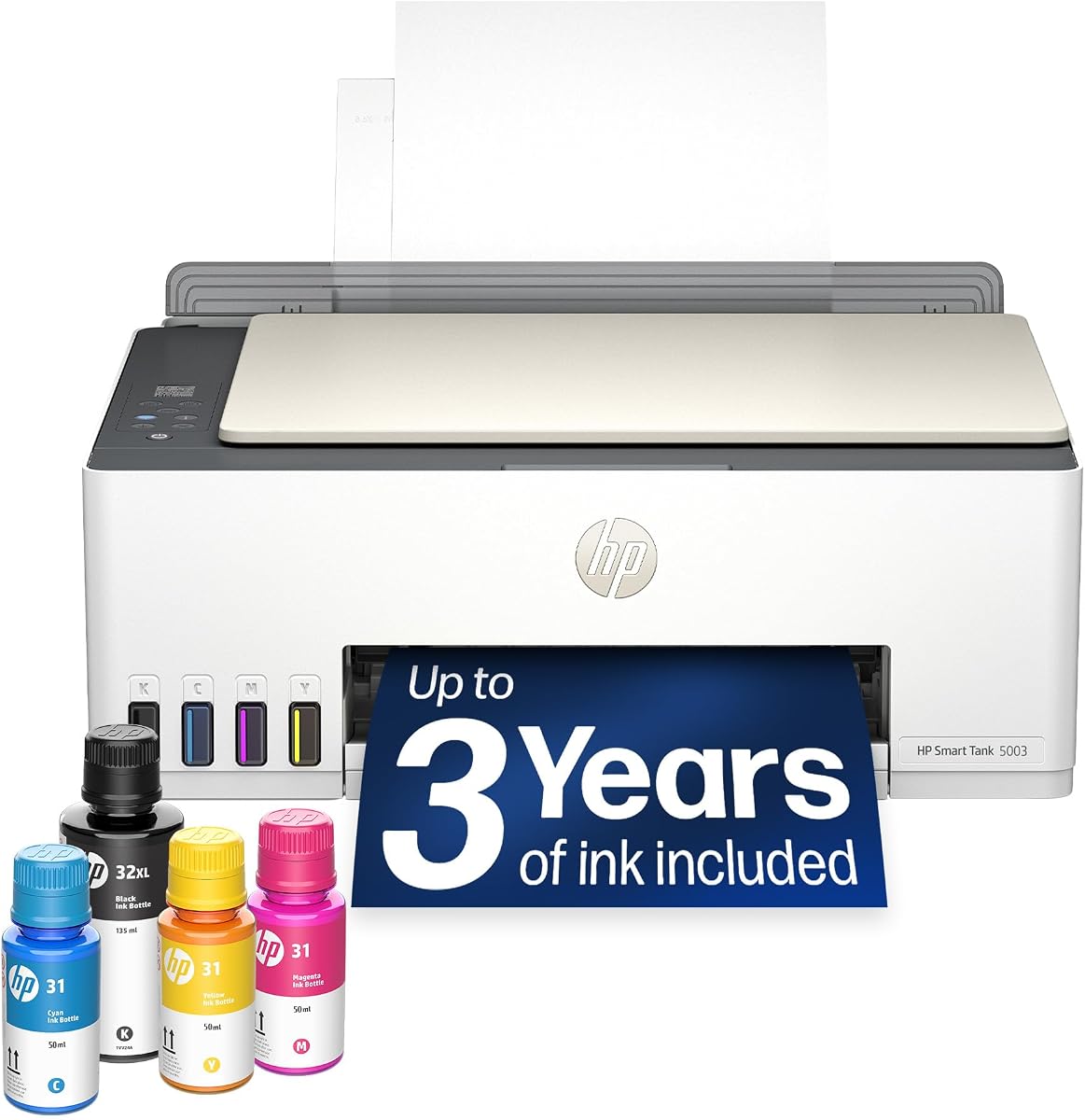
The HP Smart Tank 5003 is designed for users who want a low-maintenance color printer with a long initial supply period. It is rated 3.9 and includes up to three years of HP ink, providing a straightforward route to substantial page output without an immediate refill requirement.
We may earn a commission when you buy through this link, at no additional cost to you.
The initial allowance is listed at up to 6,000 color or black pages. As with HP's other tank systems, ink bottles plug directly into accessible reservoirs and drain into place, eliminating the need to squeeze ink or replace conventional cartridges. The printer supports printing, copying, scanning, borderless output, mobile printing, and wireless connectivity.
Its primary limitation is the lack of an automatic document feeder. Multi-page scanning and copying therefore require more manual page handling than the OfficeJet Pro models and Brother multifunction units. The 6,000-page allowance is also lower than the Smart Tank Plus 570's stated maximum, despite the longer included period.
The Smart Tank 5003 works best for a home office, studio, classroom, or small team that produces meaningful color output but has straightforward document-handling needs. It offers the appeal of a tank-based printer and a generous supply package without claiming to be a full office workflow solution. Users who frequently scan long documents should favor a model with an automatic feeder.
The multi-year ink package gives users a long runway before the first refill. It can be especially helpful for a new office, educational setting, or home business that estimates page needs imperfectly at the outset.
Using HP ink bottles and gravity-fed tanks keeps the refill process simple. The system is designed to reduce spills and eliminate the repeated cartridge-handling routine that can interrupt high-volume color projects.
We may earn a commission when you buy through this link, at no additional cost to you.
The HP LaserJet Pro 3101sdw has the highest numerical rating among the ten products, at 4.5, and its specification set reflects a well-rounded monochrome office machine. It prints up to 35 pages per minute, bringing it close to the speed of the Brother DCP-L2640DW while offering similarly useful document-handling features.
We may earn a commission when you buy through this link, at no additional cost to you.
The 250-sheet input tray, 50-sheet automatic document feeder, automatic duplex printing and scanning, and integrated copier make the 3101sdw suitable for recurring office workflows. Wireless printing uses a connection system designed to select a strong network signal, helping maintain access in shared spaces.
There are no color or fax capabilities, so the printer is limited to monochrome documents. It is also designed to work only with cartridges containing HP chips or circuitry, and firmware updates are intended to maintain that restriction. Those supply considerations may matter to buyers attempting to minimize cartridge expenses.
This LaserJet Pro is well suited to a small team that prints reports, contracts, meeting materials, and internal forms and also needs to scan or copy documents. It offers a strong blend of speed, capacity, and productivity in a recognizable office-oriented format. Users who require color or fax should look instead to an appropriate all-in-one model.
Printing, scanning, copying, automatic duplexing, and a 50-page feeder cover the most common administrative functions. This reduces equipment duplication and supports a more unified daily workflow.
At up to 35 ppm, the 3101sdw handles routine paperwork efficiently. Its laser format is particularly relevant for offices producing mostly black-and-white output and wanting consistent professional document quality.
We may earn a commission when you buy through this link, at no additional cost to you.
The Brother MFC-L5915DW is the premium selection for demanding offices that need a complete, fast monochrome document station. Its 4.3 rating reflects strong performance across printing, copying, scanning, paper handling, and networking, while 50 ppm print and copy speeds place it among the most capable products in the guide.
We may earn a commission when you buy through this link, at no additional cost to you.
The 70-page automatic document feeder is especially valuable for high-volume administrative work. It supports single-pass, two-sided scanning at up to 56 ipm, reducing the need to re-feed pages and helping large document sets move through the machine quickly. A large document glass also accommodates documents up to legal size.
This model goes beyond basic output speed. It includes an initial 3,000-page Brother Genuine toner cartridge and supports the TN920UXXL ultra high-yield cartridge, which is rated for up to 18,000 pages. That configuration can be valuable for offices seeking lower per-page costs without changing the device itself.
Built-in Gigabit Ethernet and dual-band wireless networking make it suitable for a shared professional environment. The trade-off is size and specialization: it is a monochrome all-in-one, so it cannot produce color, and its substantial office-oriented design may not suit a cramped home workspace. For a busy team processing high volumes of records, it is one of the strongest choices.
The 70-page feeder and single-pass two-sided scanning are designed for lengthy document sets. These features help minimize handling time when digitizing records, duplicating forms, or distributing digital versions of paper documents.
Gigabit Ethernet, dual-band wireless connectivity, and high-yield Brother Genuine toner compatibility give the printer the infrastructure expected in an active office. These details become increasingly important as print volume and the number of connected users rise.
We may earn a commission when you buy through this link, at no additional cost to you.
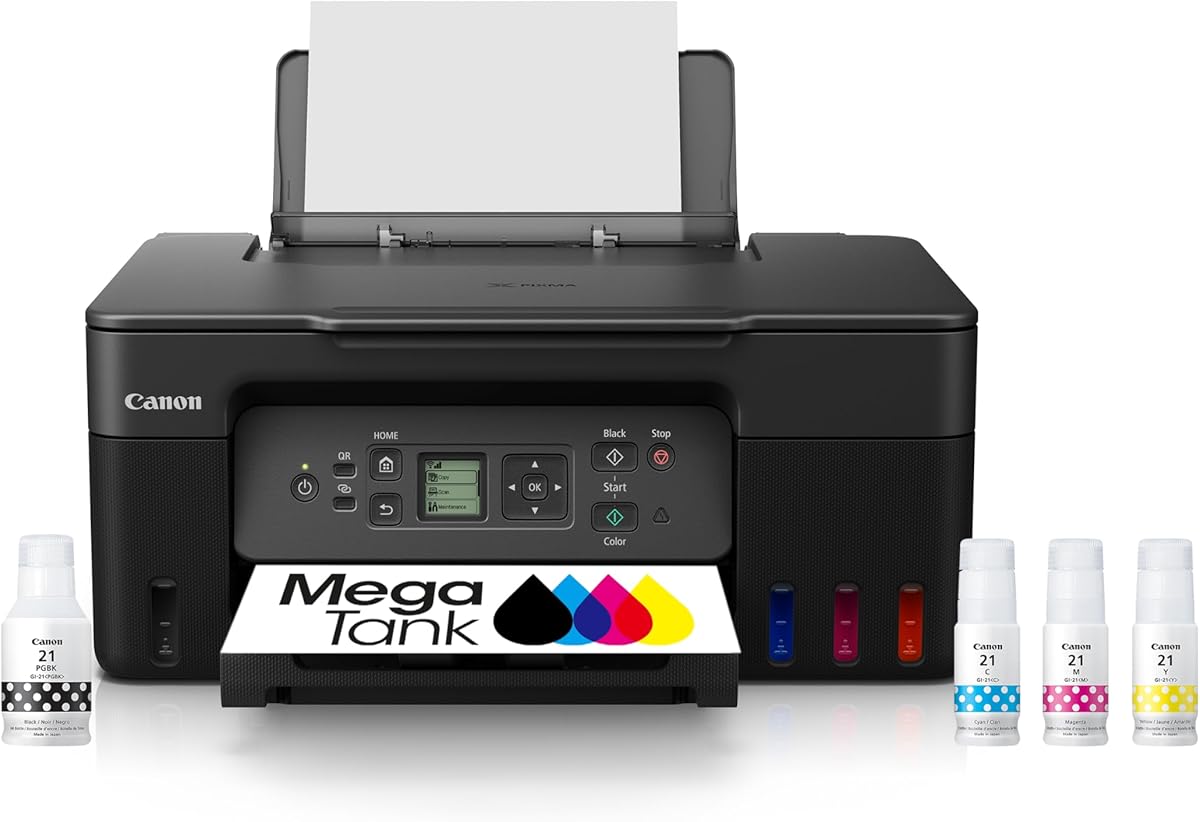
The Canon MegaTank G3270 is a value-focused color option for users who want a large initial ink supply and a simple wireless all-in-one. It carries a 4.1 rating and is listed as including up to two years of ink, with a single set supporting up to 6,000 black-and-white pages or 7,700 color pages.
We may earn a commission when you buy through this link, at no additional cost to you.
The printer handles printing, copying, and scanning, and its tank-based supply approach is intended to reduce the cost and inconvenience associated with frequent cartridge replacement. Wireless capability and a 1.35-inch square LCD display provide basic control without turning the printer into a larger office workstation.
The most important limitation is that it supports single-sided printing only. It also lacks an automatic document feeder, so multi-page copying and scanning involve more manual handling. Those restrictions make it less attractive for offices that routinely produce duplex documents or process long paper sets.
The G3270 is best for a home office, classroom, small creative business, or budget-conscious team with a high need for color pages and limited need for advanced document handling. It can be a practical economy choice when the included ink allowance covers much of the initial workload, but buyers should verify the printer's duplex status for their own needs before ordering.
The stated allowance of up to 7,700 color pages gives this MegaTank an immediate advantage for projects involving posters, educational materials, graphics, or frequent flyers. Users can work through a substantial amount of output before replacing ink.
Print, copy, scan, and wireless functions cover the basics in a relatively approachable package. The small display is enough for routine navigation without requiring a larger control panel.
We may earn a commission when you buy through this link, at no additional cost to you.
The HP Envy 6155 is the most home-focused option in this roundup, but it remains a capable choice for a small office with moderate printing needs. It is rated 4.1 and provides color printing at up to 10 ppm in black and 7 ppm in color, enough for homework, forms, reports, and occasional professional documents.
We may earn a commission when you buy through this link, at no additional cost to you.
Its 2.4-inch touchscreen provides intuitive access to common functions, while dual-band Wi-Fi and the HP app support mobile printing and document handling. Automatic duplex printing reduces paper use, and HP P3 technology is intended to produce color results that closely match what users see on screen. The enclosure is also made with at least 60% recycled plastic content.
The 100-sheet input tray is the clearest limitation for high-volume work. Users may need to reload paper more often than with the OfficeJet Pro models, laser units, or Smart Tank Plus 570. The printer also lacks an automatic document feeder and offers slower output than most models in the guide.
The Envy 6155 is best for a home office, remote worker, or small team that values color quality, compact operation, and an approachable touchscreen over maximum throughput. It can handle a reasonable daily workload, but organizations expecting continuous multi-page document processing should choose a model with a larger feeder and greater paper capacity.
The color touchscreen, borderless printing, and True-to-Screen P3 technology make the Envy 6155 approachable for users who produce reports, graphics, homework, and occasional photo output. It prioritizes ease of use over enterprise-level speed.
Automatic duplex printing, wireless connectivity, and smartphone controls remove several common daily obstacles. Although the input tray is modest, the model remains functional for scattered, moderate-volume printing rather than sustained production runs.
We may earn a commission when you buy through this link, at no additional cost to you.
The best office printer for high volume printing is the one that matches your document mix, page volume, and workflow. Evaluate speed, paper handling, supply economics, connectivity, and required functions before making a final decision.
Start by separating monochrome, color, text, and image workloads. Monochrome laser printers such as the Brother HL-6210DW, Brother DCP-L2640DW, HP LaserJet Pro 3101sdw, and Brother MFC-L5915DW are designed around fast text-heavy production. Color inkjets and tank printers become more attractive when brochures, charts, presentations, photos, and flyers are a regular part of the workload.
Match the printer technology to the pages you actually create. A high nominal speed matters less if most jobs are short, while document handling becomes crucial when the office routinely prints long reports, scans folders, or copies multi-page forms.
Advertised speeds indicate pages per minute under defined conditions and should be treated as comparative guidance rather than a guarantee for every file. The selections range from 7 ppm color output on the HP Envy 6155 to 50 ppm monochrome output on two Brother business printers. The HP OfficeJet Pro 9125 stands out in color at up to 18 ppm.
For substantial office use, a speed of 30 ppm or more is generally valuable for monochrome workflows. Color-focused buyers should compare color speed separately, since text speed can look impressive while color pages take much longer.
A larger input tray reduces the frequency of manual refills and helps keep long jobs moving. The Brother HL-6210DW has a 520-sheet main tray and can expand to 1,660 sheets, while the OfficeJet Pro 9125 offers 250 sheets and the Envy 6155 provides 100. Tank printers may offer substantial ink capacity but can still require regular paper replenishment.
Choose a paper capacity that comfortably exceeds a typical print run. Consider the media your office uses, the available storage around the printer, and whether employees will be loading it frequently.
Automatic duplex printing reduces paper consumption and shortens many routine jobs. A document feeder is essential when scanning or copying multi-page originals. The Brother MFC-L5915DW leads this group with a 70-page feeder, while the Brother DCP-L2640DW and HP LaserJet Pro 3101sdw offer 50-page feeders.
Do not count a manual sheet-fed scanner as equivalent to an automatic document feeder. If an office archives paperwork or routinely copies lengthy sets, a larger feeder can provide a more meaningful efficiency gain than a small increase in print speed.
High-volume printing makes the cost and availability of ink or toner central to the decision. Tank systems such as the HP Smart Tank models and Canon MegaTank G3270 reduce cartridge-replacement frequency and include substantial initial page allowances. Laser printers use toner, with the Brother HL-6210DW and MFC-L5915DW supporting high-yield cartridges rated for up to 18,000 pages.
Calculate expected per-page costs using the actual document mix, not just the lowest advertised cartridge figure. Also check subscription terms. HP Instant Ink includes a trial for several OfficeJet and Envy models, while Brother offers Refresh EZ Print, and either service may change the total cost after its introductory period.
A shared office printer should support the connection method used by its users. Dual-band Wi-Fi is useful in crowded networks, Ethernet provides a stable wired connection, and USB can serve a nearby single workstation. The Brother HL-6210DW and MFC-L5915DW include Gigabit Ethernet, while most models offer wireless printing.
Check whether the printer is expected to serve many employees, mobile users, separate departments, or multiple office locations. Security features, management tools, and the ability to monitor supplies can become as important as basic wireless support in a business environment.
An all-in-one combines printing with functions such as copying, scanning, faxing, or automatic document feeding. The HP OfficeJet Pro 9125 is the only product in this list explicitly described as including fax, while the MFC-L5915DW and DCP-L2640DW focus on printing, scanning, and copying. The tank systems and Canon MegaTank provide core print, copy, and scan functions.
Avoid paying for functions the office will not use, but do not omit capabilities that replace separate equipment. A small team handling invoices and signed forms may need scanning, while a print-only unit may be sufficient where documents are digitized elsewhere.
Consider more than the device itself. Inkjet ownership can involve cartridges, subscription enrollment, replacement, and compatibility restrictions, while laser systems may need high-yield toner and optional paper trays. Tank printers require refill bottles, and network printers may need configuration, protected sharing, and compatible software.
Review the supplied page allowances, expected supply format, and any ongoing service terms before buying. This is especially important for high-volume offices, where a small difference in per-page expense can become significant over thousands of pages.
Begin by unpacking the printer, removing any packing material, and placing it on a stable surface with ventilation around the vents. Install the supplied ink or toner, load paper squarely into the main tray, and adjust the guides to prevent jams. Connect through Ethernet, USB, or the printer's wireless setup process, then install the manufacturer's app or computer driver and complete a test page.
Choose the correct media type and paper size in the print settings rather than relying on defaults. For routine office jobs, enable duplex printing when appropriate, select normal or draft quality for high-volume text, and reserve higher quality for color graphics or images. Scan and copy multipage originals through the automatic feeder when available, and clean the platen or feeder rollers as directed.
Monitor ink or toner levels before starting large jobs, but avoid leaving a business printer idle for long periods. Keep spare supplies compatible with the exact model, record network access details securely, and restrict shared wireless printing when sensitive documents are handled. Update the printer firmware when instructed, use approved cleaning materials, and address paper jams and roller marks promptly to protect output quality.
A laser printer is usually better for large quantities of monochrome text because laser systems are designed for fast, repeatable office output and generally use toner efficiently. An inkjet or refillable tank printer can be better when color pages are central to the workload. Choose based on the actual document mix rather than the page count alone.
A monochrome speed around 30 ppm or higher is useful for offices regularly producing long documents or repeated batches. Color workloads require a separate comparison because color pages are usually slower. The best measure is whether the printer can keep pace during the periods when several employees need it at once.
An automatic document feeder allows multiple pages to be scanned, copied, or transmitted without manual placement on the scanner glass. It is especially important for records management, shared administrative work, and recurring multi-page jobs. Models without one can still work effectively, but they require more hands-on handling.
They can be well suited to offices that print many color pages and want fewer cartridge changes. The HP Smart Tank Plus 570 and HP Smart Tank 5003 offer substantial initial ink allowances, while the Canon MegaTank G3270 is another color-focused option. Teams that need automatic duplexing or a large document feeder should check those requirements first.
Supporting both gives the office more placement and connection flexibility. Ethernet is useful for a stable permanent network connection, while dual-band Wi-Fi helps employees print from mobile devices and laptop locations. The Brother HL-6210DW and MFC-L5915DW provide both connection types along with business-oriented networking features.
Capacity should comfortably cover a typical batch, especially if nobody is available to refill trays during production. The HP OfficeJet Pro 9125 holds 250 sheets, while the Brother HL-6210DW starts with a 520-sheet main tray and can expand substantially with optional trays. Consider storage space and the media actually used as well as sheet count.
Compatible third-party supplies can sometimes lower purchase costs, but compatibility varies by model and region. Some products in this guide are designed to use only cartridges with original chips or circuitry and may block others through firmware updates. Check the manufacturer's current cartridge policy and calculate expected per-page costs before choosing a supply strategy.
The answer depends on page volume, color use, cartridge pricing, and how often supplies are replaced. Inkjets can be economical for moderate color workloads, while laser models are often more efficient for long monochrome runs. Tank printers reduce ink-change frequency, while high-yield laser toner can make a substantial difference in a busy office.
The HP OfficeJet Pro 9125 is the best overall option because it combines strong mixed-color speed, a 250-sheet tray, an automatic feeder, duplexing, scanning, copying, and fax in one office-oriented design. The Brother MFC-L5915DW is the premium choice for teams that need maximum monochrome throughput and serious scanning capacity, while the Canon MegaTank G3270 stands out as a value-focused color option.
Prioritize the workload before the specification sheet. Monochrome offices should focus on laser speed, paper capacity, toner efficiency, and networking, while color-heavy users should compare color pages per minute and refill convenience. Teams handling repeated originals should place substantial weight on the automatic document feeder, and offices that require fax should choose a model that explicitly provides it.
Finally, review current product details, compatible supplies, paper requirements, and prices at the time of purchase. Ratings, page allowances, included ink periods, and subscription terms can change, and actual operating cost depends heavily on the pages your team prints. Use the guide to narrow the field, then confirm that the selected printer fits your daily workflow.