
Lenovo IdeaCentre AIO 24" N100
4.3Editor score
Intel N100 processor
512GB PCIe SSD
Expandable 32GB memory
Useful USB-C connectivity
All in One PCs with SSD storage combine a computer, display, and essential components in a streamlined desktop design. They suit home offices, study spaces, reception areas, and compact workspaces where fewer cables and a tidy setup matter. A capable processor, adequate memory, and a fast SSD determine how smoothly the system handles daily work.
This guide compares ten all-in-one desktops using their stated processor, memory, storage, display, connectivity, included accessories, and customer ratings. The list covers Intel N100 models, Core i3 systems, and more capable Core 3 and Core 5 configurations, allowing buyers to compare practical differences rather than treating every model as interchangeable.
Each review identifies the strongest reason to consider the system and any meaningful limitations. The selections range from budget-oriented everyday models to larger-screen options with more memory, storage, or processing capability. Product availability and prices can change, so shoppers should verify current specifications, included accessories, and deal terms before purchasing.
4.3Editor score

4.6Editor score

4.5Editor score
As an Amazon Associate we earn from qualifying purchases.
The table below compares all ten systems by processor, memory, SSD capacity, display, and major connectivity features, making it easier to identify the model that best matches your workspace and workload.




The HP OmniStudio 24" is an attractive general-purpose all-in-one with a 4.5 customer rating. Its most immediately attractive specifications are 16GB of DDR5 memory and 640GB of storage, while the 24-inch Full HD IPS display provides a suitably large canvas for documents, web work, video calls, and entertainment. The slim-bezel design emphasizes screen area without turning the system into a large desktop replacement.
We may earn a commission when you buy through this link, at no additional cost to you.
DDR5 is unusual in this category and should give the 16GB allocation a useful degree of headroom for browser-heavy sessions, office applications, and routine multitasking. The listed solid-state storage provides more capacity than the 512GB configurations found on many competing systems, making it a sensible choice for users who routinely keep large document libraries, photographs, videos, or multiple application installations close at hand.
The pop-up privacy camera is a meaningful convenience in shared offices, dorm rooms, and home workspaces. It tucks away when not needed, while dual microphones with noise reduction support clearer calls. HP also highlights its EPEAT Gold registration and ENERGY STAR certification. The trade-off is that the listing does not identify the exact Intel processor or clearly specify the storage interface, so buyers wanting maximum CPU or upgrade certainty should check the final configuration.
This is a good fit for a household or small office that wants generous memory and storage without assembling a separate monitor and tower. It should appeal particularly to users who value the 24-inch display, modern memory, and integrated camera privacy. For buyers making intensive CPU comparisons or planning component upgrades, a model with more explicit processor and storage specifications may offer greater clarity.
The 16GB DDR5 configuration is the standout for routine productivity, allowing several applications and browser tabs to remain active without relying on virtual memory as frequently. It also creates a useful foundation for light photo management, communication, and school or office applications.
The retractable camera reduces the need for tape or manual covers when the webcam is not in use. Dual noise-reducing microphones also make the system more practical for recurring meetings and online classes.
We may earn a commission when you buy through this link, at no additional cost to you.
The Lenovo IdeaCentre 24" FHD All-in-One Desktop offers a straightforward package for web browsing, document editing, learning, video calls, and streaming. Its 4.3 rating reflects a practical balance of useful features rather than high-end processing power. The Intel N100 is a quad-core chip designed around efficiency, while 8GB of DDR4 RAM and a 512GB SSD keep everyday operations responsive.
We may earn a commission when you buy through this link, at no additional cost to you.
Its 23.8-inch Full HD IPS panel offers 99% sRGB color accuracy and anti-glare treatment, useful for long study or work sessions. The anti-glare surface is especially valuable under bright room lighting because it reduces distracting reflections. A built-in HD webcam, dual microphones, and an audio jack support communication, while Wi-Fi 6, Bluetooth 5.1, and Gigabit Ethernet cover the main connectivity needs.
The most attractive practical detail is the complete package: a wired keyboard and mouse are included, Windows 11 Home is preinstalled, and the listing notes lifetime Office 365 access without a subscription. That makes setup simpler for a first computer, a new student, or a secondary household machine. The main limitation is 8GB of memory, which can feel constrained when many demanding applications are open simultaneously.
Choose this model for essential home computing, schoolwork, online classes, and routine office use where fast startup and a tidy setup matter more than heavy processing workloads. It is also a sensible second PC. Buyers who regularly edit large files, run many browser tabs, or want room to grow should favor a nearby model with 16GB of memory.
A 512GB SSD improves boot time, application loading, and file access compared with a traditional hard drive. The included keyboard and mouse make the package ready for immediate use after adding a user account and connecting to the network.
The 99% sRGB IPS display provides accurate color and wide viewing angles, while the anti-glare finish helps maintain visibility during prolonged document work, web browsing, and online learning.
We may earn a commission when you buy through this link, at no additional cost to you.
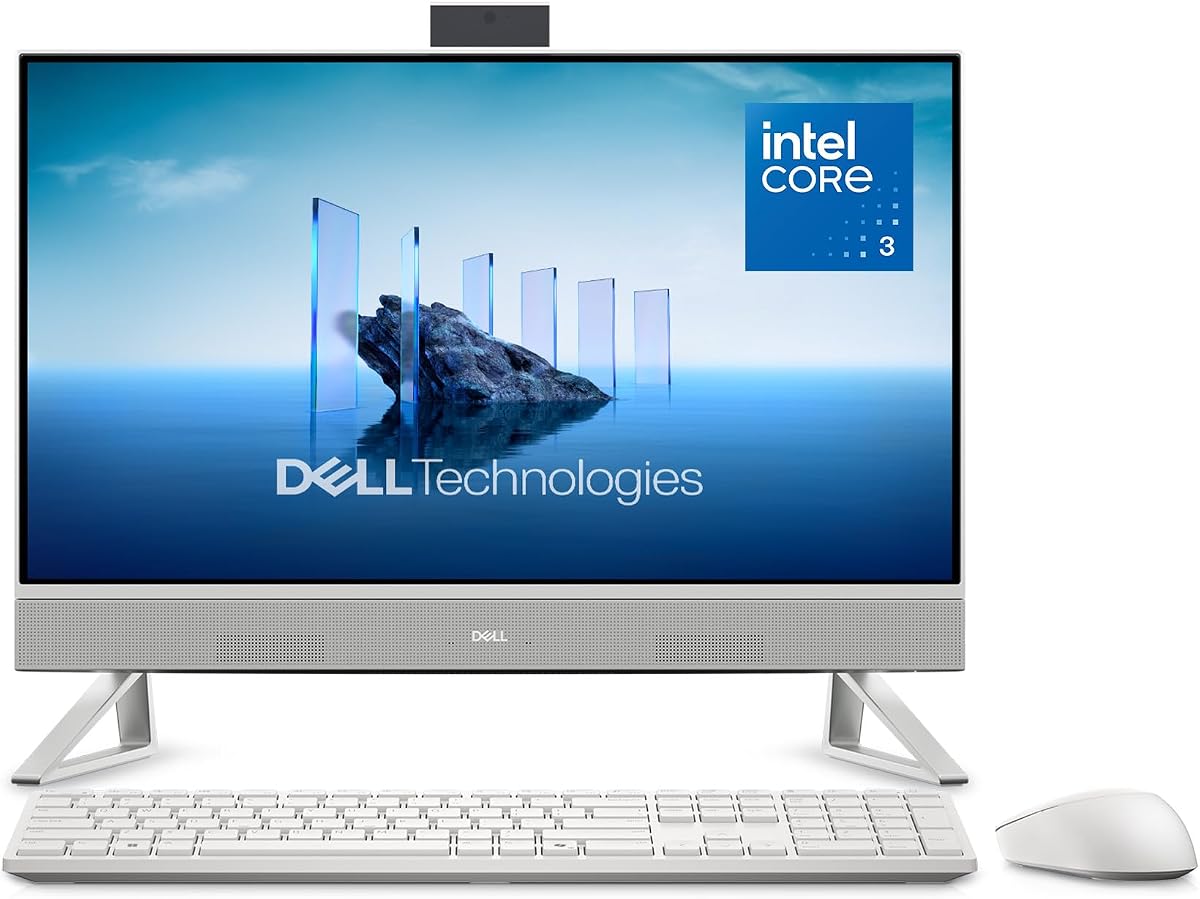
The Dell 23.8" All-in-One Desktop pairs an Intel Core 3 100U processor with a compact Full HD IPS display and earns a 4.6 rating. It sits at the attractive middle of this group for buyers who want a more conventional desktop processor and a polished feature set without moving to a large-screen premium design.
We may earn a commission when you buy through this link, at no additional cost to you.
The display covers 99% sRGB and offers improved contrast over Dell's preceding generation, according to the supplied product information. Dell ComfortView Plus is designed to reduce harmful blue-light emissions, while the increased refresh rate can make cursor movement and scrolling feel smoother. Those features are particularly relevant to a system intended for long office sessions, browsing, classes, and general home use.
Its 5MP infrared camera supports HDR imaging, and the screen can tilt from zero to 20 degrees for easier positioning. Dual Bluetooth speakers and Dolby Atmos spatial sound add more entertainment value than many basic office desktops. Dell also provides a one-year onsite service option and a six-month Dell Migrate tool, both of which can reduce setup and support friction.
The principal caveat is that the supplied listing does not state the memory or SSD capacity, making it difficult to confirm how much headroom this configuration offers. Shoppers should verify both specifications before purchase. Even so, the strong rating, Core 3 processor, comfortable display, capable camera, and audio features make this a compelling choice for a home office or media-oriented workspace.
The narrow-bezel FHD IPS panel combines vivid color coverage with Dell ComfortView Plus. Its tilt adjustment allows users to find a comfortable angle for typing, browsing, or watching video.
The HDR-capable 5MP infrared camera is built for demanding video-call conditions, while dual Bluetooth speakers and Dolby Atmos add clearer, more immersive sound for movies and music.
We may earn a commission when you buy through this link, at no additional cost to you.
The Lenovo IdeaCentre 24" FHD All-in-One Desktop Computer, Intel N100 Processor, is the most balanced selection in this guide. It carries a 4.6 rating and combines 16GB of DDR4 memory with a 512GB PCIe NVMe SSD. That combination is more future-friendly than many 8GB configurations without moving into the larger or more capable premium models.
We may earn a commission when you buy through this link, at no additional cost to you.
The Intel N100 provides four cores and four threads with turbo speeds up to 3.4GHz, integrated Intel UHD Graphics, and relatively low power consumption. It is well matched to browsing, document editing, video streaming, and light productivity work. The 16GB memory allowance makes it better suited to multitasking, while NVMe storage supports quick boots and rapid access to applications and files.
The 23.8-inch Full HD IPS display covers 99% sRGB, uses anti-glare treatment, and has 250 nits of brightness. Connectivity is another strength: two 10Gbps USB 3.2 Gen 2 ports, two USB 2.0 ports, HDMI, Gigabit Ethernet, Wi-Fi 6, and Bluetooth 5.2 cover most accessories and networks. TPM 2.0 and a Kensington security slot also suit shared workspaces.
The N100 is not intended to replace a high-power workstation for intensive rendering or advanced editing, and the display is modest rather than exceptional. Even so, the memory, fast SSD, broad connectivity, and strong rating create an excellent balance. It is our recommended choice for most people seeking a capable, uncomplicated home-office all-in-one with SSD storage.
The 16GB DDR4 allocation provides comfortable room for office software, browser-heavy work, messaging, and media applications. It is a particularly useful advantage over the 8GB models in this roundup.
Two USB 3.2 Gen 2 ports support 10Gbps peripherals, while HDMI, wired Ethernet, Wi-Fi 6, and Bluetooth provide flexible ways to connect displays, accessories, and networks.
We may earn a commission when you buy through this link, at no additional cost to you.
The Lenovo IdeaCentre All-in-One Desktop Computer, 8GB RAM 512GB SSD, is the V100, a practical budget-oriented model with an important advantage over many similarly positioned systems: its memory can be upgraded to as much as 32GB. That makes the initial 8GB less concerning for buyers who expect the computer to remain useful for several years.
We may earn a commission when you buy through this link, at no additional cost to you.
The Intel N100 has four cores and four threads with turbo capability up to 3.4GHz and 6MB of cache. A 512GB PCIe SSD handles boot time and application access, while integrated Intel UHD Graphics covers everyday visuals and media. The 23.8-inch Full HD IPS anti-glare display offers 99% sRGB and 250 nits, which is appropriate for documents, browsing, classes, and video.
Its port selection is particularly good for the category. The system includes a 10Gbps USB-C port, two 10Gbps USB-A ports, two USB 2.0 ports, HDMI, Gigabit Ethernet, and a headset jack. Wi-Fi 6 and Bluetooth 5.2 are also present. HDMI output supports a two-display arrangement when the built-in screen is included, and firmware TPM 2.0 adds a layer of security.
The compromise is the 8GB starting memory and the absence of an optical drive. It is still a strong fit for browsing, school assignments, cash handling, business reception, and routine productivity. Buyers who can perform or plan a memory upgrade should find it especially adaptable, while those who want 16GB immediately can choose a higher-memory alternative.
Supporting up to 32GB of total memory gives the V100 a useful path beyond its 8GB starting point. Buyers can begin with the current configuration and add memory later if multitasking demands increase.
USB-C at 10Gbps, multiple USB-A connections, HDMI, and Ethernet make it easier to use current accessories while retaining support for traditional peripherals and wired networks.
We may earn a commission when you buy through this link, at no additional cost to you.
The Dell 27" All-in-One Desktop is the premium-oriented choice in this list, earning a 4.5 rating and pairing an Intel Core 5 120U processor with a large 27-inch FHD IPS display. Its wider screen is the central attraction for users who want more visible content for documents, creative work, media, or simultaneous productivity applications.
We may earn a commission when you buy through this link, at no additional cost to you.
The display includes 99% sRGB color coverage, improved contrast, and a higher refresh rate than the previous Dell generation, according to the supplied information. ComfortView Plus is designed to limit harmful blue-light emissions, while the tilt mechanism allows adjustment between zero and 20 degrees. The result is a screen-oriented desktop that feels more substantial than the 23.8-inch and 24-inch alternatives.
A 5MP infrared camera with HDR support can produce a clearer image in challenging lighting, and the pop-up design lets users physically conceal it. Dual Bluetooth speakers and Dolby Atmos spatial sound strengthen the entertainment experience. The stand also provides a space to store the keyboard beneath the display, helping maintain a cleaner desk while preserving the large screen.
As with Dell's 23.8-inch model, the listing does not state memory or SSD capacity, so buyers should verify those details carefully. Even so, the Core 5 processor, 27-inch panel, useful stand, camera, and audio make this a leading choice for a premium home office. It is particularly appealing when screen area matters more than a very compact footprint.
The 27-inch FHD panel creates a generous work area, while the keyboard-storage shelf keeps the full-size keyboard out of sight. The result is a more organized desktop without requiring a separate monitor.
HDR imaging on the 5MP infrared camera supports sharper video calls, and the pop-up camera protects privacy when it is not needed. Dolby Atmos and Bluetooth speakers add clear audio for communication and entertainment.
We may earn a commission when you buy through this link, at no additional cost to you.
The Lenovo 2026 24" FHD All-in-One Desktop Computer stands out with an Intel Core i3-N305 processor containing eight cores and eight threads, along with 16GB of DDR4 memory and a 512GB PCIe NVMe SSD. Its 4.4 rating reflects a well-rounded package for productivity, browsing, streaming, and routine multitasking.
We may earn a commission when you buy through this link, at no additional cost to you.
The Core i3-N305 reaches turbo speeds up to 3.8GHz and includes 6MB of cache. Although it is not a conventional high-power desktop processor, the extra cores can be useful in lightly threaded multitasking and power-efficient everyday workloads. The 16GB RAM and NVMe drive provide a responsive foundation, with quick startup and ample room for documents, photographs, and applications.
Its 23.8-inch Full HD IPS anti-glare display includes 99% sRGB coverage, 250 nits, and wide viewing angles. The tilt stand helps position the screen, while an integrated camera, mono microphone, and 2W stereo speakers support basic calls and media. Wi-Fi 6, Bluetooth 5.2, Gigabit Ethernet, two 10Gbps USB ports, two USB 2.0 ports, HDMI, and an audio jack cover normal needs.
A wired keyboard and wireless mouse are included, and the cloud-grey finish gives the system a more contemporary appearance. Integrated Intel UHD Graphics is the principal limitation, so demanding graphics work is outside its intended role. For office productivity, online learning, family use, and light content editing, however, this is a capable and well-equipped compact desktop.
The eight-core Core i3-N305 provides more parallel processing resources than the quad-core N100 alternatives. Combined with 16GB of memory, it is well suited to users who routinely keep communication, browser, and productivity applications active.
Windows 11 Home, a full-size wired keyboard, and a wireless mouse make the package convenient for a new workspace. The supplied accessories eliminate the need to separately source basic input devices.
We may earn a commission when you buy through this link, at no additional cost to you.
The Lenovo IdeaCentre 24 23.8" Intel 32GB 1TB SSD All-in-One Desktop Computer is the capacity leader in this guide. It combines 32GB of DDR4 RAM with a 1TB PCIe NVMe SSD, giving users substantially more room for memory-intensive multitasking and local files than the more common 8GB or 16GB configurations.
We may earn a commission when you buy through this link, at no additional cost to you.
The Intel N100 supplies four cores and four threads with turbo capability up to 3.4GHz and integrated Intel UHD Graphics. It can handle demanding applications, video editing, photo management, streaming, and video conferencing as described in the listing, although demanding sustained workloads will still be constrained by the processor tier. The large memory and storage allocation, however, provide excellent responsiveness for many multi-application workflows.
The 23.8-inch Full HD IPS anti-glare display offers 99% sRGB and 250 nits. Wide viewing angles suit collaborative work, while anti-glare treatment helps during extended sessions. Connectivity includes two 10Gbps USB 3.2 Gen 2 ports, two USB 2.0 ports, HDMI, Gigabit Ethernet, Wi-Fi 6, Bluetooth 5.2, and a 3.5mm audio connection.
Two M.2 expansion slots are listed, one for WLAN and one for SSD, adding some flexibility to an already generous internal specification. A wired keyboard and mouse are included, along with Windows 11 Home and Office 365 web apps. The trade-off is that the 32GB memory does not fully compensate for the basic N100 processor in heavily threaded work. It is best for users who prioritize capacity, fast file access, and abundant memory.
The 1TB NVMe SSD provides ample room for high-resolution photographs, videos, documents, and software while supporting rapid startup and file access. It is a substantial upgrade over the 512GB options in this roundup.
With 32GB installed, users can run more applications and larger working sets without immediately filling the available memory. That makes the configuration attractive to creators, students, and users who keep many browser-based services open.
We may earn a commission when you buy through this link, at no additional cost to you.
The Lenovo 24 23.8" i3-N305 16GB 1TB SSD All-in-One Desktop Computer combines some of the most practical specifications in the group: an eight-core processor, 16GB of memory, a one-terabyte PCIe SSD, and a full 23.8-inch IPS display. Its 4.5 rating indicates broad satisfaction without placing it at the very top of the list.
We may earn a commission when you buy through this link, at no additional cost to you.
The Intel Core i3-N305 offers eight cores, turbo speeds up to 3.8GHz, and integrated graphics suited to web browsing, streaming, office applications, and everyday productivity. The 16GB memory supports simultaneous work across several applications. A 1TB NVMe drive adds generous capacity along with fast boot-up and file access, reducing the chance of running out of room for larger files.
The three-sided borderless 23.8-inch Full HD IPS screen uses an anti-glare surface, reaches 250 nits, and covers 99% sRGB. A tiltable stand allows easy viewing adjustment. Wi-Fi 6, Bluetooth 5.2, two 10Gbps USB ports, two USB 2.0 ports, HDMI, Ethernet, and a headphone jack provide a versatile connection setup.
Windows 11 Home is preinstalled, and a wired keyboard and mouse are included, so this is ready for productive use after basic setup. The cloud-grey finish and borderless design help it blend into a modern office or study area. Integrated graphics and moderate brightness mean it is not aimed at high-end visual work, but for ordinary home and office computing, the specification mix is excellent.
Eight cores and 16GB of RAM provide a useful balance for everyday multitasking. The processor has more cores than the N100 models, while the memory matches the stronger Lenovo configuration in this list.
The one-terabyte PCIe SSD gives users room to install applications and retain documents, photographs, and videos locally while benefiting from rapid boot and application-launch times.
We may earn a commission when you buy through this link, at no additional cost to you.
The Lenovo 24" FHD Business AIO is a compact Windows 11 Pro desktop with a 4.1 rating. Its defining advantage is the operating system: Windows 11 Pro provides business-oriented features that can make it more appropriate than the Home editions offered by many systems in this guide.
We may earn a commission when you buy through this link, at no additional cost to you.
The computer uses an Intel N100 with four cores and four threads, a 6MB cache, and maximum turbo speed of 3.4GHz. It is joined by 16GB of DDR4 RAM and a 512GB PCIe NVMe M.2 SSD. That combination is well suited to document-heavy work, communication, browsing, and office productivity, with enough memory for more active multitasking than the basic 8GB alternatives.
The non-touch 23.8-inch Full HD IPS display offers 99% sRGB, 250 nits, and anti-glare treatment. Intel Wi-Fi 6 AX203 and Bluetooth 5.2 cover wireless connectivity, while two 10Gbps USB-A ports, two USB 2.0 ports, HDMI, Gigabit Ethernet, and a 3.5mm headset jack cover accessories and wired networking.
The 4.1 rating is the lowest in this group, so prospective buyers should consider available support and warranty terms carefully. A USB wired keyboard and mouse are included, and Windows 11 Pro English 64-bit is preinstalled. It is a sensible business-style choice for organizations that specifically need Pro features, but it does not overcome the modest N100 processor with additional processing power.
Windows 11 Pro is the key reason to consider this model over a similar Home configuration. It is intended for professional environments and supports the business management features associated with the Pro edition.
The 16GB of memory, NVMe SSD, and 10Gbps USB ports form a capable foundation for office software, communication, web research, and document management. The bundled input devices make deployment straightforward.
We may earn a commission when you buy through this link, at no additional cost to you.
Choosing an all-in-one desktop with SSD storage means balancing processor capability, memory, screen size, connectivity, and the amount of local storage you need. The most important principle is to match the configuration to your regular workload rather than selecting solely by display size or processor branding.
The processor determines how comfortably the system handles active applications, web services, media, and heavier productivity tasks. The Intel N100 models in this guide use four cores and four threads and emphasize efficient everyday computing. They are suitable for browsing, schoolwork, video calls, document editing, and streaming, but users who routinely run demanding software should consider more powerful alternatives. The Core i3-N305 models offer eight cores, while the Dell systems use Core 3 100U and Core 5 120U processors for a broader performance range.
Choose a quad-core N100 for standard home-office duties and favor eight cores or a Core-series processor for heavier multitasking. Match the chip to your software rather than assuming a newer label automatically solves every performance concern.
RAM determines how much data applications can keep active at once. The 8GB models in this guide are fine for light browsing, school assignments, and standard office work, but memory pressure can appear when many browser tabs, communication tools, and large documents are open simultaneously. A 16GB configuration is the more comfortable choice for general productivity, while 32GB offers additional headroom for intensive multitasking and larger working sets.
Prioritize 16GB when possible, especially if the computer will remain in service for several years. For maximum flexibility, check whether a model supports memory expansion and confirm the maximum supported capacity before purchasing.
A solid-state drive delivers much faster startup and application loading than a mechanical hard drive, while also providing a quieter and more compact storage solution. Most systems here offer 512GB, the HP offers 640GB, and two Lenovo models include 1TB. Capacity needs depend on whether you keep large photo libraries, videos, games, and numerous applications locally.
Choose 512GB for a focused office or school setup, and consider 1TB when storing substantial media or installing many applications. Also verify the stated interface, because PCIe NVMe provides a clearer indication of performance than generic solid-state wording alone.
Most models use a 23.8-inch Full HD IPS display, while the Dell 27-inch system offers a larger canvas and the HP is listed at 24 inches. A larger display can reduce window switching and make side-by-side work more comfortable, although it requires more desk space. The repeated 99% sRGB coverage is good for general color quality, and anti-glare surfaces are beneficial in bright rooms.
Choose 23.8 inches for compact desks and 27 inches for a spacious primary workstation. Consider brightness, anti-glare treatment, viewing angles, and camera quality alongside size, because each contributes to long-term comfort and communication quality.
Wireless connectivity is only one part of a practical desktop. Look for Wi-Fi 6, Bluetooth, Gigabit Ethernet, and enough high-speed USB ports for a keyboard, mouse, storage drive, printer, webcam, or other accessory. USB 3.2 Gen 2 ports rated at 10Gbps are more future-oriented than older USB 2.0 connections, while USB-C can simplify peripheral selection when the included cable and device support it.
Make a short list of the accessories you already own and verify the available ports. HDMI is useful for a second display, Ethernet is reassuring for stable office networking, and a combined headset jack supports calls and entertainment without requiring extra adapters.
Windows 11 Home suits many personal and household tasks, while Windows 11 Pro is the better match when organizational management or business-specific capabilities are required. Several Lenovo systems include wired keyboards and mice, and one package includes a wired keyboard with a wireless mouse. These bundles can simplify deployment and reduce the need for additional purchases.
Compare the operating system and bundled equipment before choosing. Check whether the keyboard layout and accessories suit your workspace, and confirm that any software requirements are met rather than assuming every Windows edition provides identical management features.
Video calling is routine in hybrid work and education, so camera resolution, infrared support, microphone quality, and speaker output deserve attention. The Dell models feature a 5MP infrared camera with HDR, while the HP and Lenovo products use built-in cameras. Pop-up or retractable cameras are especially convenient because they can be physically concealed when privacy is a concern.
Look for a clear webcam, multiple microphones, and stereo speakers if calls and media are central to the system. For shared or public spaces, prioritize a camera that can be hidden and review the device's security features, including firmware TPM support where offered.
Support can influence the long-term ownership experience even when it is not the first specification on the shopping list. Dell lists one-year onsite service for covered hardware issues that cannot be resolved remotely and includes Dell Migrate to simplify transferring data. Lenovo models include a one-year manufacturer warranty on at least one listed configuration, while the HP carries EPEAT Gold registration and ENERGY STAR certification.
Check the current warranty and service terms at the time of purchase. Environmental certifications can also matter for organizational procurement, while service coverage can provide valuable assistance if remote troubleshooting cannot resolve a problem.
Begin by placing the all-in-one on a stable surface with enough room to adjust the stand and reach the ports. Connect the keyboard, mouse, power cable, and any external display before choosing a comfortable viewing angle. If the included mouse is wireless, install its batteries and pair it using the manufacturer's instructions. Keep ventilation openings unobstructed and avoid placing soft materials against the rear of the display.
Complete the Windows setup, connect to the desired network, sign in to the appropriate account, and confirm that the camera, microphones, speakers, and display are working. Install current operating-system and application updates. For an SSD, periodically check free space, save important documents in more than one location, and use a suitable backup service or external drive to protect against accidental deletion, device failure, or data corruption.
Clean the screen with a soft microfiber cloth and use a lightly dampened cloth for the exterior. Avoid spraying cleaner directly onto the display, and do not use abrasive pads or strong solvents. Keep liquids away from the screen and ports, periodically clean vents and speaker openings, and use a surge-protected outlet where appropriate. Before moving the unit, shut it down fully and disconnect attached cables rather than lifting it by the display or stand.
An all-in-one is usually simpler and tidier because the computer and display are combined in one unit. It can also be more affordable and easier to place because the desktop tower does not need a separate location. A traditional desktop may offer more upgrade flexibility and potentially better performance for a given budget, so buyers should compare the complete specifications rather than assuming either form factor is always superior.
Eight gigabytes is sufficient for basic browsing, document editing, schoolwork, and a few communication applications. Sixteen gigabytes is more comfortable for heavy browser use and regular multitasking, while 32GB benefits users who run larger working sets or more demanding applications. The best amount depends on how many programs you keep open and whether the model allows memory to be expanded.
For a typical student or home-office system, 512GB can be enough for applications, active documents, and a moderate media library. Large video collections, extensive photo archives, and multiple demanding applications may fill that space more quickly. A one-terabyte model offers more breathing room, but regular backups and sensible file organization remain important regardless of capacity.
The N100 in this guide has four cores and four threads, while the Core i3-N305 has eight cores and eight threads. The larger core count can improve multitasking and lightly threaded productivity performance, although neither is a substitute for a high-power workstation. Both are designed primarily for efficient everyday computing, and the i3-N305 models also pair with generous memory and storage in this roundup.
Several models include HDMI output, and the listing for the Lenovo V100 specifically states that it can connect up to two displays in total when the built-in screen is included. Other models also have HDMI, but the exact maximum display arrangement can depend on the operating system, graphics configuration, and resolution settings. Verify the current manufacturer's specifications if using more than one screen is essential.
Windows 11 Home is appropriate for most personal, school, and small household computing needs. Windows 11 Pro adds business-oriented management and security capabilities, making it more appropriate for organizational deployments or users with specific professional requirements. Choose Pro when your software or IT policy requires it; otherwise, Home is generally the more straightforward option.
No. Many Lenovo configurations in this list include a wired keyboard and mouse, and the Lenovo i3-N305 2026 model includes a wired keyboard with a wireless mouse. The supplied information does not explicitly list those accessories for every HP or Dell system, so buyers should confirm the package contents before making a purchase or planning to buy separate peripherals.
Keep software current, maintain a reasonable amount of free storage, restart when necessary, and periodically check for slow startup or background application issues. Do not block the ventilation openings, and clean the vents and screen with appropriate soft materials. Protect important files with regular backups so an SSD failure or accidental deletion does not become the only remaining copy of your work.
The Lenovo IdeaCentre 24" N100 with 16GB memory and a 512GB NVMe SSD is the strongest all-around choice because it balances capable everyday processing, ample memory, fast storage, useful ports, and a strong customer rating. The Lenovo V100 stands out as the budget-focused option with memory expansion, while the Dell 27" Core 5 provides the most premium screen size and workspace features.
Prioritize 16GB of memory for comfortable multitasking, a 512GB or larger SSD for fast and roomy storage, and a processor appropriate to your software. A 23.8-inch display is easier to accommodate on a compact desk, while a 27-inch panel is better for users who value screen area. Check bundled accessories, operating system, ports, camera, service, and upgrade options before finalizing a purchase.
Configurations and prices can change, and sellers may offer different bundles or component variations over time. Before ordering, verify the processor, RAM, SSD capacity and type, operating system, included keyboard or mouse, connectivity, and warranty directly on the current listing. That final check helps ensure the selected all-in-one remains a good fit once it is installed in your workspace.