
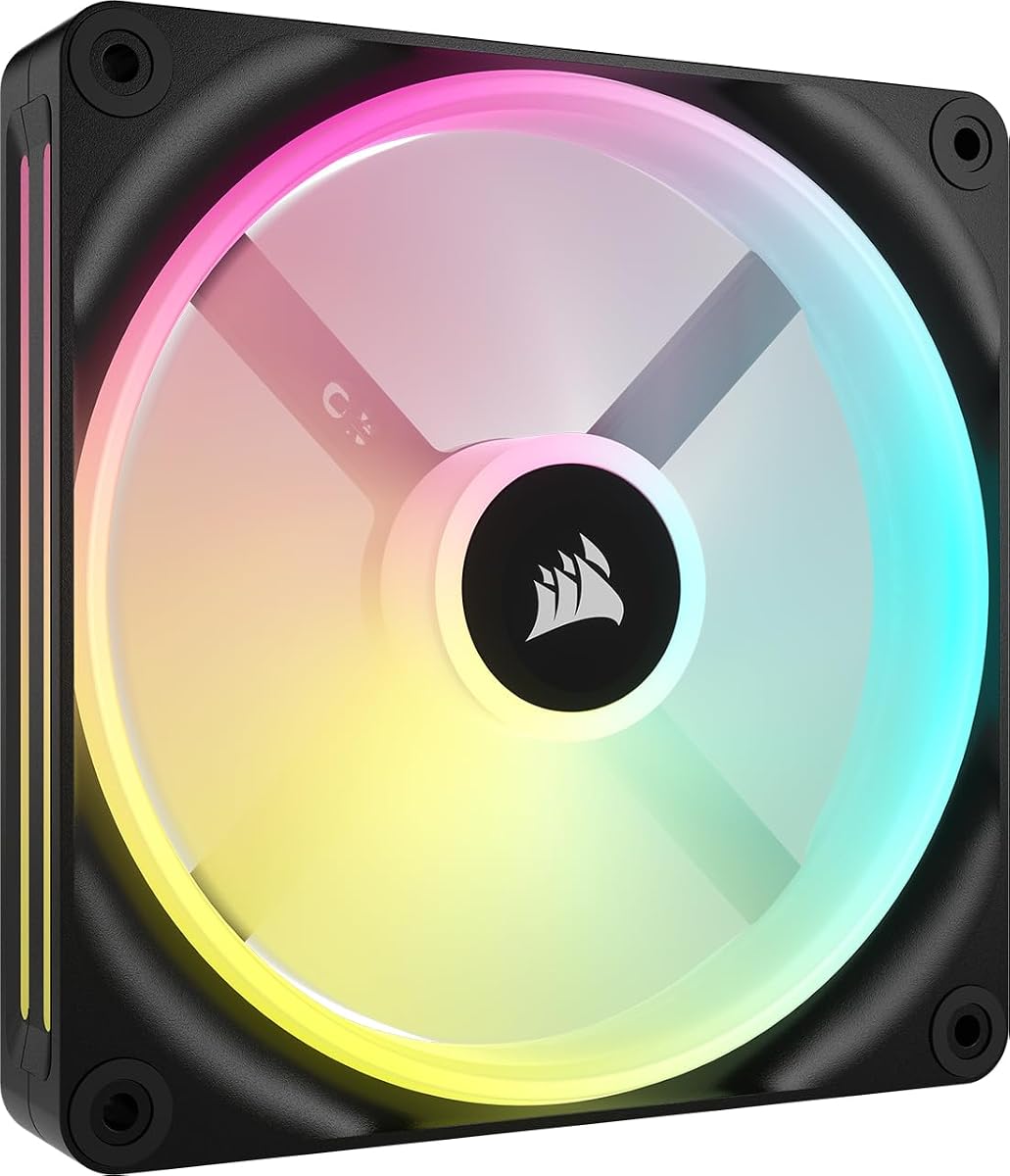
CORSAIR iCUE Link LX120-R RGB 120mm PWM Reverse Fans
4.7Editor score
Visible reverse-rotor lighting
66.7 CFM maximum airflow
4.72 mm-H2O static pressure
Up to 2,400 RPM
Our Corsair case fans guide compares airflow, pressure, lighting, noise control, bearings, fan size, connectivity, and compatibility for buying decisions.
Corsair case fans combine targeted airflow, adjustable speeds, attractive lighting, and flexible installation options for everything from compact everyday PCs to high-performance systems. The right model depends on whether you prioritize strong radiator performance, visible intake lighting, simple motherboard control, or a quieter overall build.
We compared all ten featured products by examining their stated airflow, static pressure, maximum RPM, fan thickness, bearing design, lighting system, zero-RPM support, mounting needs, and connector requirements. The list covers standard 120mm and 140mm models, thick fans, reverse-rotor designs, single-fan purchases, and multi-fan kits.
Each review explains the strongest reason to choose a particular fan, along with any setup considerations or compromises visible in the available specifications. Ratings reflect customer feedback listed for the products, while features and performance figures come from the supplied product information. Current prices change, so confirm the latest listing before buying.
4.7Editor score

4.6Editor score

4.6Editor score
This side-by-side comparison highlights the key differences among the featured Corsair fans, including their sizes, airflow ratings, static pressure, lighting, speed ranges, and connection systems.





The CORSAIR RS120 ARGB triple pack is a well-rounded option for builders who want strong airflow, adjustable cooling, and coordinated lighting without moving into the more elaborate iCUE LINK ecosystem. Its listed customer rating is 4.6, and the specifications position it as a capable general-purpose case fan with up to 72.8 CFM of airflow and speeds reaching 2,100 RPM.
We may earn a commission when you buy through this link, at no additional cost to you.
Its most useful feature is the daisy-chain arrangement. Multiple fans can share one four-pin PWM connection and one +5V ARGB connection, reducing the number of cables running across the motherboard. AirGuide anti-vortex vanes focus the airflow toward components, while 2.8 mm-H2O of static pressure gives the fans reasonable resistance to radiator and heatsink obstructions.
The tradeoff is that the lighting is basic compared with dual-loop iCUE LINK designs. Eight LEDs provide customizable ARGB illumination, but control requires a compatible motherboard. Its static pressure also trails the RS120 MAX, RX140 MAX, and LX120 families, making the RS120 ARGB more compelling for general case circulation than for a densely packed radiator.
This is a sensible pick for a new black-themed build that needs a coordinated group of 120mm fans and convenient wiring. It is especially attractive for users who do not want to add a separate iCUE LINK hub yet still want addressable lighting and broad compatibility with standard PWM and ARGB headers.
Connecting several RS120 ARGB fans through a shared PWM and +5V ARGB path keeps the installation tidy. That makes the kit easier to manage than a group of individually cabled fans, especially along a large radiator or a multi-position intake arrangement.
The stated 72.8 CFM airflow and AirGuide vanes make the RS120 ARGB suitable for moving air through typical chassis openings and toward internal components. The 2.8 mm-H2O pressure figure also indicates that it can handle some restricted positions, although thick high-pressure alternatives are stronger choices for demanding radiators.
We may earn a commission when you buy through this link, at no additional cost to you.
The CORSAIR iCUE Link LX120 RGB triple pack stands out as the strongest all-round choice in this guide for a builder committed to Corsair lighting and synchronization. It carries a 4.6 customer rating, reaches up to 2,400 RPM, and combines 69.9 CFM of airflow with 5.22 mm-H2O of static pressure, the highest pressure figure listed for the standard-thickness 120mm options here.
We may earn a commission when you buy through this link, at no additional cost to you.
The included iCUE LINK System Hub is central to the package. Bridge connectors allow the fans to link directly to one another, reducing cable clutter while creating a unified bank of RGB lighting. Eighteen LEDs are divided between inner and outer loops, which creates a more dimensional appearance than a single visible light ring.
The trade-off is ecosystem dependence and physical orientation. A standard rotor does not provide the same fully visible intake lighting promised by a reverse-rotor fan. iCUE LINK also creates a more specialized setup than a basic PWM and ARGB header arrangement, although the included hub reduces the need for additional LINK hardware.
Choose the LX120 RGB when performance, synchronized lighting, and a tidy multi-fan installation are equally important. It is especially well suited to radiators, high-output interior positions, and black builds that already use or plan to use Corsair iCUE RGB devices.
With 5.22 mm-H2O of static pressure and speeds up to 2,400 RPM, the LX120 RGB is engineered for more than open-air circulation. That pressure helps it push through radiator fins and other obstructions, making the kit relevant to liquid-cooling builds as well as conventional air-cooled cases.
The dual light loops and included LINK hub create a coordinated appearance across all three fans. Builders can synchronize the RGB lighting with other iCUE RGB devices, while the linked connection plan avoids a separate cable for every fan.
We may earn a commission when you buy through this link, at no additional cost to you.
The white CORSAIR RS120-R ARGB triple pack is a strong fit for a light-colored build that places RGB fans at the front or side intake. It has a listed customer rating of 4.7, and its defining feature is the reverse rotor, which keeps the illuminated side visible when the fan is mounted as an intake.
We may earn a commission when you buy through this link, at no additional cost to you.
Eight ARGB LEDs provide customizable lighting through a compatible motherboard, while the daisy-chain connection allows the group to share a single +5V ARGB path. PWM control reaches 2,100 RPM, Zero RPM mode can stop the fans during suitable low-load periods, and the Magnetic Dome bearing is designed to reduce friction and noise.
The cooling specifications are adequate rather than class-leading. Its maximum airflow is 65.8 CFM, and static pressure is 2.81 mm-H2O, almost identical to the standard RS120 ARGB. The reverse rotor is the reason to select this version, not a major improvement in pressure or maximum airflow.
Buyers should choose the RS120-R ARGB White for visual orientation, color matching, and convenient wiring rather than maximum thermal headroom. It is ideal for showing builds where intake fans are visible through a tinted or open front panel, and for users who want Zero RPM support without adopting iCUE LINK.
A reverse rotor moves the illuminated face toward the observer when the fan is installed as an intake. That makes the white frame and ARGB pattern more visible than they would be with a conventional rotor facing the same direction.
Zero RPM mode allows compatible control software to stop the fan when cooling demand is low. This can reduce unnecessary noise during light tasks, while PWM control provides a more gradual adjustment approach at higher operating levels.
We may earn a commission when you buy through this link, at no additional cost to you.
The black CORSAIR RS120-R ARGB triple pack delivers the same core performance as the white version while suiting darker chassis and component themes. Its customer rating is 4.6, and the principal appeal remains the reverse rotor, which presents a more complete view of the illuminated face at intake positions.
We may earn a commission when you buy through this link, at no additional cost to you.
The fan reaches 2,100 RPM and produces up to 65.8 CFM of airflow with 2.81 mm-H2O of static pressure. Daisy-chain connections simplify a multi-fan setup, and Zero RPM mode gives compatible systems a way to stop the fans when they are not needed. The Magnetic Dome bearing also supports smooth, low-friction operation.
Its limitations are straightforward. It does not have the 2,400 RPM top speed or 5.22 mm-H2O pressure of the LX120 RGB, and its eight-LED lighting layout is less elaborate than the LX family’s dual loops. A compatible motherboard ARGB controller is still necessary for lighting control.
This kit is most appropriate for a black build with visible intake fans, particularly one that wants a conventional header-based connection rather than an iCUE LINK hub. It gives builders the orientation benefit of a reverse rotor while preserving familiar PWM and +5V ARGB wiring.
The reverse rotor is particularly useful in cases with a glass side panel and a visible front intake. The illuminated face remains oriented toward the viewer, helping the lighting and black frame become part of the build rather than disappearing behind the fan body.
Daisy-chaining keeps the installation manageable by linking multiple ARGB fans into one lighting path. It is a convenient middle ground between fully independent fans and the proprietary iCUE LINK connection system.
We may earn a commission when you buy through this link, at no additional cost to you.
The CORSAIR iCUE Link QX140 RGB combines a 140mm format with unusually rich lighting, making it a compelling option for builders who want fewer, larger fans while still creating a detailed illuminated effect. Its listed customer rating is 4.4, and it delivers up to 82.5 CFM of airflow at speeds as high as 2,000 RPM.
We may earn a commission when you buy through this link, at no additional cost to you.
Thirty-four RGB LEDs are divided across two light zones, and the exclusive Time Warp mode adds a strobing effect through iCUE LINK. The fan supports PWM control from 400 RPM, Zero RPM mode, and a Magnetic Dome bearing. A static pressure of 3.5 mm-H2O gives it more resistance to obstructions than standard 120mm options.
The main complication is that the iCUE LINK System Hub is sold separately. Bridge connectors are included for chaining multiple QX140 fans, but a complete multi-fan installation still requires compatible LINK hardware and an appropriate connection to the rest of the system.
Choose the QX140 RGB for large front or rear positions, distinctive side-visible lighting, and a preference for 140mm airflow. It is a strong single-fan starting point, but the complete multi-fan QX140 configuration is better suited to builders already using Corsair’s connected RGB platform.
The 34-LED arrangement provides more points of light than the eight-LED designs elsewhere in the guide. Its side-oriented zones make the QX140 especially interesting in cases where the fan is visible through a side panel or a partially open front section.
The 400-to-2,000 RPM PWM range gives users room to tune the QX140 between quiet circulation and stronger cooling. Maximum airflow of 82.5 CFM exceeds every standard 120mm model in the list, making it useful where larger fan openings are available.
We may earn a commission when you buy through this link, at no additional cost to you.
The CORSAIR iCUE Link LX120-R RGB triple kit is the most feature-oriented premium option in the guide. It combines a 4.7 customer rating with reverse-rotor construction, dual light loops, 2,400 RPM speed, and 4.72 mm-H2O of static pressure, covering several priorities at once.
We may earn a commission when you buy through this link, at no additional cost to you.
Reverse orientation keeps the RGB lighting visible when the fans serve as intakes, while 18 LEDs split across inner and outer loops produce a layered appearance. The linked connection system allows the fans to connect directly to one another and then reach the iCUE LINK System Hub through a single cable. QuikTurn screws and Zero RPM mode simplify installation and low-load operation.
The cooling trade-off is a slight reduction in maximum airflow compared with the standard LX120 RGB. The LX120-R produces 66.7 CFM rather than 69.9 CFM, although its 4.72 mm-H2O pressure remains strong enough for radiator mounting. It also retains the iCUE LINK dependency and does not include the hub in this particular kit.
This is the ideal pick for a polished black build where visible intake lighting, fast speeds, and tidy multi-fan management are priorities. Buyers should make sure their case has room for 120mm fans and plan for the required iCUE LINK hardware before installation.
The LX120-R combines the visual benefit of reverse orientation with the more elaborate dual-loop lighting found in the LX series. This creates a particularly polished result at front intake positions where the illuminated face is directly visible.
A top speed of 2,400 RPM and 4.72 mm-H2O of static pressure provide a useful balance for radiator and heatsink positions. The fan can be tuned down for quieter operation while retaining the pressure needed to move air through restricted areas.
We may earn a commission when you buy through this link, at no additional cost to you.
The CORSAIR iCUE Link RX140 MAX RGB is built for maximum airflow, with a listed 102.9 CFM output—the strongest figure in this guide. Its customer rating is 4.5, and the design uses a 140mm fan with a frame that is 5mm thicker than a standard fan to accommodate a larger blade.
We may earn a commission when you buy through this link, at no additional cost to you.
The thicker construction allows the RX MAX to produce more airflow at the same speed or run more slowly while maintaining equivalent cooling. Maximum speed is 1,600 RPM, below several 120mm models, but the large blade and high airflow figure make the operating strategy different. Its stated 2.38 mm-H2O pressure is adequate for restrictive radiator positions.
Physical fit is the main concern. A 30mm-thick fan needs considerably more clearance than a standard 25mm model, so radiator thickness and case intake clearances should be checked. The iCUE LINK System Hub is also sold separately, despite the bridge connectors needed to link multiple fans being included.
Choose the RX140 MAX when you have the clearance and want to move the largest volume of air through open or moderately obstructed positions. It is especially interesting for large cases and spacious radiators where airflow volume matters more than extremely high fan speed.
The 5mm thickness increase creates room for a larger blade, which is the central reason for the RX MAX’s high airflow. Because it can move more air at a given speed, the fan may also operate more slowly than a thinner model under equivalent cooling demand.
The 30mm frame should be measured against every intended mounting position. A radiator may require extra allowance for tubing or fittings, and a front intake may be constrained by filters, brackets, or storage components.
We may earn a commission when you buy through this link, at no additional cost to you.
The CORSAIR RS120 MAX is a practical choice for builders who want thick-fan pressure and durable construction without paying for an elaborate lighting ecosystem. It has a 4.6 customer rating, provides up to 72 CFM of airflow, and uses a 4-pin PWM header for speeds up to 2,000 RPM.
We may earn a commission when you buy through this link, at no additional cost to you.
Its frame is 30mm thick, five millimeters more than a standard fan, allowing a larger blade and 4.2 mm-H2O of static pressure. That makes it well suited to high-density radiators and other obstructed positions. Liquid crystal polymer construction provides rigidity, which is intended to reduce blade vibration and improve performance.
The fan does not include addressable lighting, so it will not contribute to a coordinated RGB effect. Its thicker body also needs more clearance than a standard 120mm fan, and the package contains only one fan. This is a straightforward performance product rather than a complete visual solution.
Choose the RS120 MAX for radiator cooling, constrained intake paths, and builds that do not require lighting. It offers one of the strongest pressure ratings among the 120mm options in the guide and keeps the connection method familiar through a standard four-pin PWM header.
The 4.2 mm-H2O rating is the main reason to choose this model over a thinner general-purpose fan. It indicates a stronger ability to move air through radiators, fins, filters, and other areas where airflow encounters resistance.
Liquid crystal polymer is used for the fan’s structural construction, providing strong rigidity and helping limit blade vibration. That focus makes the RS120 MAX appealing for performance-focused builds where mechanical stability matters as much as raw airflow.
We may earn a commission when you buy through this link, at no additional cost to you.
The white CORSAIR iCUE Link RX140 RGB is a balanced 140mm option, combining strong airflow with more static pressure than most standard fans. It has a 4.7 customer rating and is rated for up to 95.7 CFM of airflow at speeds reaching 1,700 RPM.
We may earn a commission when you buy through this link, at no additional cost to you.
Its 3.79 mm-H2O static pressure makes it suitable for high-density radiators and restricted airflow paths. Eight RGB LEDs and a window built into the frame allow the lighting to be viewed from the side, providing a visible effect without the denser LED arrangement of the QX140.
The main limitation is ecosystem and expansion hardware. The iCUE LINK System Hub is sold separately, and this listing includes one fan. Builders who want several linked RX140s should also account for compatible cable routing and enough space for the connection system around each mounting position.
Choose the RX140 RGB when you want a versatile 140mm fan that can move a large volume of air while still handling radiator-level pressure. It is especially suitable for white builds that want synchronized lighting but do not need the maximum thickness or extreme airflow of the RX140 MAX.
The RX140’s 95.7 CFM airflow is among the strongest in the guide, while its 3.79 mm-H2O pressure provides meaningful resistance to restricted airflow. This combination suits large radiators, rear exhaust positions, and spacious intake paths.
The frame window is designed to make the eight-LED lighting visible from the side. It offers a more understated illuminated appearance than a fully exposed dual-loop design, which can work well in a clean white chassis.
We may earn a commission when you buy through this link, at no additional cost to you.
The CORSAIR iCUE LINK QX140 RGB double-fan starter kit is a convenient way to begin a connected 140mm lighting build. Its title identifies two white QX140 RGB fans, Magnetic Dome construction, and an included iCUE LINK System Hub, reducing the need to source the central connection accessory separately.
We may earn a commission when you buy through this link, at no additional cost to you.
The principal benefit is package completeness. A builder can install the pair as a connected group rather than beginning with a single fan and later expanding the system. The white finish also coordinates with matching components, while the QX140 series is known within this guide for its detailed two-zone lighting design.
The renewed condition deserves careful attention. It means the product is not presented as brand new, and buyers should inspect the listing, warranty information, and physical condition before ordering. No customer rating is supplied for this particular listing, so there is no direct feedback score to support the selection.
This kit is best suited to a builder who specifically wants the QX140’s LED-rich appearance and already accepts Corsair’s iCUE LINK platform. The included hub makes the starting point more complete than a single QX140 purchase, but verifying the condition and included accessories remains essential.
The included iCUE LINK System Hub removes the most obvious extra purchase required by a single QX140 fan. With two fans and the central hub supplied, the package is better suited to building a connected pair from the outset.
A renewed product should be judged partly on its condition and included components. Reviewing photographs, checking the stated warranty, and confirming that both fans, bridge connections, screws, and the hub are present can prevent setup surprises.
We may earn a commission when you buy through this link, at no additional cost to you.
The most useful case fan is not necessarily the one with the highest headline figure. Frame size, pressure, airflow, lighting direction, thickness, control requirements, and mounting clearance should all be matched to the case and cooling layout.
Fan size determines whether a model fits the intended position and how it moves air. The featured 120mm fans are the most broadly compatible with common radiator sizes and case mounts, while the 140mm models offer higher listed airflow and can be attractive in spacious cases. A larger fan is not automatically better: the mounting pattern, frame depth, intake filter, radiator thickness, and nearby components all affect whether it can be installed correctly.
Pick 120mm for conventional layouts and broad radiator compatibility. Choose 140mm when the case supports it and maximum volume is a priority.
Airflow describes how much air a fan can move under ideal conditions, while static pressure indicates how well it can push through resistance. Open case positions usually reward high airflow, but radiators, dense filters, heatsinks, and narrow channels require pressure. The RX140 MAX reaches the highest listed airflow at 102.9 CFM, while the standard LX120 RGB claims the highest static pressure at 5.22 mm-H2O.
Match airflow to open space and pressure to obstructions. For a radiator, prioritize pressure alongside your system’s overall thermal needs.
The RS120 MAX and RX140 MAX use frames that are approximately 30mm thick, five millimeters more than a standard fan. A thicker frame can support a larger blade, improved airflow, and stronger performance, but it may conflict with radiator fittings, tubing, front brackets, dust filters, or storage. Never assume that a model fitting in one position will also fit at the opposite end of the same radiator.
Measure the full mounting depth, including cables and fittings. Thick models belong in layouts with confirmed clearance.
Standard rotors and reverse rotors look different depending on whether a fan is mounted as intake or exhaust. A reverse rotor keeps its illuminated face visible at an intake position, making the RS120-R and LX120-R especially suitable for glass-sided or open-front builds. Standard fans are still useful as exhaust fans, where their appearance may be less visible but their orientation and airflow direction remain important.
Choose reverse orientation for visible intake lighting. Standard orientation is often simpler and visually unobtrusive at exhaust positions.
Corsair fans fall into two broad connection approaches. Standard ARGB products use a four-pin PWM connection and a +5V ARGB header, with daisy-chain support on the RS and RS-R families. iCUE LINK products use bridge connectors and a LINK System Hub to create a coordinated network, often with more elaborate lighting and proprietary synchronization. The LX120 RGB triple pack includes its hub, while several single-fan and reverse LX products do not.
Check the required controller and hub before ordering. Standard ARGB offers broad simplicity; iCUE LINK rewards a connected Corsair ecosystem.
A wide PWM range gives you more opportunity to tune each fan for its position. Several featured models support Zero RPM mode, allowing the fan to stop completely when cooling demand is low, while others can be reduced to lower RPM values. Maximum speed alone does not determine noise, because fan geometry, operating point, mounting, and surrounding airflow all influence sound. Magnetic Dome bearings are used across many of the more advanced models.
Use Zero RPM where compatible, then create gradual fan curves. Avoid running maximum speed continuously unless cooling or testing demands it.
A single strong fan does not necessarily produce the best system cooling. Intake and exhaust placement, matching fan sizes, unobstructed paths, and balanced pressure all matter. Triple packs can simplify matching and make it easier to create a uniform group, while single-fan products are useful for filling one position or expanding an existing iCUE LINK group later. A starter kit may be the most practical choice when a first connected pair is the goal.
Choose a triple pack for a complete new group. Choose singles for flexible expansion and precise position-by-position matching.
Compatibility extends beyond the nominal fan size. Check PWM header availability, ARGB or iCUE LINK requirements, operating-system support for lighting control, case mounting points, radiator dimensions, and the depth available at each location. For iCUE LINK systems, the hub and compatible firmware are part of the installation. For renewed products, inspect the condition and verify the accessories included with the kit.
Build a complete compatibility checklist before checkout. It is the most effective way to avoid an attractive fan that cannot be mounted or controlled as intended.
Before installation, map the intended airflow path and confirm that each fan blows in the intended direction. Front and bottom intake fans should generally draw cool air into the case, while rear and top exhaust positions should remove rising warm air. When a fan is mounted to a radiator, airflow direction becomes especially important because the fan must match the radiator and pump arrangement.
Connect standard models to a four-pin PWM header and the appropriate +5V ARGB header. iCUE LINK models require the compatible System Hub and bridge connectors. Route the cables behind the motherboard tray or through cable-management openings, and avoid placing the hub or loose cables where they can contact a rotating blade. Start the software at a conservative fan curve and inspect operation before increasing speeds.
For routine care, keep the intake filters clean and use filtered, cool air around the computer. Check that frame edges are not pressing against cables, tubing, filters, or the case. If a fan develops unusual noise or vibration, verify that it is not rubbing against an obstruction, power it down before handling it, and avoid spraying liquids directly onto the motor, electronics, or bearings.
A 140mm fan can move more air in the same general mounting position, and the featured 140mm models have higher listed airflow than the standard 120mm options. However, case compatibility matters more than the size alone. A 120mm fan may be the only practical choice in a constrained chassis, while a 140mm model needs sufficient frame clearance and suitable mounting space.
A reverse rotor changes the orientation of the fan blades and the visible illuminated face. This allows the lighting to remain visible when the fan is installed as an intake. Standard fans are often chosen for exhaust positions, where their face is directed away from the primary viewing angle and the regular rotor airflow direction is more familiar.
No. Standard RS and RS-R ARGB fans use PWM and +5V ARGB connections and can be daisy-chained without a LINK hub. iCUE LINK fans require compatible LINK hardware, commonly including a System Hub, to create their linked network. The LX120 RGB triple pack includes a hub, while some single-fan and reverse LX listings do not.
Yes, especially when the fan must push air through a radiator, dense filter, heatsink, or narrow mounting area. High airflow is useful in open positions, but adequate static pressure helps maintain movement through restrictions. For a radiator-only build, compare both pressure and airflow rather than focusing on either figure alone.
Zero RPM mode allows a compatible PWM control system to stop a fan completely when cooling demand is low. It can reduce noise during light tasks or idle periods. The feature requires compatible control software and hardware, and the fan should restart when the configured temperature or load threshold is reached.
They can often be used together, provided the case has suitable mounting positions and the airflow plan is balanced. Mixing sizes is useful because 140mm fans can move more air through open areas while 120mm fans fit tighter positions. Lighting and control connections must also be compatible, so standard ARGB and iCUE LINK requirements should be checked separately.
They can be, because the RS120 MAX and RX140 MAX use a frame that is 5mm thicker than a standard fan. The extra depth may be useful for a larger blade, but it reduces the space available for radiator fittings, tubing, filters, and brackets. Measure the full installed area rather than checking only the nominal fan size.
Review the listing photographs, condition description, warranty terms, and package contents before ordering. After delivery, confirm that both fans, the System Hub, bridge connectors, mounting screws, and cables are present. Also check the blades and frame for visible damage before placing a renewed product inside a working system.
The CORSAIR iCUE Link LX120 RGB triple pack is the most complete overall recommendation for a synchronized black build, combining fast speeds, high static pressure, dual-loop lighting, and a bundled hub. The LX120-R RGB is the premium alternative for visible reverse-rotor lighting, while the RS120 MAX delivers thick-fan pressure without requiring a lighting ecosystem.
For other needs, the standard RS120 ARGB prioritizes simple daisy-chain wiring, the RS120-R models are ideal when visible intake lighting matters, and the QX140 and RX140 families bring 140mm airflow to larger case layouts. Always prioritize case clearance, connection compatibility, radiator resistance, and the visual direction of each fan before deciding which model fits your build.
Customer ratings, bundle contents, and current retail pricing can change over time. Check the latest product listing, warranty terms, and accessory details before making a final purchase so the configuration you order matches the system you are building.