
Samsung 256GB microSD Express Card
4.8Editor score
Designed for Nintendo Switch 2
Compact 256GB capacity
microSD Express game support
Explore the best Lexar Micro SD Express Card options, comparing speed, capacity, compatibility, durability, warranty, and Nintendo Switch 2 support.
A microSD Express card is built around PCIe performance, making it a strong choice for demanding game libraries, portable devices, cameras, and other compatible hosts that can take advantage of faster transfers. A worthwhile card should balance read and write speed with useful capacity, current device compatibility, durability, and dependable warranty coverage rather than focusing on headline speed alone.
This guide compares ten microSD Express and closely related microSD options, including Lexar, SanDisk, Samsung, GIGASTONE, and PNY products. The comparison considers stated read and write speeds, capacity, video and application ratings, host compatibility, durability claims, and warranty terms. It also distinguishes genuine microSD Express cards from UHS-I and UHS-II models that may suit different devices.
The top selections highlight a fast Lexar card for Nintendo Switch 2, an officially licensed SanDisk option, and a more compact Samsung card for expanding a Switch 2 library. Each review explains the strongest reasons to consider that model and any compatibility limitations. Retail prices and availability can change, so check the current listing before purchasing.
4.8Editor score

4.6Editor score
4.9Editor score
This side-by-side comparison covers ten cards in the Lexar microSD Express category, separating dedicated Express models from conventional UHS-I and UHS-II alternatives while comparing speed, capacity, compatibility, and protection features.


The Lexar 1TB Play PRO Micro SD Express Card stands out as the strongest all-round choice in this guide because it combines the fastest stated Lexar read speed with substantial storage and explicit Nintendo Switch 2 positioning. Its 4.6 rating reflects a well-received product, while the one-terabyte capacity gives users room to organize larger game collections without moving files between cards.
We may earn a commission when you buy through this link, at no additional cost to you.
PCIe technology enables read speeds of up to 900MB/s and write speeds of up to 600MB/s when paired with the specified Lexar microSD Express card reader. Those figures represent the product's potential rather than a guarantee for every host. The card also carries V30 and UHS-I classifications, supports 4K use, and remains usable in UHS-I and UHS-II devices at UHS-I speeds, which broadens its practical usefulness.
The trade-off is that this model is optimized for a specific high-speed ecosystem. A conventional microSD host cannot deliver PCIe-level performance, and the large capacity may be unnecessary for someone who plays only a few portable titles. The product title also does not list UHS-II, while the stated backward compatibility still makes the card usable in slower devices. Buyers should therefore confirm that their main host supports microSD Express before focusing on the headline speed.
This is the recommendation for a Switch 2 owner who wants generous storage, fast loading, and a card designed around the new format. It also appeals to content creators with compatible Express readers who need rapid transfers of 4K media. Among the cards here, its combination of capacity, stated speed, Lexar support, and Switch 2 relevance is especially difficult to overlook.
A larger card lets users retain more games, media, and backups on one device, reducing the frequency of transfers and card swaps. The 1TB figure is particularly useful for a Switch 2 library, although actual usable space can vary with system files and game formatting.
The 900MB/s read and 600MB/s write figures become most relevant with a compatible Express reader or host. In older UHS-I or UHS-II devices, the card falls back to the supported interface speed, so it remains useful without delivering its full advertised performance.
We may earn a commission when you buy through this link, at no additional cost to you.
The Lexar 256GB Gold is a high-performance conventional microSD card rather than a microSD Express model. It earns a place in the guide because its 280MB/s read speed, 180MB/s write speed, and UHS-II interface create a compelling alternative for cameras, portable gaming devices, and other systems that support the mature UHS-II standard.
We may earn a commission when you buy through this link, at no additional cost to you.
Its V60 rating is a major strength for extended Full-HD and 4K UHD recording. A V60 designation indicates a sustained write level intended to help prevent dropped frames during longer captures, making this card more relevant to video creators than cards carrying only lower video classes. The card also offers A1 application performance and is specifically described as ideal for UHS-II portable gaming devices.
Its main limitation is that it cannot provide microSD Express speeds. A camera or handheld that supports UHS-II may still benefit from the card's 280MB/s read rate, but an Express-capable device will be held back by the interface. Buyers who only need a smaller collection of games or files may also find 256GB less convenient than the 1TB options in this comparison.
Choose the Gold when you need dependable 4K capture, UHS-II portability, and a long limited warranty rather than Express-specific transfer speed. It is a particularly sensible option for UHS-II cameras and portable consoles that do not require the newest card format. For a Switch 2, however, buyers should choose a card explicitly designed for microSD Express.
A V60 rating is more relevant than raw peak speed when recording extended high-resolution video. It gives creators a clearer indication that the card is intended to maintain dependable write performance, reducing the likelihood of interrupted captures during longer sessions.
UHS-II remains well supported in cameras and portable devices, but it is a different interface from PCIe-based microSD Express. Check the host specification carefully; an older UHS-II device cannot exploit Express bandwidth, and a Switch 2 requires Express-compatible storage.
We may earn a commission when you buy through this link, at no additional cost to you.
The Lexar 2TB Blue focuses on capacity rather than cutting-edge Express speed. It is the largest card in this guide and carries a 4.7 rating, UHS-I support, up to 160MB/s reads, V30 video performance, and A2 application classification. That combination makes it relevant to phones, cameras, and other systems that accept high-capacity microSDXC cards.
We may earn a commission when you buy through this link, at no additional cost to you.
The capacity provides ample room for 4K UHD recording, Full-HD video, and a substantial collection of media. Its A2 rating supports faster application launches when the host and operating system permit direct execution from the card. The product information also describes testing against eight proof points, including resistance to temperature, water, X-rays, vibration, magnetism, shock, drops, and wear.
Most importantly for this roundup, Lexar explicitly states that the card is not compatible with Switch 2. Some devices also cap supported capacity at 512GB, including examples noted in the supplied product information. As a result, the enormous storage may not be accepted by every device, and prospective buyers should check the exact host limit before ordering a 2TB card.
The 2TB Blue is the best option for someone whose primary goal is maximizing storage in a compatible UHS-I device. It is less appropriate for Nintendo Switch 2, where the required microSD Express standard takes priority. Its capacity, warranty, recovery access, and durability program make it a strong general-purpose choice when host compatibility checks out.
A 2TB card is not automatically supported by every microSD host. Some cameras, phones, and gaming systems impose lower limits, so verify the maximum card capacity in the device documentation before making a purchase.
The A2 classification can improve application launch behavior when supported by the phone or tablet. This benefit depends on the host, operating system, file layout, and other installed storage, making it less relevant to basic file storage.
We may earn a commission when you buy through this link, at no additional cost to you.
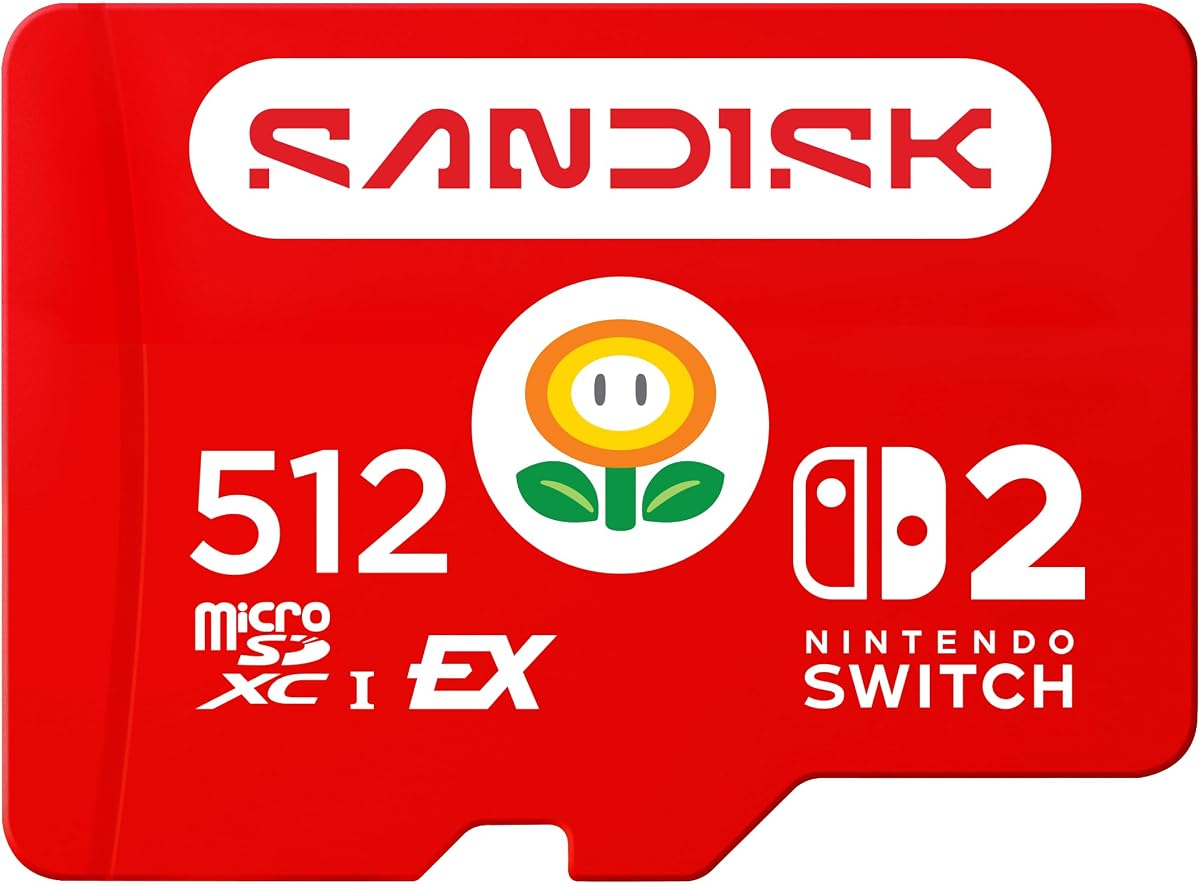
The SanDisk 512GB microSD Express Card for Nintendo Switch 2 combines a 4.9 rating with official licensing, high stated speeds, and a generous 512GB capacity. It is the most broadly appealing premium option for Switch 2 owners because it is explicitly designed and licensed for the console while providing room for a substantial game collection.
We may earn a commission when you buy through this link, at no additional cost to you.
SanDisk states read speeds of up to 880MB/s and write speeds of up to 650MB/s, positioning the card for faster game access and download-related tasks. The product also supports screenshot capture and short Full HD gameplay video clips. Its 512GB capacity offers a practical middle ground between smaller Express cards and the maximum one-terabyte capacity of the leading Lexar model.
The premium designation depends on the combination of official licensing, strong specifications, and the highest rating among the ten products. It is not a universal performance leader: the Lexar Play PRO lists higher read and write speeds, while the PNY card lists a higher write speed. Buyers should evaluate the official Switch 2 approval and usable capacity as part of the overall package rather than looking only at peak figures.
This is the recommendation for a Switch 2 user who wants fast loading, a licensed card, and enough space for many installed games. It also suits users who want a premium microSD Express product but do not need the Play PRO's one-terabyte capacity. For non-Switch applications, confirm that the intended reader supports the PCIe-based Express interface before purchasing.
Official licensing gives Nintendo Switch 2 buyers a direct signal that the card has been positioned for the console's new storage standard. That assurance is valuable in a market where ordinary microSD cards remain visually similar but cannot provide the same compatibility.
A 512GB card offers enough room for many games while avoiding the very highest storage option in the guide. It is a versatile choice for owners who want ample capacity without paying more simply to carry twice as much space.
We may earn a commission when you buy through this link, at no additional cost to you.
The Samsung 256GB microSD Express Card is a straightforward way to add storage to a Nintendo Switch 2. It has a 4.8 rating and is explicitly sold for the new console, whose expandable memory standard is microSD Express. For gamers who need only a small selection of titles, its compact capacity can be a more practical proposition than buying the largest card available.
We may earn a commission when you buy through this link, at no additional cost to you.
Samsung's supplied product information focuses on compatibility rather than publishing a detailed speed and write specification list. It explains that Switch 2 requires microSD Express for faster access and smooth game operation. That makes the card relevant to the console's intended use, although buyers seeking detailed throughput comparisons should expect fewer published figures than they will find on the Lexar, SanDisk, GIGASTONE, and PNY entries.
The central limitation is capacity. A 256GB card can fill quickly with modern game installations, and owners of larger libraries may need to move games between cards regularly. The card also lacks the detailed durability, warranty, and recovery information provided for several competing products, so buyers should examine the complete listing and product documentation before finalizing their decision.
This is the practical choice for a Switch 2 owner seeking a smaller Express card with a strong rating. It can serve as a travel or secondary-game card while leaving the console's internal storage available for other content. Those wanting a larger library should compare the Lexar 1TB, SanDisk 512GB, and GIGASTONE 1TB options instead.
The 256GB format works well for players who keep a focused selection of games or use the card as secondary storage. It can reduce the need for repeated downloads when the same titles are played regularly on the console.
The strongest evidence in the supplied information concerns Express compatibility with Switch 2, not a detailed transfer benchmark. Confirm that the device uses the microSD Express standard and review the current product listing for any additional specifications.
We may earn a commission when you buy through this link, at no additional cost to you.
The Lexar E-Series 128GB is a conventional UHS-I microSD card aimed at everyday cameras, dash cams, security systems, smartphones, tablets, and older gaming consoles. Its 4.7 rating and up-to-100MB/s transfer speed make it a solid general-purpose card, especially for users who do not need microSD Express bandwidth.
We may earn a commission when you buy through this link, at no additional cost to you.
The card supports Full HD, 3D, and 4K UHD media and includes A1 application performance for compatible hosts. Lexar states that the 128GB version can hold up to six hours of 4K video, 20 hours of 1080p video, 37,600 photos, or 19,440 songs, subject to differences between nominal and usable capacity. It is also described as waterproof, temperature-proof, shockproof, and magnetic-proof.
This card cannot serve as the Switch 2's required microSD Express storage. Its 100MB/s maximum read speed is also far below the Express cards in the guide, so users who regularly move large 4K files may find transfers less convenient. On the other hand, the simpler UHS-I interface gives it broad compatibility with older devices that do not support UHS-II or Express.
The E-Series is best for general media storage in equipment with ordinary microSD support. It gives buyers a recognized brand, useful A1 performance, broad device compatibility, and a long limited warranty without requiring them to pay for Express hardware they may not own. It is also a sensible secondary card for cameras and portable devices that accept standard microSD.
Because UHS-I is broadly supported, the E-Series can serve many cameras, dash cams, and older consoles. That makes it useful when compatibility matters more than the newest transfer standard or a very large capacity.
The stated media estimates show how 128GB can serve different collections. Actual results vary with file format, resolution, compression, system overhead, and partially used capacity, so treat the figures as practical planning references.
We may earn a commission when you buy through this link, at no additional cost to you.
The Lexar 512GB Play is designed for portable gaming devices, original Nintendo Switch systems, smartphones, and tablets, but it is explicitly not compatible with Switch 2. Its 4.3 rating is the lowest in this roundup, yet the specifications still make it a capable choice for supported hosts that benefit from faster reads and writes.
We may earn a commission when you buy through this link, at no additional cost to you.
The card offers up to 205MB/s read speed and up to 140MB/s write speed, along with V30 video and A2 application ratings. That performance supports quicker game loading, downloads, and Full-HD or 4K media transfers. Its 512GB capacity provides more room than smaller conventional cards, while the five-year limited warranty offers a meaningful protection period.
The decisive limitation is platform compatibility. A user who owns only a Switch 2 cannot use this product as expandable game storage, regardless of its attractive speed figures. Its 4.3 rating may also make buyers pause, although ratings should be considered alongside verified specifications, warranty, capacity, and the types of devices supported.
Choose the 512GB Play for an original Switch, another portable console, a compatible phone, or a tablet where application and media performance matter. It is a good fit for users who specifically want more speed than a basic UHS-I card without moving to the PCIe-based Express format. Switch 2 owners should skip it and choose a dedicated Express card.
The original Nintendo Switch and Switch 2 use different expectations for expandable game storage. This card is designed for the original Switch and other compatible devices, while the listing explicitly rules out Switch 2 use, making the distinction essential before purchase.
A2 performance can assist application launch times when a phone or tablet permits applications to run from the microSD card. The benefit depends on the host operating system and its support for movable storage applications.
We may earn a commission when you buy through this link, at no additional cost to you.
The GIGASTONE 1TB microSD Express card combines large capacity with stated 800MB/s read and 650MB/s write speeds. Its 4.7 rating and explicit Switch 2 positioning make it a credible high-capacity alternative to the leading Lexar and SanDisk Express cards, particularly for users who want one terabyte of game space.
We may earn a commission when you buy through this link, at no additional cost to you.
The product supports SD 2.0, 3.0, 5.0, and 7.1 as listed, along with UHS-I and UHS-II compatibility, V30, U3, and an included microSD-to-SD adapter. The title also identifies use with action cameras and drones. These broad labels are useful for buyers, but the underlying host still needs to support the relevant interface and capacity limit.
Compared with the Lexar Play PRO, the GIGASTONE card lists a lower maximum read speed but the same 650MB/s write speed. Compared with the premium SanDisk model, it offers more capacity but lacks the explicit official licensing described for that card. Its protection information is also less extensive in the supplied details, although it includes a five-year limited warranty and five years of free data recovery.
This card is best for a Switch 2 owner with a large game library who values capacity nearly as much as peak read speed. It also serves users with compatible cameras or drones that can take advantage of the Express interface. Buyers should check their equipment's maximum supported capacity and card standard before ordering.
The 1TB capacity gives a large console or camera user room to keep many files on one card. It can reduce transfers between internal storage, computers, and removable media, especially when each game or media file occupies substantial space.
The included microSD-to-SD adapter can make the card easier to use with devices that accept full-size SD media. Adapter compatibility still depends on the host, and Express performance may not be available through every full-size SD slot.
We may earn a commission when you buy through this link, at no additional cost to you.
The SanDisk 256GB microSD Express Card is a strong choice for content creators who move large video and photo files between compatible hardware. Its 4.7 rating, PCIe-NVMe interface, and extensive workflow claims distinguish it from ordinary UHS-I cards, while backward compatibility allows use with UHS-I and UHS-II hosts at their supported speeds.
We may earn a commission when you buy through this link, at no additional cost to you.
SanDisk states that the card can transfer a two-hour HD movie in less than 3.5 seconds when paired with its specified PRO-READER SD Express Dual Card. It also describes transferring 60 minutes of 30 fps 4K UHD video in under 70 seconds and 1,000 10MP RAW photos in 51.7 seconds under the same compatible-reader condition. These are important contextual details because peak results depend on the entire host-to-card setup.
Thermal management is another distinguishing feature. The card uses SanDisk ThermAdapt with a specially designed enclosure and controller to help manage heat dynamically. The listed durability protections cover water, temperature, humidity, drops, shock, magnets, X-rays, and wear, making it appealing for mobile creators working in varied environments.
The 256GB capacity is the main constraint for users working with long 4K sessions or large RAW catalogs, and the fastest transfer results require the separately sold compatible reader. Even so, this card is well suited to users who value speed, durability, and future-facing compatibility. It can also serve a Nintendo Switch 2, where the product information explicitly states compatibility.
A memory card cannot deliver its full potential through a reader or host that lacks the required interface. The stated movie, video, and photo transfer examples use the specified compatible SanDisk reader, so include that accessory in any workflow comparison.
The ThermAdapt design addresses a practical issue with fast removable storage: sustained transfers can generate heat. Adaptive thermal management helps the card maintain performance in demanding working environments, although ambient conditions and host behavior still matter.
We may earn a commission when you buy through this link, at no additional cost to you.
The PNY 256GB microSD Express card packs unusually strong stated performance into a compact capacity. It offers up to 890MB/s reads and 750MB/s writes through PCIe Gen 3×1 technology, supports Nintendo Switch 2, and remains backward compatible with UHS-I and UHS-II devices. Its 4.3 rating gives it less customer feedback confidence than several alternatives, but the feature set is extensive.
We may earn a commission when you buy through this link, at no additional cost to you.
The card carries U3, V30, and A1 classifications, making it suitable for high-speed gaming, video recording, and application use where the host supports those functions. PNY says it can provide up to 4.4 times the transfer performance of standard UHS-I cards and describes the card as a way to double a compatible gaming device's internal storage with expanded game space.
Its design emphasizes heat dissipation and adaptive thermal technology, which are sensible features for sustained Express transfers. PNY also lists shock, temperature, water, drop, X-ray, wearout, vibration, electrostatic-discharge, and humidity protection. A lifetime limited warranty and access to PNY Photo Recovery software add further value, although the recovery software is not a substitute for maintaining backups.
Choose this card when you want strong Express performance, Switch 2 compatibility, and a broad protection package in a 256GB format. It is particularly attractive for users who write more data than they read, given its high stated write figure. The lower rating and limited capacity are the main reasons to compare it carefully with the better-reviewed Samsung, SanDisk, and Lexar Express options.
The 750MB/s stated write speed makes this model appealing for downloads, file transfers, and other write-intensive tasks. Real results depend on the host, reader, file sizes, and whether the workload is sustained long enough to expose thermal or device limitations.
PNY lists protection against nine common environmental and mechanical risks. These claims make the card suitable for mobile use, although buyers should also follow sensible storage practices and retain important files elsewhere.
We may earn a commission when you buy through this link, at no additional cost to you.
The right card depends on your host, workload, and storage needs. Start with the required card format, then balance interface speed, capacity, video ratings, durability, and warranty against the devices you actually use.
A microSD Express card uses a PCIe-based interface, but that does not mean every device can read it at full speed. Nintendo Switch 2 specifically requires the microSD Express standard for expandable game storage. Cameras, phones, tablets, card readers, and drones vary widely, with many supporting only UHS-I or UHS-II. Consult the host manufacturer's compatibility list before purchasing, especially when a listing includes both Express and backward-compatibility language.
Choose an Express card when your primary device explicitly supports it and speed can improve game loading or transfer time. Otherwise, a well-matched UHS-II card may provide better value and simpler compatibility.
Read speed governs how quickly a device retrieves existing files, while write speed affects new recordings, downloads, and copies. The maximum figures in this guide are product claims that may require specific readers, compatible hosts, favorable file conditions, and compatible adapters. A card may negotiate a lower speed when the device lacks PCIe support, and peak benchmarks do not guarantee identical everyday results.
Prioritize read speed for game loading and media playback, and give write speed more attention when moving large files into the card. Also consider sustained rather than isolated performance, especially for video, because a V30, V60, or V90 classification better reflects minimum sustained behavior.
Capacity determines how many games, videos, photos, or other files can remain stored at once. The guide ranges from 128GB to 2TB. A 256GB card may suit a small console library, while 512GB or 1TB cards reduce the need for frequent transfers. Very large cards can be useful for media professionals, but some hosts impose lower capacity ceilings. Check the maximum supported card size and any device-specific formatting requirements.
Avoid paying for unused space if your library is small, but favor extra capacity when modern game installations and high-resolution media fill smaller cards quickly. For a Switch 2, consider how many titles you expect to keep installed rather than how many you might eventually download.
V30 supports a minimum sustained write rate of 30MB/s, V60 raises that threshold to 60MB/s, and V90 reaches 90MB/s. These classes help indicate suitability for recording workflows, but they do not replace an assessment of the camera's bitrate, recording length, resolution, frame rate, and number of simultaneous streams. A faster card can also reduce the time spent copying footage after a shoot.
For extended Full-HD or 4K recording, choose a class that meets or exceeds the device's sustained recording requirements. For ordinary game storage, V30 is a sensible baseline among the higher-speed options, while higher V ratings matter more to dedicated video creators.
An A1 rating indicates a minimum level of random read and write performance for application use, while A2 represents a higher class. These ratings are particularly relevant when a phone or tablet runs applications directly from the card. They are less central to a console library or camera workflow. UHS-I and UHS-II labels also describe the conventional interface, and they should not be confused with microSD Express capability.
Check operating-system support before assuming applications can run from removable storage. Some hosts reserve internal storage for certain applications, and speed results depend on both the card rating and the host controller.
Everyday cards are exposed to water, temperature swings, impact, magnetic fields, static discharge, and repeated wear. The products in this guide list different protection packages, ranging from broad multi-proof claims to specific environmental and mechanical protections. These features matter for cameras, drones, action cameras, handheld gaming, and cards carried in bags or vehicles. They reduce risk but do not make any card immune to damage.
Look for a card with relevant protection claims and a reputable recovery option, but never treat recovery software as a backup plan. Keep irreplaceable files on more than one storage location and transfer them to a computer or cloud service after important shoots.
Warranty terms range from five years on the GIGASTONE Express card and Lexar 512GB Play to ten years on several conventional Lexar cards. The Lexar Play PRO includes a limited lifetime warranty, while PNY lists a lifetime limited warranty. The Samsung and GIGASTONE product details provide different levels of information, so buyers should compare the complete warranty terms rather than relying on the label alone.
A longer warranty can add confidence, especially for frequently used cards, but it should not outweigh device compatibility, capacity, and workload fit. Keep receipts and review exclusions, and understand that coverage does not normally replace lost data or every form of physical damage.
The fastest card cannot outperform an unsuitable reader or host. Several strong Express transfer claims in this guide specify separate compatible readers, such as the Lexar microSD Express reader or SanDisk PRO-READER SD Express Dual Card. Adapters can also impose interface or speed limits. If your primary computer has only a basic USB card reader or a full-size SD slot, verify whether that path supports the card's full Express performance.
Build the comparison around your actual workflow: console, camera, phone, reader, computer, cables, and storage destination. A card that delivers its specifications through the setup you already own is more valuable than one with a larger headline number that your equipment cannot use.
Before inserting a new card, confirm that the device supports microSD Express, its capacity, and the card's physical format. Check the manufacturer's instructions for maximum card size and any required update. For a Nintendo Switch 2, use the card through the console's compatible card slot and follow the on-screen formatting or setup process rather than assuming a computer format will be accepted.
Transfer large files with a compatible Express reader and a properly connected host. Copy files rather than moving them directly, wait for the completion notification, and safely eject the card before removing it. Avoid interrupting writes, repeatedly removing the card during use, and operating the card in wet, excessively hot, or magnetic environments. These habits reduce the chance of corrupted files and interrupted transfers.
Periodically inspect the card for physical damage and back up important media promptly. Format the card in the device or host that will use it when appropriate, and use the host's approved formatting method. The Lexar Recovery Tool and PNY Photo Recovery are recovery aids rather than substitutes for backups, so preserve important files in at least one additional location.
Often yes, because many microSD Express cards are backward compatible with UHS-I or UHS-II devices. However, they will operate at the speed supported by that host rather than their full Express capability. A device that requires microSD Express, such as Nintendo Switch 2 for expandable game storage, will not accept an ordinary UHS-I card as a substitute.
The Lexar 1TB Play PRO Micro SD Express Card is specifically positioned for Nintendo Switch 2. The standard Lexar Blue, Play, Gold, and E-Series cards in this guide are not the same product category, so buyers should check each listing for an explicit compatibility statement. The original Switch and Switch 2 have different expandable-storage requirements.
For many of the highest stated transfer results, yes. The product information for several cards references a compatible microSD Express reader, and a standard UHS-I reader can restrict the result to UHS-I performance. The reader, USB connection, host controller, files, and card all need to support the interface and workload involved.
It can be enough for a focused collection, especially as a secondary card for travel or regularly played titles. Modern games can consume substantial space, so a 512GB or 1TB card may be more comfortable for a growing library. Users who often move games between multiple cards should consider capacity and card management together.
Both are video performance classes, but V60 guarantees a higher minimum sustained write rate than V30. A V30 card is generally suitable for standard high-definition and many 4K workflows, while V60 offers more margin for demanding or extended recording. The camera's bitrate and recording requirements ultimately determine which class is appropriate.
Only if the camera or drone supports the microSD Express interface and the advertised capacity. Many devices still use UHS-I or UHS-II, so Express backward compatibility can provide convenience but not full speed. Verify the device manual, maximum card capacity, recording requirements, and supported physical format before ordering.
The Lexar 1TB Play PRO and Lexar 2TB Blue include lifetime access to the Lexar Recovery Tool according to the supplied product information. Stop writing new data to the affected card, use a compatible computer and reader, and follow the recovery tool's instructions. Recovery success is not guaranteed, so backups remain essential.
No. Ratings can help indicate broad customer satisfaction, but actual speed depends on the card, host, reader, interface, file workload, and thermal conditions. Specifications, compatibility, capacity, durability, warranty, and the exact devices you own should carry more weight when making a purchasing decision.
The Lexar 1TB Play PRO Micro SD Express Card is the strongest overall pick because it combines a one-terabyte capacity, up-to-900MB/s reads, up-to-600MB/s writes, and explicit Nintendo Switch 2 positioning. The licensed SanDisk 512GB card is an attractive premium alternative, while the Samsung 256GB model is a compact choice for a smaller Switch 2 library.
Prioritize the interface your device actually supports before comparing any speed. For a Switch 2, choose a genuine microSD Express card; for UHS-II cameras, consider the Lexar 256GB Gold; and for maximum compatible capacity, evaluate the Lexar 2TB Blue only after checking host limits. Build the decision around capacity, sustained media needs, warranty, durability, and the required reader.
Retail prices, bundle contents, availability, and product listings can change over time. Review the current specifications and compatibility notes at the point of purchase, especially for newly introduced hosts and high-capacity cards. The right Lexar microSD Express card is the one that fits your devices, workload, and collection without paying for performance or capacity you cannot use.