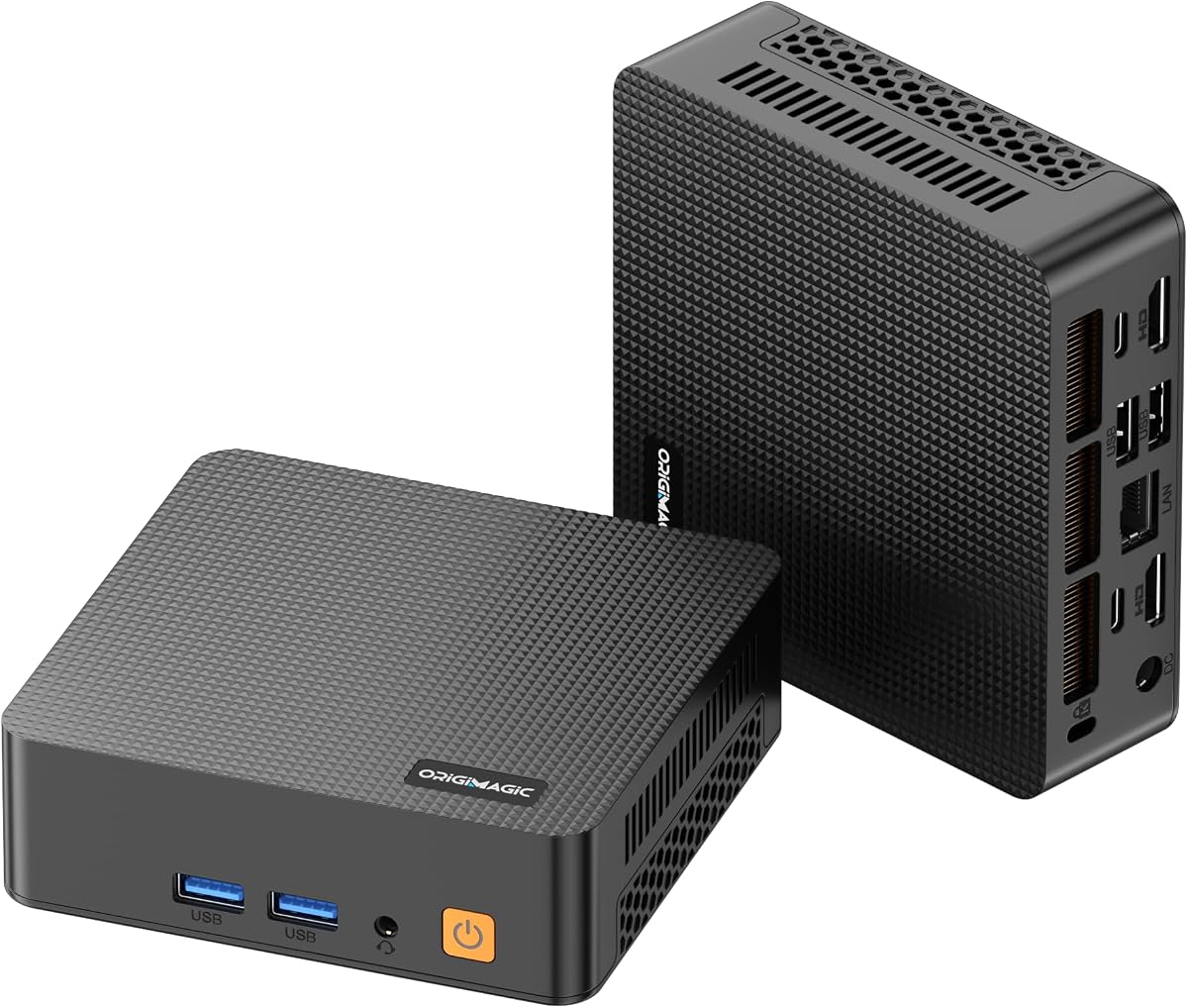
C5 Mini PC
4.2Editor score
Ryzen 5 3500U processor
Dual SO-DIMM memory slots
Secondary M.2 storage slot
Triple 4K display support
Our Mini PC with Upgradable Parts guide compares ten compact desktops, comparing memory, storage, processors, displays, networking, and upgrade potential.
A mini PC with upgradable parts offers the flexibility to improve memory, storage, and connectivity without replacing the entire computer. Unlike many compact desktops with soldered components, these systems let buyers start with a practical configuration and add capacity as their software, files, and workloads evolve.
The ten systems in this guide were compared by processor class, memory configuration, storage expansion, display support, networking, dimensions, and practical upgrade paths. Particular attention was given to models with replaceable SO-DIMMs, multiple M.2 slots, or additional drive bays, while also considering office, media, and light gaming needs.
Each review explains what makes the model distinctive, including the components that can be upgraded and the compromises buyers may encounter. The selections range from compact office computers to powerful machines with fast integrated graphics, and product availability and pricing can change throughout the buying process.
4.2Editor score
4.5Editor score

4.3Editor score
The comparison below highlights the most important differences in processor power, memory expandability, storage flexibility, display support, and connectivity across all ten mini PCs.


The Getorli Ryzen 5 7430U combines a six-core, 12-thread processor with a compact desktop design and a useful set of upgrade options. Its 4.5 rating reflects a generally favorable buyer response, although ratings alone cannot confirm particular workloads. The system is especially interesting for home offices that need more flexibility than a basic locked-down mini PC provides.
We may earn a commission when you buy through this link, at no additional cost to you.
Its 16GB of DDR4 memory can be expanded to 64GB through reserved slots, allowing users to address memory-heavy browser sessions, office applications, and light creative work. The 512GB SSD can likewise be supplemented with solid-state storage up to 4TB. Dual 2.5GbE network ports, WiFi 6, and Bluetooth 5.3 make the machine especially well connected for network appliances, remote work, and ordinary home use.
The main compromise is that the integrated Radeon graphics is intended for media playback, productivity, and light gaming rather than demanding graphics workloads. There is also only one documented external display arrangement of three screens rather than the four-display configuration offered by some premium alternatives. Buyers should confirm the exact display resolution and refresh behavior of every monitor they intend to connect.
This is an excellent general-purpose choice for users seeking upgradeable RAM and storage, fast wired networking, and a modern Ryzen processor in a small enclosure. It is particularly suitable for a home office, study area, or compact workstation where a conventional tower would be inconvenient. For buyers needing stronger integrated graphics, the GEEKOM A6 is the more premium alternative.
The replaceable DDR4 memory and reserved solid-state expansion are the strongest reasons to consider this model. Rather than accepting a fixed configuration, buyers can add capacity as document libraries, applications, and virtual environments grow. The initial 16GB and 512GB combination remains suitable for many mainstream office tasks.
Two 2.5GbE ports provide a useful foundation for network-focused deployments, while HDMI, DisplayPort 1.2, and Type-C allow a three-monitor arrangement. WiFi 6 and Bluetooth 5.3 cover wireless peripherals, making the system adaptable to both permanent desks and flexible workspaces.
We may earn a commission when you buy through this link, at no additional cost to you.
The GEEKOM A6 is the premium selection here because it combines a 45W Ryzen 7 6800H processor, Radeon 680M graphics, upgradeable DDR5 memory, and fast PCIe 4.0 storage in a very small chassis. Its 4.3 rating suggests generally positive experiences, with the strongest appeal coming to users who want more than basic office capability.
We may earn a commission when you buy through this link, at no additional cost to you.
The included 32GB of DDR5 is upgradeable, which is a major advantage over systems using soldered LPDDR memory. The primary PCIe 4.0 NVMe drive can accommodate storage up to 4TB, and an additional M.2 2242 SATA slot can support up to 2TB. That gives users multiple avenues for increasing capacity without replacing the complete computer.
Dual HDMI and a 40Gbps USB4 port provide flexible multi-monitor connectivity, while the Radeon 680M handles demanding media, 4K video editing, music production, and light gaming better than most integrated alternatives. The trade-off is a 45W processor and a tiny aluminum enclosure, which can produce more heat and fan noise than a larger desktop. High-intensity workloads may also expose the limits of compact integrated cooling.
Choose the A6 for a powerful, future-oriented workstation that must remain physically small. It suits advanced users who value upgradeable memory, rapid storage, strong integrated graphics, and modern ports. Buyers seeking more conventional storage expansion may favor the GEEKOM A5, while the Getorli model provides dual 2.5GbE networking at a less premium level.
The A6 avoids the major restriction found in many premium mini PCs by using upgradeable DDR5 memory. Buyers can increase capacity if demanding applications later exhaust the starting configuration. This makes the system more suitable for owners who expect their software and project requirements to grow over time.
USB4 consolidates data transfer, display output, and power delivery in one versatile connection, reducing reliance on adapters. Radeon 680M graphics also make this a stronger option than conventional office mini PCs for photo editing, video timelines, and games that run acceptably on integrated hardware.
We may earn a commission when you buy through this link, at no additional cost to you.
The C5 Mini PC offers one of the clearest upgrade paths in this guide. Its Ryzen 5 3500U has four cores and eight threads, which remain appropriate for office work, web browsing, online meetings, and light media tasks. The 4.2 rating indicates a generally positive reception, and the system is most compelling when buyers intend to expand it over time.
We may earn a commission when you buy through this link, at no additional cost to you.
Although it begins with 8GB of DDR4 memory, dual SO-DIMM slots allow expansion to 32GB. The 256GB PCIe 3.0 NVMe drive handles the operating system and applications, while an extra M.2 2242 slot provides another route to more storage. This design is more flexible than a mini PC equipped only with soldered memory and a single drive.
Display support is another strength: two HDMI 2.0 ports and a full-function Type-C port can drive three independent 4K monitors at 60Hz. The Type-C connection also supports data transfer and PD 3.0. Conversely, WiFi 5 and Bluetooth 5.0 are dated standards, and the older Ryzen 3500U platform is less attractive for intensive creation or modern gaming.
The C5 is a sensible choice for budget-conscious students, home-office operators, and buyers building a first expandable mini PC. Adding memory and a second solid-state drive after purchase can create a much more capable system than the starting configuration suggests. Users wanting a newer processor and faster wireless connectivity should look toward the Getorli or GEEKOM A5.
Dual SO-DIMM slots make the C5 easy to tailor to the workload. Adding a larger memory module is especially useful for many browser tabs, office suites, and simultaneous communication applications. The available memory ceiling of 32GB is lower than some premium competitors, but it is ample for many home and office roles.
Three 4K outputs make the C5 useful for spreadsheet analysis, media monitoring, trading layouts, and other workflows that benefit from more screen area. The full-function Type-C port simplifies modern display connections, although buyers should verify cable and monitor compatibility before installation.
We may earn a commission when you buy through this link, at no additional cost to you.
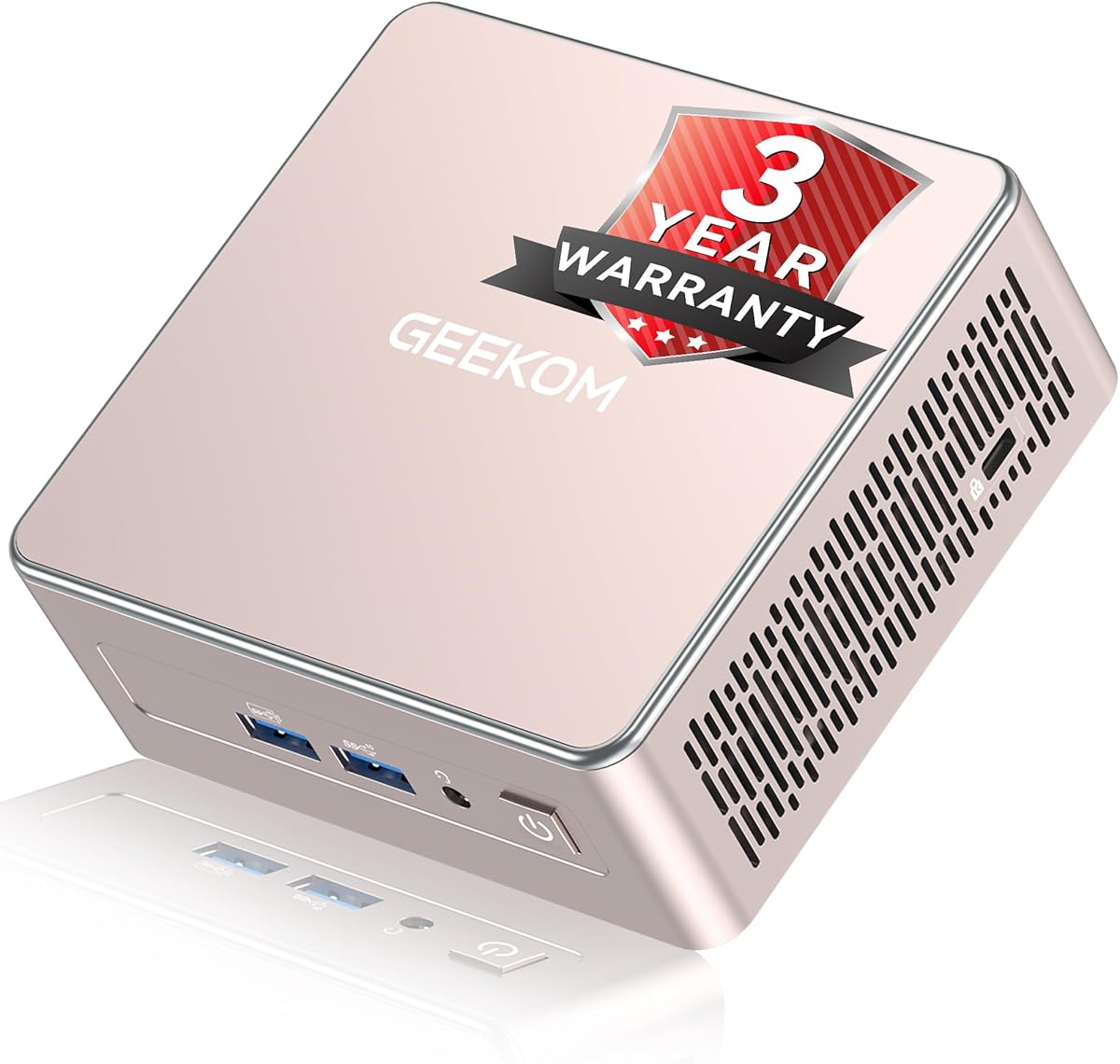
The GEEKOM A5 stands out for unusually broad expansion, including two DDR4 slots, an extra M.2 2242 slot, and a 2.5-inch hard-drive bay. Its Ryzen 7 7730U provides eight cores and 16 threads, while the 4.5 rating reflects a strong response from buyers. It is a logical choice for a compact workstation expected to accumulate files or applications.
We may earn a commission when you buy through this link, at no additional cost to you.
Memory can be expanded to 64GB, solving the limitations that frequently affect compact PCs with fixed configurations. Storage can grow through the main M.2 slot, the additional M.2 2242 position, and the 2.5-inch bay, with a stated combined potential of 10TB. Dual HDMI and dual USB-C connections can support up to four displays.
The starting 256GB SSD is modest for a system aimed at long-term use, but the upgrade bay reduces that concern. Its 0.6L metal enclosure is impressively small, which also means cooling and acoustic performance are constrained compared with larger desktops. The product is marketed with preinstalled software, business-oriented remote functions, and a three-year warranty, adding value for workplace deployment.
The A5 suits users who want desktop-class processor cores in a tiny chassis and care more about future expansion than maximum graphics performance. It is especially attractive for home labs, file-heavy offices, and multi-monitor workspaces. For stronger integrated graphics, consider the GEEKOM A6, while the C5 offers a less advanced but more economical upgrade path.
The hard-drive bay is especially valuable because many similarly compact systems offer only small solid-state drives. Users can combine NVMe storage for speed with a larger hard drive for archives, media, or backups. This makes the A5 more appropriate for projects that outgrow fast local storage.
Wake-on-LAN, scheduled power-on, and group-policy support make the A5 relevant to managed office environments. Its metal construction and cooling system are designed for sustained operation, while the small enclosure allows placement behind monitors or within crowded reception and workstation areas.
We may earn a commission when you buy through this link, at no additional cost to you.
The GMKtec M6 Ultra combines a Zen 4 Ryzen 5 7640HS processor with 32GB of dual-channel DDR5, making it one of the stronger all-around configurations in this guide. Its 4.2 rating is favorable, and the 45W to 60W processor range provides more headroom for demanding office applications, coding, and content work than lower-power alternatives.
We may earn a commission when you buy through this link, at no additional cost to you.
The two 16GB memory modules can be replaced or expanded to 128GB, offering one of the highest memory ceilings listed. The 1TB PCIe drive can be supplemented through dual storage expansion, with support stated for up to 8TB PCIe 4.0 SSDs. Upgrade components are not included, so buyers must select compatible memory and drives separately.
Radeon 760M graphics can handle video encoding and decoding, light gaming, and multi-monitor productivity, but it does not match a dedicated gaming desktop. The three-display arrangement includes an 8K-capable USB4 output and 4K HDMI and DisplayPort connections. Dual 2.5GbE ports are a major benefit for networking, server, and virtualization roles.
This model is a strong option for power users who want modern CPU architecture, abundant memory, and fast storage in a compact enclosure. It is better suited to development, professional multitasking, and media workflows than serious gaming. Buyers who prioritize the newest processor or stronger Radeon graphics should compare the Ryzen 7 6800H-based alternatives in this roundup.
The 128GB maximum makes the M6 Ultra compelling for developers running containers, virtual machines, large datasets, or specialized engineering software. The included dual-channel configuration already performs well, and the modular design allows buyers to increase capacity without changing the processor platform.
Two 2.5GbE ports support high-speed transfers and more advanced network configurations than a single-port mini PC. USB4 adds bandwidth for external storage and high-resolution displays, while HDMI and DisplayPort provide alternatives for office equipment, projectors, and multi-screen workspaces.
We may earn a commission when you buy through this link, at no additional cost to you.
The GMKtec G3 Ultra is built around the Intel Pentium Gold 7505 and a 16GB LPDDR4 configuration, offering capable everyday performance in a small office computer. No numerical buyer rating is supplied, so the absence of a rating should not be interpreted as either a positive or negative user-sentiment score.
We may earn a commission when you buy through this link, at no additional cost to you.
Its principal limitation is the soldered LPDDR4 memory. While 16GB is generous for many routine tasks, it cannot be replaced with a larger SO-DIMM. Storage is more adaptable because the system has a primary M.2 2280 PCIe slot and a secondary M.2 2280 SATA slot, allowing buyers to add compatible solid-state storage.
Two HDMI 2.0 ports support dual 4K displays at 60Hz, while Intel UHD graphics handle playback, browsing, light photo editing, and AV1 decoding. Connectivity includes three USB 3.2 Gen2 ports, USB 2.0, audio, 2.5GbE, WiFi 6, and Bluetooth 5.2. Wake-on-LAN, PXE boot, RTC wake, and automatic power-on make it relevant to servers and managed deployments.
The G3 Ultra is a sensible choice for conventional business computing where dual monitors, efficient networking, and compact dimensions matter more than gaming or heavy content creation. It is less suitable for buyers whose primary reason for choosing a mini PC is future memory expansion. The C5 and BOSGAME E5 offer more straightforward upgrade paths for similar everyday roles.
The included 16GB LPDDR4 should satisfy normal office, education, and browsing needs, but buyers cannot add memory later. The two M.2 positions provide a clearer growth path for storage, making it easier to add capacity without replacing the entire system.
PXE boot and multiple wake options make the G3 Ultra relevant to administrators and home-lab builders. The 2.5GbE connection also supports faster file transfers and network operating system deployment than gigabit-only alternatives.
We may earn a commission when you buy through this link, at no additional cost to you.
The GMKtec G11 Plus combines a Ryzen 5 3500U processor, 16GB of dual-channel DDR4 memory, and a 512GB solid-state drive. No buyer rating is provided in the available product data. Its appeal lies in a broad port selection and dual 2.5GbE networking, making it interesting for home labs, network appliances, and multi-screen offices.
We may earn a commission when you buy through this link, at no additional cost to you.
The dual-channel memory arrangement helps integrated graphics and general multitasking compared with a single matched module. A BIOS performance mode can raise the processor's sustained performance for CPU-intensive applications, while a 15W design keeps the system appropriate for quiet offices. Storage expansion is not detailed as clearly as on several competitors, so buyers should confirm available internal slots before purchase.
Two HDMI 2.0 ports and a DisplayPort-capable USB-C port support three independent 4K displays. Dual 2.5GbE ports allow the mini PC to function in router, firewall, network-attached storage, virtual-machine, and container scenarios. WiFi 6E, Bluetooth 5.2, and multiple USB ports cover peripherals, transfers, and backup drives.
The G11 Plus is a good fit for technically inclined users who prioritize dual network interfaces and flexible display arrangements over the newest processor architecture. Its four-core Ryzen 3500U is adequate for office work and moderate multitasking but not ideal for demanding modern games. The C5 provides a clearer documented upgrade path, while the G3 Ultra is better suited to managed mainstream deployments.
Two fast Ethernet ports distinguish this model from ordinary office mini PCs. They can support a dedicated network appliance, separate management traffic, or more advanced home-lab topologies. The included 2.5GbE controller also helps when transferring large files over a compatible local network.
The two HDMI outputs and USB-C display connection create a three-screen workstation without requiring a traditional graphics card. WiFi 6E adds access to the 6GHz band where available, which can reduce congestion and improve latency in suitable environments.
We may earn a commission when you buy through this link, at no additional cost to you.
The Glorlin Ryzen 7 6800H is a powerful compact system with an eight-core, 16-thread processor, Radeon 680M graphics, and a 4.8 buyer rating—the highest numerical score among the listed products. It is well suited to media work, office productivity, and light gaming while remaining small enough for constrained spaces.
We may earn a commission when you buy through this link, at no additional cost to you.
Its 16GB LPDDR5 memory runs at 6400MT/s in a dual-channel configuration, providing fast everyday performance. Unlike replaceable SO-DIMM systems, the memory is not intended for user expansion. Storage is more flexible, with dual M.2 expansion allowing additional capacity for applications, media, and projects. The included 512GB NVMe drive is appropriate for a fast primary system volume.
Three 4K displays can be connected through HDMI, DisplayPort, and Type-C. The Radeon 680M also provides a significant advantage over basic office graphics for light games, photo editing, and 4K media. Dual LAN ports, WiFi 6, Bluetooth 5.3, USB 3.2, and USB 2.0 provide a comprehensive selection of wired and wireless connections.
Choose this model when performance, media capability, and a compact footprint matter more than future RAM upgrades. It is a strong alternative to the GEEKOM A6 for users who do not need as much initial memory or as long a listed warranty. Buyers focused on memory expansion should examine the Getorli, GEEKOM A5, or C5 instead.
The integrated Radeon 680M can run a range of lighter games and provides capabilities that basic Intel or older Vega graphics may lack. It also accelerates compatible media tasks, making the system appealing for users who want a compact entertainment and productivity computer rather than a bare office appliance.
LPDDR5 offers strong bandwidth and efficiency in a compact enclosure, but it introduces an upgrade limitation. The 16GB allocation is suitable for many users, although buyers who already know they will need more should choose a model with replaceable SO-DIMMs to avoid replacing the whole system later.
We may earn a commission when you buy through this link, at no additional cost to you.
The GMKtec M5S is an entry-level mini PC designed around the Ryzen 3 5400U, 16GB of DDR4, and a 512GB PCIe solid-state drive. No numerical buyer rating is available. The system is best considered for office work, learning, video calls, and light gaming where its upgrade potential matters more than peak performance.
We may earn a commission when you buy through this link, at no additional cost to you.
The single 16GB DDR4 module is replaceable, and the stated memory ceiling is 128GB. Dual storage expansion supports up to 8TB PCIe 4.0 SSDs, although one or more compatible drives and appropriate installation details may vary. These limits make it unusually flexible for an entry-level model, especially compared with machines using fixed LPDDR memory.
The 2.6GHz base and 4.0GHz boost clock cover normal productivity tasks, while Radeon graphics support older titles, indie games, and retro emulation. A 2.5GbE port supports faster transfers and network services. The display arrangement includes HDMI, DisplayPort, and USB-C, with support stated for three high-resolution screens.
The M5S suits buyers who want a low-cost base machine that can grow through RAM and SSD upgrades. It is less appropriate for intensive video editing, modern high-settings gaming, or software that already demands substantial memory. Compared with the C5, it offers greater documented memory and storage ceilings but uses a lower-tier processor.
The documented 128GB ceiling gives this model flexibility beyond its initial 16GB allocation. Replacing a single module with a higher-capacity matched pair can improve capacity while supporting dual-channel operation, provided the memory modules are compatible with the system.
Expansion to large PCIe storage capacities is useful for media archives, development tools, and virtual machines. The 2.5GbE connection also provides a faster local network path than gigabit Ethernet, making large file transfers more practical when the connected storage and network infrastructure support it.
We may earn a commission when you buy through this link, at no additional cost to you.
The BOSGAME E5 is a flexible compact desktop built around the Ryzen 5 5300U, 16GB of DDR4 memory, and a 512GB NVMe drive. Its 4.2 rating supports its reputation as a capable everyday system, particularly for office work, design tasks, communications, and multi-monitor productivity.
We may earn a commission when you buy through this link, at no additional cost to you.
The installed 16GB memory can be expanded to 64GB, offering a useful upgrade path. A second internal M.2 slot can accept an additional solid-state drive of up to 2TB, giving users room for media, backups, and project data. The storage expansion is more limited than the largest capacities offered by some competitors, but it remains practical for many users.
Dual 2.5GbE Ethernet ports create a standout networking feature and make the E5 suitable for soft routers, network-attached storage, and home labs. HDMI, DisplayPort, and Type-C support three monitors, while two USB 3.2 and two USB 2.0 ports cover peripherals. The included VESA mount helps keep the enclosure hidden behind a compatible display.
The E5 is a good fit for buyers who want flexible memory and storage alongside fast wired networking in a small footprint. Its Ryzen 5300U is less powerful than current premium alternatives, and WiFi 5 may be limiting in crowded wireless environments. The Getorli is the stronger choice for newer wireless standards and higher memory expansion.
Two independent 2.5GbE connections allow the E5 to serve as a compact networking appliance or participate in a segmented lab network. The feature can also simplify connections to a NAS, multiple wired services, or a separate management interface when the installed software supports those roles.
HDMI, DisplayPort, and Type-C provide several ways to build a three-monitor desk. The VESA mount reduces clutter by securing the mini PC behind a compatible display, making the system convenient for trading, editing, monitoring, and general office layouts.
We may earn a commission when you buy through this link, at no additional cost to you.
The most important decision is not merely how much hardware a mini PC includes, but which components can be changed later. Processor class, memory architecture, storage slots, display outputs, networking, cooling, and warranty coverage should be considered together before choosing a model.
Replaceable DDR4 or DDR5 SO-DIMMs are the clearest sign that a mini PC is designed to grow. A system with dual memory slots can accept matched modules, potentially improving capacity and dual-channel performance at the same time. Buyers should check the supported memory generation, maximum capacity, module form factor, and whether the listed ceiling refers to total memory or memory per slot. LPDDR memory is soldered in many compact systems and may be attractive for durability, but it cannot be expanded after purchase.
Choose replaceable SO-DIMMs when workload growth is likely or when the computer is expected to remain in service for several years. Upgradeable memory is one of the most valuable long-term features in this category.
Storage expansion requires more than a large number on the specification sheet. Check the physical slot format, interface generation, supported capacity, and whether a second slot shares bandwidth with the primary drive. M.2 2280 is a common full-size format, while M.2 2242 is shorter and may require a specific physical and electrical design. A 2.5-inch bay adds another layer of flexibility for large archives, although it occupies more internal space. NVMe drives are generally faster, while SATA drives may offer greater capacity for less demanding data.
Prioritize at least two usable storage positions if the system will hold media, backups, virtual machines, or extensive applications. Match the drive type to the slot rather than assuming every M.2 drive is interchangeable.
Ryzen 5, Ryzen 7, and Ryzen 3 processors cover different balances of performance, efficiency, and cost, while Pentium Gold models emphasize mainstream office use. A higher-class processor generally helps with compiling, rendering, many browser tabs, video editing, and virtualized workloads. Thermal design matters just as much because a compact chassis can limit sustained performance if heat cannot dissipate effectively. Look for an active cooling system, ventilation openings, and a processor power level appropriate to the enclosure.
Match processor power to the workload rather than selecting solely by core count. A quieter, lower-power system may be better for a study desk, while a higher-power model is more appropriate for sustained compute tasks.
Integrated Radeon 680M and 760M graphics offer stronger capabilities than basic office-oriented integrated graphics, including better light gaming, photo editing, and hardware-assisted media workflows. Processors such as the Pentium Gold 7505 can handle video playback and AV1 decoding, but their gaming potential is more limited. Display resolution, refresh rate, and the number of simultaneous outputs should be checked together because those limits depend on the specific port and processor configuration.
Choose stronger integrated graphics for media creation or casual gaming. For ordinary office work, prioritize a quiet system, multiple displays, and networking rather than paying for unused graphics capability.
Three-display support can dramatically improve productivity by separating documents, communication, monitoring, and reference material. Four-display configurations provide even more room but usually require compatible USB-C or DisplayPort connections. HDMI remains the most broadly understood option for monitors and televisions, DisplayPort is common in professional environments, and full-function Type-C can simplify cabling when it supports display output, data transfer, and power delivery. Buyers should verify the exact resolution and refresh rate supported by each port.
Match the port mix to existing monitors before buying. A strong processor cannot compensate for missing outputs or incompatible adapters, so include docks, cables, and display standards in the purchase decision.
Dual 2.5GbE ports distinguish this group from ordinary single-gigabit mini PCs. Two fast Ethernet connections can support network appliances, separate management links, virtual machines, or NAS roles. WiFi 6 and WiFi 6E provide faster wireless performance, with WiFi 6E adding the 6GHz band where it is available. Older WiFi 5 systems can still be perfectly adequate for basic browsing, but they may feel less future-proof in crowded wireless environments. Bluetooth versions determine which modern peripherals and audio accessories are best supported.
Choose dual Ethernet for networking and home-lab work, and prioritize WiFi 6 or 6E for flexible wireless use. For fixed desks, a wired connection remains dependable, but having both options is useful.
Mini PCs trade physical size for less internal space, which can make sustained cooling more difficult. Metal frames and aluminum housings can help with heat transfer, while a quiet fan and effective vents are important in offices and bedrooms. Some premium systems explicitly advertise upgraded thermal systems and reliability testing, which provides useful evidence of attention to long-term operation. The enclosure should still have enough clearance around its vents, and users should avoid placing the computer inside a closed cabinet.
Choose a chassis that fits the available space and leaves adequate airflow. For silent work areas, evaluate noise and thermal behavior more carefully than maximum processor speed.
A longer warranty can provide meaningful reassurance for a compact computer whose internal components may be upgraded. Some models offer three years of coverage, while others provide a one-year machine warranty and extended parts support. The distinction matters because memory and storage upgrades may be covered differently from the original system. Shipping, return windows, operating-system support, and technical assistance are also relevant. Buyers should preserve packaging and documentation and confirm that planned upgrade parts are compatible with the manufacturer's support policy.
Longer coverage is valuable, but it should complement rather than replace careful upgrade planning. Confirm component limits and installation requirements to protect the warranty and avoid unsupported configurations.
Before adding memory or storage, shut down the computer completely, disconnect the power adapter, and discharge residual power according to the manufacturer's instructions. Record the existing component details, check compatibility, and work on a static-safe surface. The chassis design may differ, so avoid forcing a module, connector, or shield; consult the support material if the procedure is unclear.
After installing an upgrade, reconnect the system and verify that the full memory capacity and new drive appear in the operating system. Update firmware, chipset, graphics, and network drivers as appropriate, then confirm that the system boots normally. If storage is newly installed, initialize it and create the desired partitions before moving important files. Test multiple displays and network ports to ensure that the original configuration remains reliable.
For routine care, keep ventilation openings clear, avoid placing the system inside a tightly enclosed cabinet, and use a stable surface with the supplied power supply. Create current backups, keep the operating system and drivers updated, and avoid unnecessary software installations that reduce free storage. Periodically clean dust from accessible vents, monitor storage health, and verify temperatures during sustained workloads.
The most important features are replaceable SO-DIMM memory slots and accessible M.2 storage positions. A second hard-drive bay adds even more flexibility, while a third M.2 slot can support additional data or specialized workloads. Buyers should also check maximum capacities and physical formats because expansion claims differ between models.
LPDDR memory can be efficient, compact, and fast, but it is normally soldered to the motherboard. SO-DIMM systems are more flexible because buyers can increase capacity or replace modules later. Choose LPDDR when the included capacity meets expected needs and prioritize the smallest possible enclosure; choose SO-DIMMs when longevity and expansion are more important.
Basic office use, browsing, and video calls are generally comfortable with 16GB of memory. More browser tabs, large spreadsheets, creative applications, virtual machines, and development tools benefit from 32GB or more. Models supporting 64GB to 128GB provide the safest path for demanding or growing workloads.
No. Display support depends on the processor and the specific HDMI, DisplayPort, and USB-C implementations. Some models in this guide support three 4K screens, while others support only two. Verify the maximum resolution, refresh rate, and whether Type-C supports DisplayPort Alt Mode before buying.
Two 2.5GbE ports can support more advanced network configurations than a single Ethernet connection. They may serve separate networks, provide a dedicated management link, or improve compatibility with home-lab and appliance roles. They also allow faster local transfers than gigabit Ethernet when the rest of the network supports the higher bandwidth.
Models with Radeon 680M or 760M integrated graphics can run many light and moderate games, but they are not replacements for dedicated gaming desktops. Older Ryzen 5, Ryzen 3, and Pentium-based systems are best suited to casual titles, retro gaming, and media entertainment. Check each game's requirements and the graphics settings it supports.
Not necessarily. A 256GB or 512GB NVMe drive can provide a good starting point if the operating system, applications, and active files fit comfortably. Expanding storage becomes more useful for large media collections, development assets, virtual machines, backups, and games. Adding a second drive can also avoid the disruption of migrating an entire system.
Keep the cooling vents unobstructed, use the supplied or a compatible power adapter, and maintain current operating-system and driver updates. Back up important data, monitor storage health, and keep some free space on the system drive. For major memory or storage changes, follow the manufacturer's compatibility guidance and verify the upgrade after installation.
The Getorli Ryzen 5 7430U is the best-balanced overall option, combining 16GB of upgradeable DDR4, expandable storage, dual 2.5GbE networking, and triple 4K display support. The GEEKOM A6 is the premium choice for strong Radeon 680M graphics, fast PCIe 4.0 storage, USB4, and a compact high-performance enclosure. The C5 stands out as the best-value model because its dual SO-DIMM and secondary storage slots create a clear path to a more capable system.
Before purchasing, prioritize the components you are most likely to change. Replaceable DDR4 or DDR5 memory and multiple M.2 positions offer the most visible long-term value, while processor generation, integrated graphics, display outputs, and dual networking determine how well the system handles today's workload. If memory is soldered, make sure the included allocation will remain sufficient for several years.
Finally, review the current listing, exact component specifications, upgrade limits, warranty terms, and compatibility requirements before ordering. Product configurations and prices can change, and the information in this guide reflects the supplied product descriptions at the time of comparison. Confirming the latest details helps prevent buying a compact PC that cannot accommodate the upgrades you actually need.